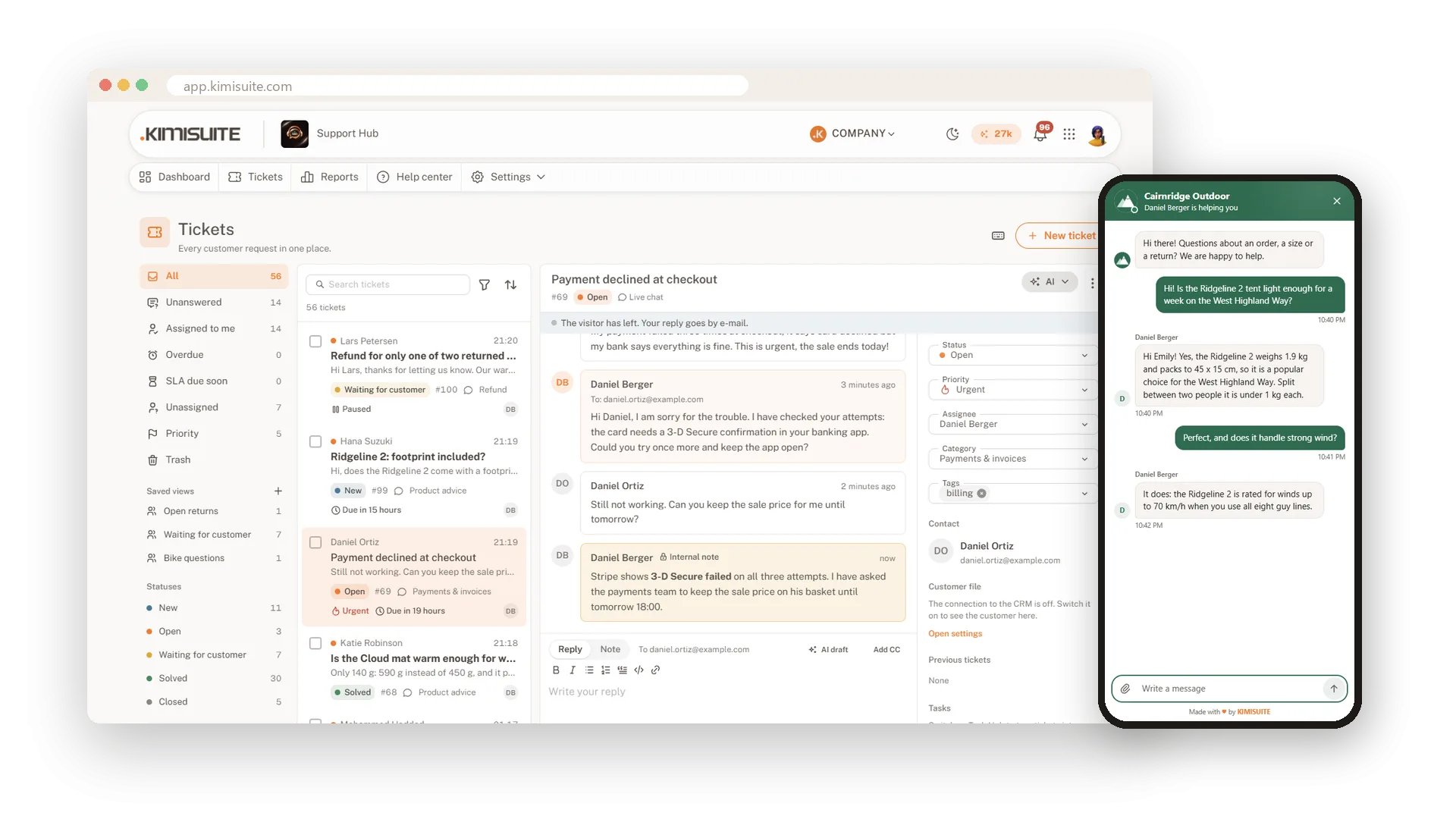

Every customer request in one shared inbox.
E-mail, your web form, the live chat on your website and Telegram land in one shared inbox. Your team answers from one place, from your own address, with response targets, rules and AI on its side. You pay for the workspace, not per agent.
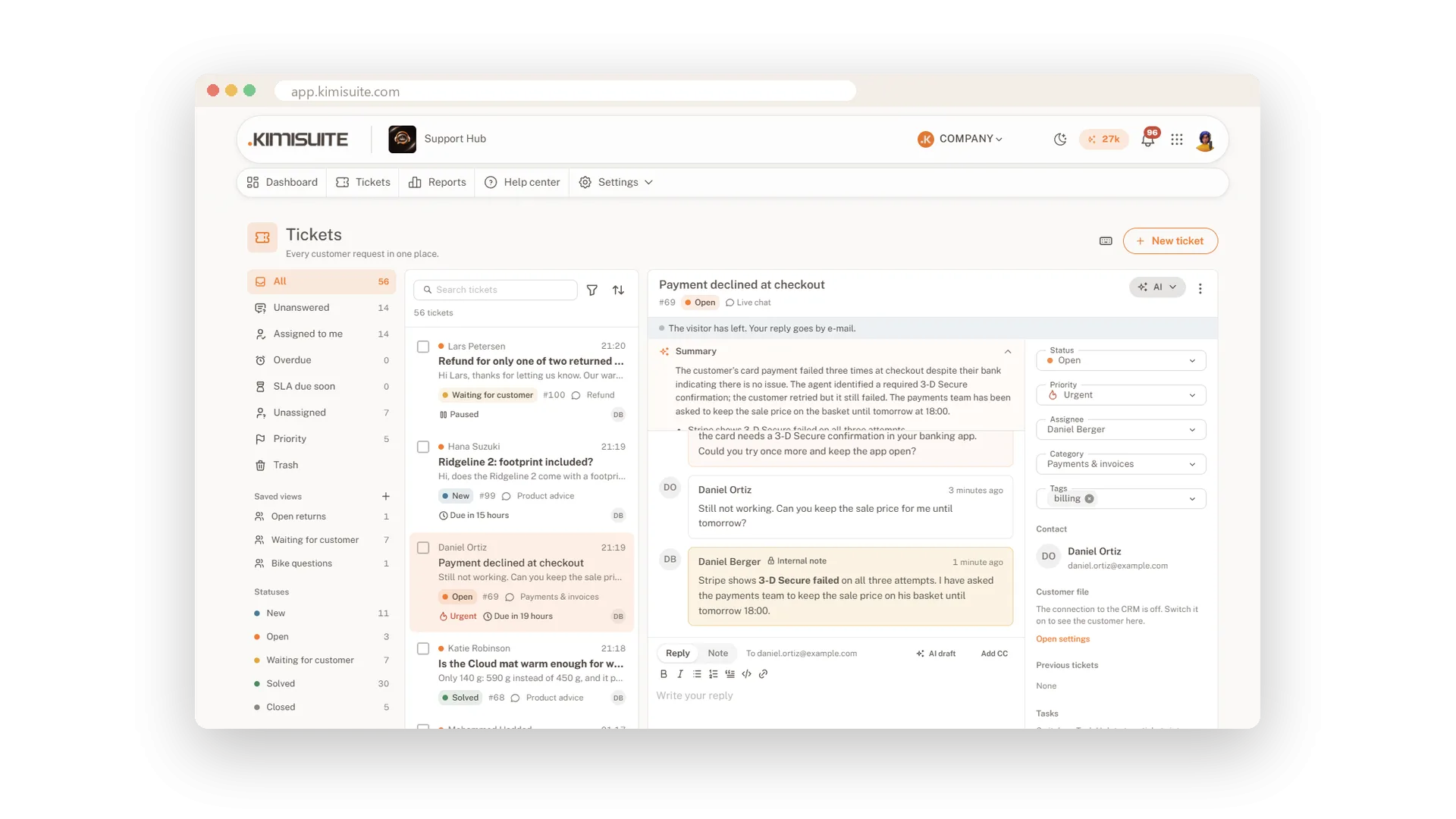
Nothing gets lost, nobody answers twice
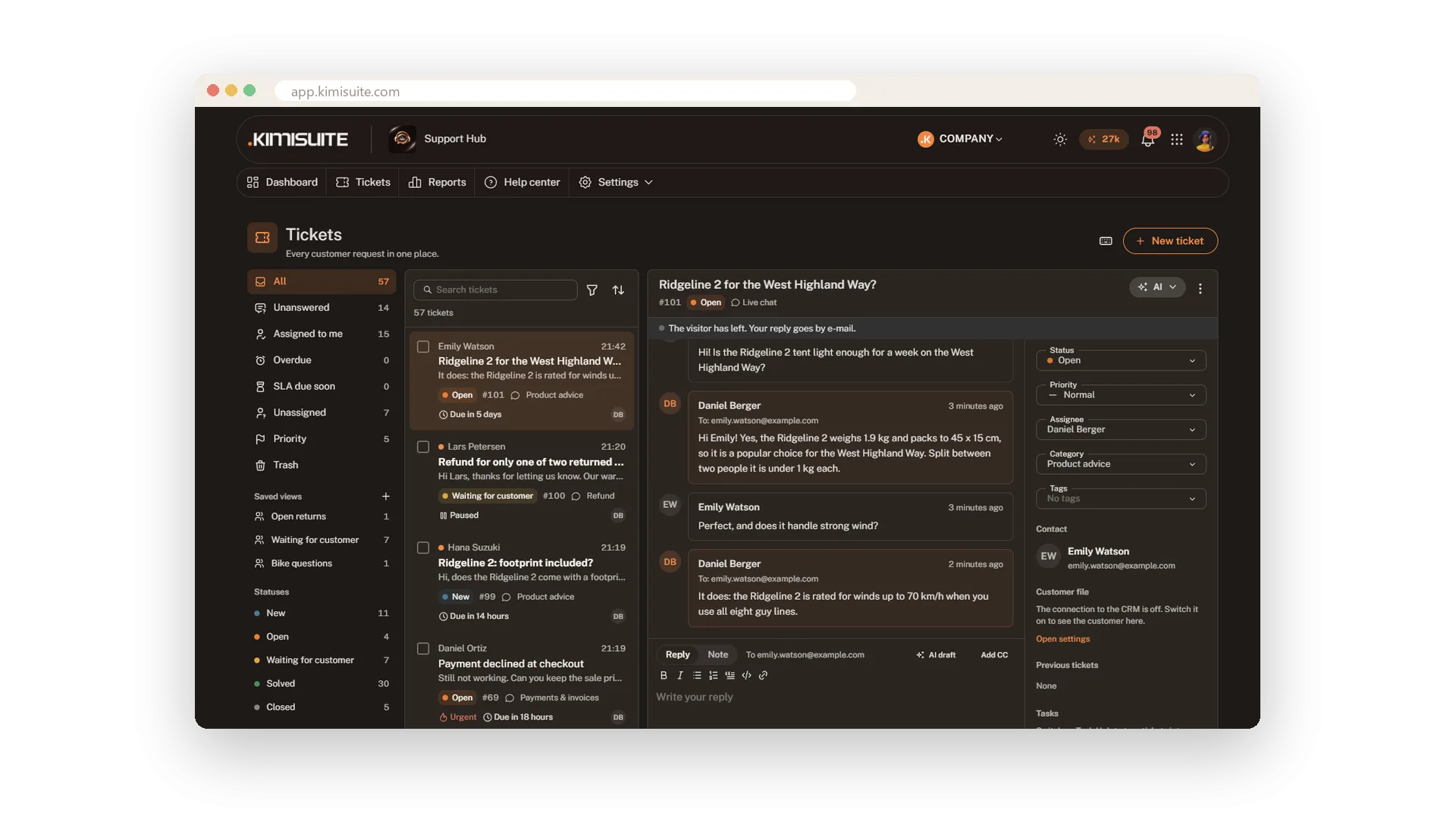
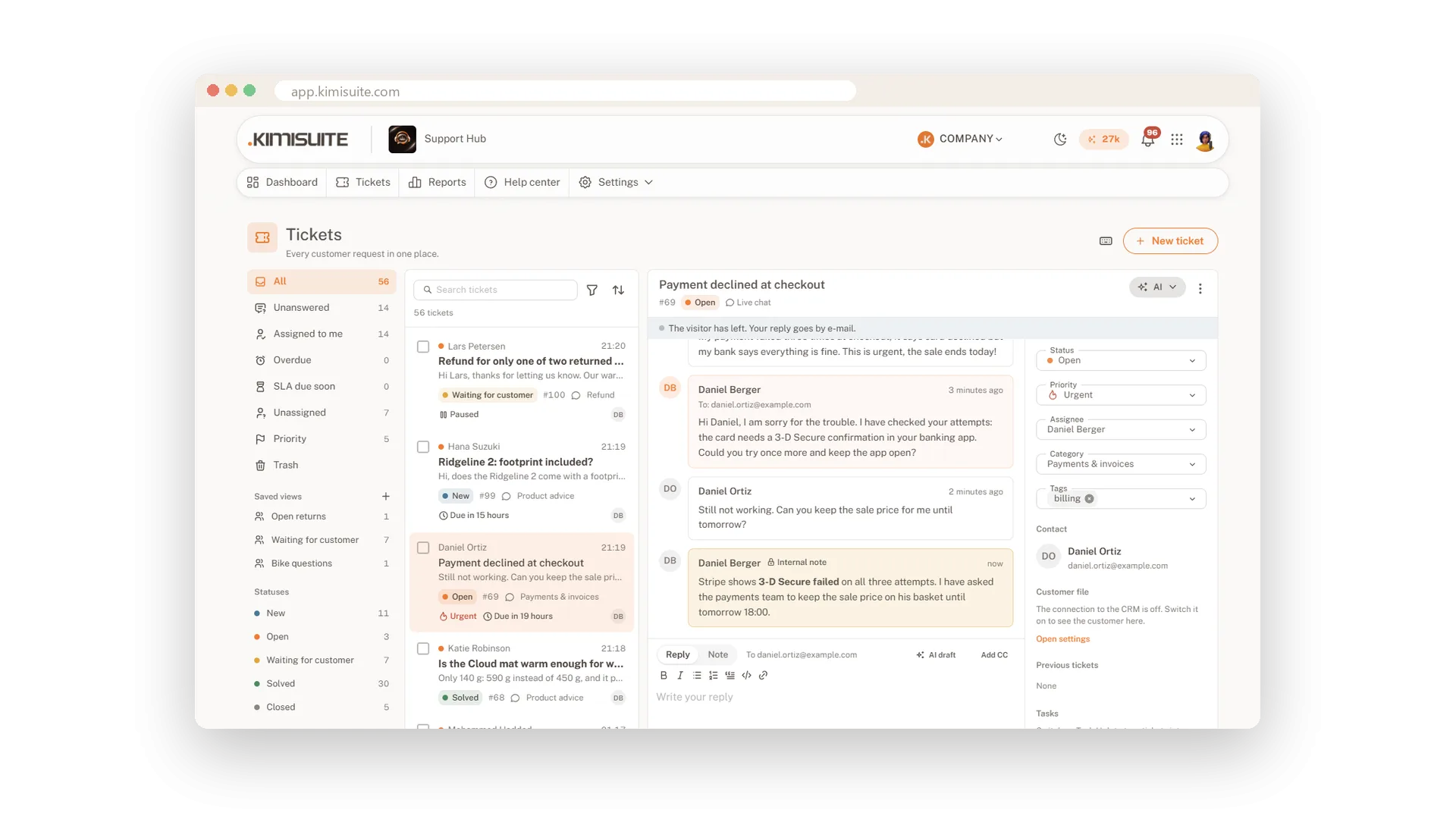
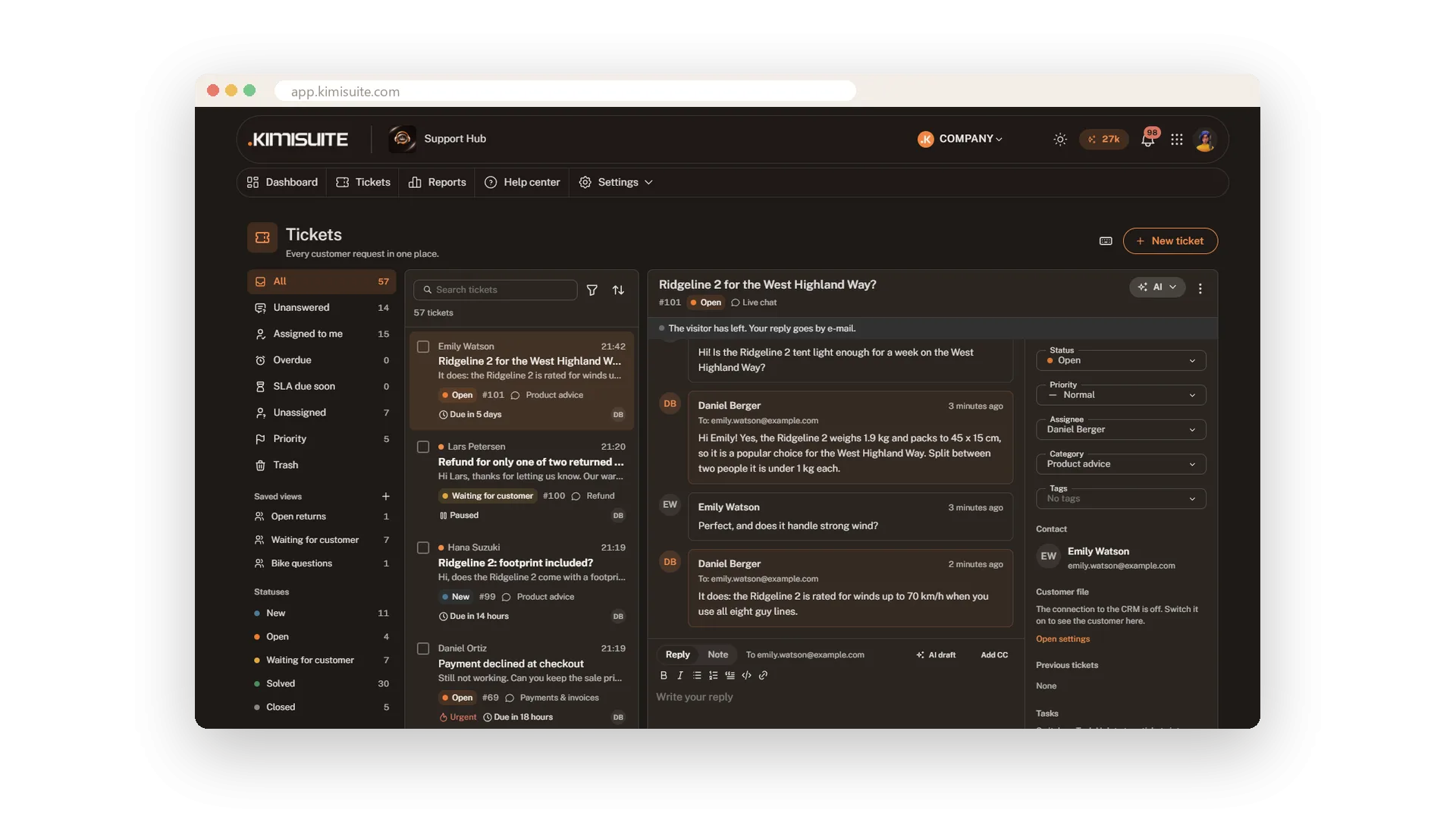
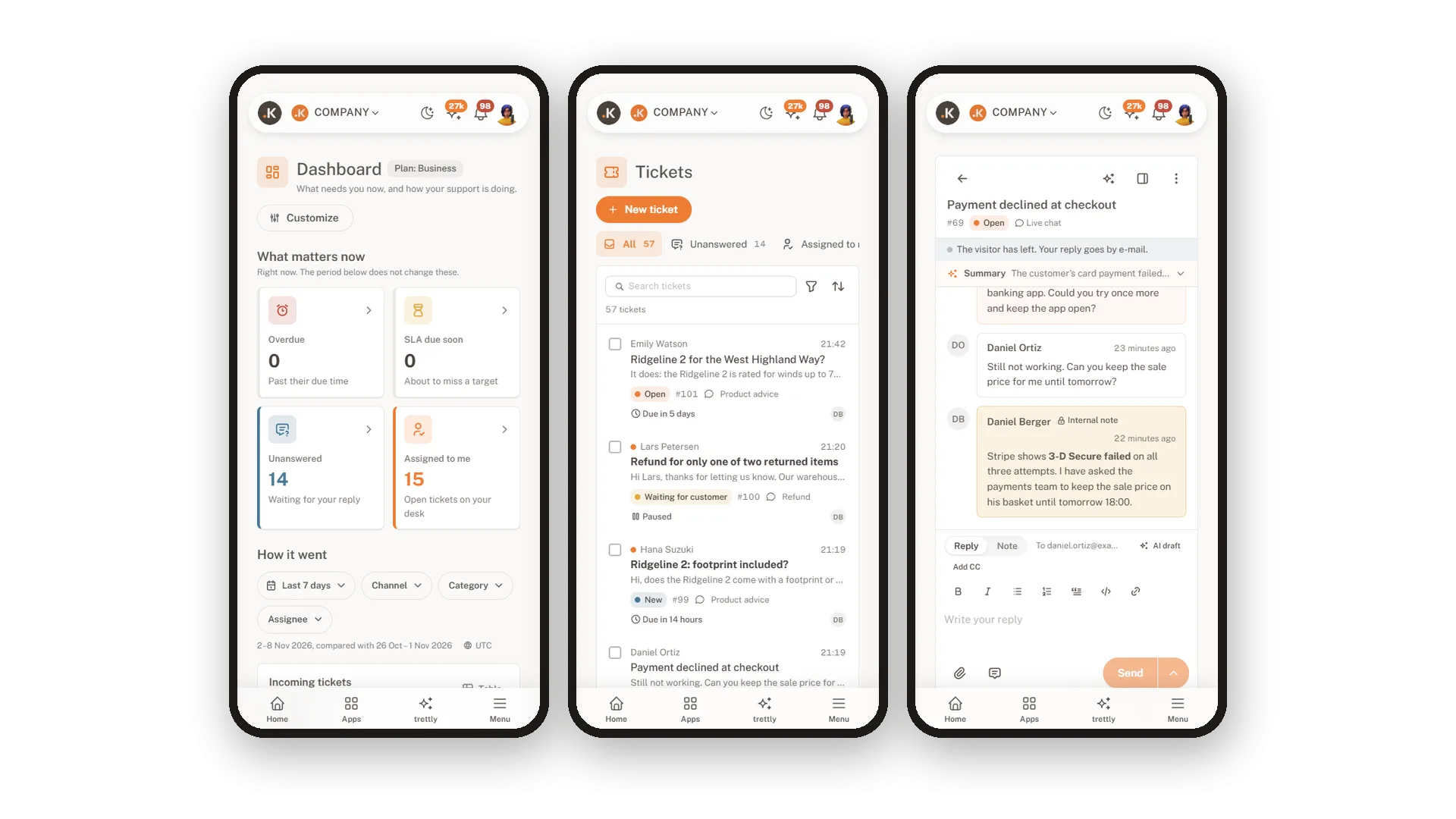
Every request becomes a ticket with a number, a status and a person who owns it. Your team works on one list instead of five mailboxes and a chat window.
- Views with live counts. Unanswered, assigned to me, overdue: the list that needs you is one click away.
- See who is on it. Who has a ticket open and who is typing, right at the top.
- Reply and note side by side. Two tabs, two texts, so a note never reaches the customer.
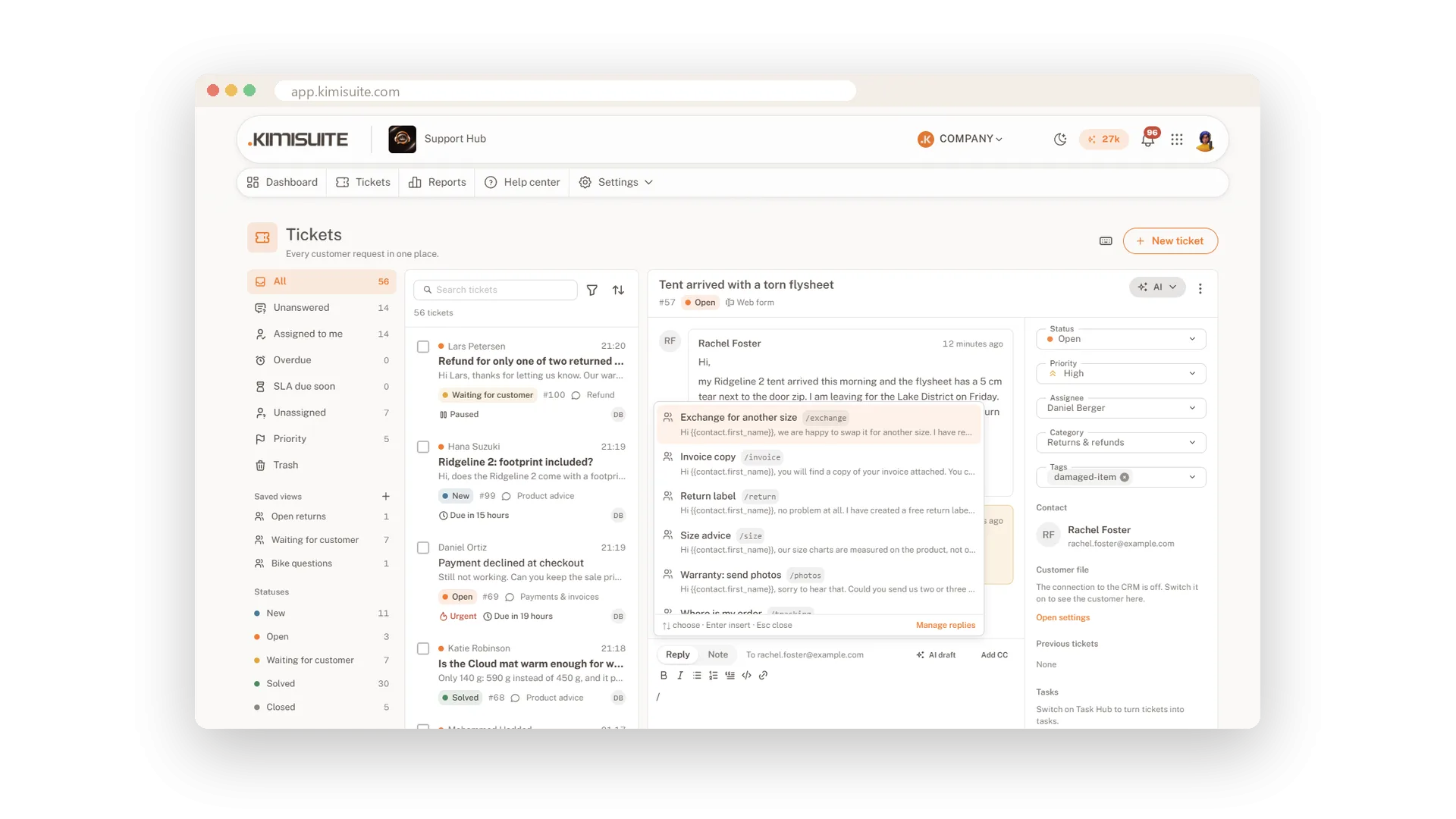
- Canned replies with a slash. Your best answers, with the customer's name already in them.
Your address, your thread, your logo
Support Hub reads new mail from your own mailbox every minute and changes nothing in it. Every answer goes out through the same mailbox, so it comes from your address and the next reply lands in the same ticket.
- Clean inbox. Out-of-office replies, newsletters and bounces never open a ticket.
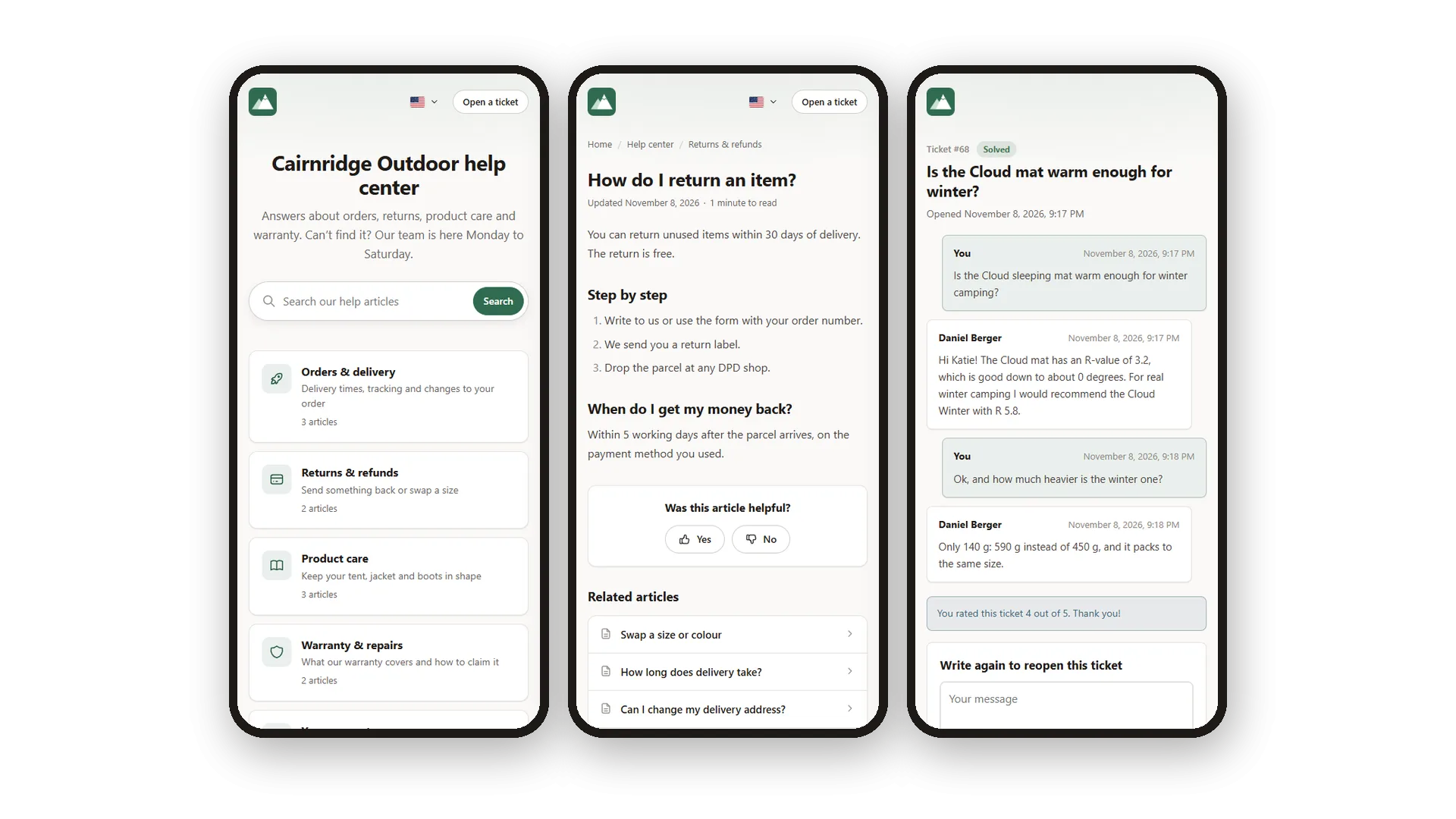
- E-mails that look like you. Your logo, your colour and the customer's language.
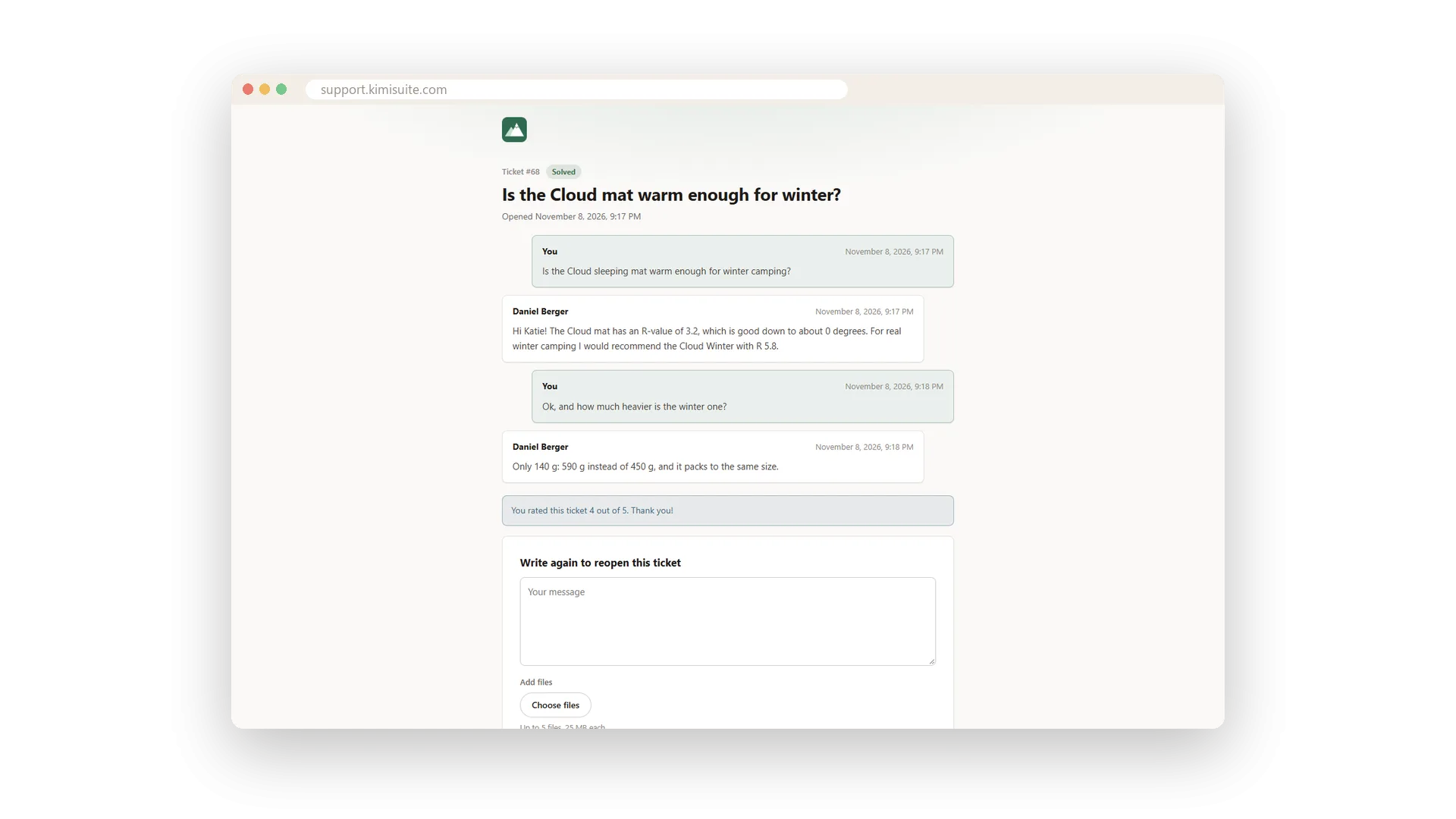
- A private ticket page. Customers follow and answer their request without a login.
- A form for your website. Ready per brand, with spam protection and no cookies.
Chat on your website, messages in Telegram
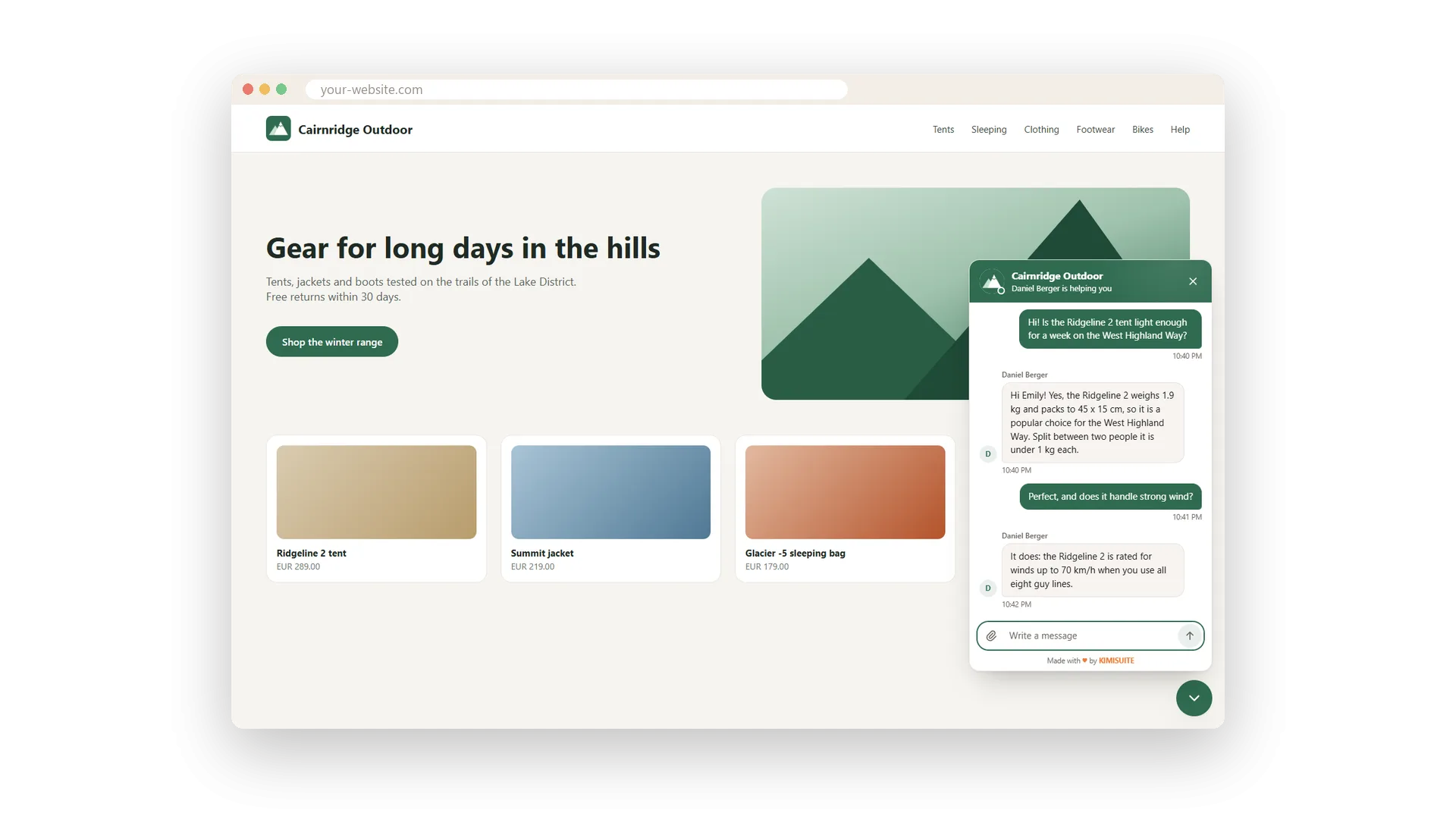
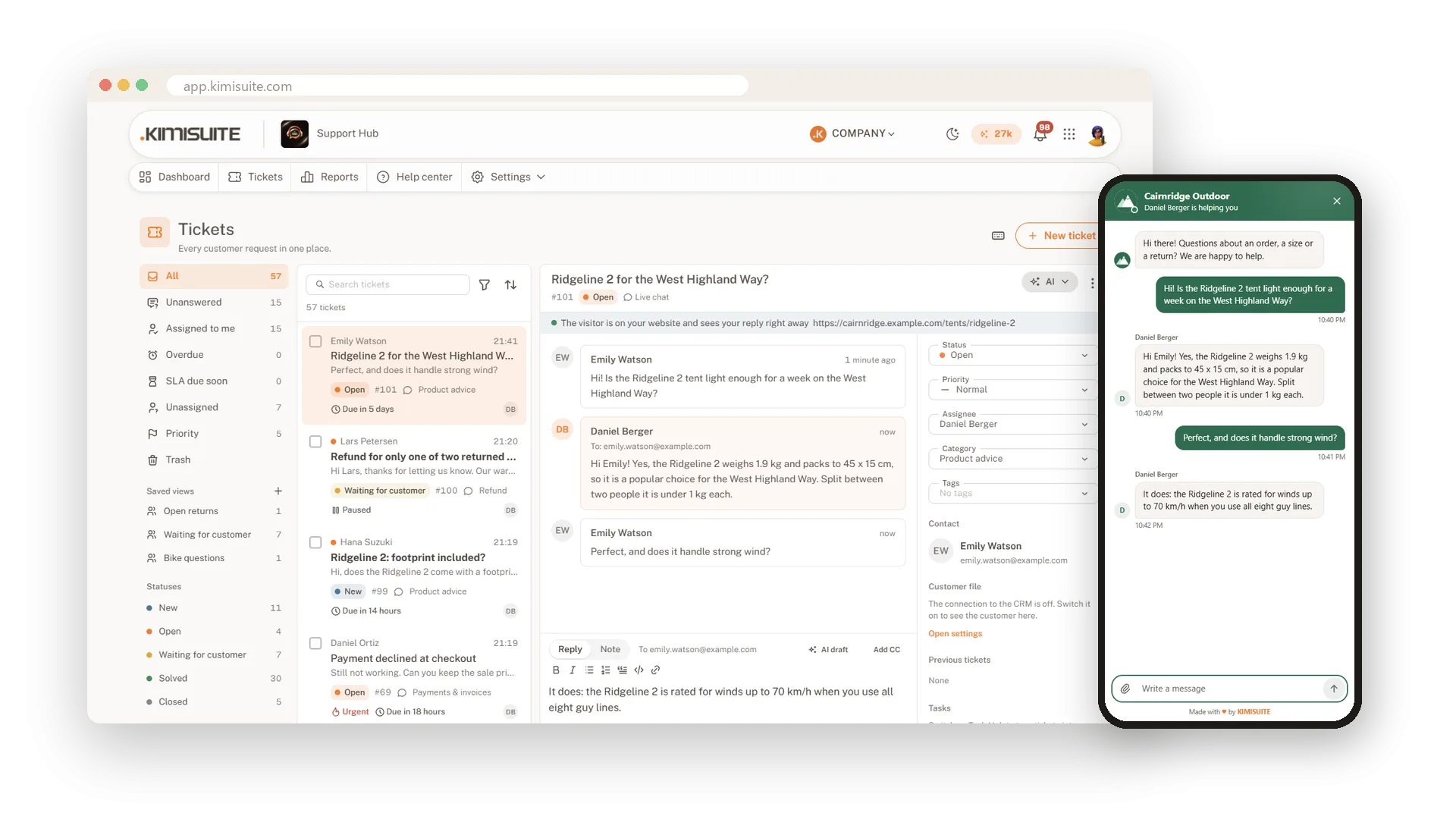
Meet customers where they already are. The live chat sits on your website with one line of code, and your own Telegram bot turns every message into a ticket.
- Context in the chat. See the page your visitor is on and when they are typing.
- Never closed. When nobody is online, visitors leave a message and get your answer by e-mail.
- Widget Creator. Choose position, bubble text and colours without code.
- Telegram in three steps. Create a bot, paste the token, done. Photos and voice messages included.
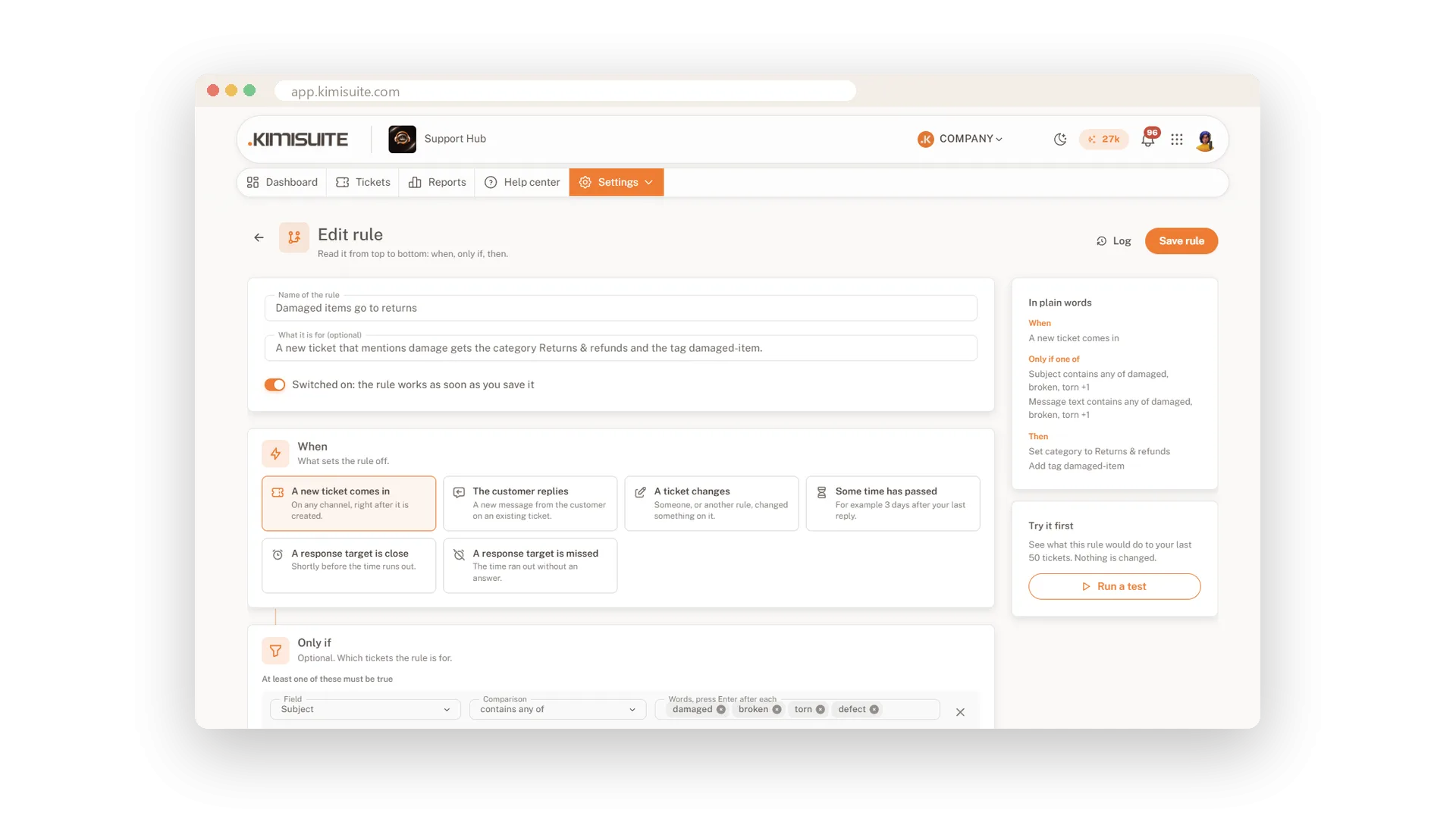
Response targets and rules that do the routine
Promise an answer time and keep it. Targets follow your business hours, and rules take the first steps for you.
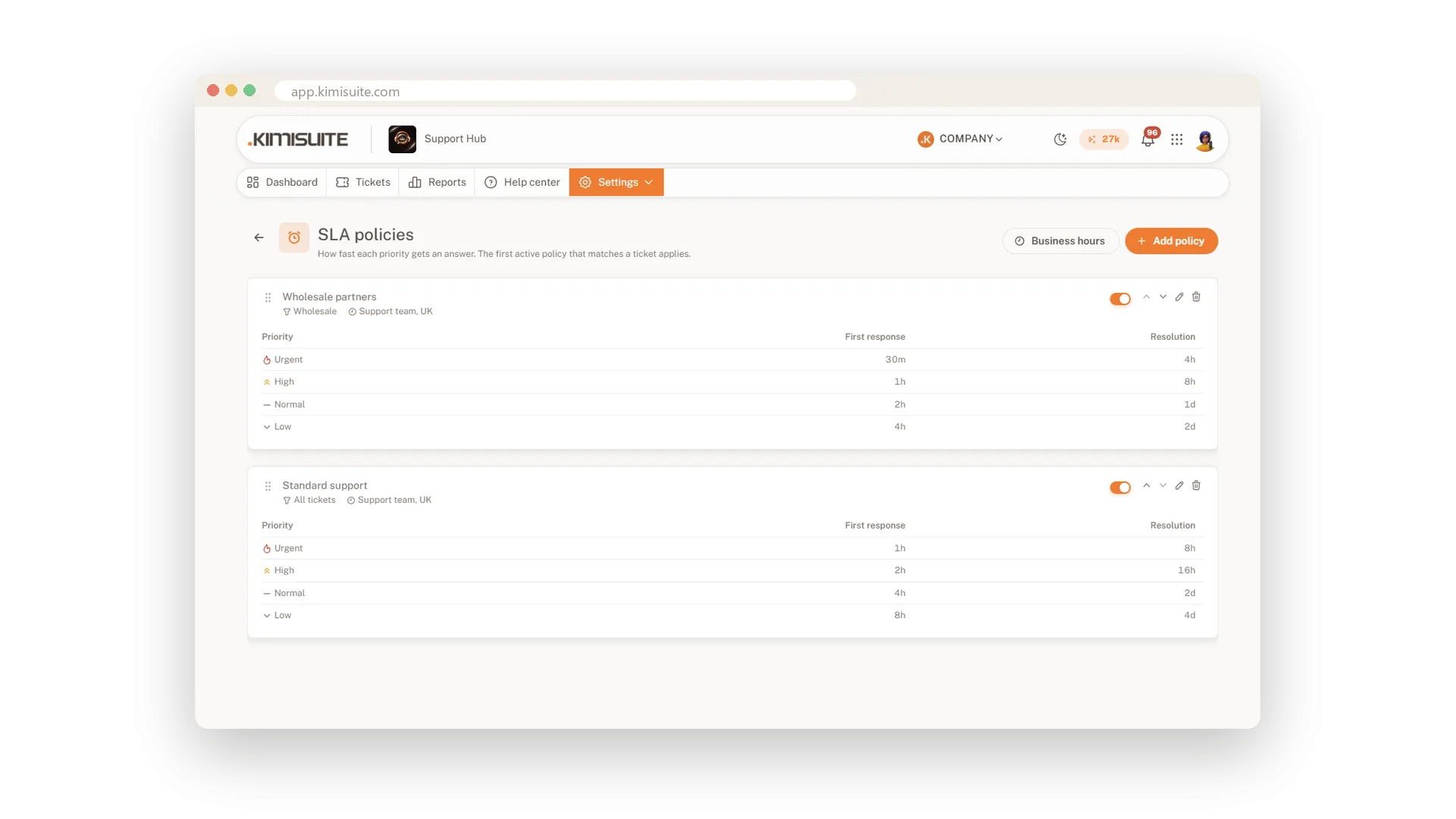
- Response targets. First response and resolution per priority, paused while you wait for the customer.
- Fair assignment. New tickets go round in turn or by workload, to whoever is online.
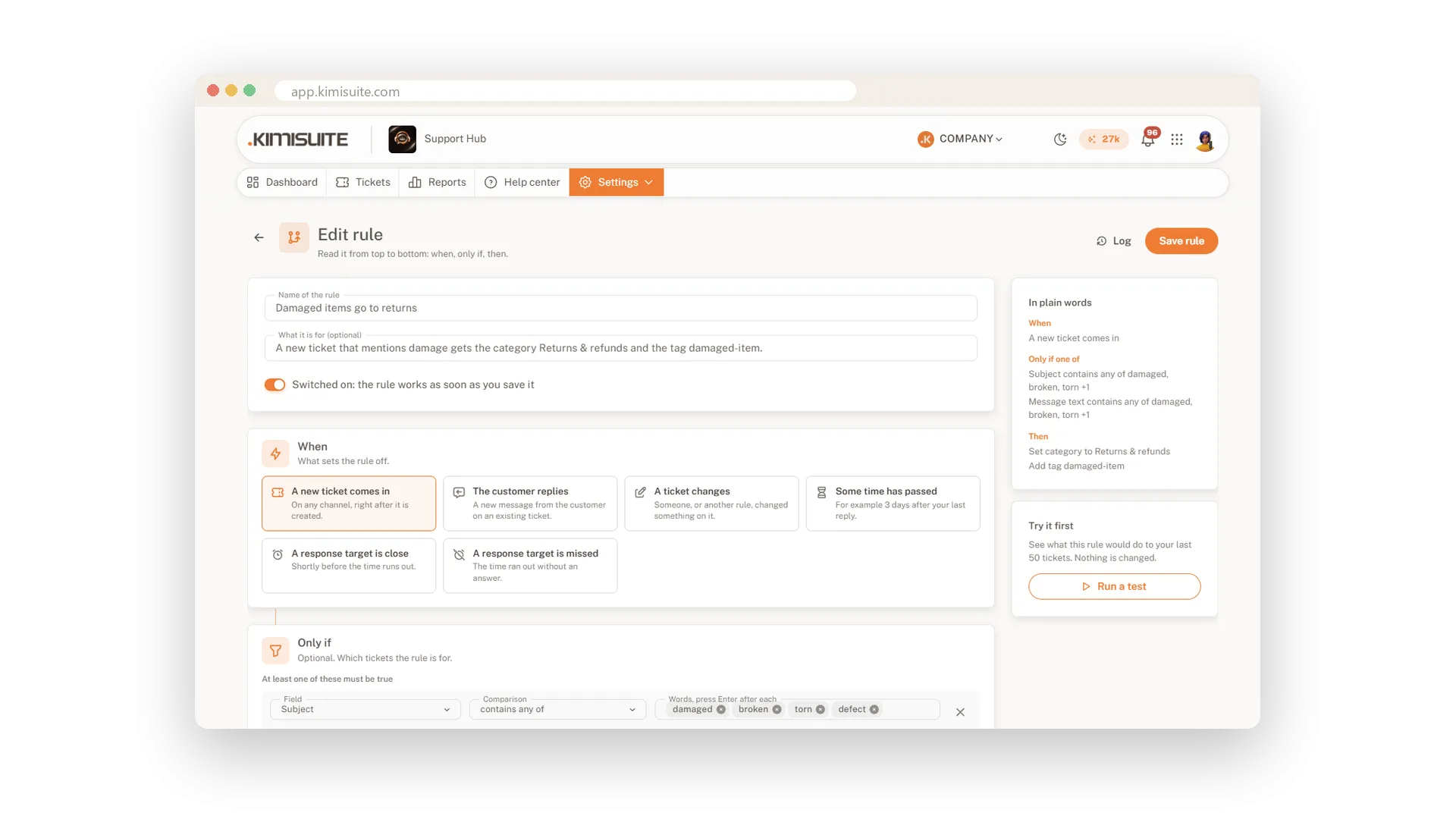
- 13 rule templates. Remind quiet customers, escalate missed targets, close solved tickets.
- A test run first. See what a rule would do on your last 50 tickets before it runs.
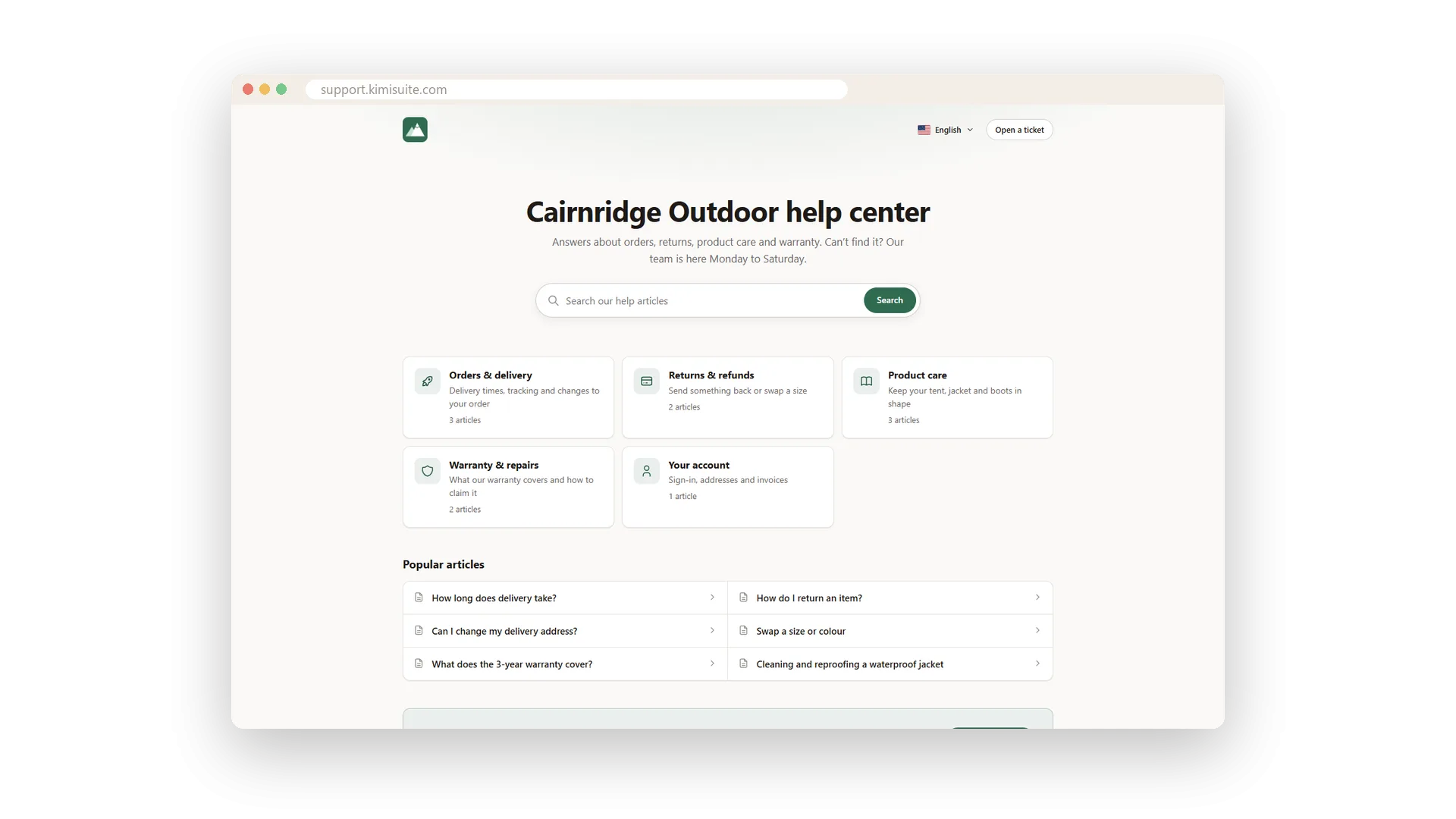
A help center that answers before the ticket
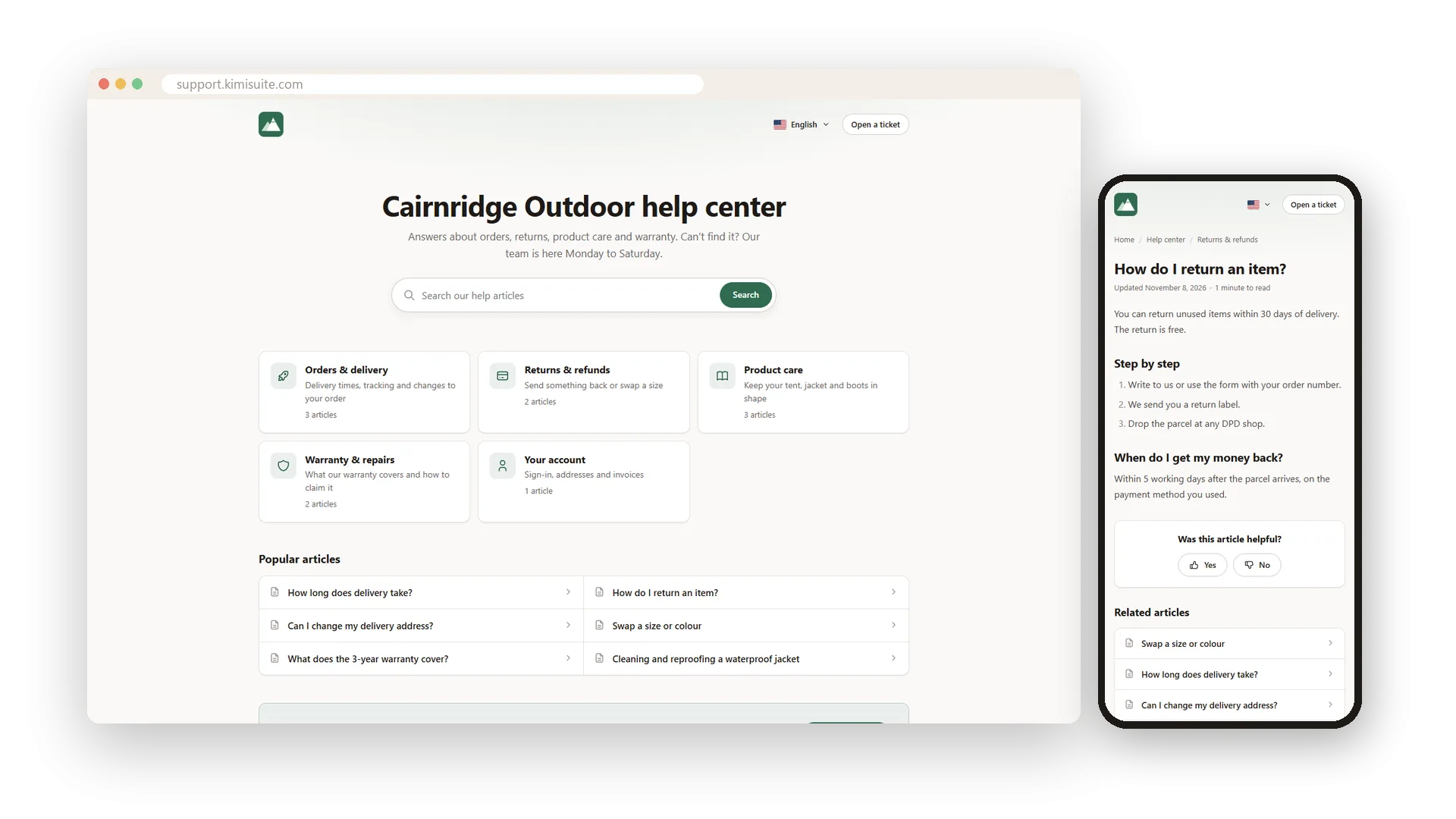
Write an answer once and let customers find it themselves. Every brand gets its own help center with search, topics and your colours.
- In every language you need. Each translation goes live on its own.
- Suggestions in the form. Matching articles appear while the customer types the subject.
- Made to be found. Own addresses, a sitemap and structured data for search engines.
- Your own domain. In Business the help center runs on help.yourcompany.com.
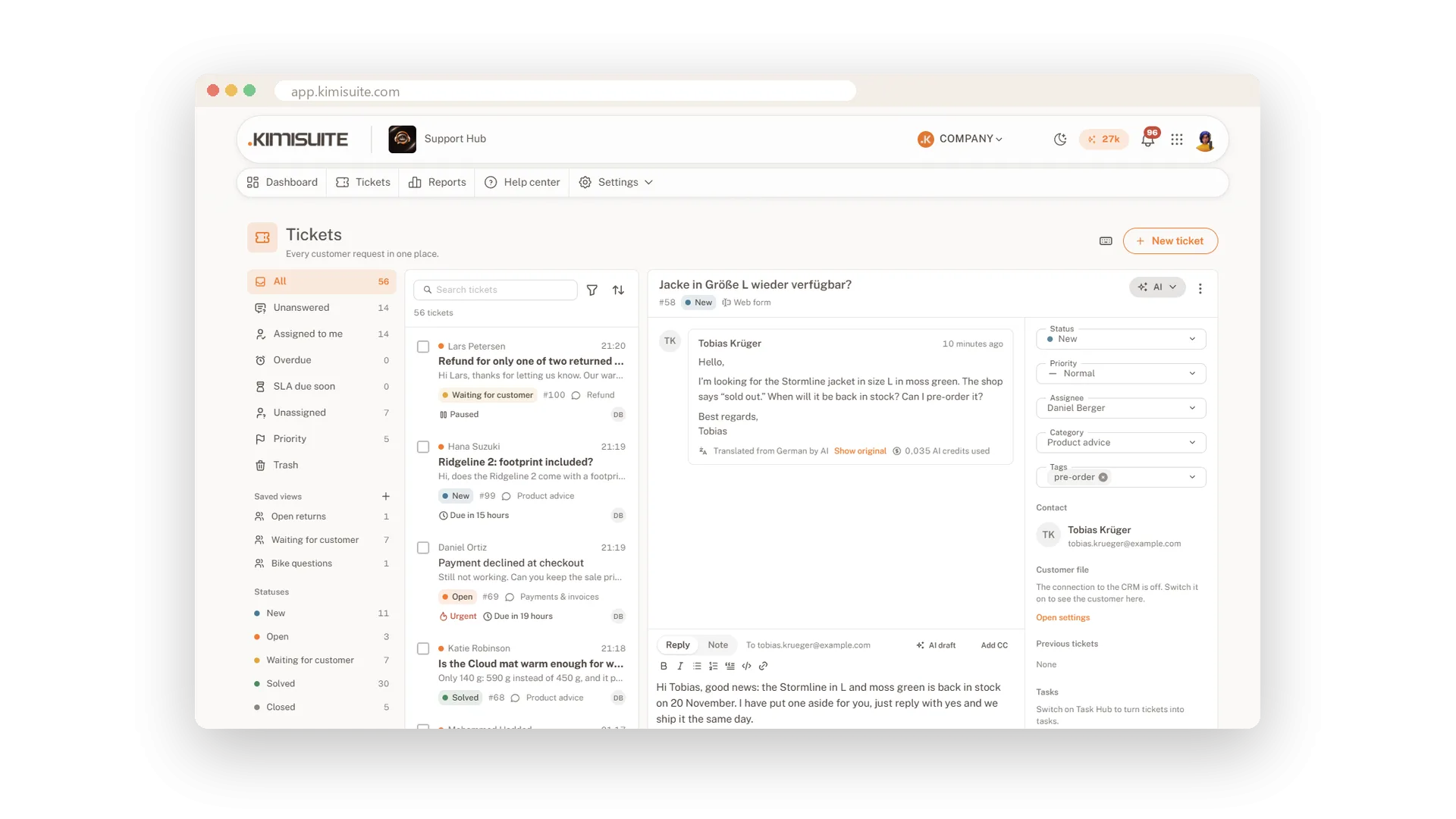
AI that saves your team time
AI helps where it saves the most time, and a person stays in charge of what goes out.
- Summaries. A long ticket in a few lines, in your language, in every plan.
- Reply drafts. Written from your help articles and earlier answers.
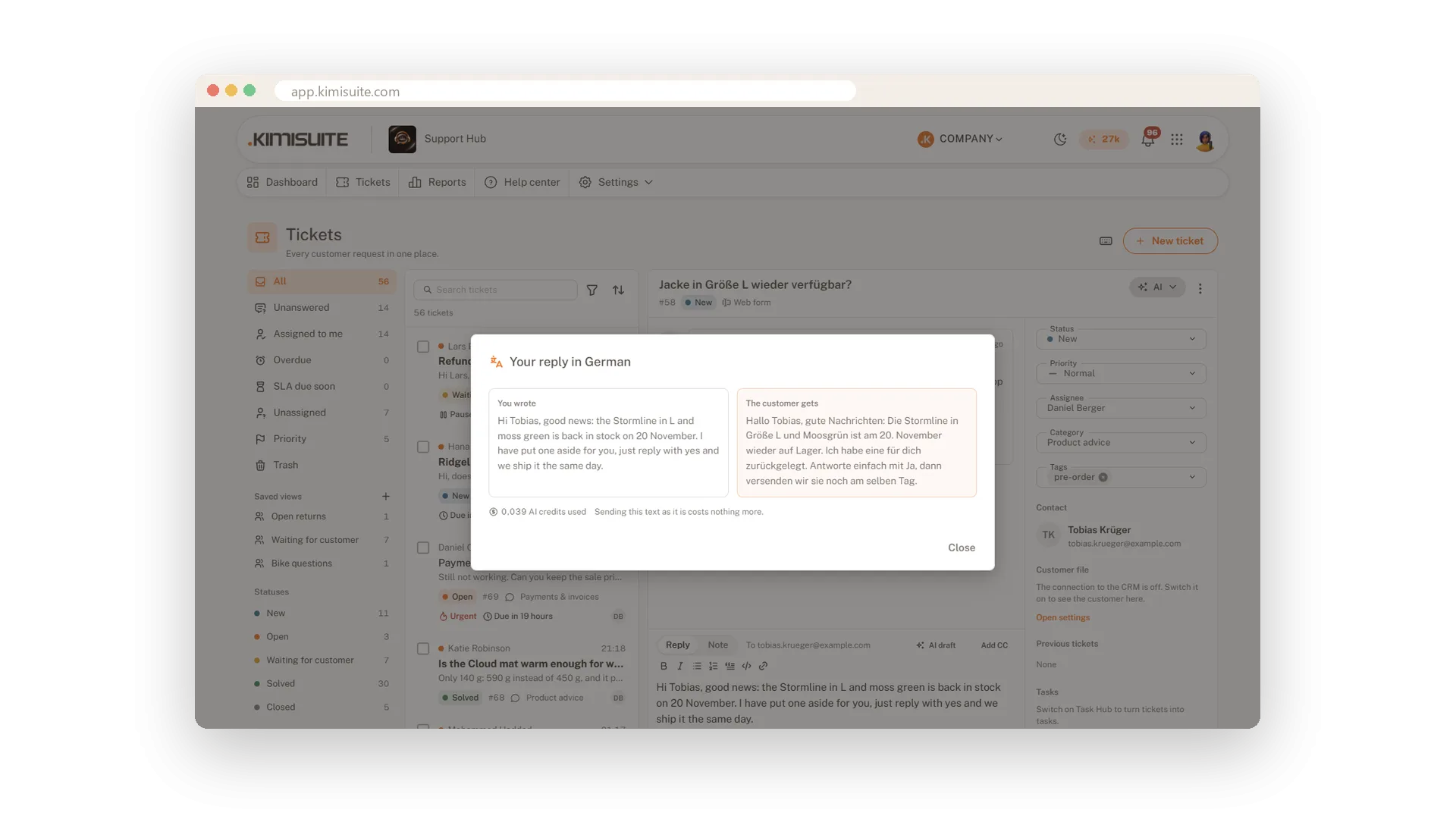
- Translation. Read and answer in your language, the customer gets theirs.
- A chatbot in Business. Answers from your help center and hands over to your team.
- Credits included. 500, 1,000 or 3,000 AI credits a month with your plan.
What Support Hub does for your customers
E-mail, form, live chat, Telegram and API as tickets, with views, notes and bulk actions.
Your own mailbox sends every answer, in the customer's thread and with your logo.
Chat on your website with one line of code, and your own Telegram bot.
First response and resolution per priority, with business hours and holidays.
Assignment, 13 rule templates with a test run, and answers with a slash.
Articles per brand in several languages, built to be found by search engines.
Summaries, reply drafts, translation and a chatbot that hands over to people.
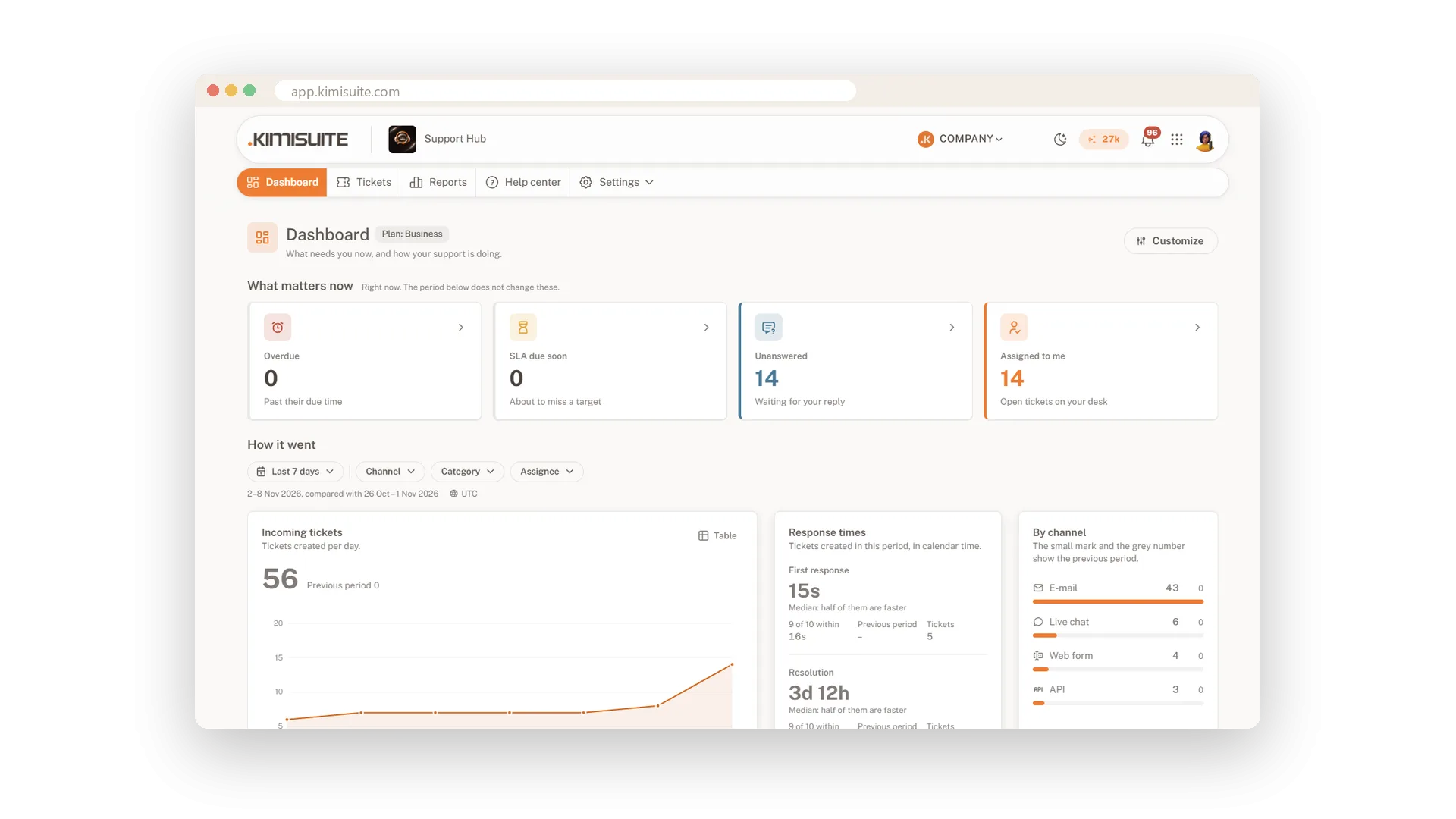
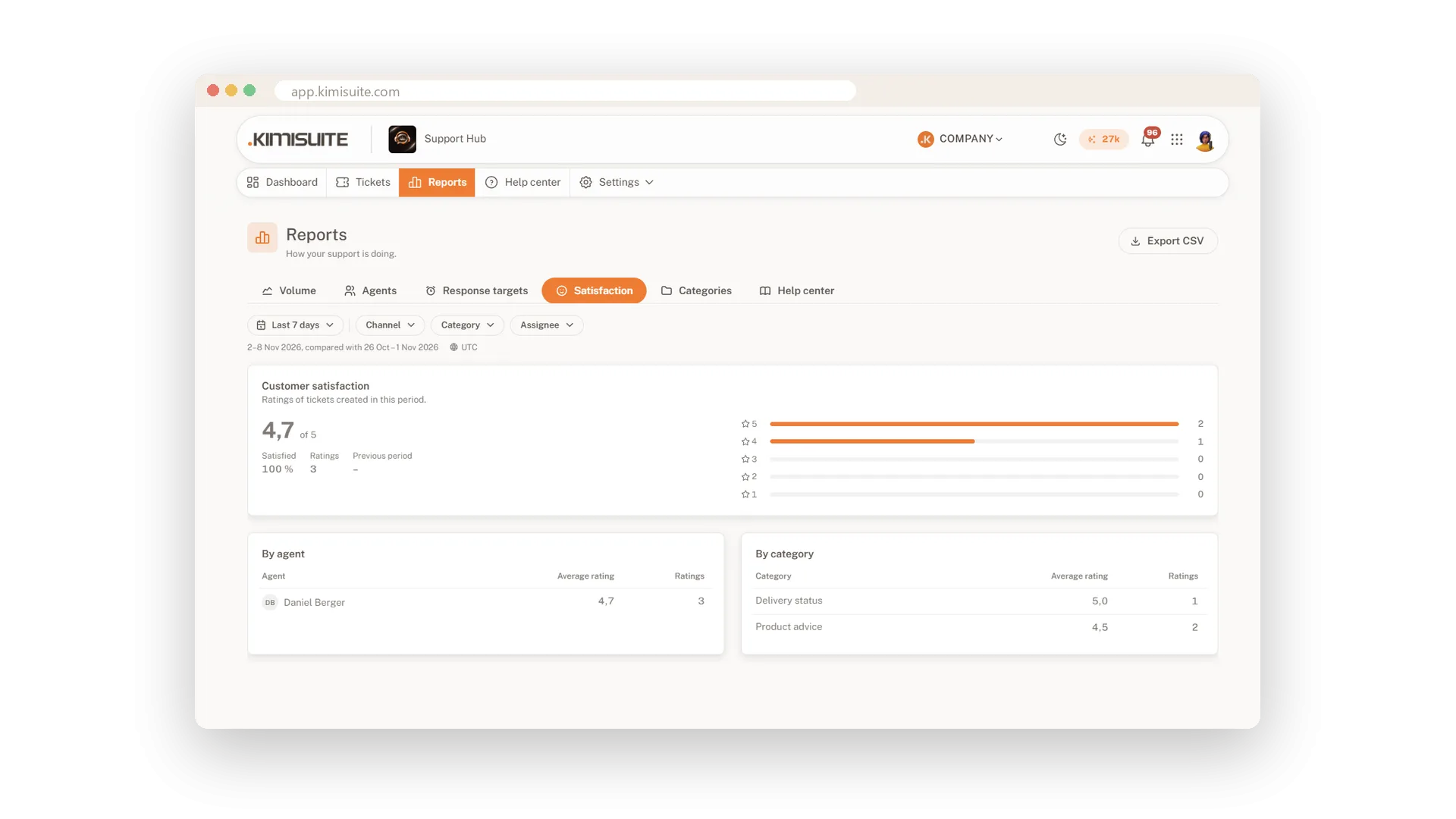
Live numbers, reports by agent and target, and a one-click survey.
See Support Hub in action
Pricing Plans
Choose the right plan for your needs. All plans include free updates.
| Support Hub | Start €29.90 /mo · per workspace Start Free Trial | Pro €49.90 /mo · per workspace Start Free Trial | Recommended Business €99.90 /mo · per workspace Start Free Trial |
|---|---|---|---|
| Storage | 1 GB | 5 GB | 10 GB |
| Mailboxes | 2 | 10 | 50 |
| Brands | 1 | 3 | 5 |
| Chat and messenger accounts | 1 | 5 | 25 |
| Automation rules | 25 | 50 | |
| Contact form | |||
| Telegram | |||
| Live chat | |||
| Saved replies | |||
| Automatic assignment New tickets go to your team in turn | |||
| Automatic reply | |||
| Ticket templates | |||
| Scheduled tickets Tickets that open on a set date or repeat | |||
| Custom fields | |||
| Saved views | |||
| Response targets and business hours | |||
| Help center | |||
| Satisfaction survey | |||
| API Create tickets from your own systems | |||
| Basic reports | |||
| All reports | |||
| Report export | |||
| Your own dashboards | |||
| AI summary | |||
| AI reply suggestions | |||
| AI translation | |||
| AI chatbot Answers from your help center, hands over to your team | |||
| Several brands | |||
| Your own domain Your help center on your own web address | |||
| Webhooks Tell your other systems when a ticket changes | |||
| Activity log | |||
| Answer reviews Score answers and coach your team |
- Storage1 GB
- Mailboxes2
- Brands1
- Chat and messenger accounts1
- Automation rules
- E-mail
- Contact form
- Telegram
- Live chat
- Saved replies
- Automatic assignment New tickets go to your team in turn
- Automatic reply
- Ticket templates
- Scheduled tickets Tickets that open on a set date or repeat
- Custom fields
- Saved views
- Response targets and business hours
- Help center
- Satisfaction survey
- API Create tickets from your own systems
- Basic reports
- All reports
- Report export
- Your own dashboards
- AI summary
- AI reply suggestions
- AI translation
- AI chatbot Answers from your help center, hands over to your team
- Several brands
- Your own domain Your help center on your own web address
- Webhooks Tell your other systems when a ticket changes
- Activity log
- Answer reviews Score answers and coach your team
Features Built for Growth
Everything you need to scale your business
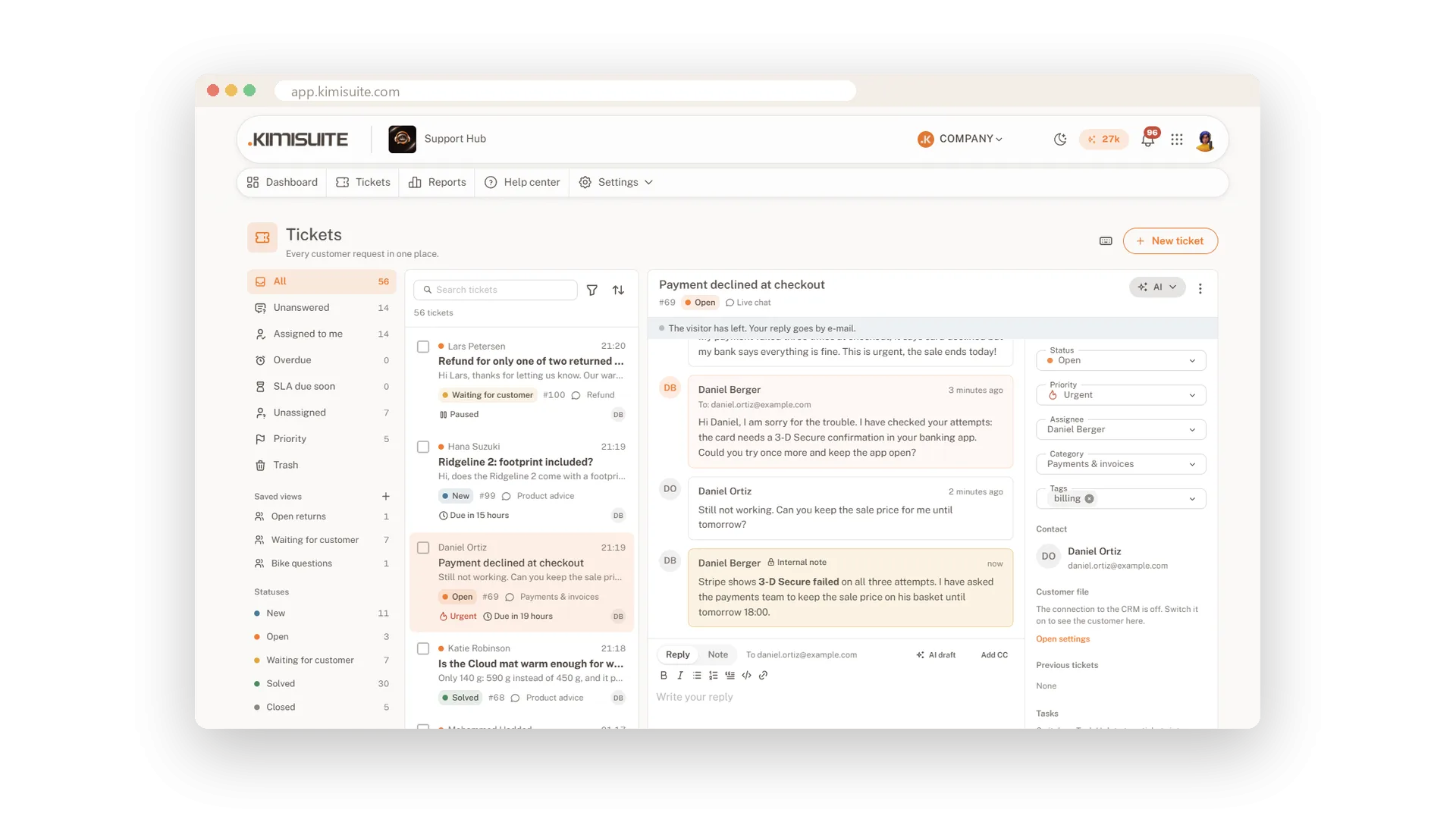
One shared inbox for your whole team
Every request a ticket, every ticket an owner
E-mail and web form as tickets
Your own mailbox, your own address, every reply back
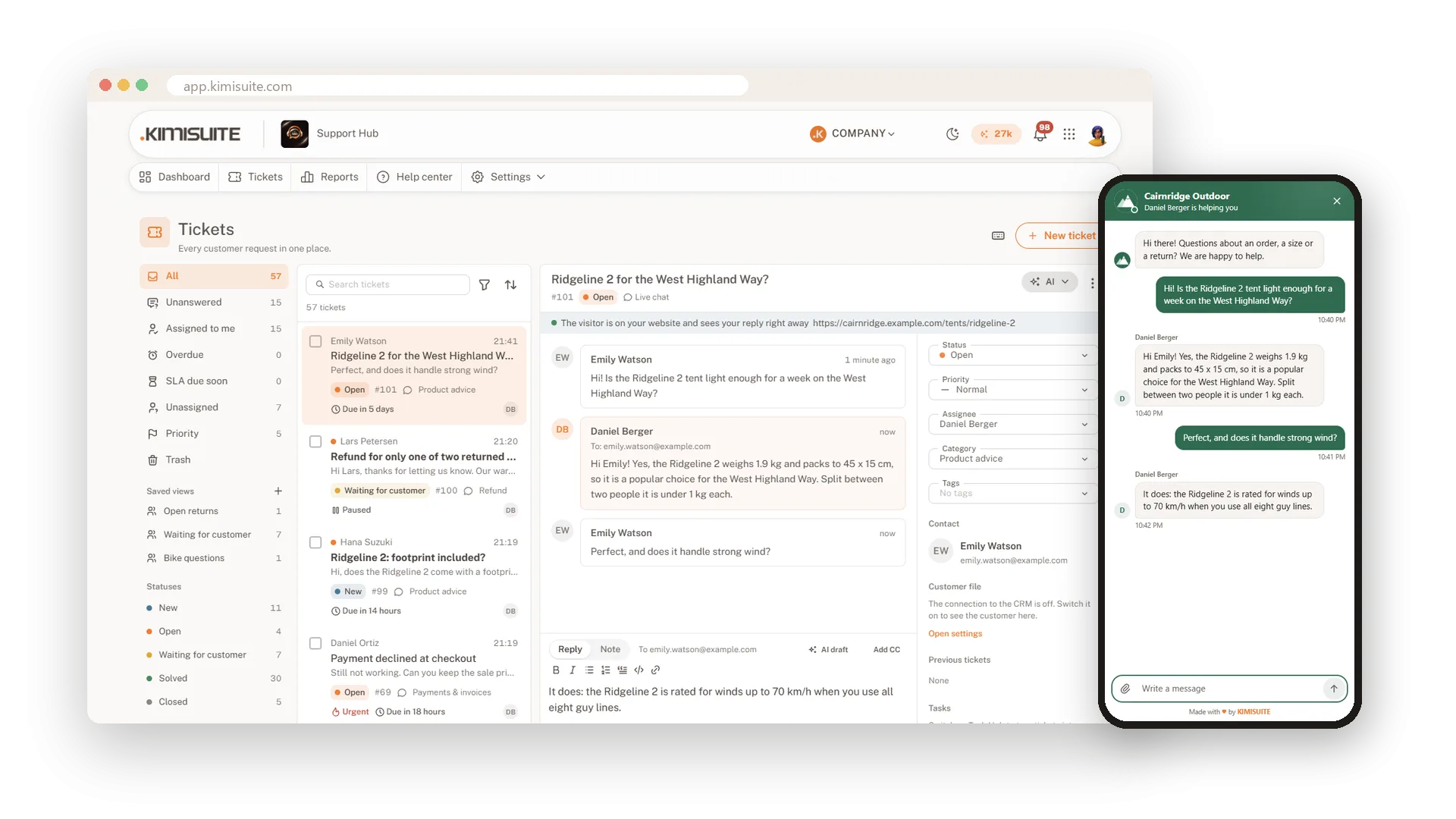
Live chat on your website
Talk to visitors while they are still on your page
Customer support in Telegram
Your own bot, answered from your help desk
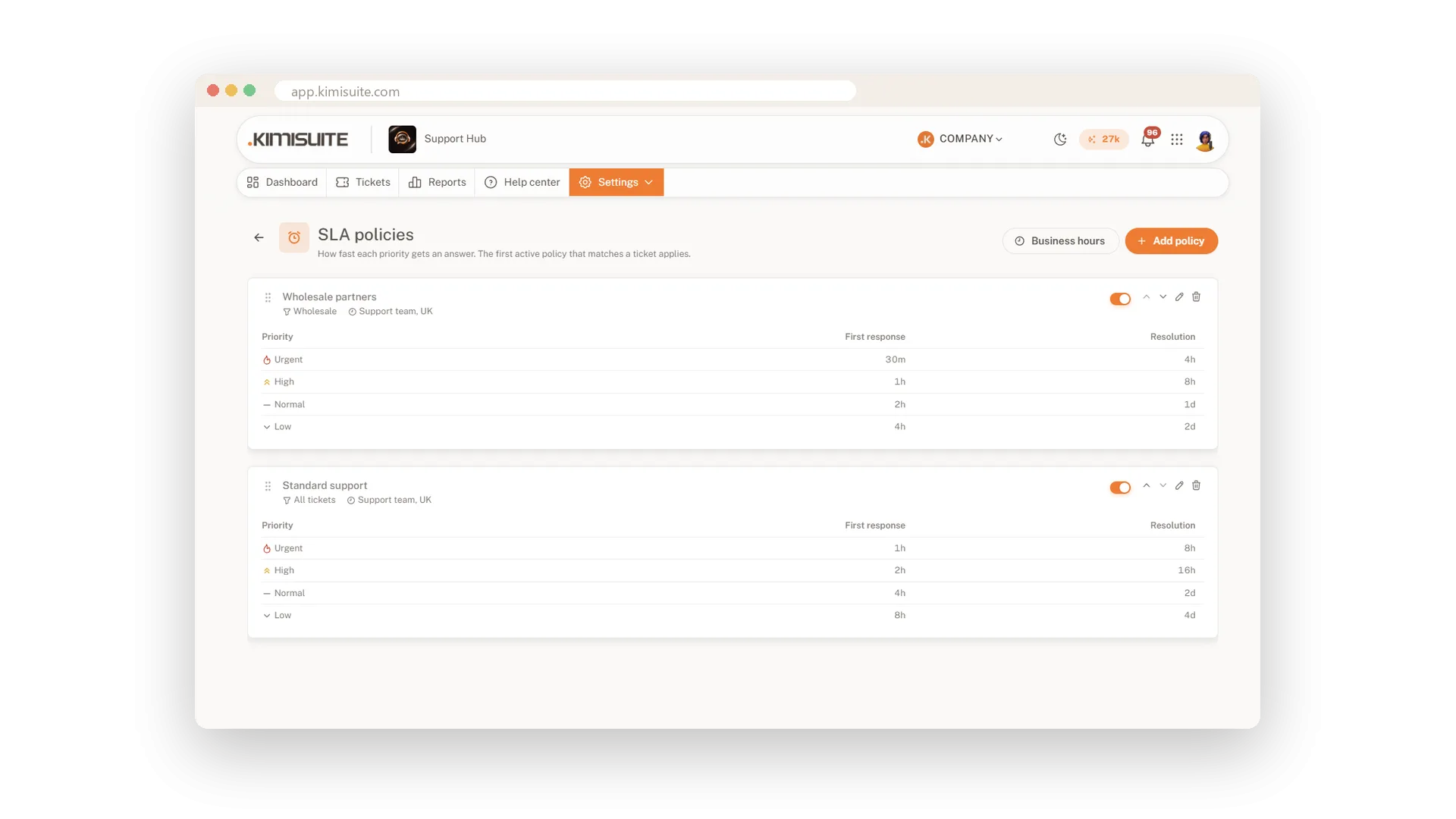
Response targets and business hours
Promise a response time and keep it
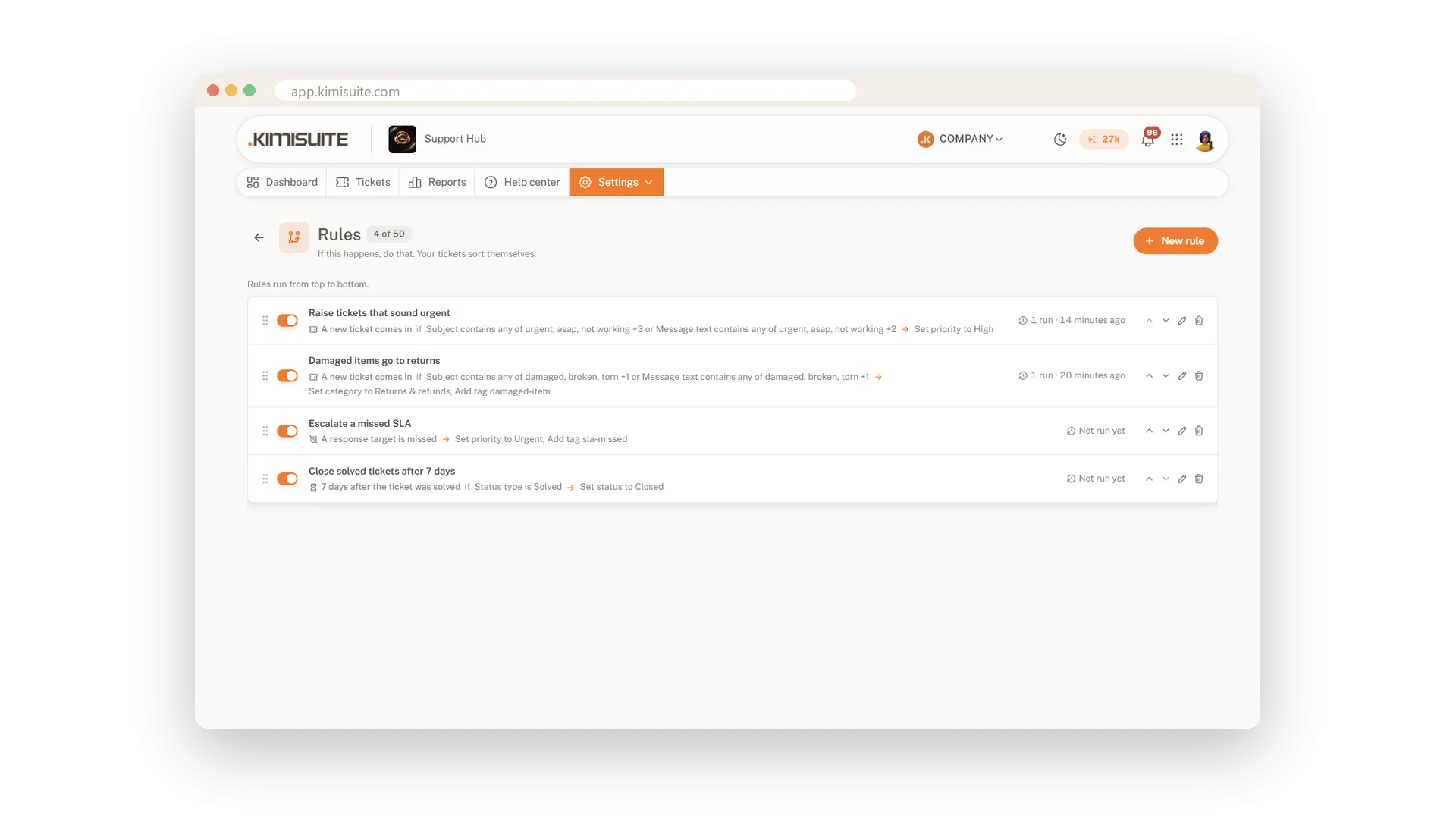
Rules, assignment and canned replies
Let the routine work run by itself
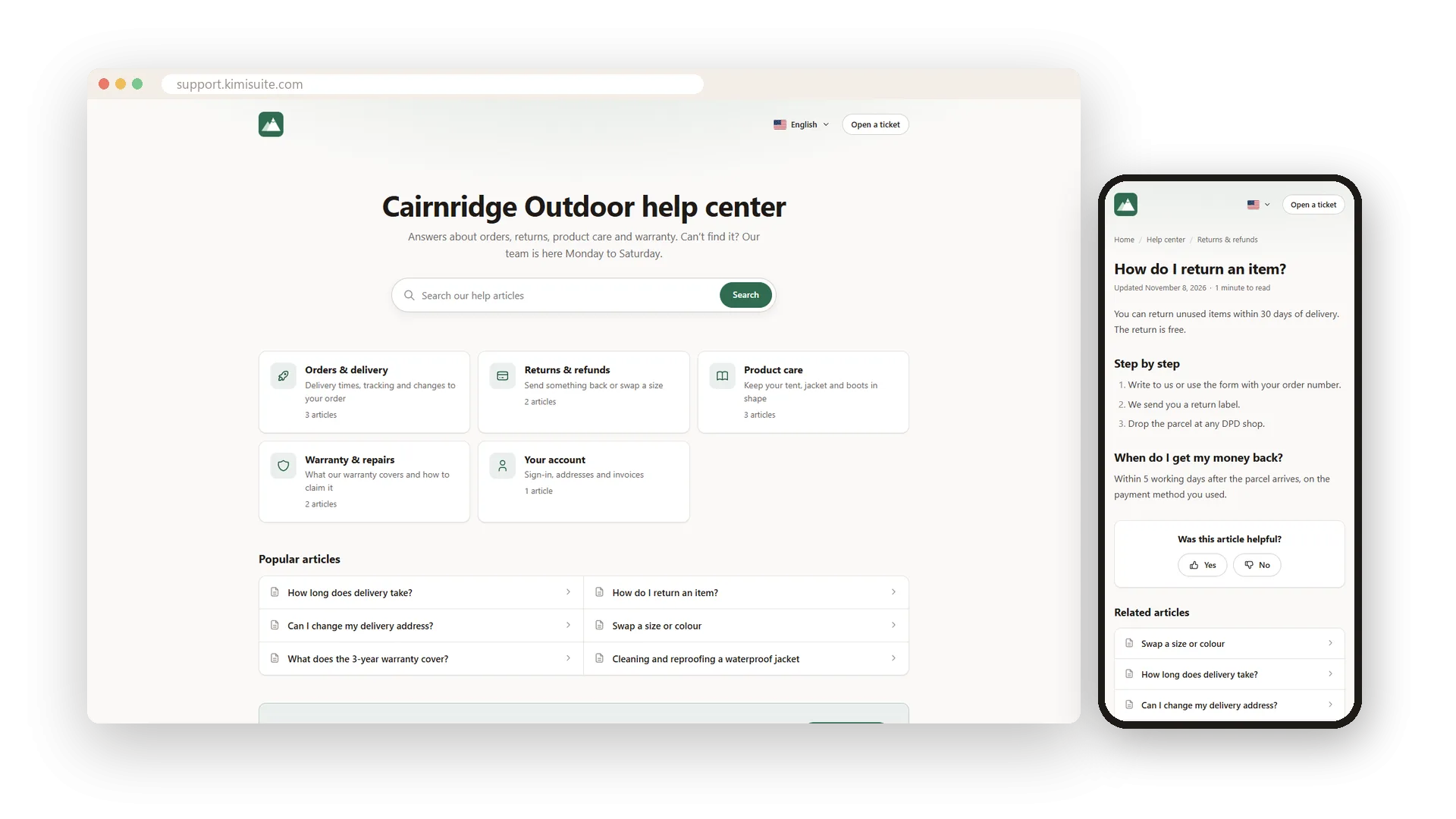
A help center that answers first
Public articles that stop questions from becoming tickets
AI that reads, drafts and translates
Summaries, reply drafts, translation and a chatbot
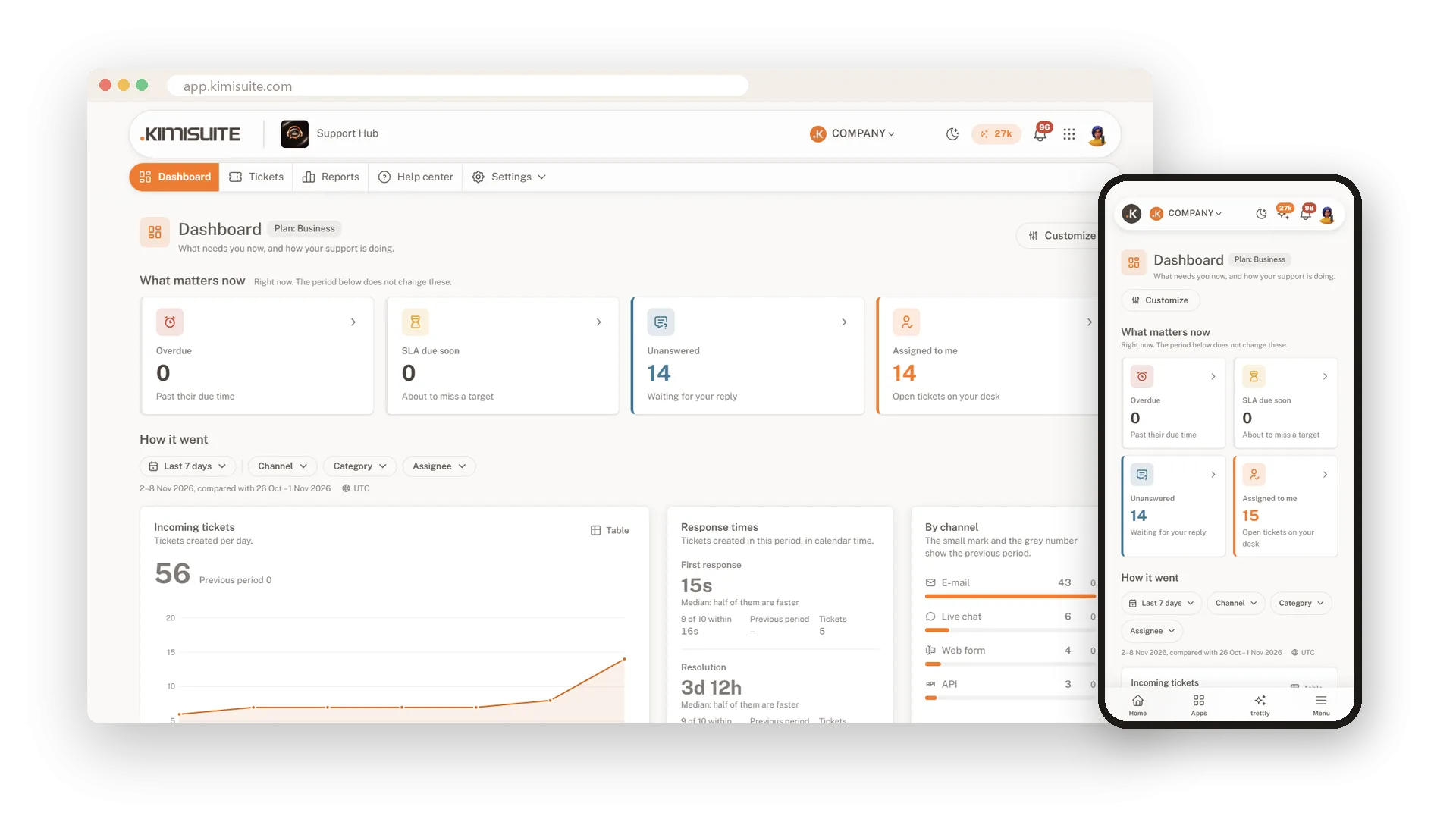
Dashboard, reports and satisfaction
See how your support is doing, at a glance
Works with your other apps
One workspace. Data moves between the apps instead of being typed twice.
Syncs data with




Support Hub
FAQ
Common questions about Support Hub answered clearly.
Ready to See It in Action?
Discover how KIMISUITE connects growth, automation and AI into one unified system.
Take Your Business to The Next Level!
Stop paying for tools you barely use. Start running your business on KIMISUITE.
No long-term contract · Cancel anytime · 14 days free
