 Booking Hub
Guest house software for B&Bs, pensions and small inns
Sell your rooms with breakfast online, take the phone booking while you set the tables, and know every morning who arrives, who leaves and what is still unpaid.
- Cancel anytime
- No long-term contract
- 14 days free
What it looks like in practice
7 am: before breakfast
The dashboard shows two departures, five rooms staying on and three arrivals tonight, with names. You know how many breakfasts to lay before the first guest comes down.
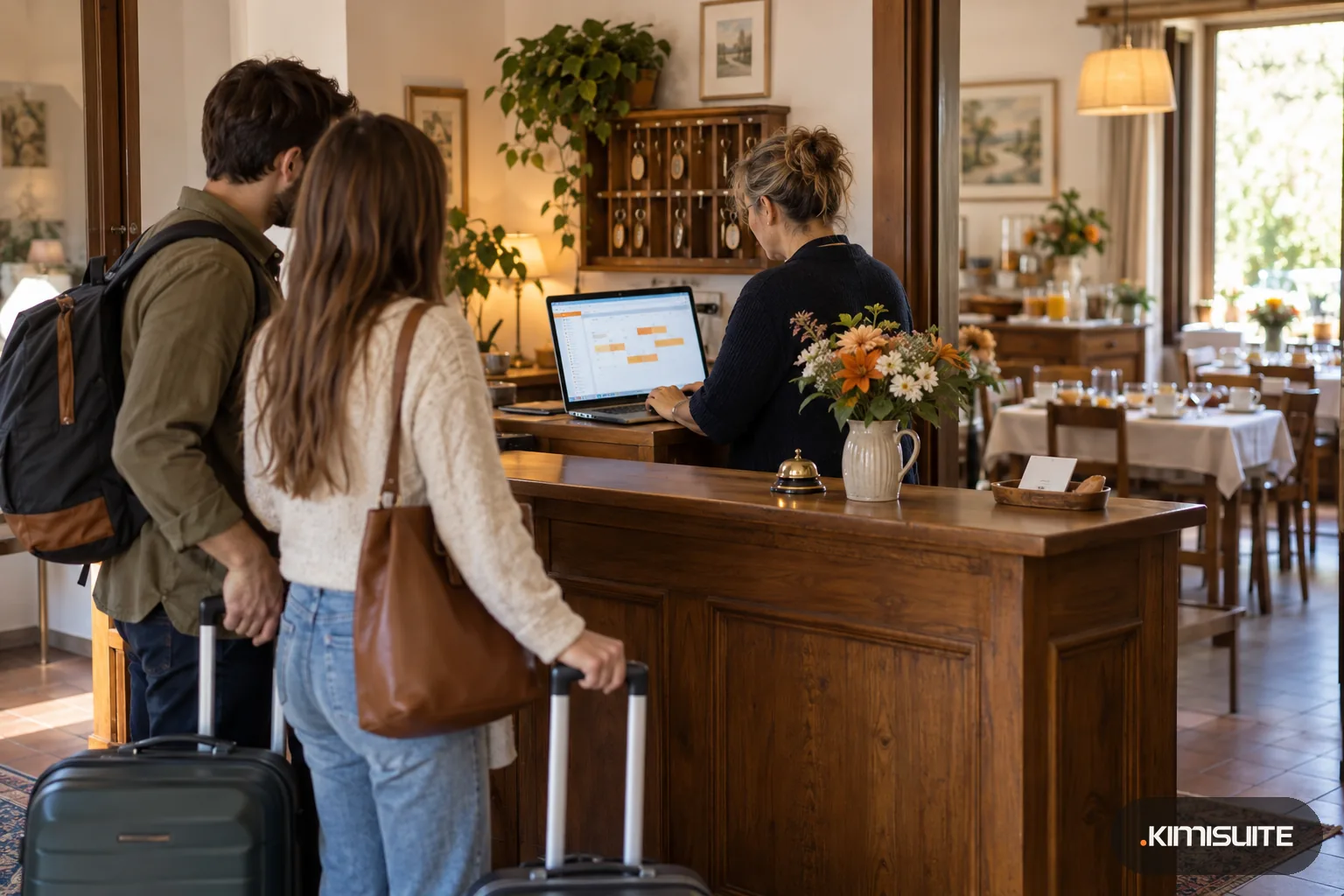
10 am: the phone at the desk
A couple wants the double with the garden view for three nights with breakfast. You enter the booking while they are on the line, the price calculates itself, and you can still round it for a regular.
2 pm: a family books online
Two adults and children aged four and nine. Your child rules price the extra bed and the breakfasts while they are still choosing, so nobody is surprised at the last step.
11 am the next day: check-out
The bill lists the nights, the breakfasts and the two drinks from the honesty bar. The guest pays the rest by card at the desk and you mark it paid.
Good guest house software takes the clerical work off a small team that also cooks breakfast, cleans rooms and answers the door. Booking Hub sells your rooms on your own website and on a free booking page, puts every booking in one list with phone and desk bookings next to the online ones, and prints the stay as one itemised bill. You set prices per room type, such as the double, the family room or the single under the roof, and assign the actual room number when the guest arrives.
A B&B with four rooms does not need revenue management on day one. Standard pricing asks for two numbers, the full room and the solo guest, and the other models are there when you grow into them. Breakfast can be part of the rate or an option charged per person per day. If you also sell on Booking.com, the channel manager extension keeps the same rooms in sync. The property dashboard starts every day with arrivals, departures and who is in house, and the Booking Hub analytics show your occupancy against the same month last year.
What you get
Breakfast and half board as you sell it
Include breakfast in the room rate, or offer it and half board as options charged per person per day. Each meal plan has its own text in every language you offer and its own VAT rate.
Child prices families understand
Define your own age groups with their own rules for the room, the extra bed and the meals. Families see the price for their children while they are still choosing.
Guest house software for the phone at the desk
Take a booking by phone or at the counter with arrival time, special request and a business-travel flag. The price calculates itself and you can override it.
One bill per stay
Nights, meals and in-house items such as drinks or laundry appear on one itemised bill. Take the full balance or part of it by card, cash or invoice, and see what is still owed.
Who arrives, who leaves
Search bookings by check-in date and check-out date separately, filter by room and status, and print the list for the breakfast room or the cleaning round.
Register every guest when the law asks
Where the law wants every person staying on record, not only the one who booked, one switch asks for complete details of all guests.
Set up your rooms and breakfast first
Add three room types, a breakfast plan and your child ages, then make a test booking on your phone. The first setup guide shows which steps are still open.
What running your rooms on Booking Hub costs
Not sure your room rate covers breakfast, cleaning and the commission of the platforms? Check it with the room rate calculator.
- Commission on direct bookings
- 0 % on your website widget and your booking page
- Rooms
- a room type holds as many rooms as you have; the plan only sets how many types
- Your team
- family and staff join the workspace with their own login, no fee per person
- Pay on arrival, PayPal, Stripe
- free extensions; the payment provider charges its usual fee
How to get started
Enter your house details
Open a KIMISUITE workspace for your guest house and add Booking Hub. Enter name, logo, check-in and check-out times, currency and VAT.
Create your room types
Add each type of room with beds, photos and amenities, then add the rooms that belong to it with their numbers. Start with two prices per type.
Add breakfast, children and policies
Set up your meal plans, child age groups and any extras, then write your cancellation policy, terms and privacy text in each language you use.
Open for bookings
Put the booking widget on your website or switch on the free booking page, enable pay on arrival or online payment, and invite whoever helps at the desk.
Pricing
Booking Hub starts at a fixed monthly price (see pricing) for your guest house workspace, billed per workspace and not per person at the desk. The booking page, Telegram booking alerts and the payment methods are free extensions.
Need numbered invoices with the VAT of every line? Connect CRM Business Hub, a separate app in the same workspace.
Is it the right fit?
A good fit if
- Guest houses, pensions and B&Bs with a handful to a few dozen rooms
- Owner-run inns that sell rooms with breakfast or half board
- Small teams that take many bookings by phone and at the desk
- B&Bs that sell on Booking.com and want direct bookings beside it
Not the right fit if
- Houses that want a numbered invoice or a fiscal receipt from Booking Hub alone: invoices come from CRM Business Hub, fiscal receipts from Gastro POS Hub
- Guest houses that want a guest profile with preferences and stay history: guest details sit on each booking
- B&Bs that rely on promo codes, vouchers or packages
- Houses where families often take two rooms and want them in one booking without an extra: that is the paid multi-room extension
Frequently asked questions
What should guest house software handle for a small team?
Is it suitable for a B&B with only three or four rooms?
Can breakfast be included and half board optional?
Can guests pay when they arrive?
Do I need a website for direct bookings?
Can I write my own texts in the guests' languages?
Read next
- Related solutionsA holiday let booking system for cottages, flats and self-catering apartmentsTake direct bookings on a booking page of your own, keep Airbnb, VRBO and Booking.com on one calendar, and send every guest the door code and arrival notes for their apartment without picking up the phone.
- Related solutionsMulti-property hotel software for owners of two or three houses, each with its own teamGive each house its own team, rooms, prices and data processing agreement, move between them with one login, and decide exactly what each manager, receptionist and cleaner may see.
- Related solutionsA booking widget for WordPress that is two lines of HTML, not another pluginThe widget shows a KIMISUITE booking app you subscribe to: Booking Hub, Service Manager or Restaurant Hub. Paste two lines into a block, and rooms, appointments or tables become bookable on the page visitors are already reading.
- From the blogDirect Booking vs. Platforms: What’s Best for Independent Hotels?Direct bookings save up to 20% in commissions and give independent hotels full control over guest data, pricing, and communication – a smart...
- From the blogHotel Metrics Explained: ADR, RevPAR & Occupancy Made SimpleUnderstand the most important hotel revenue metrics like ADR, RevPAR, occupancy, and booking sources — and learn how to use them to increase...
Ready when you are
Set it up in your own workspace and see how it works with your data.
- Cancel anytime
- No long-term contract
- 14 days free
