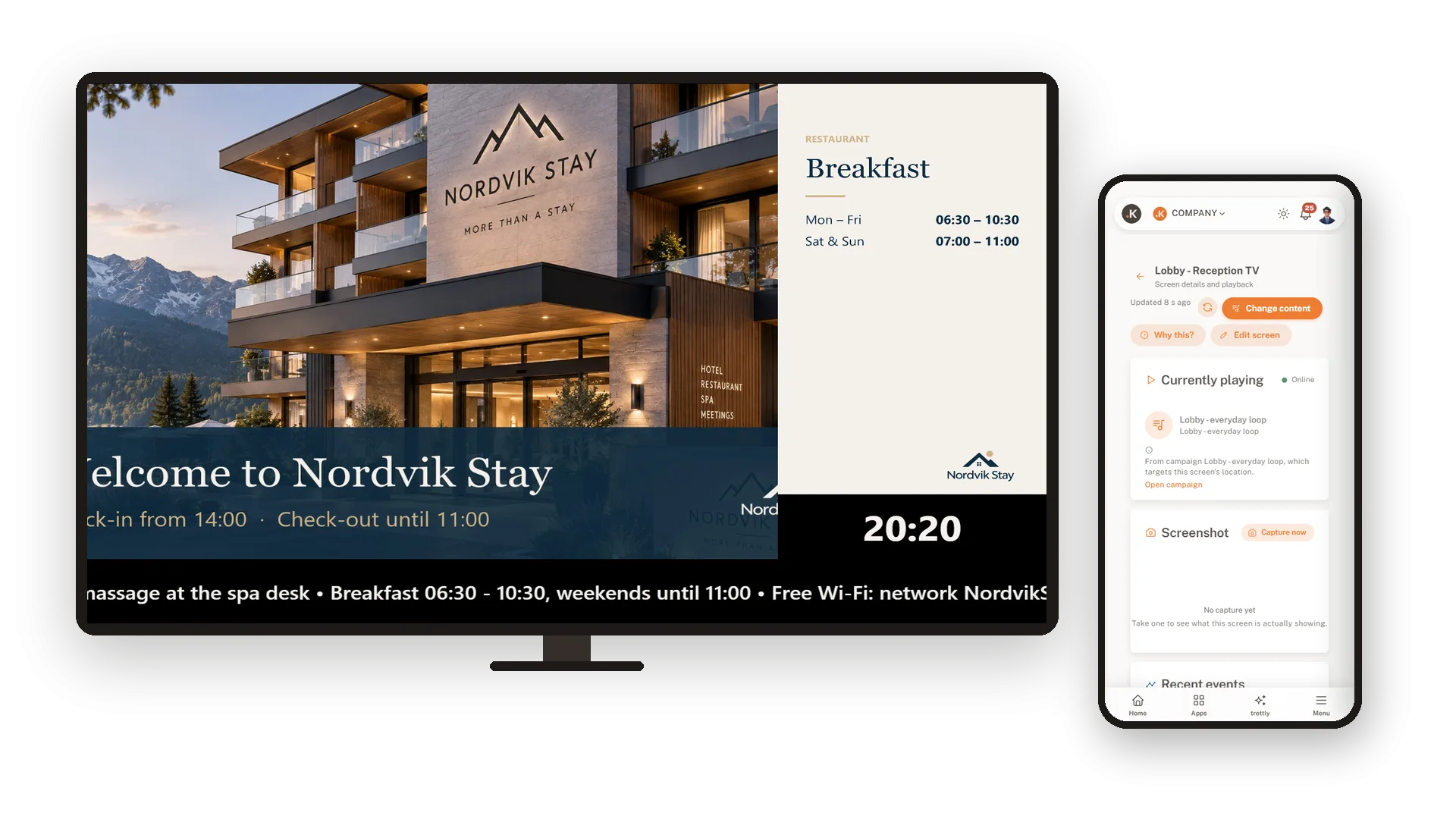

Every screen shows the right thing, by itself.
Turn your Android TV into a screen you control from your desk. Build a loop from your pictures, add a clock and a ticker, and plan what plays where and when. Install the app, pair it with a code, and the TV takes care of the rest.
From your pictures to the TV in a few minutes
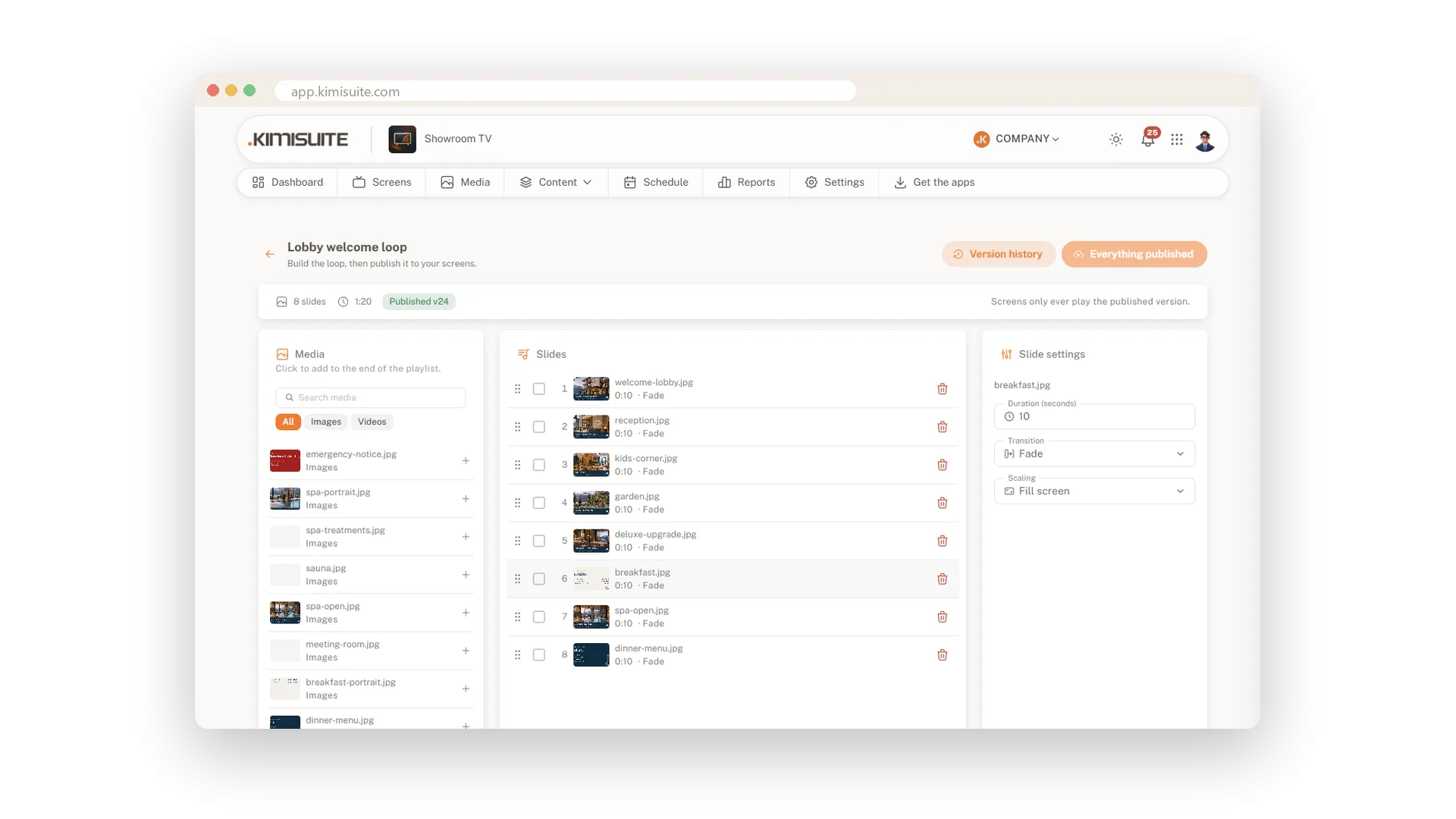
Upload your pictures, click them into a playlist and publish. Install the app on the TV, type its code into your workspace, and the loop starts.
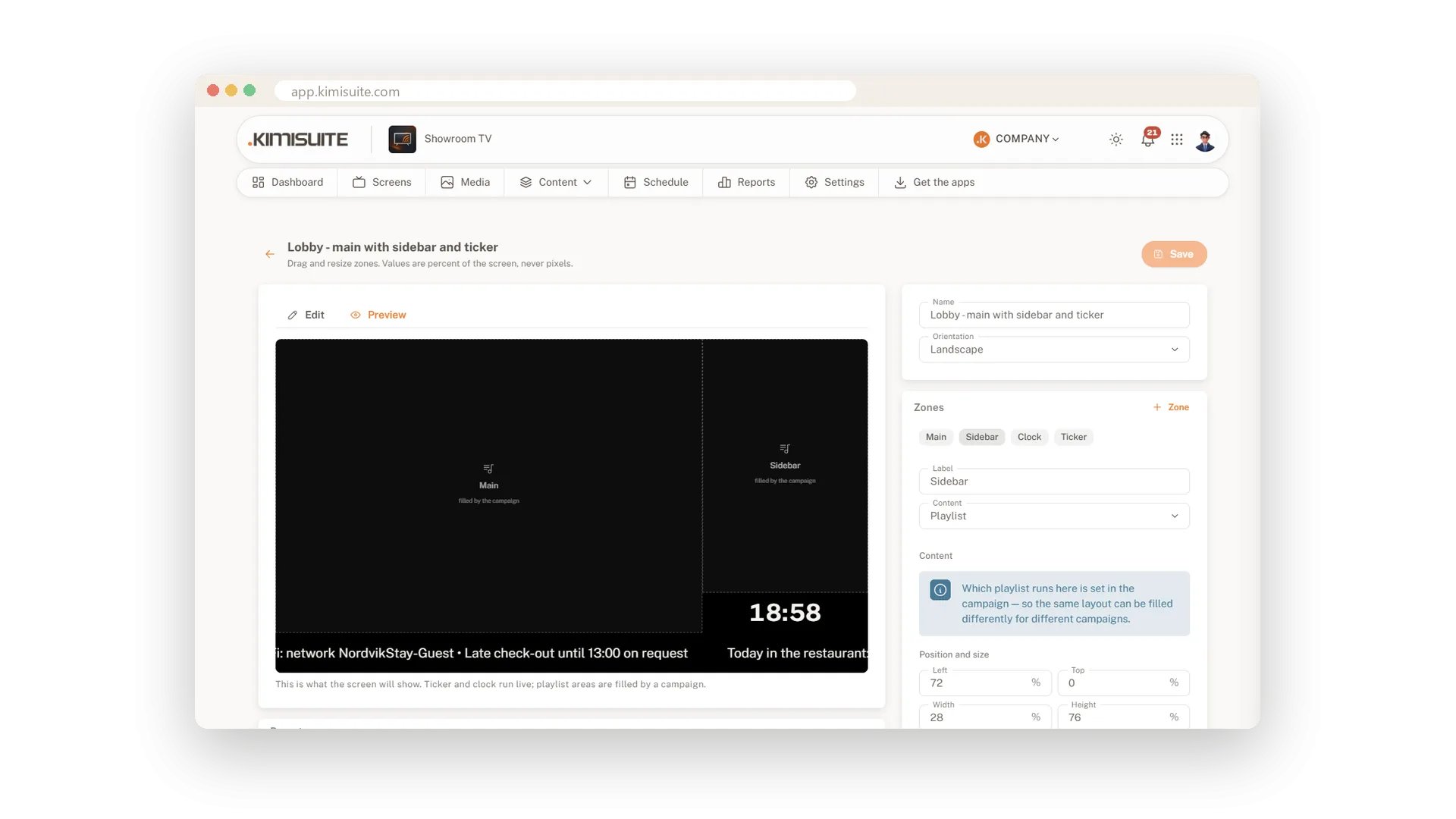
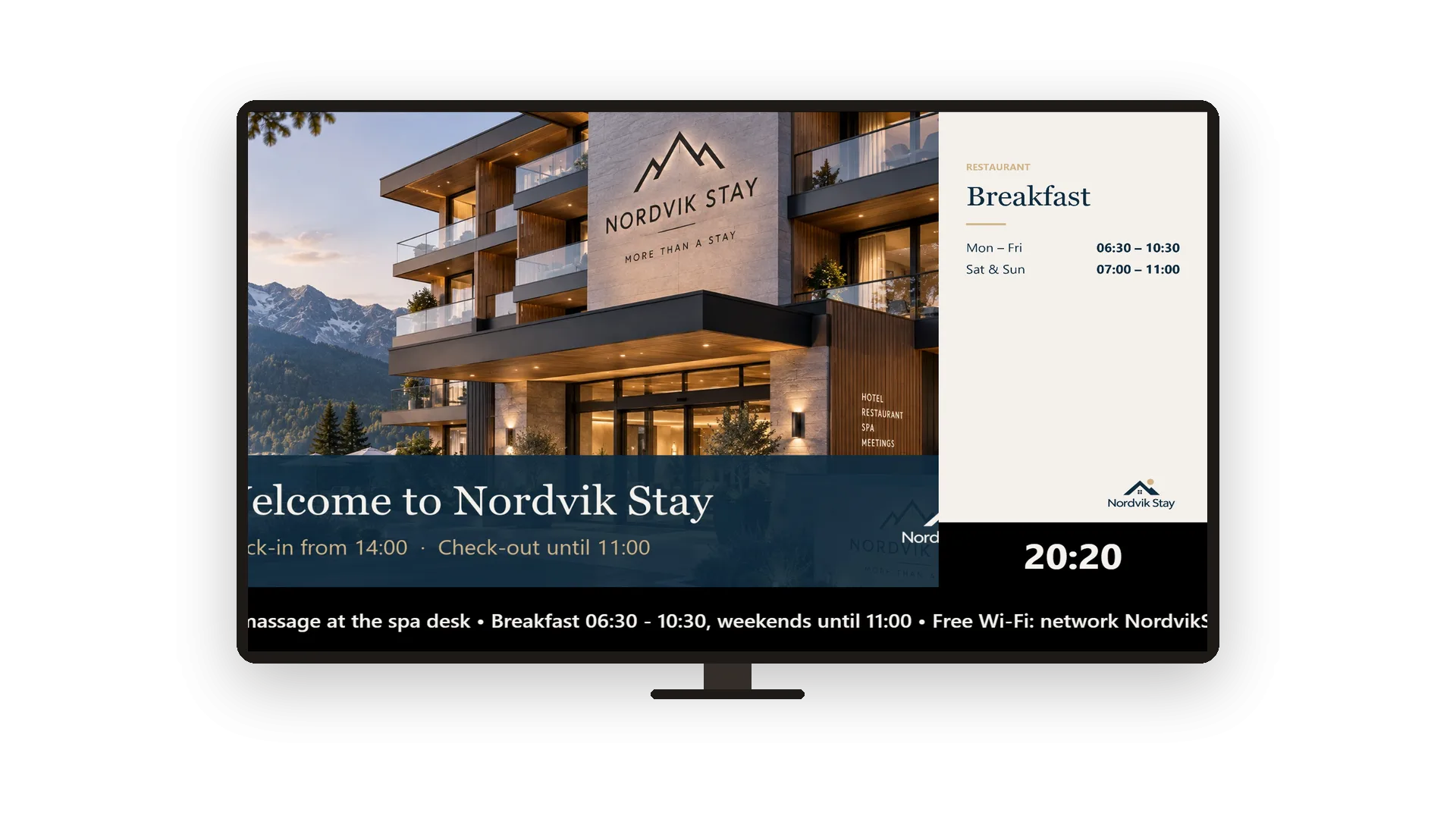
- More than a slideshow. Split the screen into a main loop, a sidebar, a clock and a ticker with your own messages.
- Planned, not switched. Campaigns play breakfast in the morning and the evening offer at night, on the screens, groups or locations you choose.
- Safe to edit. Screens only play the published version, and every version can be restored.
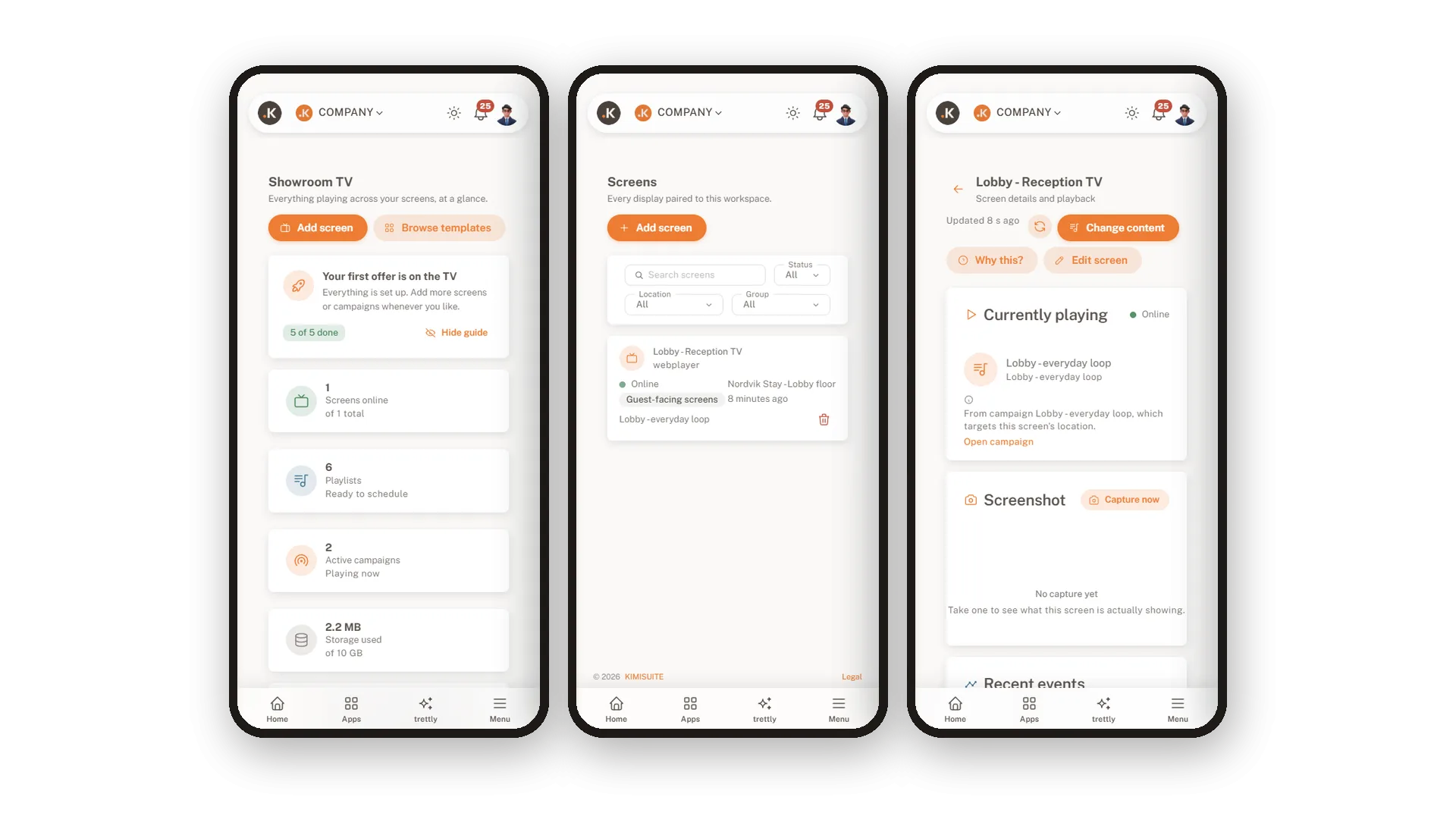
- Always in view. See which screens are online, what they play and why, and restart or blank a screen from afar.
The dashboard shows screens online, active campaigns and every screen that needs attention.
What Showroom TV does for your business
Everything from the first picture to the screen on the wall.
Install the app on your Android TV or Google TV and type the code it shows. The screen fetches its programme by itself from then on.
Click pictures into a loop and drag them into order. Set duration, transition and fit for every slide.
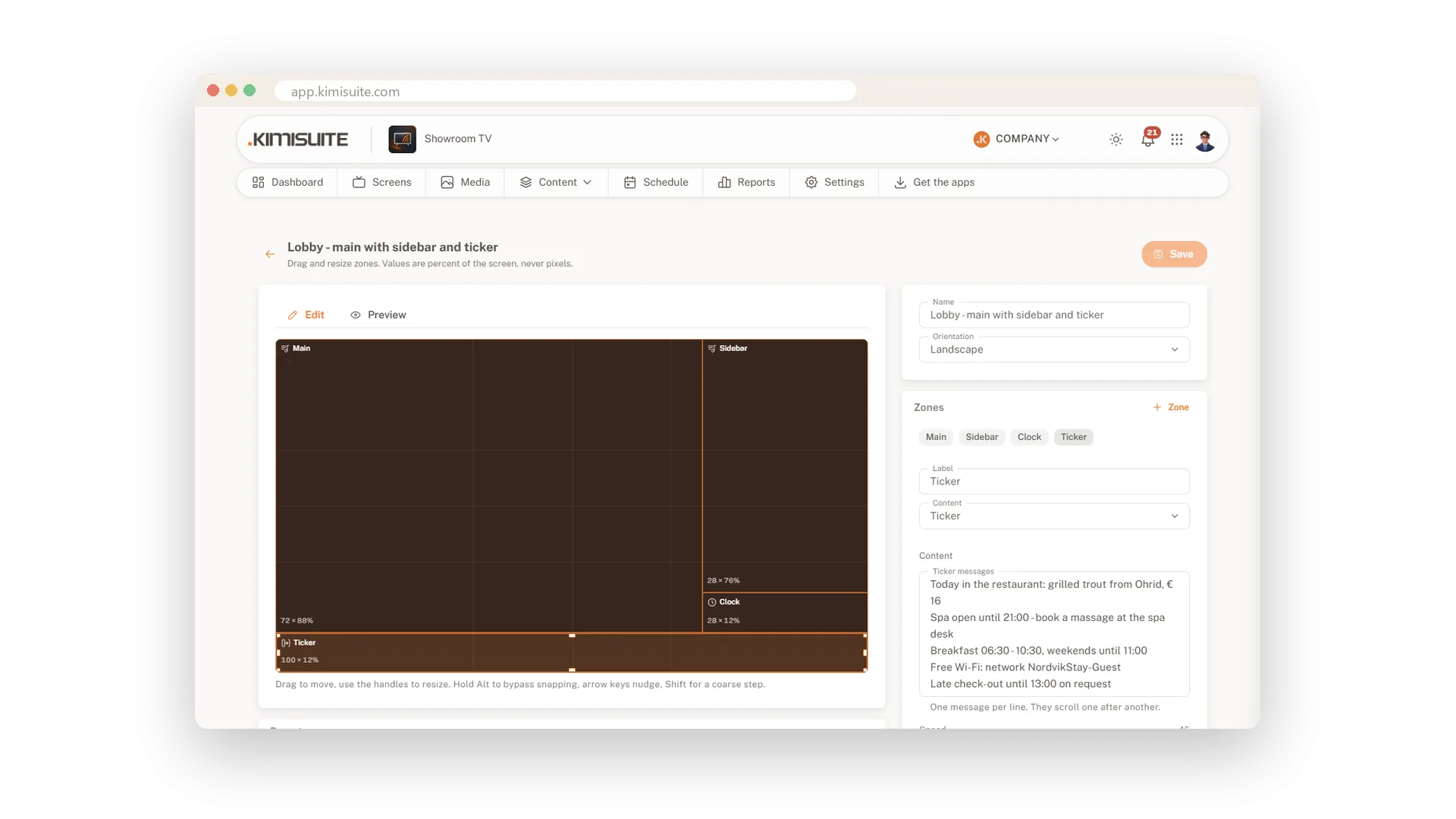
Split the screen into zones, from six presets or your own. Add a local clock and a ticker with your messages.
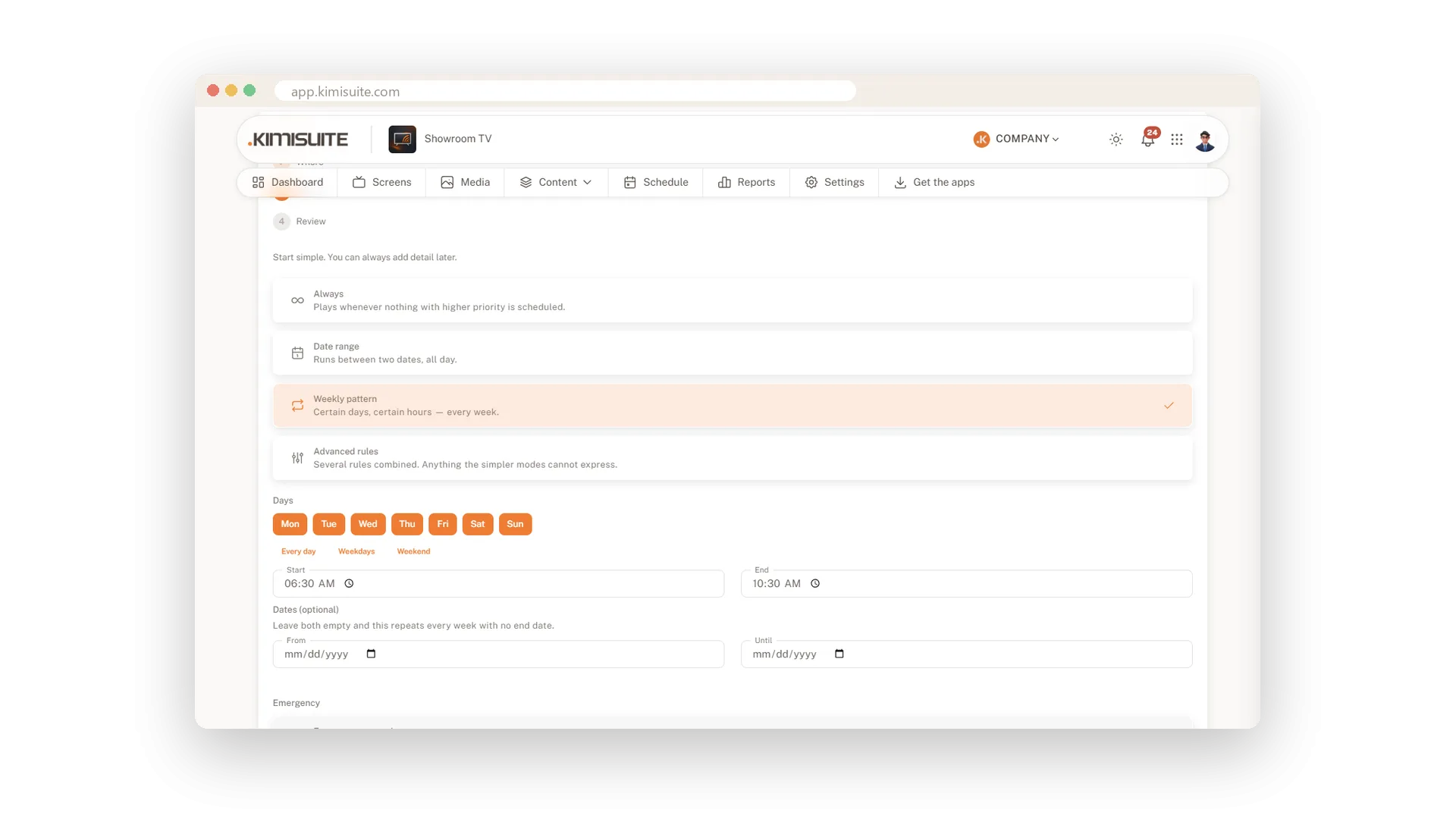
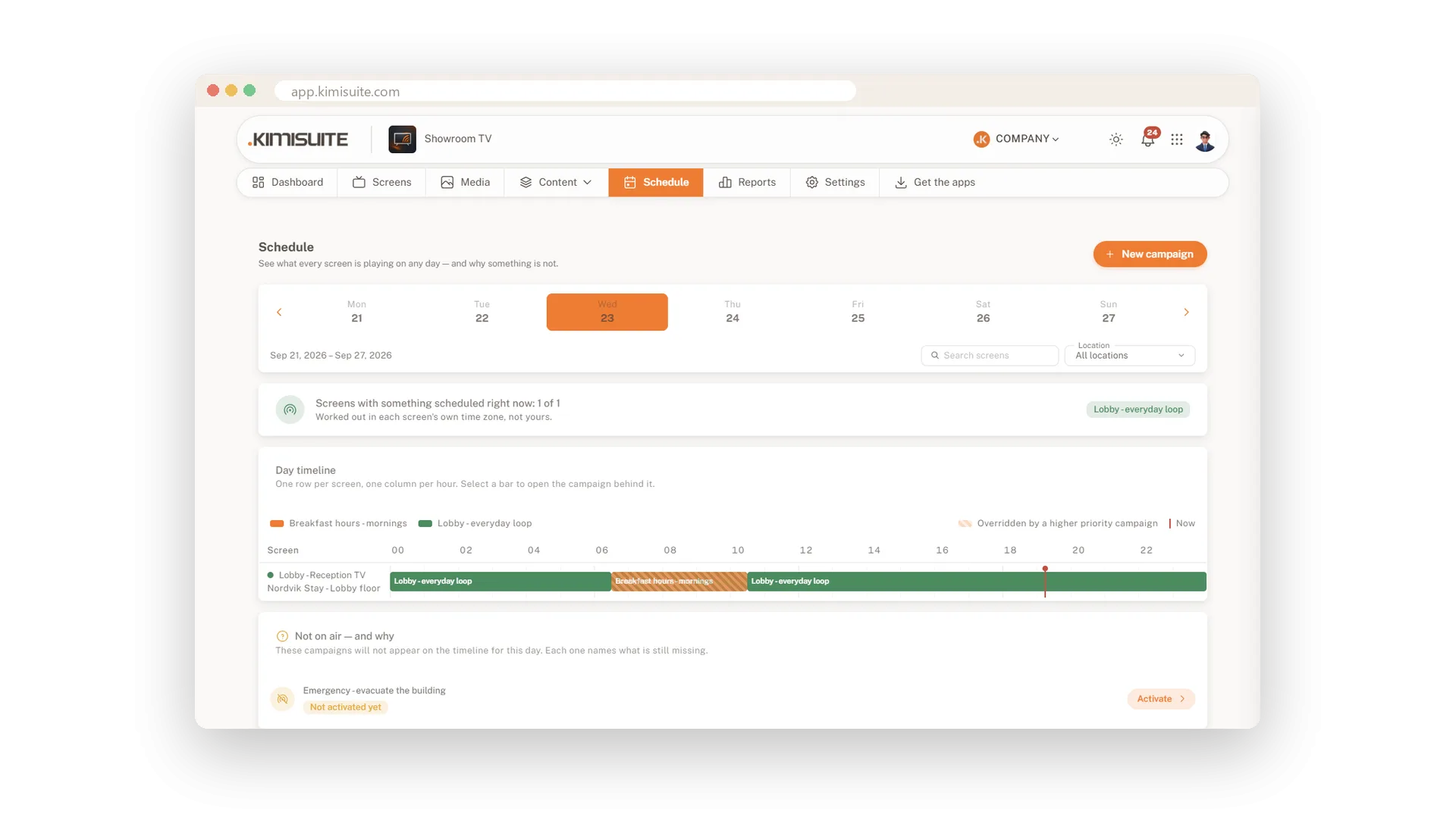
Target screens, groups or locations, always or in weekly time slots. The higher priority wins when two overlap.
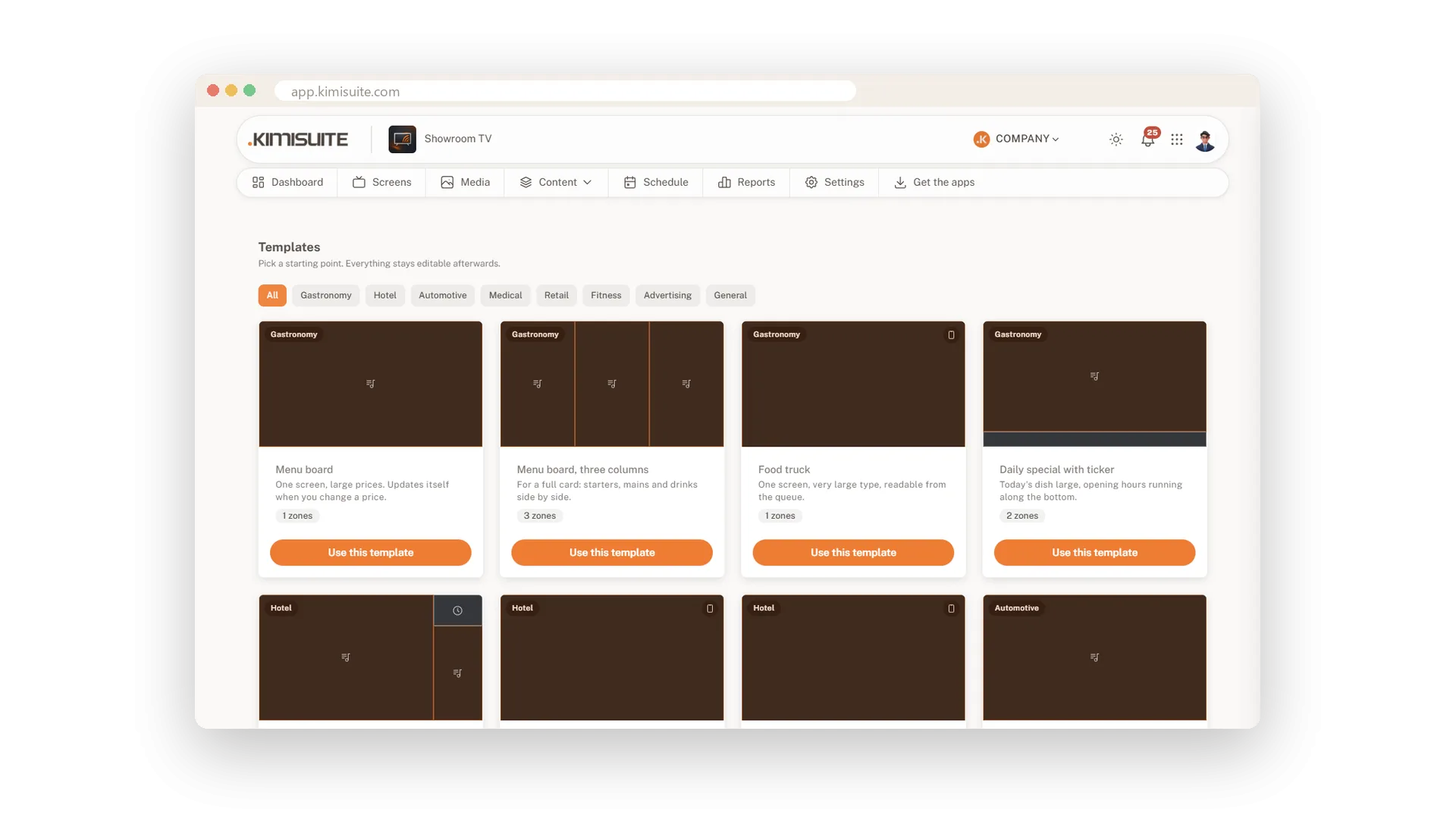
Menu boards, lobby welcome, waiting room, promotions and more. One click creates layout, playlist and campaign.
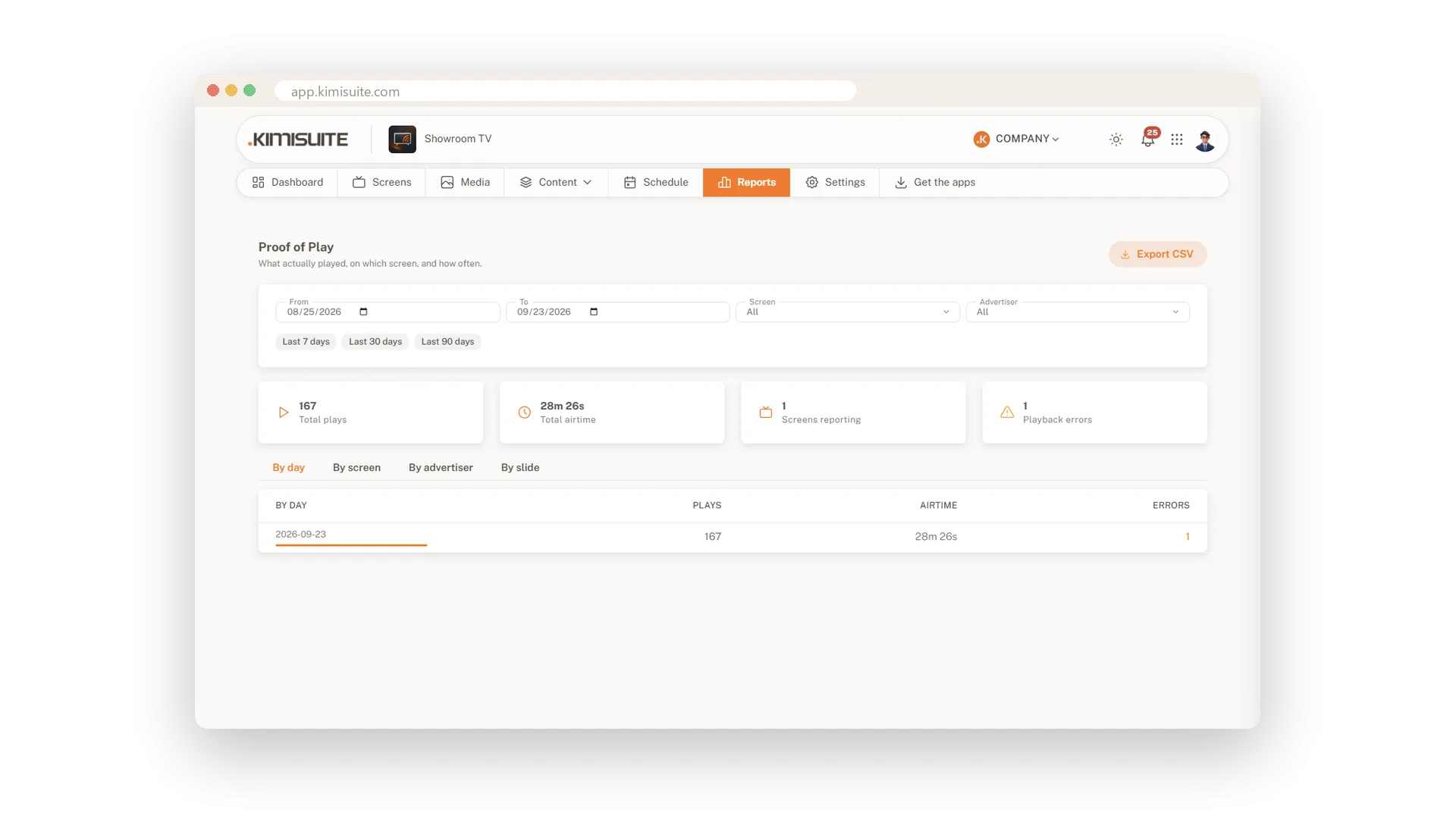
See plays and airtime by day, screen and slide. Know what really ran, not only what was planned.
See Showroom TV in action
Pricing Plans
Choose the right plan for your needs. All plans include free updates.
| Showroom TV | Start €19.90 /mo · per workspace Start Free Trial | Grow €59.90 /mo · per workspace Start Free Trial | Recommended Business €199.90 /mo · per workspace Start Free Trial |
|---|---|---|---|
| Screens TVs you can connect and control. | 3 | 10 | 40 |
| Locations Sites with their own address, time zone and weather. | 5 | 20 | |
| Playlists Sequences of slides you can build. | 10 | 50 | 200 |
| Video Quality Videos are shown in Full HD. | Full HD | Full HD | Full HD |
| Templates and Widgets Ready-made layouts with clock, weather, ticker and calendar. | |||
| Scheduling Always, date ranges, weekly hours, priorities, fallback. | |||
| Offline Playback Screens keep playing when the internet drops. | |||
| Screen Monitoring Screenshot, identify and resync any screen. | |||
| Restaurant Hub Integration Menu, daily offers and promotions from Restaurant Hub as live slides. | |||
| Custom Layout Editor Build your own layouts: drag, resize, add zones. | – | ||
| Web Pages Live web pages as slides and zones. | – | ||
| Live Data Vehicle Hub, RSS and JSON feeds. | – | ||
| Screen Groups Group screens and target them together. | – | ||
| Remote Control Reboot, restart, clear cache, volume, blank and wake. | – | ||
| Holiday Rules Skip or play only on public holidays. | – | ||
| Proof of Play Which content played on which screen, when and for how long. | – | – | |
| Emergency Campaigns Override everything on the targeted screens. | – | – |
- Screens TVs you can connect and control.3
- Locations Sites with their own address, time zone and weather.
- Playlists Sequences of slides you can build.10
- Video Quality Videos are shown in Full HD.Full HD
- Templates and Widgets Ready-made layouts with clock, weather, ticker and calendar.
- Scheduling Always, date ranges, weekly hours, priorities, fallback.
- Offline Playback Screens keep playing when the internet drops.
- Screen Monitoring Screenshot, identify and resync any screen.
- Restaurant Hub Integration Menu, daily offers and promotions from Restaurant Hub as live slides.
- Custom Layout Editor Build your own layouts: drag, resize, add zones.–
- Web Pages Live web pages as slides and zones.–
- Live Data Vehicle Hub, RSS and JSON feeds.–
- Screen Groups Group screens and target them together.–
- Remote Control Reboot, restart, clear cache, volume, blank and wake.–
- Holiday Rules Skip or play only on public holidays.–
- Proof of Play Which content played on which screen, when and for how long.–
- Emergency Campaigns Override everything on the targeted screens.–
Available extensions
Book them with a click, drop them the same way.
 Growth 10
+10 screens · +2 locations · +20 playlists
€34.90 /mo Growth 50
+50 screens · +10 locations · +100 playlists
€149.90 /mo Growth 25
+25 screens · +5 locations · +50 playlists
€79.90 /mo
Features Built for Growth
Everything you need to scale your business
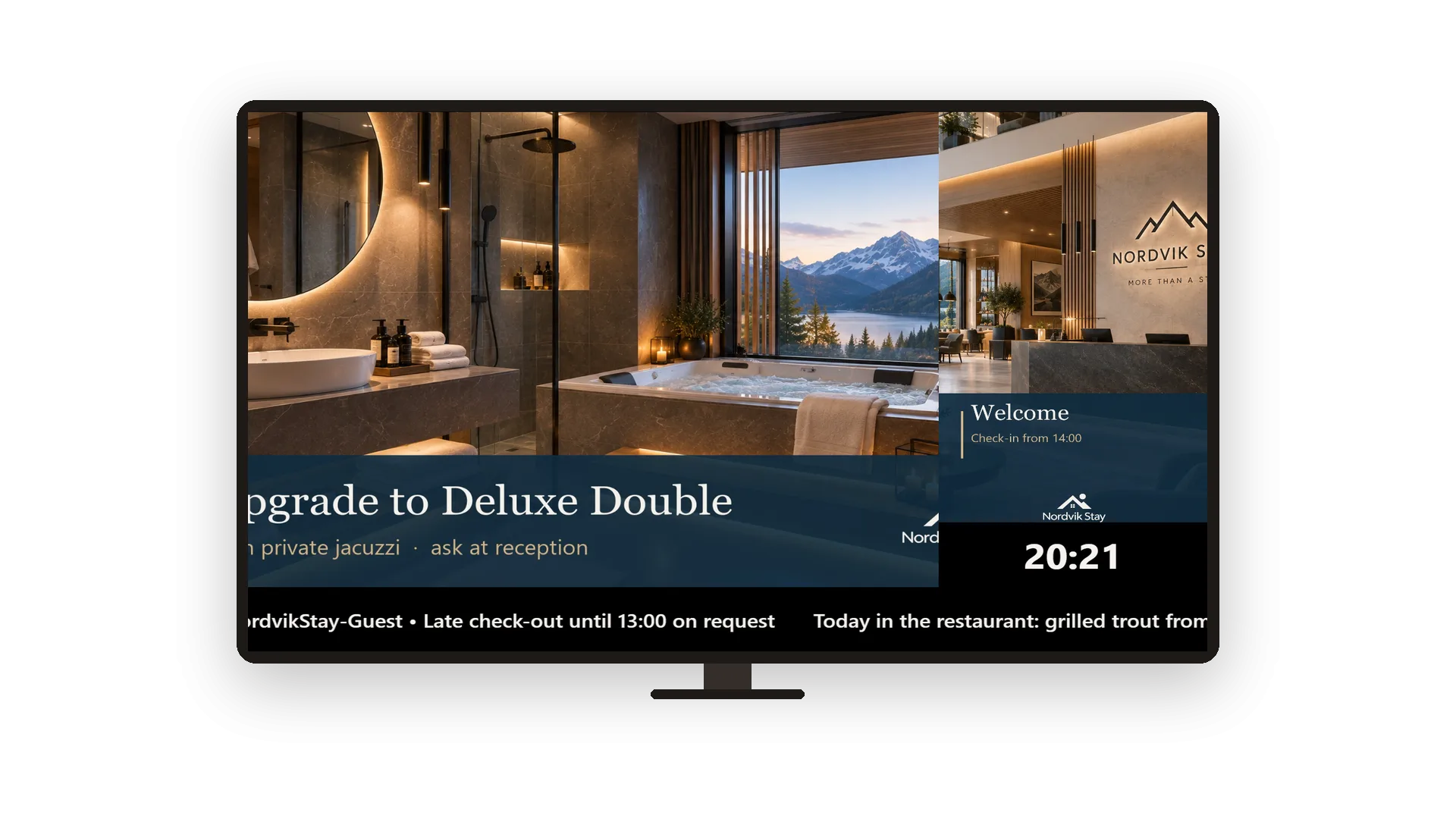
Tickers, clocks and content that stays current
Change a message and the TV shows it within a minute
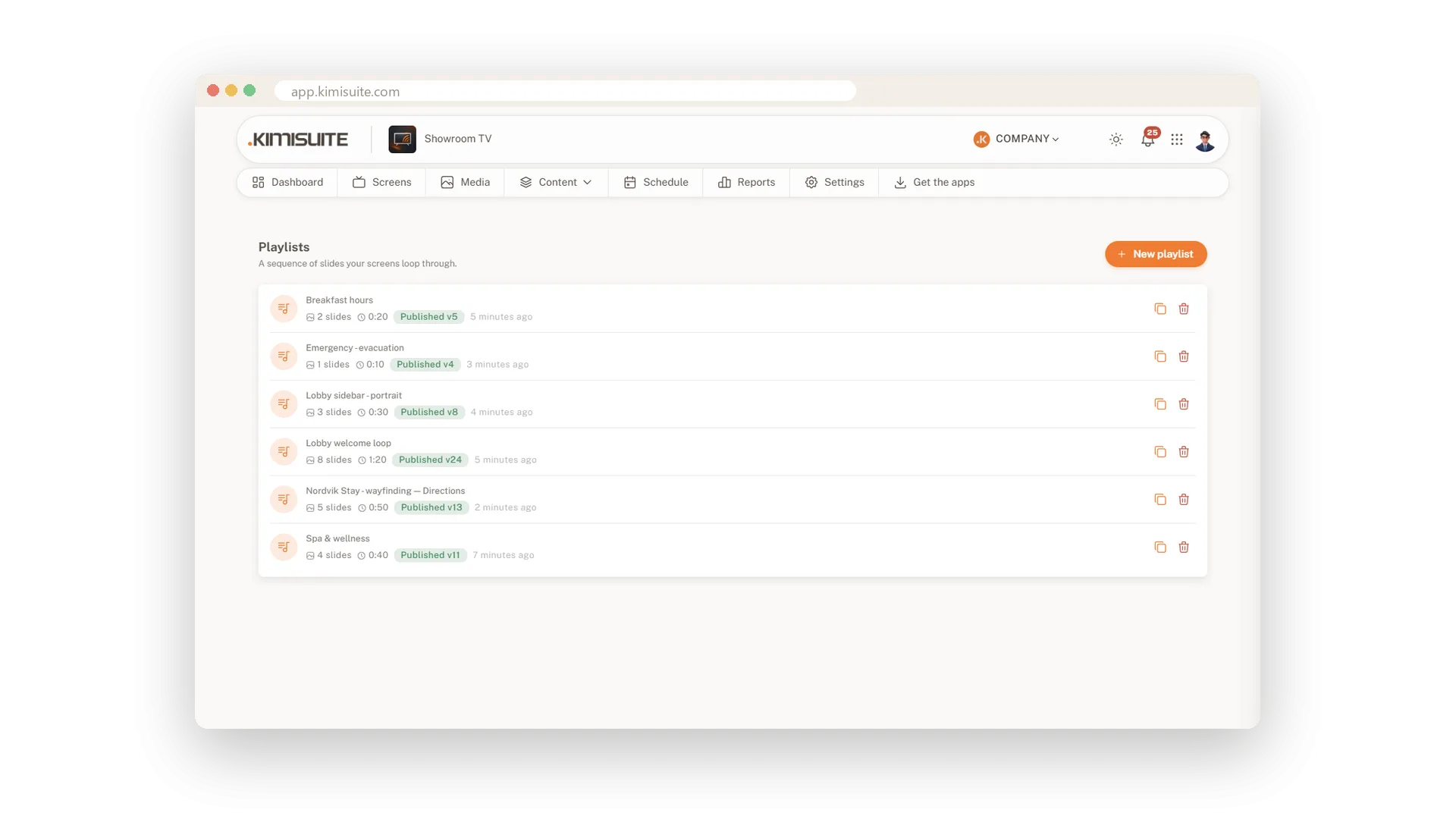
Playlists and split-screen layouts
Build a loop in minutes, split the screen as you like
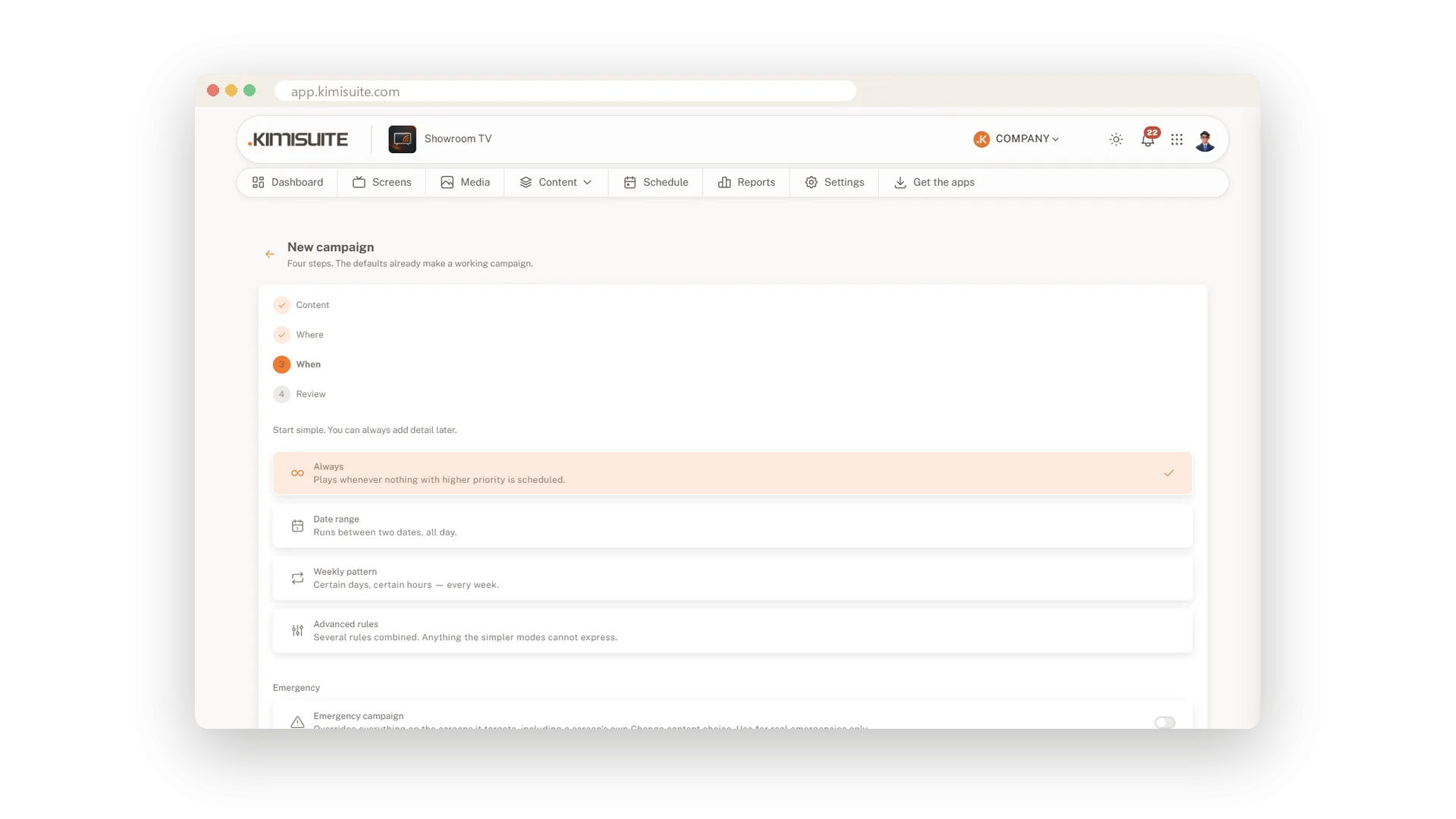
Plan what plays, where and when
Breakfast at seven, happy hour at five, all by itself
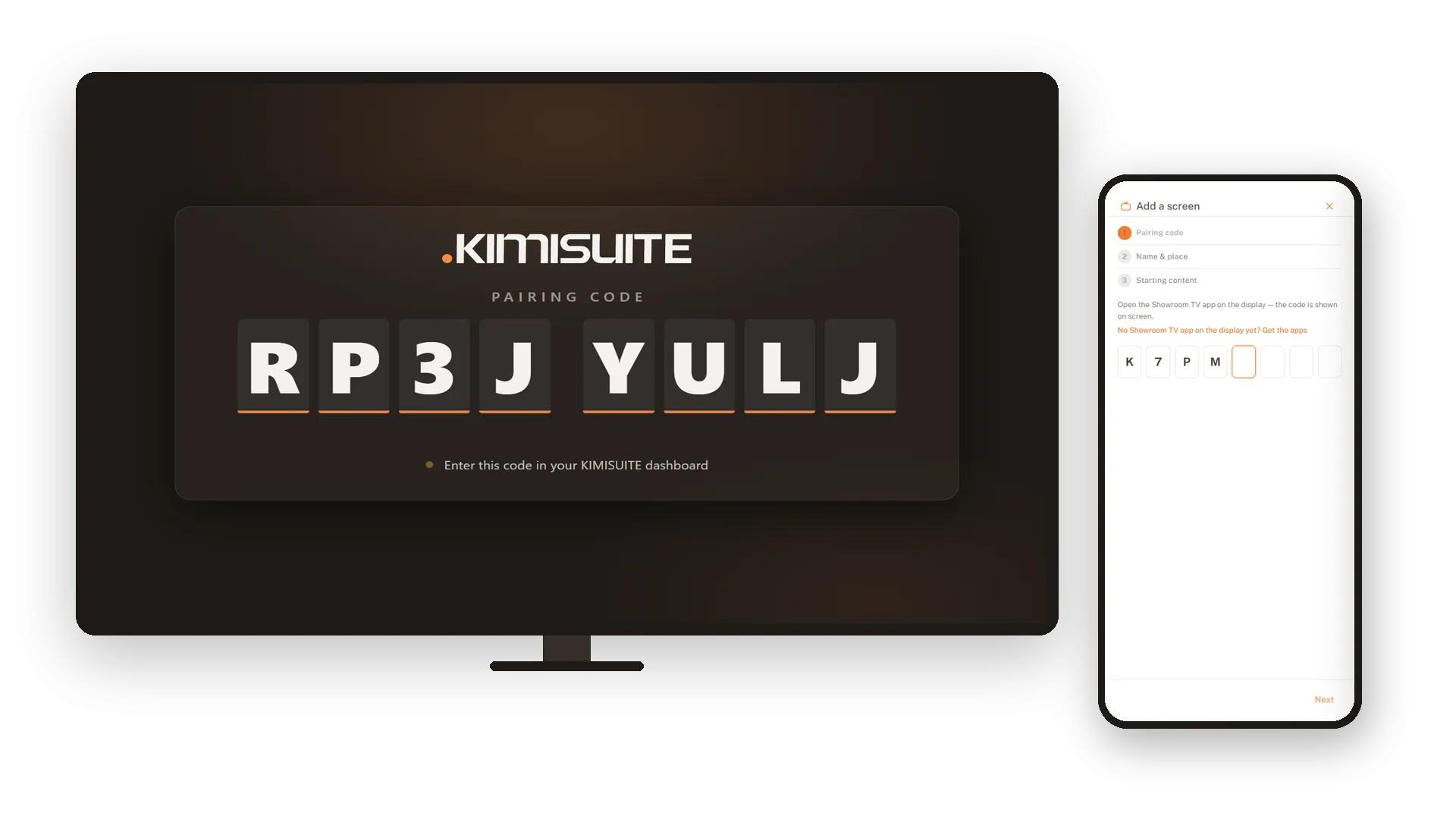
Connect your TVs and keep them in view
Install the app, pair with a code, watch from your desk
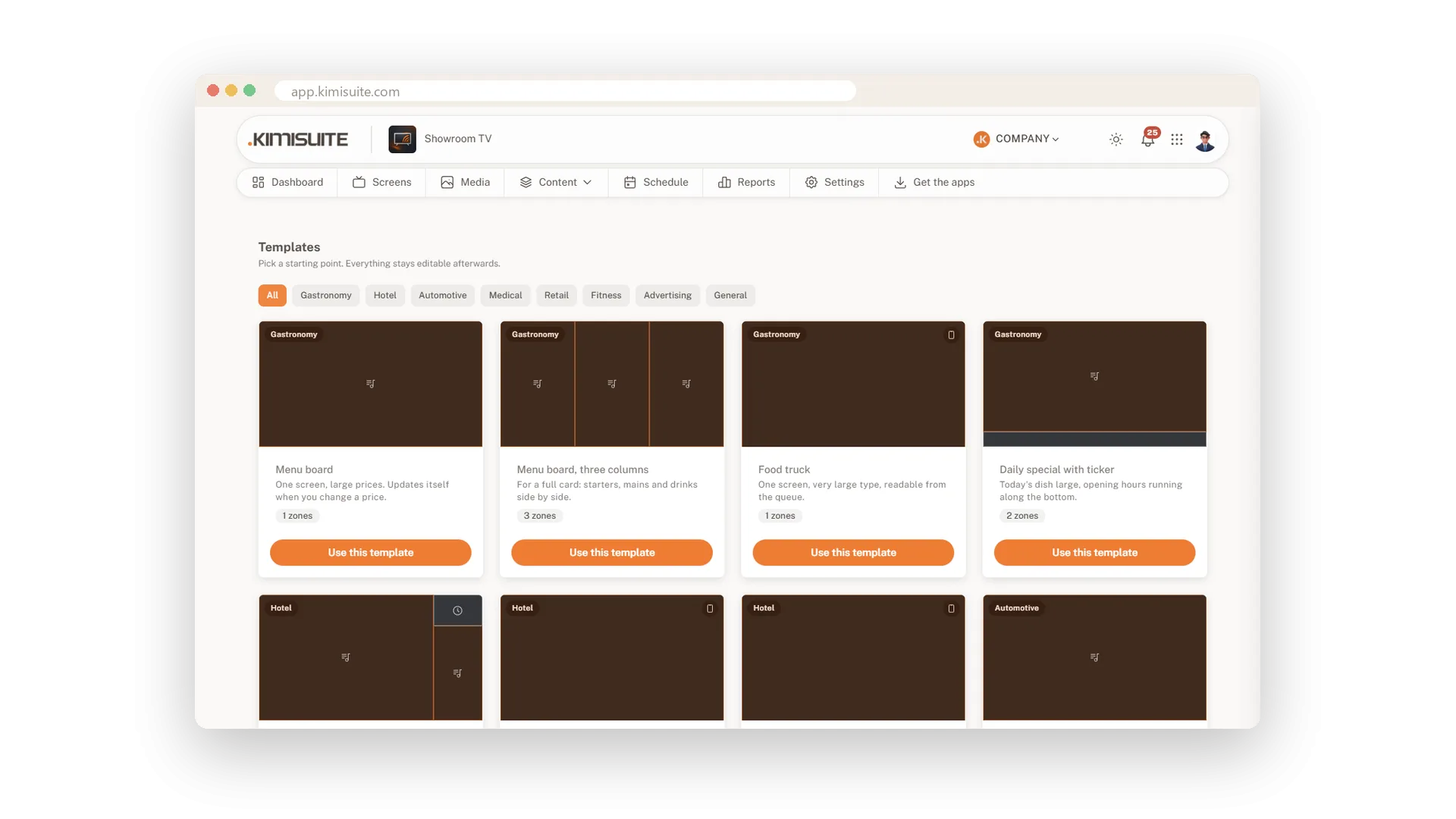
Start from a ready-made template
19 templates in 8 industries, ready in one click
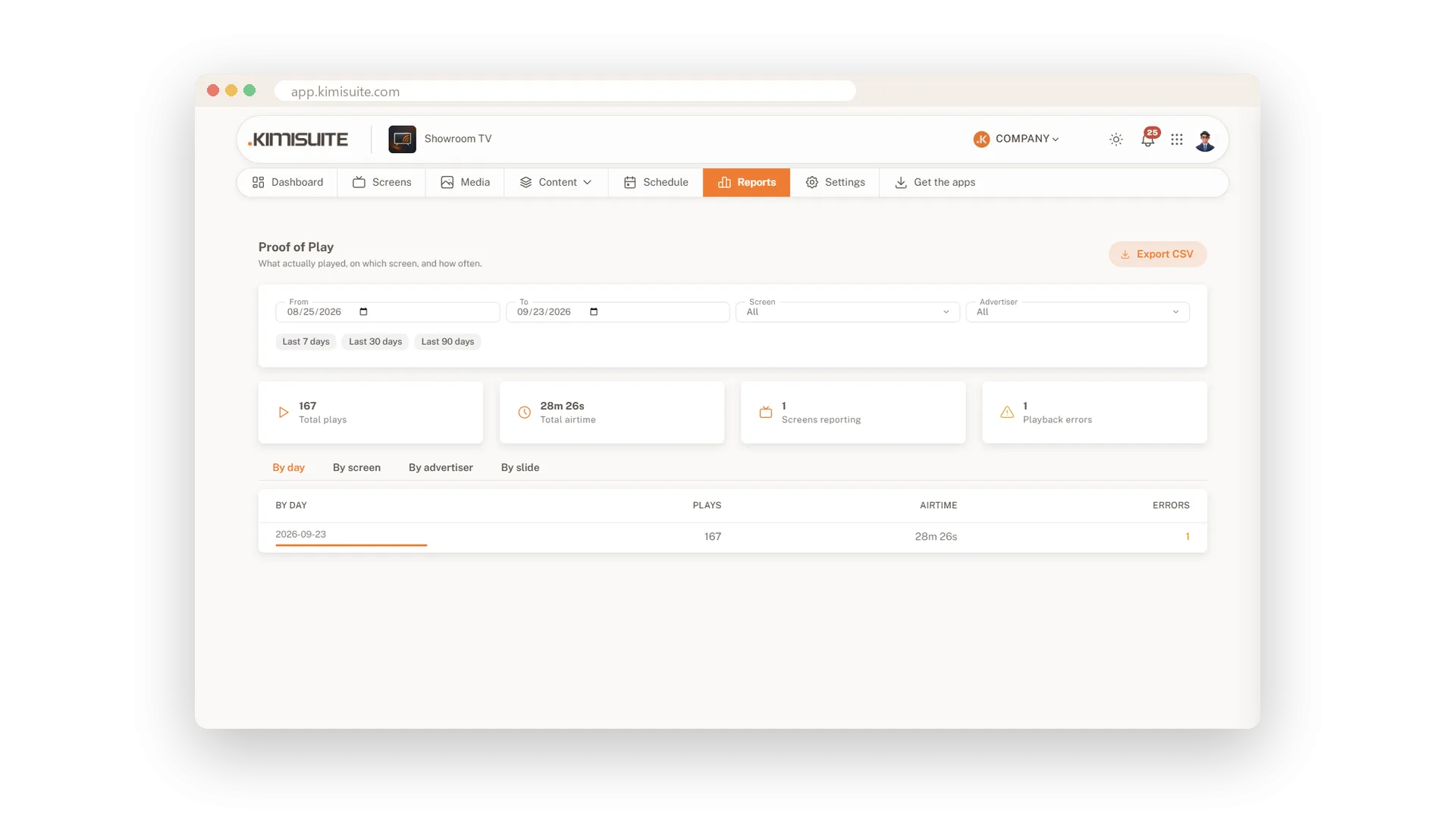
Proof of play for every screen
What really played, where, and for how long
Works with your other apps
One workspace. Data moves between the apps instead of being typed twice.

Showroom TV
FAQ
Common questions about Showroom TV answered clearly.
Ready to See It in Action?
Discover how KIMISUITE connects growth, automation and AI into one unified system.
Take Your Business to The Next Level!
Stop paying for tools you barely use. Start running your business on KIMISUITE.
No long-term contract · Cancel anytime · 14 days free
