 Part of Showroom TV
 Playlists and split-screen layouts
Build a loop in minutes, split the screen as you like
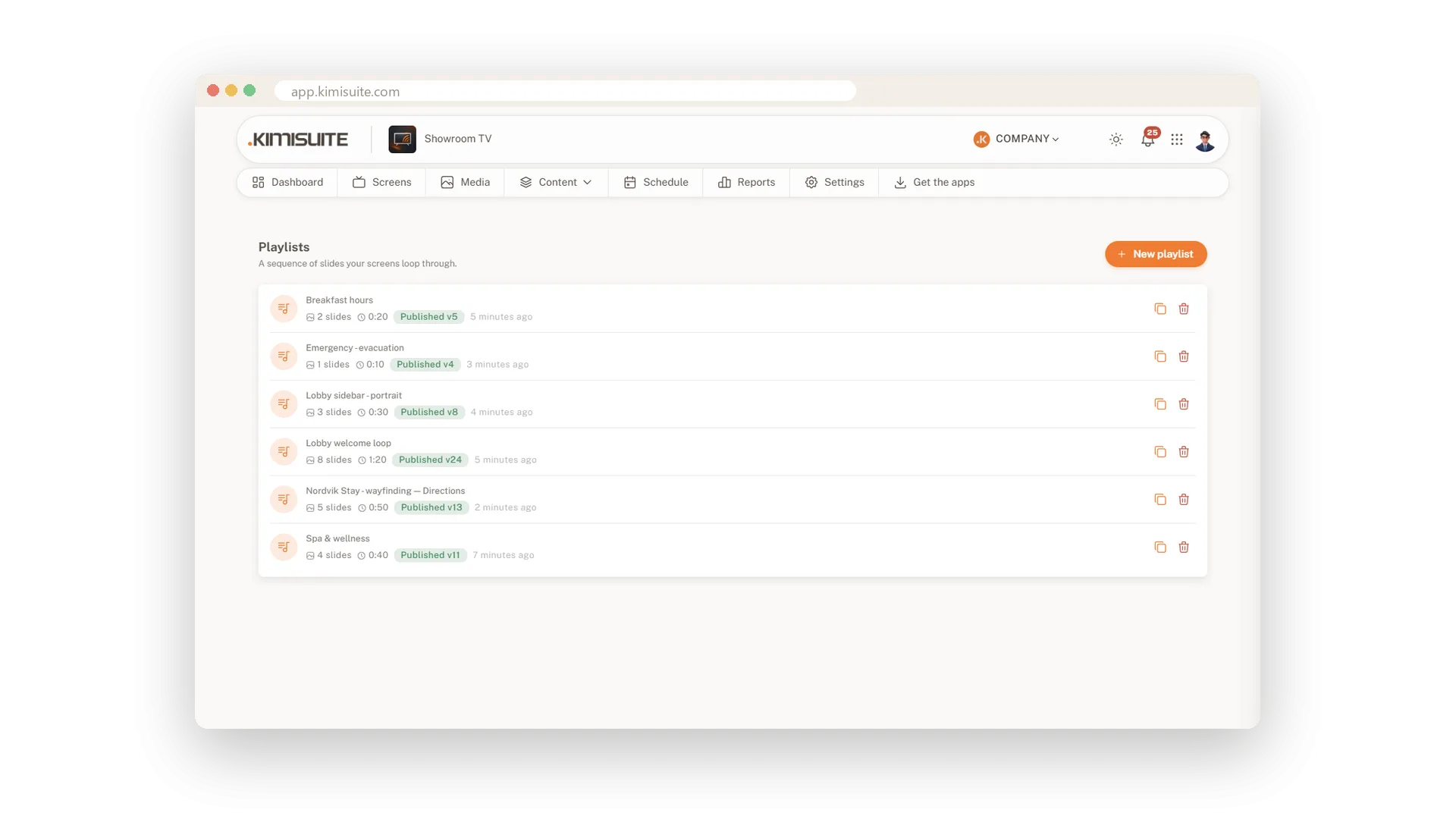
Your offers, your rooms, your welcome: put them in a loop that runs by itself on the TV. Upload your pictures once, sort them into folders and click them into a playlist. Drag the slides into the order you want and set how long each one stays. With a layout, one screen shows several things at once: a main loop, a sidebar, a clock and a ticker.
Uploading already does half the work. A crop window sets the right format, turns and flips the picture and keeps it at Full HD, so the TV loads it quickly. In the editor you choose between five transitions and three ways to fit a picture to the screen. Layouts start from six presets, and every zone is set in percent, so the layout fits any TV.
Key Benefits
Click a picture to add it, drag the handle to change the order
Five transitions and three scaling modes for every slide
Crop, rotate and flip pictures while you upload them
Six layout presets, from full screen to three columns, in landscape or portrait
Your pictures in tidy folders
Upload once, find it again in seconds
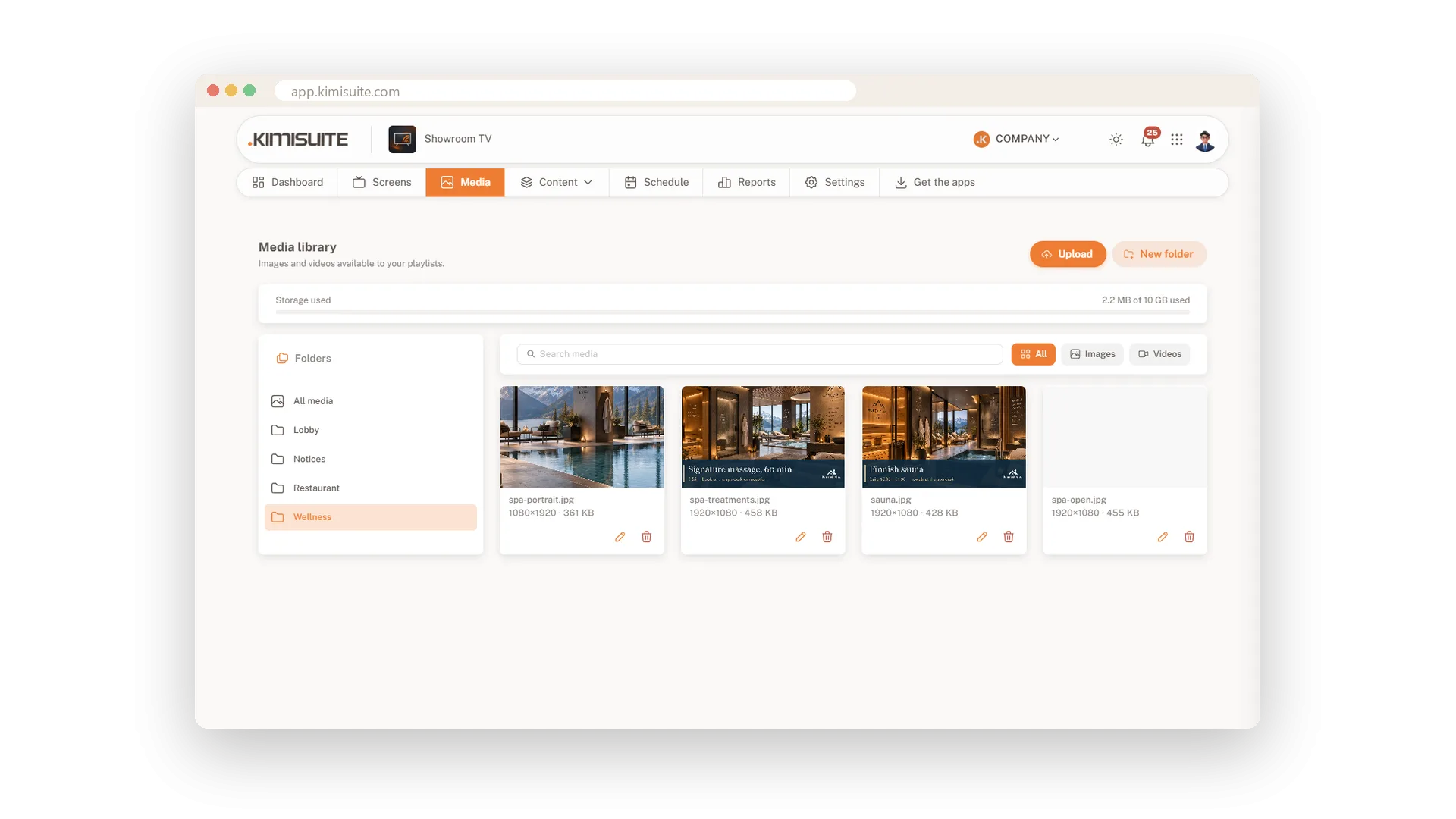
Create a folder for each room or topic and upload several pictures at once. Every card shows the size and resolution, and a filter and a search find the right picture fast. Rename a file with the pencil whenever you like.
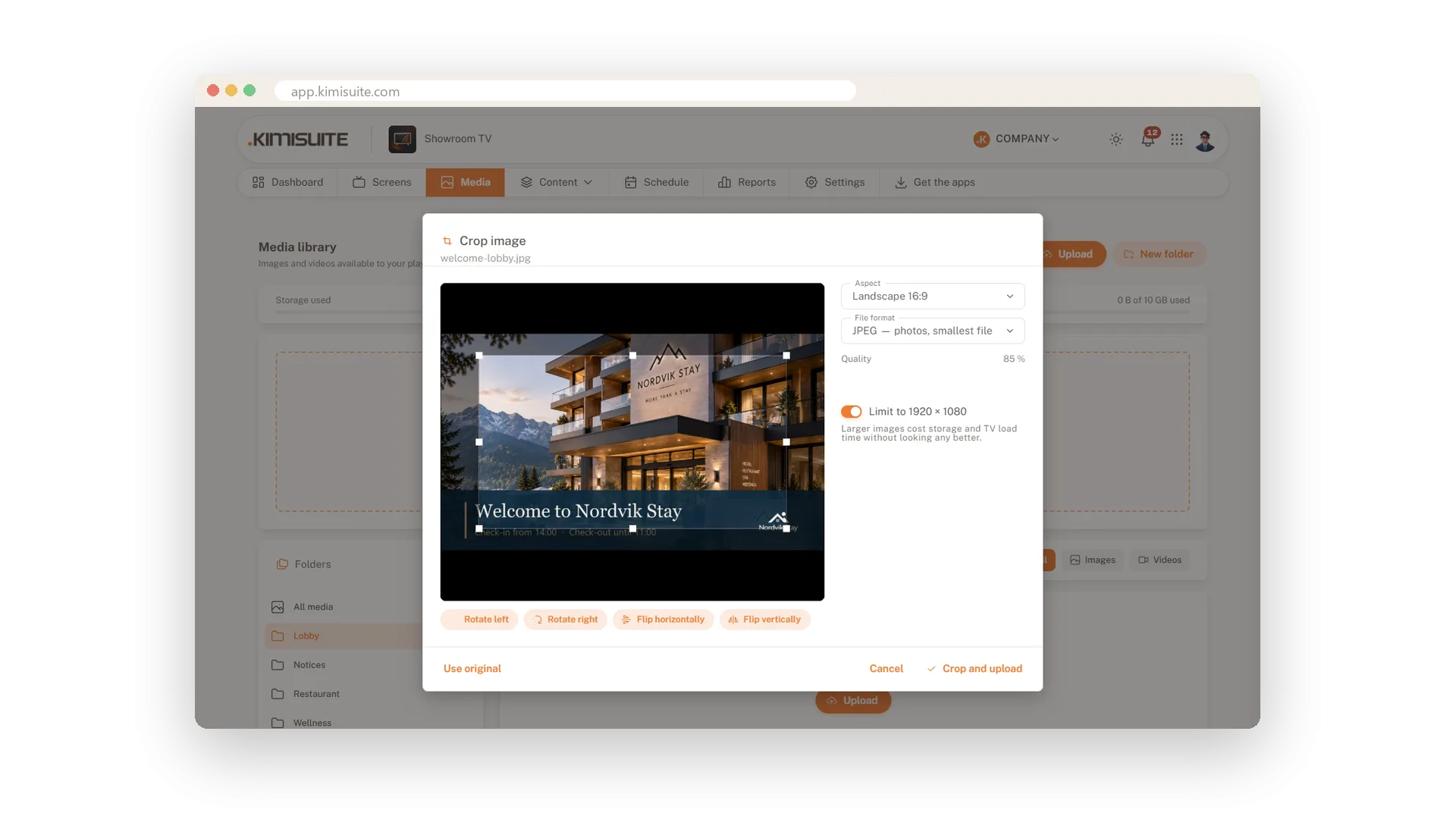
Crop and resize while you upload
The right format before it reaches the TV
A crop window opens for every picture. Pick the aspect ratio, turn or flip the image and keep it at Full HD, so it looks sharp and loads fast. If your picture already fits, keep the original.
Build a loop by click and drag
Duration, transition and fit for every slide
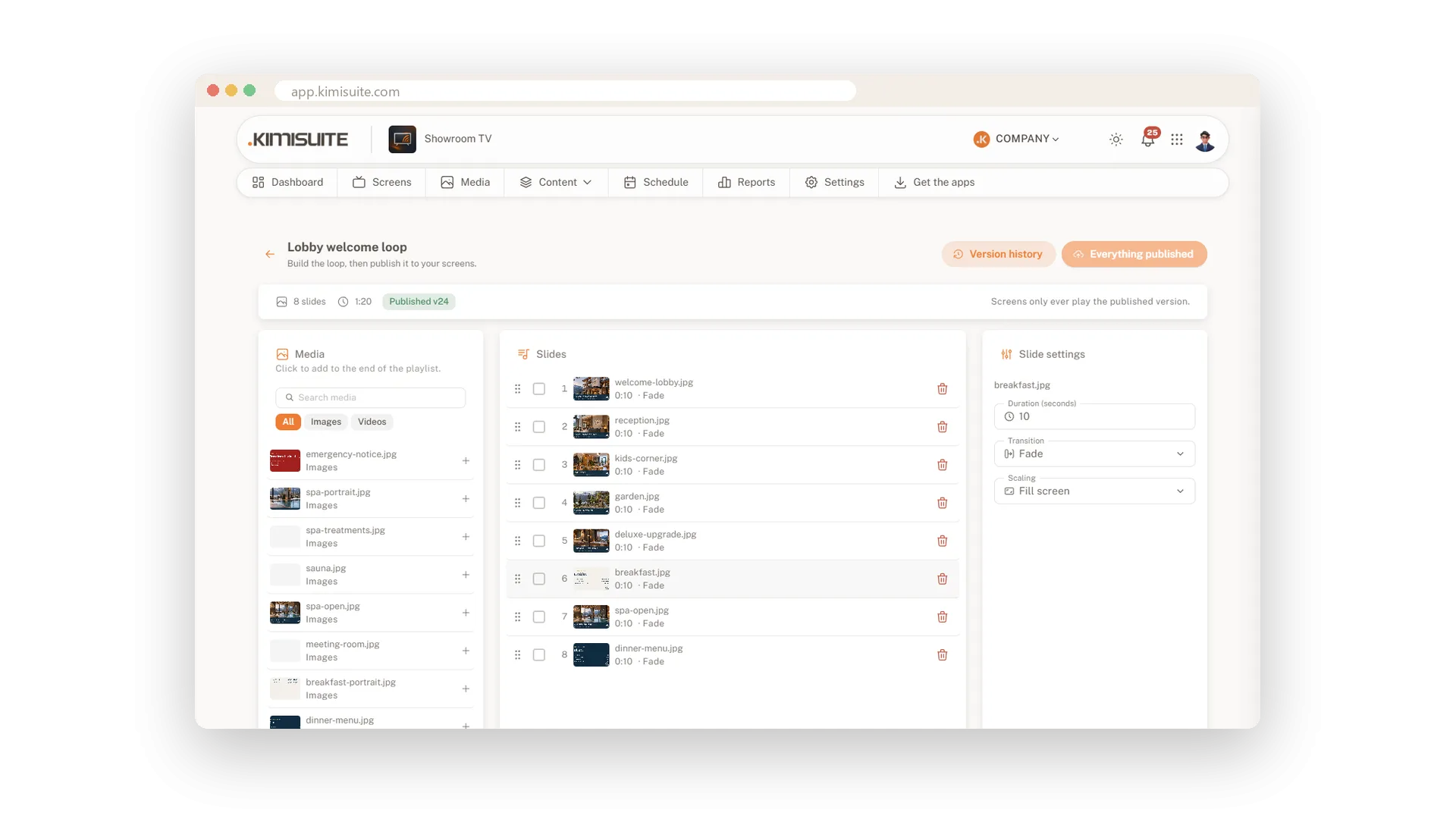
Click pictures in the media column and they join the end of the loop. Drag slides into order, then set how long each stays, how it appears and how it fits the screen. The header always shows the number of slides and the total running time.
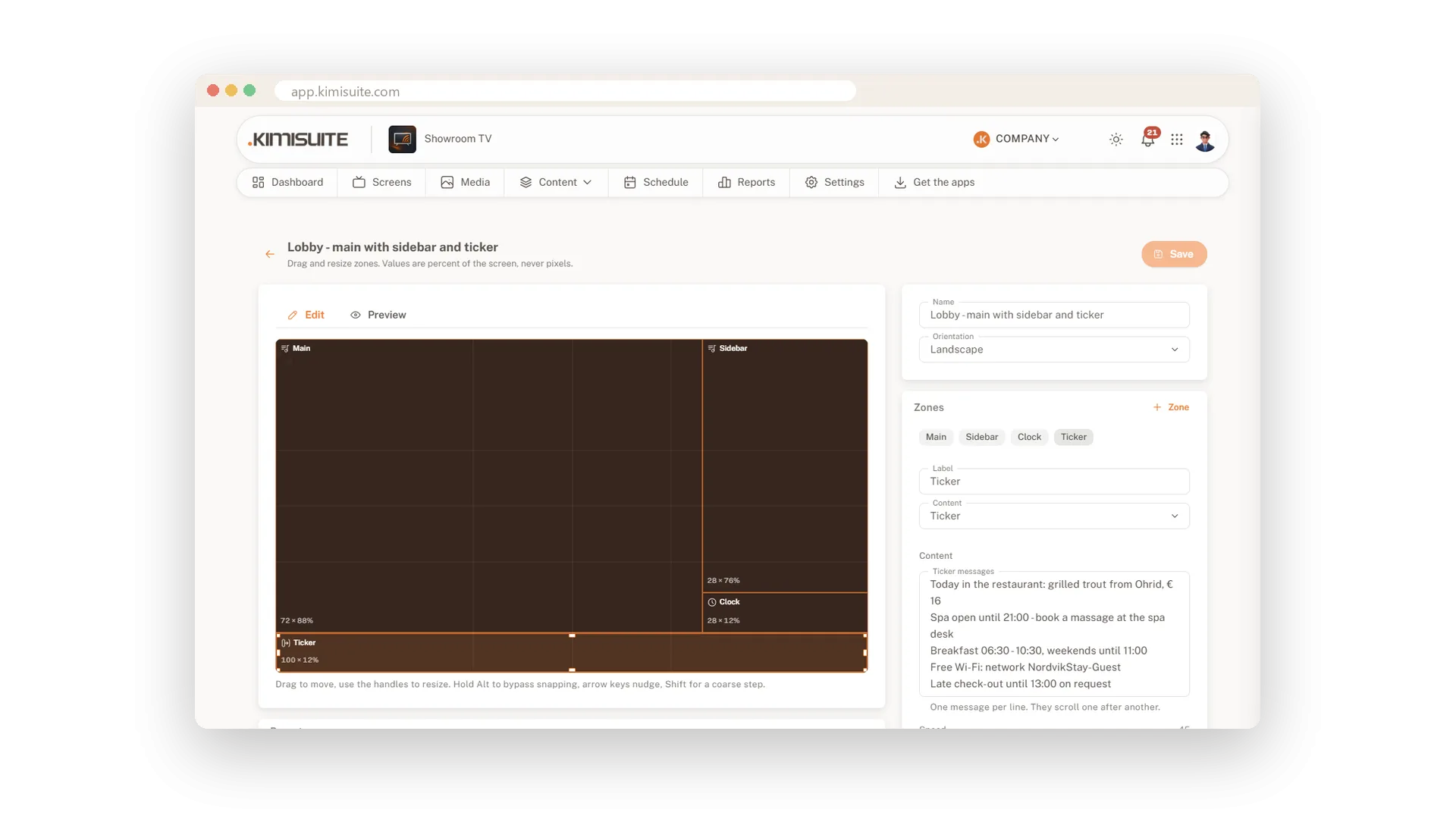
Split the screen into zones
Main loop, sidebar, clock and ticker on one TV
Start from one of six presets or draw your own zones, then drag and resize them. Each zone shows a playlist, a ticker or a clock, and a preview shows the result right away. All values are in percent, so the layout fits any screen, landscape or portrait.
Use Cases
The Friday offer loop
You upload four product photos, click them into a playlist and give each eight seconds. The shop window shows them in a loop from the moment you publish.
Main picture plus sidebar
You pick the preset Main and sidebar and put a portrait loop into the side zone. The lobby screen shows the hotel and the day's offers side by side.
A tidy library for many rooms
Folders for lobby, restaurant and spa keep the pictures apart. Filtering by folder finds the right one in seconds.
FAQ
Try Showroom TV today
Your offers on every TV, planned from your desk
14 days free, cancel anytime, no minimum term.
