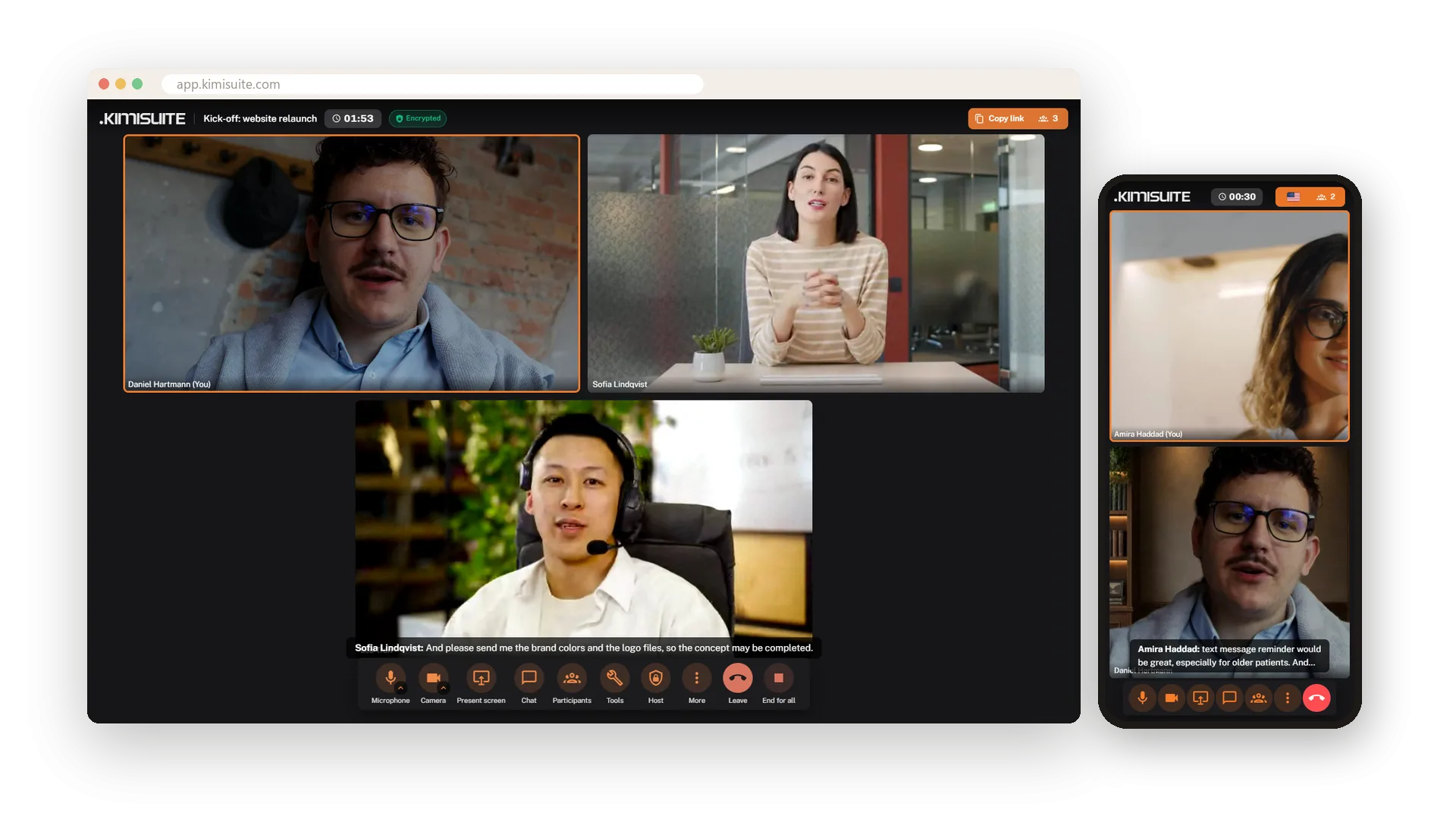
Meet anyone with one link - no account, no install for your guests.
Start a meeting in one click or plan it with invitations. Guests join in the browser and wait until you let them in, then you work together with screen sharing, whiteboard, polls and live captions. Afterwards the transcript is yours - and on Pro and Enterprise the AI summary is in your inbox.
One link, and your guests are in
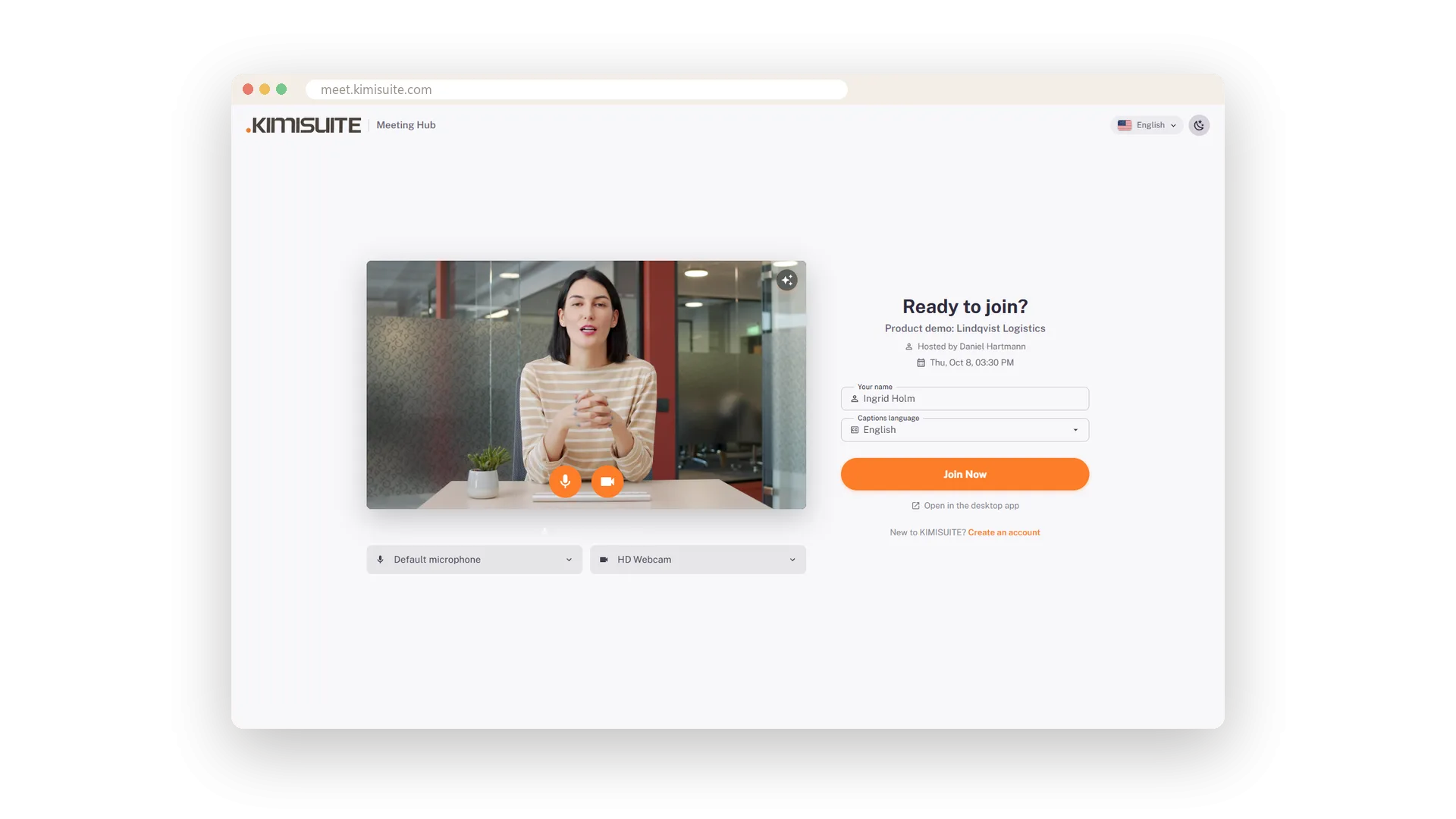
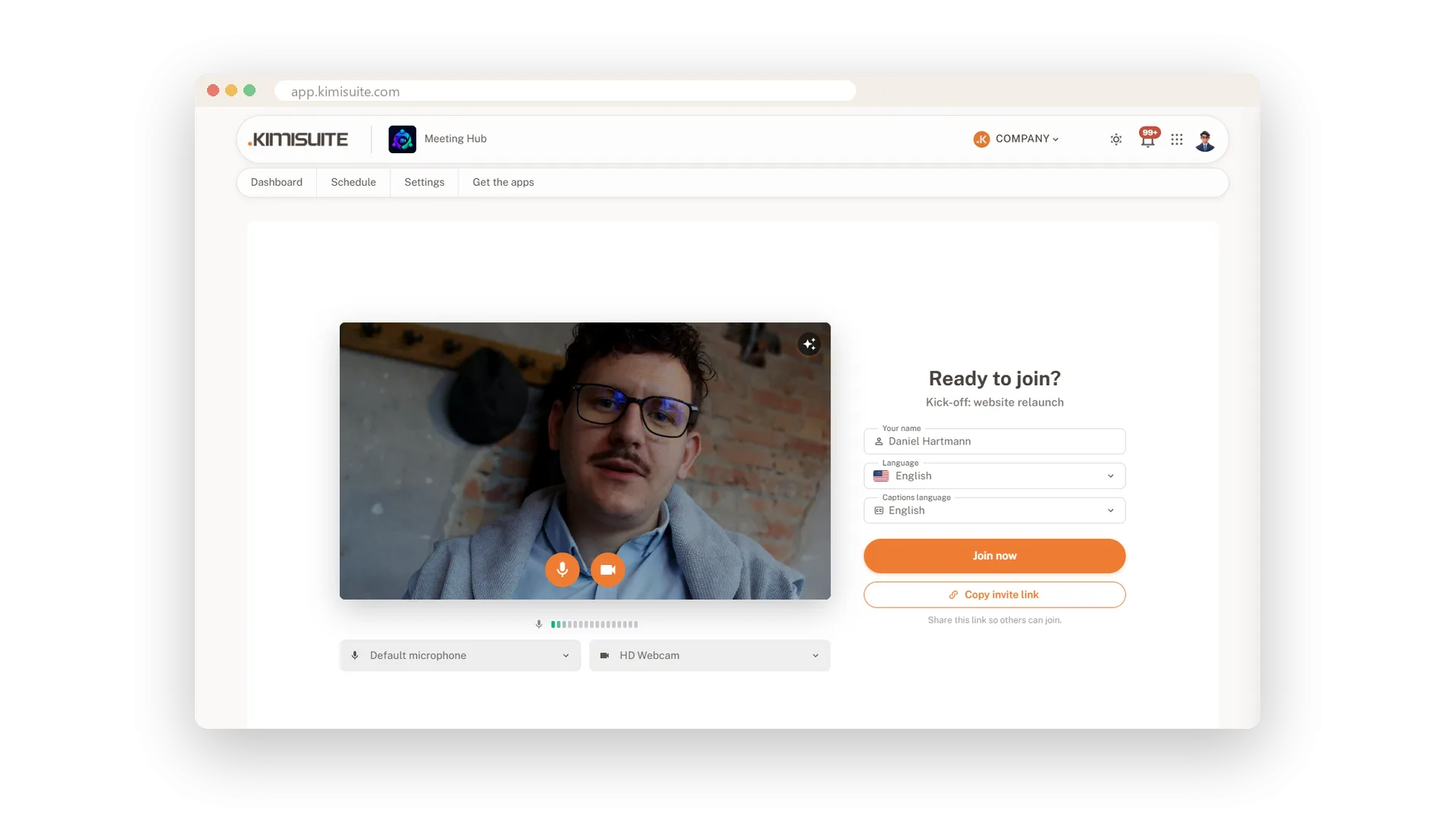
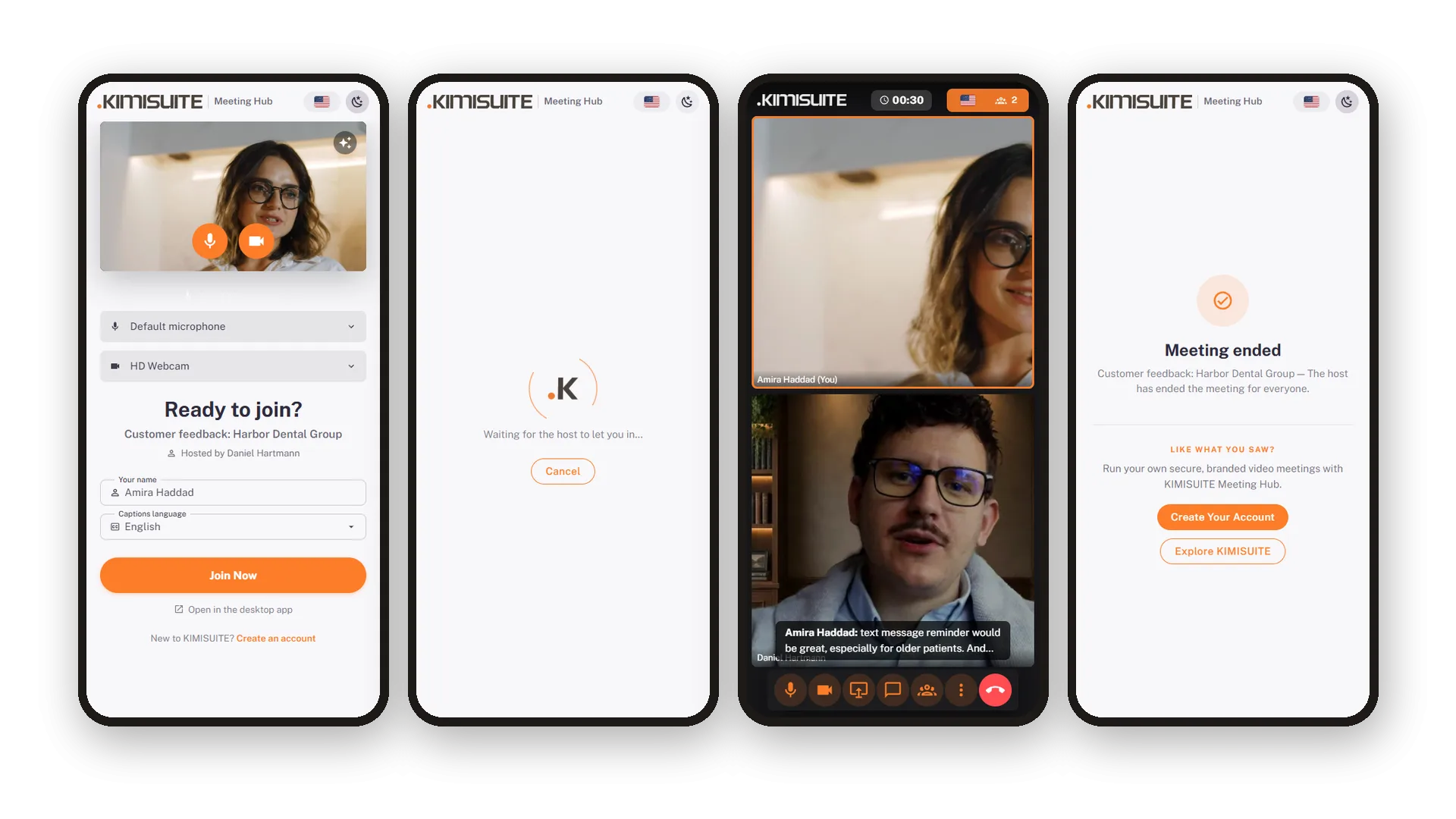
Every meeting gets its own link. Your guest opens it in the browser, sees their own camera picture and a microphone meter, picks one of 16 languages - and knocks. No account, no download, on the computer or on the phone.
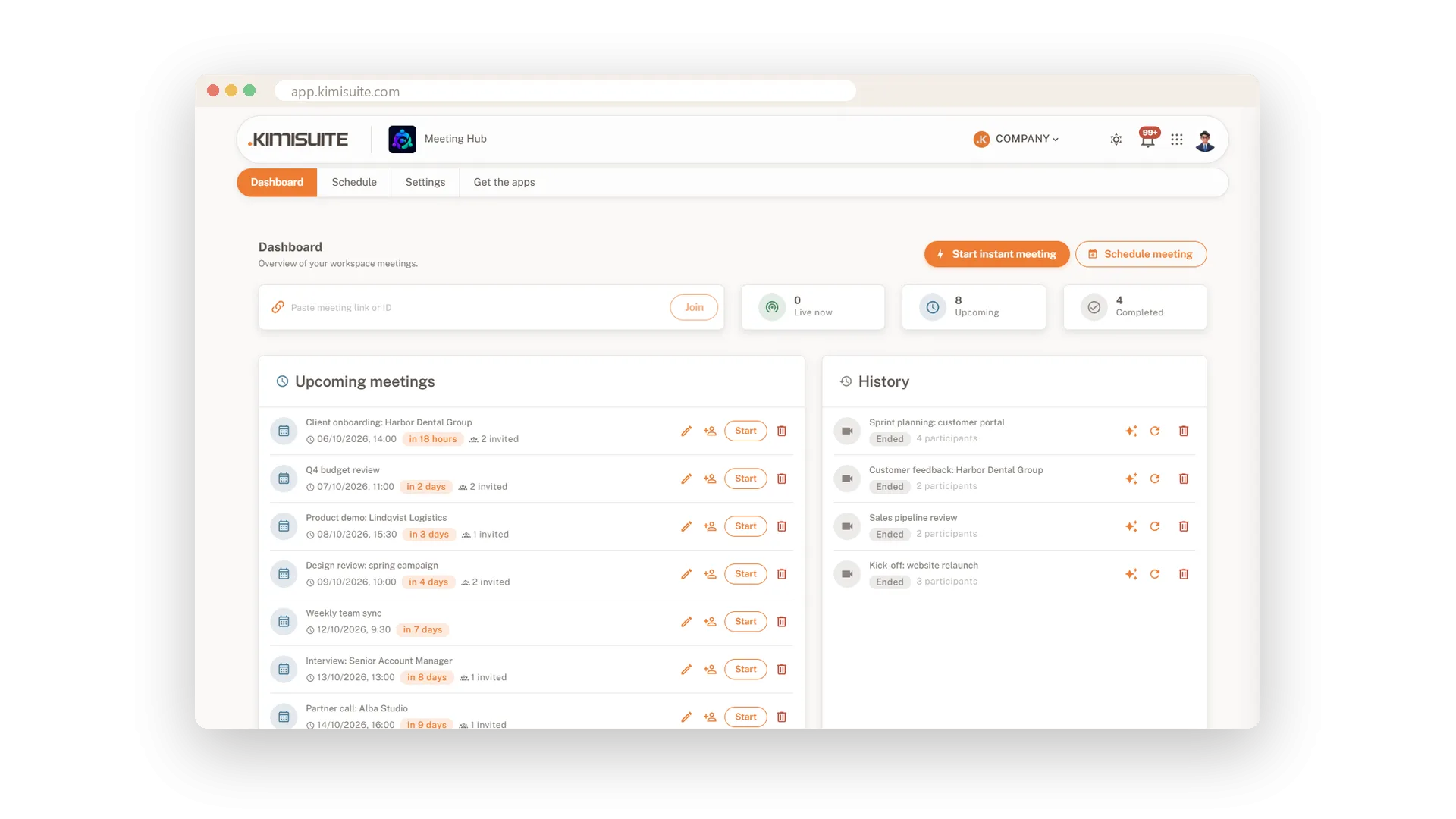
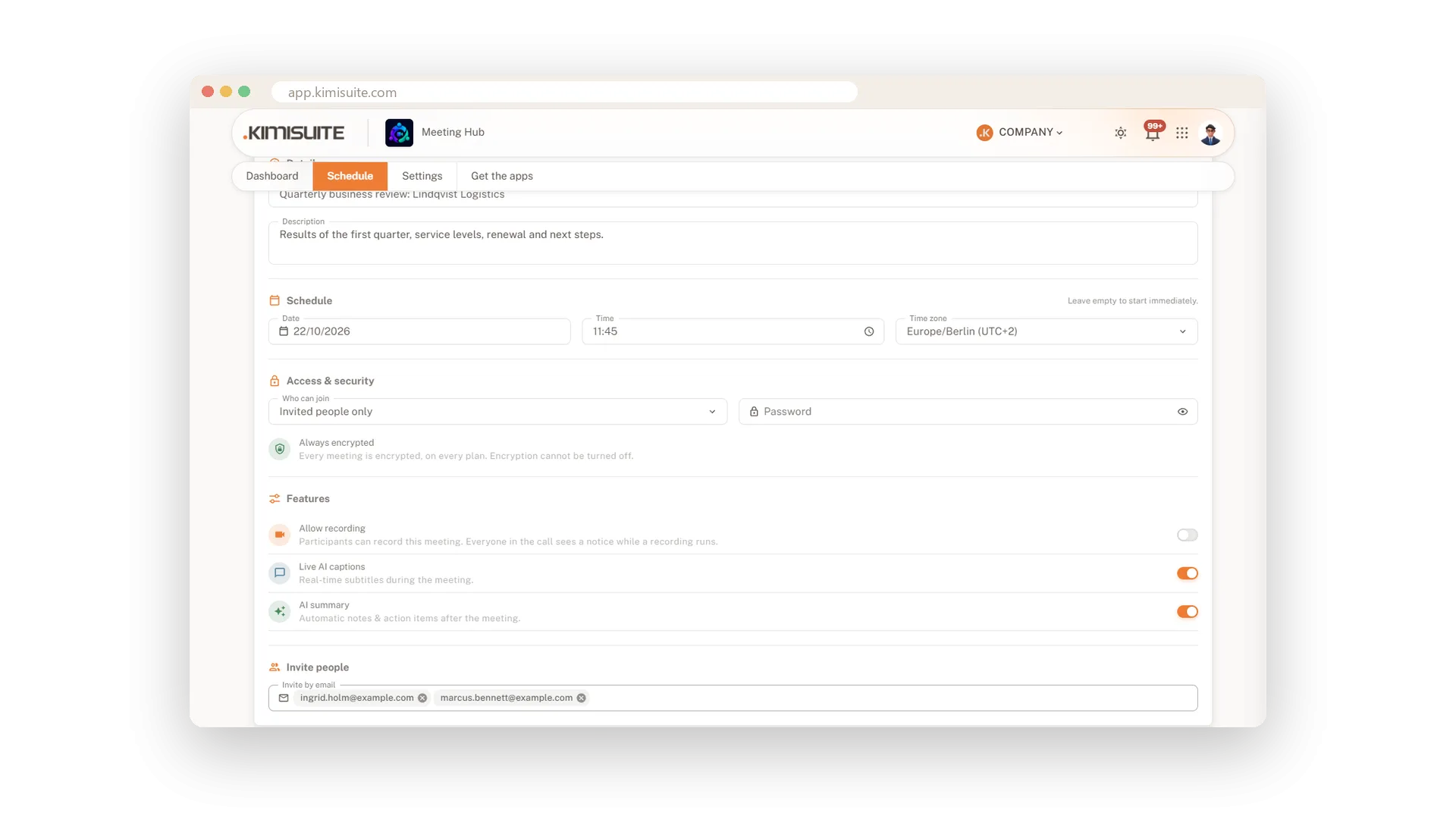
You see the knock and let them in with one click. For confidential meetings add a password or admit invited people only. Plan ahead with date, time zone and invitations, and if you move the meeting, everyone gets a Rescheduled e-mail while the link stays the same.
What your meetings get
Everything happens in the browser - for you and for your guests.
Guests join from the browser without an account. Start a meeting in one click or plan it with time zone and invitations.
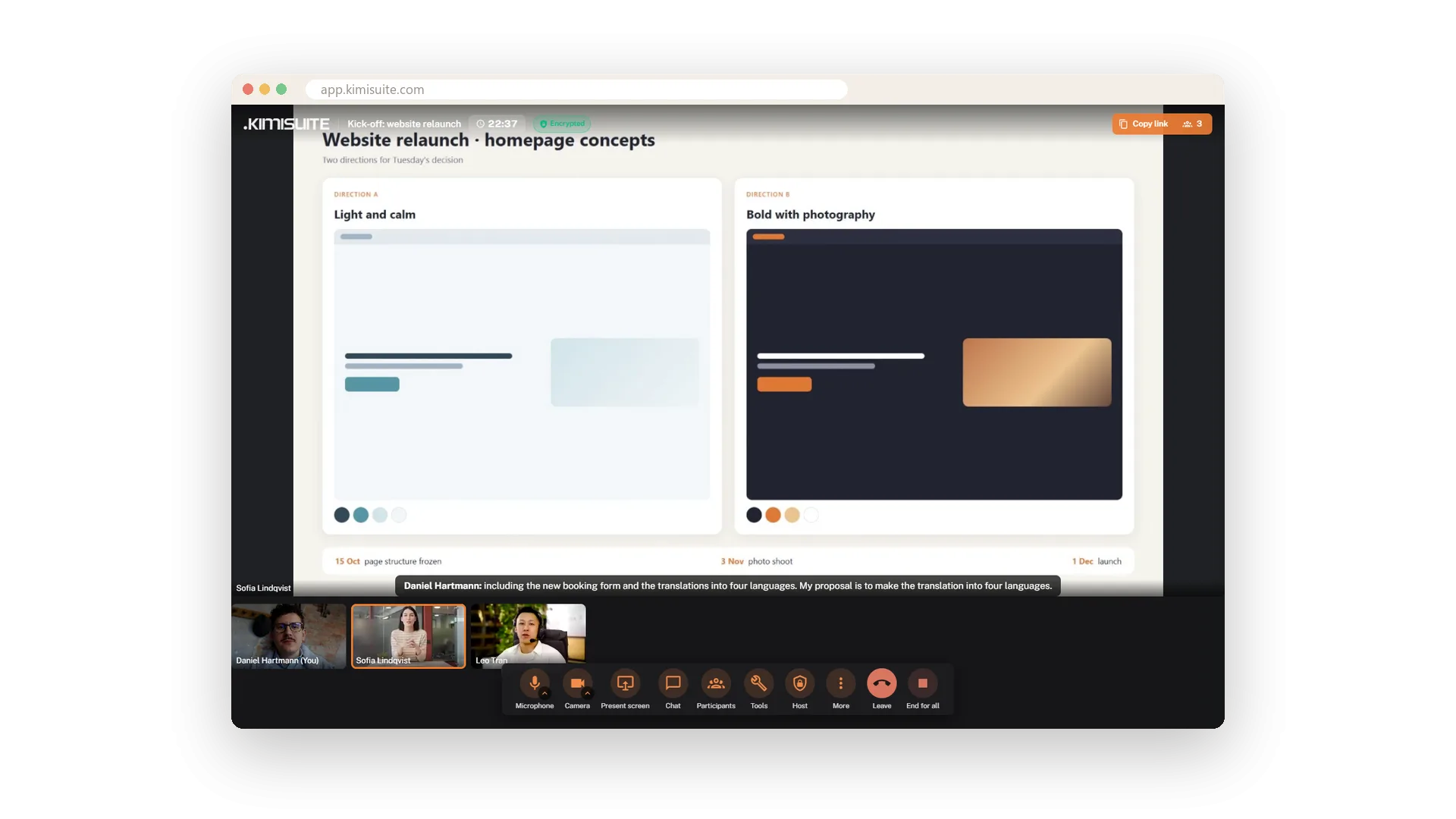
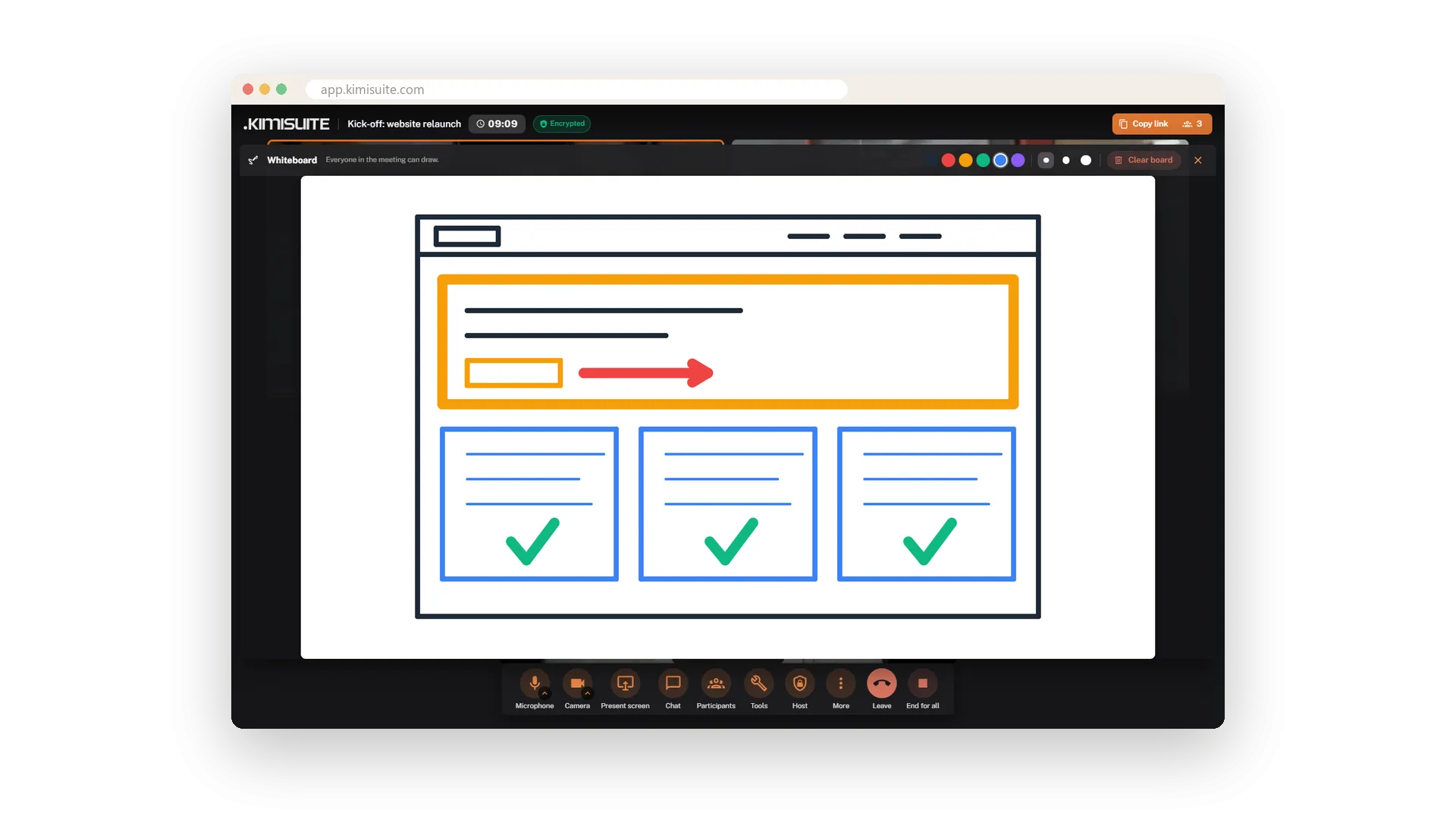
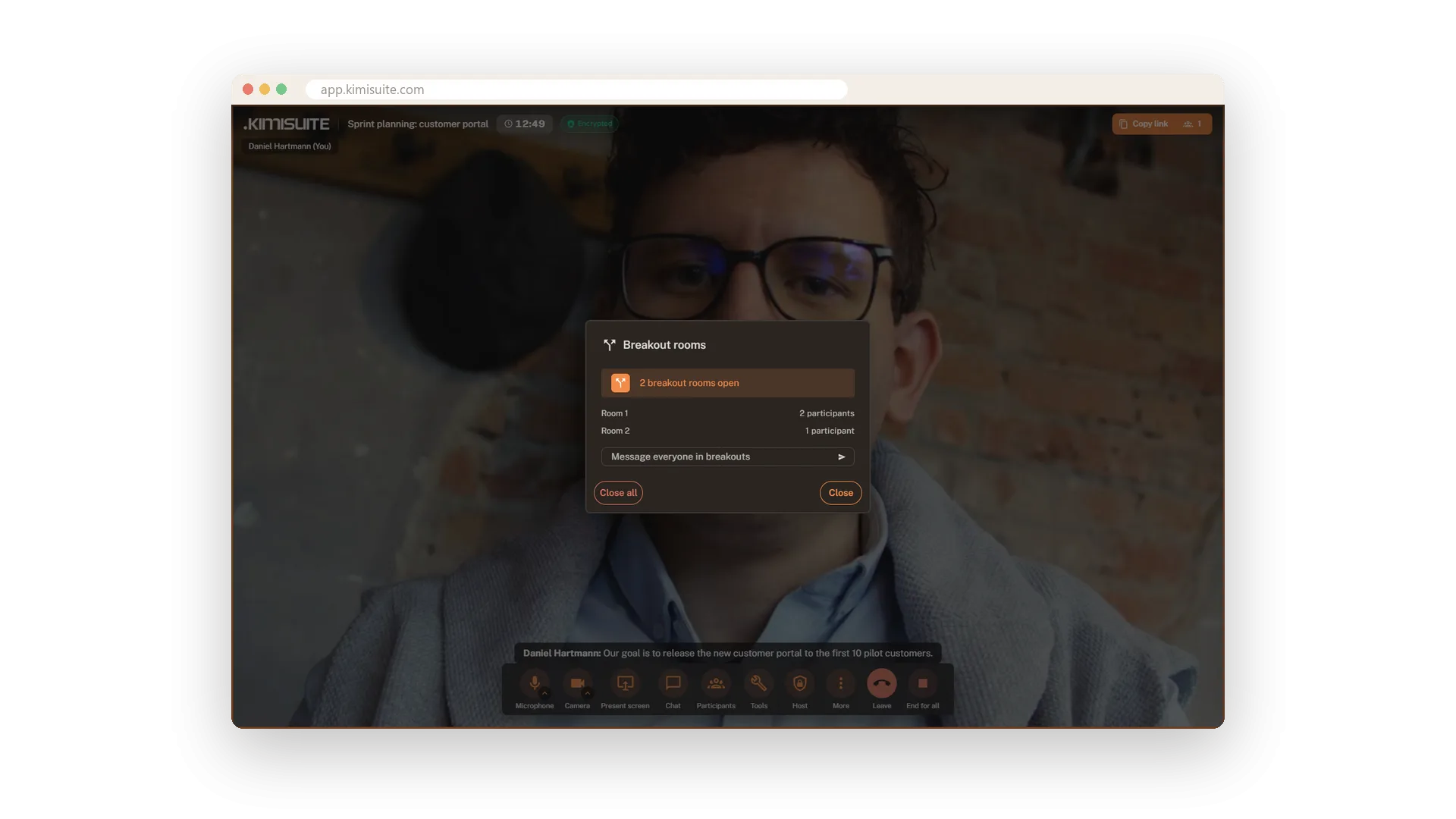
Share your screen, sketch on the whiteboard, run a poll and a timer, raise your hand. Breakout rooms on Pro and Enterprise.
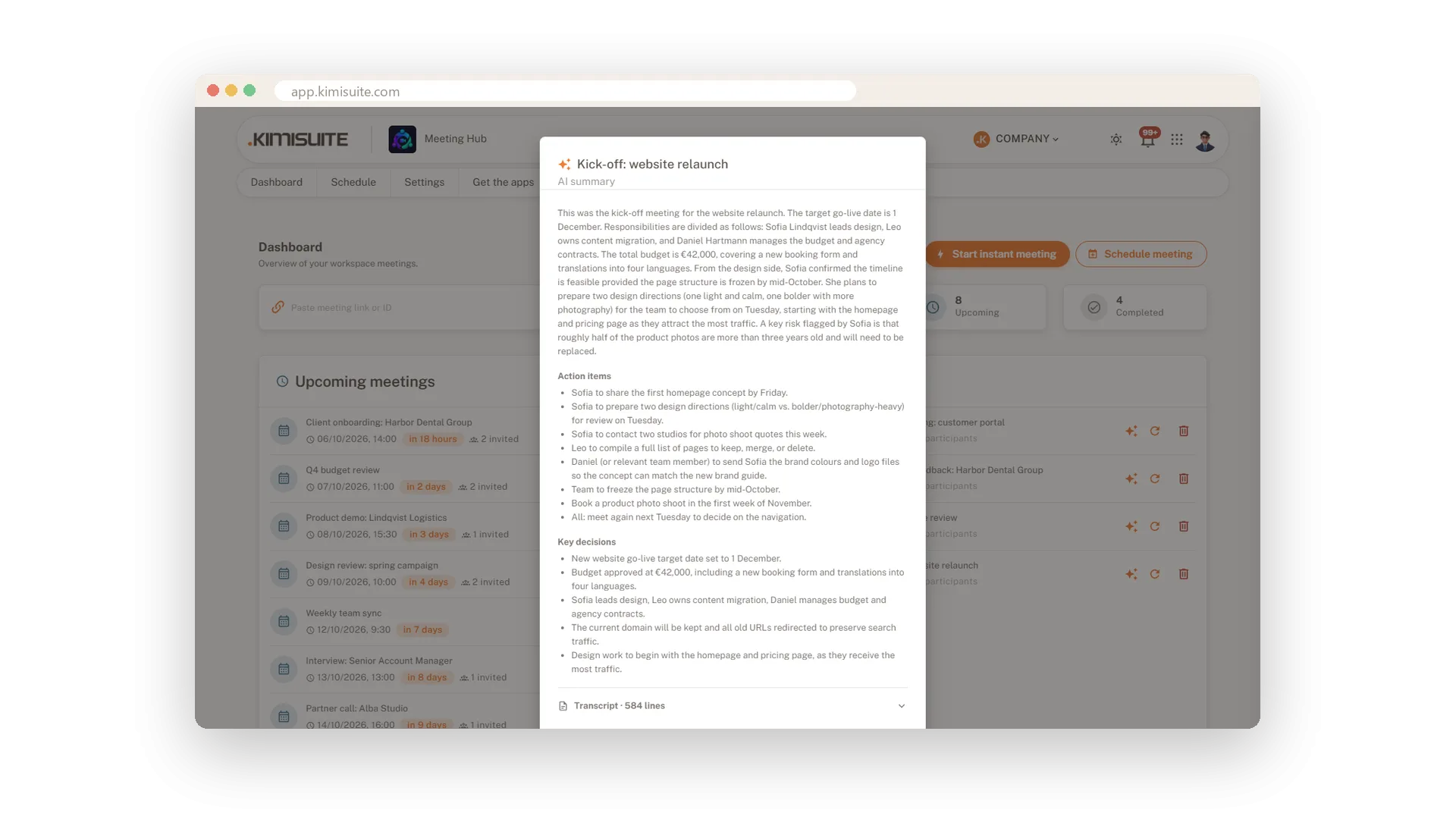
Live captions with the speaker's name and a transcript to download. On Pro and Enterprise, translated captions and an AI summary by e-mail.
Waiting room, password or invitation only - and every meeting encrypted. Mute, remove or lock from one host menu.
One click, and everyone sees the red notice. The video is saved on your computer, nothing is uploaded.
Blur, 18 backgrounds or your own picture, with filters like Brighten and Warm - for you and your guests.
Nobody has to take minutes
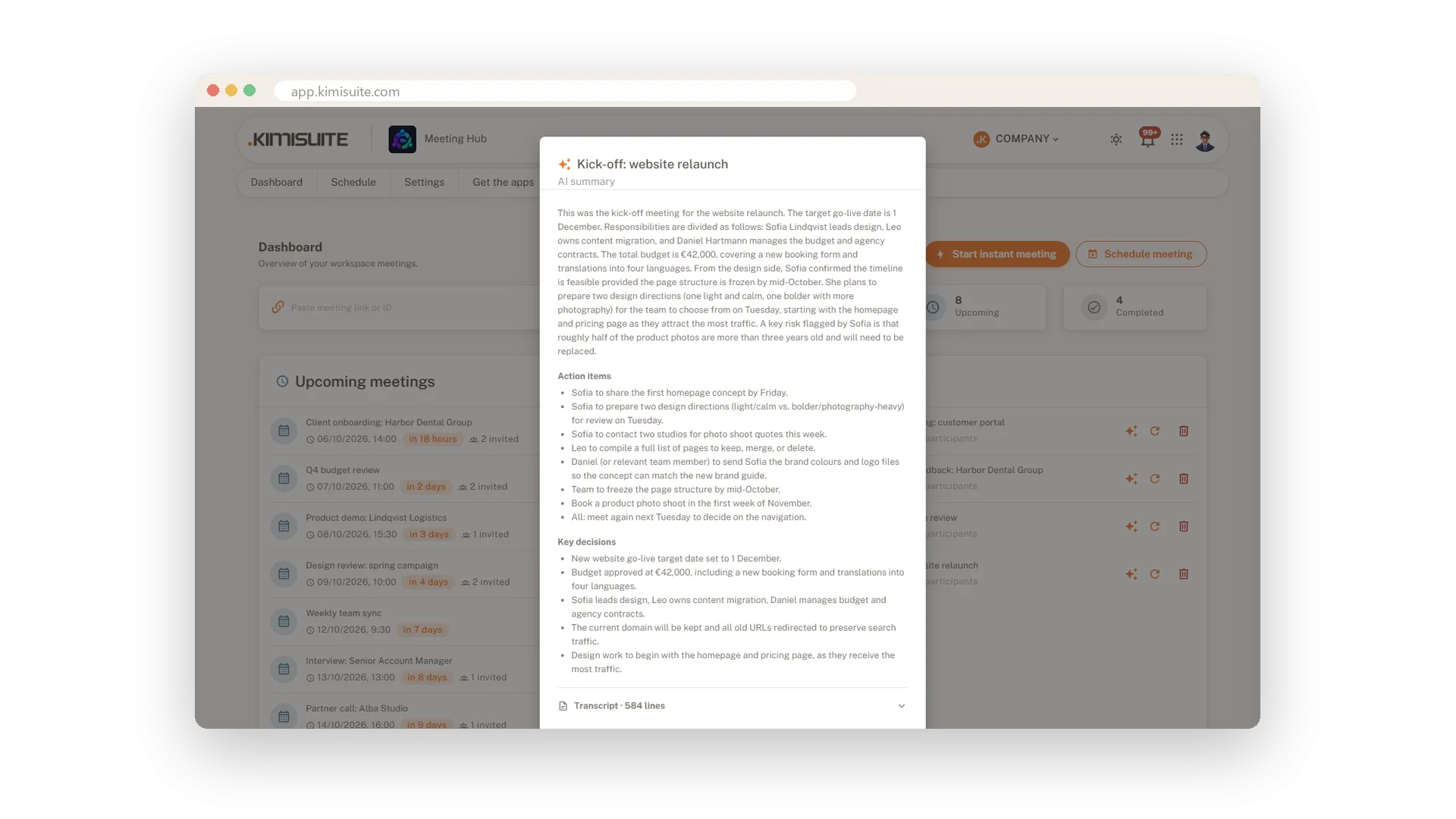
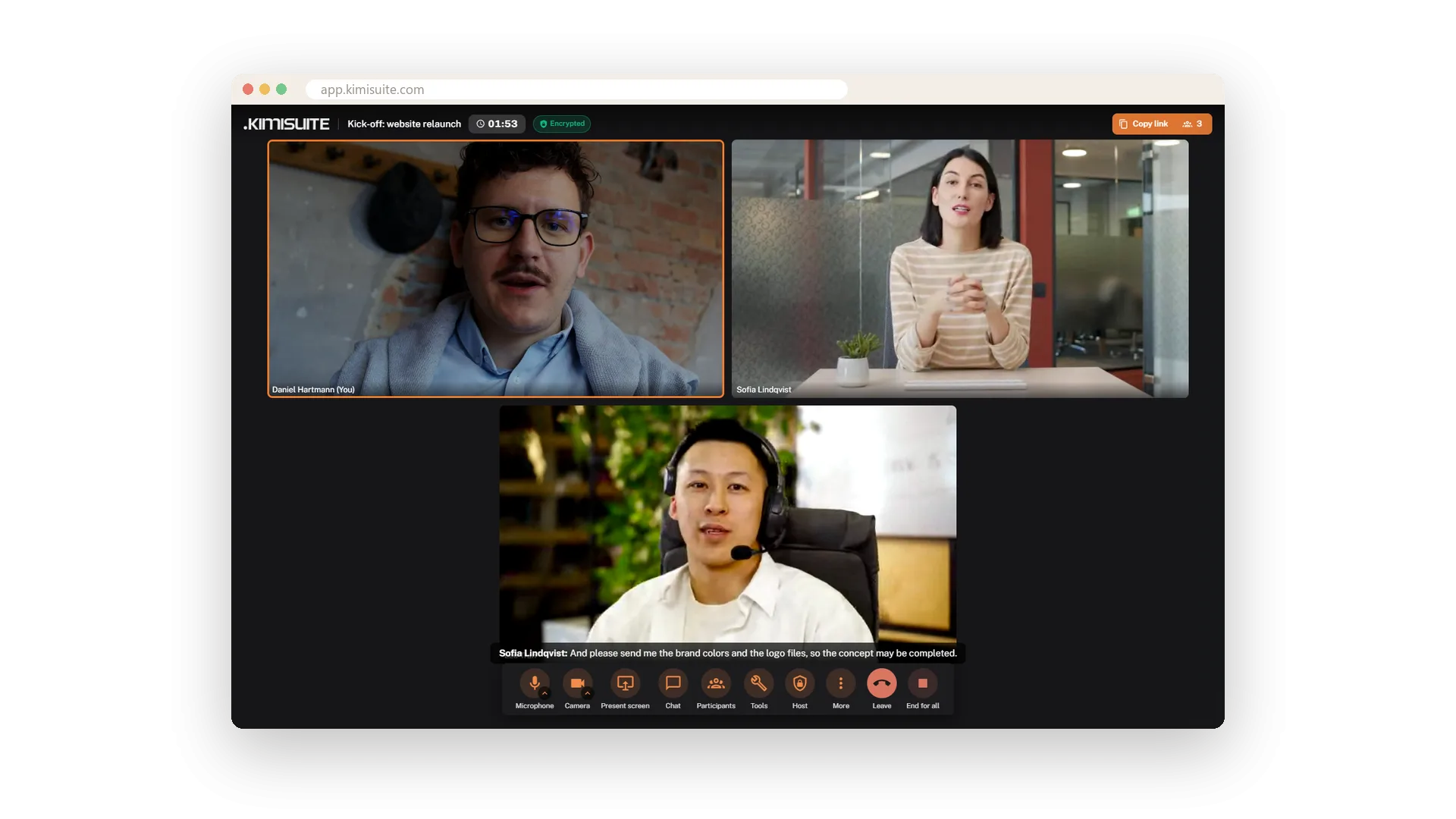
Turn on captions and the spoken words appear under the stage, with the name of the person speaking - each person's own words, and nothing from anyone who is muted. On Pro and Enterprise every participant can read them translated into one of 16 languages.
When the meeting ends, download the transcript and the chat. On Pro and Enterprise an AI summary follows - what was discussed, the action items and the key decisions - in the meeting history and by e-mail to the host.
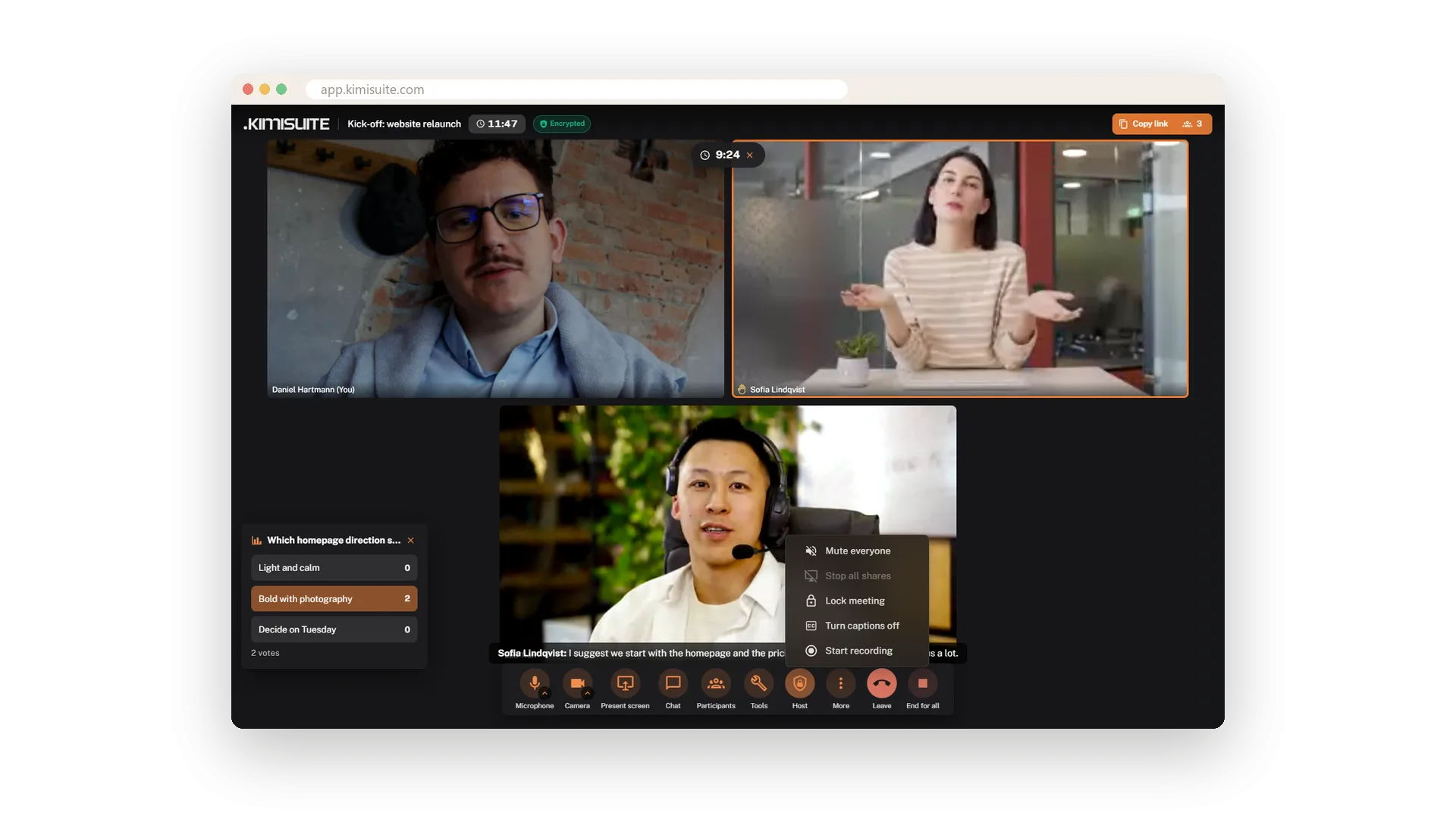
You stay in charge of the room
One host menu mutes everyone, stops all screen shares, turns captions on or off, starts the recording or locks the meeting. In the participants list you mute or remove a single person.
Every meeting is encrypted, on every plan, with no switch to forget. Set the rules once for the workspace - who may join, external guests, chat, reactions, recording, waiting room - and every new meeting follows them.
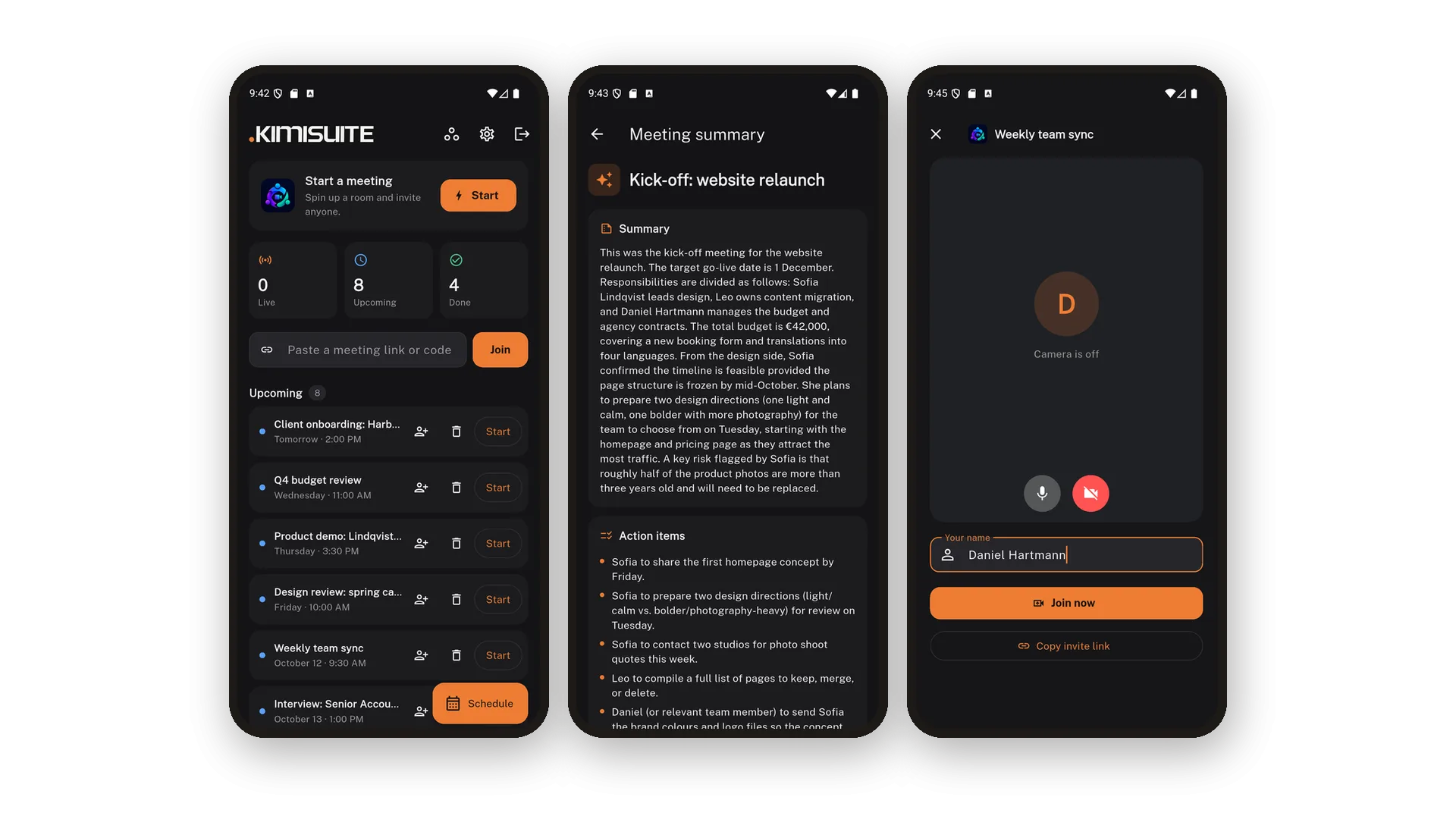
Part of your workspace, on every screen
Meeting Hub lives in your KIMISUITE workspace. Your team signs in once and hosts under their own name; the roles you set decide who may manage other people's meetings or change the settings.
It works hand in hand with your other apps. With Service Manager, a booked online appointment comes with its meeting and a link for your customer - and if the booking moves or is cancelled, the meeting follows. In Task Hub, you import a meeting and its action items become task cards.
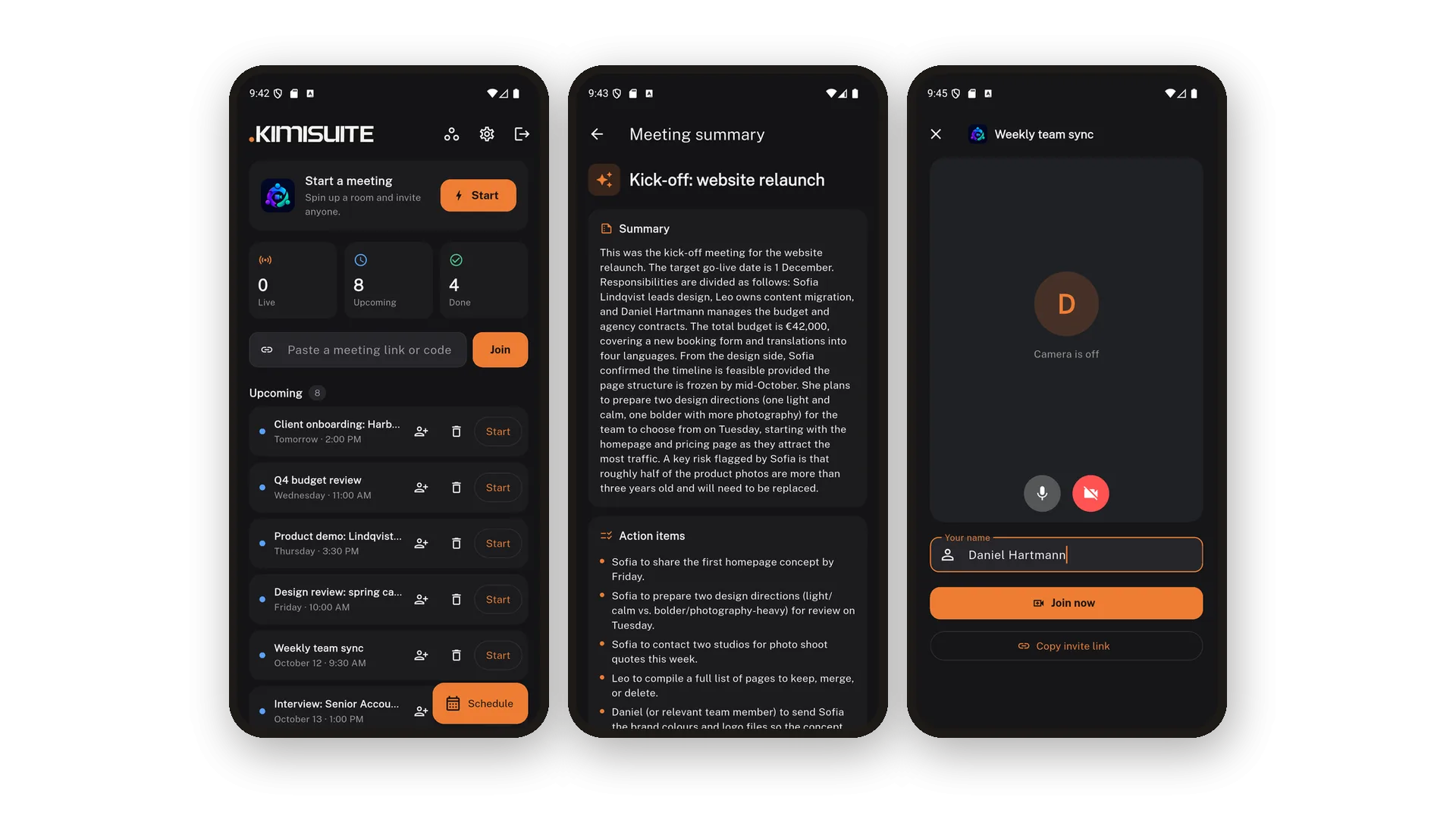
On the road, your guests join from any phone browser, and the call fits the screen - and you run your dashboard from the phone just as well. Prefer an app? Meeting Hub is there for Windows and for Android on Google Play - meeting links open straight in it.
See it in action
Pricing Plans
Choose the right plan for your needs. All plans include free updates.
| Meeting Hub | Starter €9.90 /mo · per workspace Start Free Trial | Recommended Pro €19.90 /mo · per workspace Start Free Trial | Enterprise €39.90 /mo · per workspace Start Free Trial |
|---|---|---|---|
| Participants Maximum participants per meeting. | 25 | 50 | 50 |
| Meeting Length Maximum length of a single meeting. | 120 min | Unlimited | Unlimited |
| Concurrent Meetings Meetings that can run in parallel per workspace. | 3 | 5 | 10 |
| Screen Share & Chat Share your screen and chat in-meeting. | |||
| Whiteboard Collaborative whiteboard. | |||
| Virtual Backgrounds Blur or replace your background. | Presets + Custom | Presets + Custom | Presets + Custom |
| Recording Record meetings to your device. | |||
| Live Captions AI live captions / transcription. | |||
| AI Summary Post-meeting summary + action items. | – | ||
| Caption Translation Translated captions per participant. | – | ||
| Breakout Rooms Split into sub-rooms. | – | ||
| Meeting History Ended meetings with their transcript (when captions or the summary are on); AI summary on Pro and Enterprise. | |||
| Encryption Always on: encrypted in transit, media encrypted between participants. The meeting server can process audio for captions and summaries. | |||
| Waiting Room & Password Admit guests one by one, protect meetings with a password and lock a running meeting. | |||
| Host Controls Mute everyone, remove people and stop all shares. | |||
| Polls, Timer & Reactions Run a quick poll, keep time with a shared timer, raise a hand or react. | |||
| Transcript Download Download a meeting's captions as a text file, line by line with each speaker's name. | |||
| Guests Without an Account Guests join from the link in their browser, no sign-up needed. | |||
| Desktop & Android Apps Apps for Windows and Android; guests join in the browser. | |||
| Team Permissions Decide who may manage meetings and settings. | |||
| Works with Service Manager & Task Hub Service Manager bookings become online meetings, and Task Hub turns your meetings into tasks. Each app is booked separately. |
- Participants Maximum participants per meeting.25
- Meeting Length Maximum length of a single meeting.120 min
- Concurrent Meetings Meetings that can run in parallel per workspace.3
- Screen Share & Chat Share your screen and chat in-meeting.
- Whiteboard Collaborative whiteboard.
- Virtual Backgrounds Blur or replace your background.Presets + Custom
- Recording Record meetings to your device.
- Live Captions AI live captions / transcription.
- AI Summary Post-meeting summary + action items.–
- Caption Translation Translated captions per participant.–
- Breakout Rooms Split into sub-rooms.–
- Meeting History Ended meetings with their transcript (when captions or the summary are on); AI summary on Pro and Enterprise.
- Encryption Always on: encrypted in transit, media encrypted between participants. The meeting server can process audio for captions and summaries.
- Waiting Room & Password Admit guests one by one, protect meetings with a password and lock a running meeting.
- Host Controls Mute everyone, remove people and stop all shares.
- Polls, Timer & Reactions Run a quick poll, keep time with a shared timer, raise a hand or react.
- Transcript Download Download a meeting's captions as a text file, line by line with each speaker's name.
- Guests Without an Account Guests join from the link in their browser, no sign-up needed.
- Desktop & Android Apps Apps for Windows and Android; guests join in the browser.
- Team Permissions Decide who may manage meetings and settings.
- Works with Service Manager & Task Hub Service Manager bookings become online meetings, and Task Hub turns your meetings into tasks. Each app is booked separately.
Features Built for Growth
Everything you need to scale your business
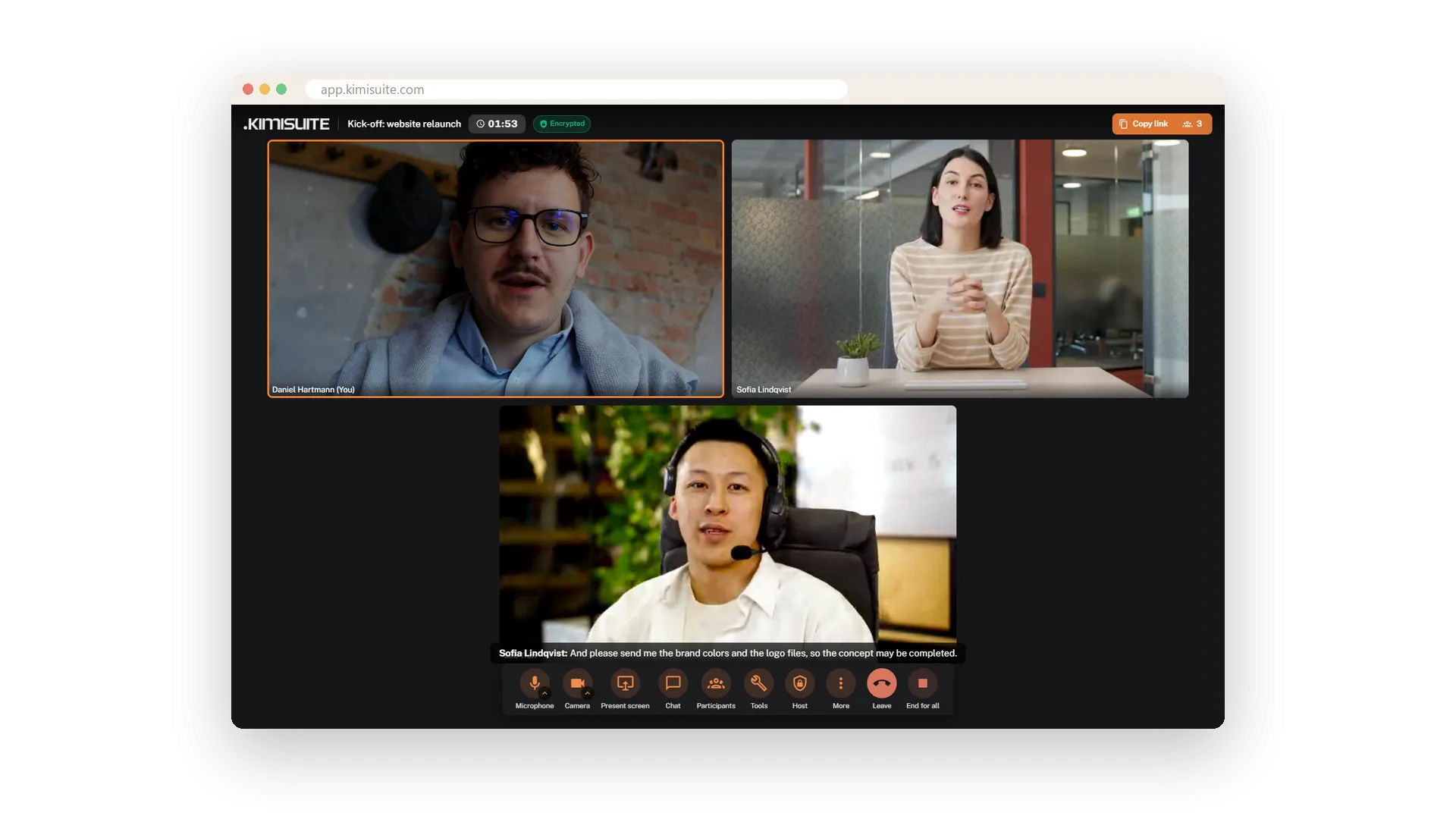
Video meetings in the browser
Start now or plan ahead - guests join with one link
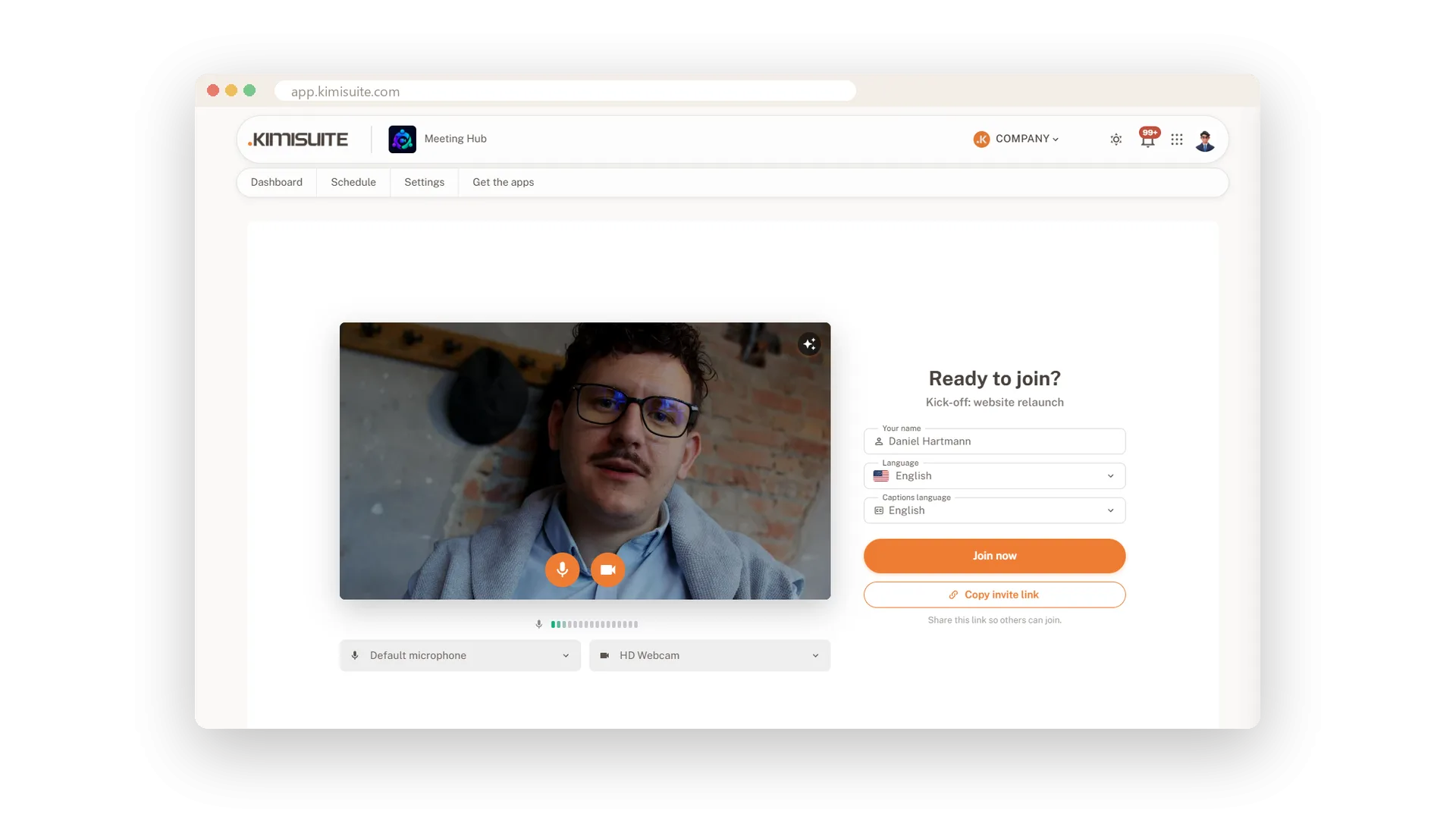
Ready before you join
Check camera and microphone, then step in
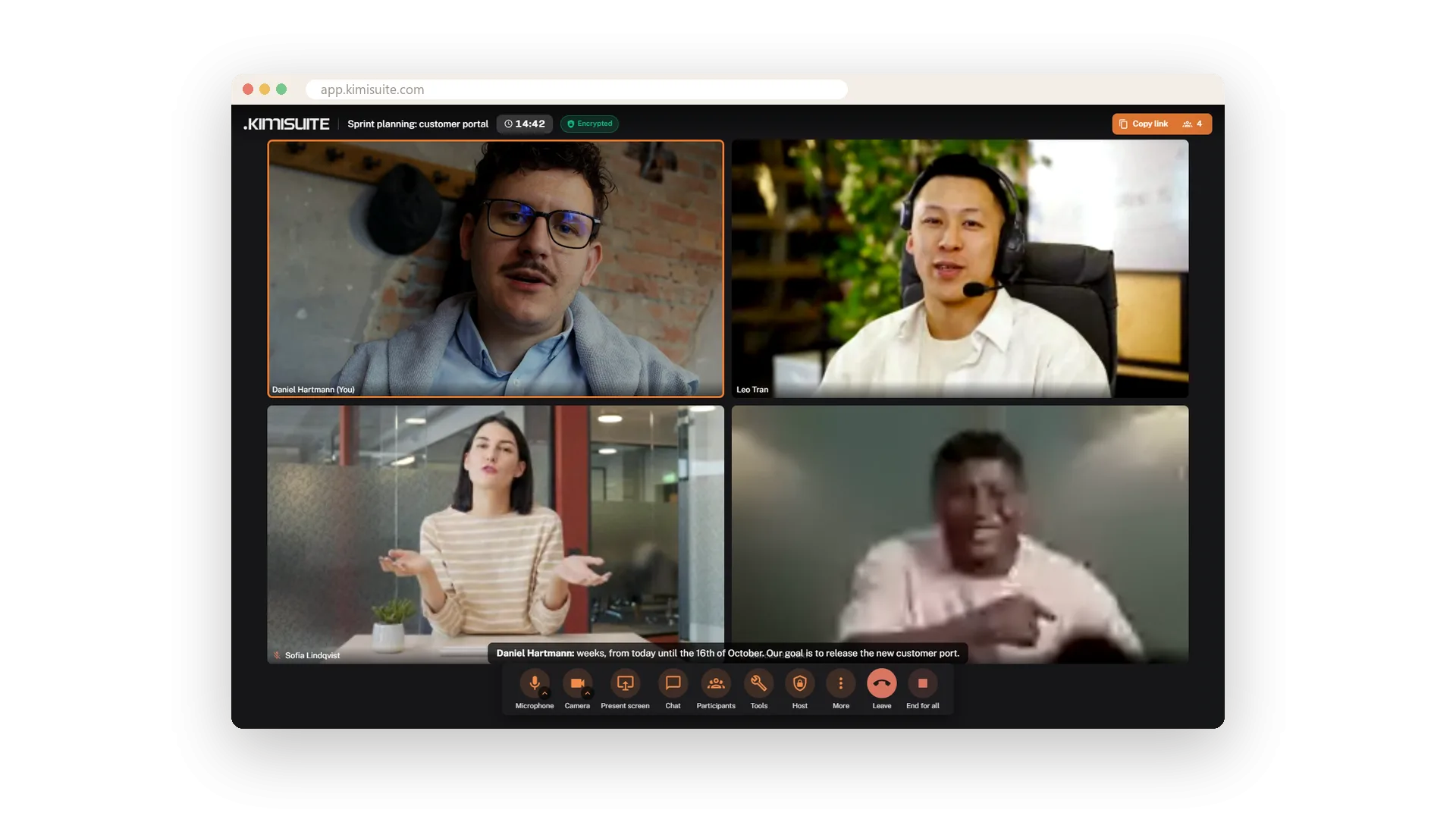
See who is speaking
Three layouts, and the speaker lights up
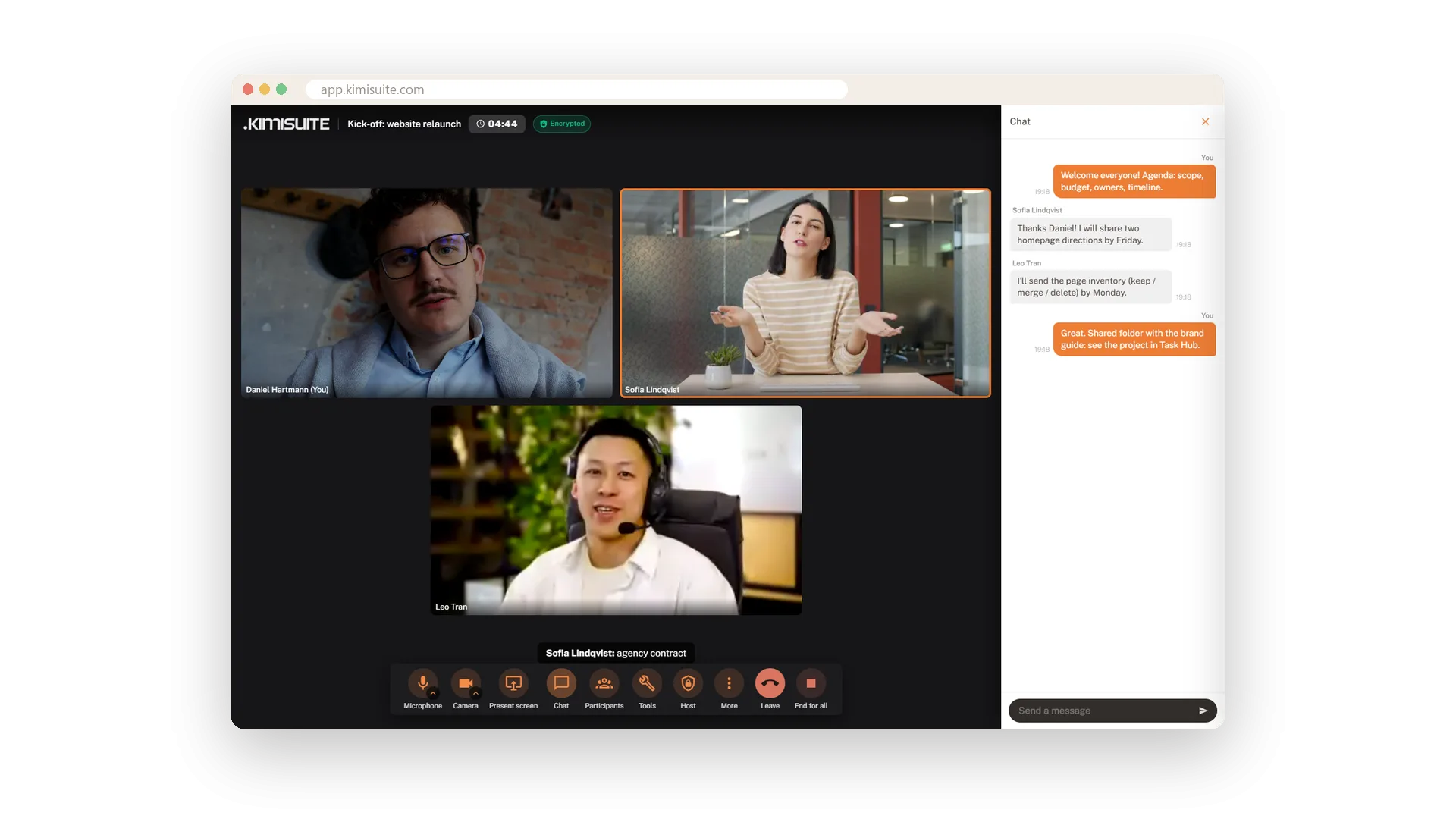
Work together in the call
Chat, whiteboard, screen and polls - no second tool
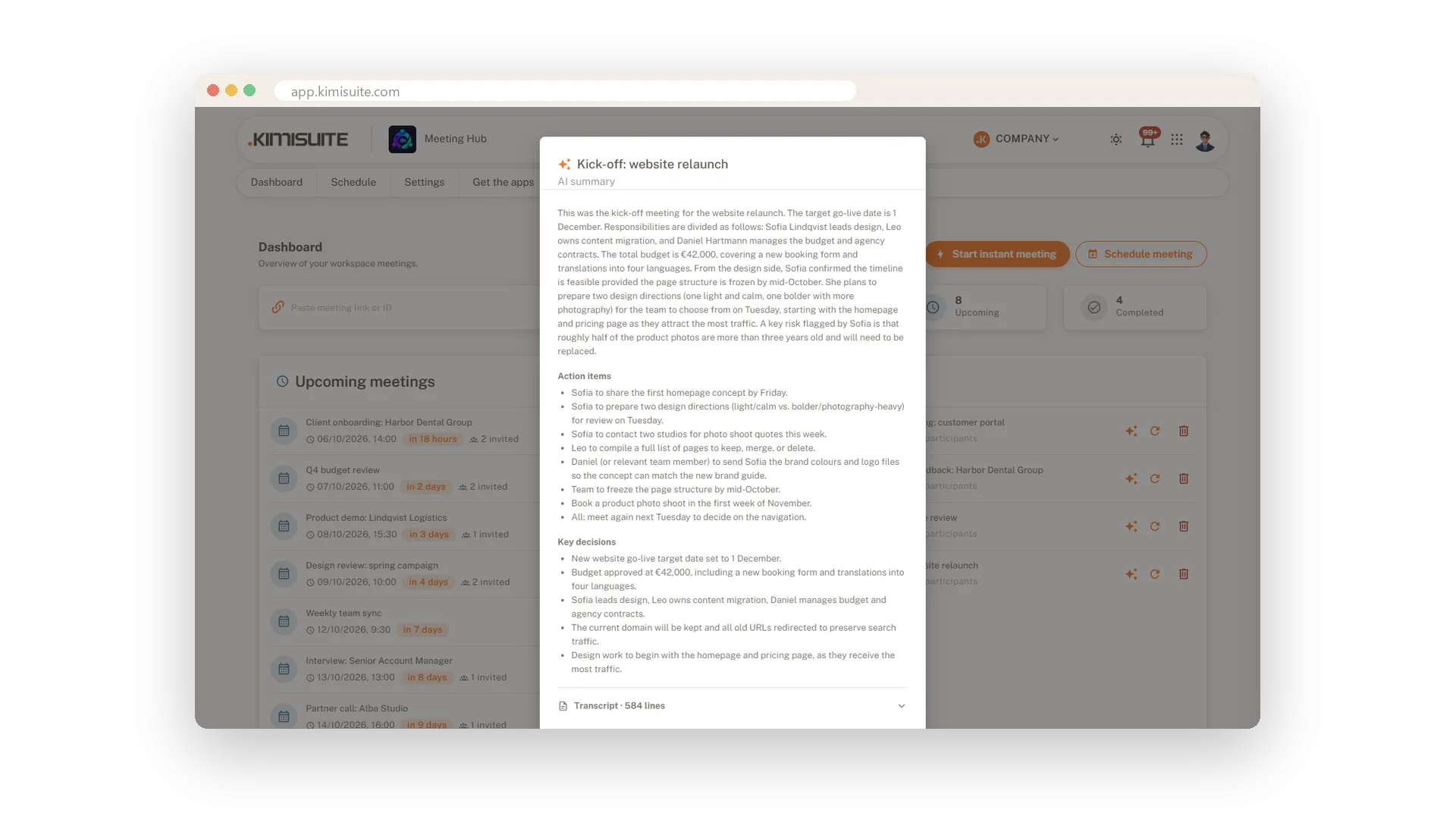
Captions now, notes afterwards
Live captions in the call, an AI summary after it
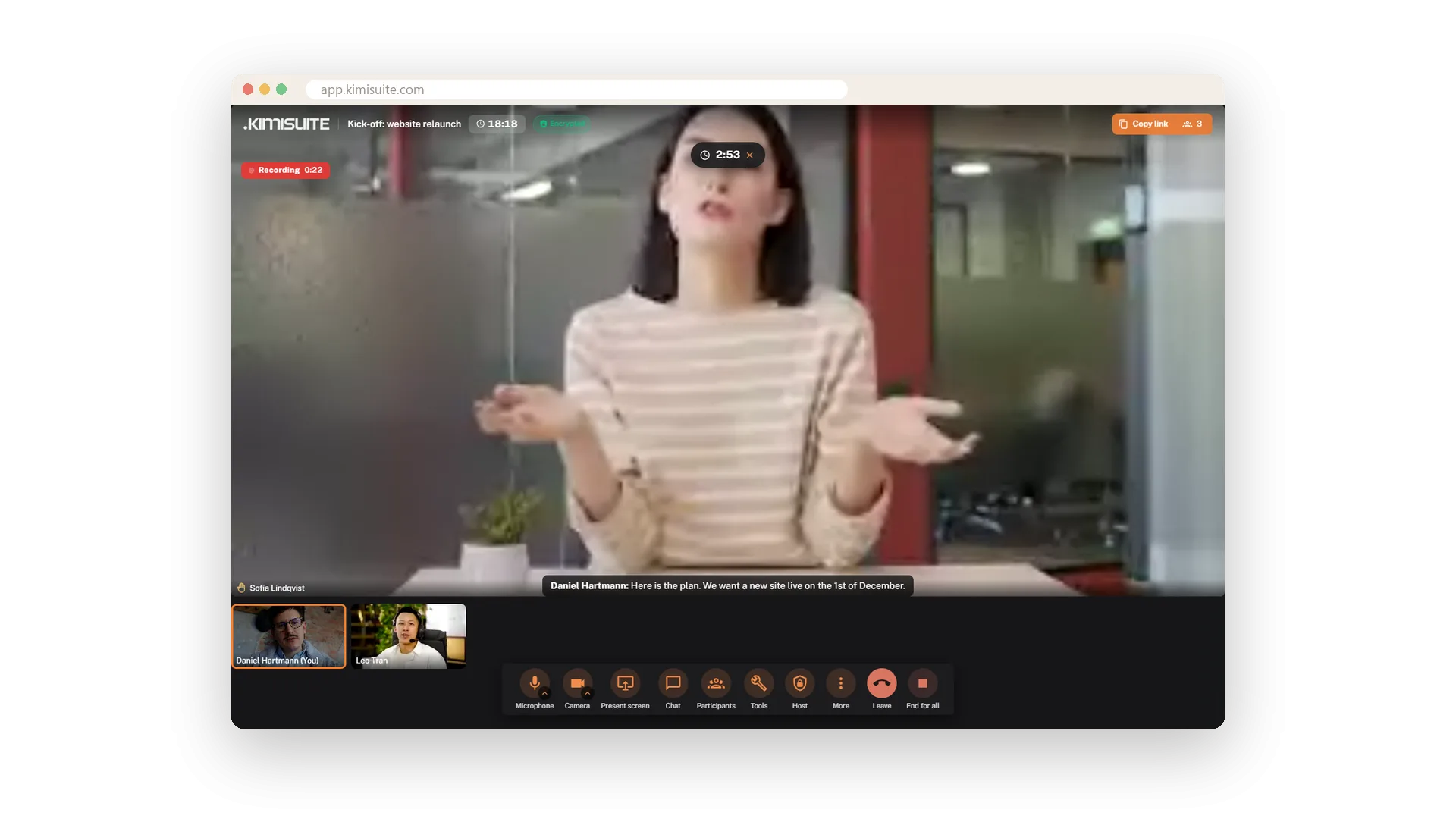
Record the meeting
One click, everyone sees it, the file stays with you
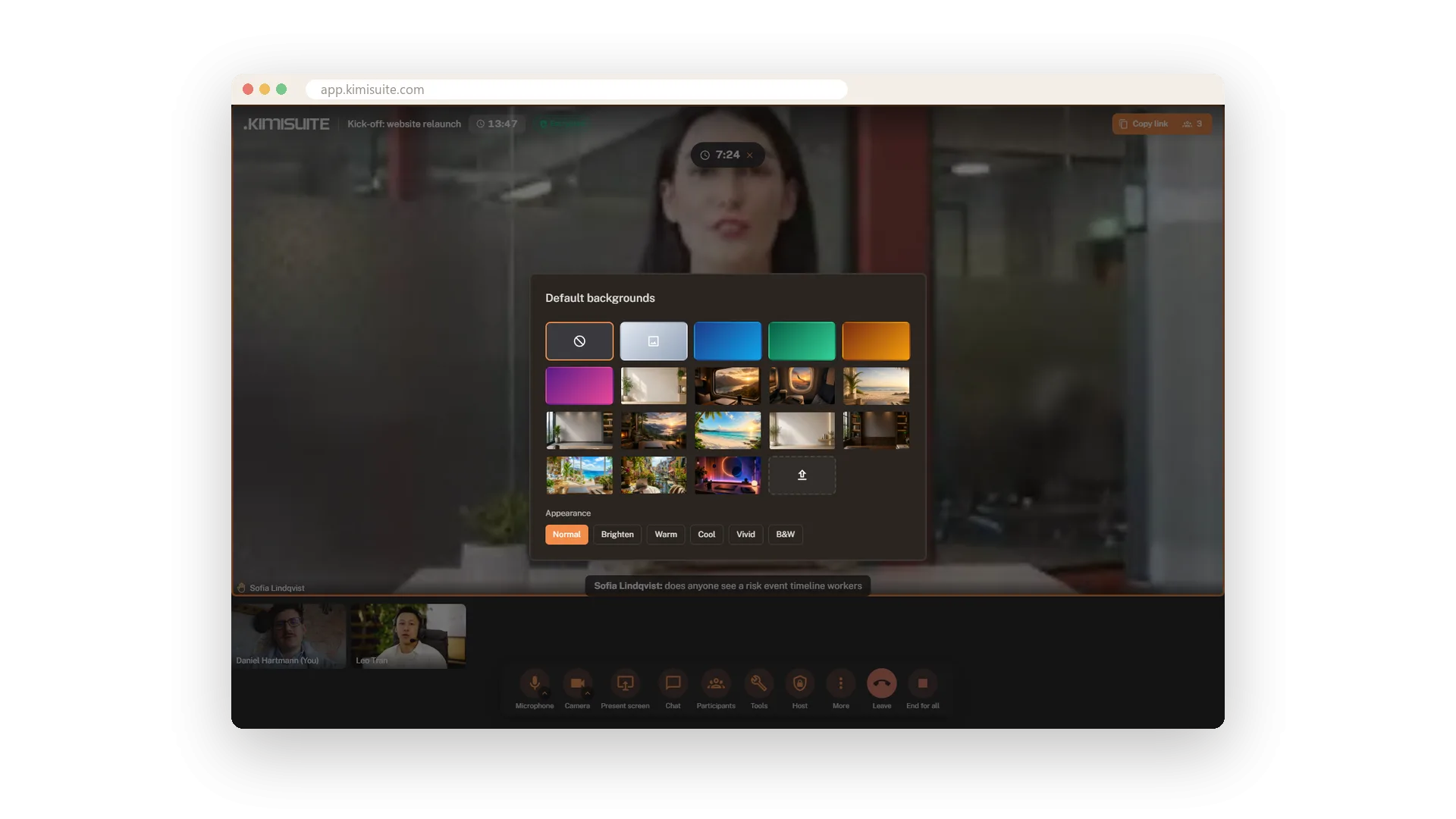
Any background you like
Blur, pictures and filters - the others see it live
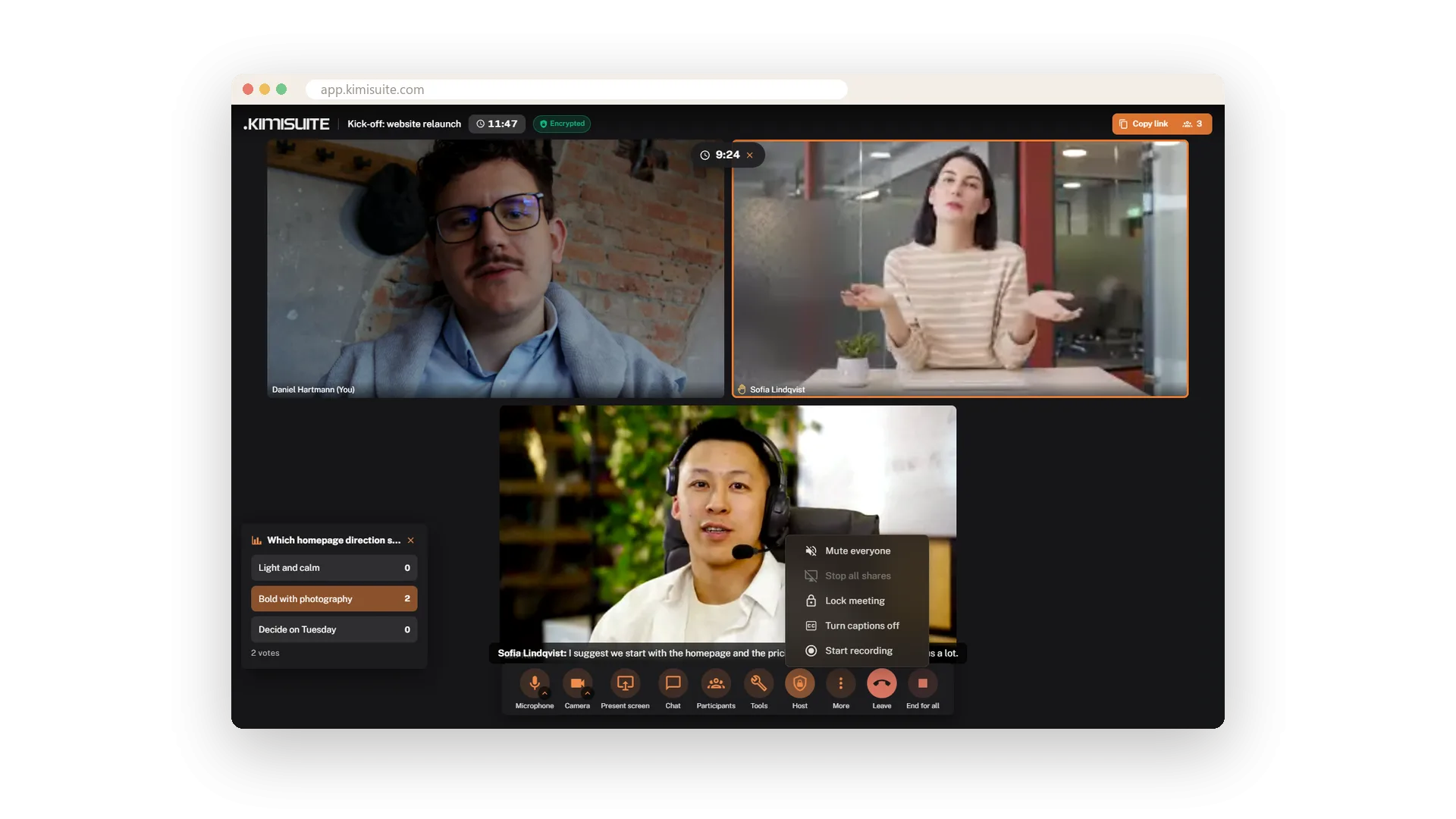
You stay in charge
Mute, remove, lock - and every meeting encrypted
Works with your other apps
One workspace. Data moves between the apps instead of being typed twice.


Meeting Hub
FAQ
Common questions about Meeting Hub answered clearly.
Ready to See It in Action?
Discover how KIMISUITE connects growth, automation and AI into one unified system.
Take Your Business to The Next Level!
Stop paying for tools you barely use. Start running your business on KIMISUITE.
No long-term contract · Cancel anytime · 14 days free