 Part of Meeting Hub
 Video meetings in the browser
Start now or plan ahead - guests join with one link

Click Start instant meeting and the room is open. Or plan it for next Tuesday with date, time zone, a password and the people you want to invite. Every meeting gets its own link: your guests open it, type their name and they are in - in the browser, without an account and without installing anything.
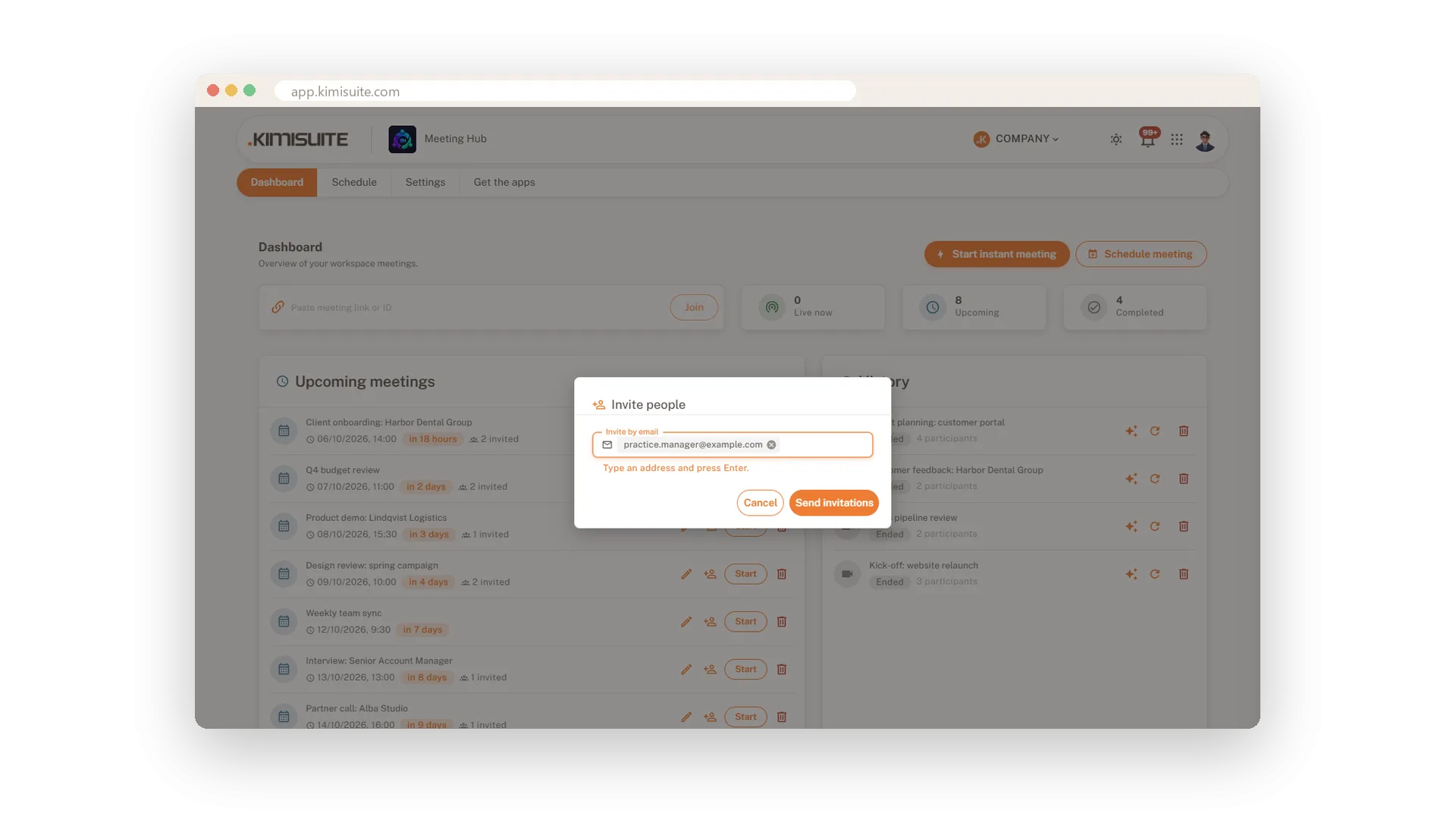
The dashboard shows what is live now, what is coming up with a countdown, and what is done, with the number of people who took part - and the transcript of every past meeting, on every plan. Move a meeting and everyone invited gets a Rescheduled e-mail, while the link stays the same. Delete one and its link closes at once. Prefer an app? Meeting Hub is there for Windows and for Android on Google Play, and meeting links open right in it.
Key Benefits
One click starts a meeting, or plan it with date, time zone, password and invitations
Guests join from a link in the browser - no account, no download
Live, upcoming and completed meetings on one dashboard - on the computer and on your phone
Apps for Windows and Android - meeting links open straight in them
Plan the meeting ahead
Date, time zone, password and invitations in one form
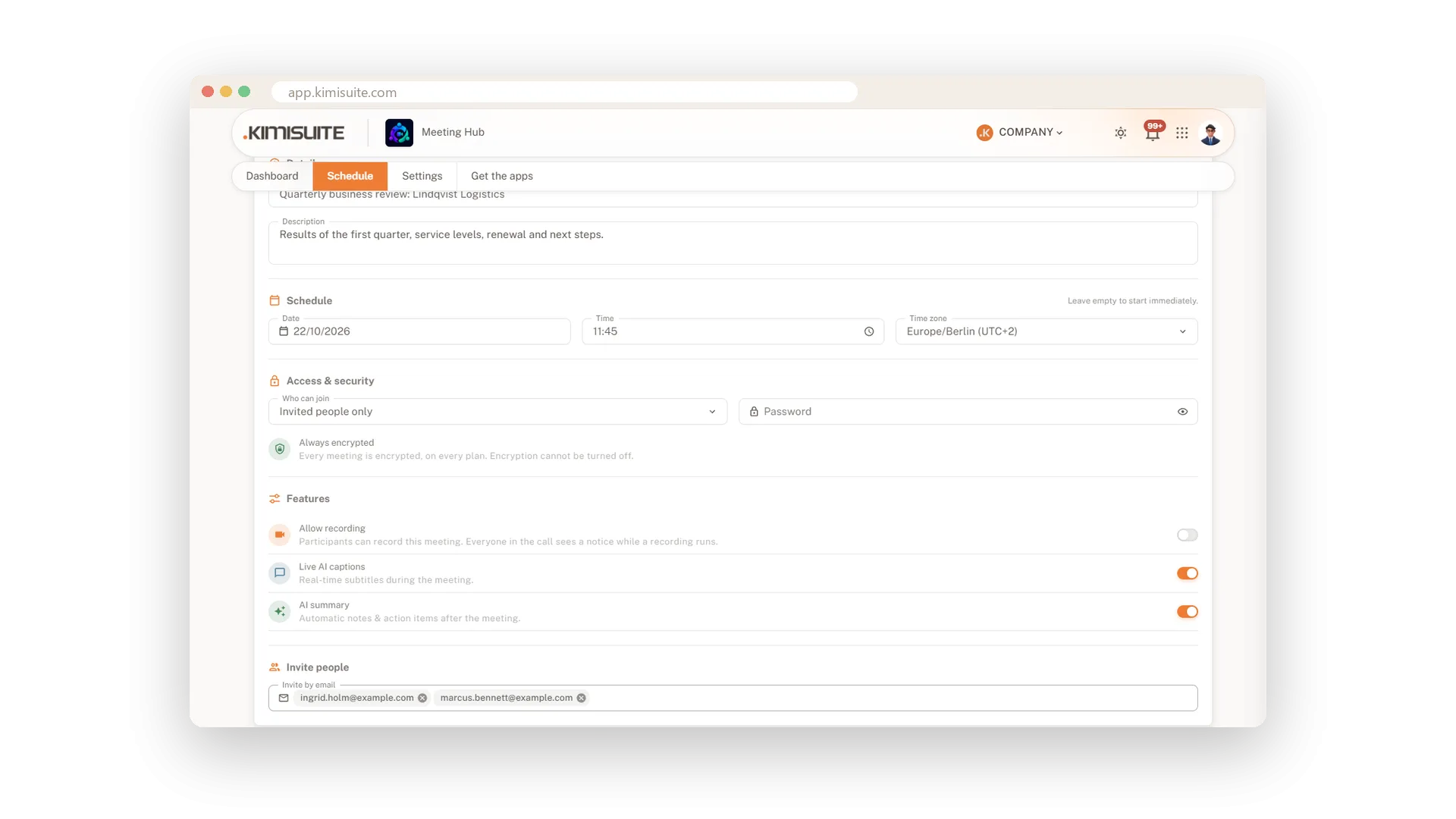
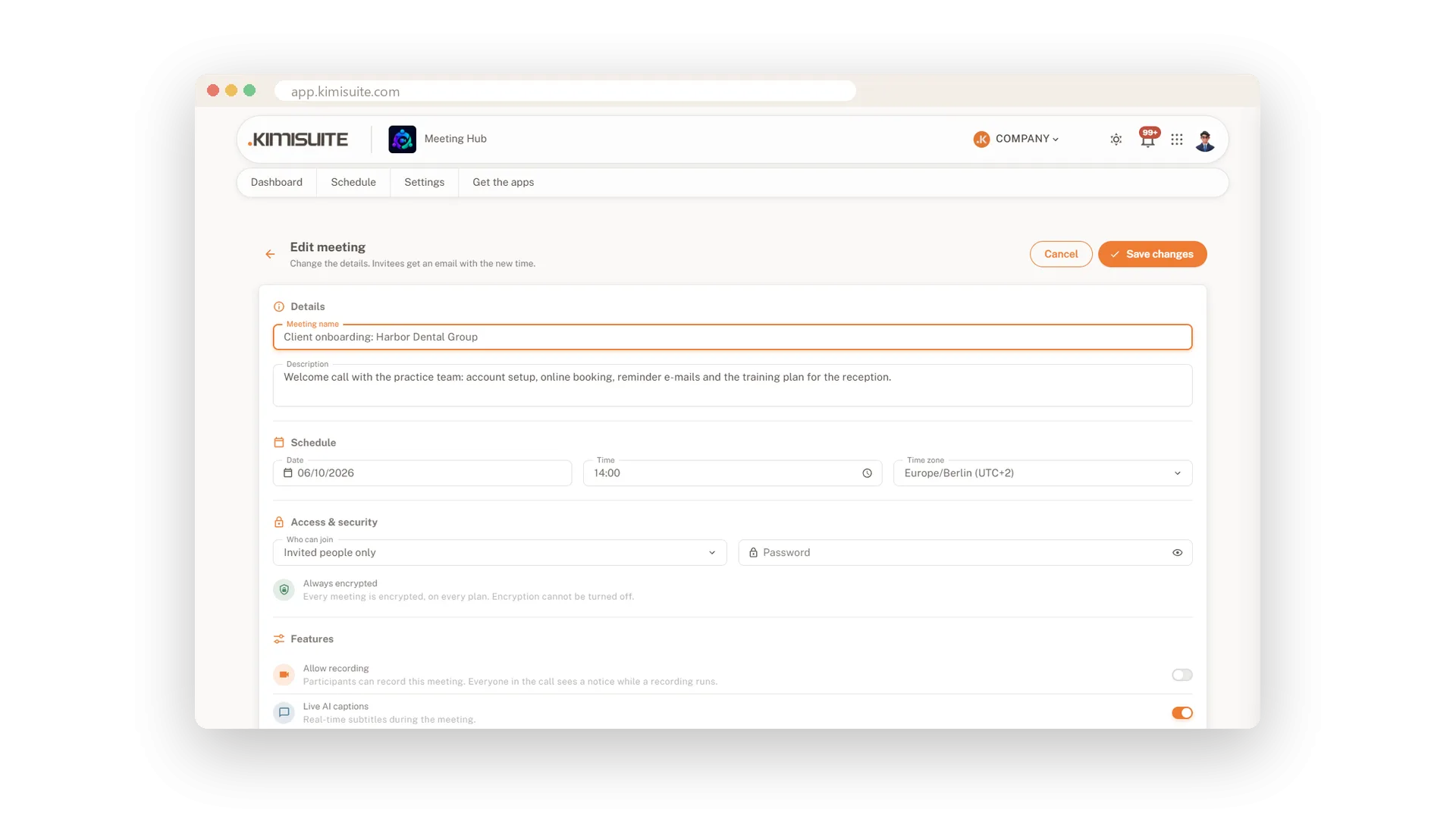
Give the meeting a name and a short agenda, pick date, time and time zone, and add the people you want by e-mail. Decide who may join, whether it needs a password and whether recording, captions and the summary run. The invitations go out with the link, and the time stays right even across the clock change.
One link per meeting
Copy it, send it - guests join from the browser
Every meeting has its own short link. Copy it into a chat or send the invitation straight from the dashboard; your guest opens it, types a name and joins. Someone sent you a link or a meeting ID? Paste it on the dashboard and you are in.
Everything on one dashboard
Live now, coming up and done - at a glance
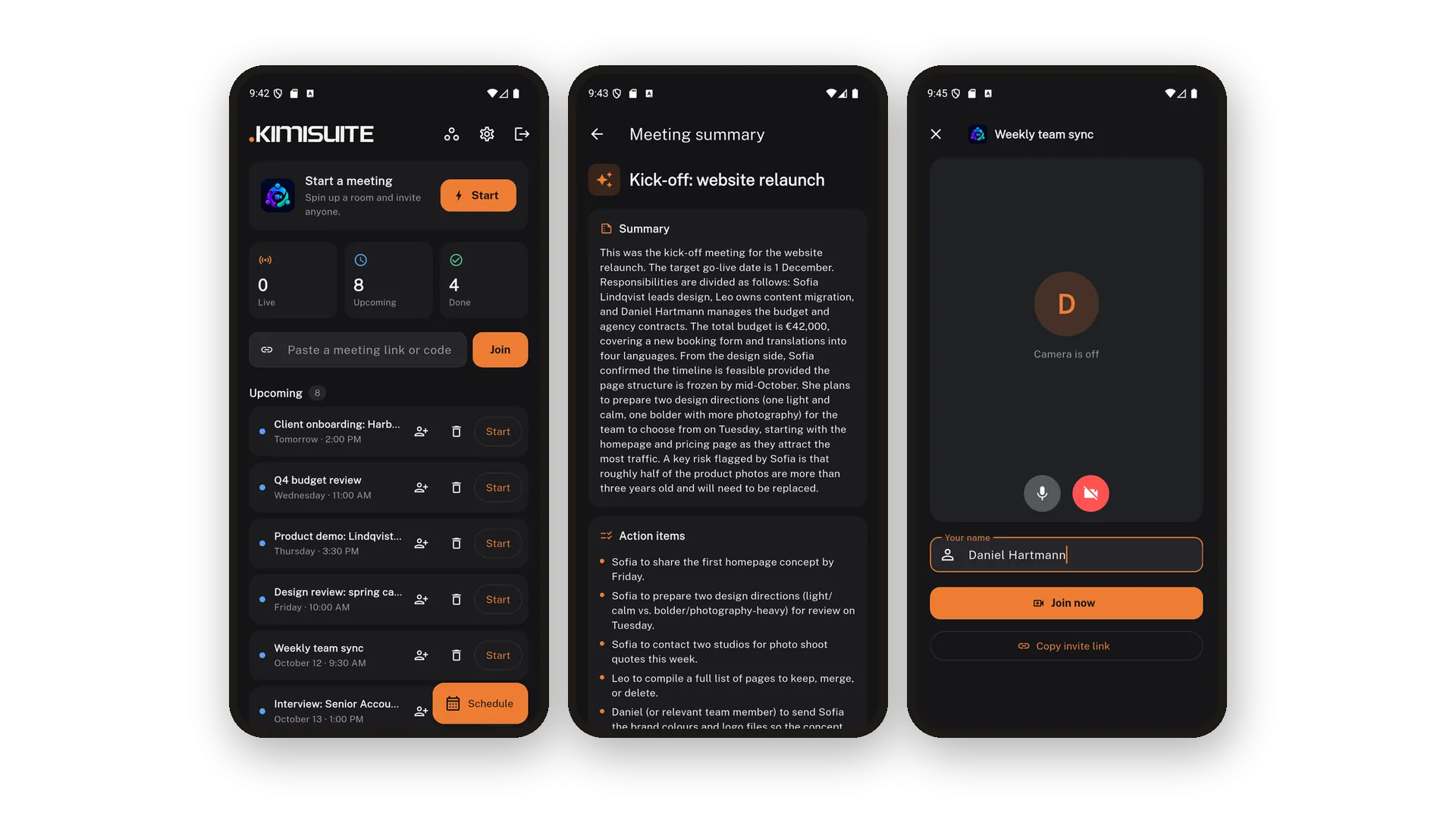
Counters for live, upcoming and completed meetings, the next meetings with a countdown, and the history with the number of people who took part. Start, edit or delete from the list, open a past meeting's transcript - and on Pro and Enterprise its AI summary - or restart it, at the desk or from your phone. Closed the window by mistake? The dashboard offers to rejoin.
Move a meeting, keep the link
Invitees get a Rescheduled e-mail by themselves
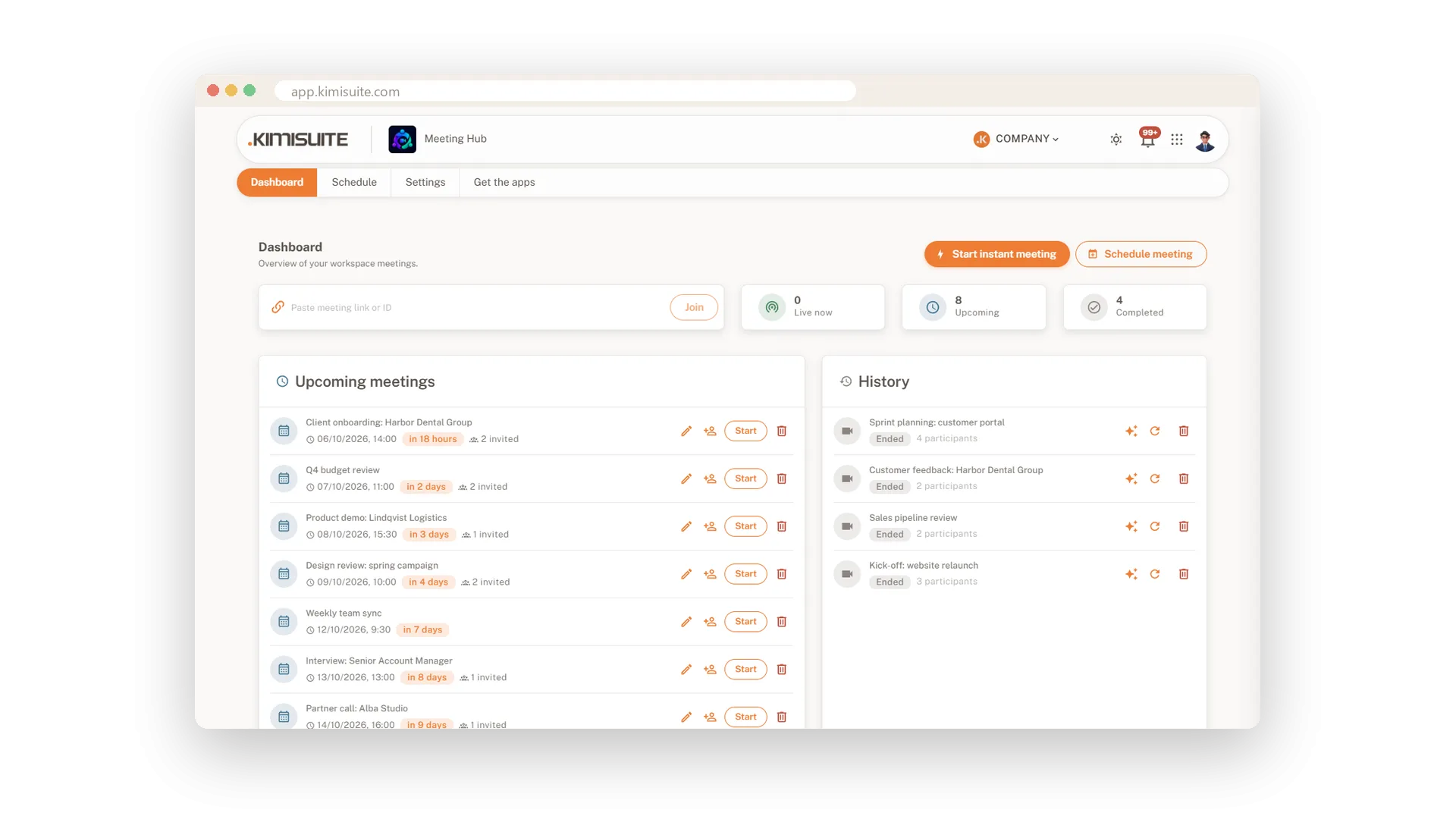
Plans change. Open the meeting with the pencil, pick the new time and save - everyone you invited gets a Rescheduled e-mail, and the link they already have keeps working. Opened the room early and left again? The meeting stays on the calendar.
Apps for Windows and Android
Meeting links open straight in the app
Prefer an app to a browser tab? Download Meeting Hub for Windows, or get it on Google Play for Android. A meeting link opens in the app on that meeting's lobby, and on Android your dashboard, schedule and history with the summaries travel in your pocket.
Guests join from their phone
Any phone browser - the call fits the screen
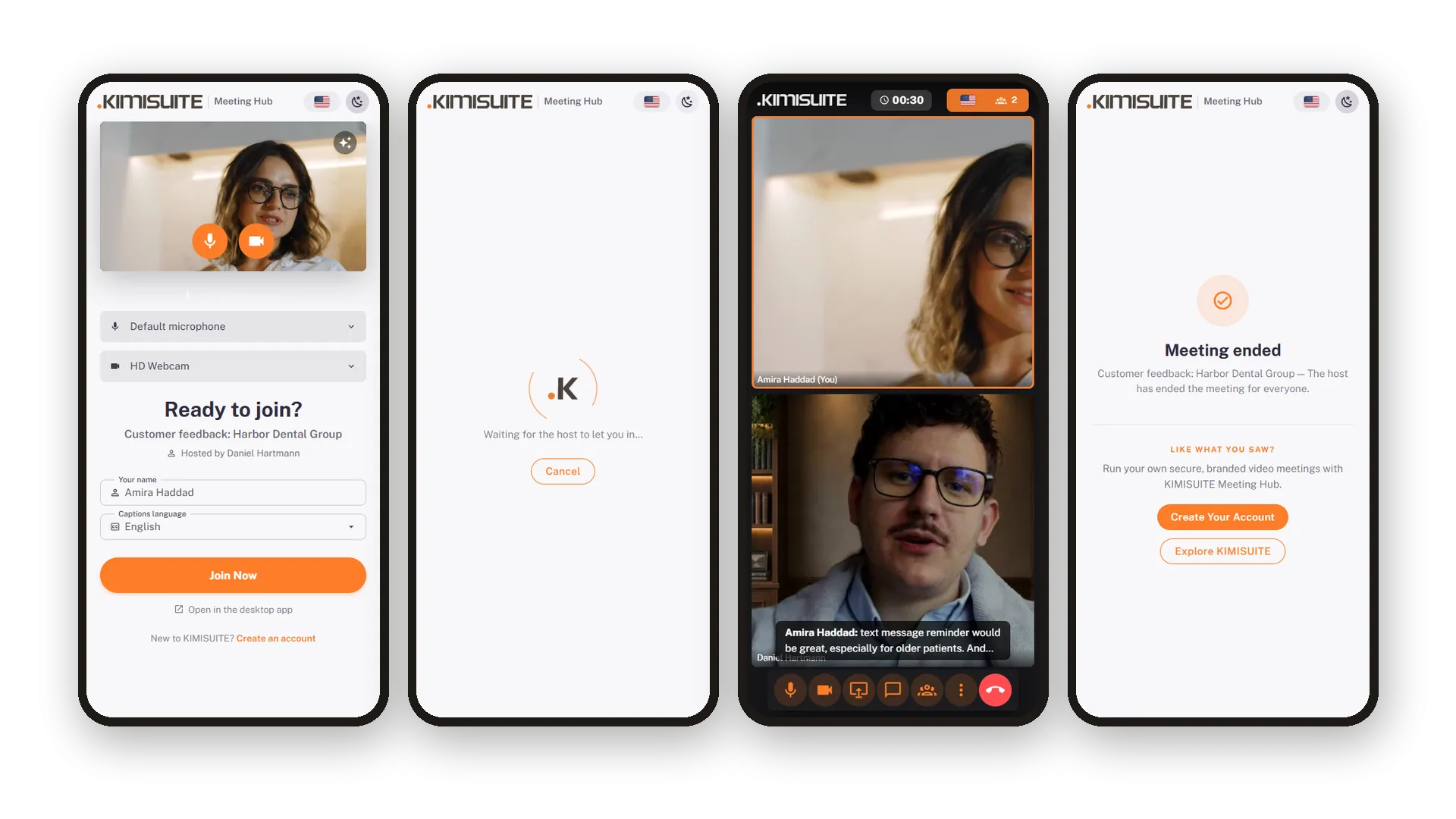
Your guest is on the road? They open the link on their phone and join from the browser - on Android and on iPhone. The video tiles stack, the toolbar keeps the main buttons in reach and the rest sits in a More menu.
Use Cases
A quick call with a supplier
A question comes up that an e-mail will not settle. Start an instant meeting, paste the link into the chat, and two minutes later you are talking face to face.
The monthly client review
Schedule it for the first Monday, set the time zone and add the client's e-mail address. They get an invitation with the link - and a Rescheduled e-mail if you move it.
A guest on the train
Your guest opens the link on their phone and joins from the browser. The video tiles stack, the toolbar fits the screen, and the meeting simply runs.
FAQ
Try Meeting Hub today
Video meetings your guests join with one link - captions and AI notes included
14 days free, cancel anytime, no minimum term.