Booking Hub

from €24.90/moper workspace

Hotel management software. Every booking, every channel, your own website

Booking Hub keeps your rooms, rates and reservations in one place. The Channel Manager syncs Booking.com, Airbnb and six more channels, while your own website takes bookings without commission. Try it free for 14 days.

Cancel anytime · No long-term contract · 14 days free

Hotel receptionist turning a tablet towards a guest
  • Booking confirmed Nov 24 – Nov 26
  • Room 12 · cleaned
  • All channels in sync

Direct bookings without commission, from overview to self check-in

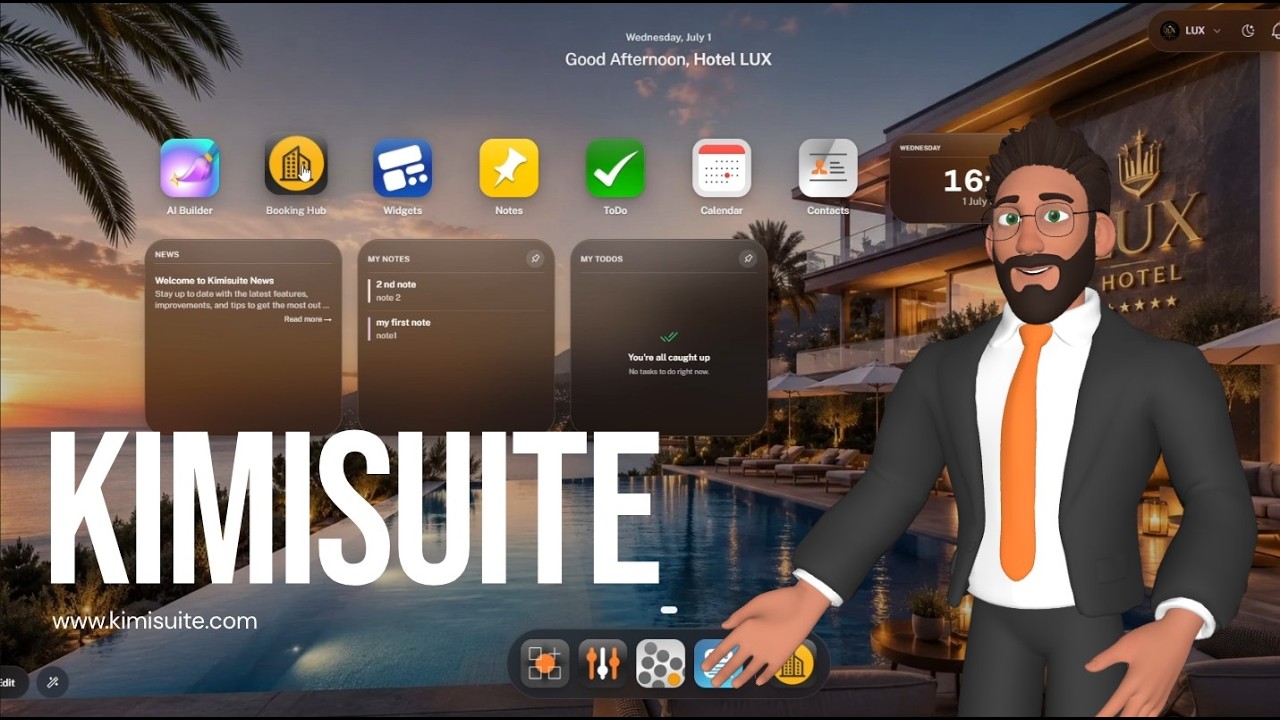
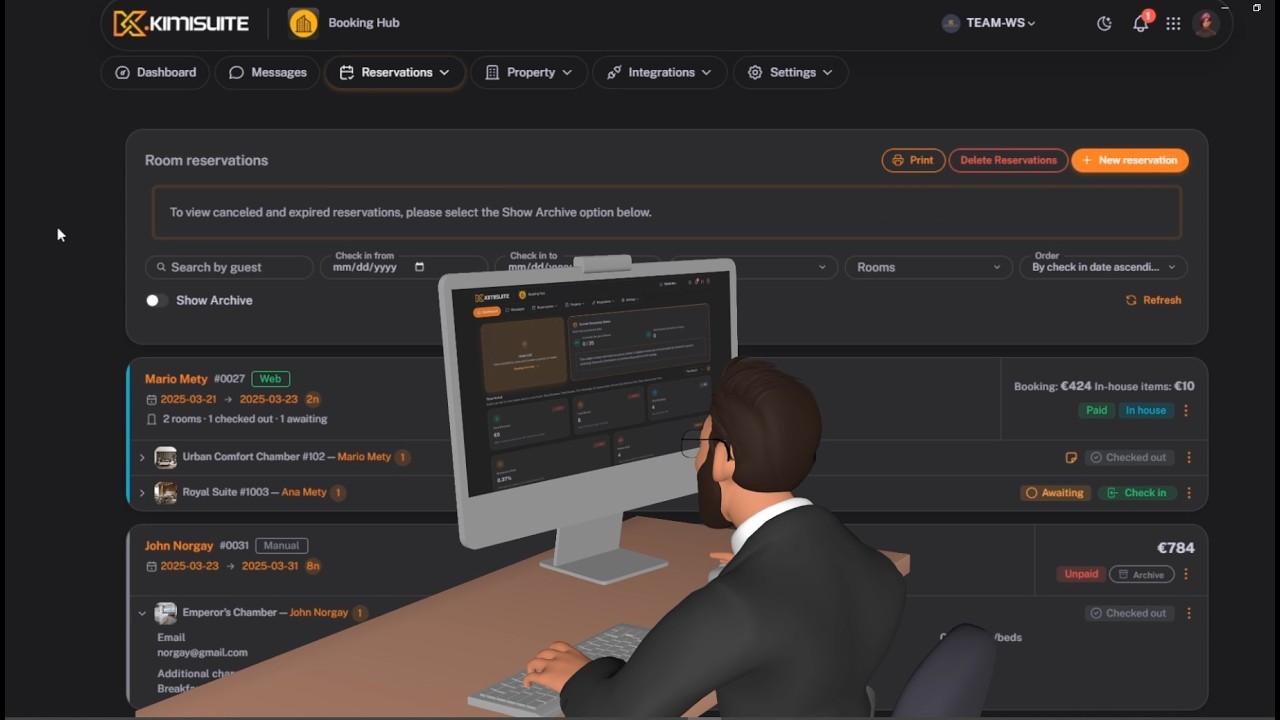
Watch how you see every room and every night at a glance, set a minimum stay for the weekend, and your guests book on your own booking page without commission. You assign the room and send the self check-in details with the door code, and with the Channel Manager, Booking.com, Airbnb and more stay in sync.

The video plays from YouTube once you press play.

One system for selling every room

Commission-free on your website, in sync everywhere else

Booking Hub combines what a property needs to sell rooms: a booking engine for your own website, a channel manager for the OTAs and one grid where you run both. Every booking lands in the same list, wherever it came from.

The strongest reason to book direct is the price. With the Channel Manager you set one price for your own website and another for Booking.com, Airbnb and the other OTAs, from the same rooms. And with CRM Business Hub in the same workspace, a stay becomes a proper invoice without typing anything twice.

What Booking Hub does for your property

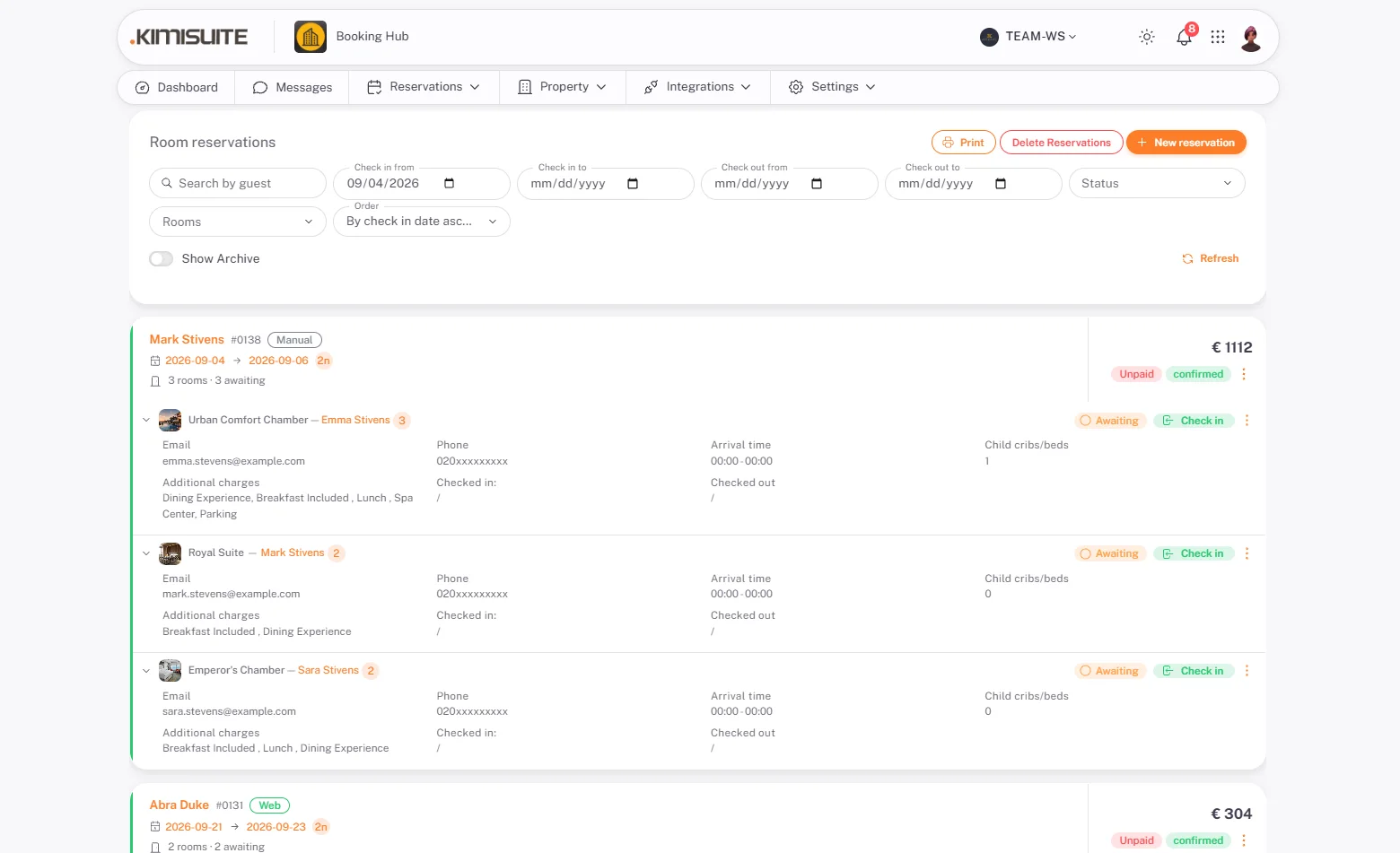
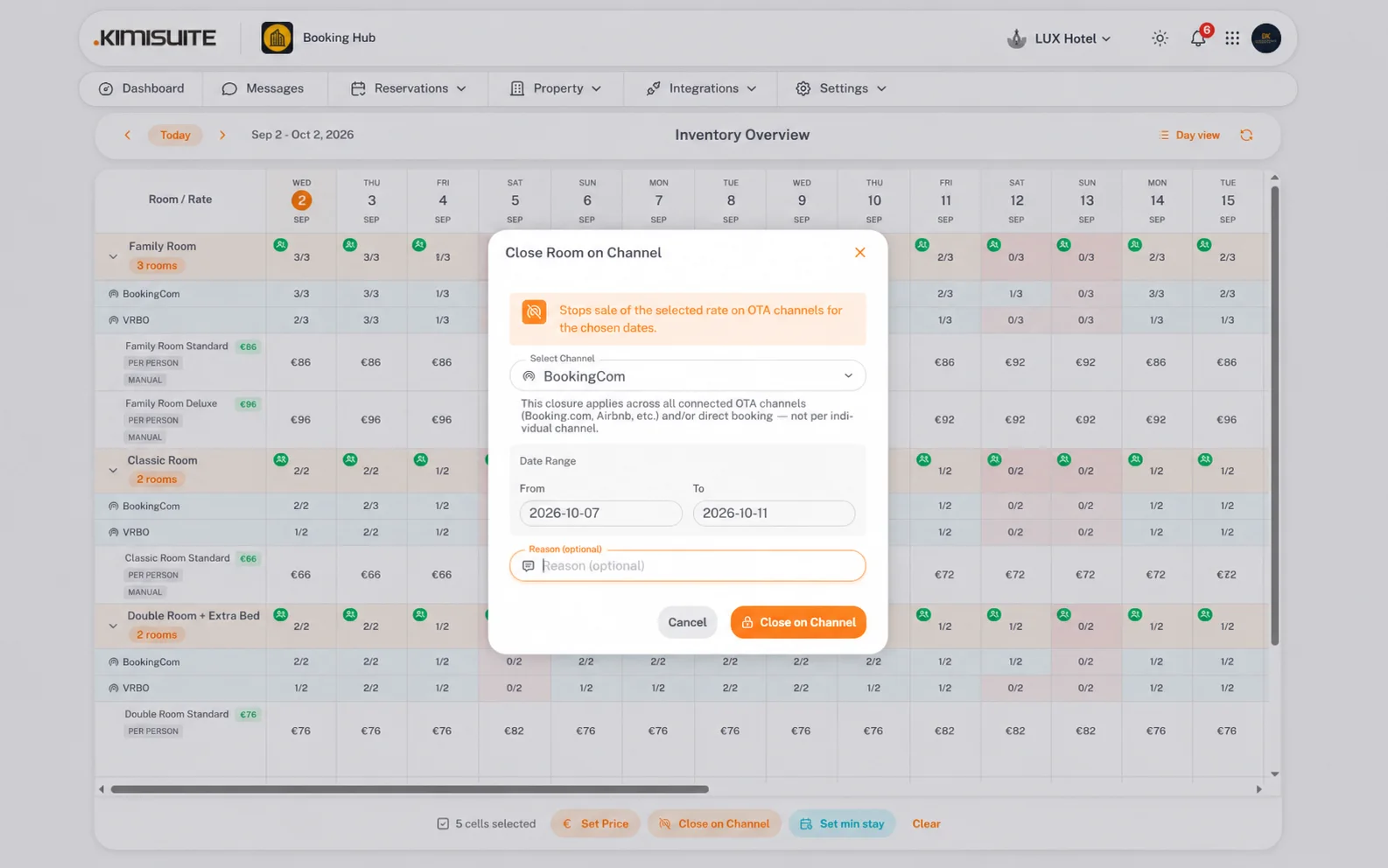
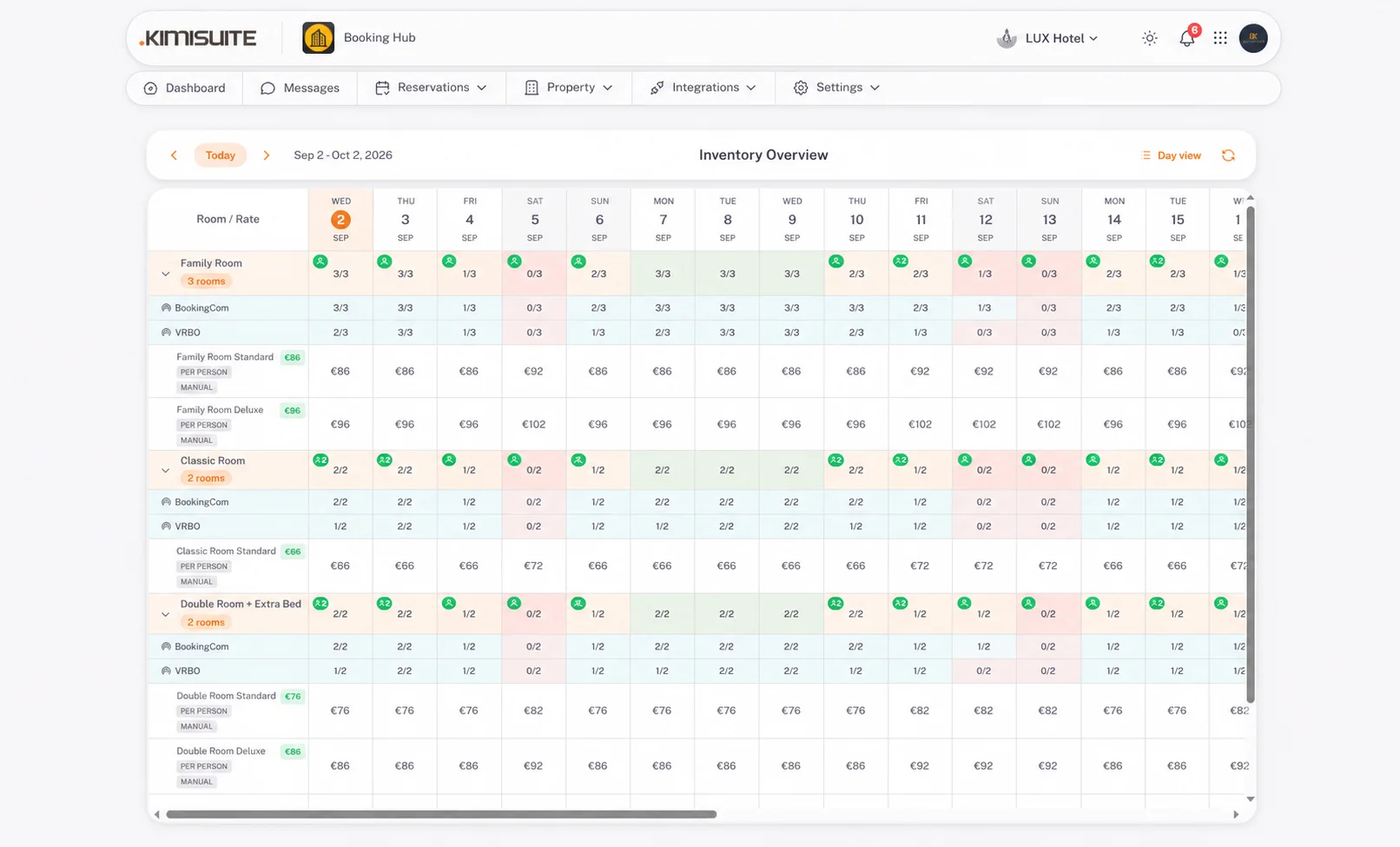
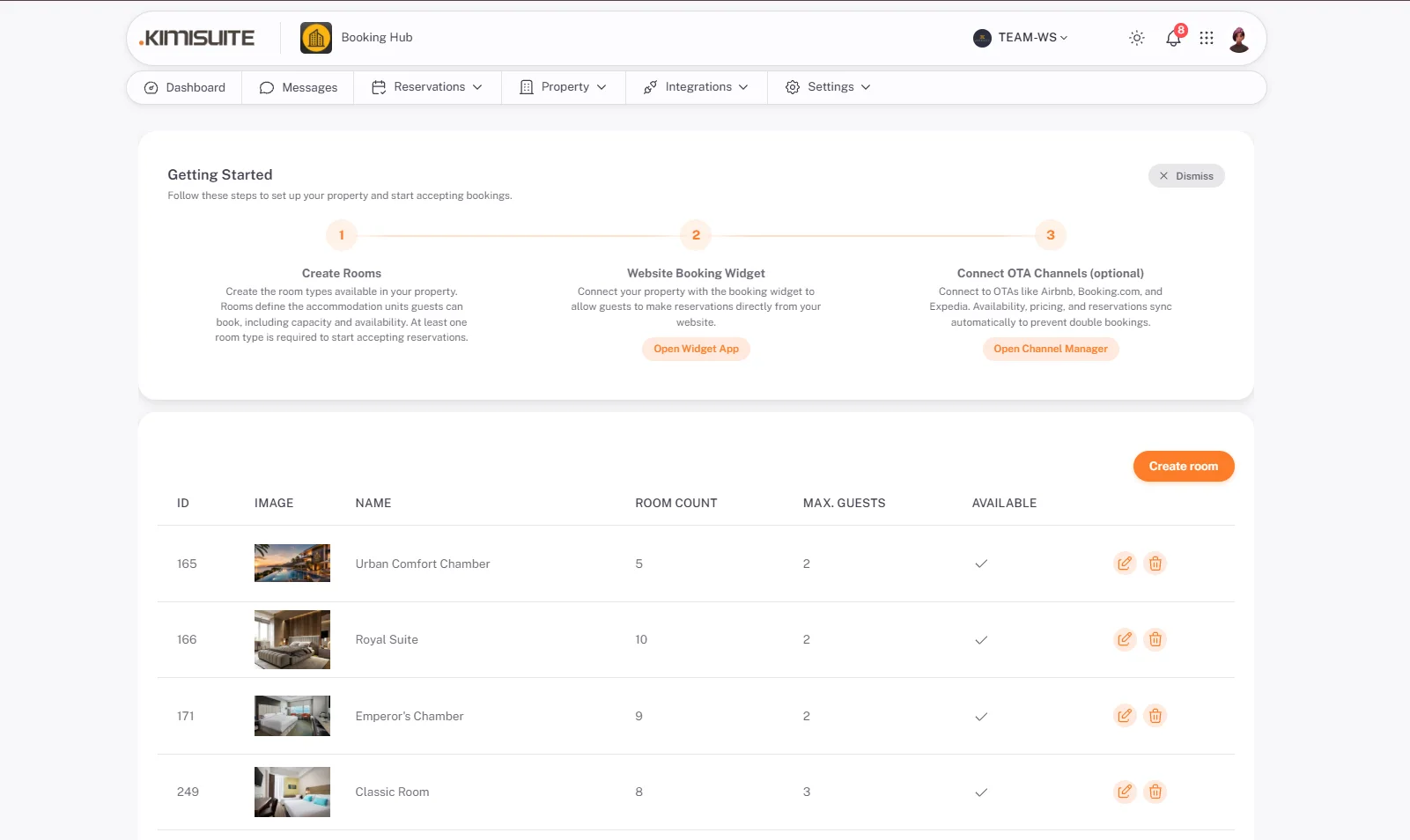
Rooms and rates on one grid

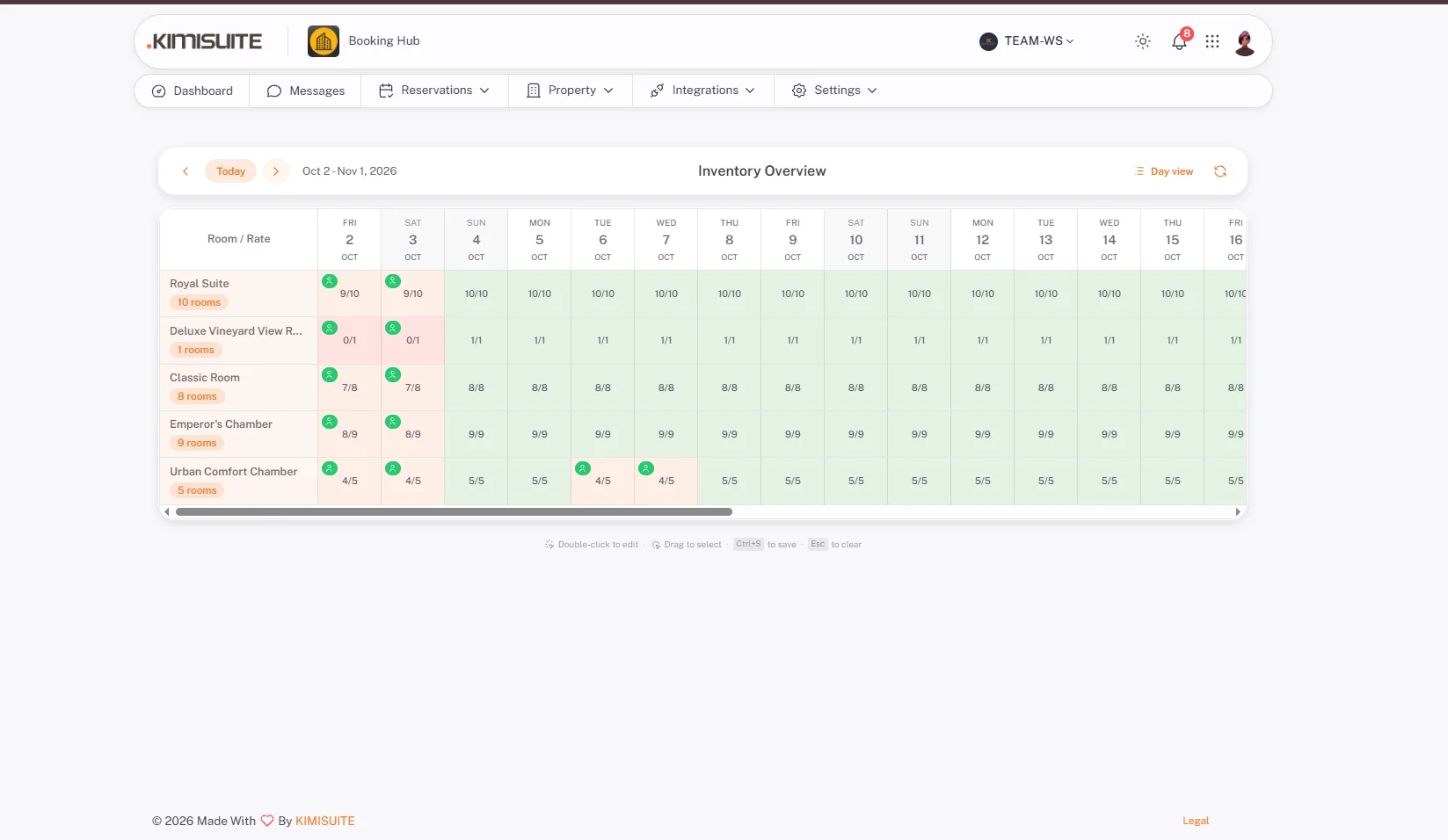
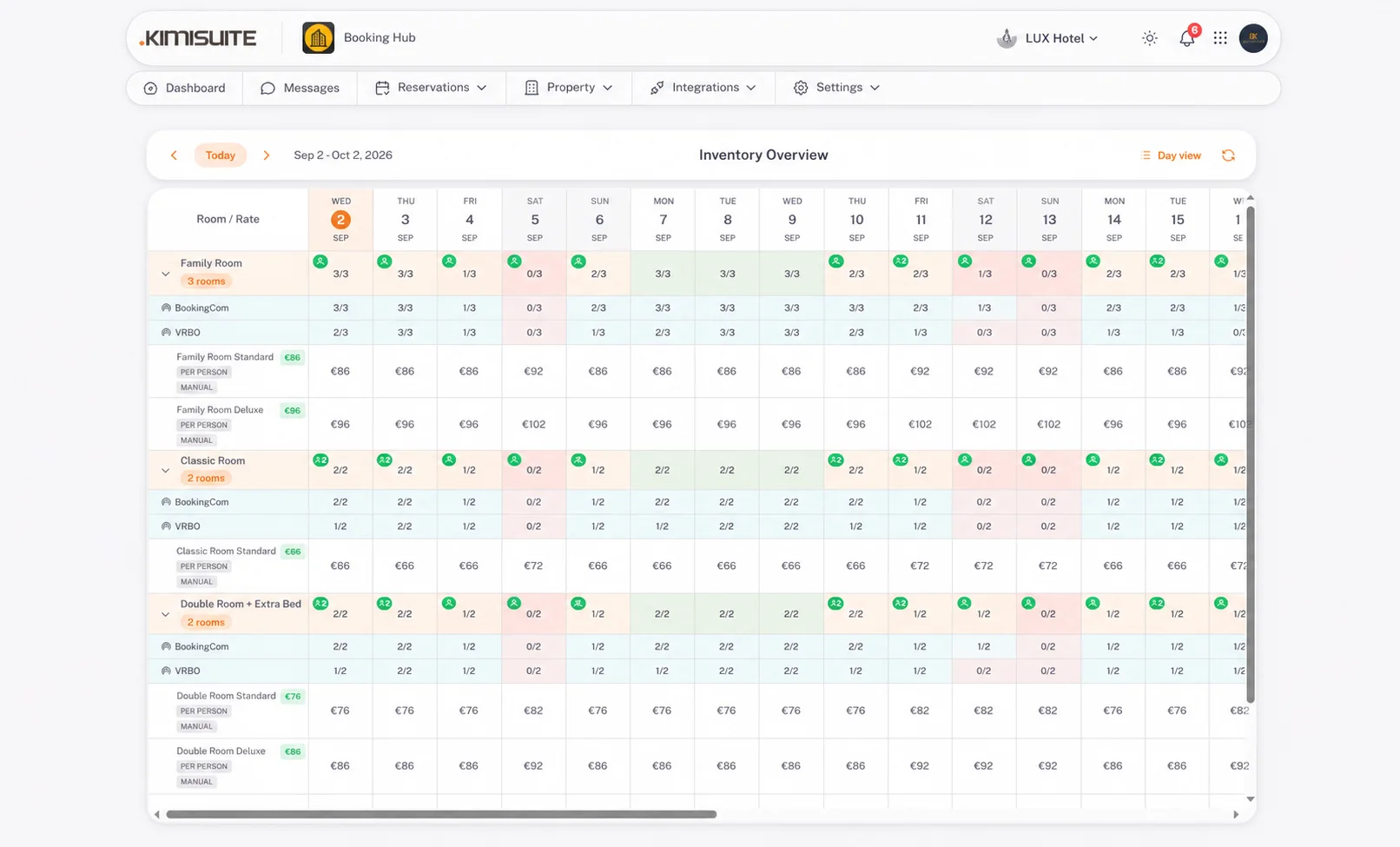
A month of rooms against dates, sold-out days in red. Drag across the days to set a price for a whole range, even only on weekends.

Eight channels, one inventory

With the Channel Manager, Booking.com, Airbnb, Expedia, Agoda, VRBO and more stay in sync, so a room is never sold twice.

Your best price on your own site

Set one price for your website and another for the OTAs, and ask for a minimum stay on the OTAs only. Booking direct becomes the better deal.

Direct bookings without commission

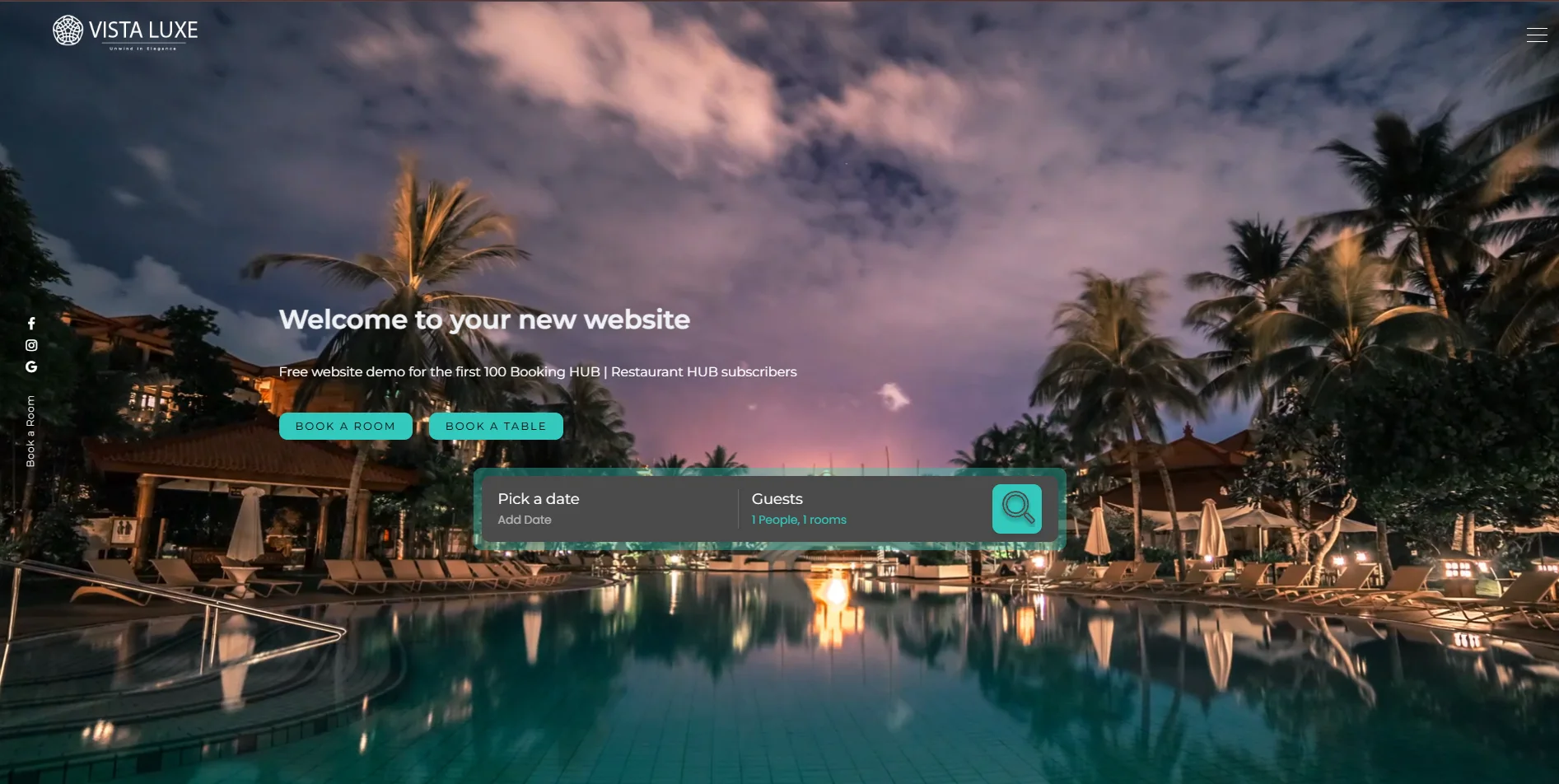
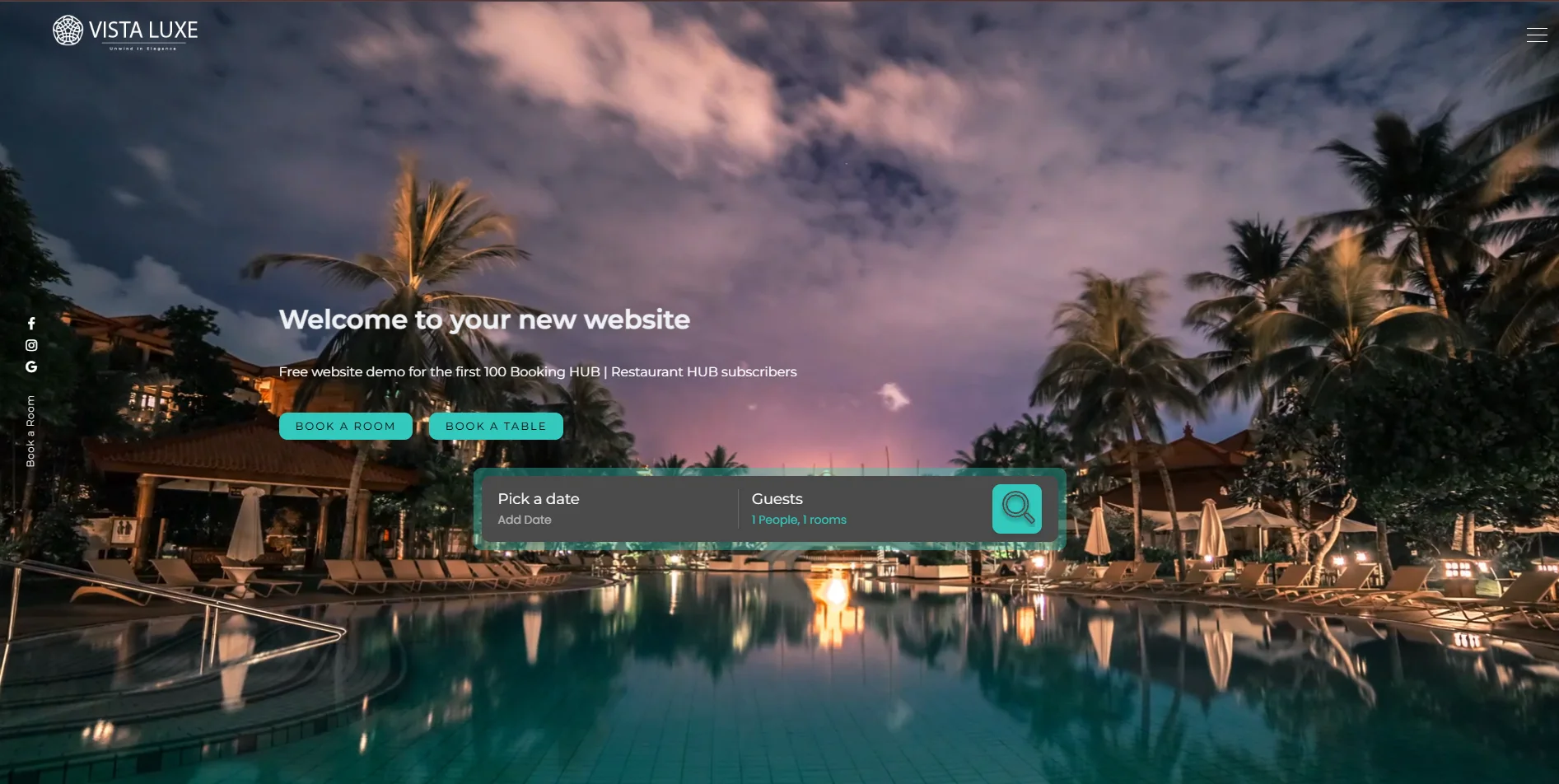
Four widgets, including an AI concierge, and a free landing page. Guests enter their details and pay on one page.

Guests who help themselves

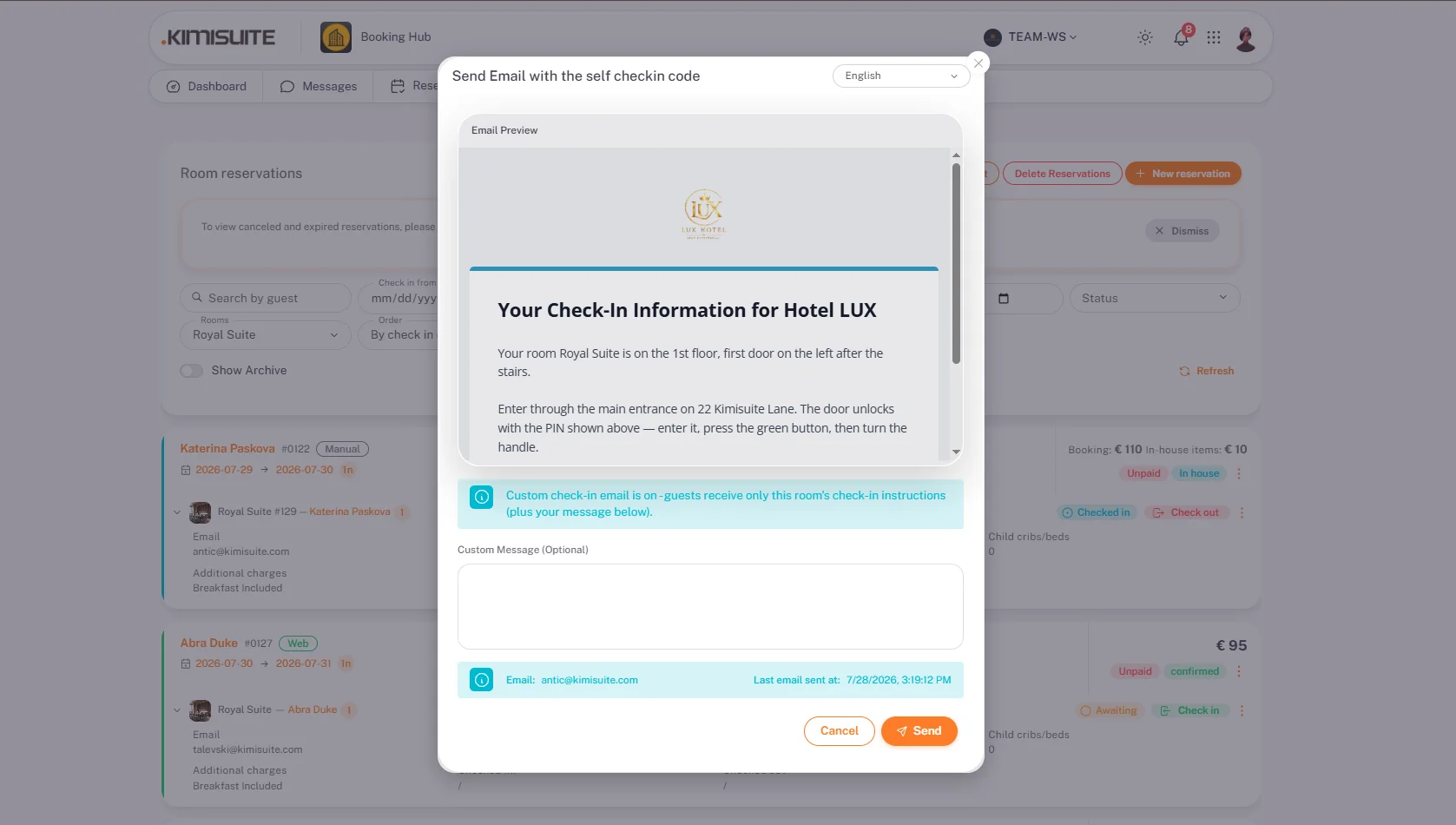
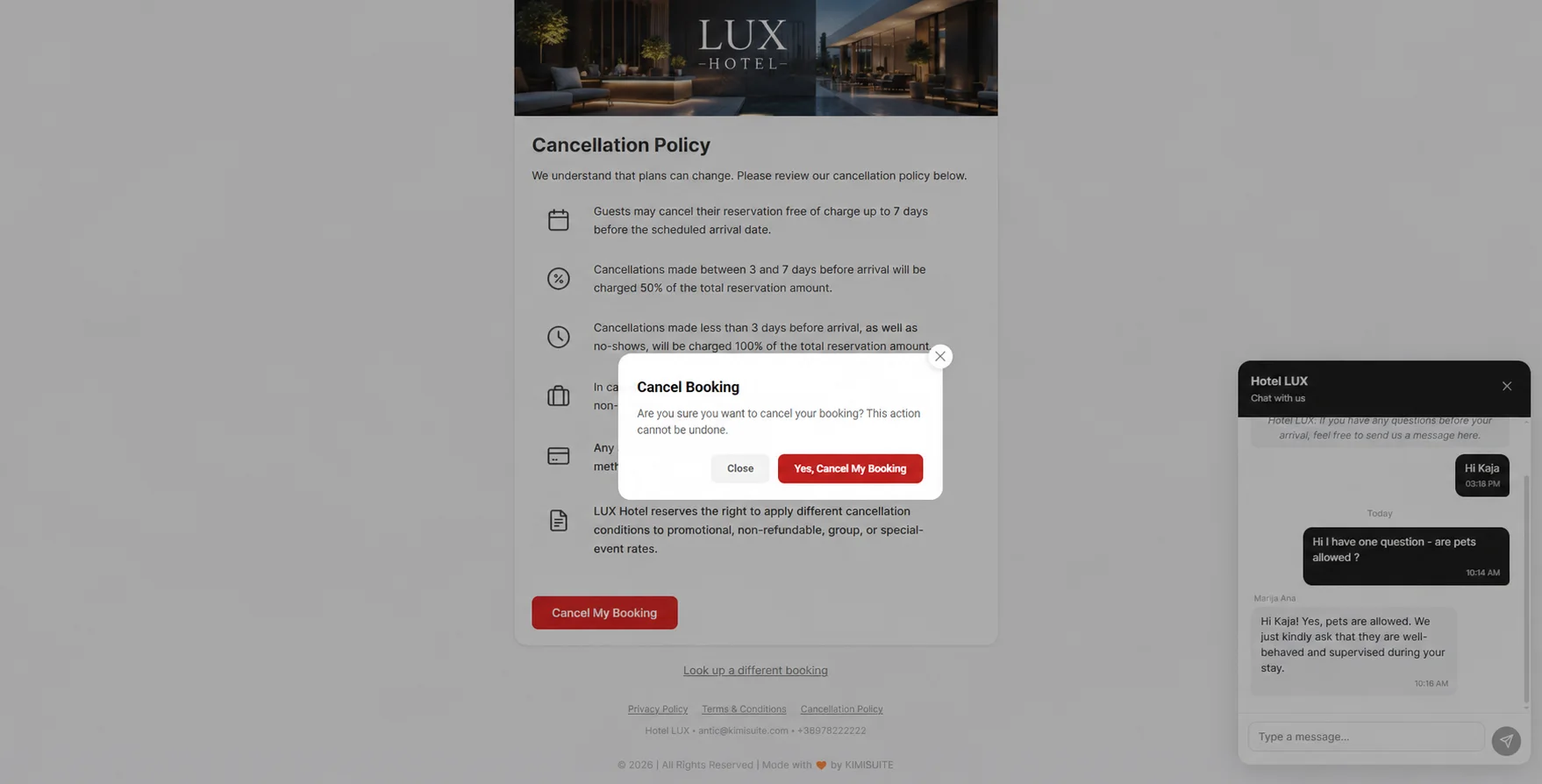
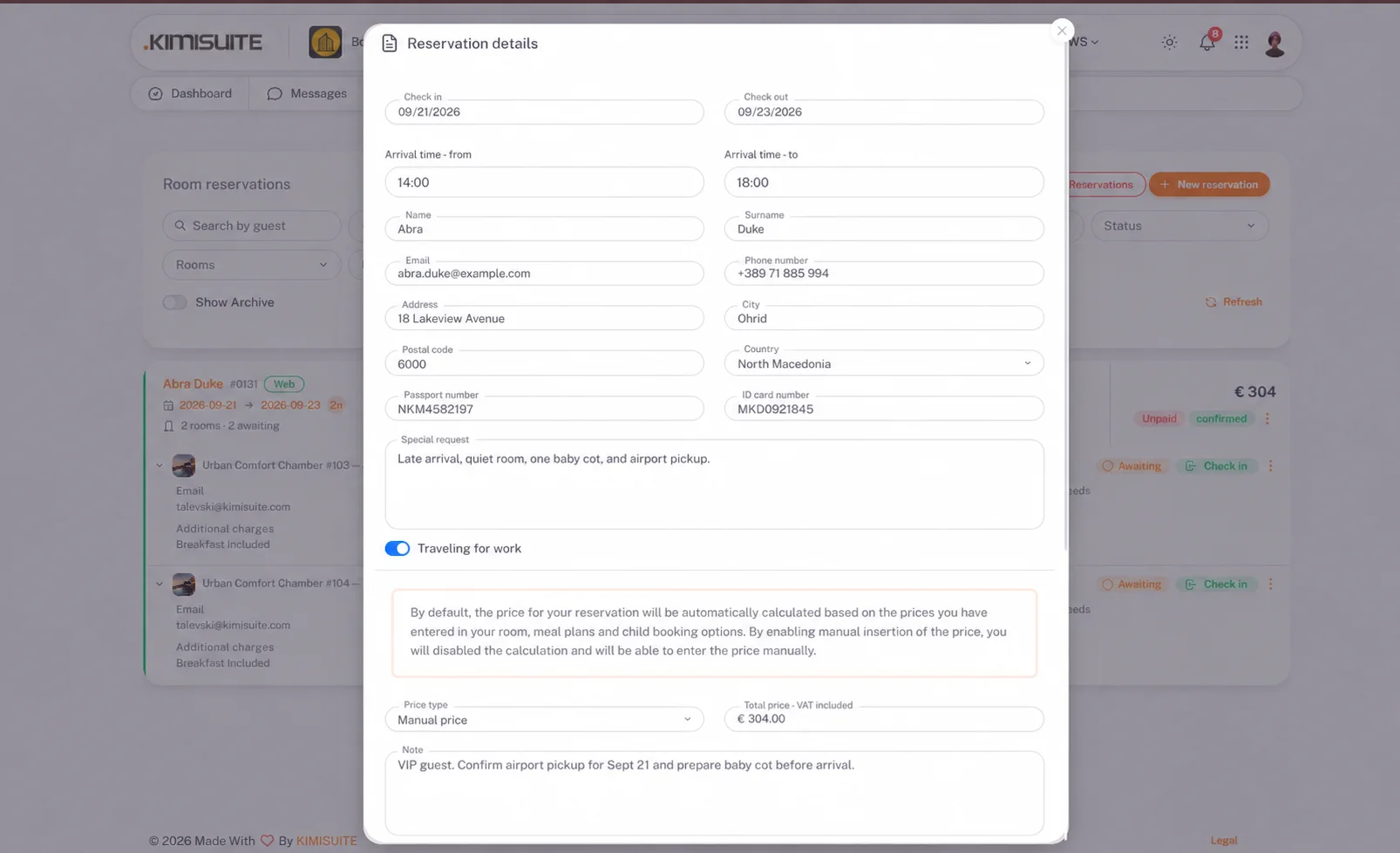
Guests open their booking with a code, write to you in a live chat and cancel within your rules. Self check-in details go out from the booking in one click.

The numbers a hotelier checks first

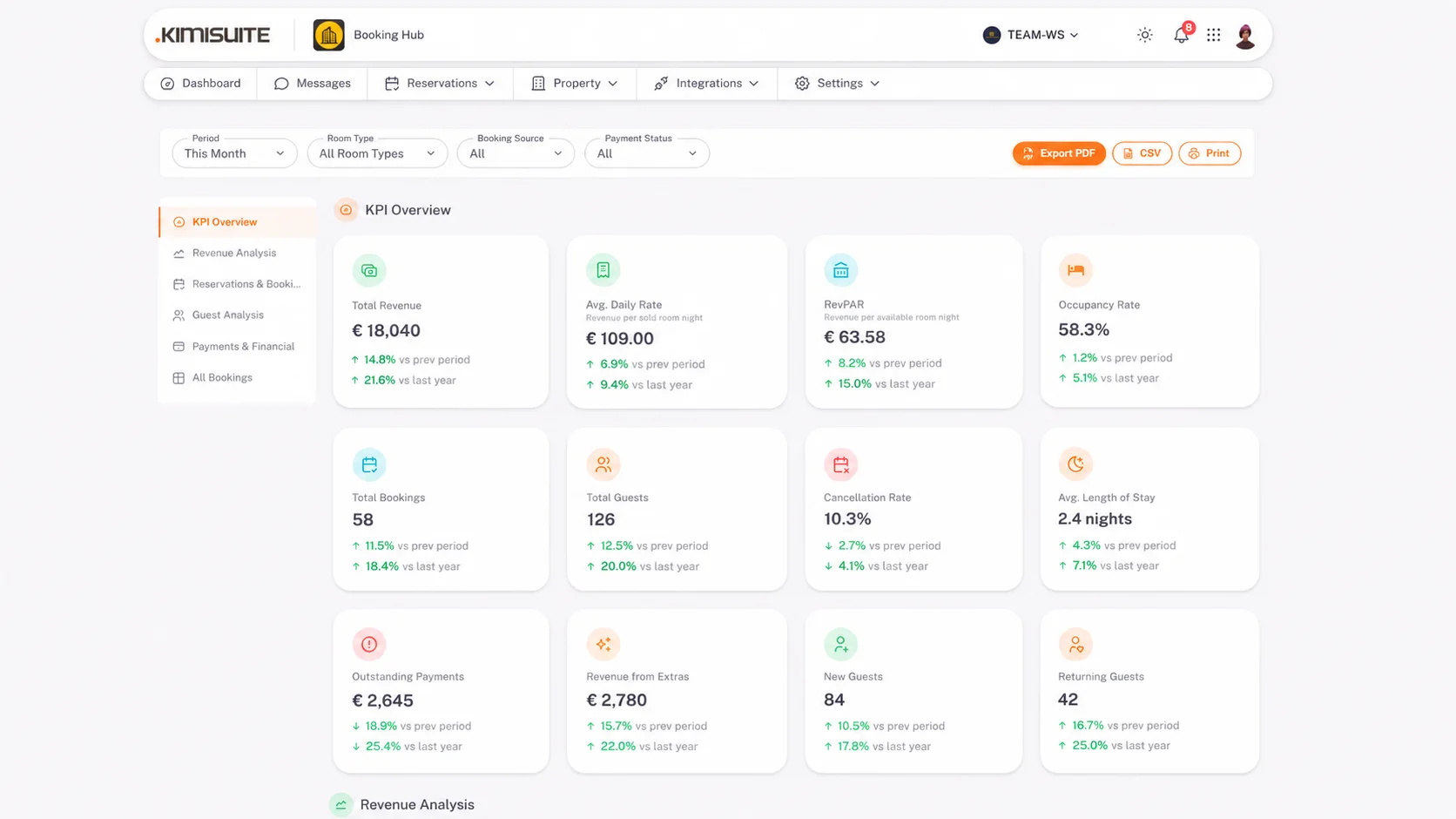
RevPAR, ADR, occupancy and revenue by room type and period, plus a debtor list of every booking that is still unpaid.

Sell direct, the way guests like to book

Your website should take bookings as easily as an OTA does, without the commission.

  • Four widgets for any website. A room search, a slider, a listing and the Concierge, an AI chat that answers guests from your rooms, prices and availability and leads them into the booking. You build them in the free Widget Creator.
  • One page to book. Guest details and payment on one page, the price visible all the way, and the room held for the guest while they book.
  • Payment your way. Pay on arrival, PayPal, Stripe and, in selected countries, Bankart are free payment extensions. Reward the method that costs you least with a discount.
  • Coupon codes. A code for your newsletter or a voucher for one guest, typed at checkout or carried in a link.
  • A second currency. Show your prices in a currency your guests know, next to your own. The charge stays in your currency.

No website yet? The free landing page on kimistay.com is a complete booking site with your logo and colours.

For the front desk and the cleaning team

Booking Hub works where your team works.

  • The front desk on Android. The Booking Hub app for Android shows today's arrivals, departures and guests in house, your reservations with their room numbers, guest messages and the cleaning board. Create a booking or check a guest in from the phone.
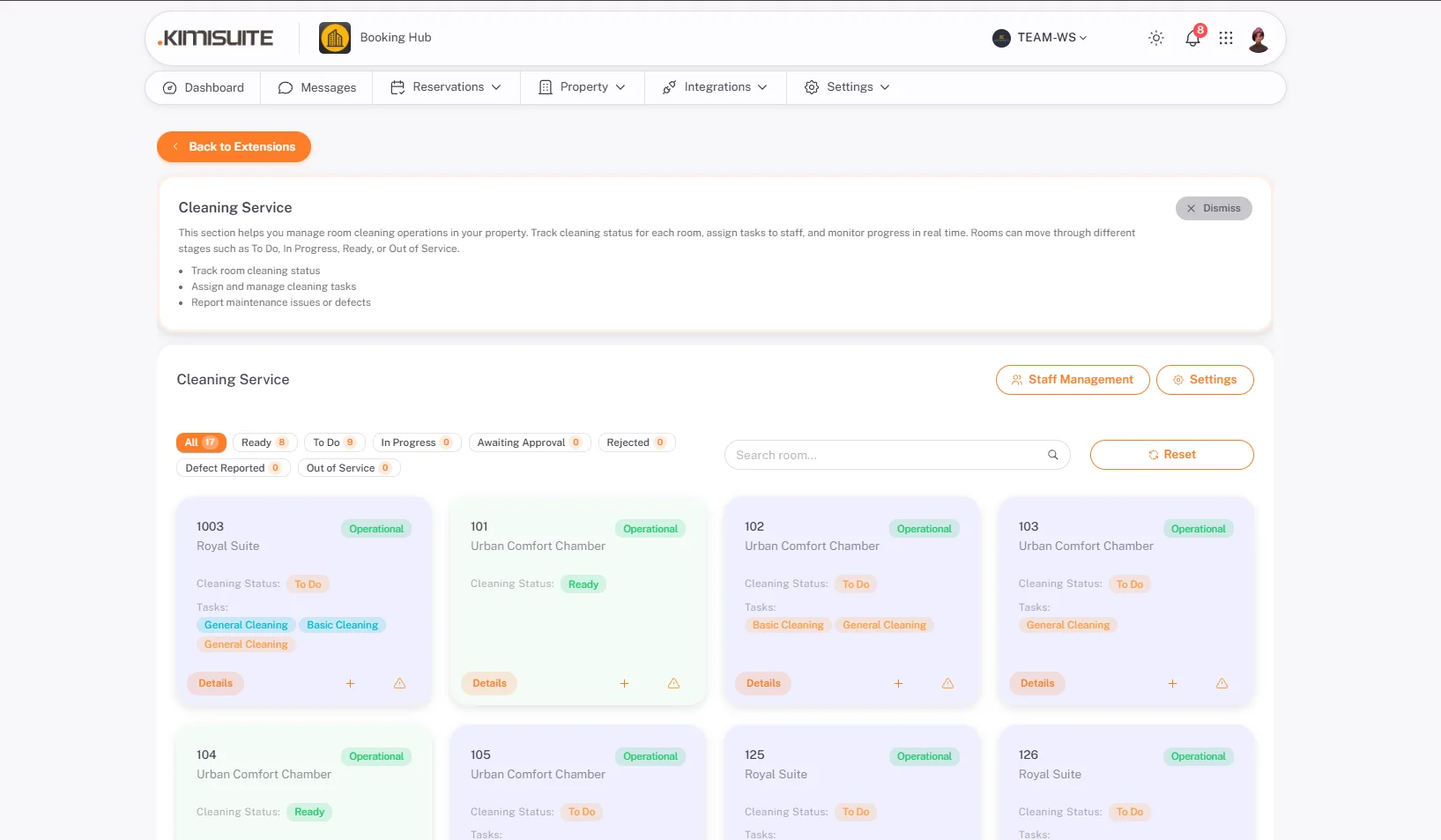
  • Cleaners without accounts. With the Housekeeping extension, cleaners open a staff portal on their own phones with a short PIN. A guest checks out, and the cleaning task is on their phone.
  • Self check-in that works at night. Every room carries its own PIN and arrival instructions in your guests' languages. Reception sends them from the booking in one click.
  • Roles you build yourself. Forty-eight permissions in Booking Hub alone, so reception sees bookings and only management sees revenue.

The app is free on Google Play for everyone who works in Booking Hub.

See It in Action

Booking Hub — 1/8
Booking Hub — 2/8
Booking Hub — 3/8
Booking Hub — 4/8
Booking Hub — 5/8
Booking Hub — 6/8
Booking Hub — 7/8
Booking Hub — 8/8

Who is Booking Hub for?

KIMISUITE Booking Hub is designed for accommodation businesses that want to manage bookings, reduce dependency on OTAs, and increase direct reservations.

It is ideal for:

  • Hotels of every size looking for a simple all-in-one system
  • Boutique hotels that want to increase direct bookings
  • Apartment and vacation rental owners managing multiple units
  • Guest houses and short-term rental businesses
  • Multi-property operators who need centralized control

Whether you manage a single property or multiple locations, KIMISUITE Booking Hub provides the tools to automate operations, synchronize availability, and manage guests from one platform.

KIMISUITE is an all-in-one booking system that combines PMS, channel manager, and direct booking tools in one platform for modern accommodation businesses.
What problems does Booking Hub solve?

KIMISUITE Booking Hub is designed to solve the most common challenges in modern accommodation management.

It helps businesses:

  • Reduce dependency on platforms like Booking.com and increase direct bookings
  • Prevent double bookings with real-time availability synchronization
  • Cut manual work with confirmation emails and welcome messages that go out by themselves
  • Manage all bookings, rooms, and guest data from one central system
  • Improve operational efficiency across multiple properties or locations

By combining booking management, channel synchronization, and automation in one platform, KIMISUITE simplifies complex workflows and gives full control back to the business.

How KIMISUITE Booking Hub works

Booking Hub takes you from an empty account to your first booking in a few clear steps.

  1. Set up your property The First Setup Guide walks you through property details, languages, legal pages and charges in the right order.

  2. Create your room types and prices Choose one of five pricing models per type, then edit prices straight in the grid.

  3. Open your own booking channel Add the widgets to your website or switch on the free landing page.

  4. Connect your OTAs With the Channel Manager extension you connect Booking.com, Airbnb and the other channels and map their rates. The OTA approves the connection on its side.

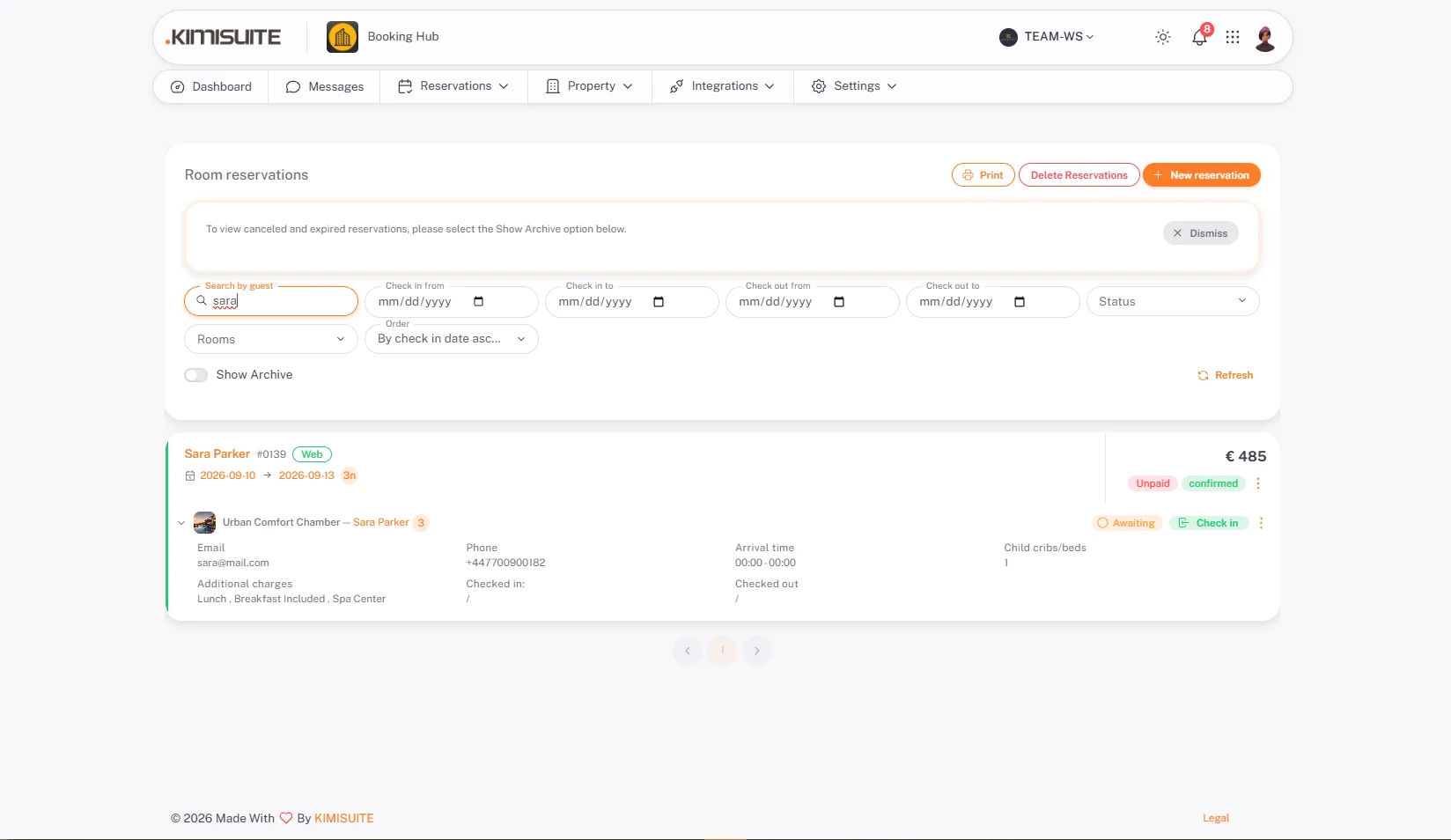
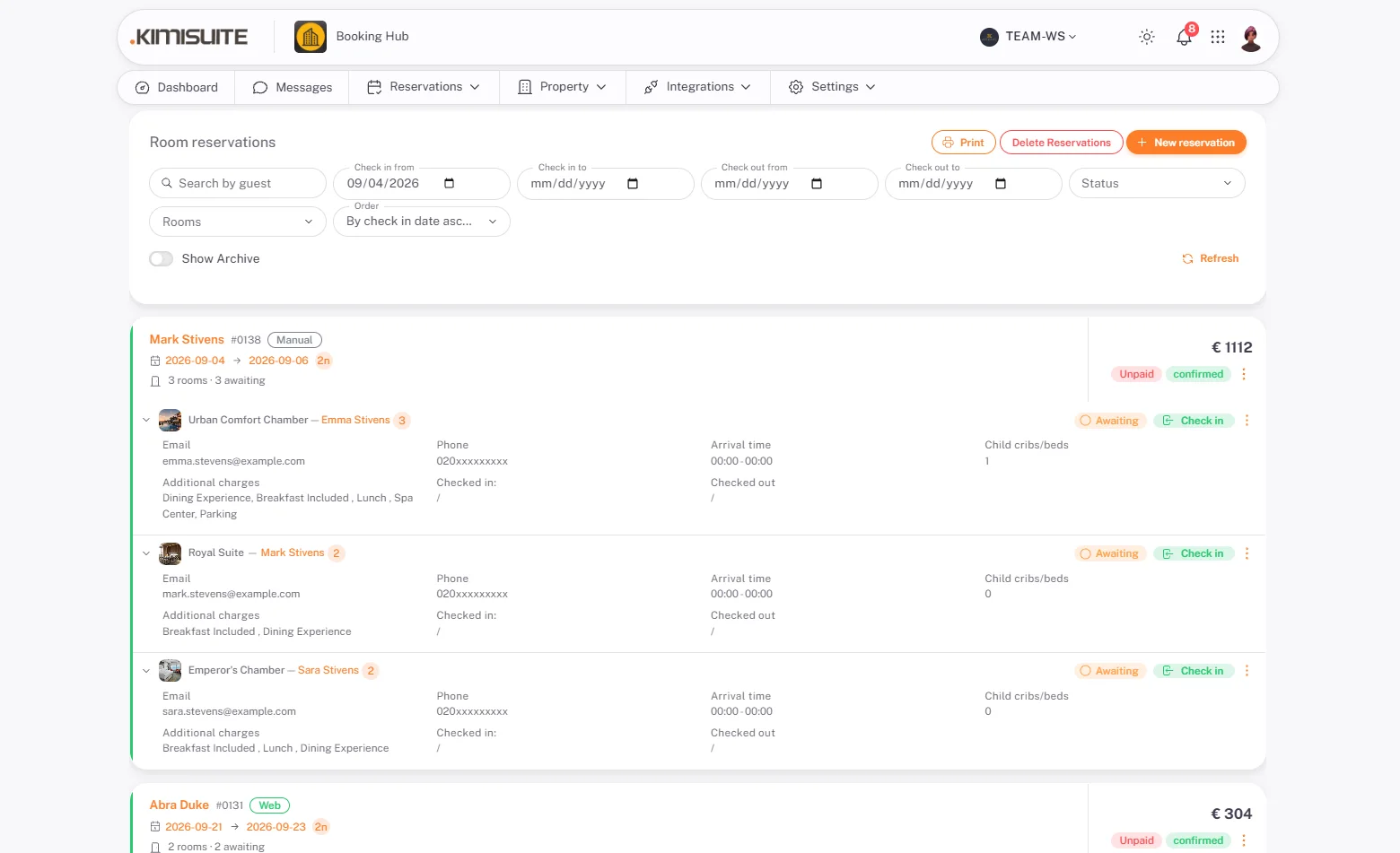
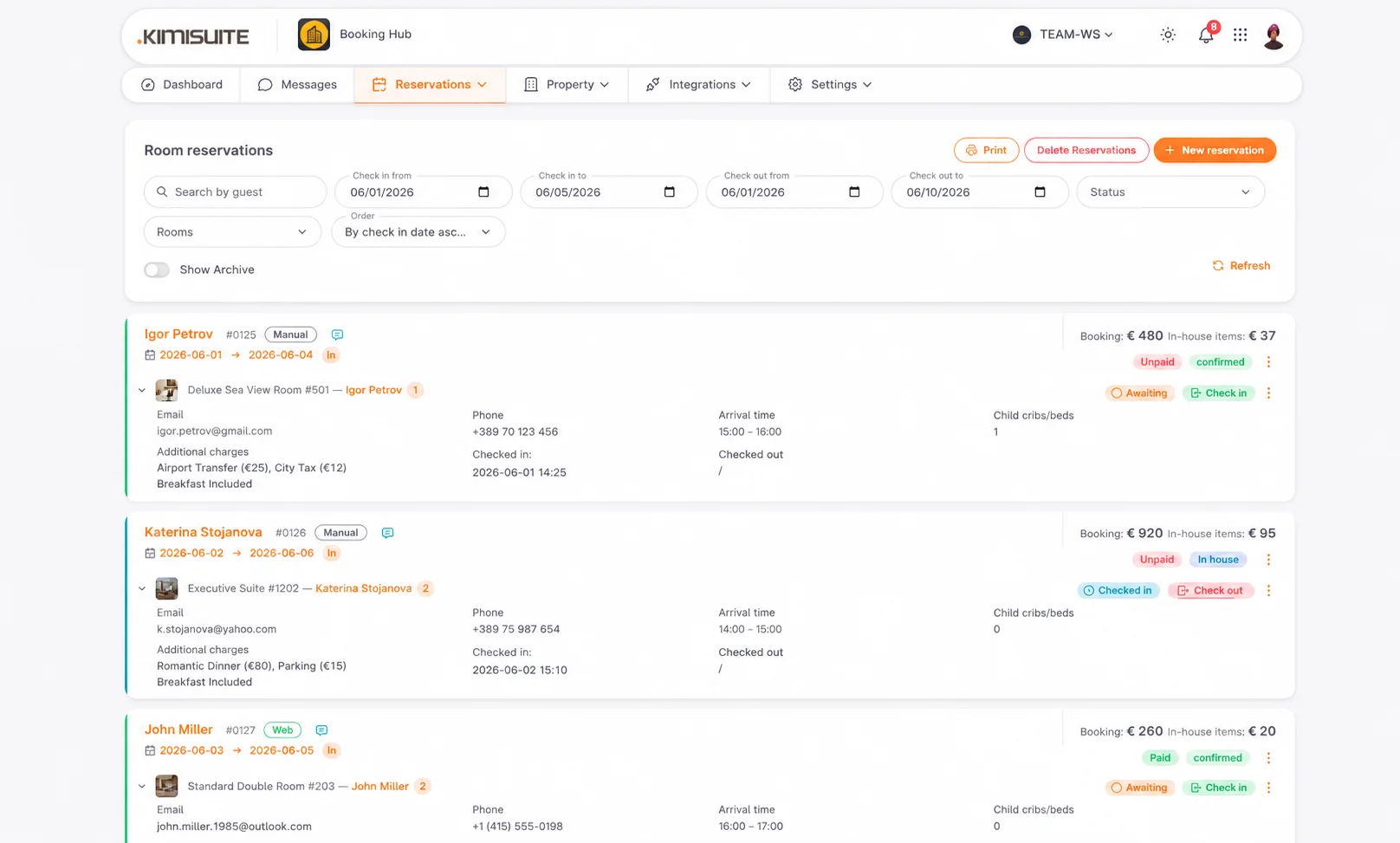
  5. Work every booking from one list Assign rooms, take payment, check guests in and out.

  6. Let guests help themselves The confirmation email goes out by itself with the guest's access code, and self check-in details follow from the booking in one click.

Booking Hub Video Tutorials

Watch step-by-step video tutorials and learn how to set up your property, manage reservations, rates, availability, channels and more.

Swipe to see all 2 videos

Pricing Plans

Choose the right plan for your needs. All plans include free updates.

Booking Hub
What you get
Basic Plan €24.90 /mo · per workspace Start Free Trial Pro Plan €39.90 /mo · per workspace Start Free TrialRecommended Expert plan €99.90 /mo · per workspace Start Free Trial
Add and manage room types Effortlessly add and manage your room or property listings. Keep your inventory up-to-date with ease.310
Pay at Property Extension Give your guests the flexibility to book online and pay directly at the property when they arrive.FreeFree
Booking Hub
€24.90 /mo · per workspace Start Free Trial
What you get
  • Add and manage room types Effortlessly add and manage your room or property listings. Keep your inventory up-to-date with ease.
    3
  • Pay at Property Extension Give your guests the flexibility to book online and pay directly at the property when they arrive.
    Free

Included in every plan

  • Number of rooms: Unlimited
  • Reservation Management
  • Booking Hub Slider Widget
  • Booking Hub Listing Widget
  • Booking Hub Search Widget
  • Analytics for all your bookings
  • PayPal Extension: Free
  • Room management: Add-on
  • Multi Room Booking: Add-on

Available extensions

Book them with a click, drop them the same way.

  • Landing Page

    Landing Page lets Booking Hub users create a public page with app features, enabling seamless bookings, showcase listings, and easy customer access.

    Free
  • PayPal

    This extension allows guests to make reservations and pay securely via PayPal.

    Free
  • Channel Manager

    Connect your property to Booking.com, Expedia, Agoda, Trip.com, and other major OTAs with our Channel Manager.

    €29.90 /mo
  • Telegram Notifications

    Get a Telegram message for every new reservation.

    Free
  • Room Offers

    The Proposals & Estimates extension allows you to create professional price quotes for guests before they confirm a reservation.

    €9.90 /mo
  • Property API

    Connect your door-lock or access-control system to Booking Hub with an API key for your property.

    €9.90 /mo
  • Cleaning Service

    Manage room status, cleaning tasks, housekeeping workflows, and maintenance issues.

    €19.90 /mo
  • Stripe

    Accept card payments via Stripe

    Free
  • Pay on Arrival

    This extension allows you to allow guests to make a reservation with payment when they arrive at your Hotel/Apartment.

    Free
  • Multi-room reservation

    Enabling this extension will allow you and your guests to make reservations for multiple rooms at once in a single booking process.

    €9.90 /mo

Booking Hub FAQ

Common questions about Booking Hub answered clearly.

What is Booking Hub?

Booking Hub is hotel management software for hotels, guest houses and apartments. You run reservations, room types and rates, the front desk, housekeeping and guest messages in one place, read RevPAR, ADR and occupancy in the analytics, connect Booking.com, Airbnb and other channels, and sell rooms commission-free on your own website. Run several properties? You switch between them with one login.

What does it cost, and can I try it first?

Booking Hub has its own price per workspace, shown in the price table on this page in your currency. You don't pay per room: the plans differ by how many room types you can create, and each type holds as many rooms as you have. The first paid app includes 10 workspace members. You get a 14-day free trial from the day you add the app and can cancel anytime.

Can I connect Booking.com, Airbnb and other OTAs?

Yes. With the Channel Manager extension, Booking Hub connects to Booking.com, Airbnb, Expedia and Hotels.com, Agoda, Trip.com, VRBO, Tiket.com and Traveloka. Prices, availability, minimum stays and closures sync in real time from one grid, so the same room is never sold twice. OTA bookings land in the same list as your direct ones, each showing the commission it costs you. The setup inside Booking Hub is short; the wait is the channel approving the connection.

Can I take commission-free bookings on my own website?

Yes. Put the Booking Hub widgets on your website: a room search, a room slider, a room listing and Concierge, a chat that answers guests from your rooms, prices and availability and leads them into the booking. No website yet? The free landing page gives you a complete booking page on kimistay.com with your logo, colours and photos. Guests book in a one-page checkout that holds the room while they pay, with no OTA commission.

Can I charge less on my website than on Booking.com?

Yes. With the Channel Manager extension you set one price for your own website and another for Booking.com, Airbnb and the other OTAs, with each OTA rate mapped to its own rate in Booking Hub. You can also ask for a minimum stay on the OTAs only and still take one-night stays direct. On top of that, create campaign codes or single-use personal codes, as a percentage or a fixed amount, that guests enter when they book on your website.

How do my guests pay?

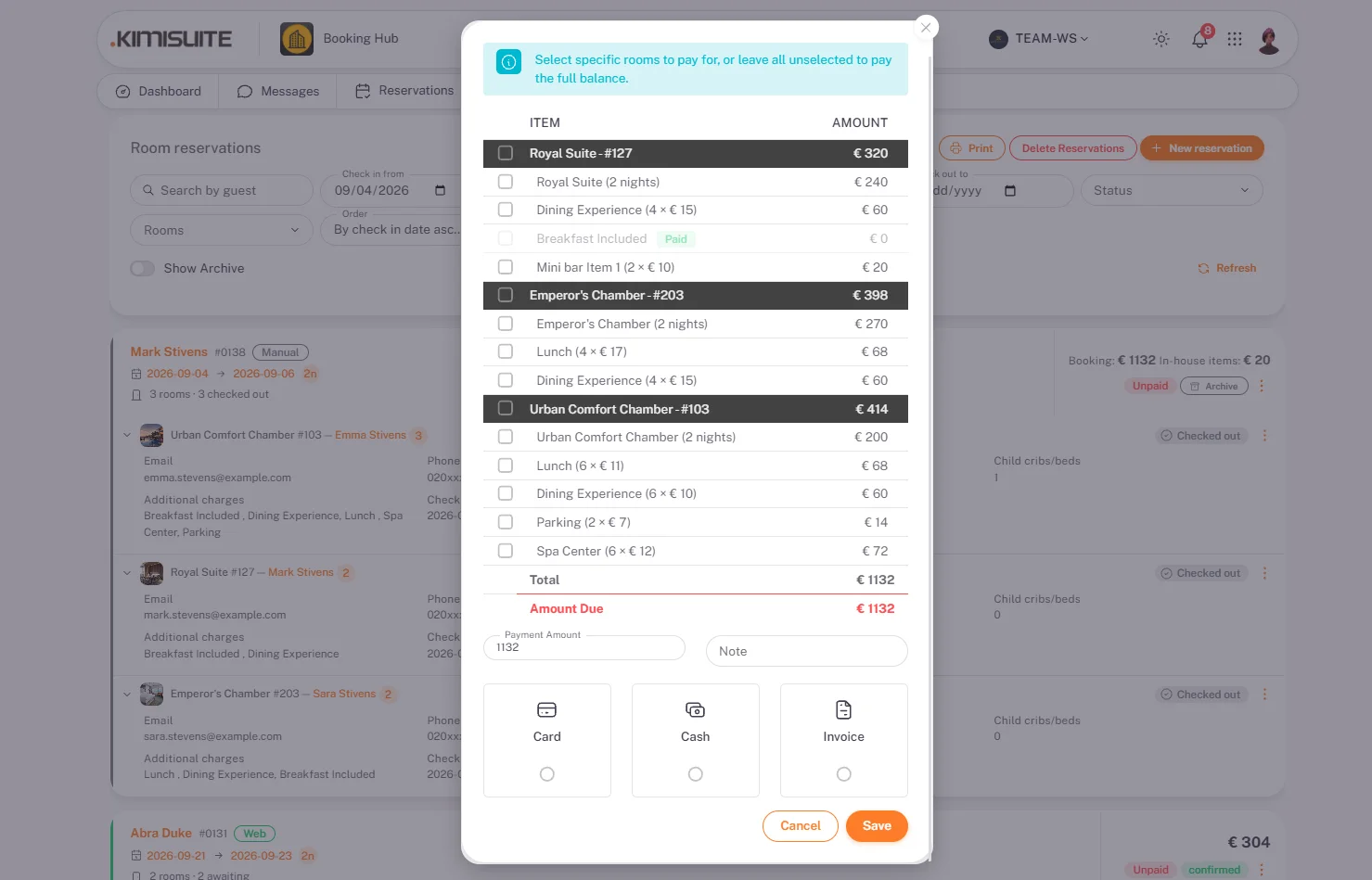
Online through Stripe, including Apple Pay and Google Pay, through PayPal, through Bankart for NLB Bank, or on arrival. You switch on only the methods you want, and the payment extensions cost nothing extra. Want to reward the method that is cheapest for you? Give it a discount the guest sees at checkout. At the desk you record card, cash or invoice, take the full balance or part of it, and see what every booking still owes.

Does it work on my phone?

Yes. Booking Hub runs in any browser on computer, tablet and phone, and the Booking Hub app for Android on Google Play puts today's arrivals and departures, reservations, guest messages and housekeeping in your pocket. With the Housekeeping extension, cleaners work from their own phones in a staff portal, signing in with a PIN or a personal QR code. They need no KIMISUITE account and take no member seat, and their task list keeps working offline.

Which other KIMISUITE apps does it work with?

Mainly CRM Business Hub: one click turns a booking into a customer and a proper invoice, every line with its own VAT rate and a pay-online link. With both apps and the Room Offers extension, you quote rooms to groups and agencies and keep them off sale everywhere until the guest signs. Widget Creator puts the booking widgets on your website, and with the free Telegram extension every new reservation reaches your phone as a message.

Ready to See It in Action?

Discover how KIMISUITE connects growth, automation and AI into one unified system.

from €24.90/moper workspace Cancel anytime · No long-term contract · 14 days free