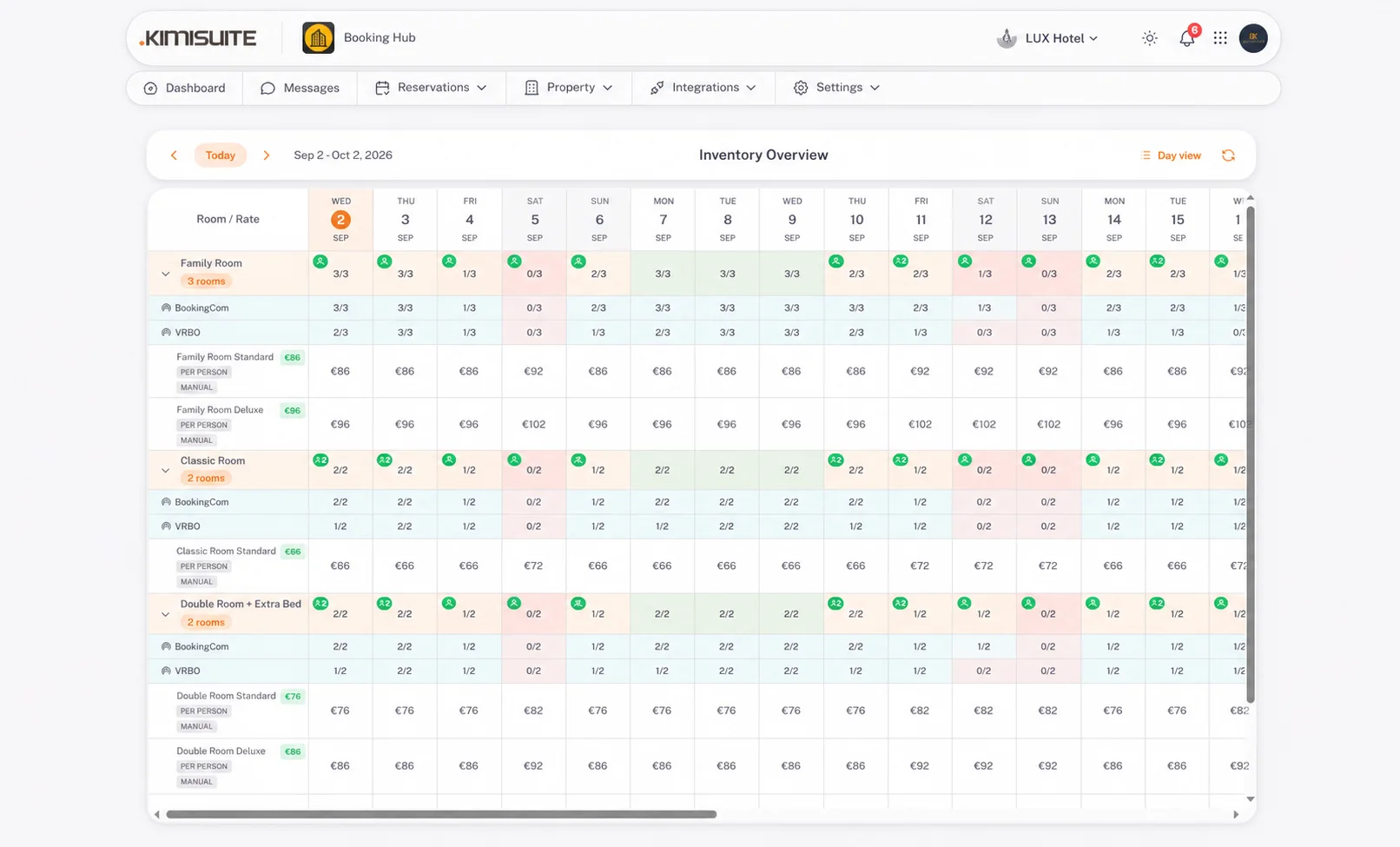
Booking Overview
A month of rooms against dates, at a glance
 Booking Hub
A booking engine on your own website, under your own name. What comes through it carries no channel commission, and every booking lands in Booking Hub next to the rest.
Four widgets from the free Widget Creator put it on any page: a search, a room slider, a room listing and the Concierge, an AI chat that answers guests from your rooms, prices and availability. Guests then book on one page, with the price visible all the way. No website yet? The free landing page on kimistay.com is a complete booking site on its own.
No channel commission on bookings from your own website
Four widgets for any website, including an AI concierge that answers guests
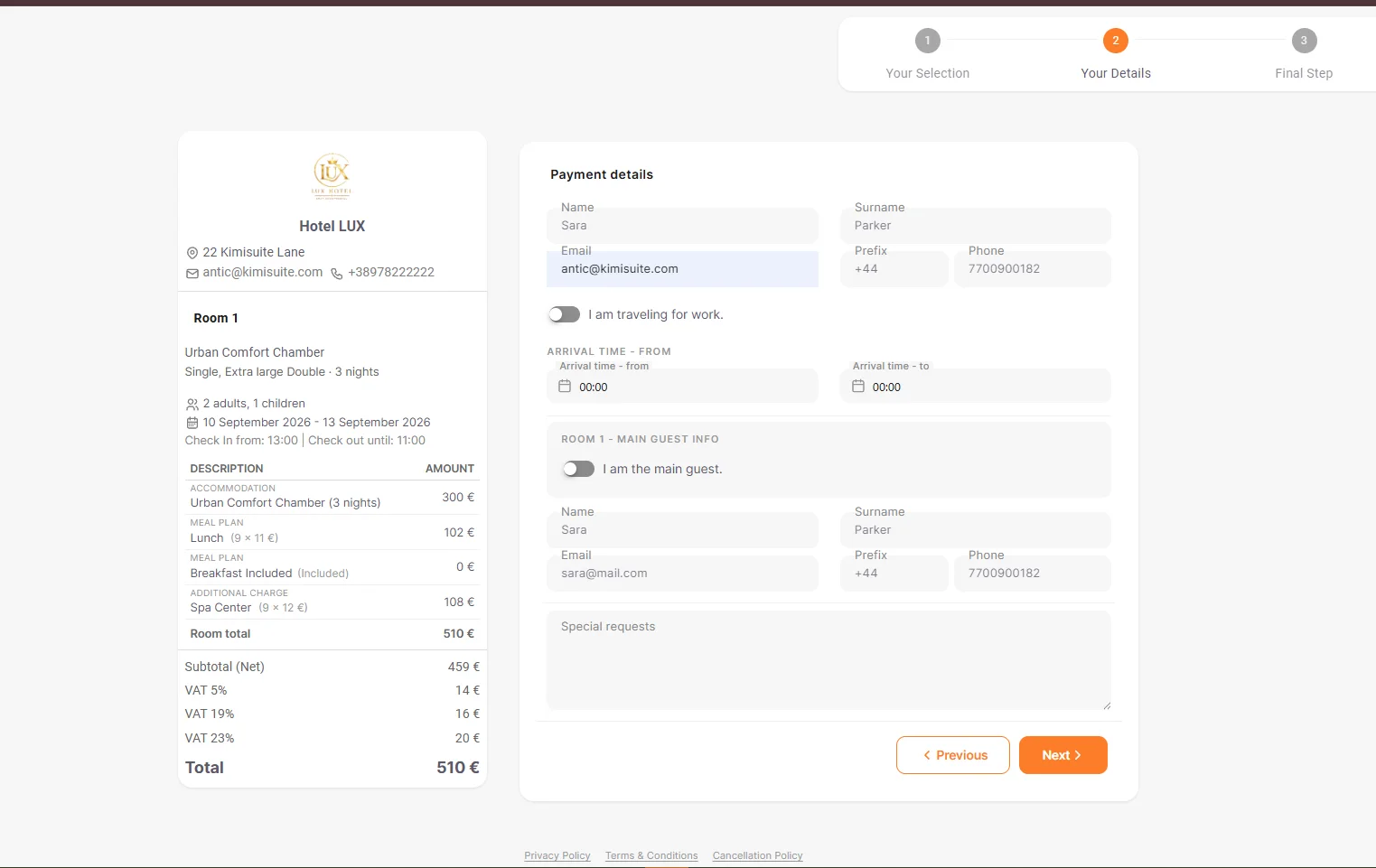
Guest details and payment on one page, with the room held while the guest books
Pay on arrival, PayPal, Stripe and Bankart in selected countries, all free to switch on
One page, with the price visible throughout
Guests enter their details and choose how to pay on one page, with the room held for them while they book. A live price summary shows every night, meal and extra with the net and tax split, so nothing appears at the end that was not visible from the start.
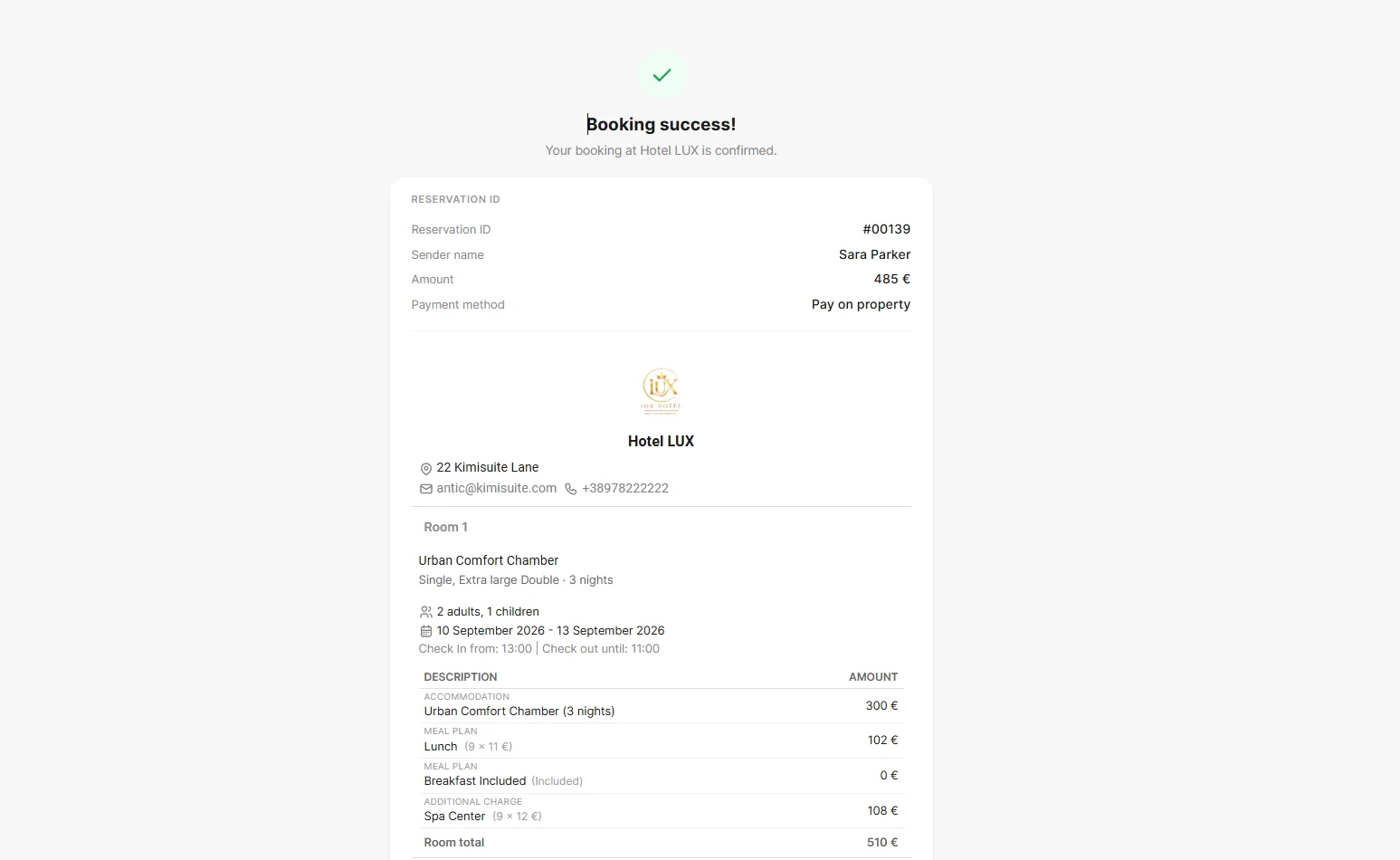
A page, an email, and a receipt
A success page and an automatic email with the full breakdown, a downloadable receipt and the guest's access code for their booking page.
A complete booking page, free
Your own address on kimistay.com with your branding — logo, fonts, colours, images and text. For a property without a website it is the website.
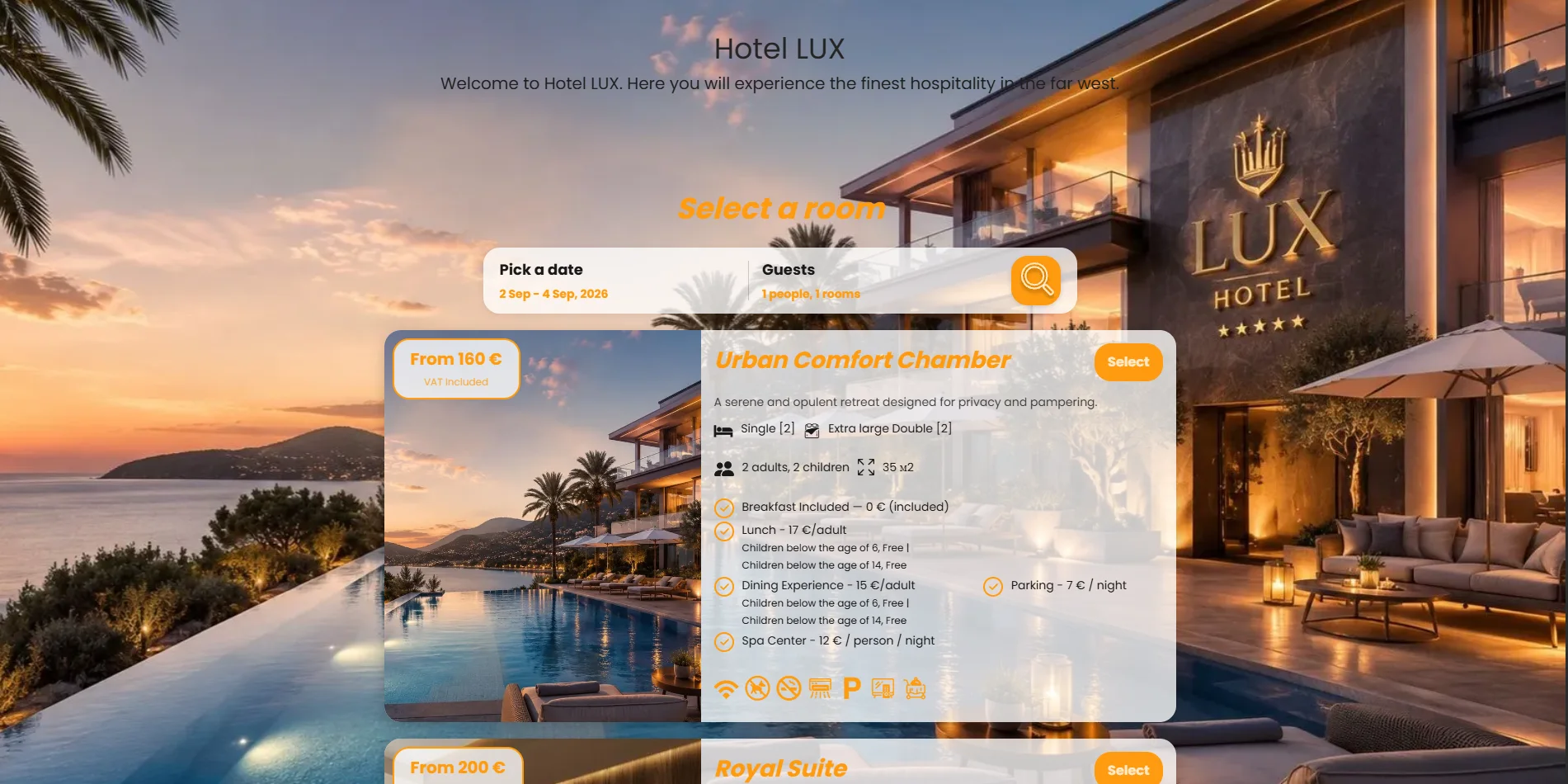
Search, slider, listing and an AI concierge
Search, Slider and Listing put your rooms on any page, and the Concierge answers guests' questions from your rooms, prices and availability and leads them into the booking. You build them in the free Widget Creator; the Concierge uses the AI credits included in your plan.
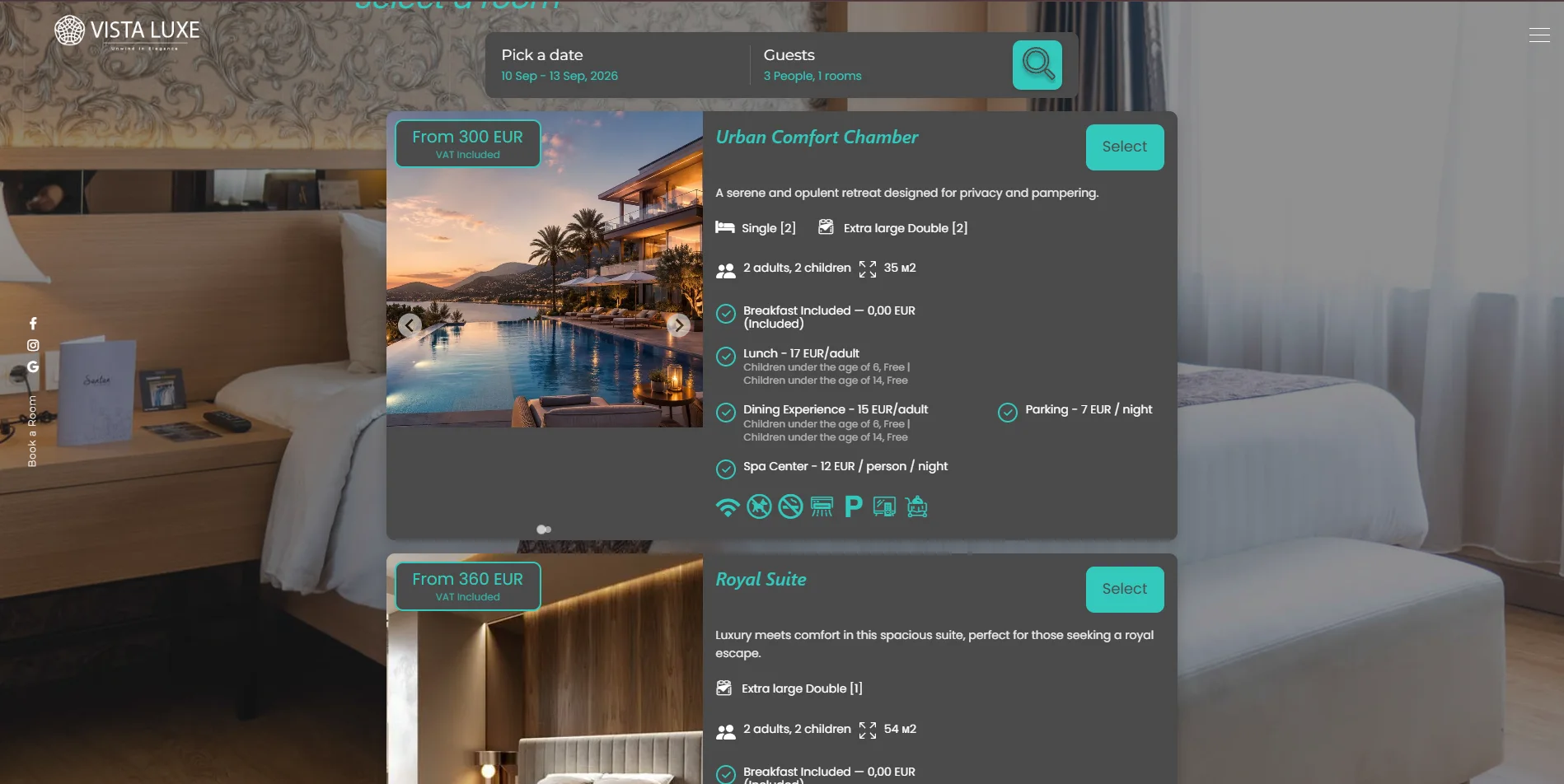
Your price, and roughly what it is in theirs
Show your prices in a second currency next to your own on the landing page, the widgets and the checkout, so guests see at a glance what a night costs in a currency they know. The rate updates every day or stays at the rate you set, and guests are always charged in your own currency.
You place the Search widget at the top of your homepage. Guests pick their dates, see the rooms that are free and book them on one page.
A guest asks the Concierge whether the family room fits two children. It answers from your room data and leads straight into the booking.
You switch on the free landing page on kimistay.com with your logo and colours. It is your booking site, and the QR code goes on your flyer.
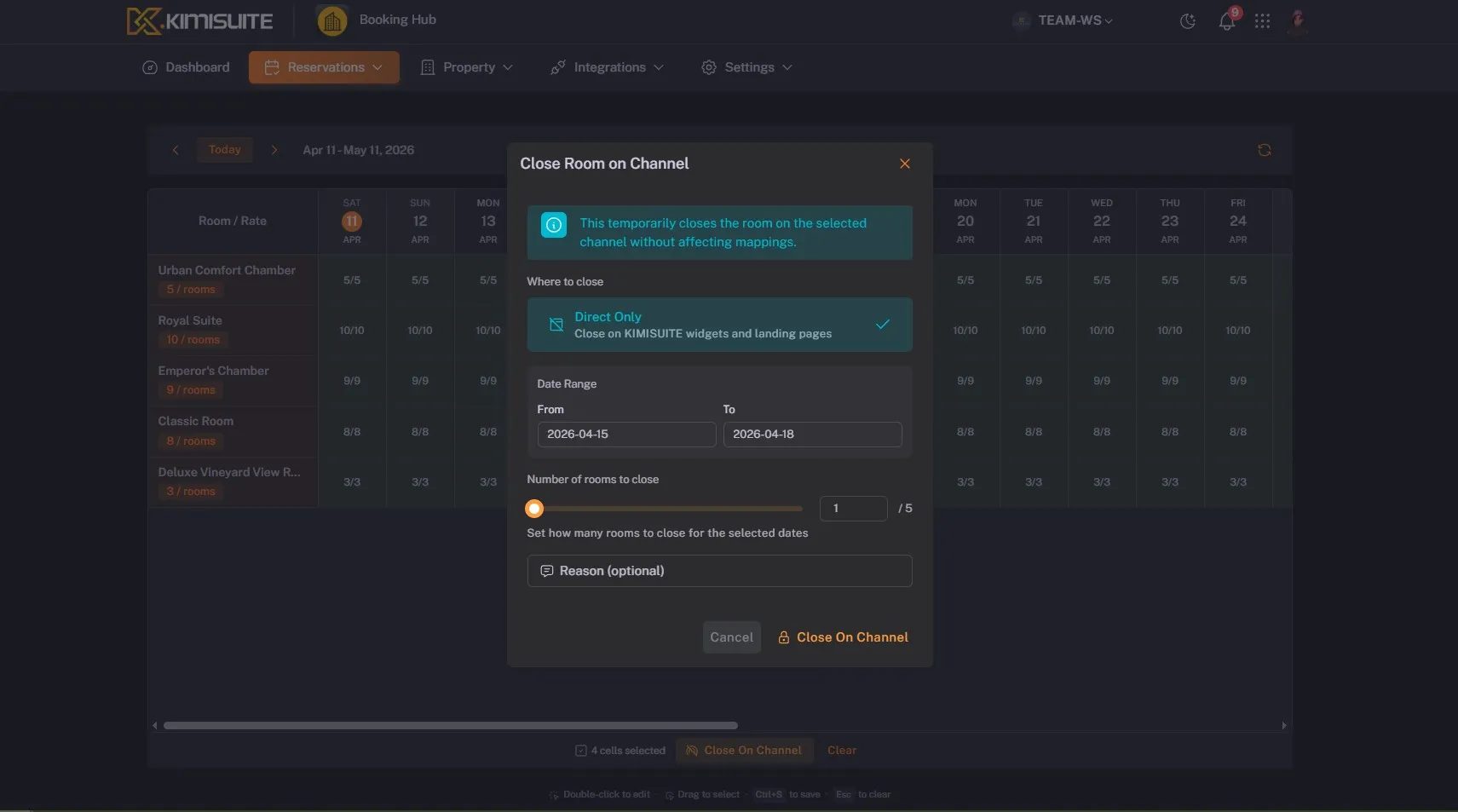
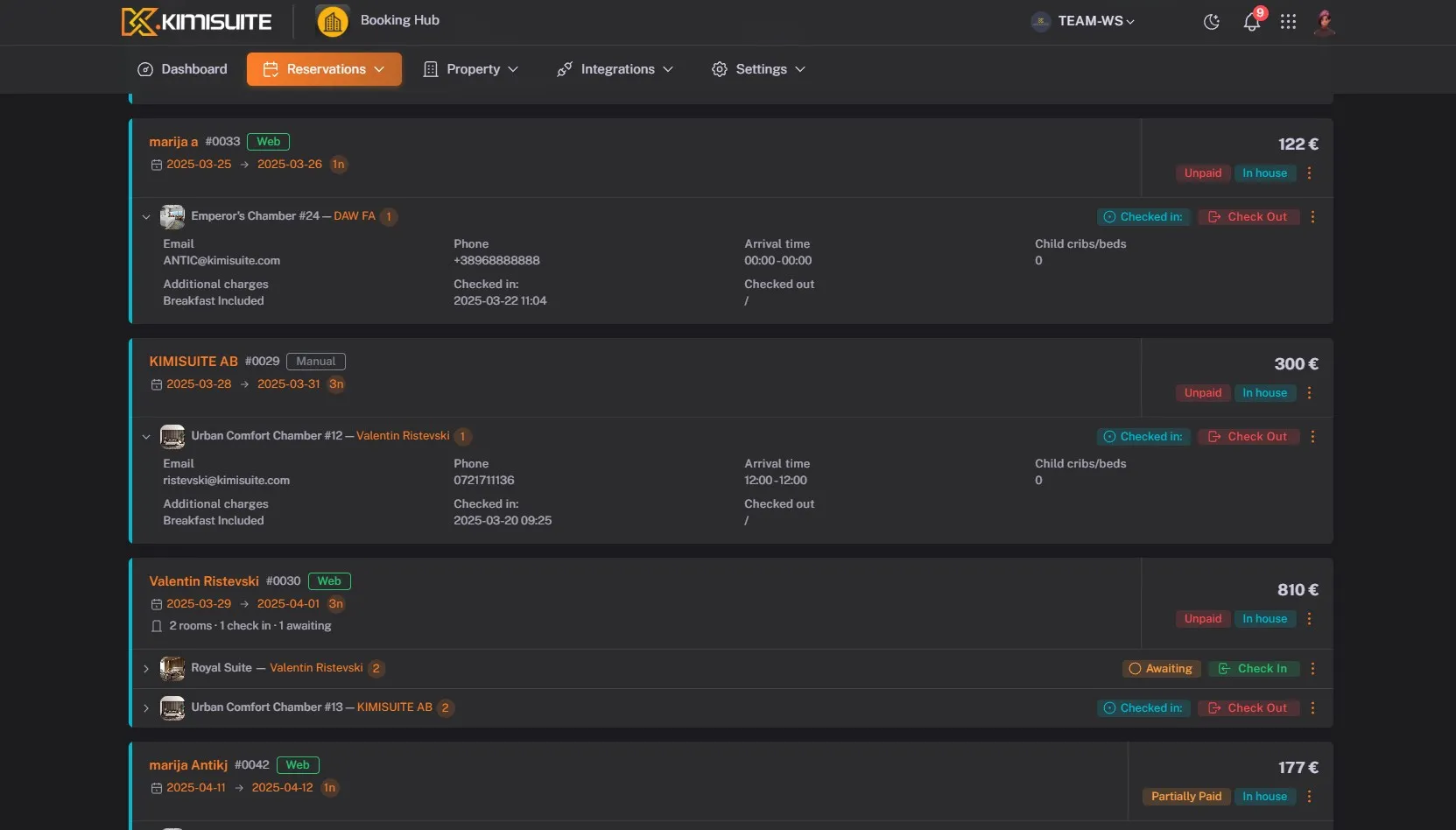
A month of rooms against dates, at a glance
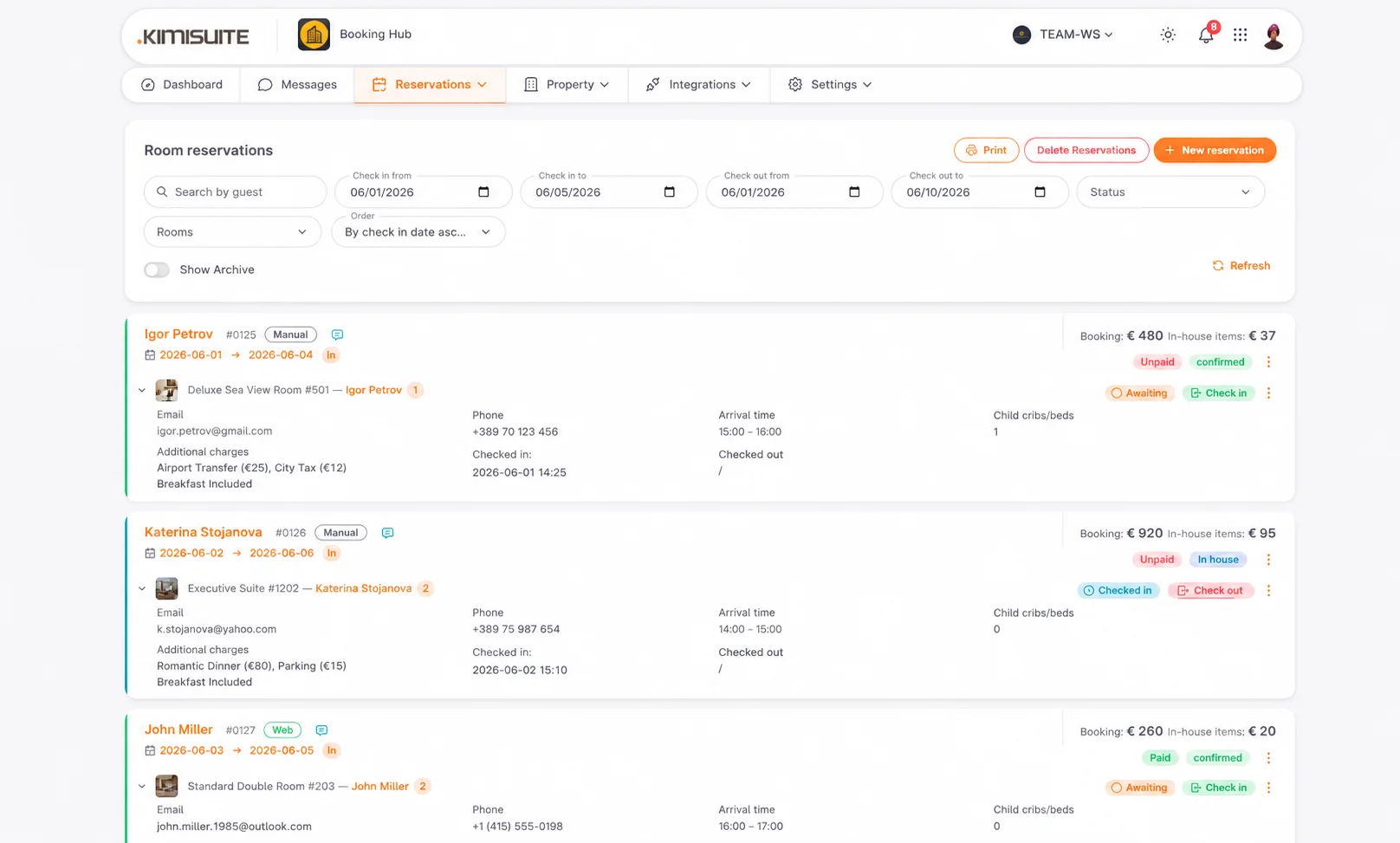
Every booking in one list, wherever it came from
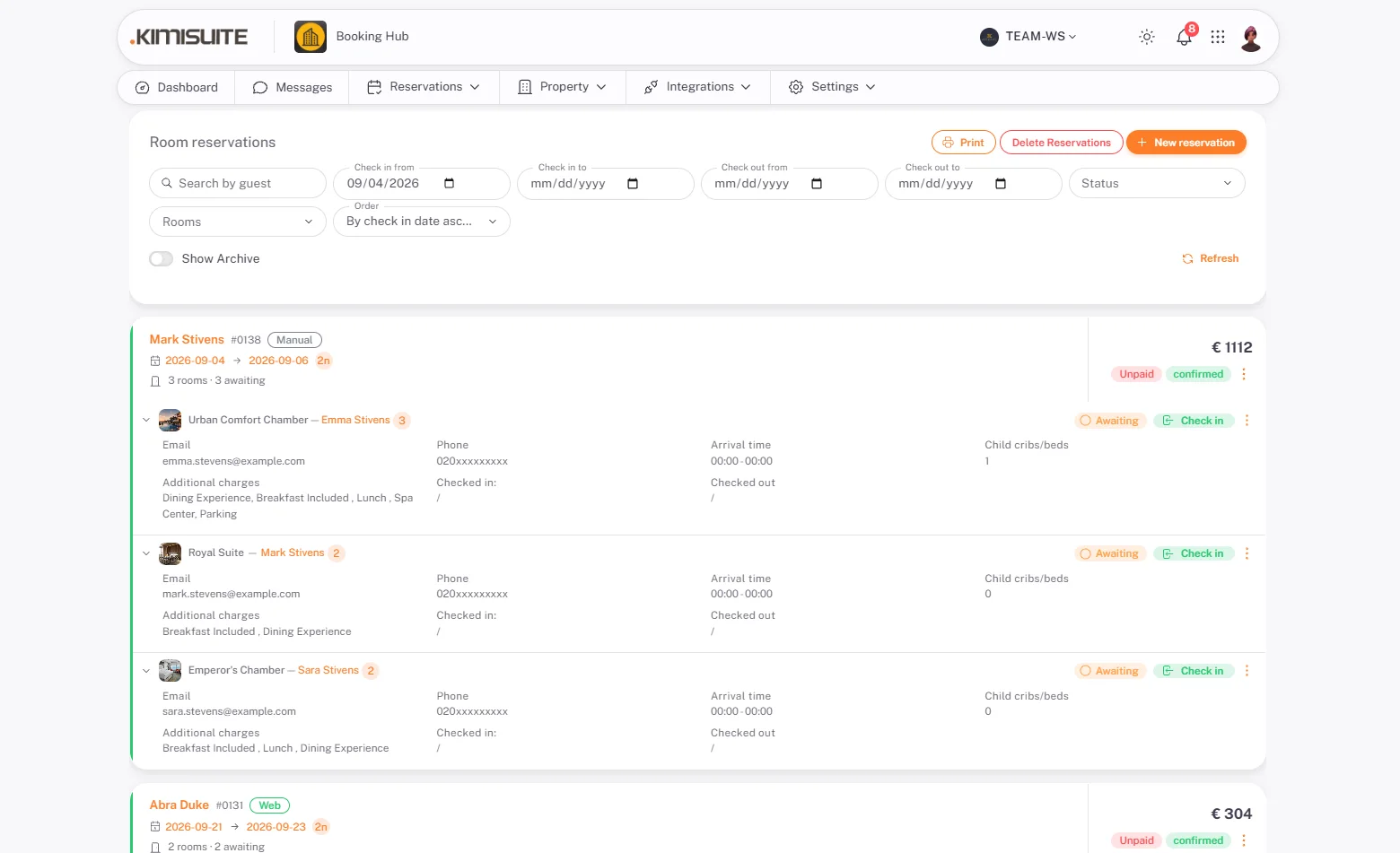
Several rooms, one reference, one bill
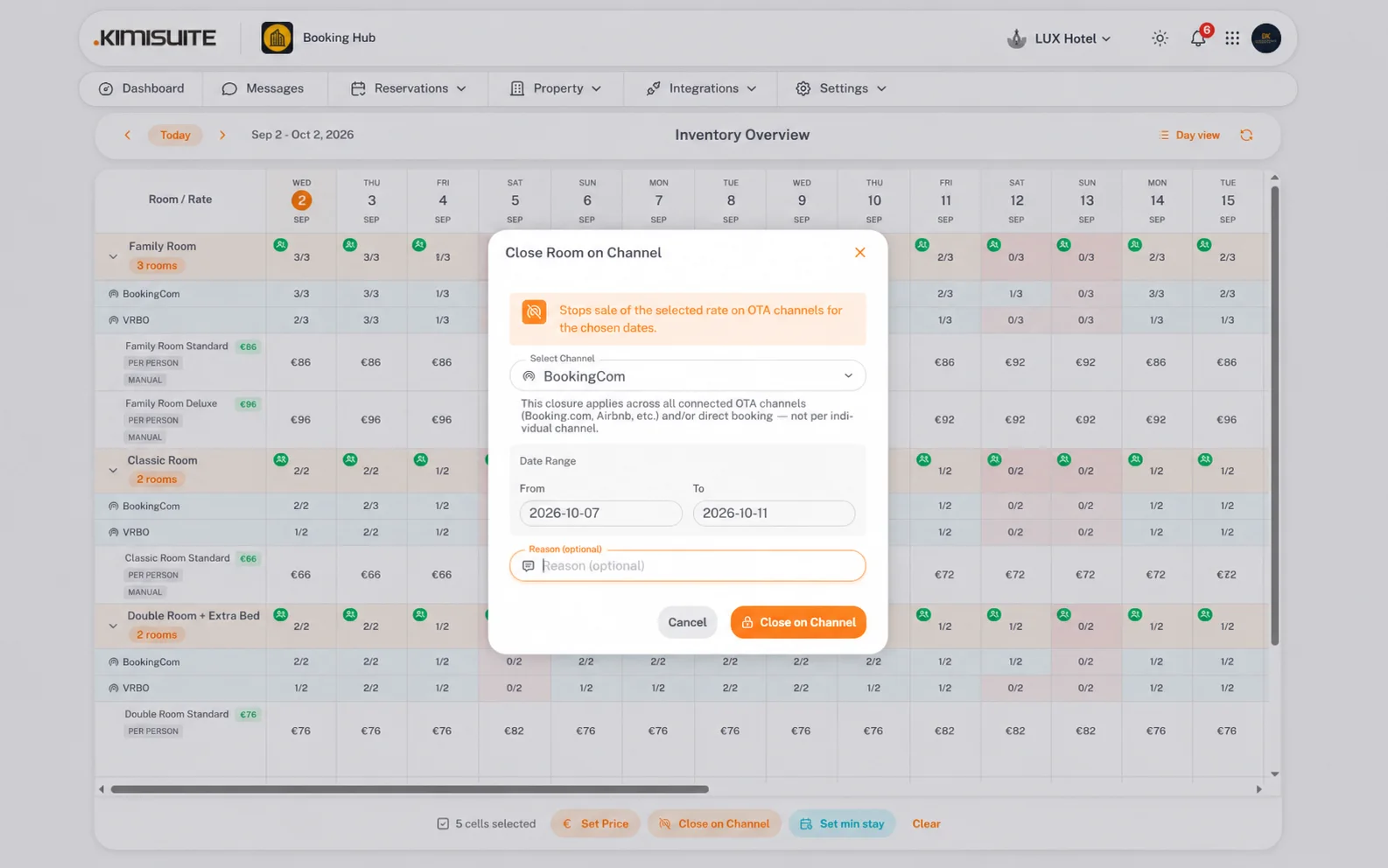
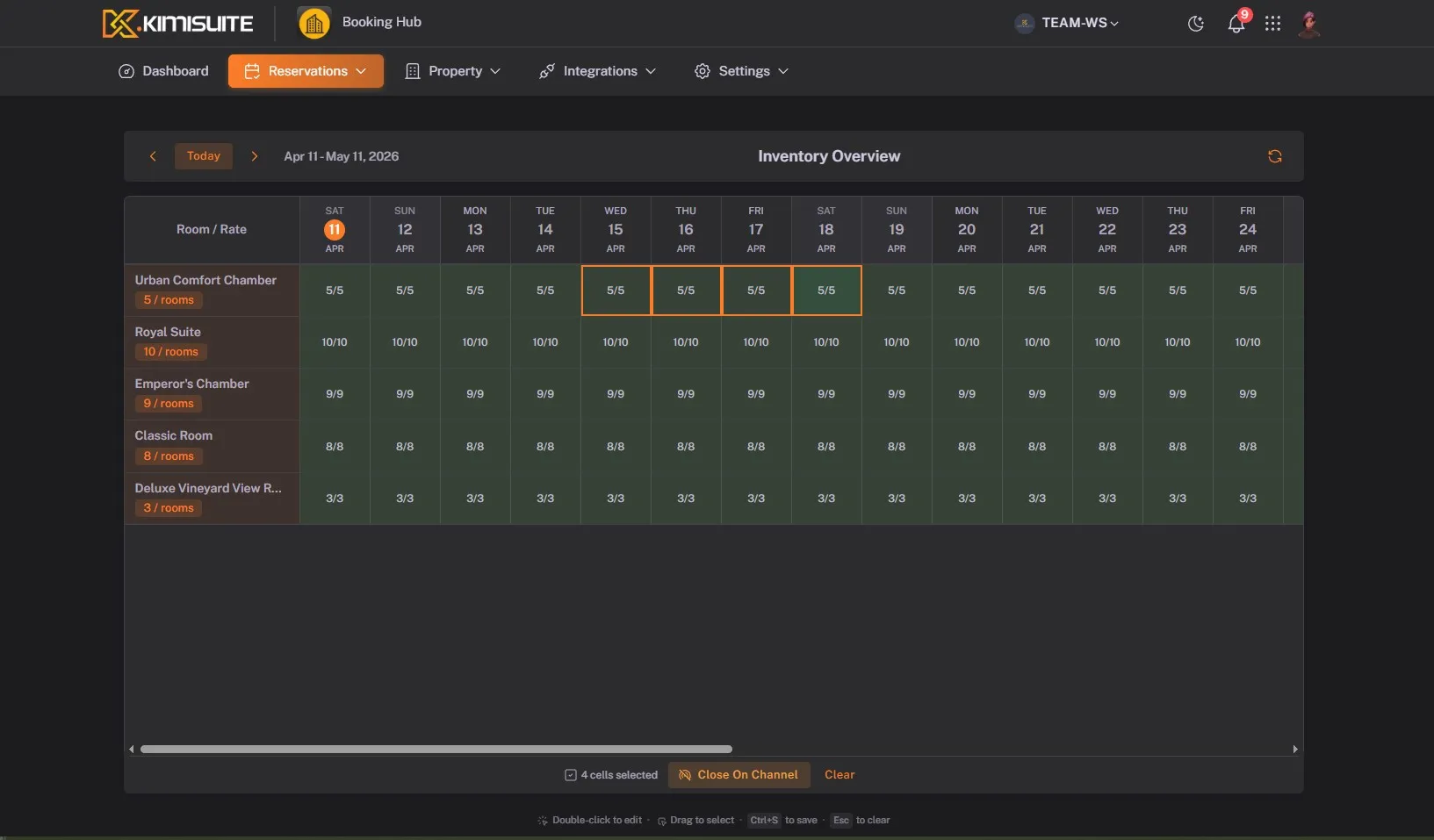
One inventory, every channel, in real time
Discount codes that bring guests to your own site
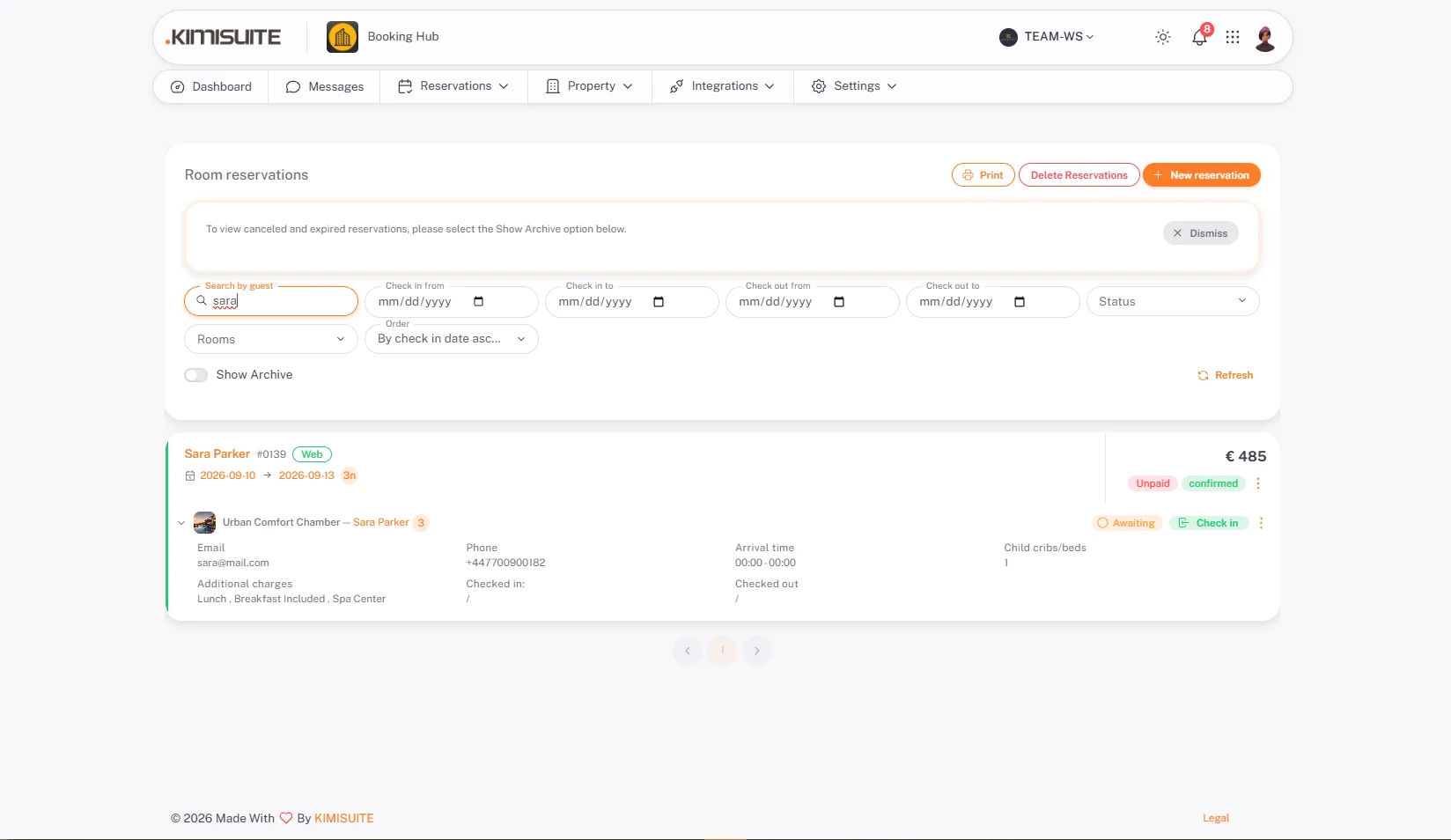
The guest file, and the message thread with it
Build them in the free Widget Creator: pick a widget, set your colours and language, copy the code and paste it into any page that accepts HTML, such as WordPress, Wix or a static site.
Pay on arrival, PayPal, Stripe and, in selected countries, Bankart. All payment extensions are free, guests see only the ones you switch on, and you can offer a discount for the method you prefer.
It answers guests' questions from your rooms, prices and availability and leads them into the booking. It uses the AI credits included in your plan.
Yes. Every booking from your website takes availability from the same inventory as your OTAs, so the room closes on every connected channel straight away.
Yes. Switch on a second currency and your landing page, widgets and checkout show an approximate price in it next to your own. Guests are always charged in your currency.
14 days free, cancel anytime, no minimum term.

