 Restaurant Hub
Digital menu for cafes and coffee shops, from the first espresso to the last slice
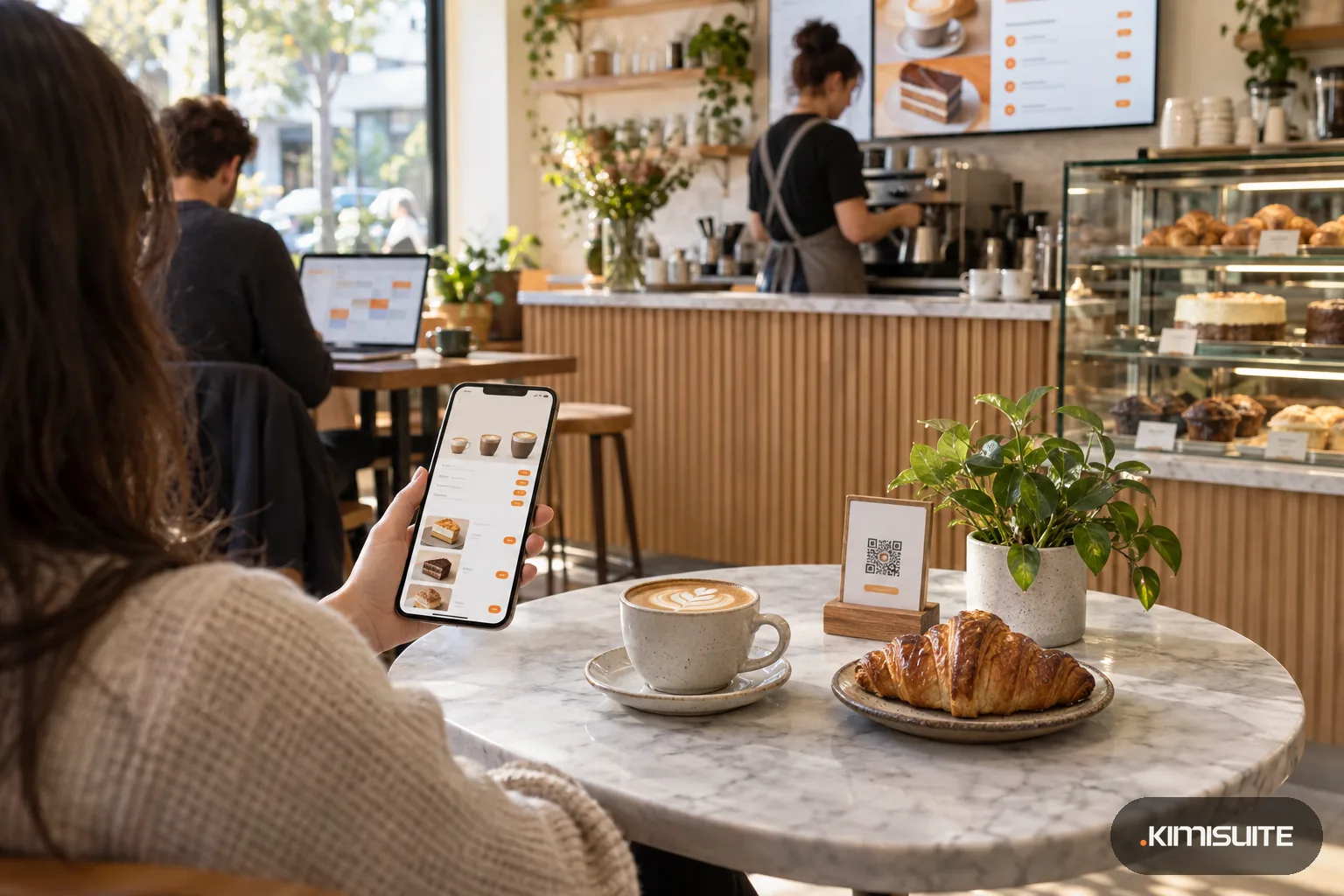
Small, regular and large on one line, the cake photos that sell the slice, and the lemon tart marked sold out the moment the last piece goes. One QR code on the table, always the menu of today.
- Cancel anytime
- No long-term contract
- 14 days free
What it looks like in practice
07:00, opening: the oat milk price went up
Your supplier raised prices overnight. You change the oat milk surcharge line before the first commuter arrives, and every QR code in the cafe already shows the new price.
11:00: breakfast ends, lunch begins
The lunch list with today's soup and the sandwich of the day is set for weekdays only. Regulars check it on their phone before they walk over from the office.
14:30: the last slice of lemon tart
You mark it sold out in two taps. It stays on the menu as sold out, so guests see it is a regular, and tomorrow you switch it back on.
Saturday: brunch requests come in
Guests ask for a table for six through the booking widget on your website. You confirm it from the list, and the table plan shows who sits where at eleven.
A digital menu for cafes has to handle what a cafe actually sells: one drink in three cup sizes, milk alternatives, a cake counter that changes every afternoon and a lunch list that only runs on weekdays. Restaurant Hub lets you enter each item once, priced for every size, with a photo and its allergens, and turns it into a QR menu your guests open on their phone. Choose the Bistro template for a warm cream tone, or Gallery for big cake photos, and print the QR code for table stickers, the counter and the window.
Cafes run on small changes. A cake runs out, the soup changes, the pastry chef has a new idea on Friday. Mark items sold out or disable them in a tap, and set daily offers with the weekdays they run, so Tuesday's quiche never shows on Wednesday. If your coffee shop has a website, the menu widget puts the same menu on it and changes with it. There is no ordering in Restaurant Hub: guests read the menu and order at the counter or from your staff, as they do today.
What you get
Cup sizes on one line
Create a size set such as Small, Regular, Large, with up to ten characters per label, and give every drink a price per size. Guests see all three at a glance.
Cake photos that sell the slice
Use your own photos, pick from 123 licensed images for categories, including desserts and drinks, or add the AI image generator as an add-on for dish photos.
Sold out in two taps
Sold out keeps the cake on the menu marked as gone; disabled takes it off until you need it again. The dashboard counts both.
Lunch lists by weekday
Build an offer list with a validity period and choose the weekdays for each item: soup Monday to Friday, quiche on Tuesday and Thursday. Part of the Professional plan.
A digital menu for cafes behind one QR code
Download the code as PDF, PNG or JPG for tables, counter and window. It always opens the live menu, so a new cake never means a new sticker.
Five menu designs to match your interior
Original, Gallery, Elegant, Minimal and Bistro, with fonts, eight color palettes and a readability check that shows the contrast of your colors.
Put your coffee list on a QR code
Open Restaurant Hub, set up Small, Regular and Large for your coffees, add today's cakes with photos and print the code. Your first guests can scan it this afternoon.
What a cafe menu costs to keep current
Setting the price of a new drink? The menu price calculator works it out from your cost and the margin you need.
- A price change
- paper: reprint menus and table cards; Restaurant Hub: change it once, every QR code shows it
- A cake runs out
- mark it sold out in two taps, no crossing out on the board
- Website menu
- the menu widget shows the same menu and follows every change
- Your staff
- your baristas share one workspace; you pay per workspace, not per person behind the counter
How to get started
Run the setup
Add Restaurant Hub to your KIMISUITE workspace. The setup asks for language, cafe profile with logo and currency, then your opening hours and first category.
Enter drinks and cakes
Create a Drinks category with a size set and a Food category for cakes and breakfast. Add each item once with sizes, prices, photo and allergens.
Choose the look
Pick Bistro, Gallery or another template, set your font and colors, and check the live preview in the phone frame before you save.
Print the QR code
Download the code and put it on tables, the counter and the window. Change the menu whenever you like; the code stays the same.
Pricing
Restaurant Hub starts at a fixed monthly price (see pricing) for your cafe's workspace. Every plan has the QR menu with cup sizes, allergens, languages and currencies, the website menu widget and table requests for brunch.
Weekday lunch lists, promotions and your own menu address come with Professional; the printable menu and the AI menu assistant with Enterprise. AI photos for dishes without one are an add-on.
Is it the right fit?
A good fit if
- Independent cafes and coffee shops with drinks in several cup sizes
- Bakery cafes whose cake and pastry counter changes during the day
- Brunch cafes that want table requests from their website
- Cafes with a weekly lunch list that runs on fixed weekdays
Not the right fit if
- Coffee shops that want guests to order and pay from the QR menu; Restaurant Hub shows the menu, online orders run through Gastro POS Hub
- Cafes looking for loyalty stamps, vouchers or discount codes
- Bakeries that need a menu for wholesale or pre-orders
- Cafes that want prices converted automatically into a second currency; each currency price is entered by hand
Frequently asked questions
What makes a digital menu for cafes different from a PDF?
Can I show milk alternatives or extra shots?
Can guests order coffee from the QR menu?
Can I mark which cakes are vegan or gluten-free?
What do guests see on a laptop?
Can the cafe menu appear on our website too?
Can I put the menu on a TV above the counter?
Read next
- Related solutionsDigital drink menu for bars, pubs and wine barsGlass or bottle, half pint or pint, the new autumn cocktails with photos, and a menu that stays readable when the lights go down. Change it behind the bar, and every QR code shows it at once.
- Related solutionsBakery and café website builder for the shop that opens at sixGet a warm, fast website that tells people what you bake, when you are open and how to order the birthday cake. trettly writes it from your answers, you change it between two batches.
- Related solutionsAllergen menu for restaurants that stays right when the recipe changesThe allergen folder behind the bar is out of date the day the chef swaps the dressing. Keep allergens on the dish itself, and every menu your guests read shows the same, current marks.
- From the blogYour QR Menu Is Probably a PDF. That Is the Problem.Scan your own code and watch what happens: an A4 page opens on a phone screen, and the guest pinches and drags their way to the starters. Th...
- From the blogYour Menu on Any Website: Why a Widget Beats a PDF LinkA PDF menu on the website is outdated the day a price changes. A menu widget shows the live menu inside your own page, in your font and lang...
Ready when you are
Set it up in your own workspace and see how it works with your data.
- Cancel anytime
- No long-term contract
- 14 days free
