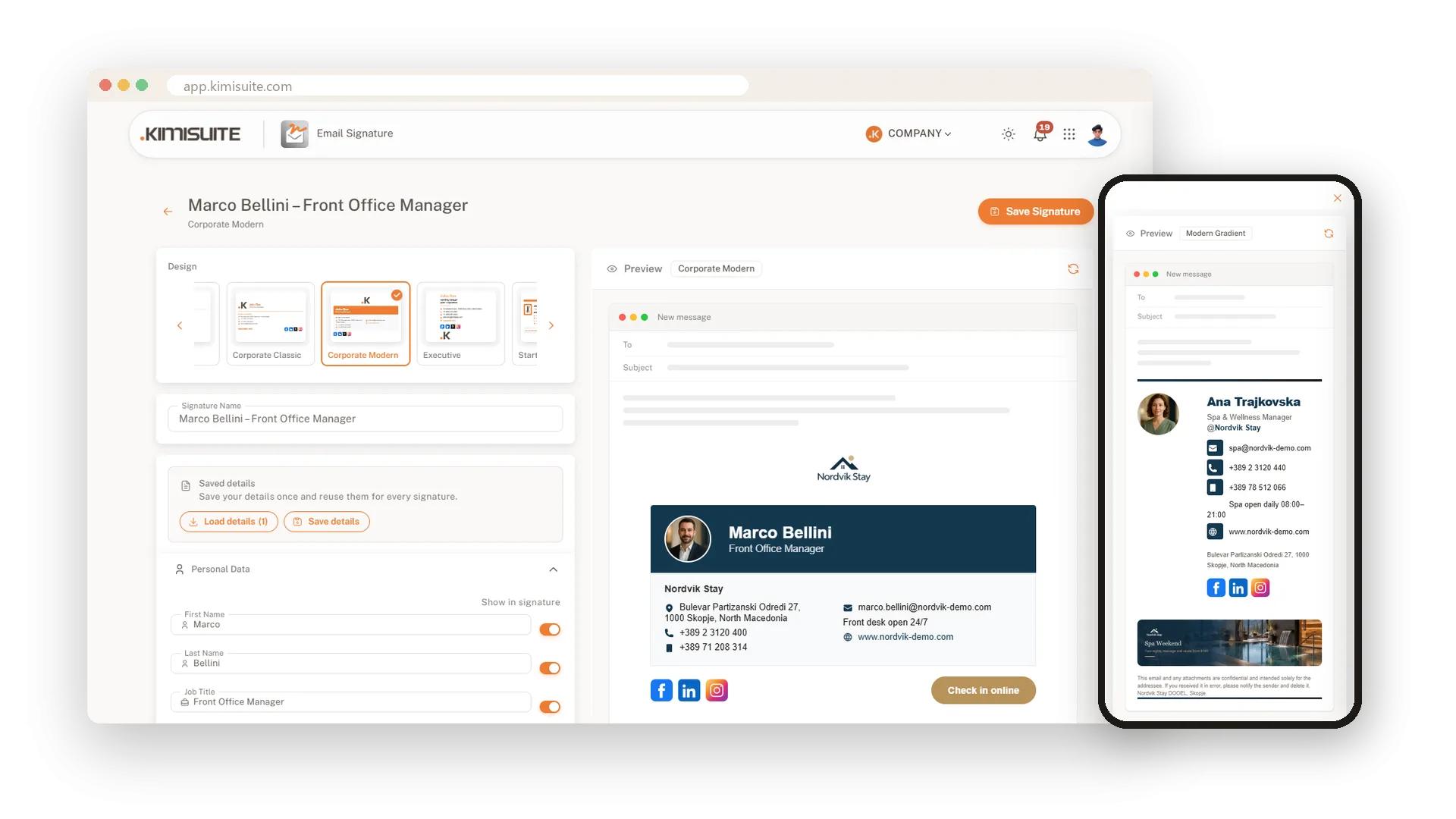

An email signature that looks like your business.
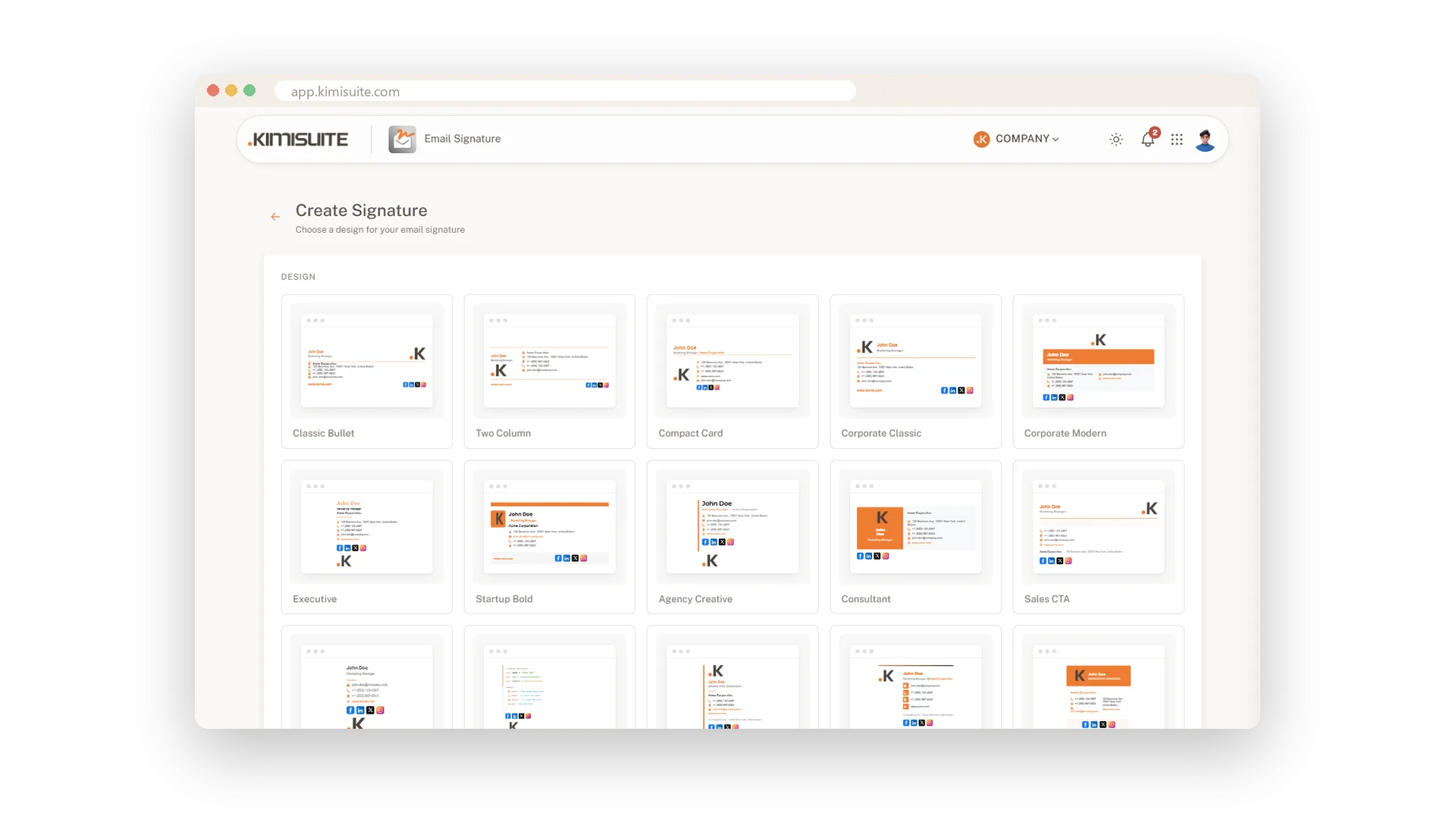
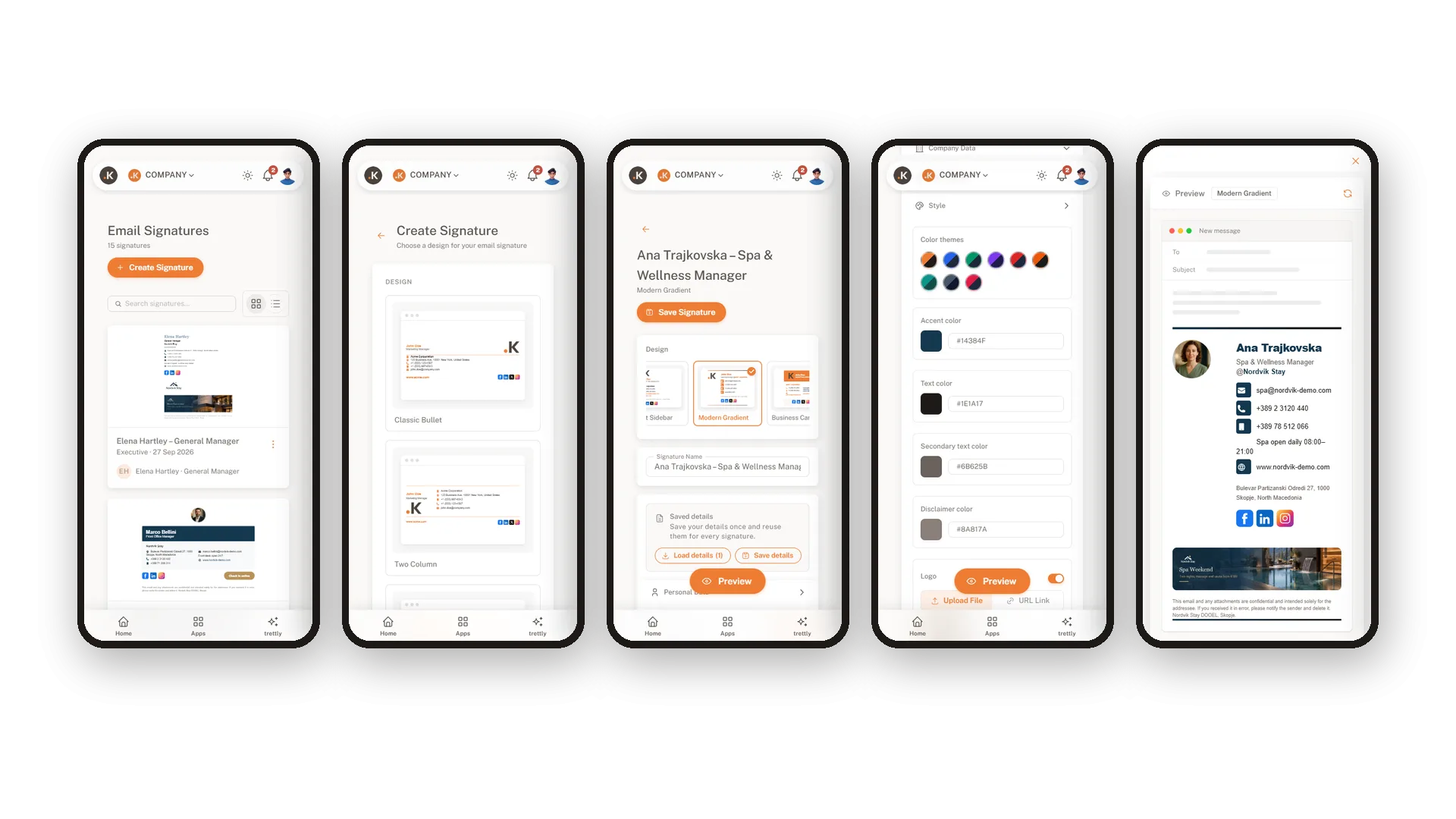
Pick one of 15 designs, add your photo and your logo, your colours and your social links, and watch it take shape in a live preview. Promote your offer with a banner under every email. Copy it into Gmail, Outlook or Apple Mail with one click.
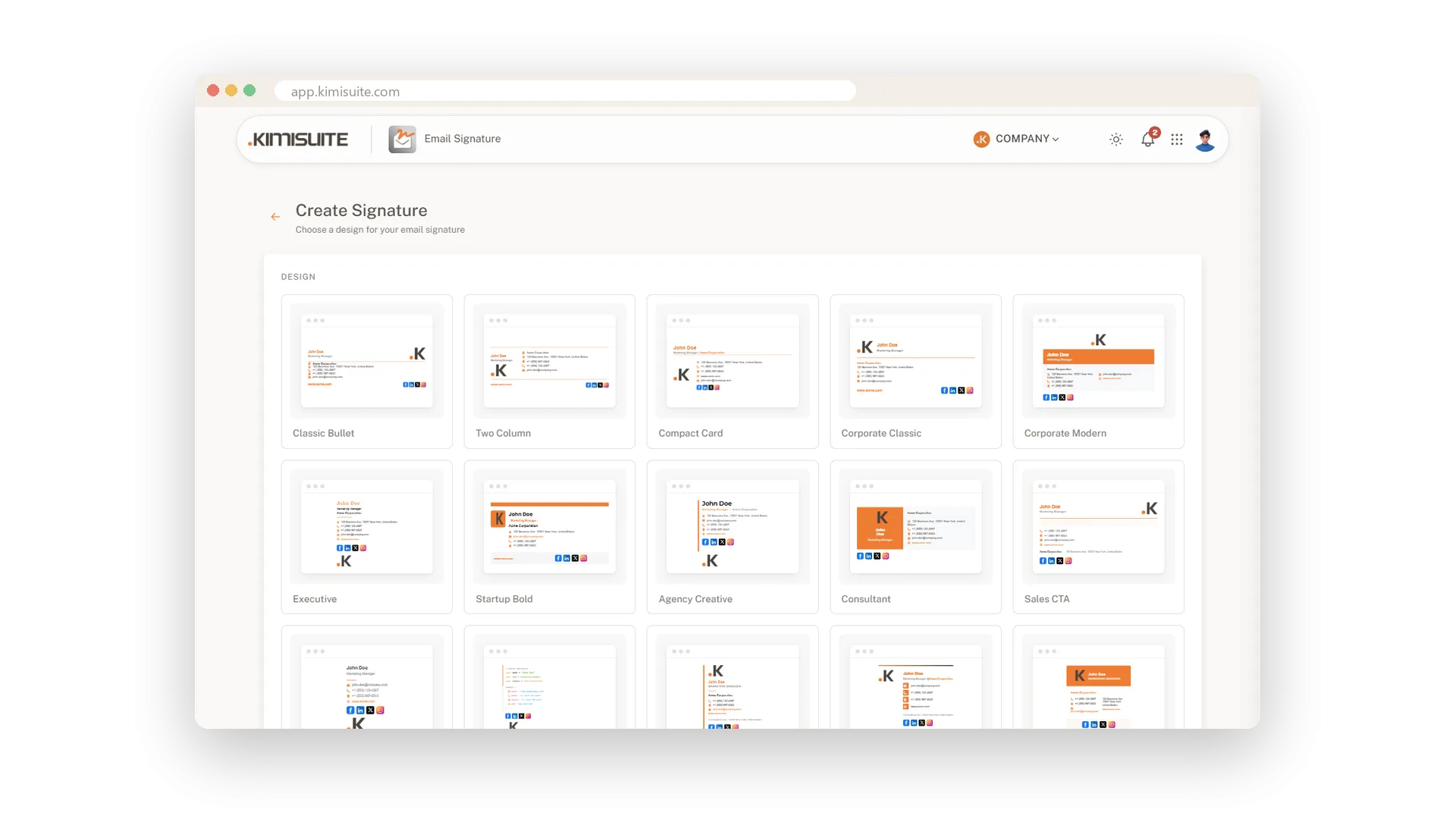
A finished signature in a few minutes
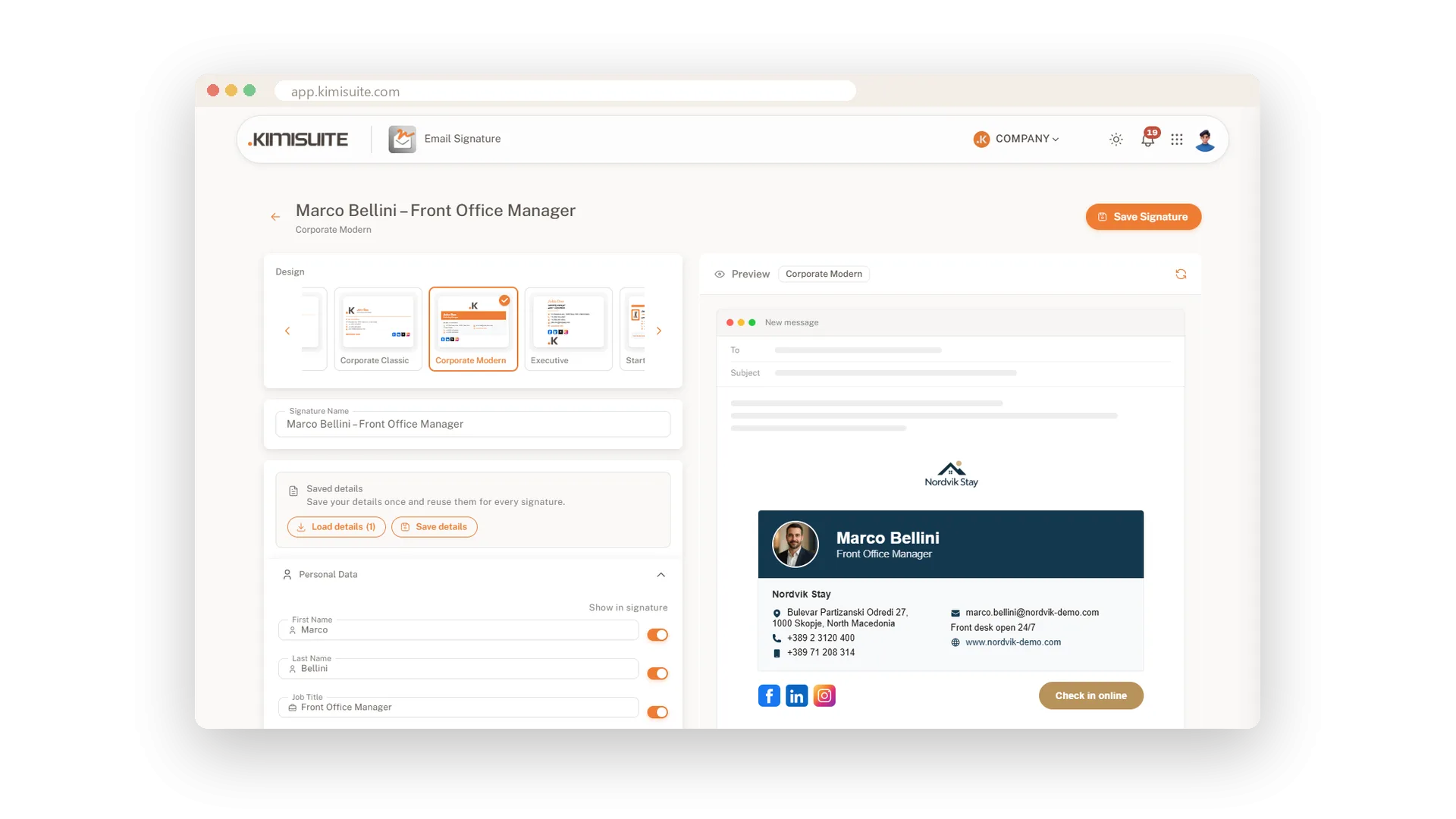
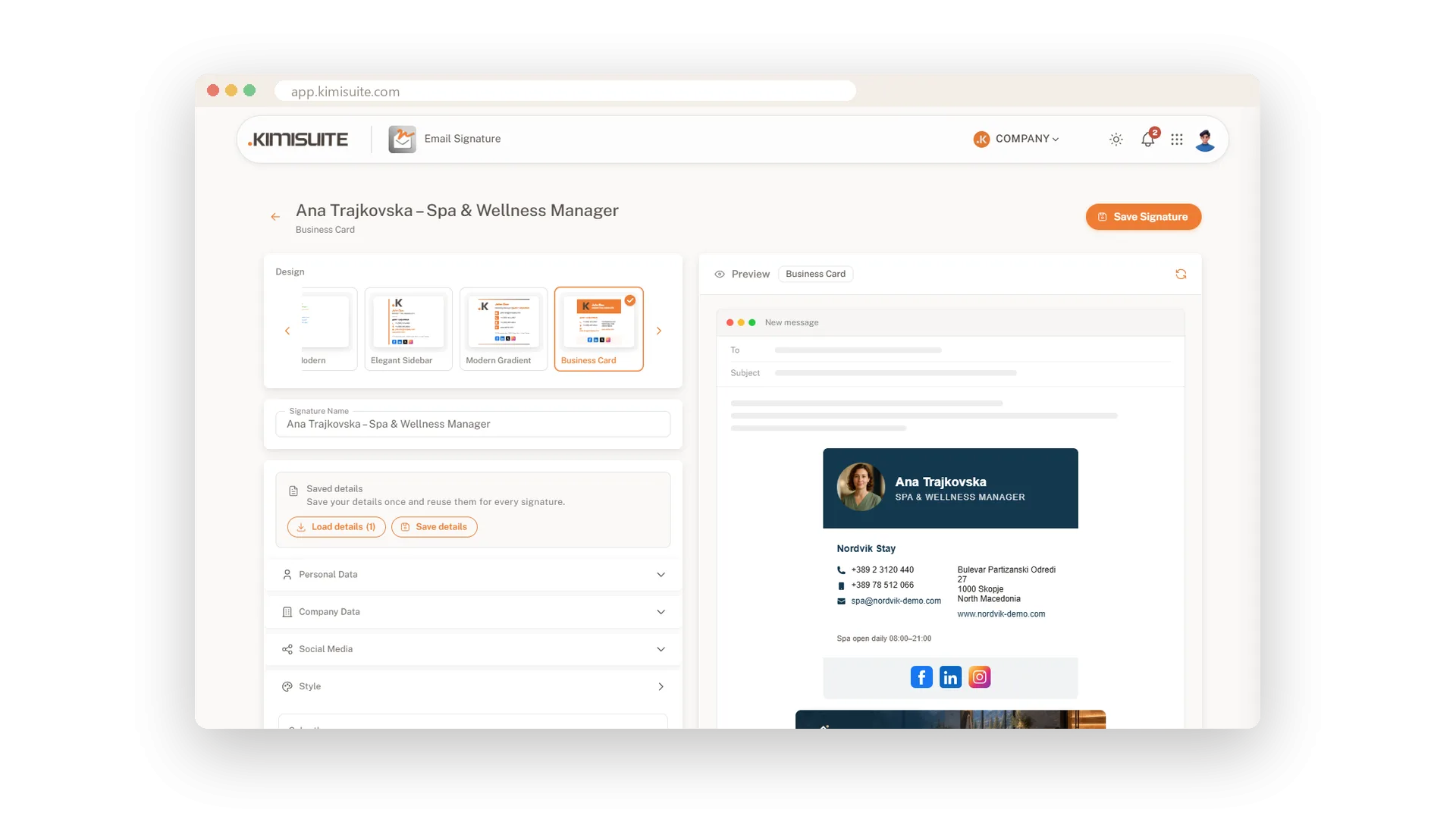
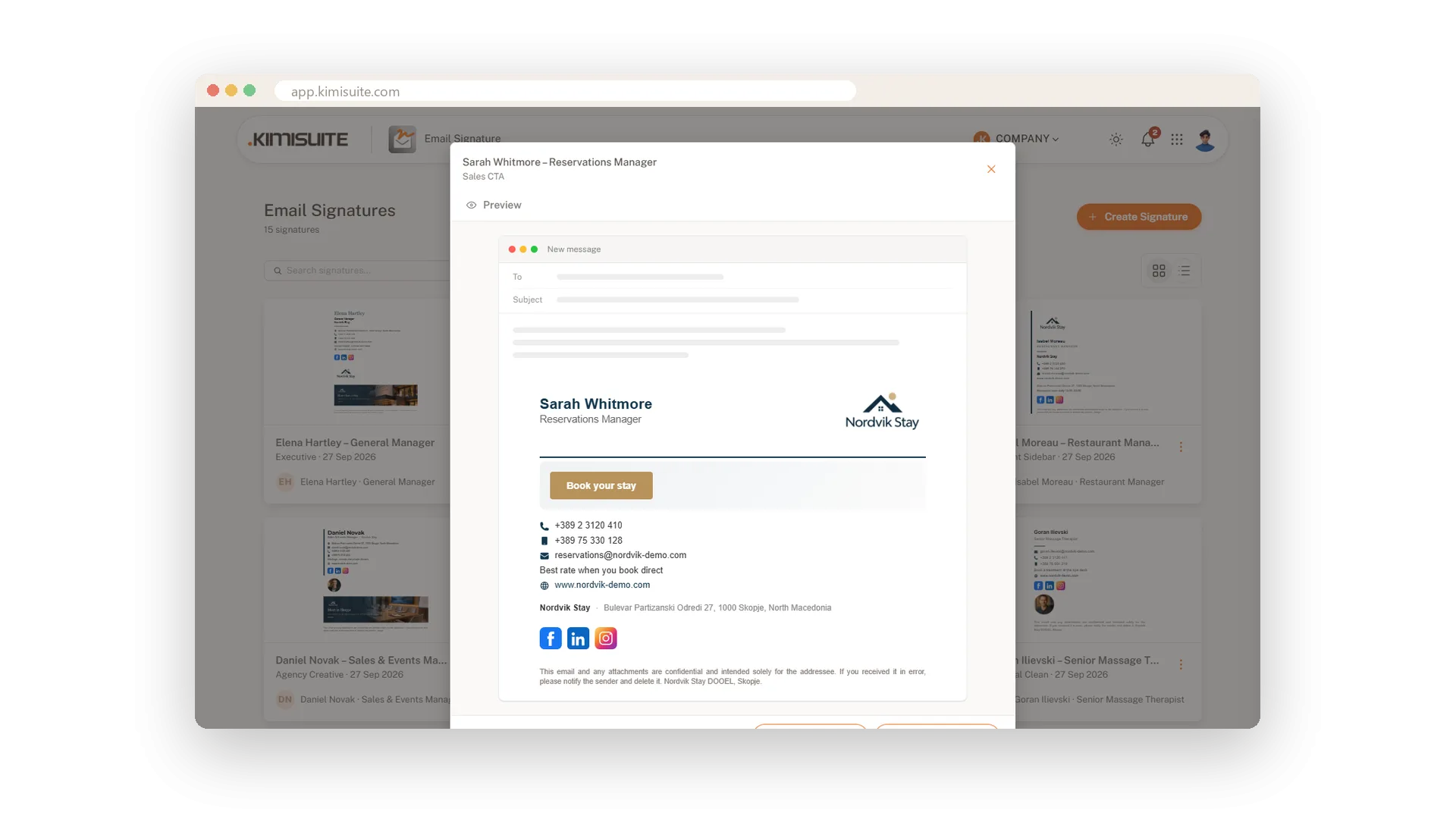
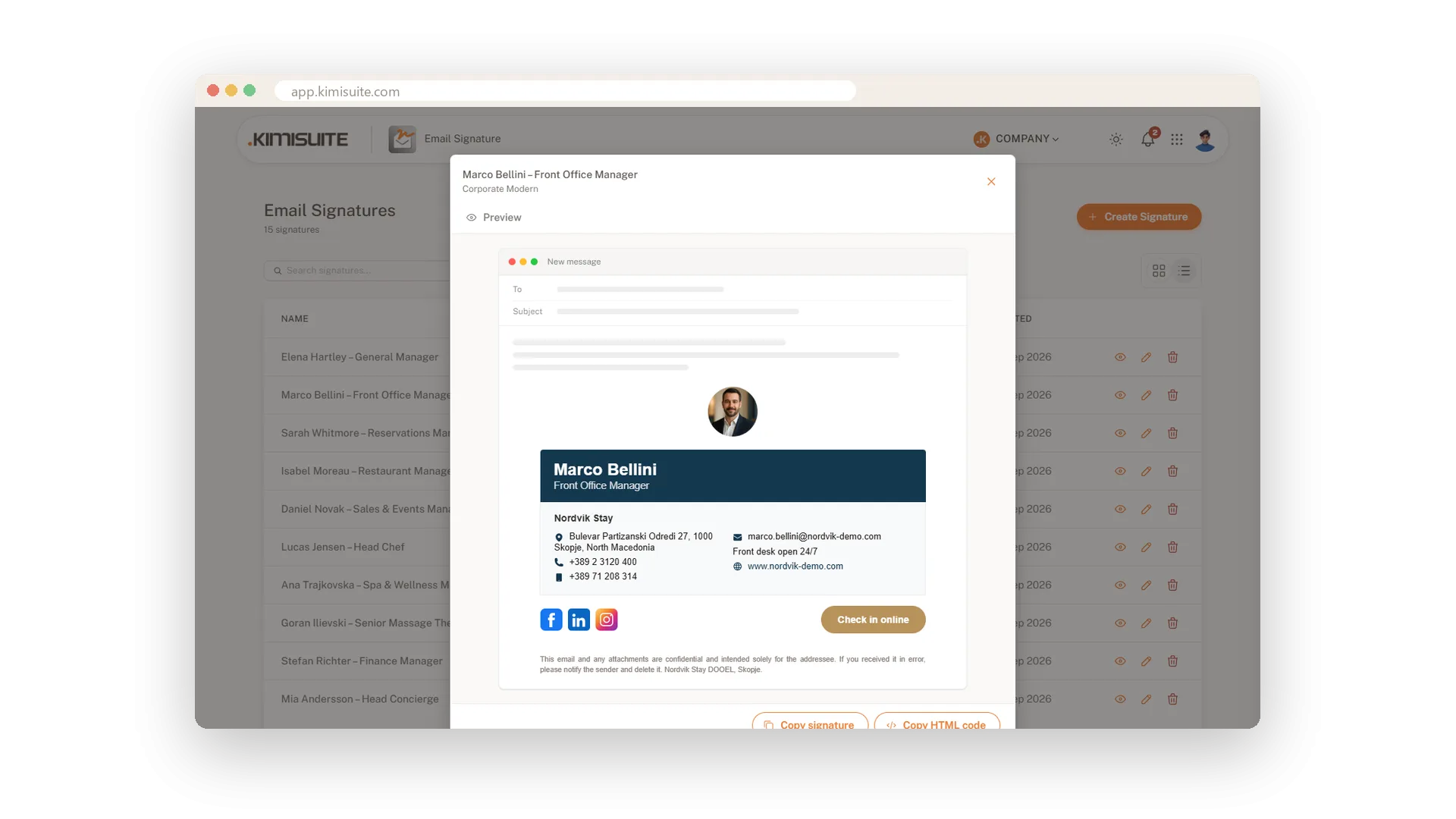
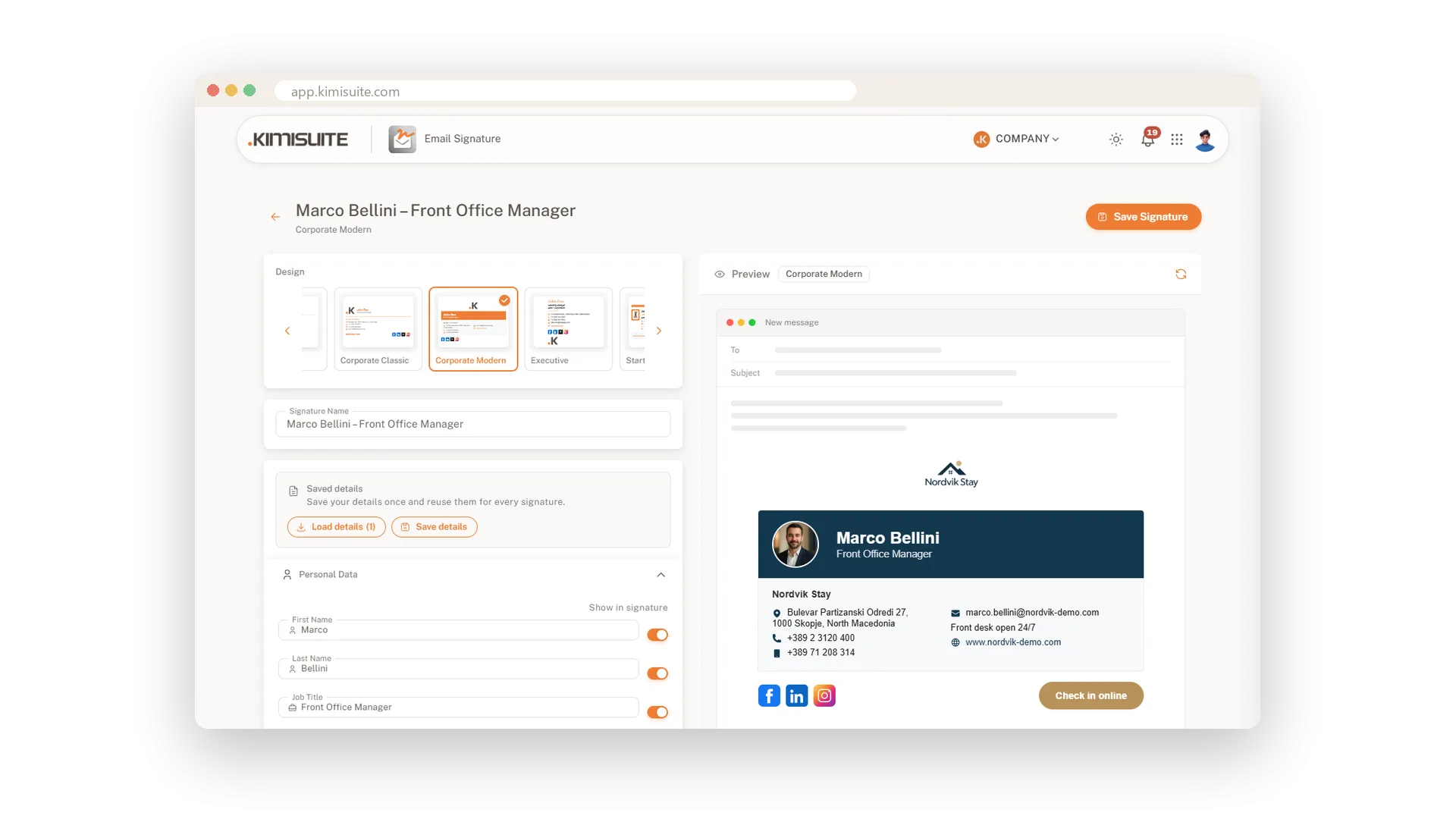
Choose a design, fill in your details and the preview shows your signature inside a new email, updating as you type.
- 15 designs. Classic, two columns, compact card, executive, minimal, bold and more.
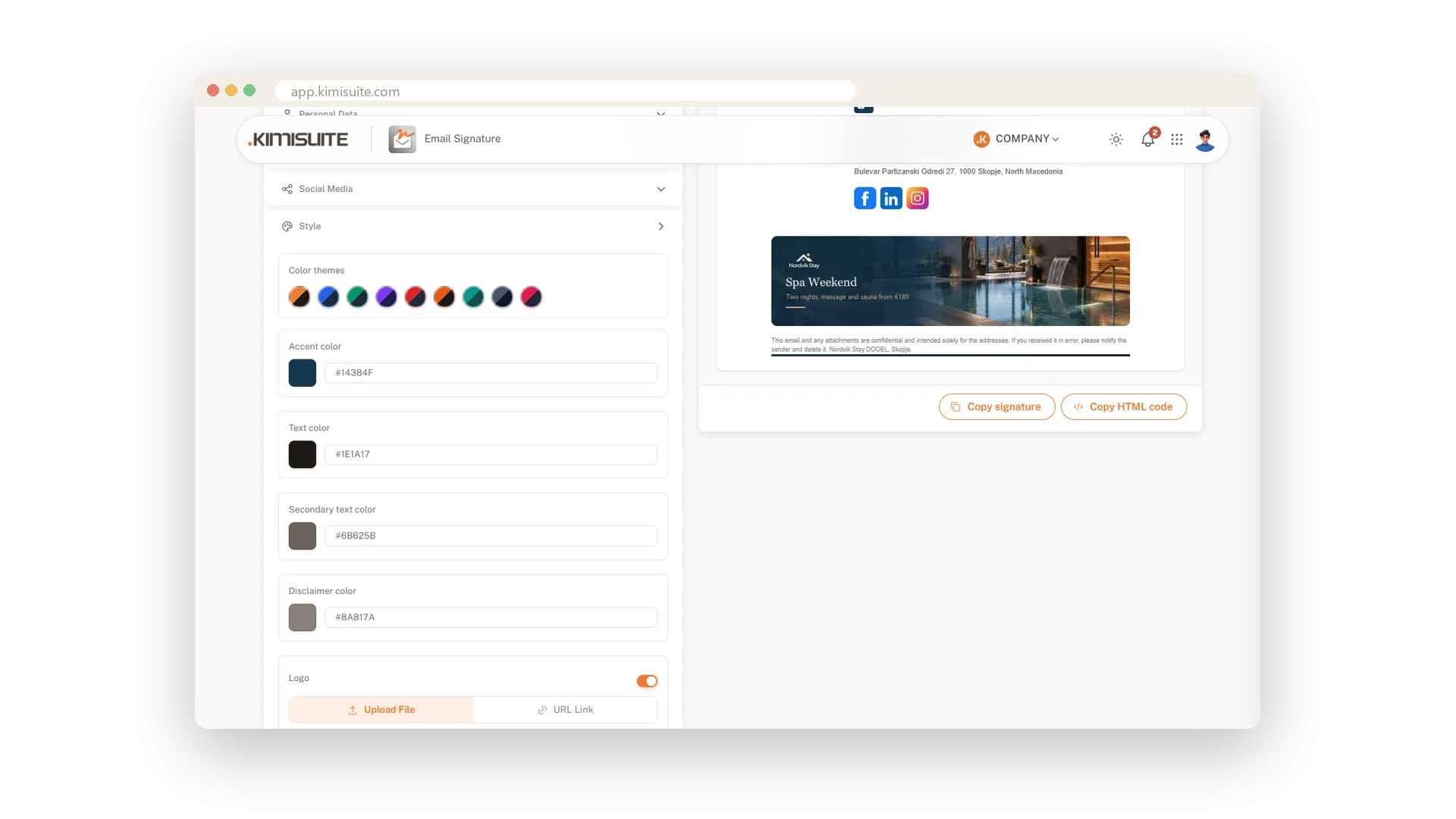
- Your look. Nine colour themes in one click, or your exact brand colours.
- Your face and your logo. Your round photo next to your name in seven designs, your logo in its place.
- Social icons. Facebook, LinkedIn, X, YouTube, Instagram, TikTok and WhatsApp, one switch each.
Change your mind about the design? Switch at any time and every detail comes with you.
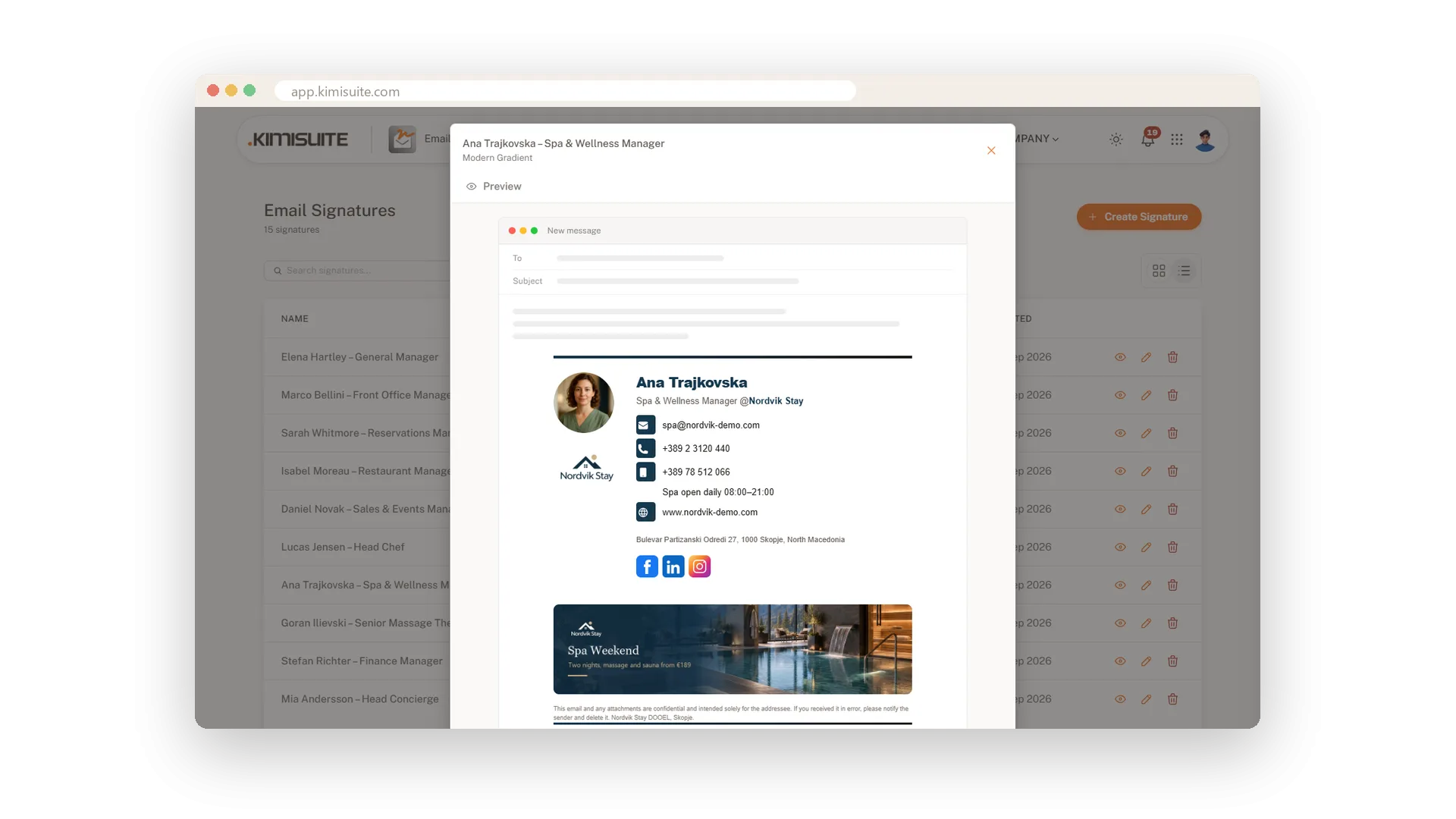
Every email promotes your next offer
Your team writes hundreds of emails a week. Let each one point to what you want to sell.
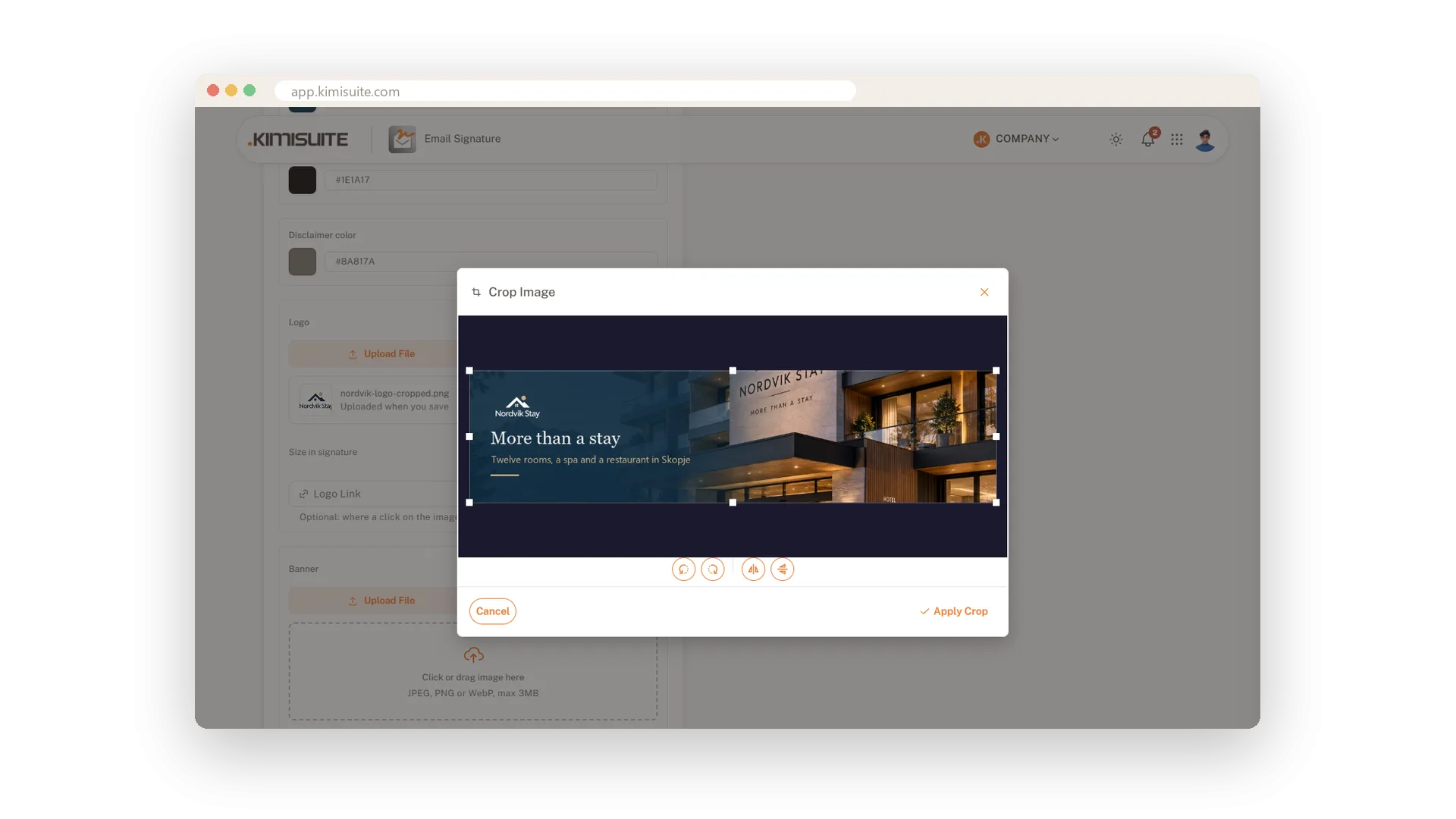
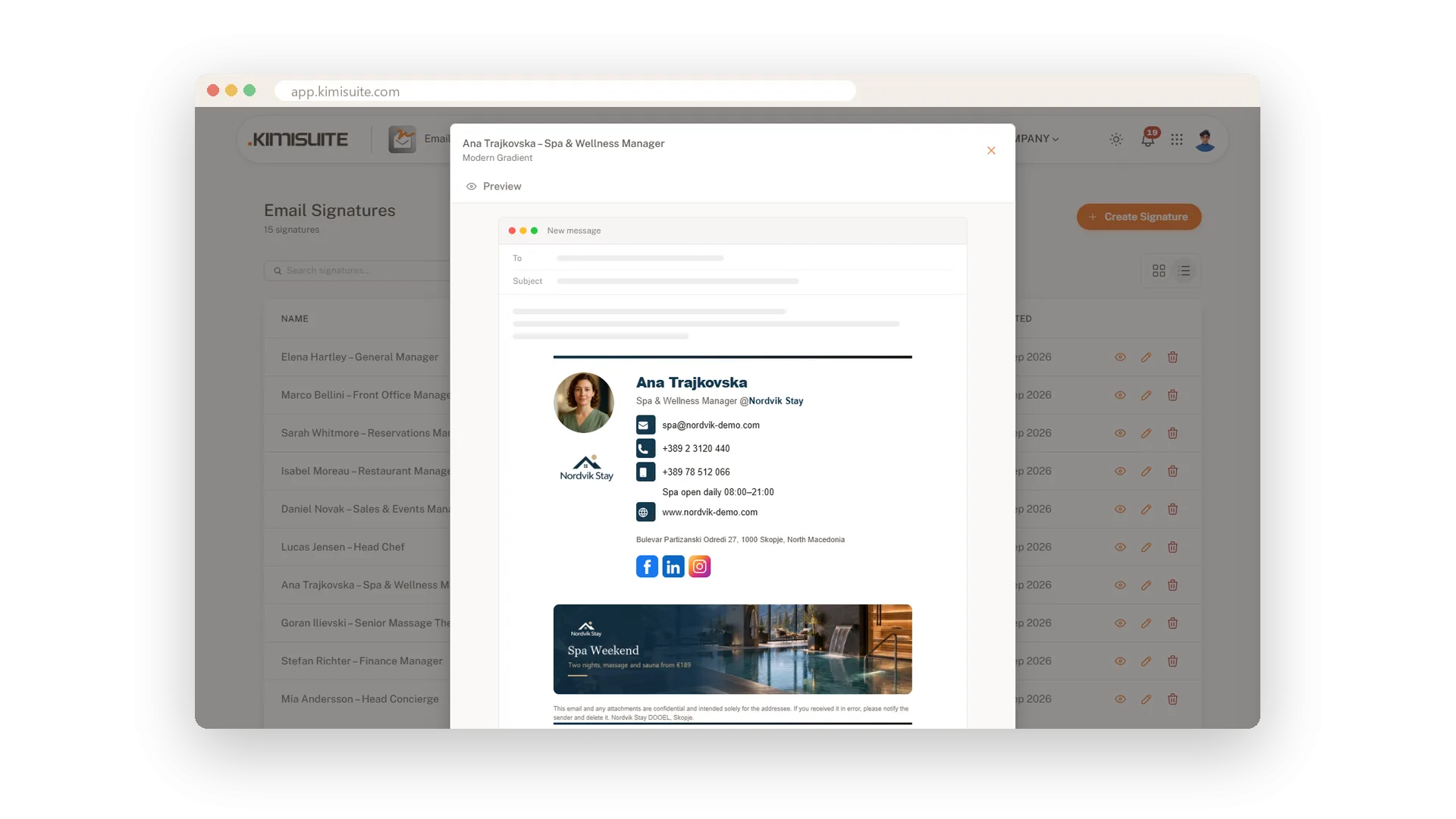
- A clickable banner in 1200 by 300 pixels under the signature, with its own link.
- On for the season, off when it ends. One switch, the rest of the signature stays as it is.
- A call-to-action button in three designs, with your text, link and colour: Book your stay, Check in online, Pay an invoice.
Every colleague can carry a different banner, so the spa promotes the spa and reception promotes online check-in.
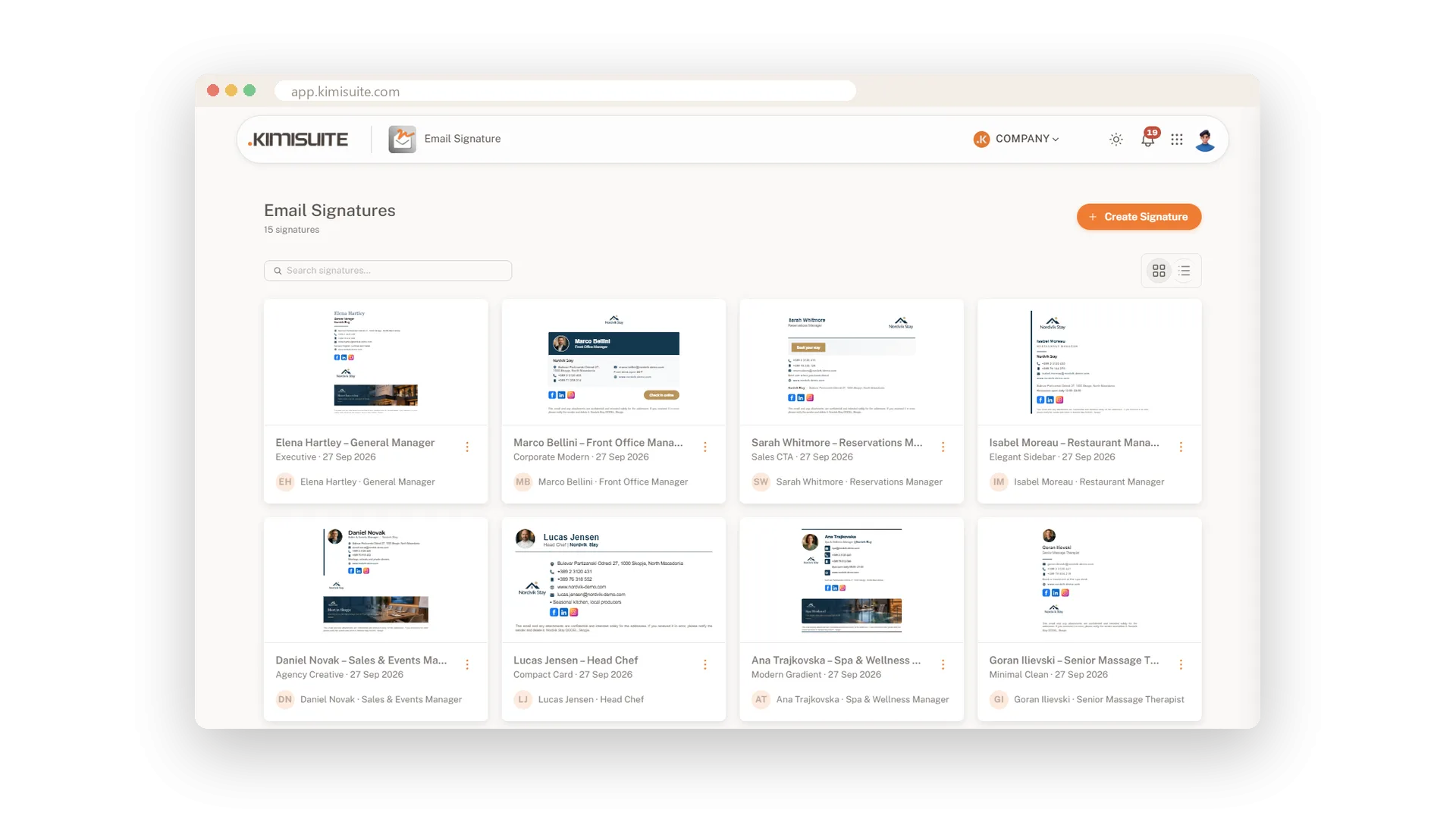
One style for the whole team
Save your company details once and load them into every new signature.
- Same address, colours, links and disclaimer for everyone, in two minutes per person.
- Several brands or locations? Save one set of details for each and pick the right one.
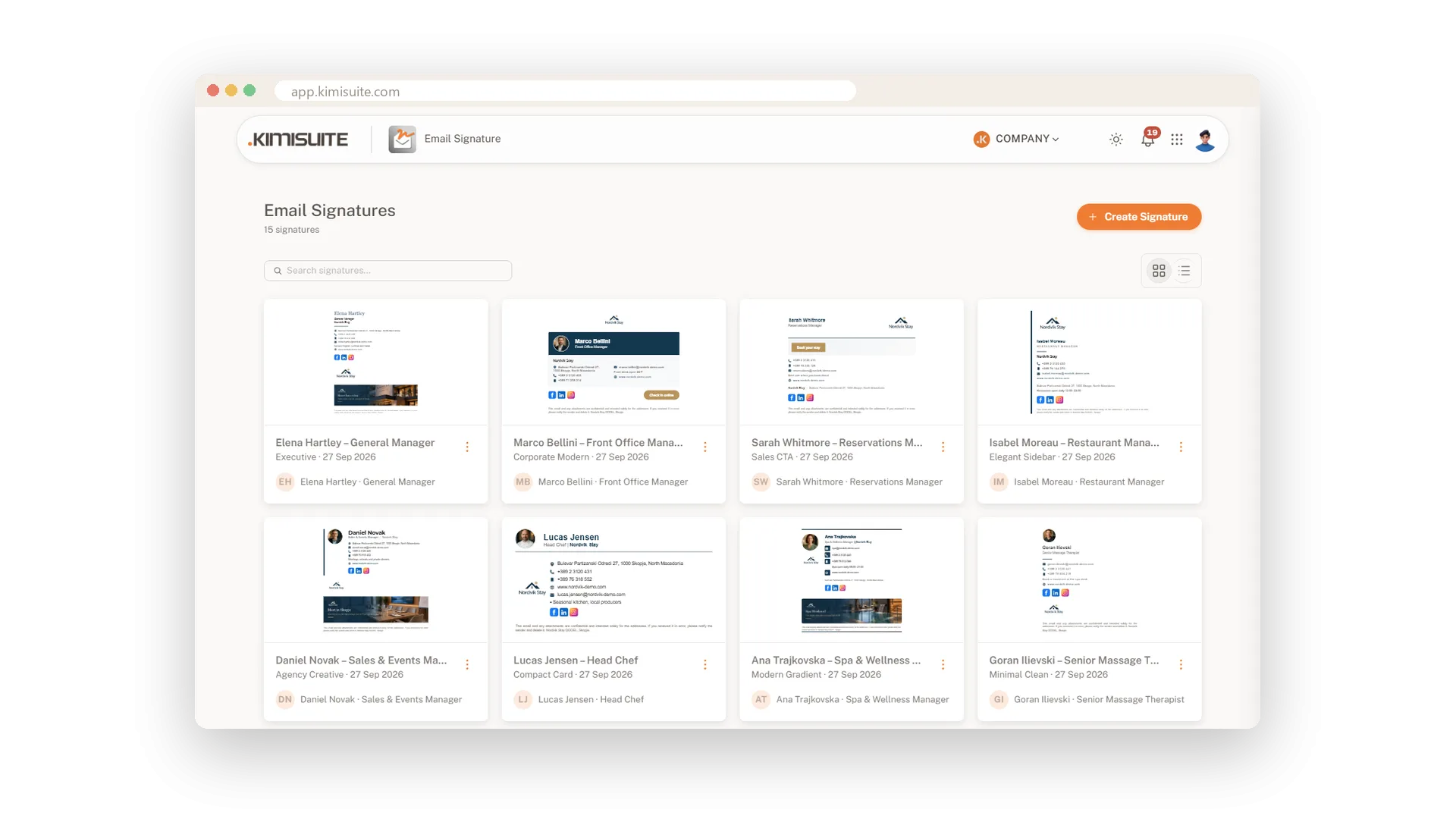
- All signatures in one list, as cards or a table, with a search.
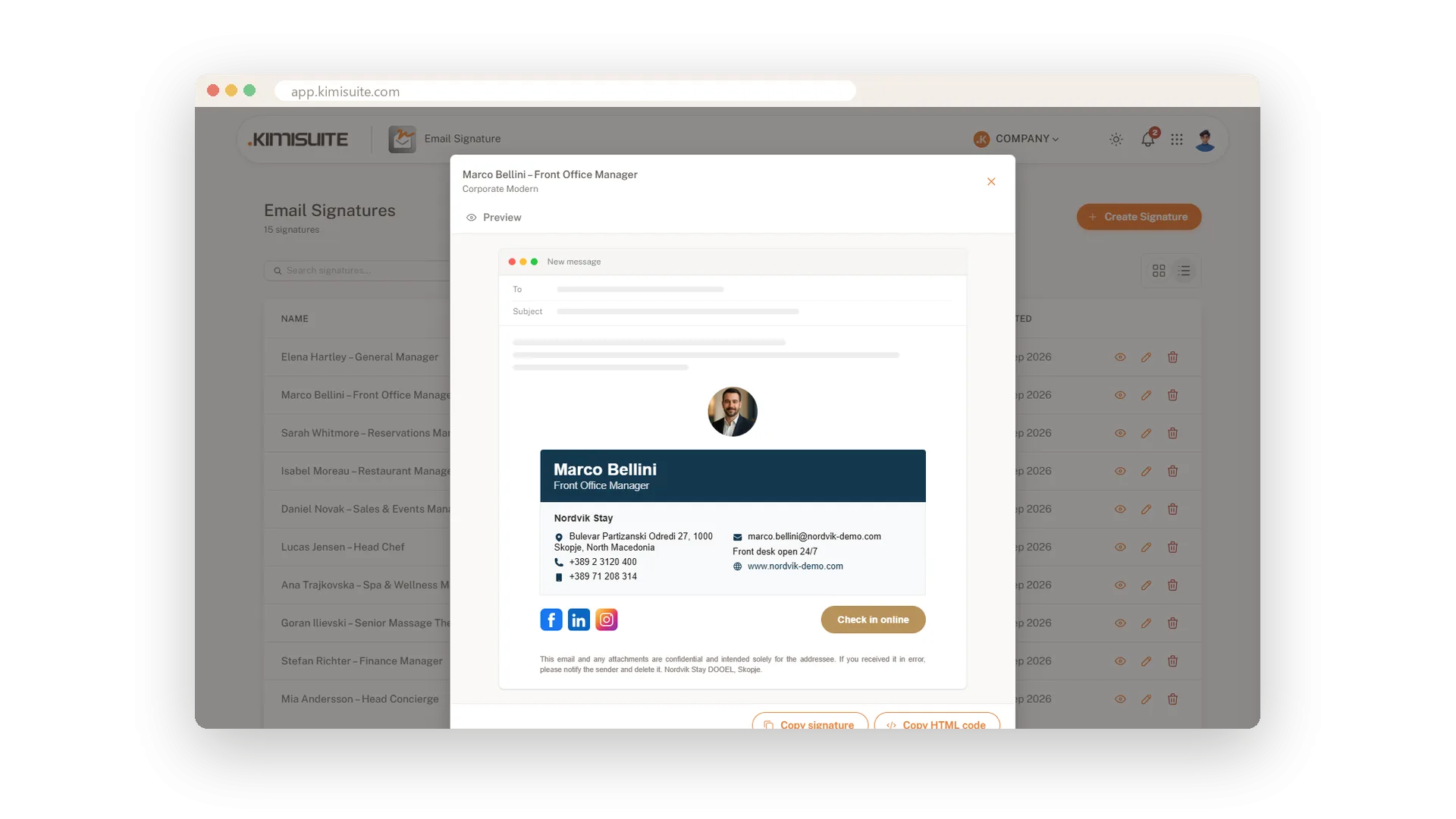
- Into the mailbox in one click. Copy signature for Gmail, Outlook and Apple Mail, or copy the HTML code.
Your logo, portrait and banner are hosted for you, so they load in your recipients' inboxes without attachments.
What Email Signature does for your business
From the first design to a signature in every inbox.
Classic, modern, minimal or bold. Pick one and switch whenever you like without typing anything again.
Nine colour themes or your own hex codes. Add your logo and your photo and crop them right in the editor.
A clickable banner for your current offer and a call-to-action button with your own text and link.
Save company details once and load them into every new signature, for one brand or several.
Copy the finished signature with one click and paste it into your mail program, or copy the HTML code.
Create, edit and copy signatures on your phone, with the preview one tap away.
Make every email your team sends look professional.
Pricing Plans
Choose the right plan for your needs. All plans include free updates.
| Email Signature | Core €4.90 /mo · per workspace Start Free Trial | Recommended Grow €9.90 /mo · per workspace Start Free Trial | Team €19.90 /mo · per workspace Start Free Trial |
|---|---|---|---|
| Signatures Number of active signatures | 10 | 30 | 100 |
| Logo and portrait photo Upload or link, crop, four sizes | |||
| Campaign banner with link Banner below the signature, with its own link | |||
| Call-to-action button Button text, link and colour | |||
| 15 professional templates Switch designs any time without losing your input | |||
| Saved company details for your team Save the form once, load it in every new signature | |||
| Legal disclaimer Optional disclaimer line below the signature | |||
| Copy to Gmail, Outlook, Apple Mail or as HTML Images are hosted for you | |||
| Custom colours and themes 9 themes plus your own colours |
- Signatures Number of active signatures10
- Logo and portrait photo Upload or link, crop, four sizes
- Campaign banner with link Banner below the signature, with its own link
- Call-to-action button Button text, link and colour
- 15 professional templates Switch designs any time without losing your input
- Saved company details for your team Save the form once, load it in every new signature
- Legal disclaimer Optional disclaimer line below the signature
- Copy to Gmail, Outlook, Apple Mail or as HTML Images are hosted for you
- Custom colours and themes 9 themes plus your own colours
Features Built for Growth
Everything you need to scale your business
Signatures designed in minutes
15 designs, your colours, a live preview
Paste into Gmail, Outlook and Apple Mail
Copy your signature, paste it, done
A banner and a button under every email
Turn everyday emails into gentle advertising
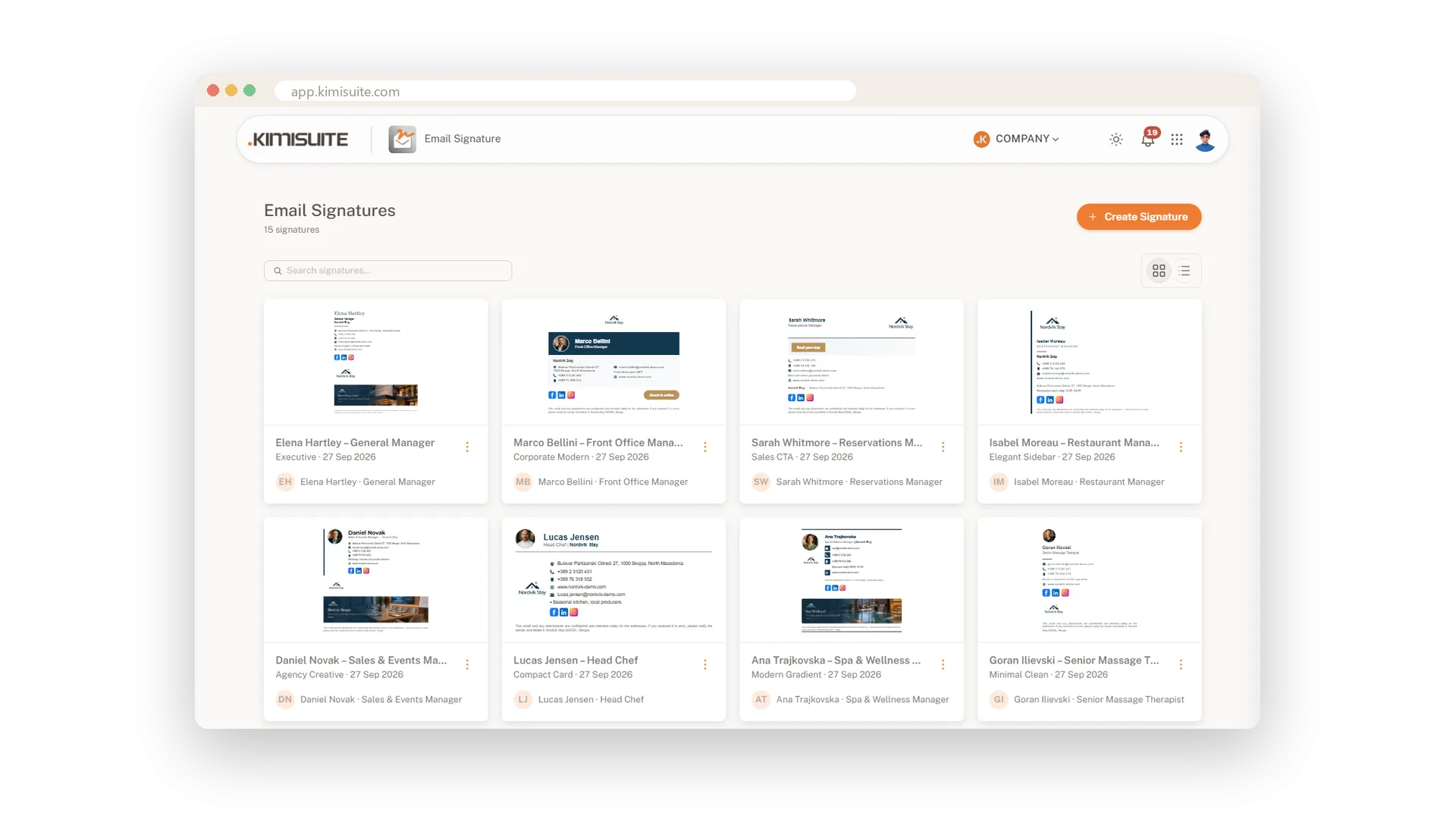
Matching signatures for your whole team
Save company details once, reuse them for everyone
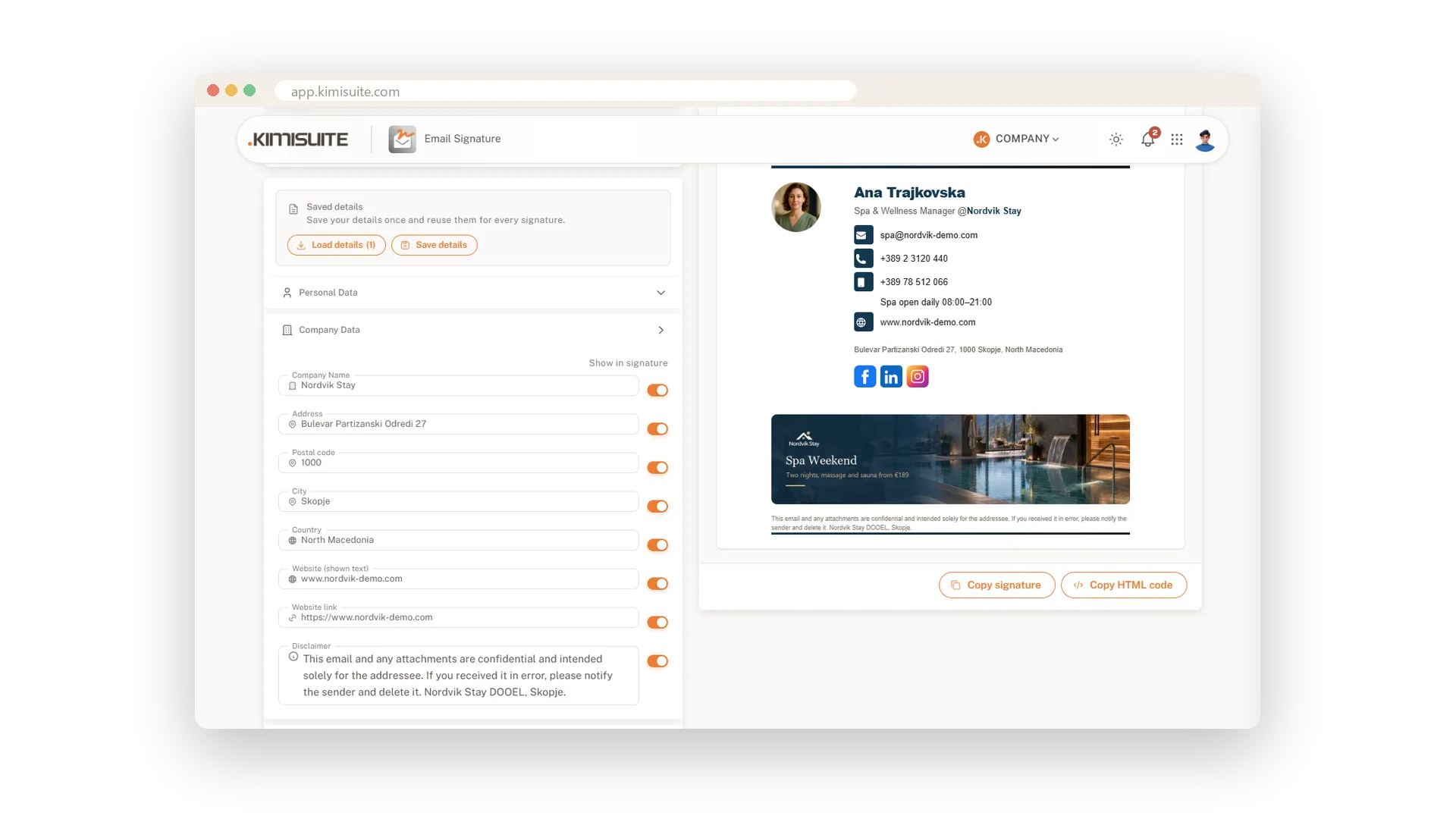
The legal footer in every signature
Your disclaimer and company details, always there
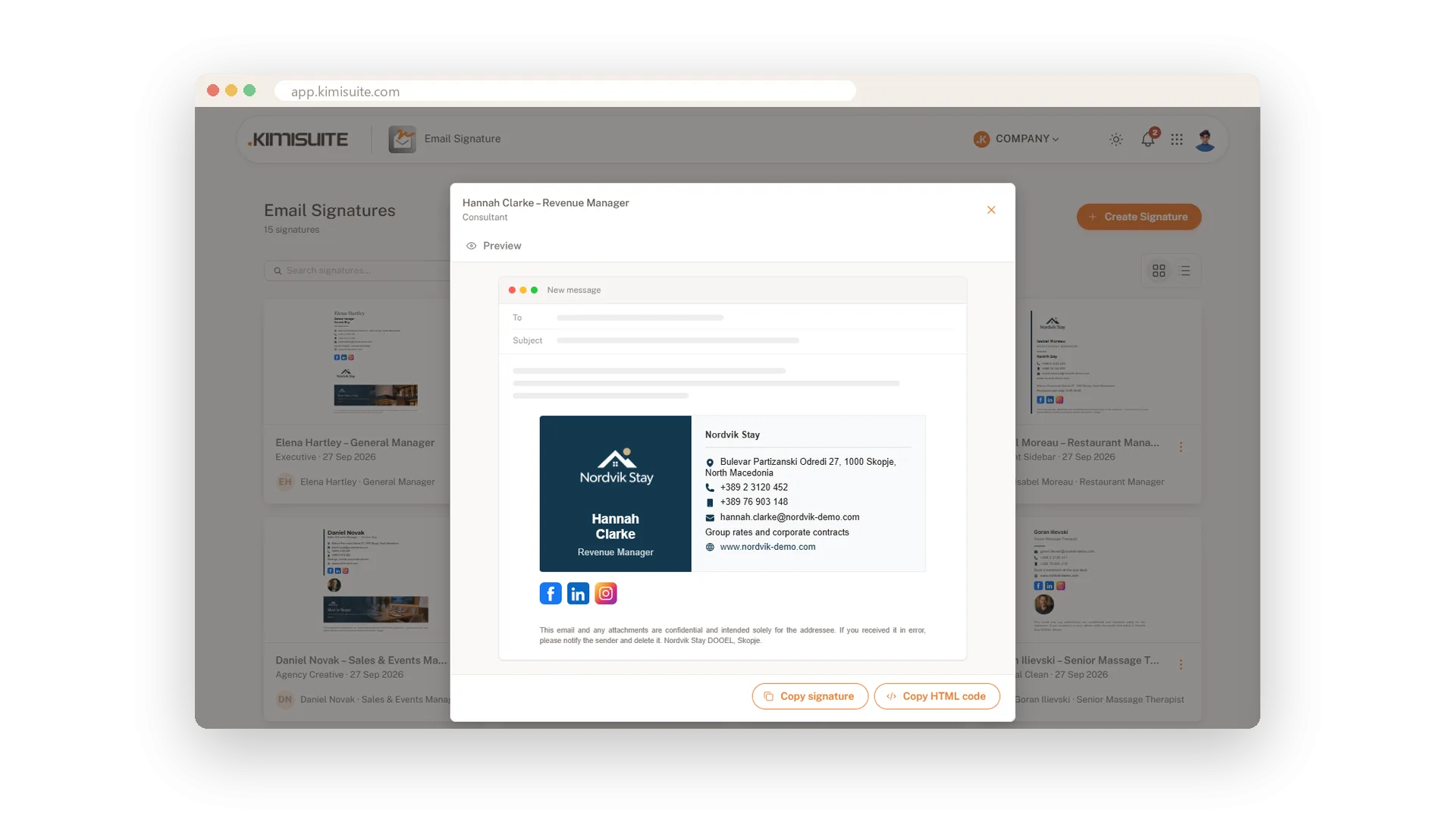
Signatures for several brands and locations
Each brand with its own details and look
Works with your other apps
One workspace. Data moves between the apps instead of being typed twice.

Email Signature
FAQ
Common questions about Email Signature answered clearly.
Ready to See It in Action?
Discover how KIMISUITE connects growth, automation and AI into one unified system.
Take Your Business to The Next Level!
Stop paying for tools you barely use. Start running your business on KIMISUITE.
No long-term contract · Cancel anytime · 14 days free
