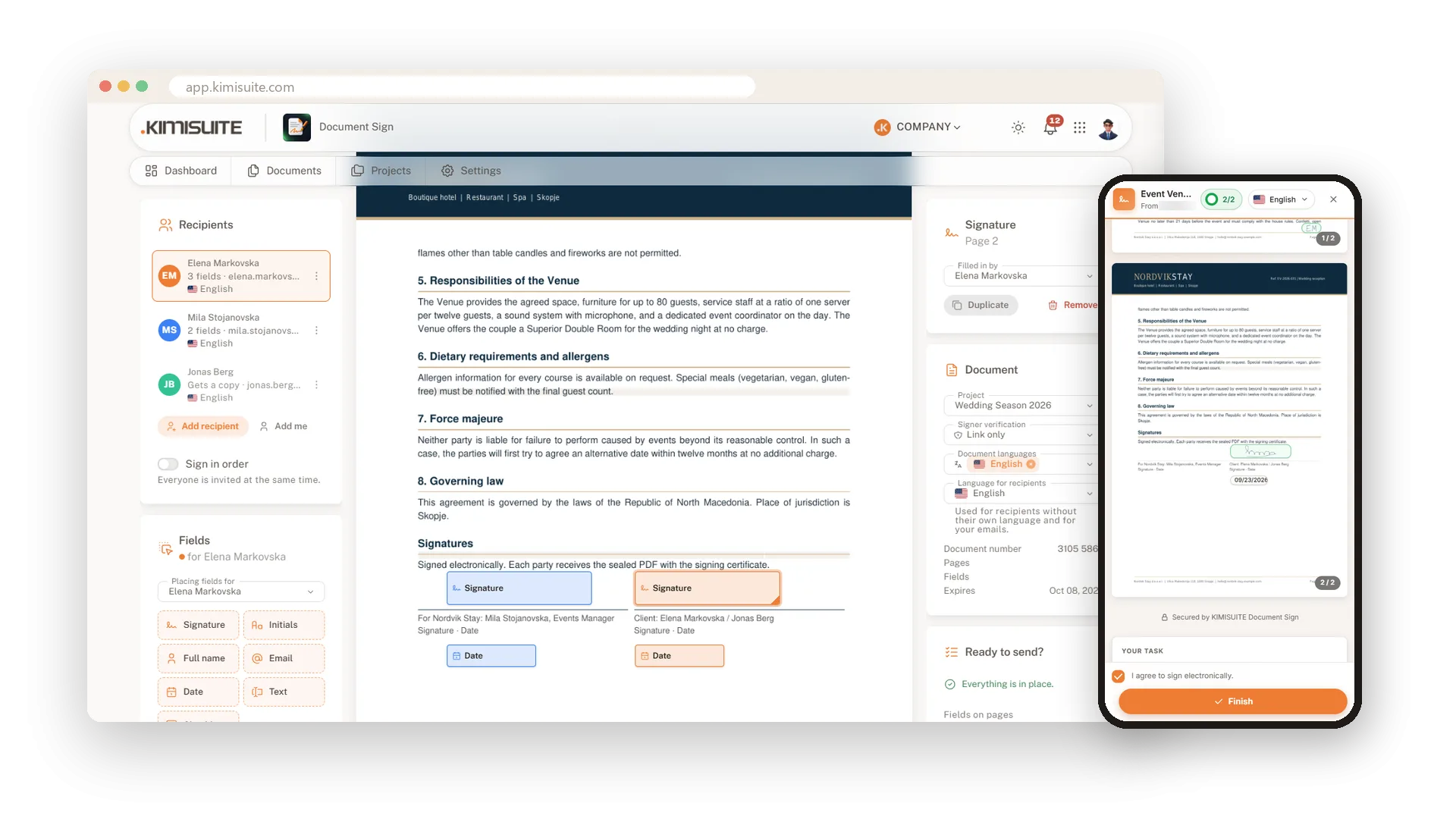
Send it today, have it signed today.
Upload your contract, drag the signature fields onto the page and send the link. Your signers sign on their phone or computer, without an account. You get back one sealed PDF with a signing certificate and a stamp on every page.
From upload to sealed PDF, without printing a page
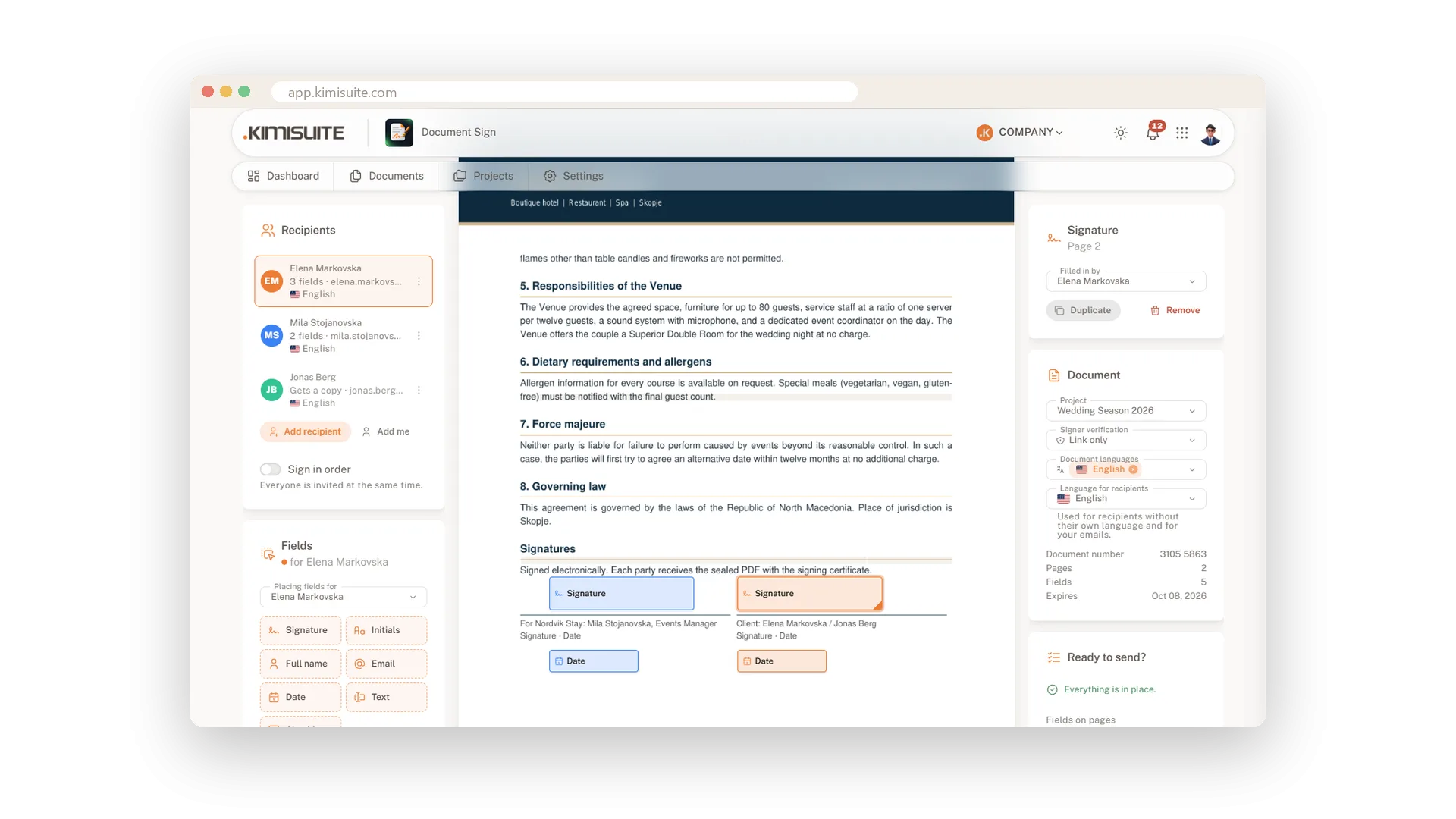
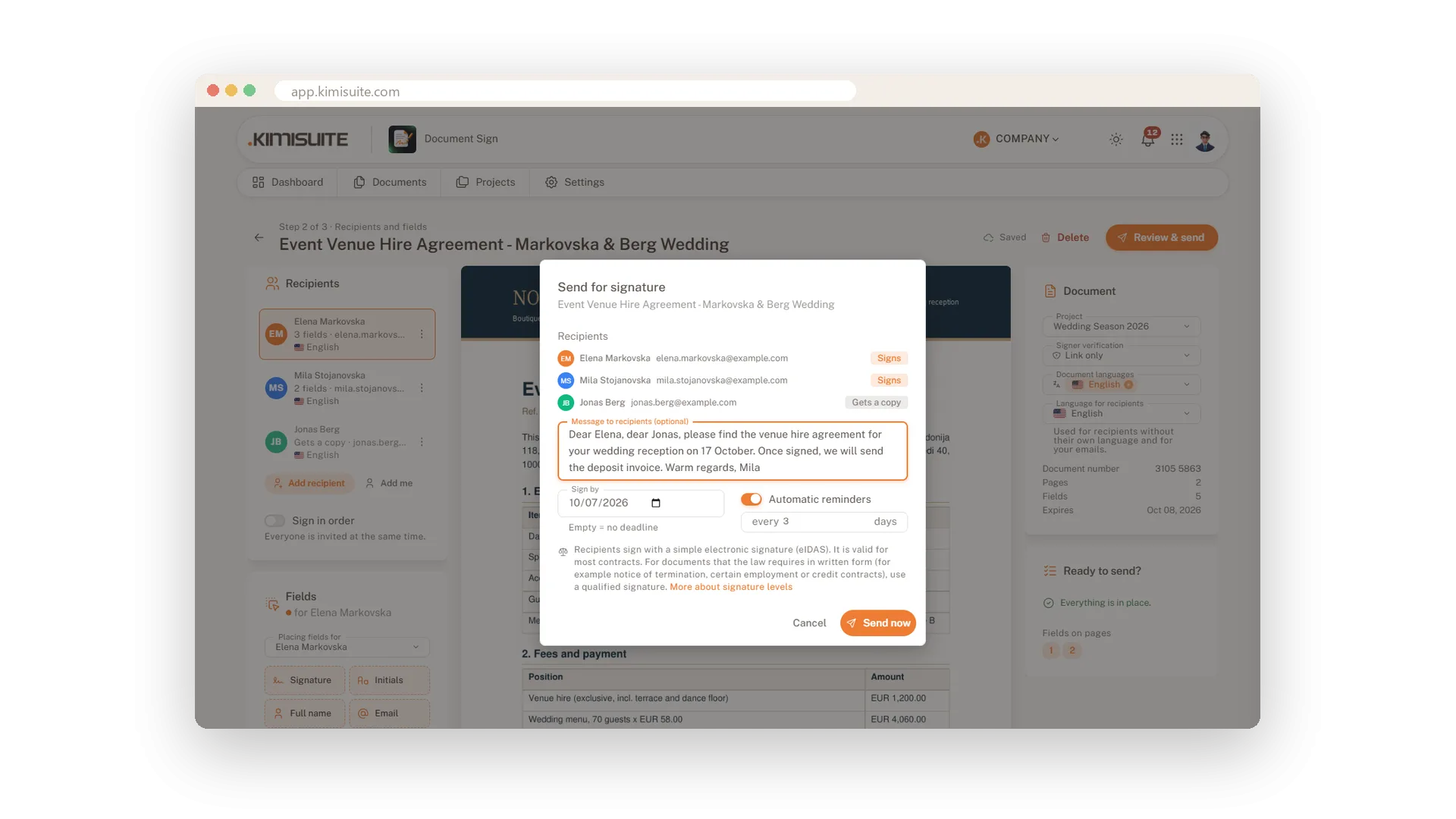
Upload the finished document, choose who signs and who gets a copy, and place the fields where they belong. A checklist tells you when everything is ready.
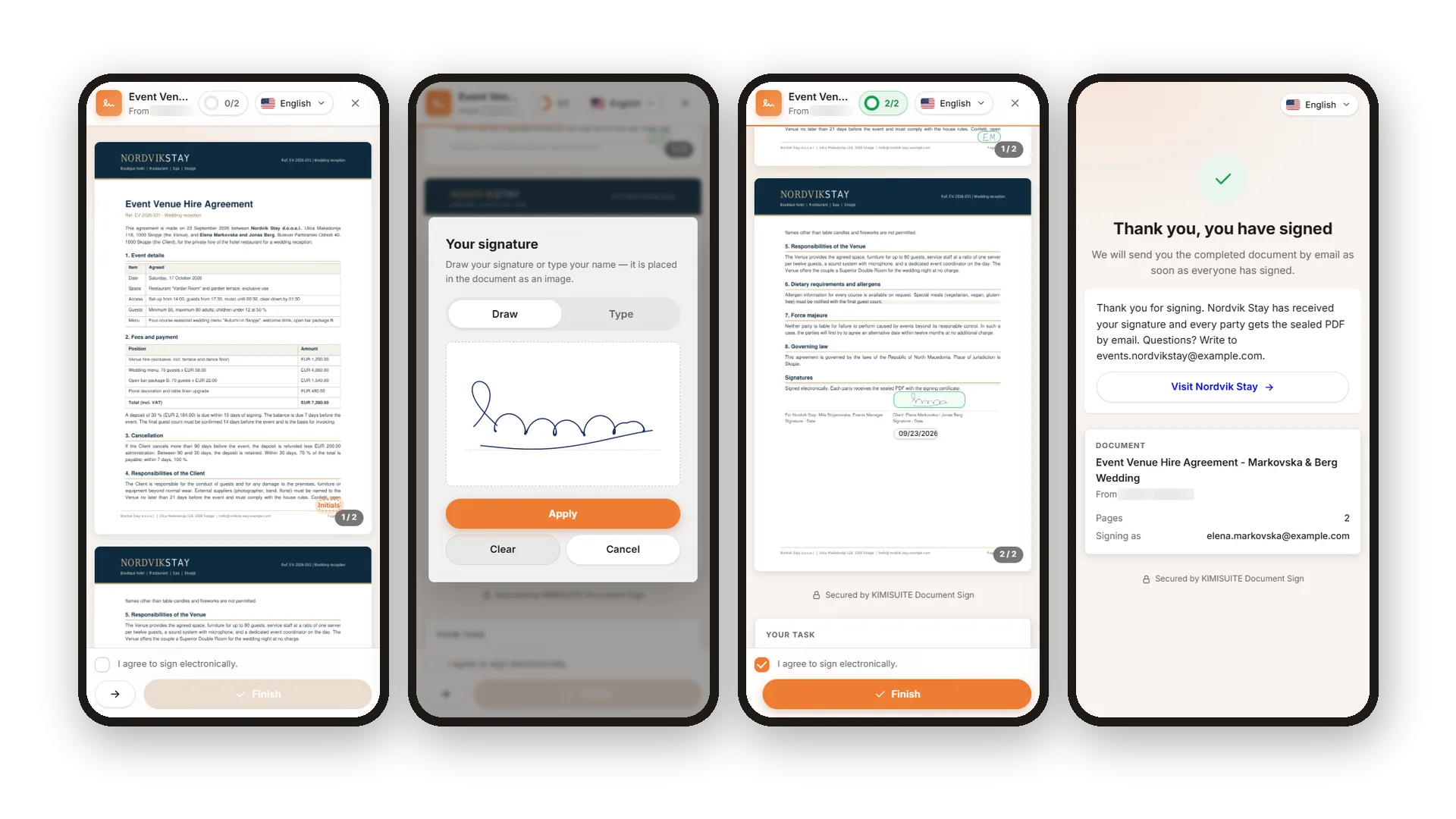
- Signed on any device. Your recipients open the link, follow the fields and sign with a finger, a mouse or their typed name.
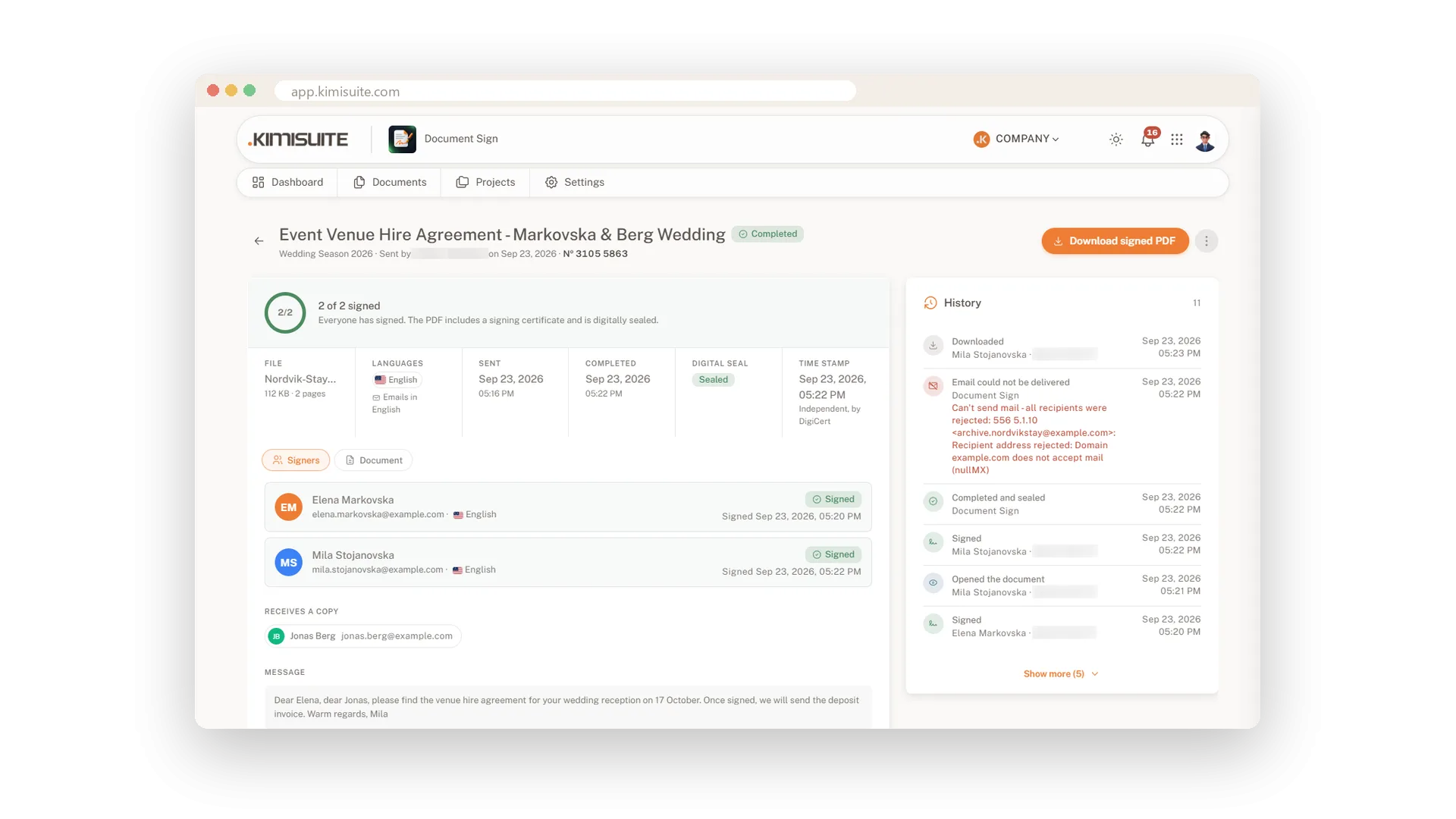
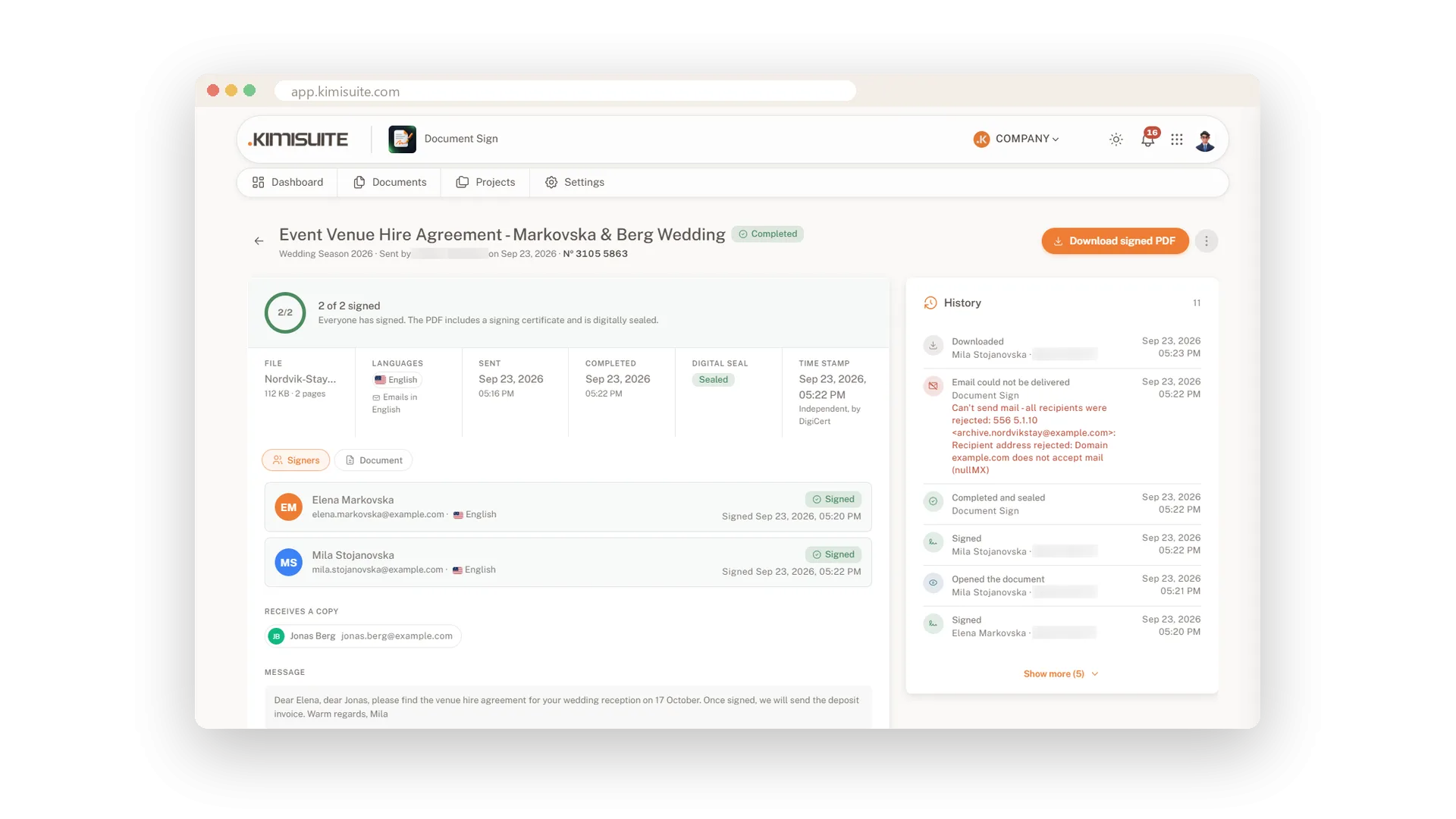
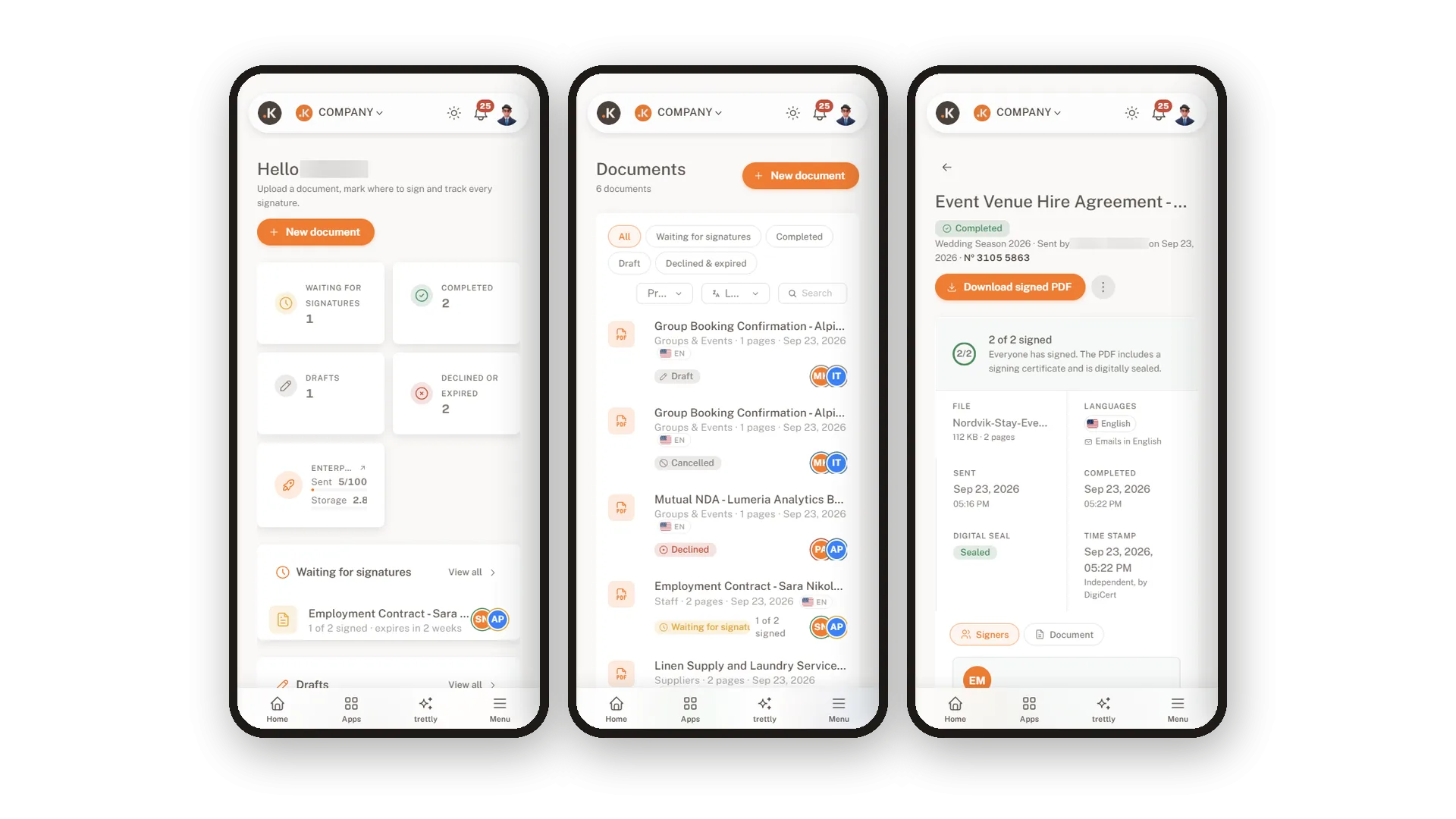
- Always know where it stands. Every document shows who has opened and signed, and a reminder is one click away.
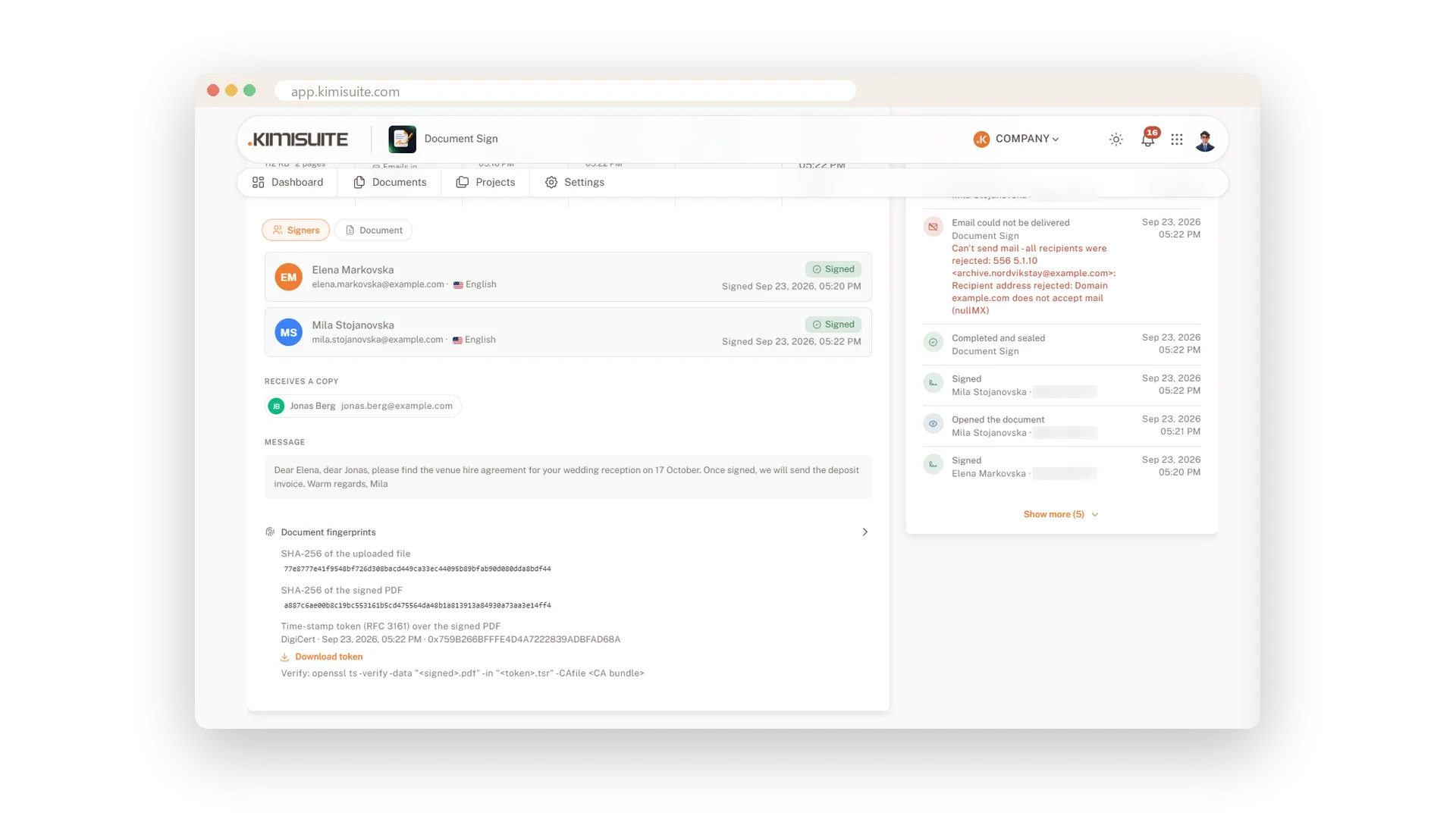
- One file that explains itself. The signed PDF carries a stamp on every page, a signing certificate with the full history, a digital seal and an independent timestamp.
- In their language. Emails and the signing page follow each recipient's language, up to 16.
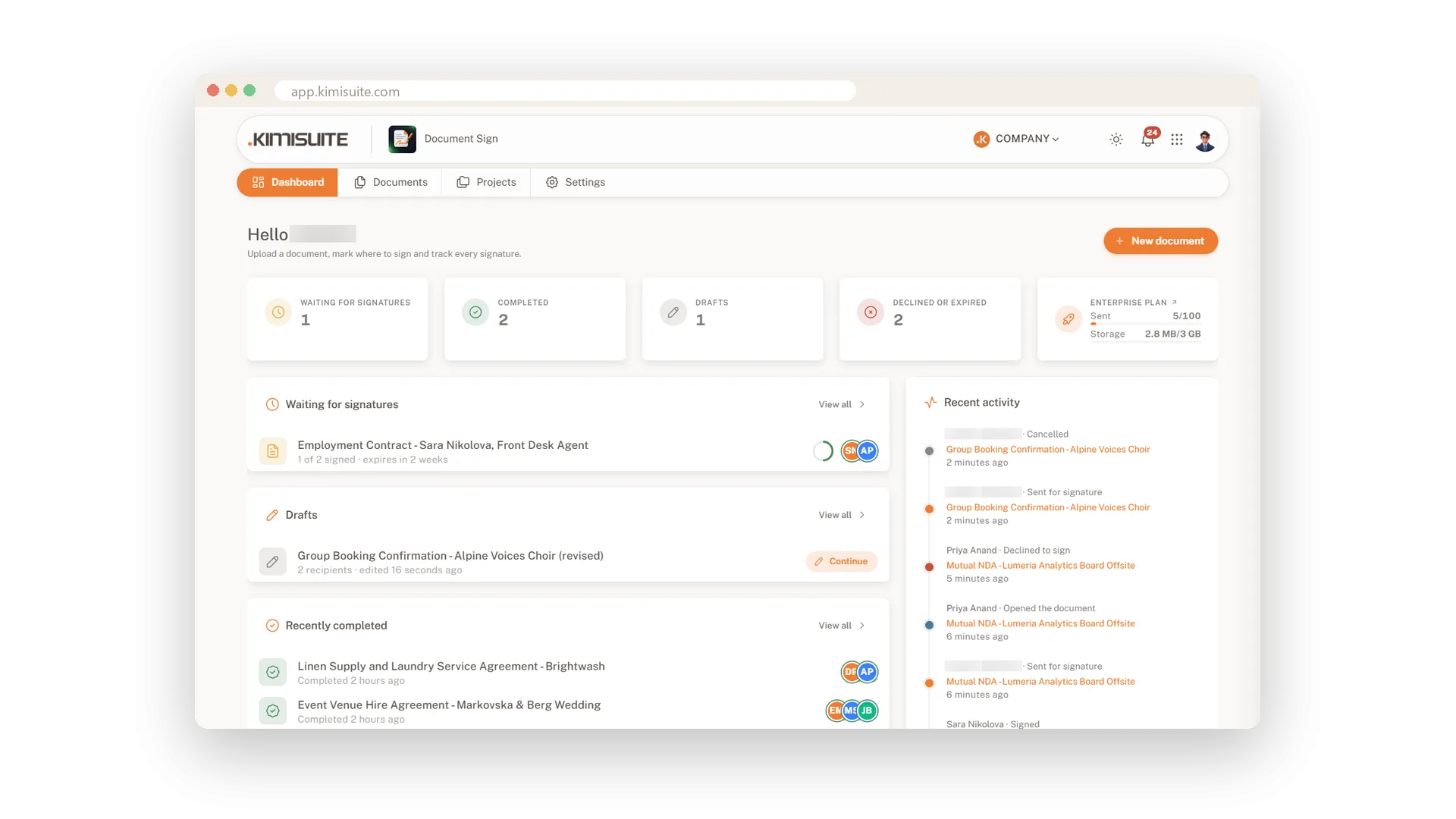
The dashboard shows what waits for signatures, which drafts to finish and what was completed today.
What Document Sign does for your business
Everything from the finished file to the signed and sealed PDF.
Upload a PDF, Word, OpenDocument or RTF file and drag seven field types onto the page. Your draft saves as you go.
Signers open a link on their phone or computer and draw or type their signature. A guided path leads them through every field.
Let everyone sign at once or one after the other. Remind a slow signer with one click, or cancel and send again.
Every signed PDF carries a signing certificate with times, IP and device, a digital seal and an independent RFC 3161 timestamp.
Emails and the signing page follow each recipient's language. Signers can switch between the languages you activate.
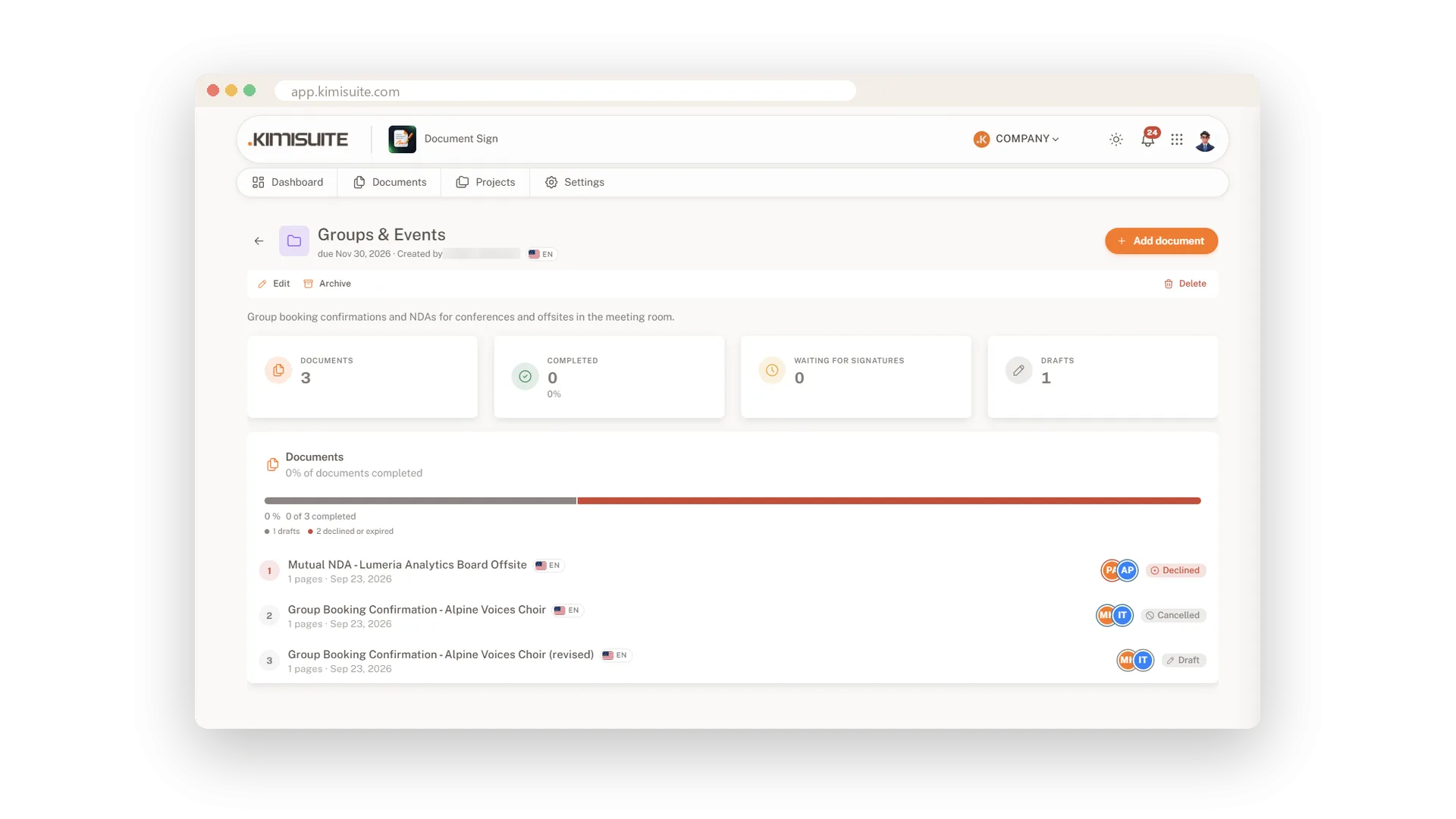
Keep the documents of one hire, deal or event together. Each project shows what is completed and what still waits.
See Document Sign in action
Pricing Plans
Choose the right plan for your needs. All plans include free updates.
| Document Sign | Starter €9.90 /mo · per workspace Start Free Trial | Business €24.90 /mo · per workspace Start Free Trial | Recommended Enterprise €39.90 /mo · per workspace Start Free Trial |
|---|---|---|---|
| Sent documents per month Counted when you send a document for signature. Drafts are free. | 10 / month | 30 / month | 100 / month |
| Storage Uploaded and signed PDFs of this workspace. Automatic deletion keeps it small. | 1 GB | 2 GB | 3 GB |
| Team members Everyone in your workspace can send and track documents. No per-user fees. | Unlimited | Unlimited | Unlimited |
| Upload PDF, Word, OpenDocument, RTF Word and OpenDocument files are converted to PDF before signing. | |||
| Signers, fields, signing order, deadlines, reminders Any number of signers per document, drag-and-drop fields, sequential or parallel signing. | |||
| Signer verification Code by email or an access code before signing, recorded on the certificate. | |||
| Signing certificate, digital seal, stamp Every signed PDF gets a certificate page, a tamper-evident seal and a document stamp on every page. | |||
| 16 languages Emails, signing page and certificate in the language of each recipient. | |||
| Projects Group the documents that belong to one deal, hire or case. | |||
| Roles, automatic deletion, archive copy Who sees which documents, GDPR retention and an archive copy of every signed PDF. | |||
| Hardware-token signing (qualified) Signers sign with the certificate on their own USB token or smart card, e.g. from a national trust provider. | – |
- Sent documents per month Counted when you send a document for signature. Drafts are free.10 / month
- Storage Uploaded and signed PDFs of this workspace. Automatic deletion keeps it small.1 GB
- Team members Everyone in your workspace can send and track documents. No per-user fees.Unlimited
- Upload PDF, Word, OpenDocument, RTF Word and OpenDocument files are converted to PDF before signing.
- Signers, fields, signing order, deadlines, reminders Any number of signers per document, drag-and-drop fields, sequential or parallel signing.
- Signer verification Code by email or an access code before signing, recorded on the certificate.
- Signing certificate, digital seal, stamp Every signed PDF gets a certificate page, a tamper-evident seal and a document stamp on every page.
- 16 languages Emails, signing page and certificate in the language of each recipient.
- Projects Group the documents that belong to one deal, hire or case.
- Roles, automatic deletion, archive copy Who sees which documents, GDPR retention and an archive copy of every signed PDF.
- Hardware-token signing (qualified) Signers sign with the certificate on their own USB token or smart card, e.g. from a national trust provider.–
Features Built for Growth
Everything you need to scale your business
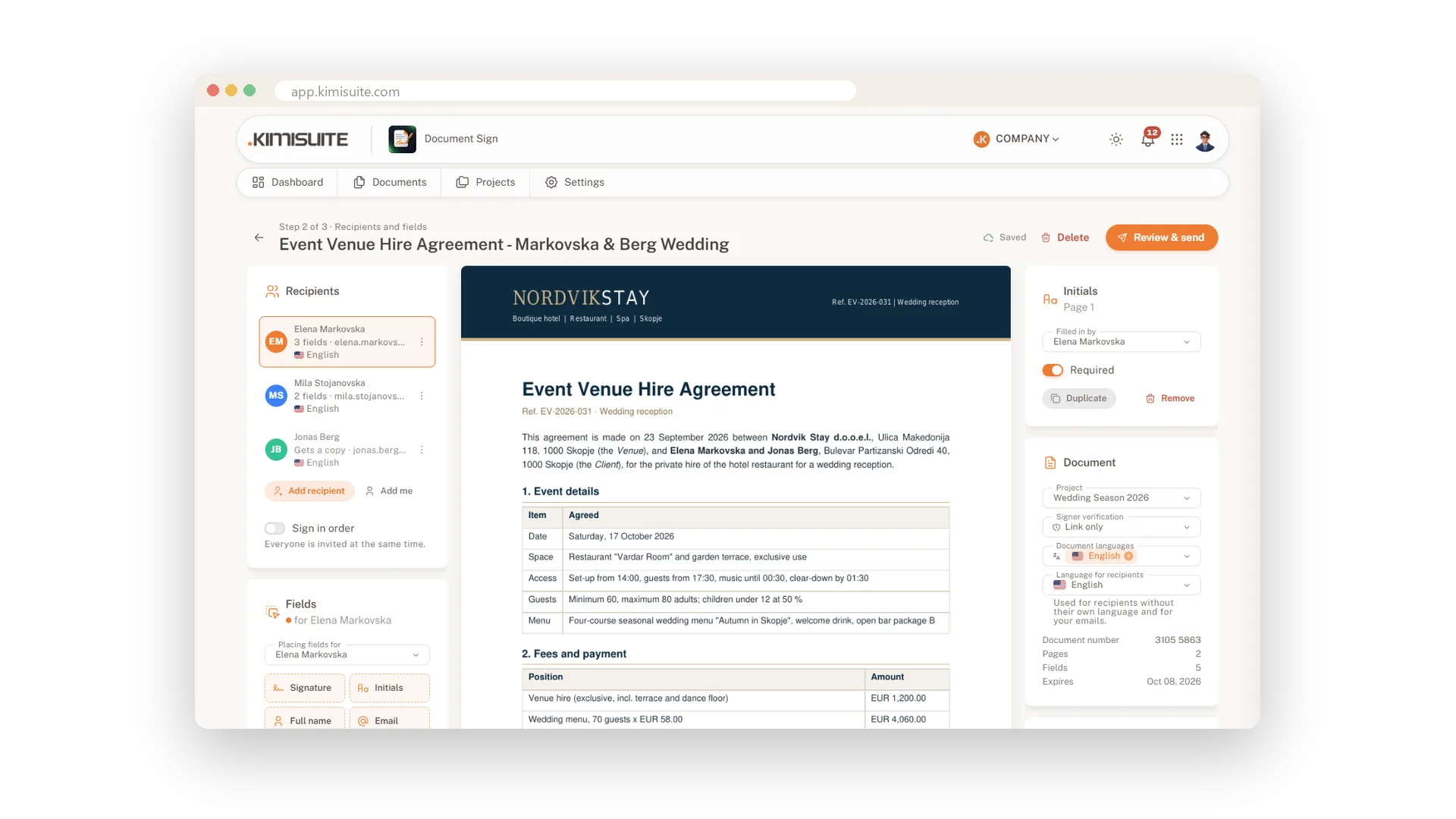
Send any document for signature
Upload the file, place the fields, send it off
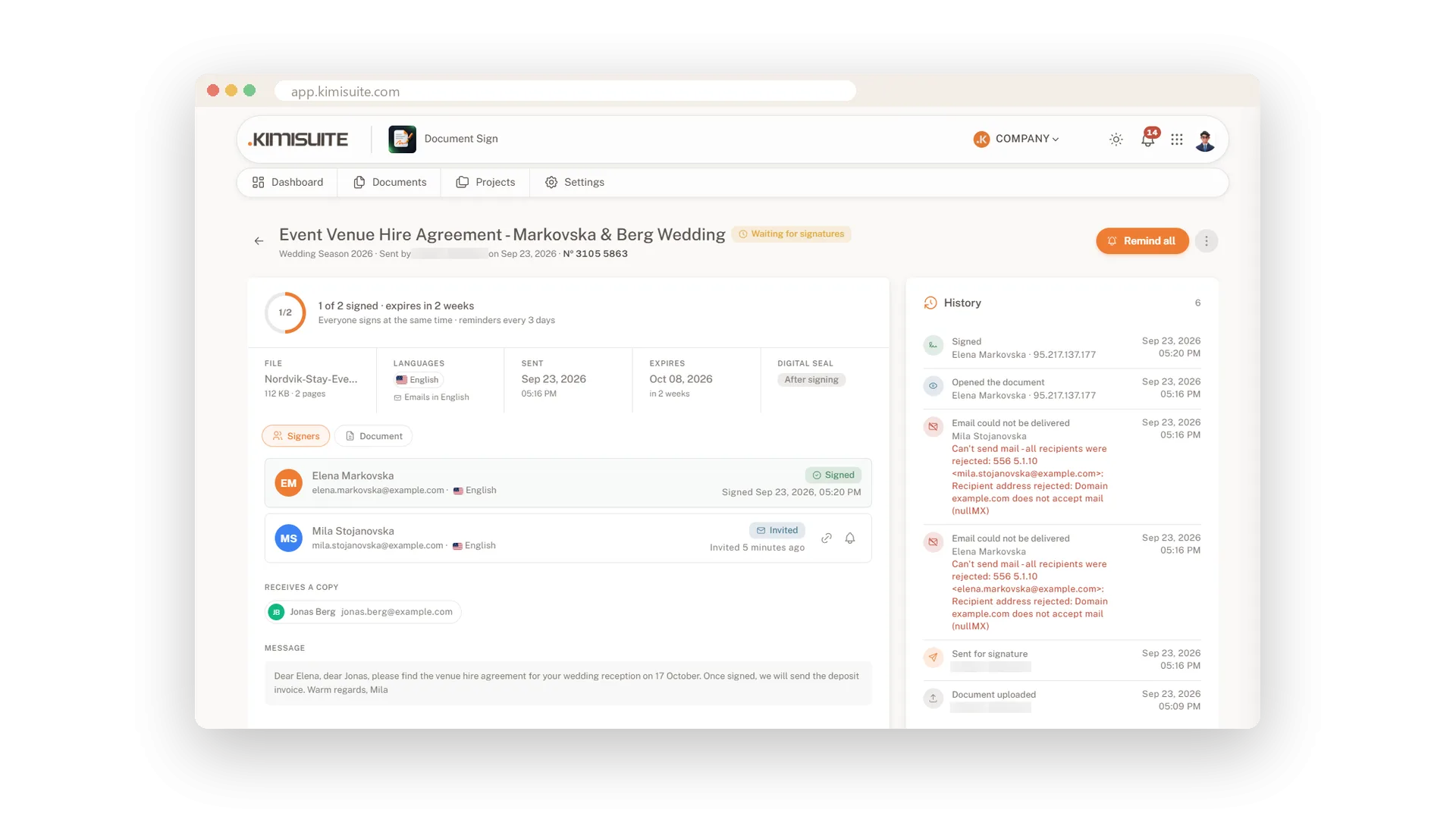
Know where every signature stands
Signing order, reminders and status at a glance
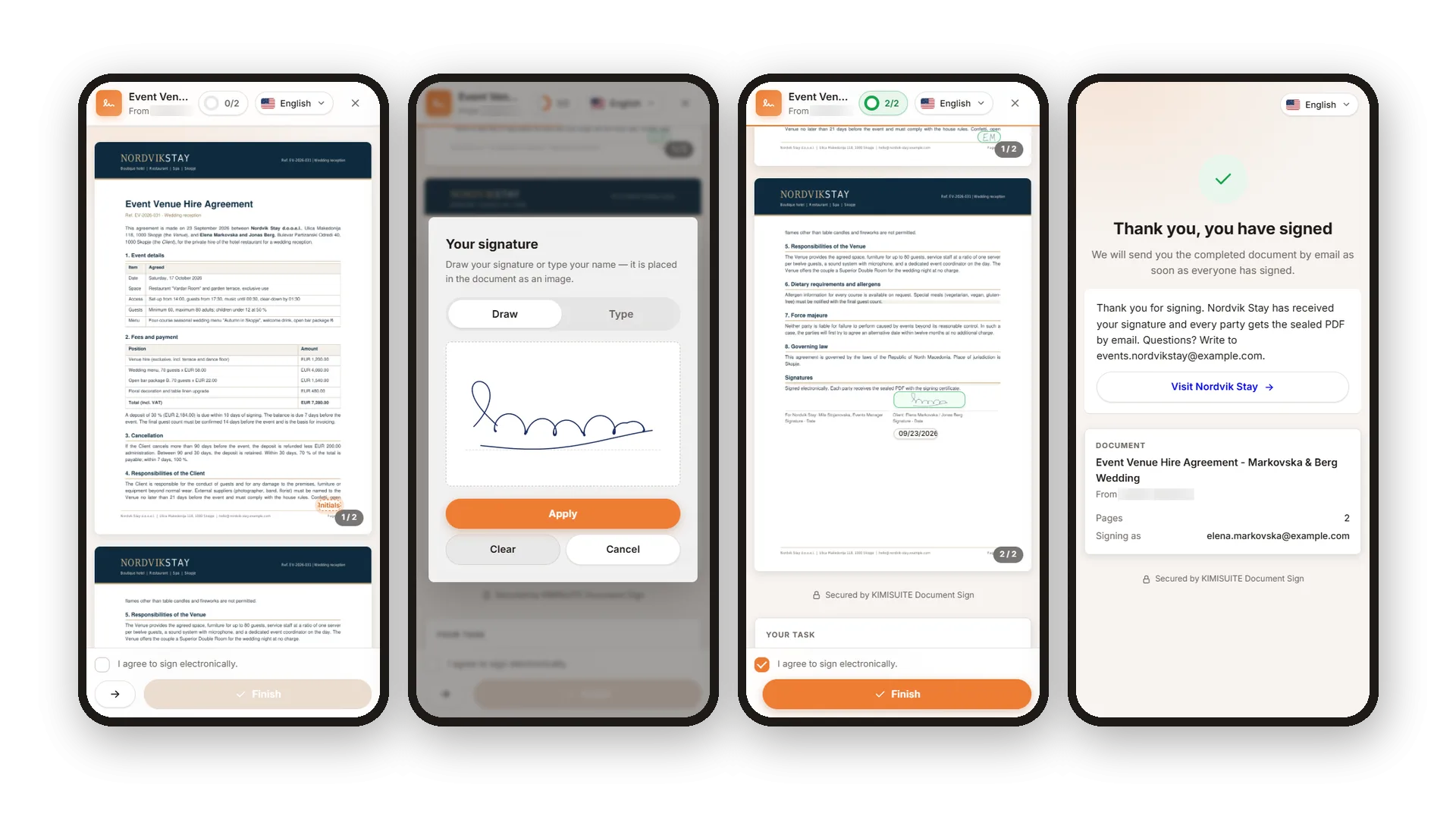
Signing that takes a minute
No account, no app - just a link on any device
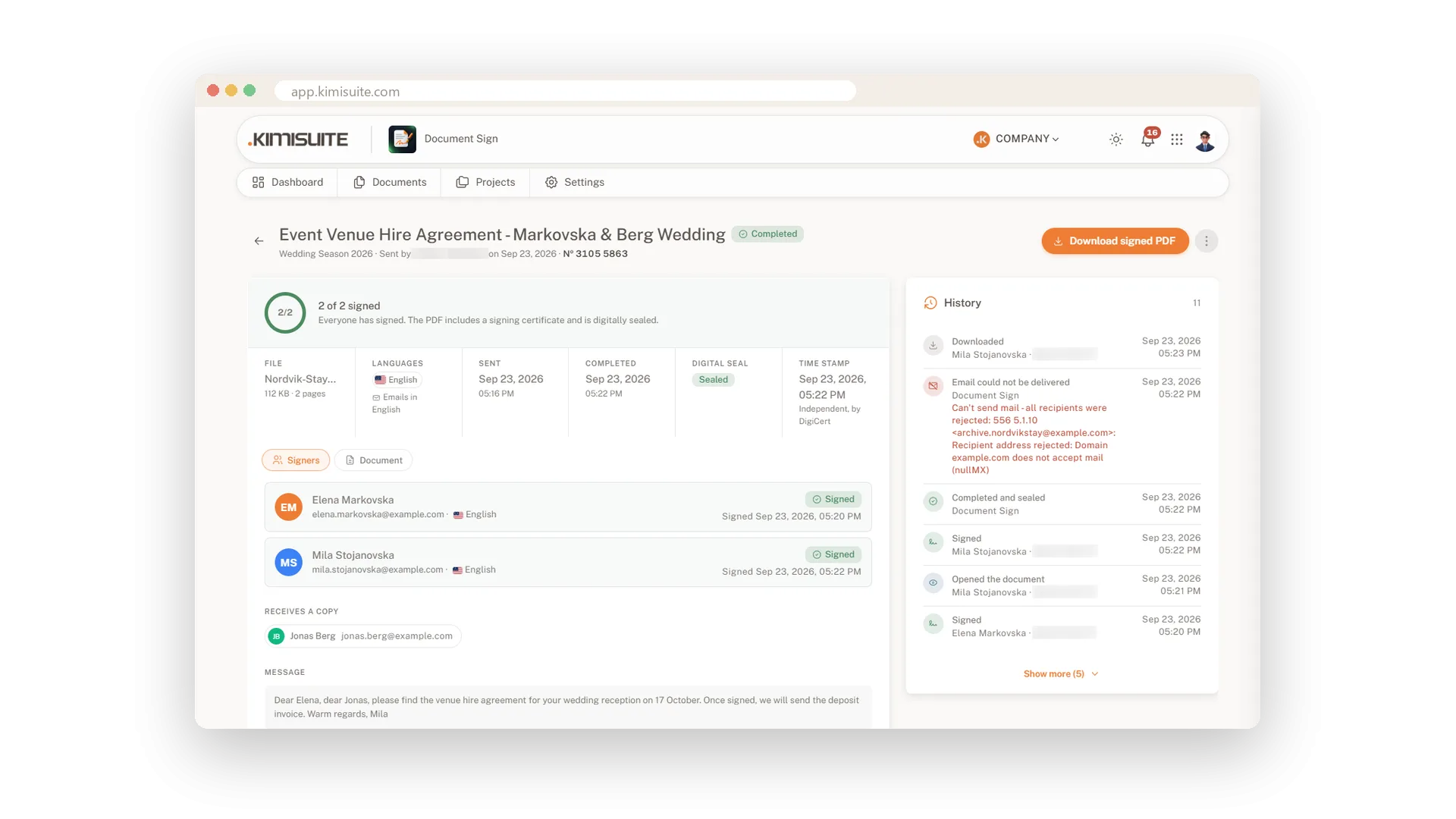
A sealed PDF with a full audit trail
Certificate, stamp, seal and timestamp in one file
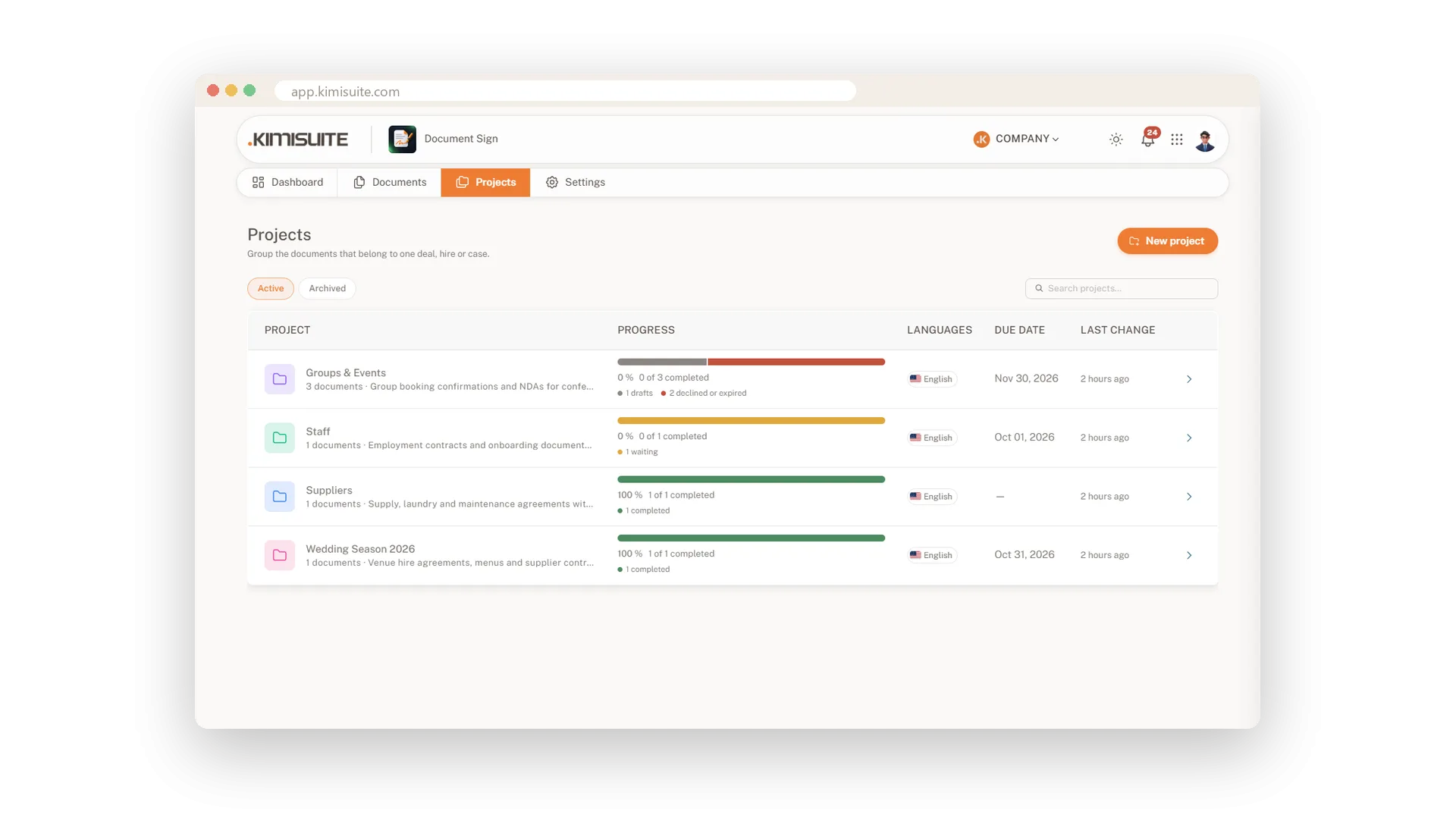
Documents organised by project
Every hire, deal or event with its own progress
Document Sign
FAQ
Common questions about Document Sign answered clearly.
Ready to See It in Action?
Discover how KIMISUITE connects growth, automation and AI into one unified system.
Take Your Business to The Next Level!
Stop paying for tools you barely use. Start running your business on KIMISUITE.
No long-term contract · Cancel anytime · 14 days free
