 Part of Document Sign
 A sealed PDF with a full audit trail
Certificate, stamp, seal and timestamp in one file
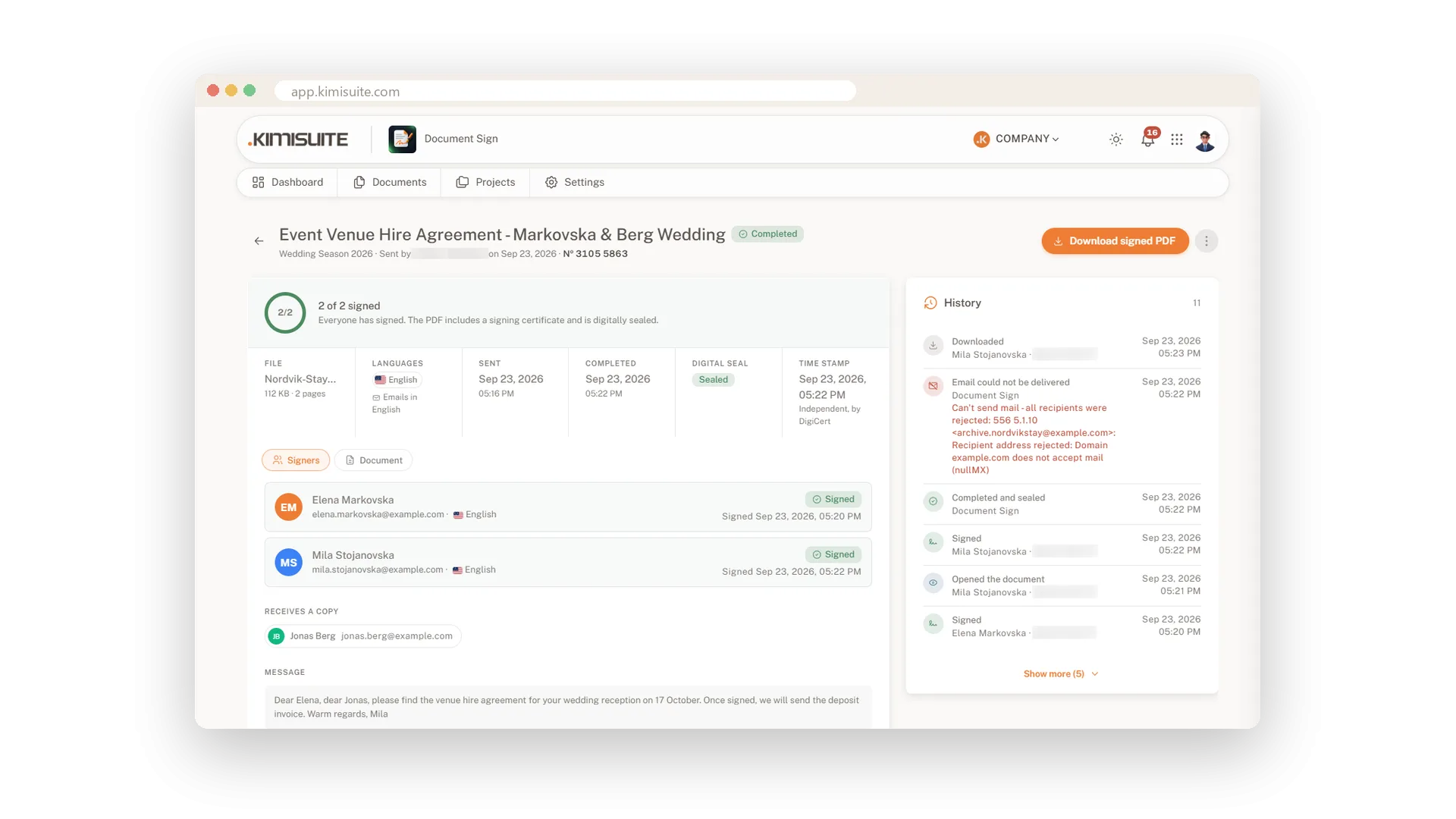
When the last signature is in, Document Sign puts everything into one PDF. Your original pages carry the signatures and entries, a stamp with the document number sits on every page, and a signing certificate is attached at the end. The file is digitally sealed and gets an independent timestamp. You keep one document that tells its own story.
The signing certificate lists who was invited, who opened and who signed, with times, IP address and device, plus every step in the history. Fingerprints of the original and the signed file show that nothing changed along the way. Signers use a simple electronic signature under eIDAS, and you choose the check they pass before signing. Where a qualified signature is required, the Business plan adds signing with a certificate on a hardware token.
Key Benefits
A signing certificate with times, IP address, device and full history, attached to the PDF
A round or rectangular stamp with an 8-digit document number on every page
Digital seal and an independent RFC 3161 timestamp on the signed file
SHA-256 fingerprints of the original upload and the signed PDF on every document
A signing certificate in every PDF
Who, when, where and how - attached to the file
Download the signed PDF and the certificate is already attached: sender, times with time zone, and for each recipient the invitation, opening, signature level, signing time, IP address and device. The complete history follows, so the file explains itself.
A stamp and number on every page
Every page shows it belongs to the signed file
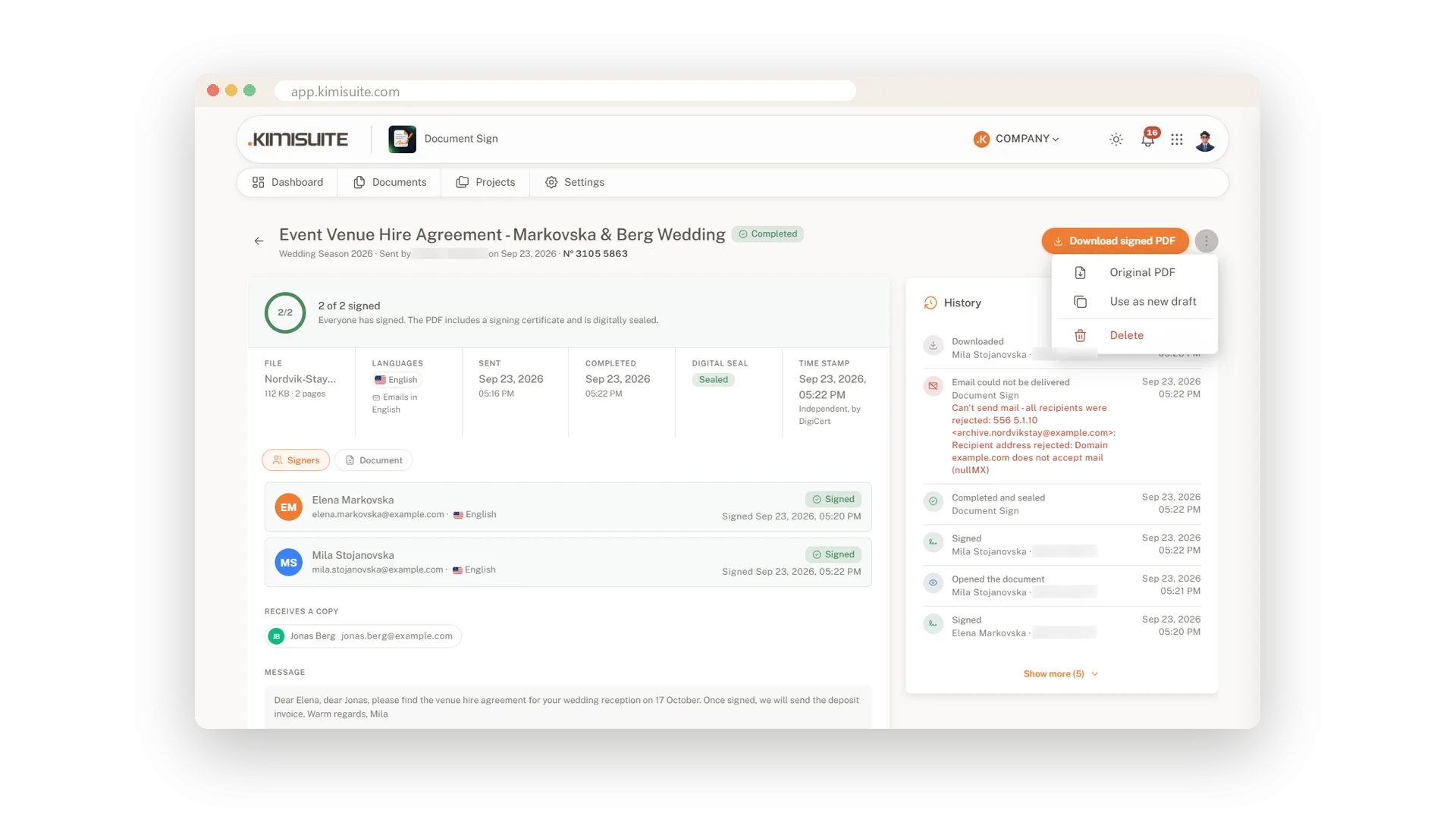
Each page of the signed PDF, including the certificate, carries a stamp with the 8-digit document number. Choose a round or rectangular style. The same number appears on the document in the app, so any printed page leads back to its record.
Seal, timestamp and fingerprints
See at once that nothing changed after signing
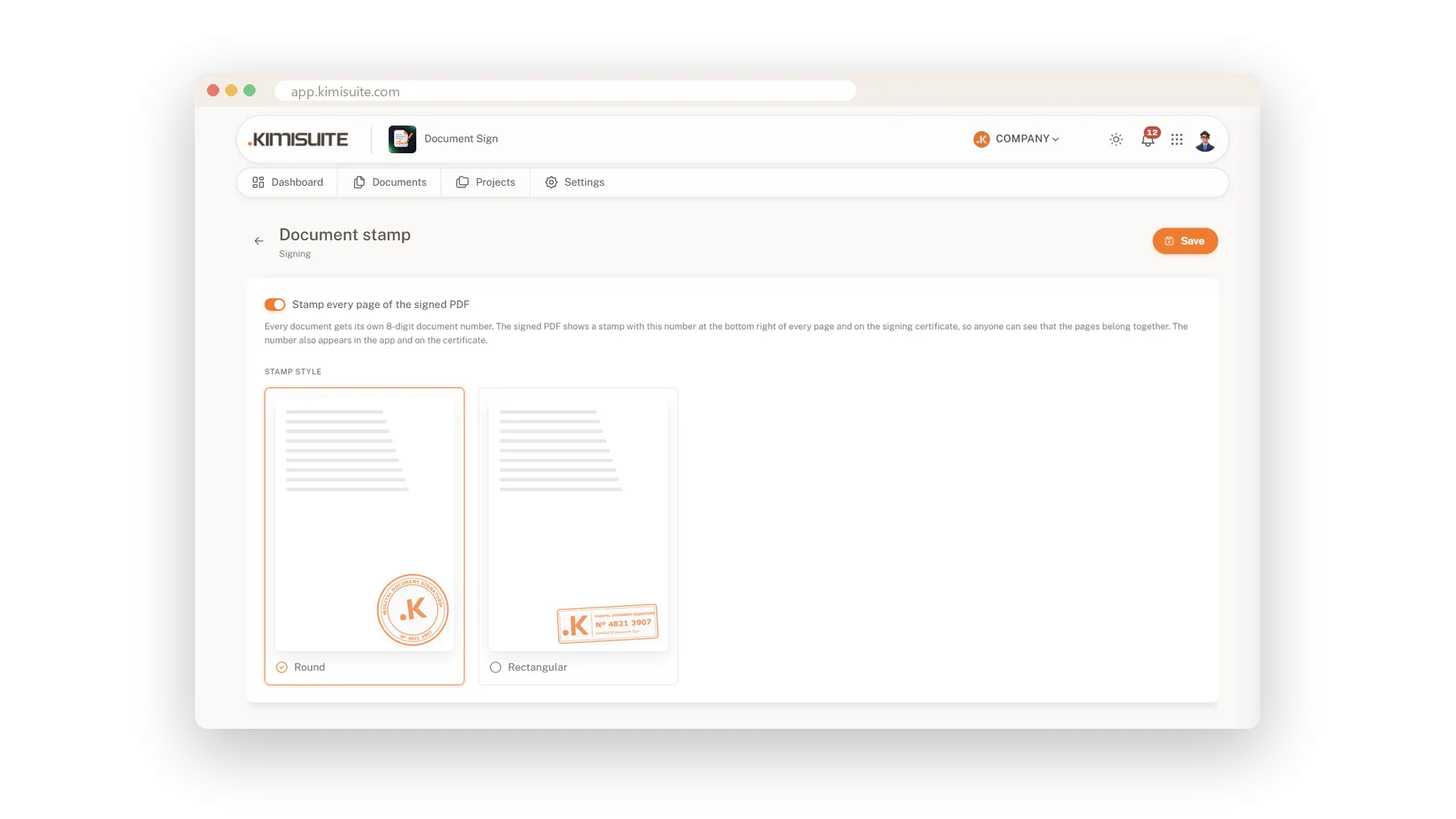
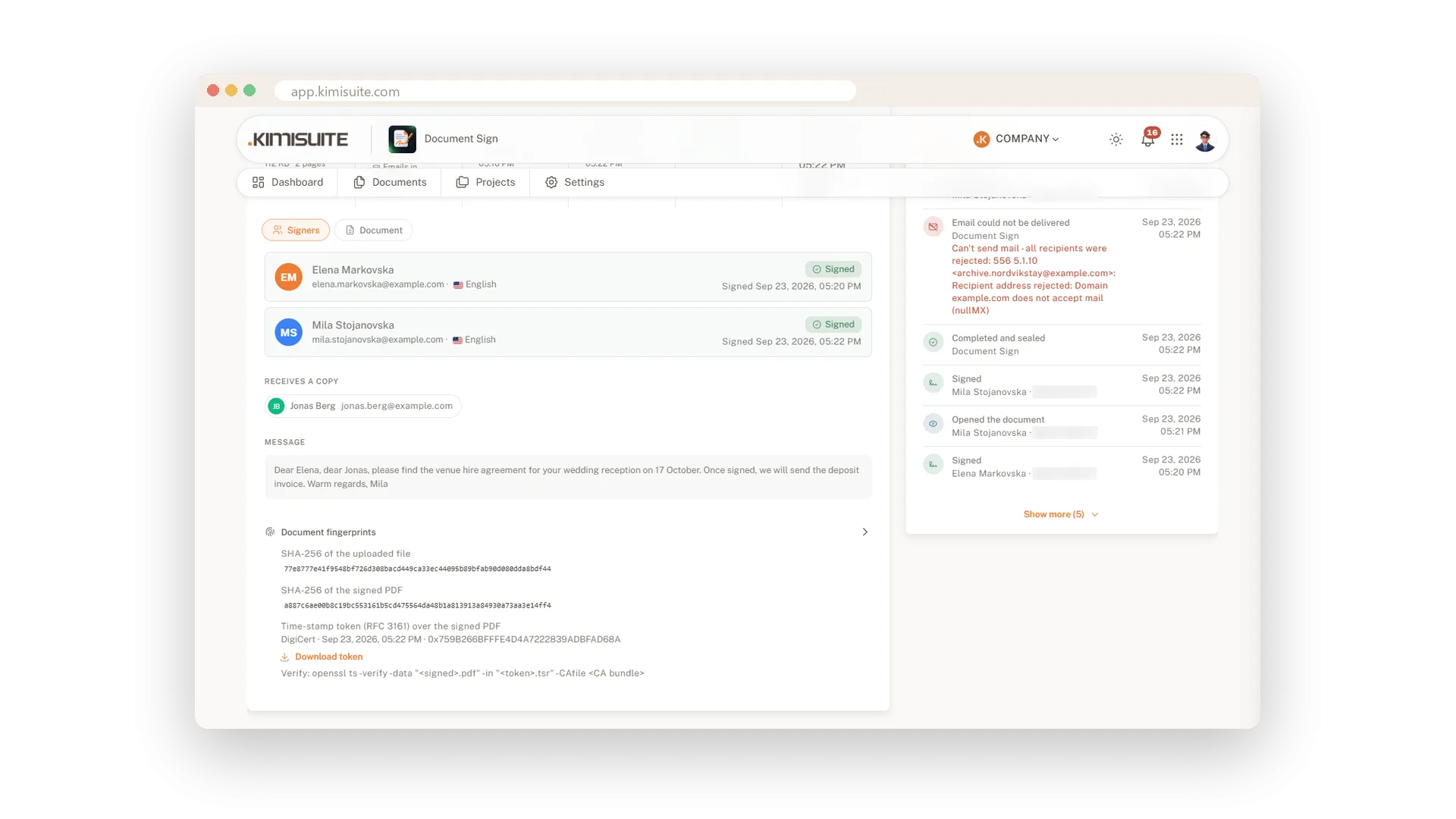
The signed PDF is digitally sealed and gets an independent RFC 3161 timestamp. The document shows SHA-256 fingerprints of your upload and of the signed file, next to the details of the timestamp and its token.
Every step in the history
Uploaded, opened, signed - with time and person
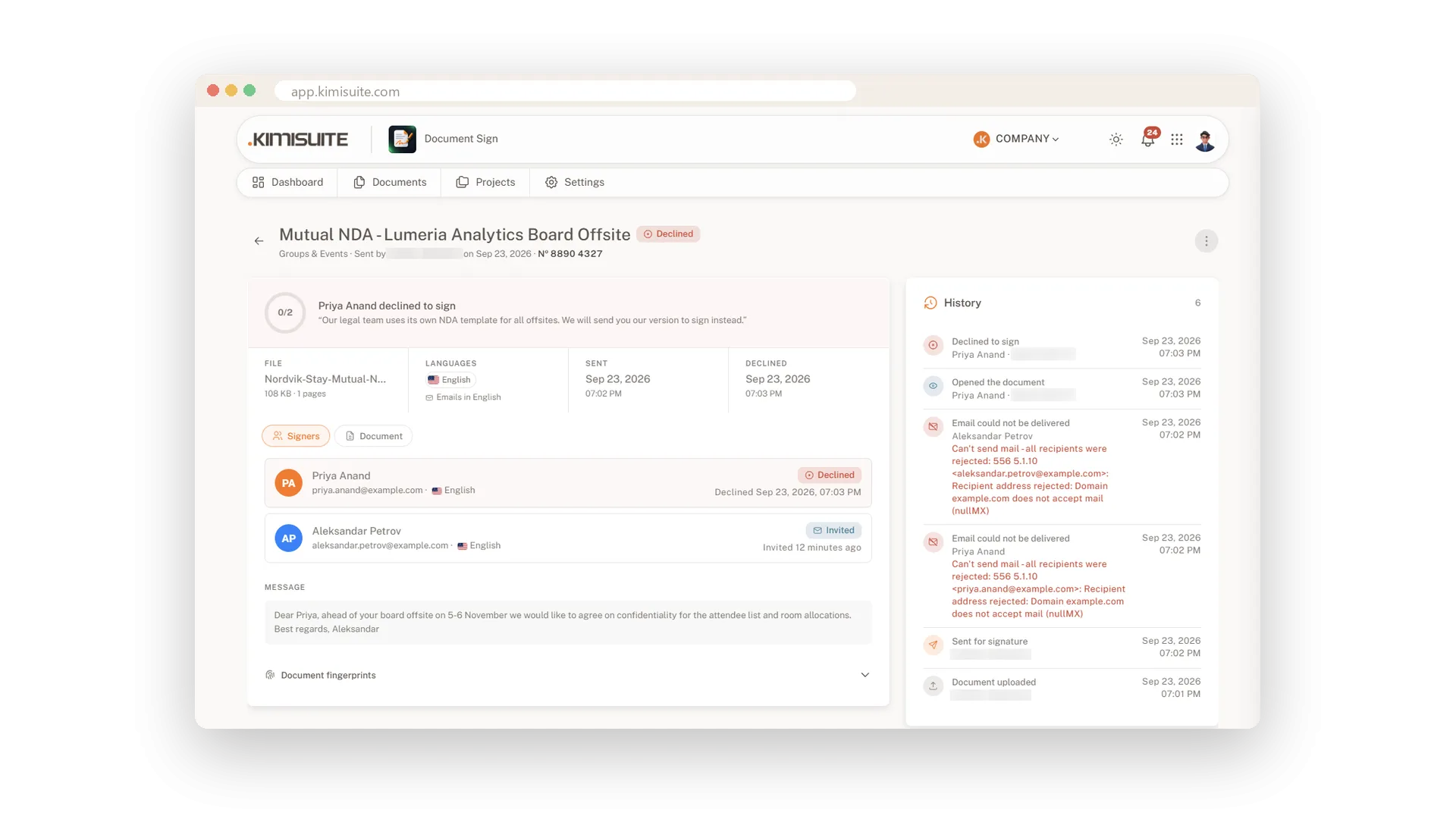
Next to every document runs its history: uploaded, sent, opened, signed, declined, reminded, completed and sealed, downloaded. Each entry names the person and the time, and a declined document shows the signer's reason right at the top.
An extra check before signing
Link only, a code by email or an access code
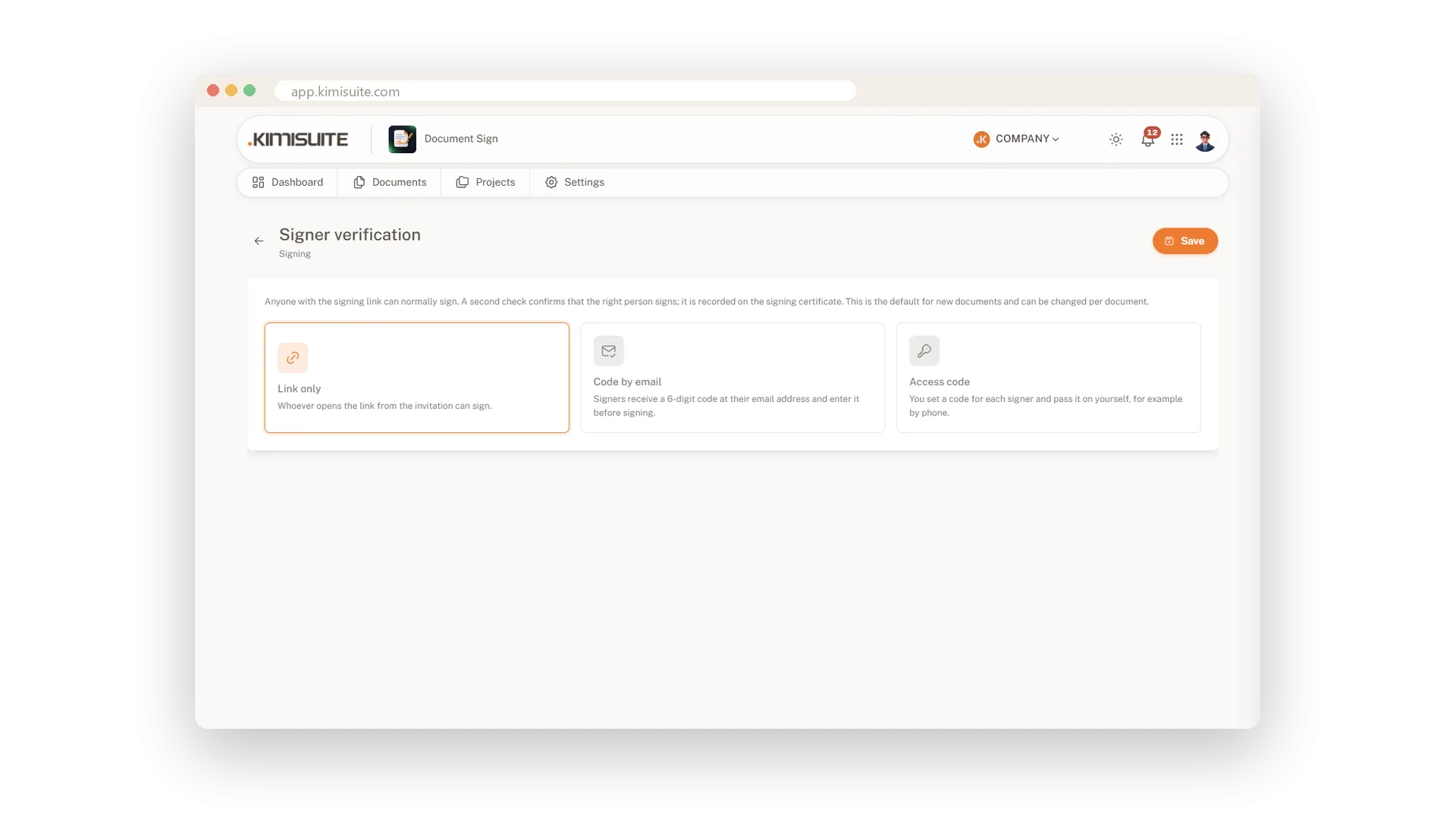
Decide how signers show it is really them. The link alone suits everyday papers; for more sensitive ones choose a six-digit code by email or an access code you pass on yourself. Set your default once and change it per document.
Qualified signing with a hardware token
For contracts that need more than a simple signature
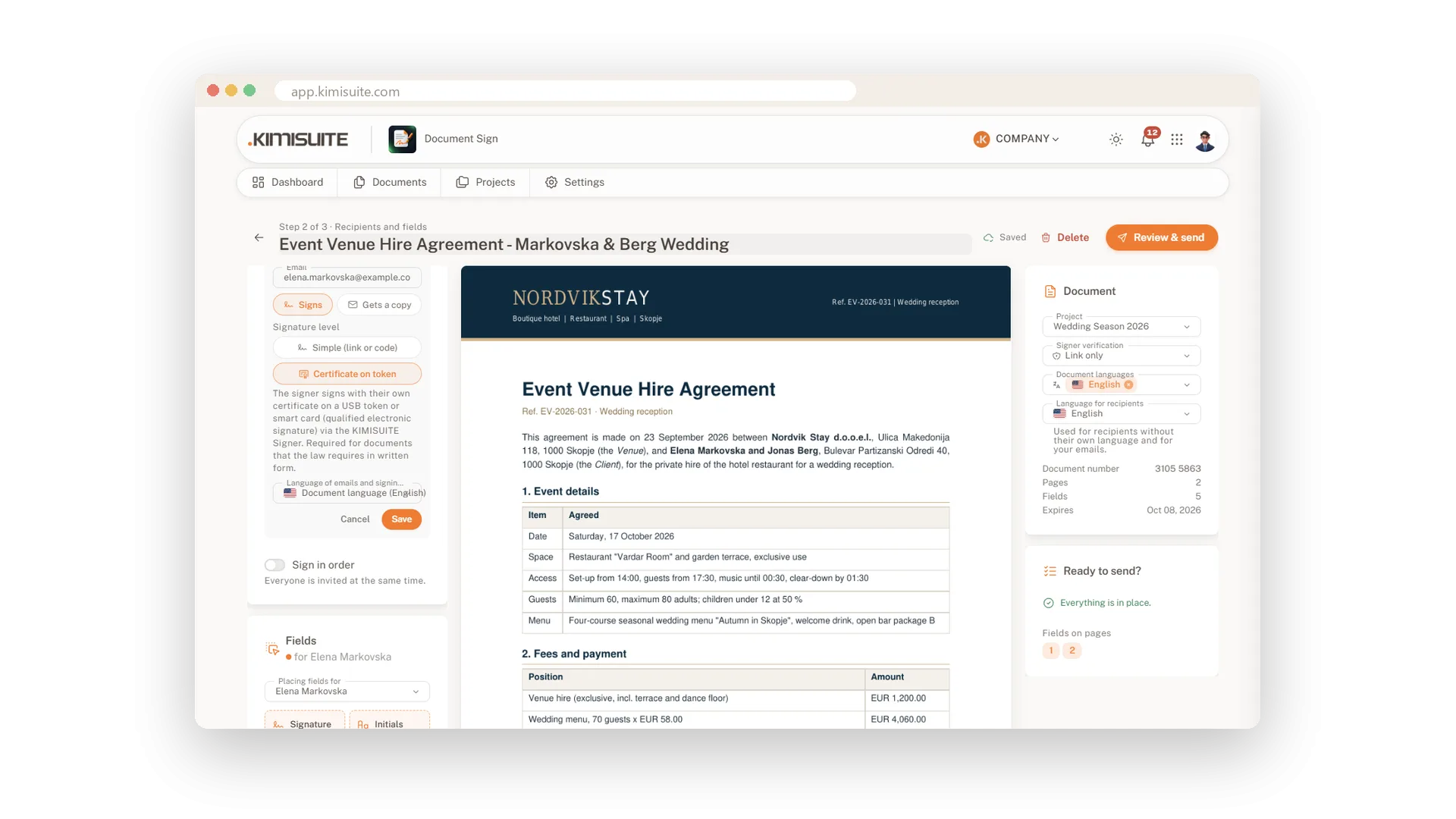
For documents that call for a qualified signature, set the signer's level to Certificate on token. They sign with the certificate on their own USB token or smart card, using the KIMISUITE Signer for Windows, which you can download or share from the settings. Available from the Business plan.
Use Cases
The question a year later
A partner asks when the agreement was signed and by whom. You open the PDF, and the certificate answers with names, times and devices.
One file for your records
Download the signed PDF and file it wherever you keep contracts. The stamp, certificate and seal travel with it.
A contract that needs more
Your lawyer asks for a qualified signature on a shareholder agreement. You set the signer's level to Certificate on token, and they sign with their own card.
FAQ
Try Document Sign today
Send a document, get it back signed and sealed
14 days free, cancel anytime, no minimum term.
