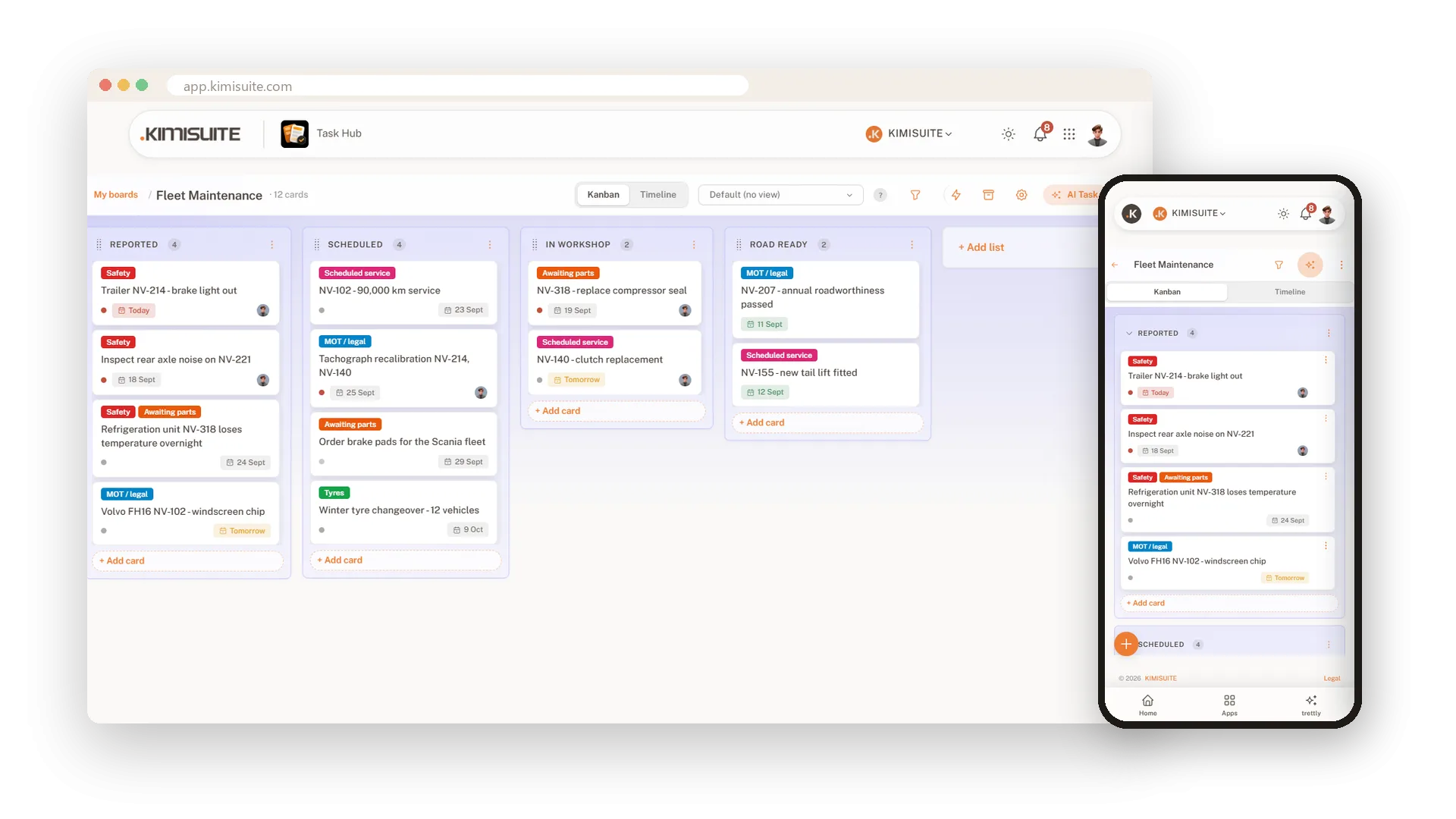

One board for all the work - and AI that writes the tasks for you.
Lists, cards and colours that show who does what and what is done. Rules that take over the routine, cards linked to your customers and bookings, and AI Task, which turns meeting notes or a voice memo into cards you only have to confirm.
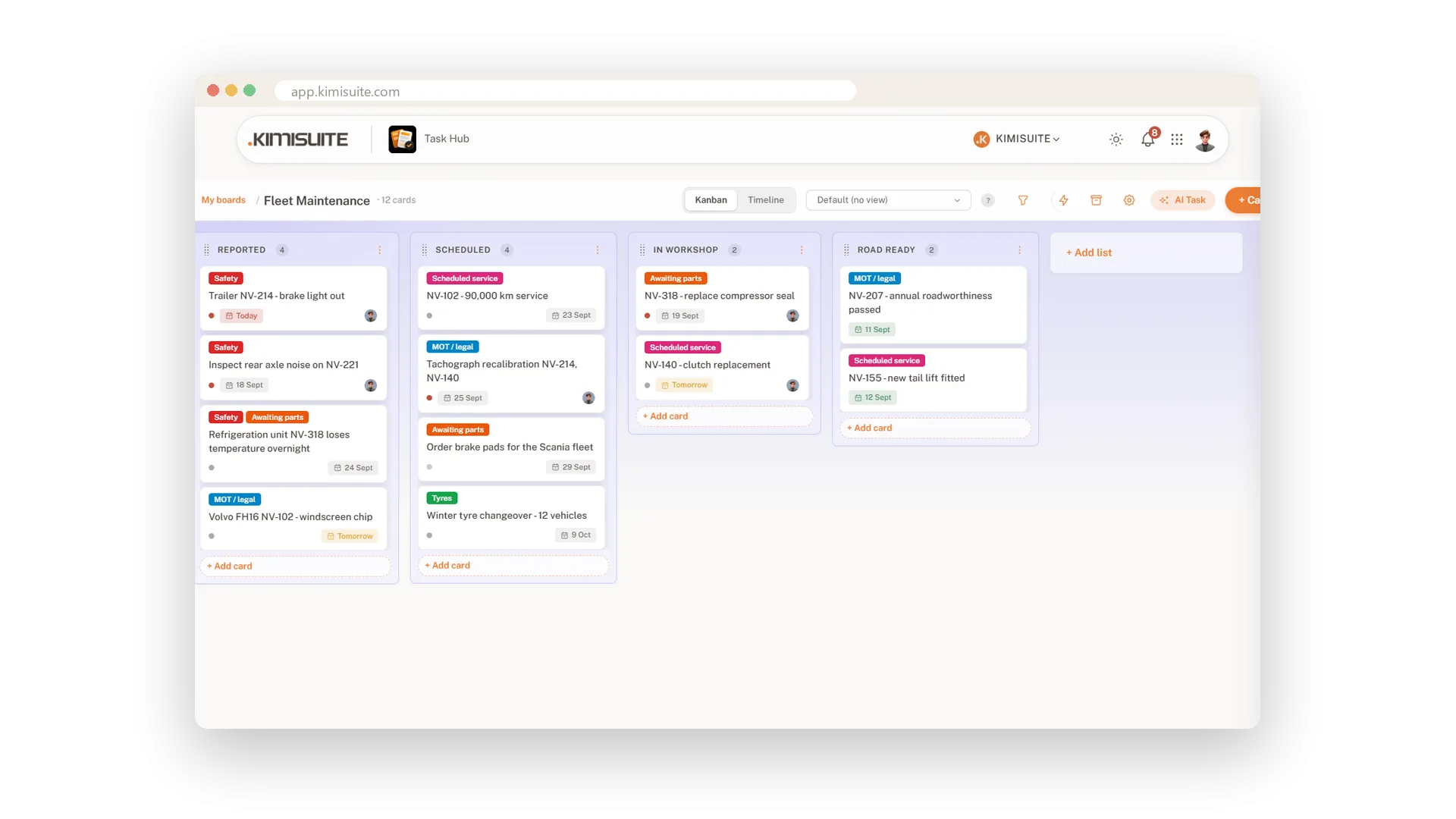
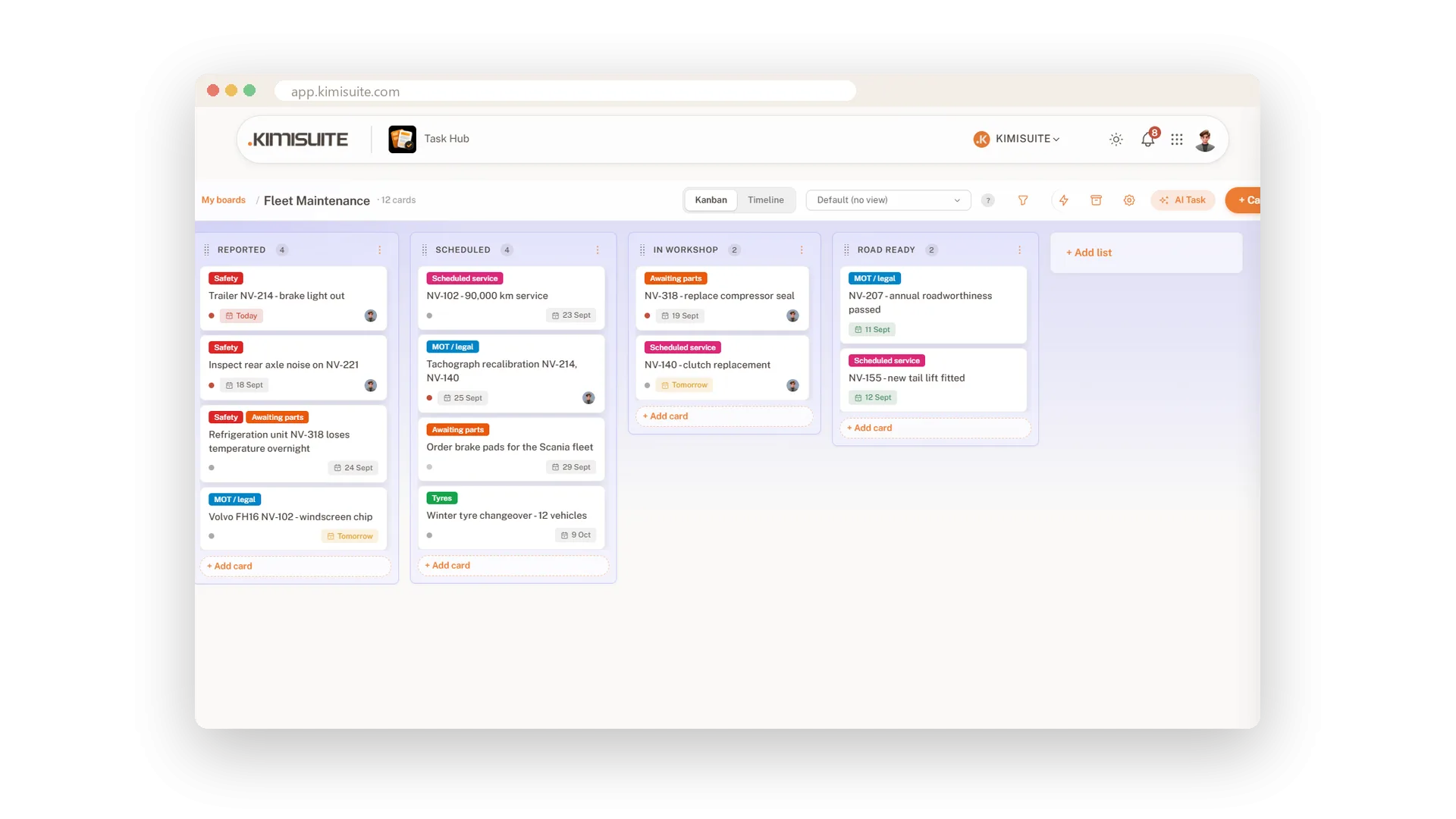
A board your team understands in a minute
Pick a template - Engineering Sprint, Personal Tasks, Bug Tracker, Content Calendar - or a blank board, and the lists are there. Every job becomes a card that moves from left to right as the work moves.
- Labels in colour. Safety in red, Awaiting parts in orange - you read the board before you read a word.
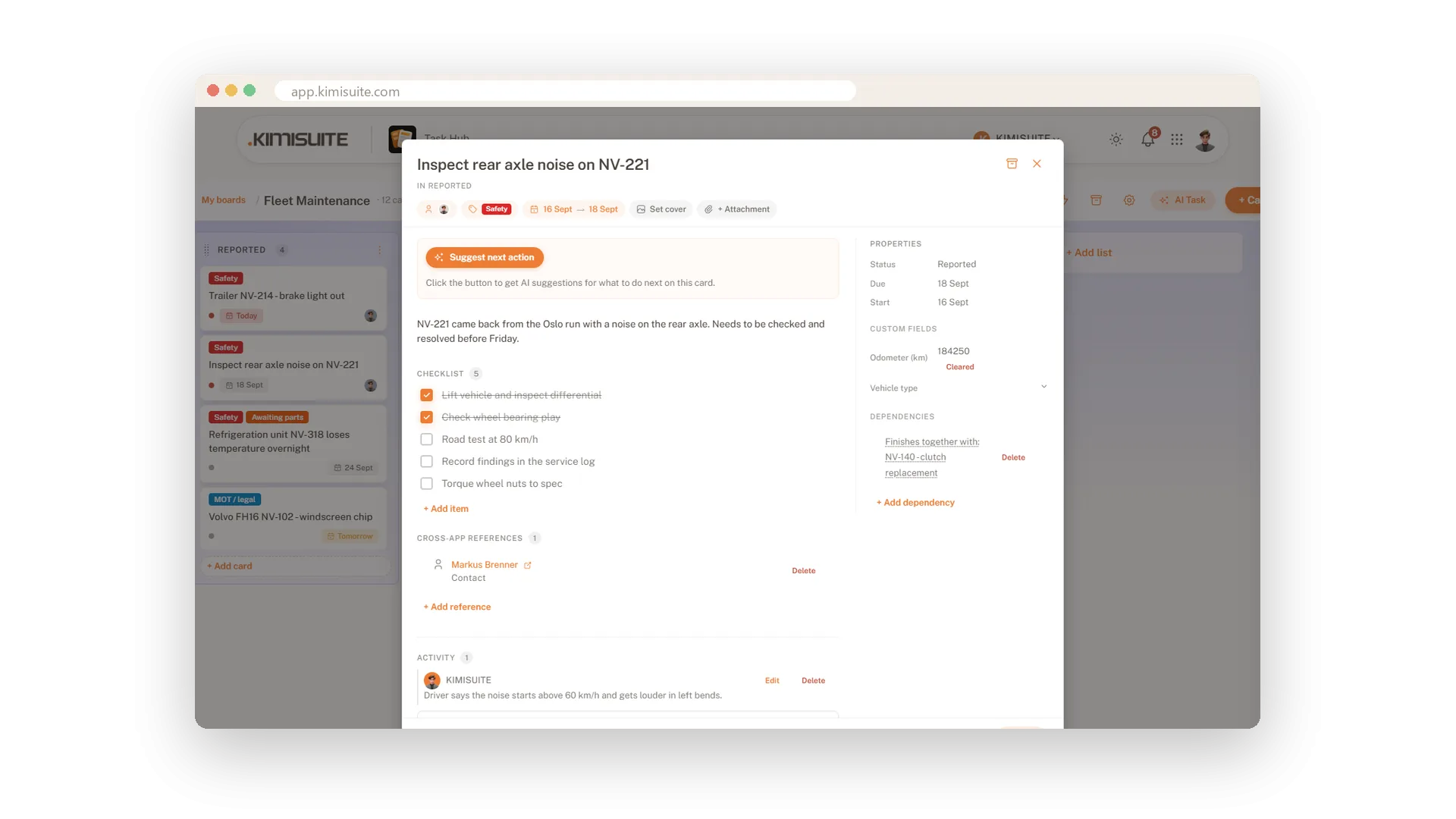
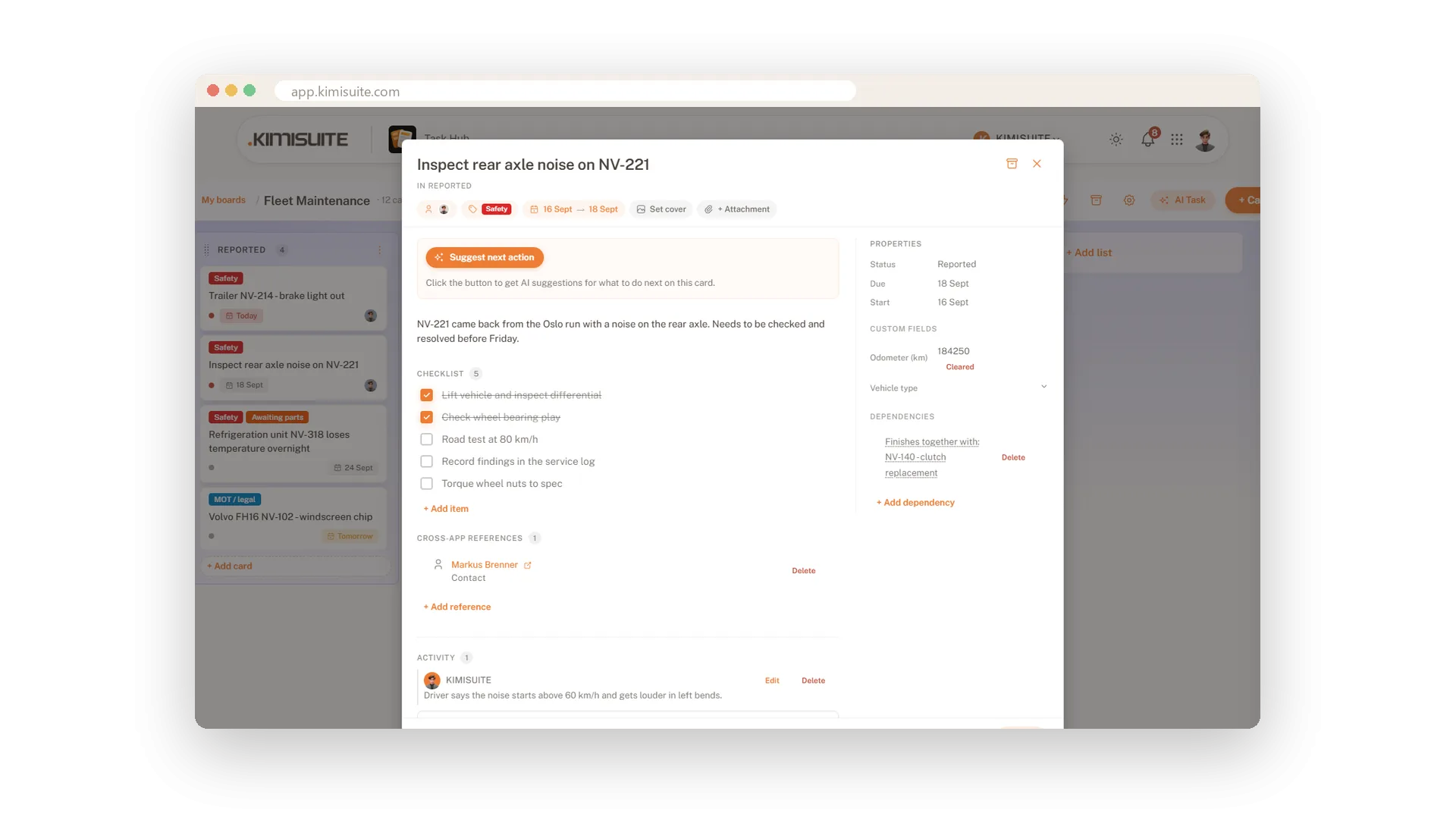
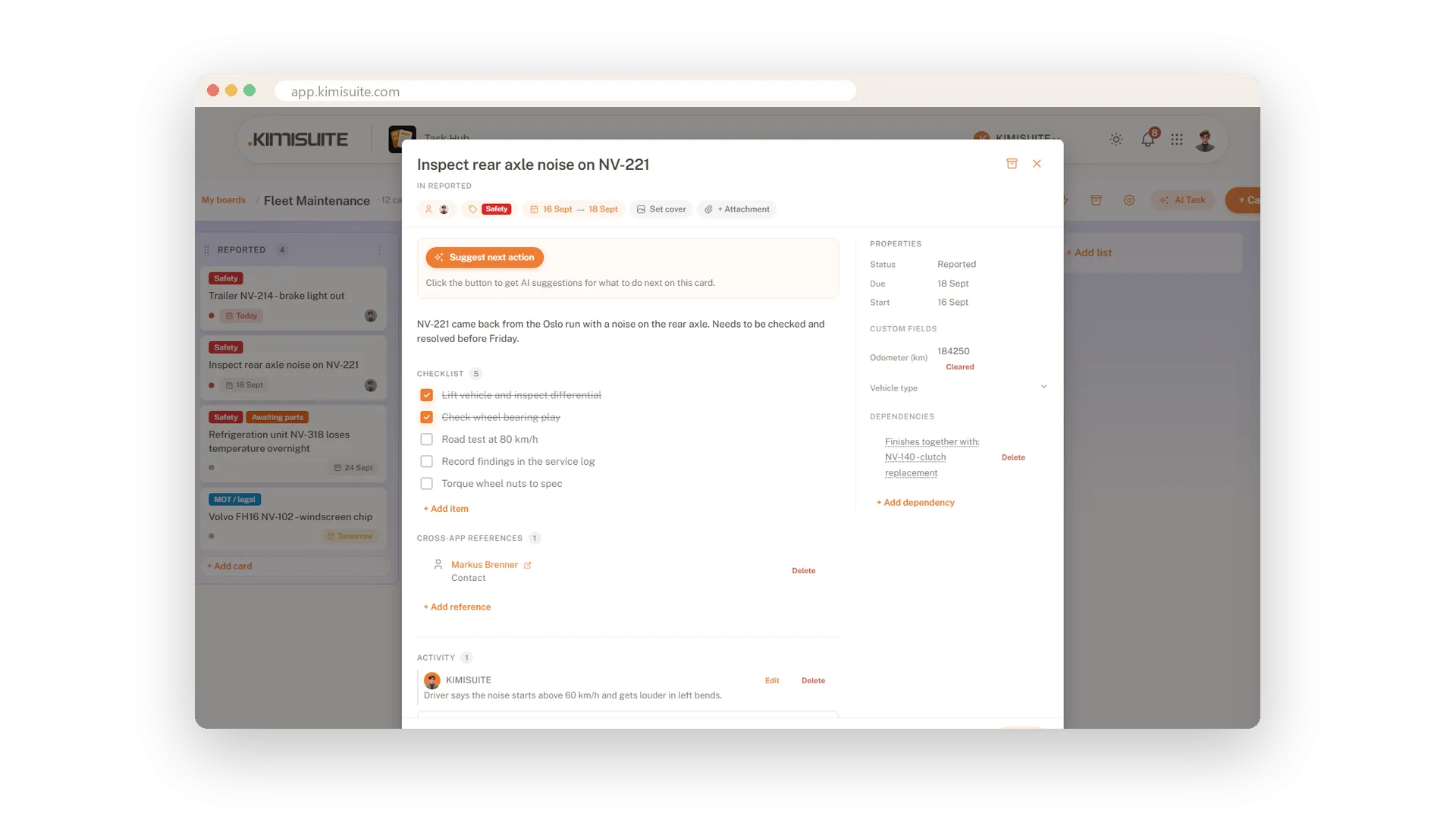
- Everything on the card. Checklist, files, cover picture, due date, assignees and comments.
- Filters and saved views. One person, one label, everything overdue - saved for tomorrow morning.
- Archive, not delete. Finished cards leave the board and come back with one click.
A team board is visible to the whole workspace, a personal board stays yours.
What Task Hub does for your team
From the first card to work that plans, links and writes itself.
Templates, lists and cards, labels in twelve colours. Filter by person, label or due date and save the view.
Checklists that stay open for the next item, files and a cover picture, due dates in plain words, your own fields.
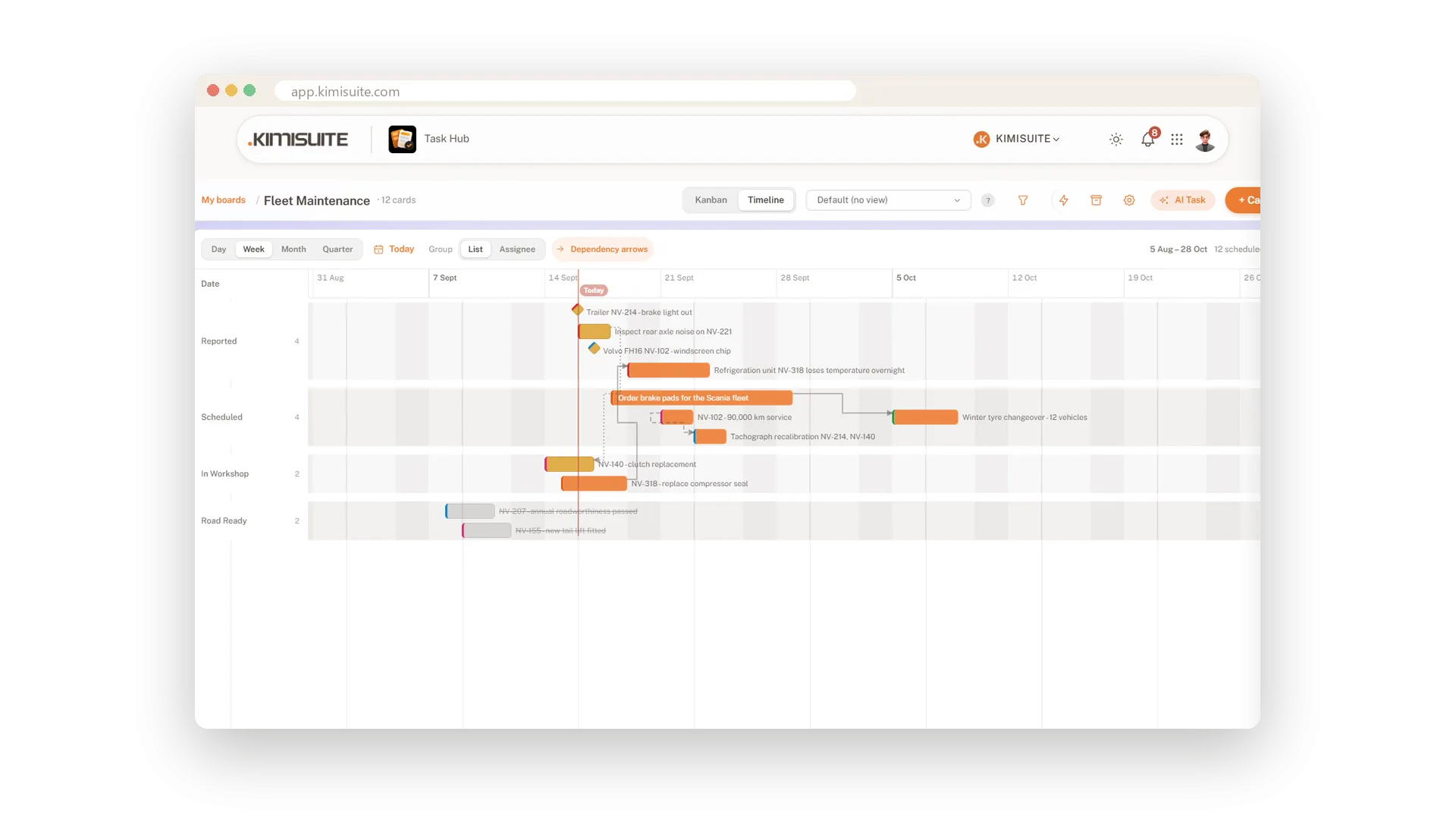
The same cards as a Gantt chart, zoomable by day to quarter, with four kinds of dependency drawn as arrows.
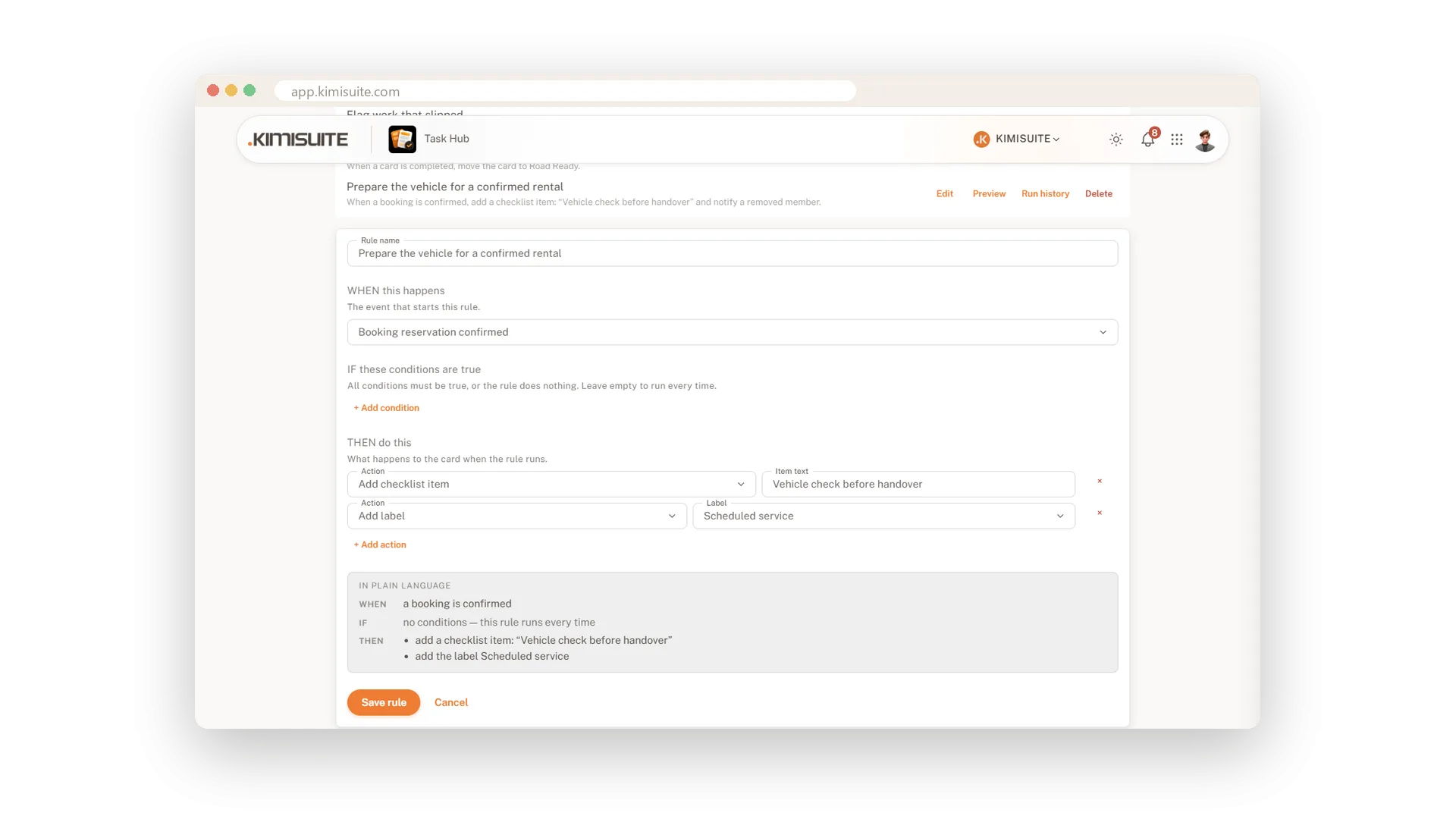
When, If, Then - with a plain-language summary. Ten triggers and ten actions; three of the triggers come from your other apps: a lead changes status, a booking is confirmed, a payment arrives.
Point a card at a CRM lead or customer, a booking, a contact or a vehicle. The record is one click away.
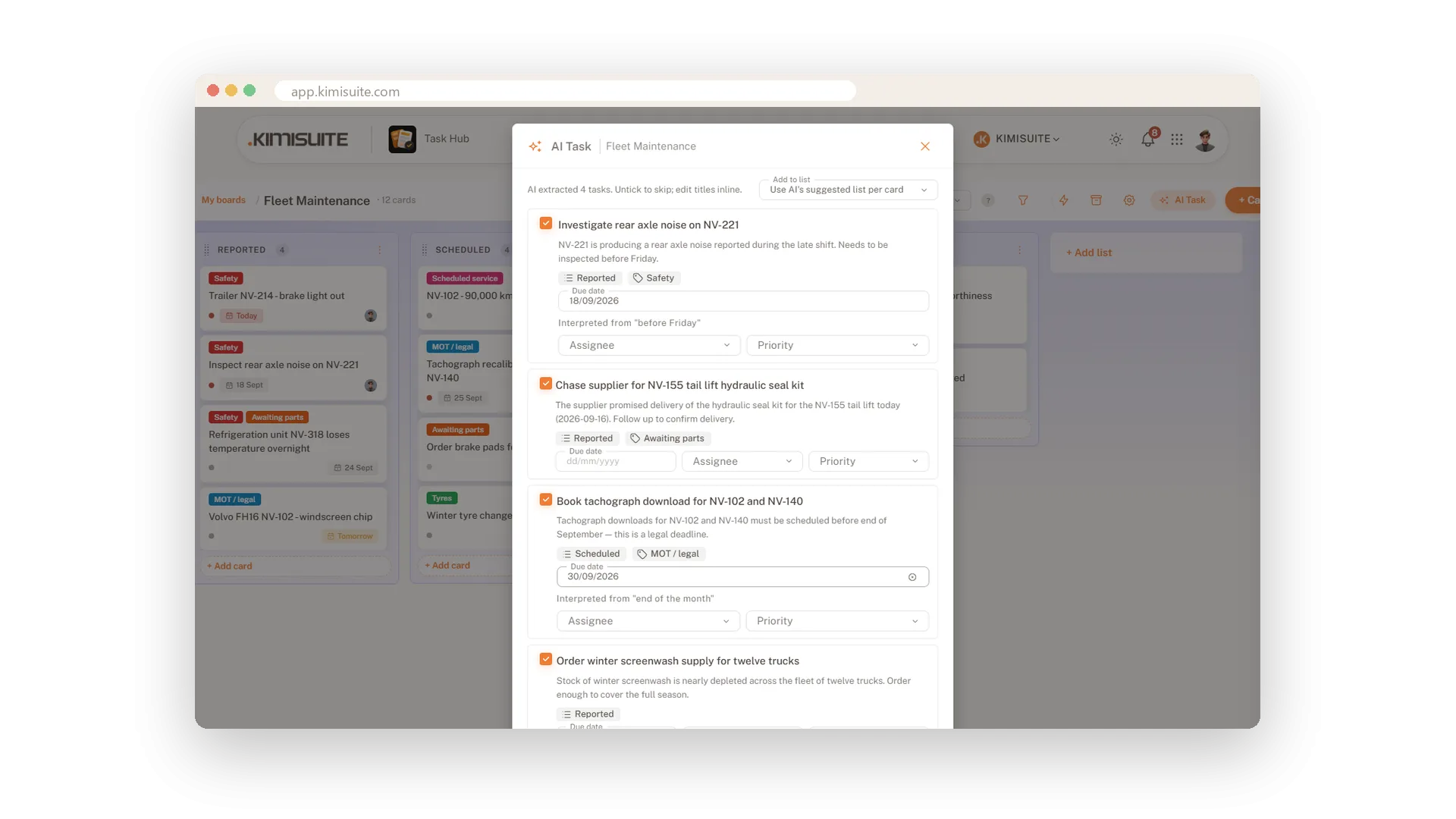
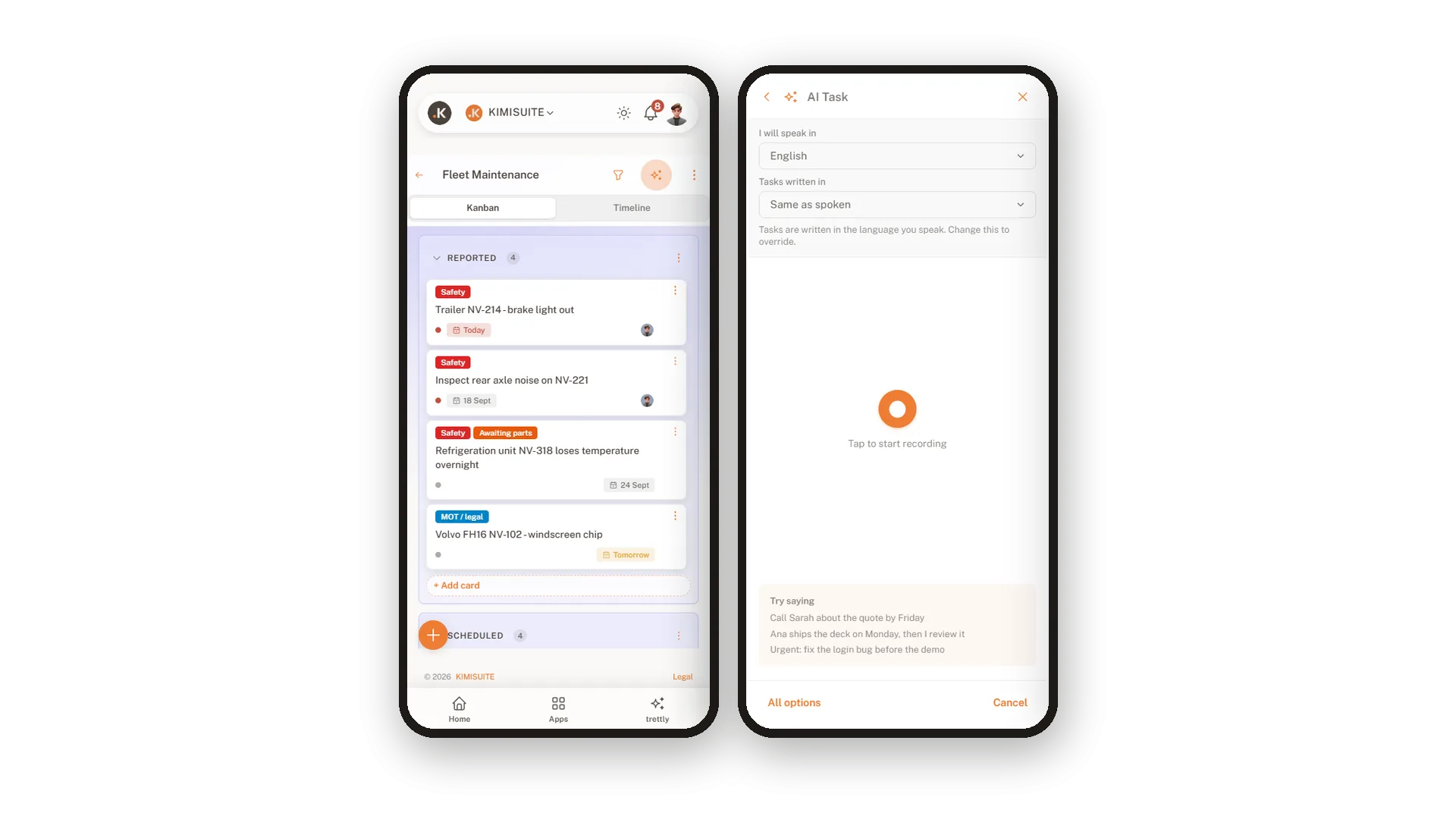
Dictate in your own language and get cards in the company's - you choose both, from sixteen. AI Task proposes cards with list, label and date; you confirm.
Hold the meeting in Meeting Hub. It transcribes itself afterwards, and Task Hub turns the decisions into cards with owners and dates - you confirm them. Nobody takes minutes.
A card knows the rest of your business
Most task tools sit on an island: the card says call the customer, and the customer is somewhere else. In Task Hub the card points at the record it is about - a CRM lead or customer, a booking, a contact or a vehicle - and the details sit one click away.
- Rules that listen to other apps. A lead changes status in the CRM, a reservation is confirmed in Booking Hub, a payment comes in - and the right card appears or moves.
- When, If, Then in plain words. Ten triggers, ten actions, and a panel that repeats the rule in plain language before you save it.
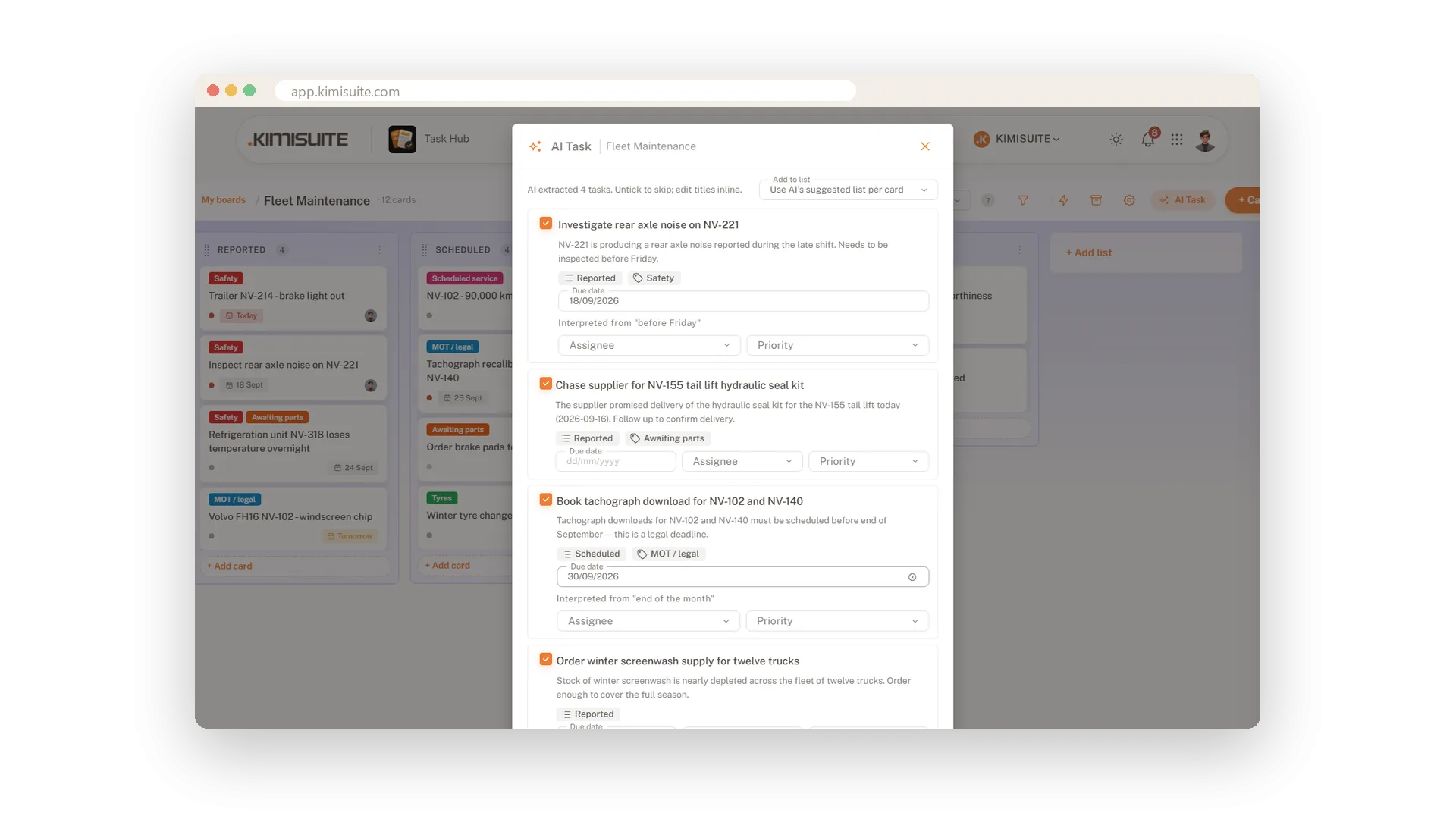
- A timeline that shows what waits. Switch the board to a Gantt chart and draw what blocks what, so a delay shows its knock-on effect early.
No integration to set up: the apps share your KIMISUITE workspace. App links, timeline and rules are part of Grow and Business.
From meeting notes to cards in one step
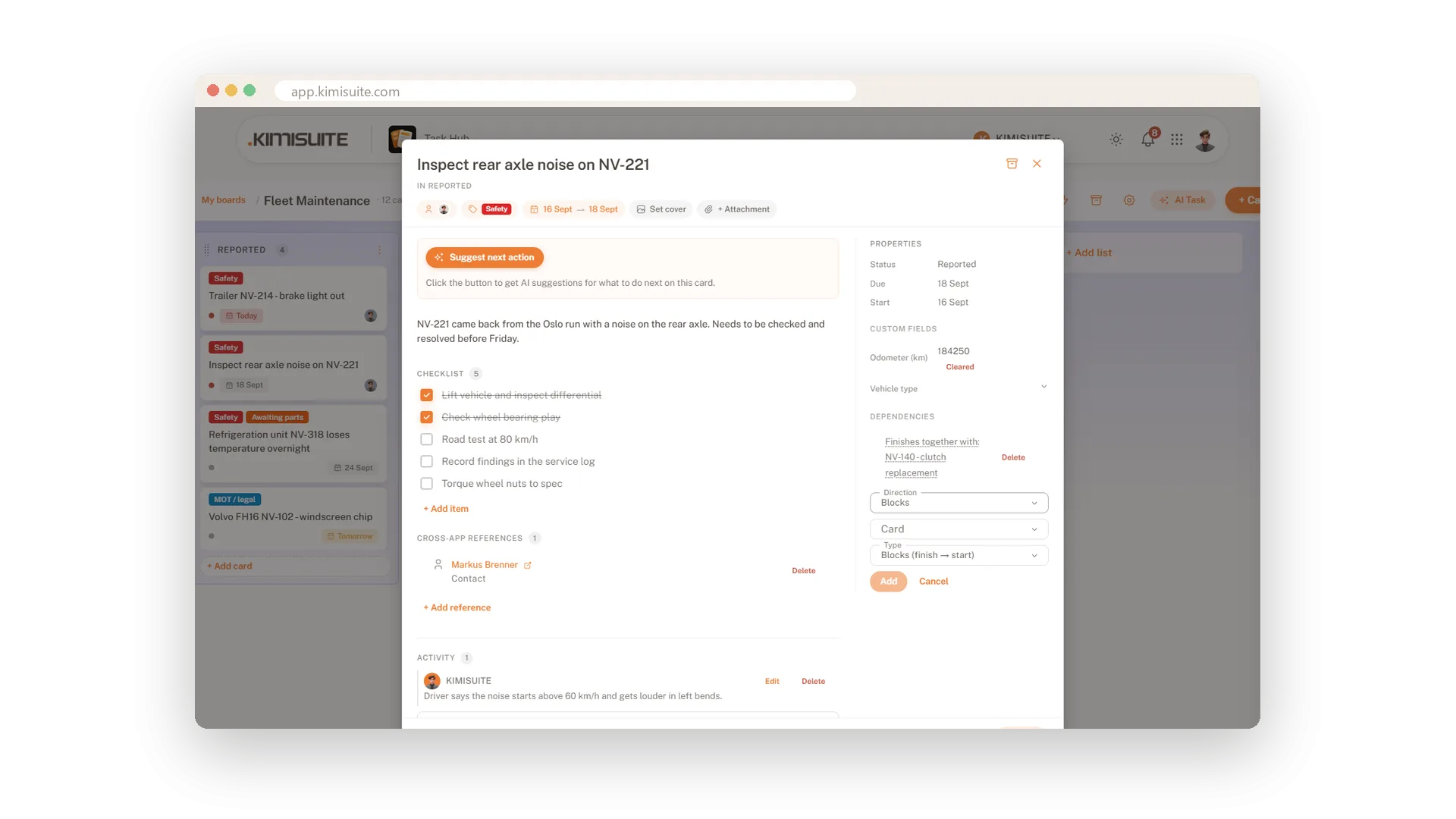
The meeting is over and the to-dos are buried in a page of notes. Paste them into AI Task - or press record and say what needs doing. Moments later the cards are there to check: a clear title, a short description, the right list, a label from your board and a due date.
- Dates you can check. Every date shows the words it came from - before Friday, end of the month - so you see why it was chosen.
- Nothing without your click. Untick what you do not want, edit titles, add assignees and priorities, then create all cards at once.
- Speak one language, write another. Dictate in one of sixteen languages and have the cards written in the language of your board.
AI Task is part of Business. On Grow and Business, Suggest next action on every card proposes what to do next - you decide.
See Task Hub in action
Pricing Plans
Choose the right plan for your needs. All plans include free updates.
| Task Hub | Start €8.90 /mo · per workspace Start Free Trial | Grow €19.90 /mo · per workspace Start Free Trial | Recommended Business €33.90 /mo · per workspace Start Free Trial |
|---|---|---|---|
| Boards Maximum number of active boards. | 3 | 25 | 100 |
| Kanban View Visualise lists and cards on a kanban board. | |||
| Timeline View Plan work over time on a Gantt-style timeline. | – | ||
| Labels & Assignees Tag cards with labels and assign them to teammates. | |||
| Checklists Break a card into smaller subtasks. | |||
| Comments & @mentions Discuss work in card comments and notify teammates. | |||
| Attachments Attach files and cover images to cards (stored in MinIO). | |||
| Custom Fields Add typed metadata (text, number, date, select…) to cards. | – | ||
| Dependencies Link cards with blocks / blocked-by relationships. | – | ||
| Cross-App Links Reference CRM leads, bookings, contacts and vehicles on cards. | – | ||
| Automations Maximum number of active automation rules per board. | – | 10 | Unlimited |
| AI Next Action Suggest the next move on a stalled card. | – | ||
| AI Brain-Dump → Cards Turn a freeform note into a stack of suggested cards. | – | – | |
| AI credits per month Go into the AI credit pool of your workspace | 300 | 1,000 | 3,000 |
- Boards Maximum number of active boards.3
- Kanban View Visualise lists and cards on a kanban board.
- Timeline View Plan work over time on a Gantt-style timeline.–
- Labels & Assignees Tag cards with labels and assign them to teammates.
- Checklists Break a card into smaller subtasks.
- Comments & @mentions Discuss work in card comments and notify teammates.
- Attachments Attach files and cover images to cards (stored in MinIO).
- Custom Fields Add typed metadata (text, number, date, select…) to cards.–
- Dependencies Link cards with blocks / blocked-by relationships.–
- Cross-App Links Reference CRM leads, bookings, contacts and vehicles on cards.–
- Automations Maximum number of active automation rules per board.–
- AI Next Action Suggest the next move on a stalled card.–
- AI Brain-Dump → Cards Turn a freeform note into a stack of suggested cards.–
- AI credits per month Go into the AI credit pool of your workspace300
Features Built for Growth
Everything you need to scale your business
Boards your team reads at a glance
Lists, cards and colours - who does what, and what is done
Everything about a job on one card
Checklist, files, due date and the talk around it
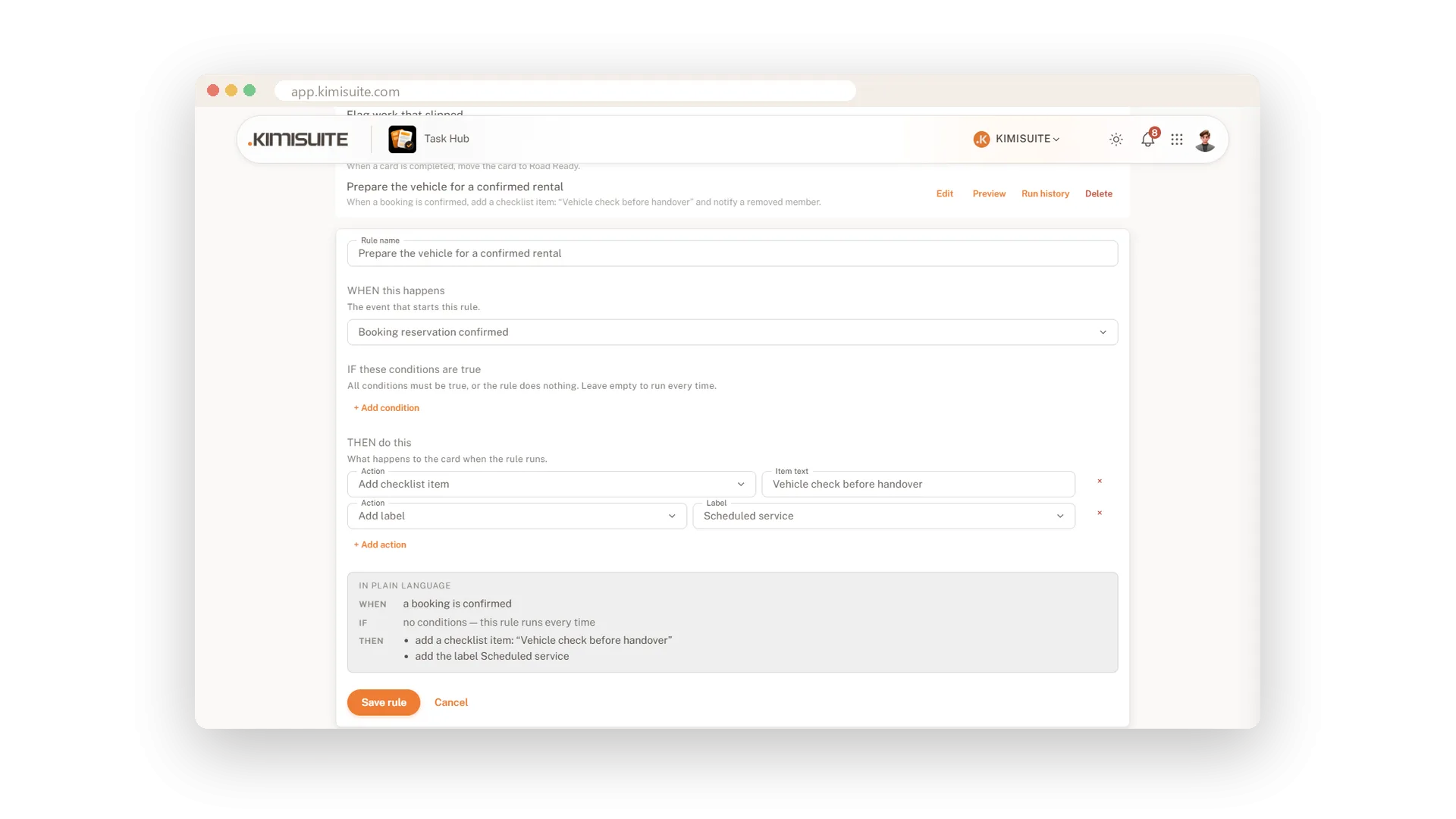
Rules that do the routine for you
When this happens, do that - written in plain language
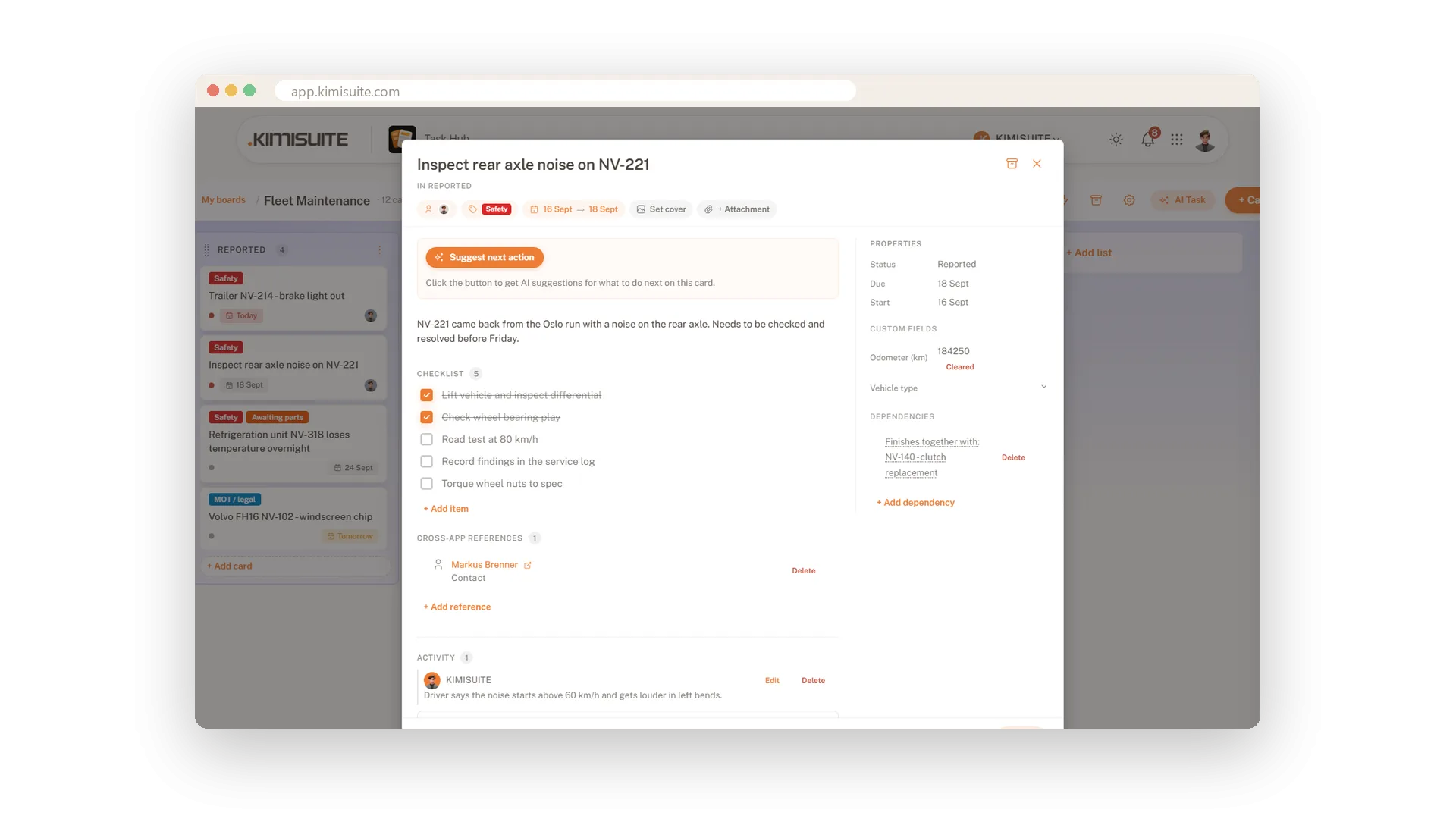
Tasks connected to the rest of your business
Link a card to a customer, a booking or a vehicle
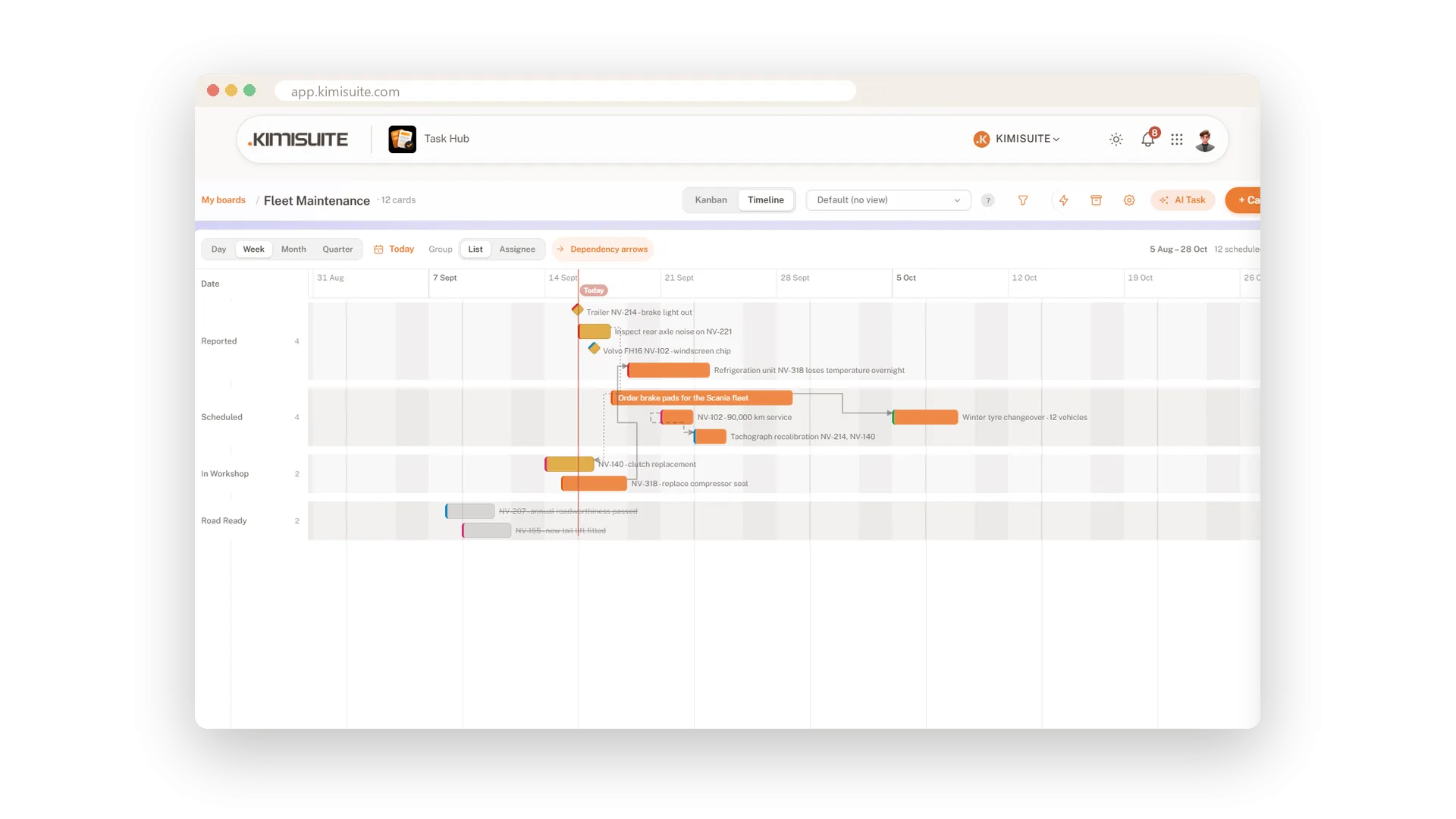
See the weeks ahead on a timeline
The same cards as a Gantt chart - with what waits on what
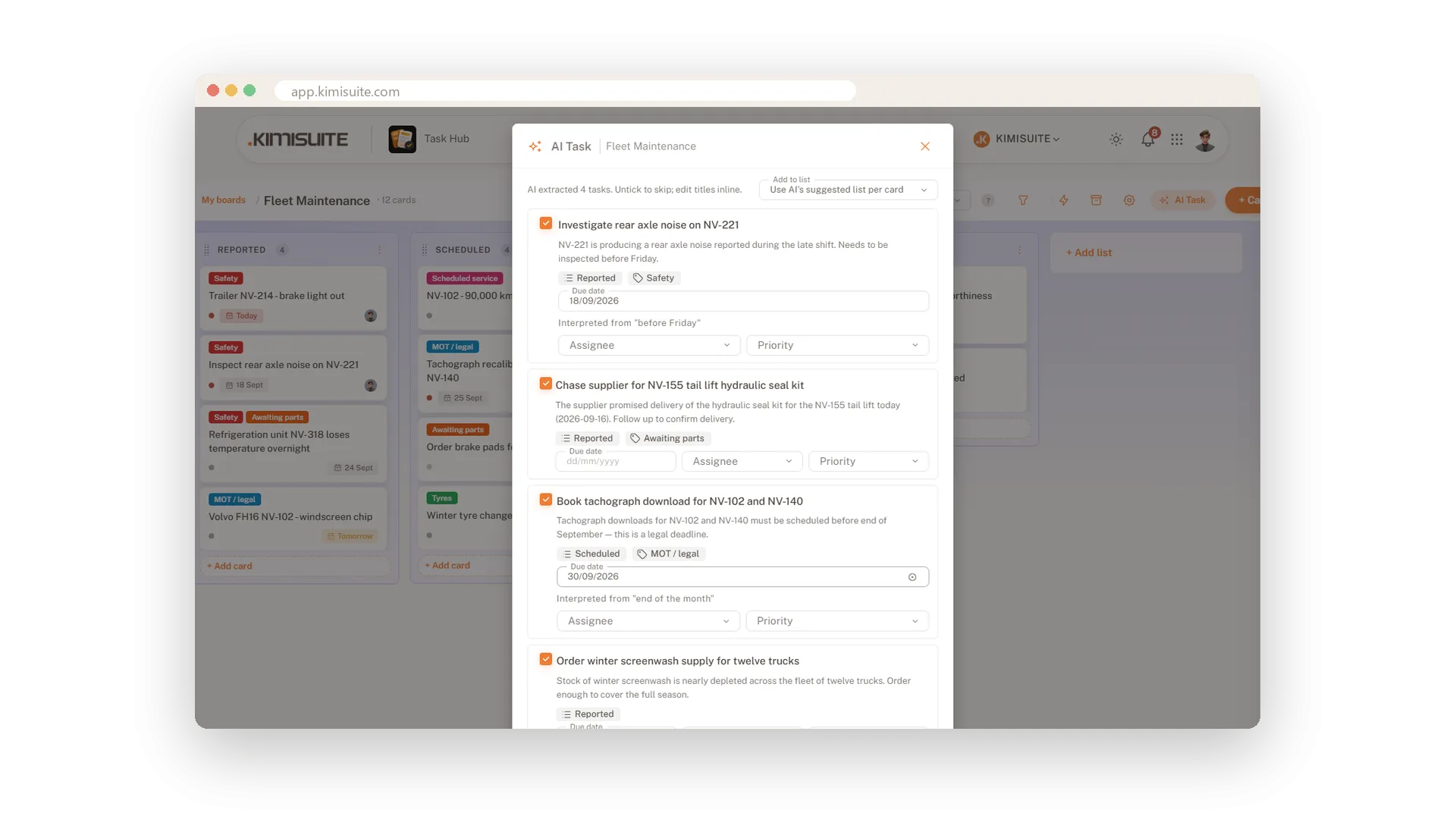
AI that turns notes into cards
Paste the notes or just say it - the cards are ready
Works with your other apps
One workspace. Data moves between the apps instead of being typed twice.




Task Hub
FAQ
Common questions about Task Hub answered clearly.
Ready to See It in Action?
Discover how KIMISUITE connects growth, automation and AI into one unified system.
Take Your Business to The Next Level!
Stop paying for tools you barely use. Start running your business on KIMISUITE.
No long-term contract · Cancel anytime · 14 days free