 Part of Task Hub
 Tasks connected to the rest of your business
Link a card to a customer, a booking or a vehicle
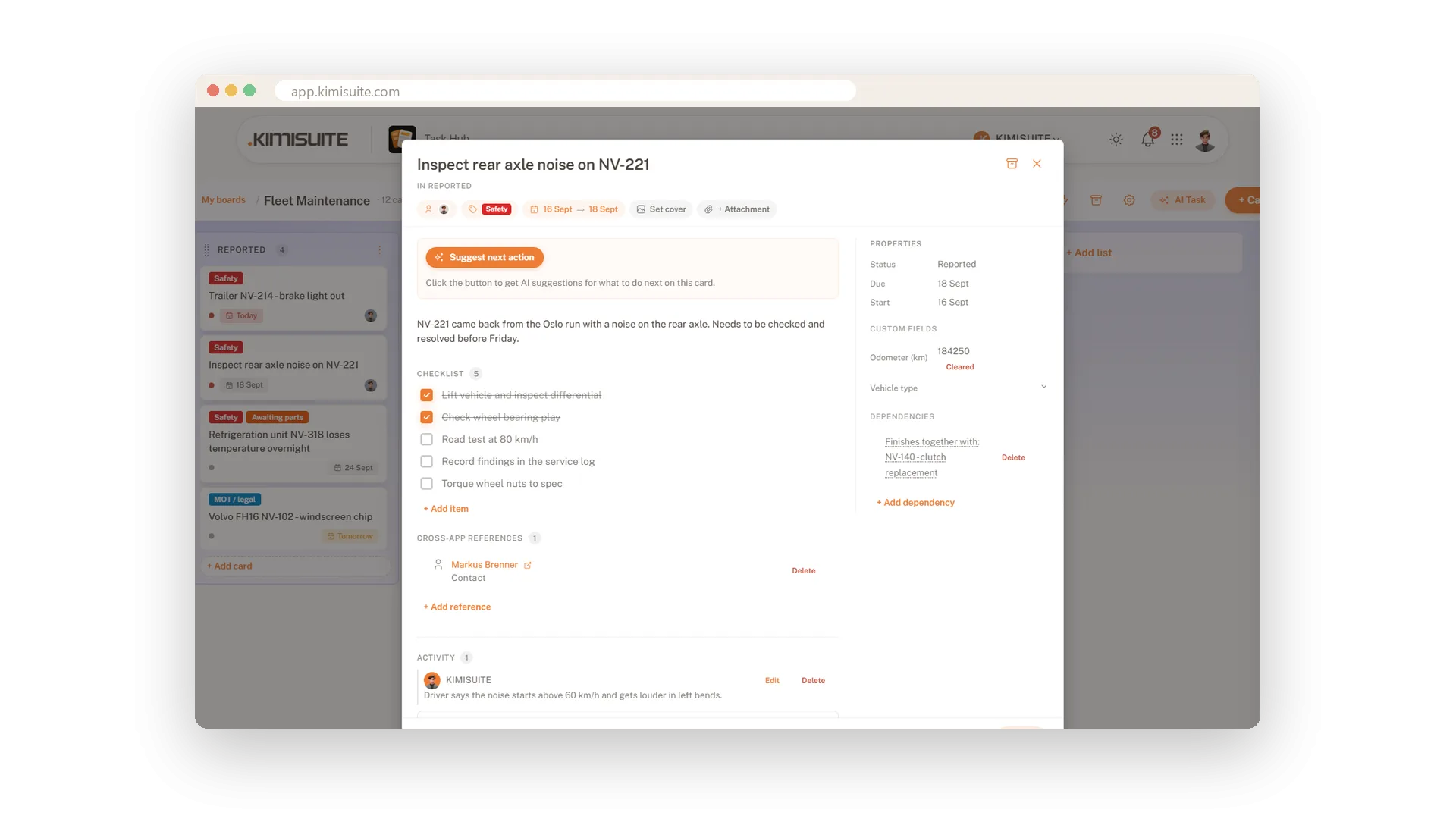
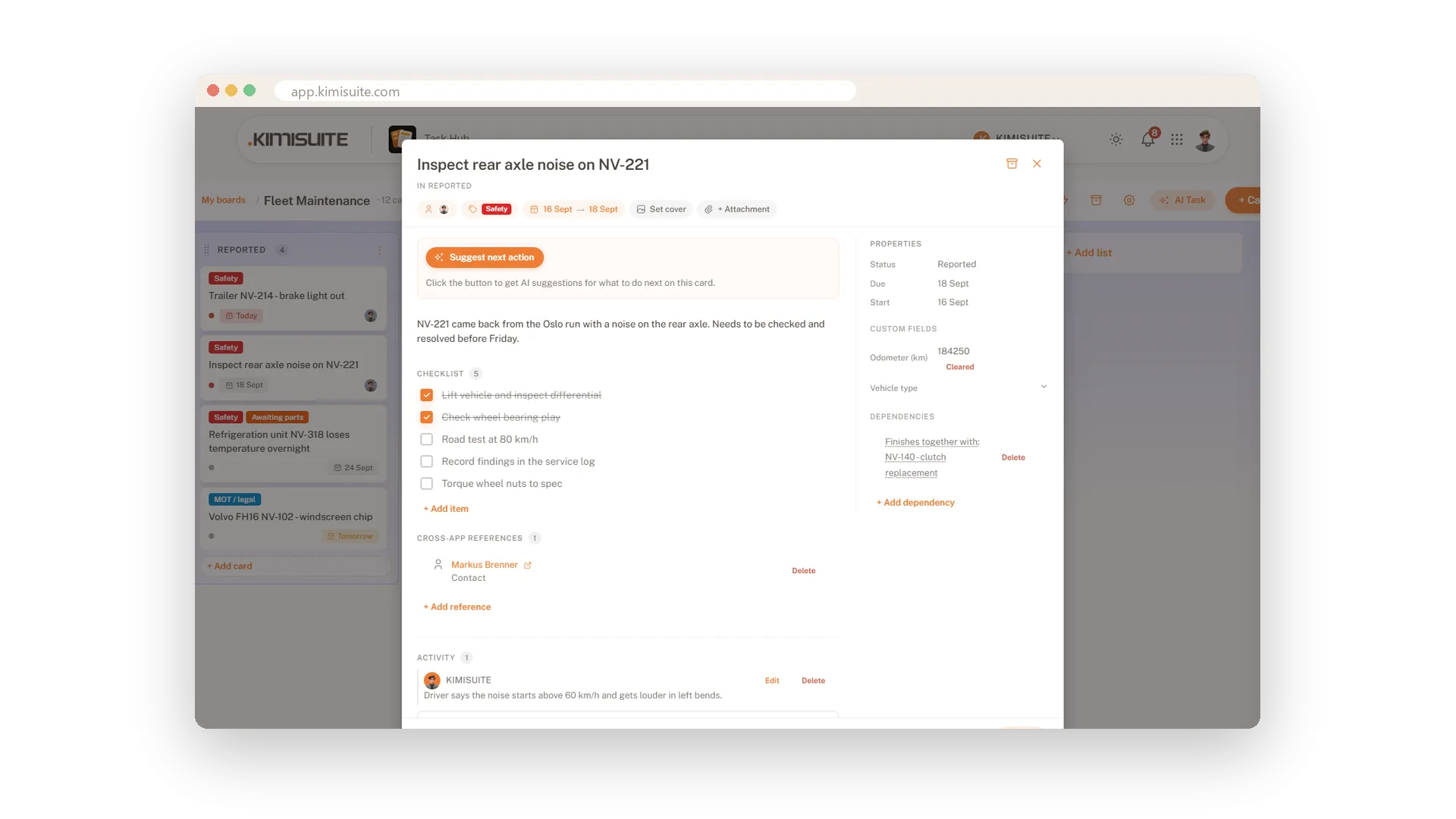
Most task tools sit on an island: the task says call the customer, and the customer's details are somewhere else. In Task Hub a card points at the record it is about. Link it to a CRM lead or customer, a booking, a contact or a vehicle, and the details sit one click away.
It also works the other way round. Automation rules can start from events in other KIMISUITE apps - a lead changes status in the CRM, a reservation is confirmed in Booking Hub, a payment comes in. The task appears when the work does, because the apps share one workspace. Included in Grow and Business.
Key Benefits
Link a card to a CRM lead or customer, a booking, a contact or a vehicle
The record is one click away - no searching in another tool
Rules that start from the CRM, Booking Hub or an incoming payment
No integration to set up: the apps share one workspace
Link a card to the record it is about
CRM lead or customer, booking, contact or vehicle
Add a reference, choose what it points at and search for the record. The customer, the booking or the vehicle is then one click away from everyone who opens the card.
Work that starts in another app
A won lead, a confirmed booking, a payment
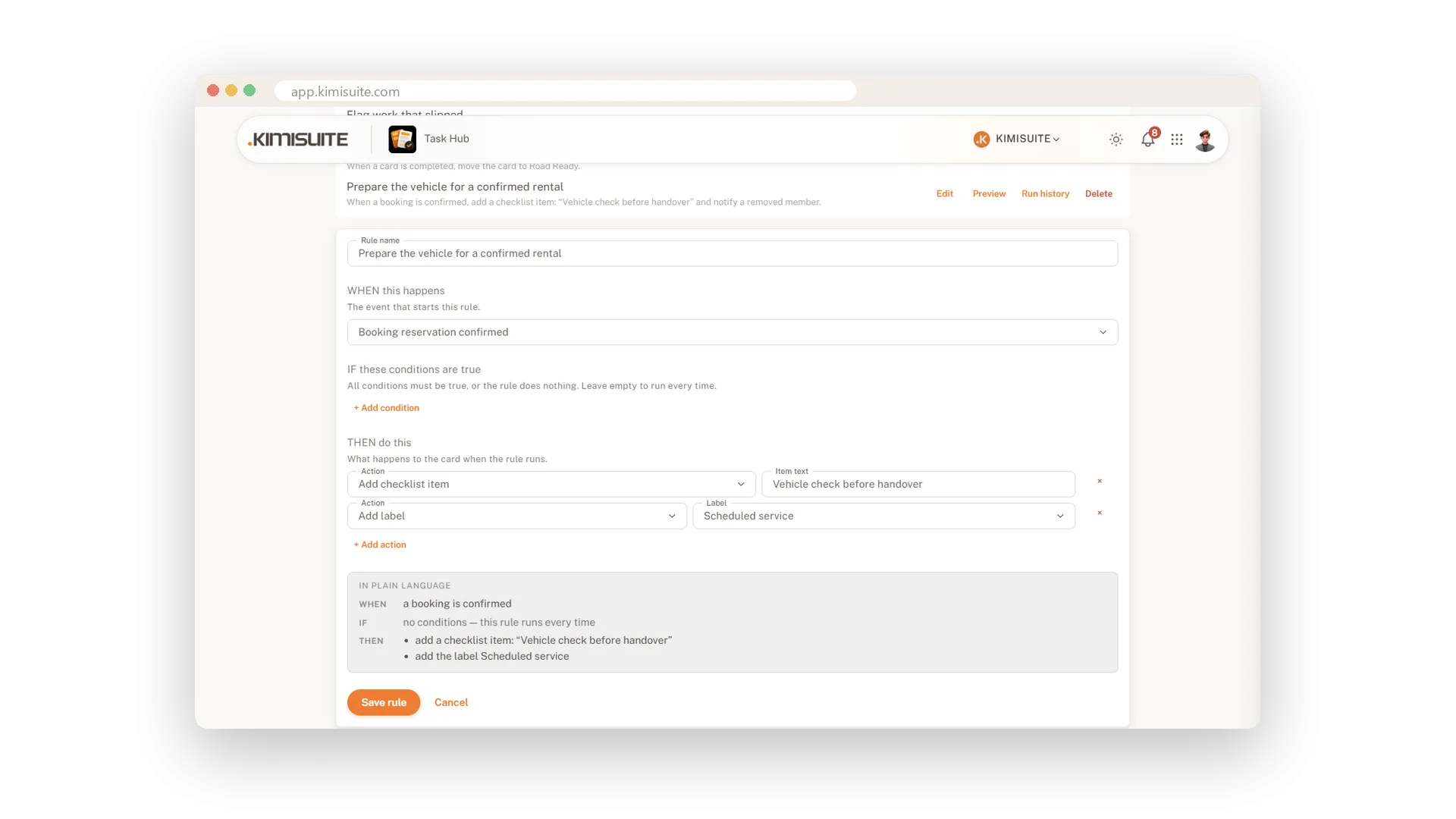
Three automation triggers listen to the rest of your workspace: a CRM lead changes status, a Booking Hub reservation is confirmed, a payment is received. Pair them with an action and the right task is on the board at the right moment.
Use Cases
The lead is won, onboarding starts
A rule listens for the CRM lead status. When the lead is won, the onboarding card is waiting on the board.
A confirmed stay, a prepared room
When Booking Hub confirms a reservation, a rule raises the preparation task for that stay.
The job and the customer on one card
Link the repair card to the contact. Whoever picks up the card has the phone number one click away.
FAQ
Try Task Hub today
Boards, rules and AI that turns notes into tasks
14 days free, cancel anytime, no minimum term.
