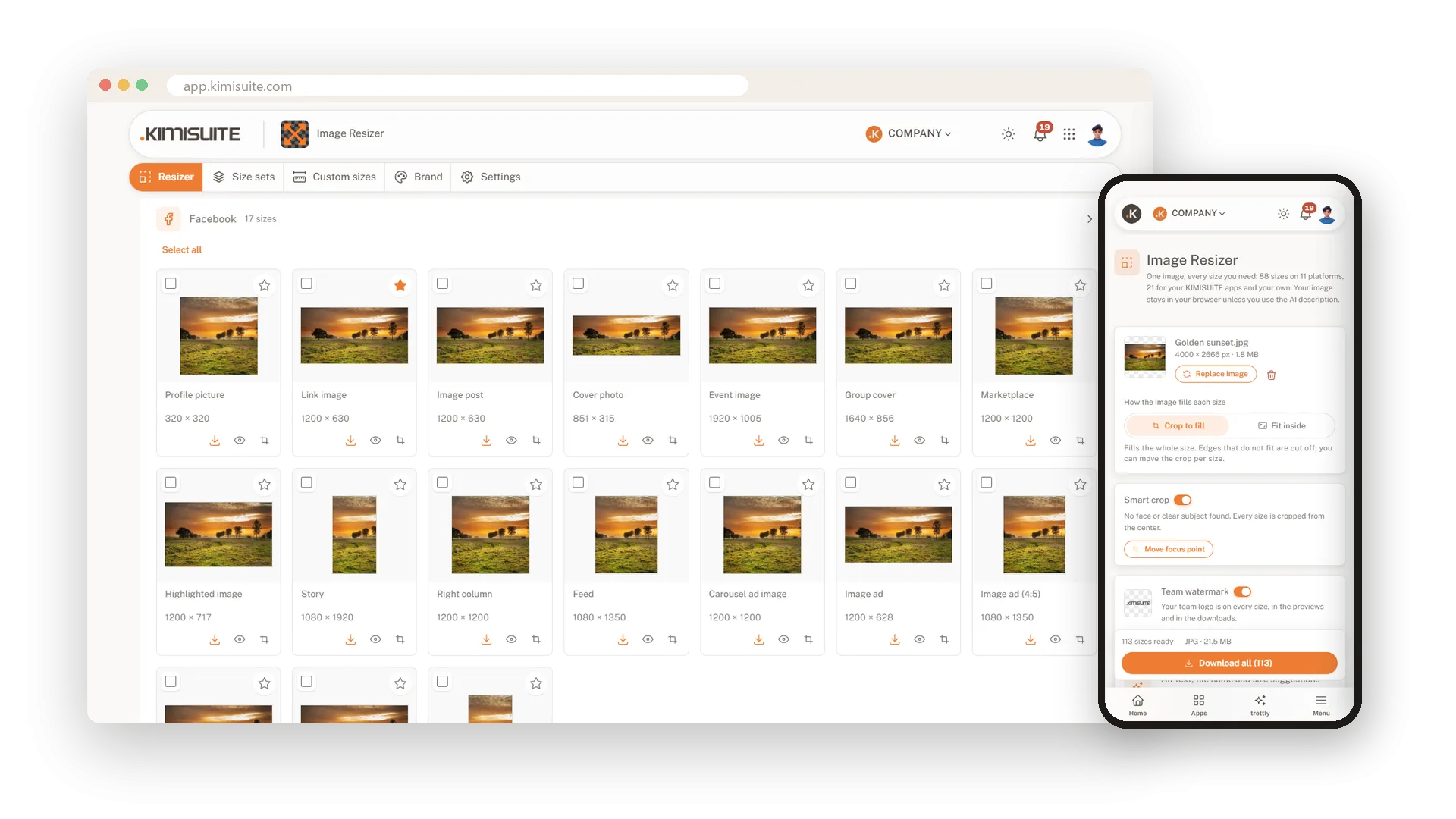
One image in. Every size you need out.
Drop in one picture and get it ready for Facebook, Instagram, LinkedIn, YouTube, TikTok and six more places. Smart crop keeps faces and your main subject in the frame, and a check on every size shows what a platform would cut off. Download one size, a few or all of them as a ZIP.
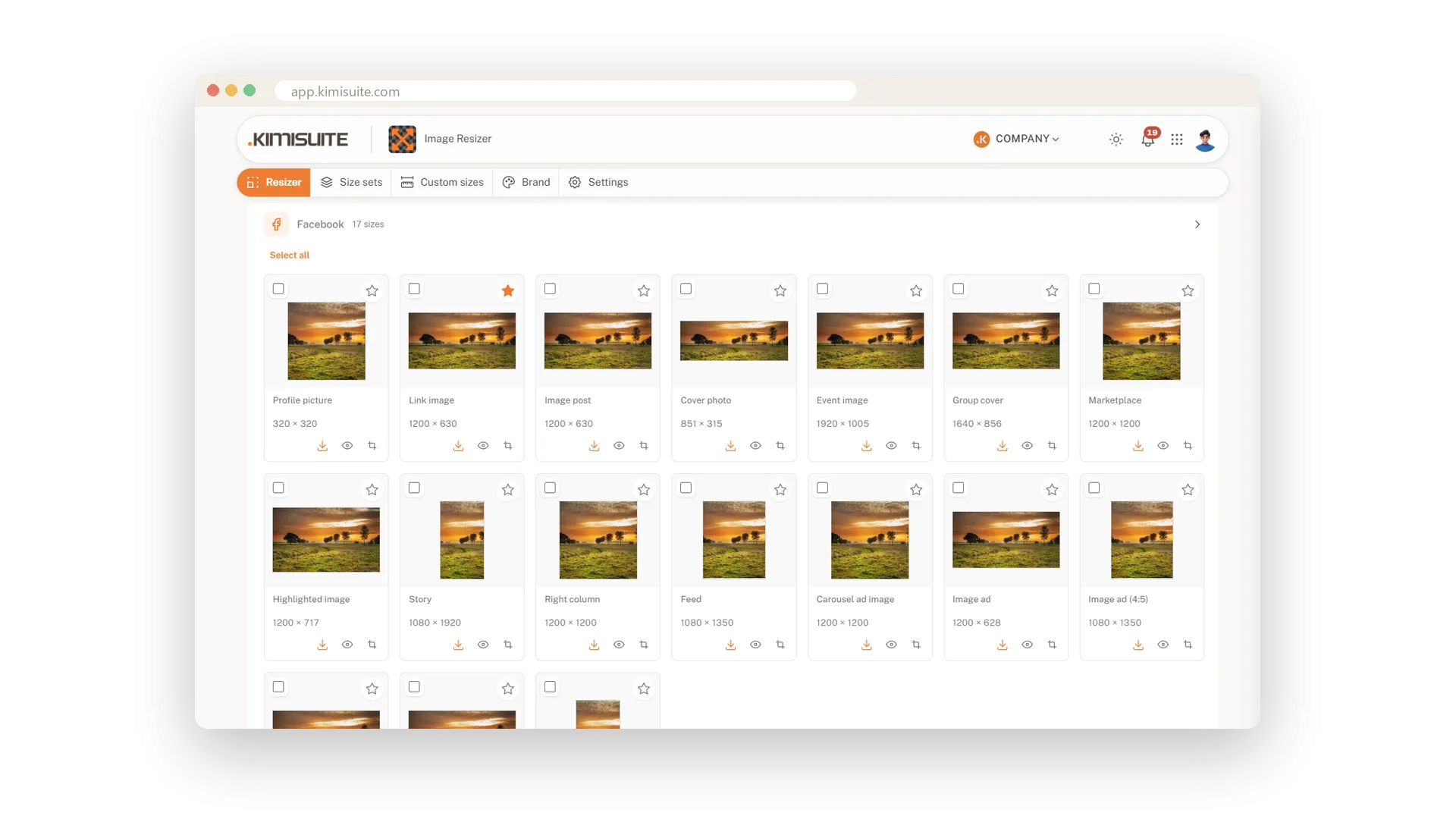
88 ready-made sizes, so you never look one up again
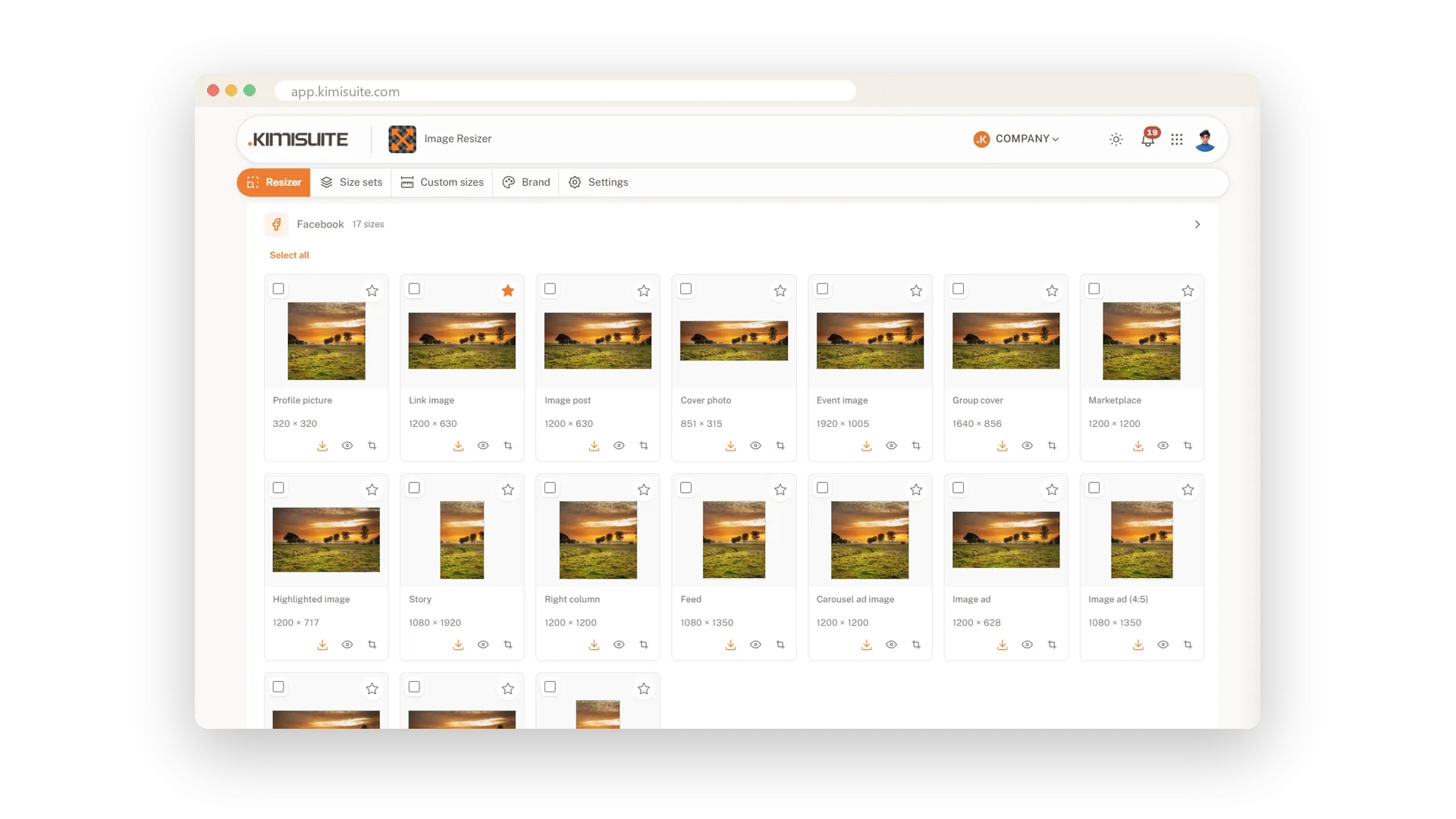
Profile picture, cover, story, feed post, ad, banner, newsletter header: every size is there with its name and its pixels, grouped by platform. Each tile shows exactly the file you will download.
- 11 platforms. Facebook, Instagram, LinkedIn, X, YouTube, TikTok, Pinterest, Snapchat, Google Display, website and email.
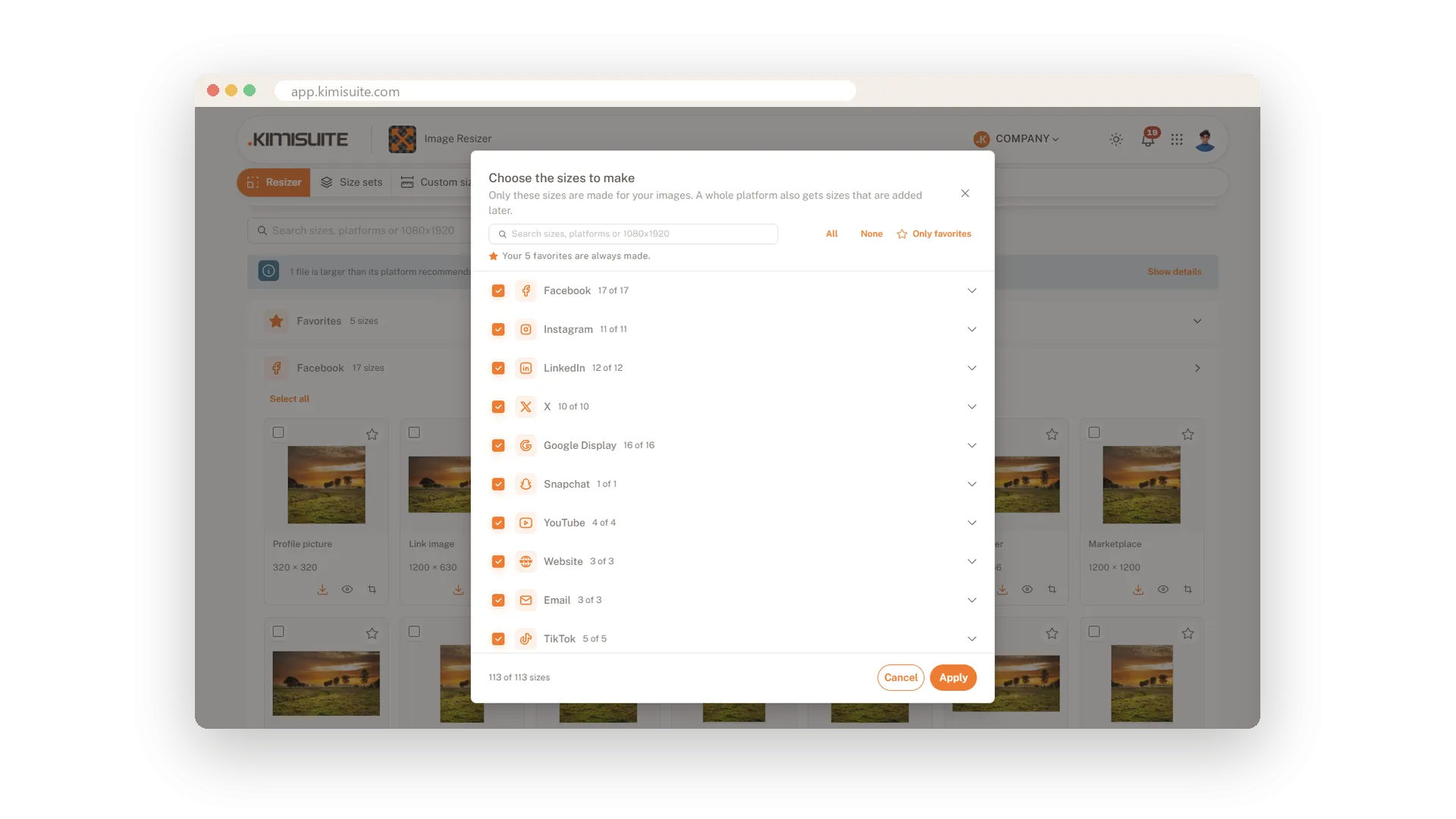
- Only what you need. Choose the sizes first, search by name or by pixels, and mark the ones you use most as favourites.
- Fill or fit. Fill the whole size, or keep the whole picture and put a blurred copy, white, your brand colour or transparency behind it.
- One download. Take a single size, a selection or everything as a ZIP with one folder per platform.
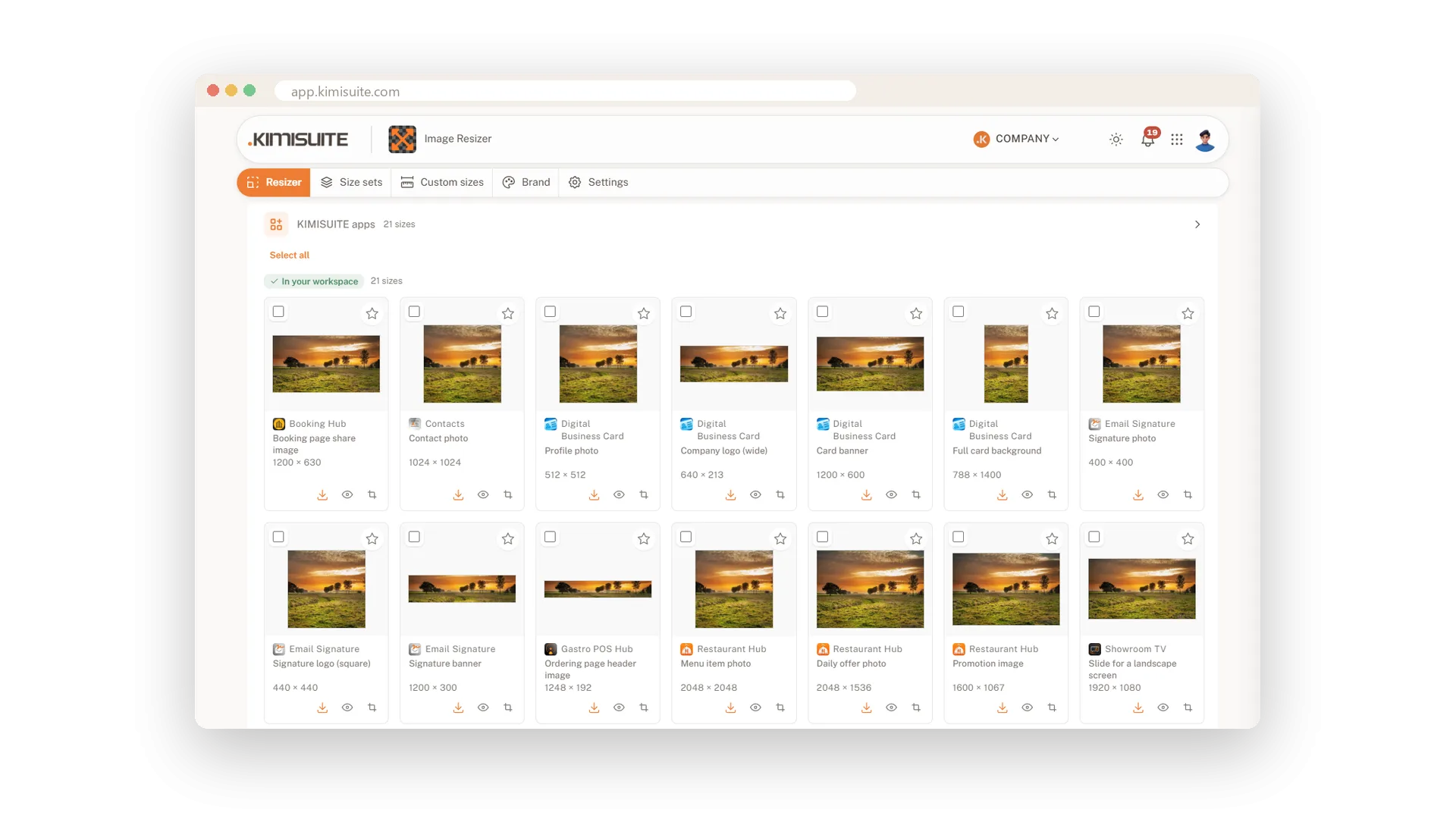
- Sizes for your KIMISUITE apps. 21 more sizes for 10 of your other apps, from the menu photo to the business card, as their own group.
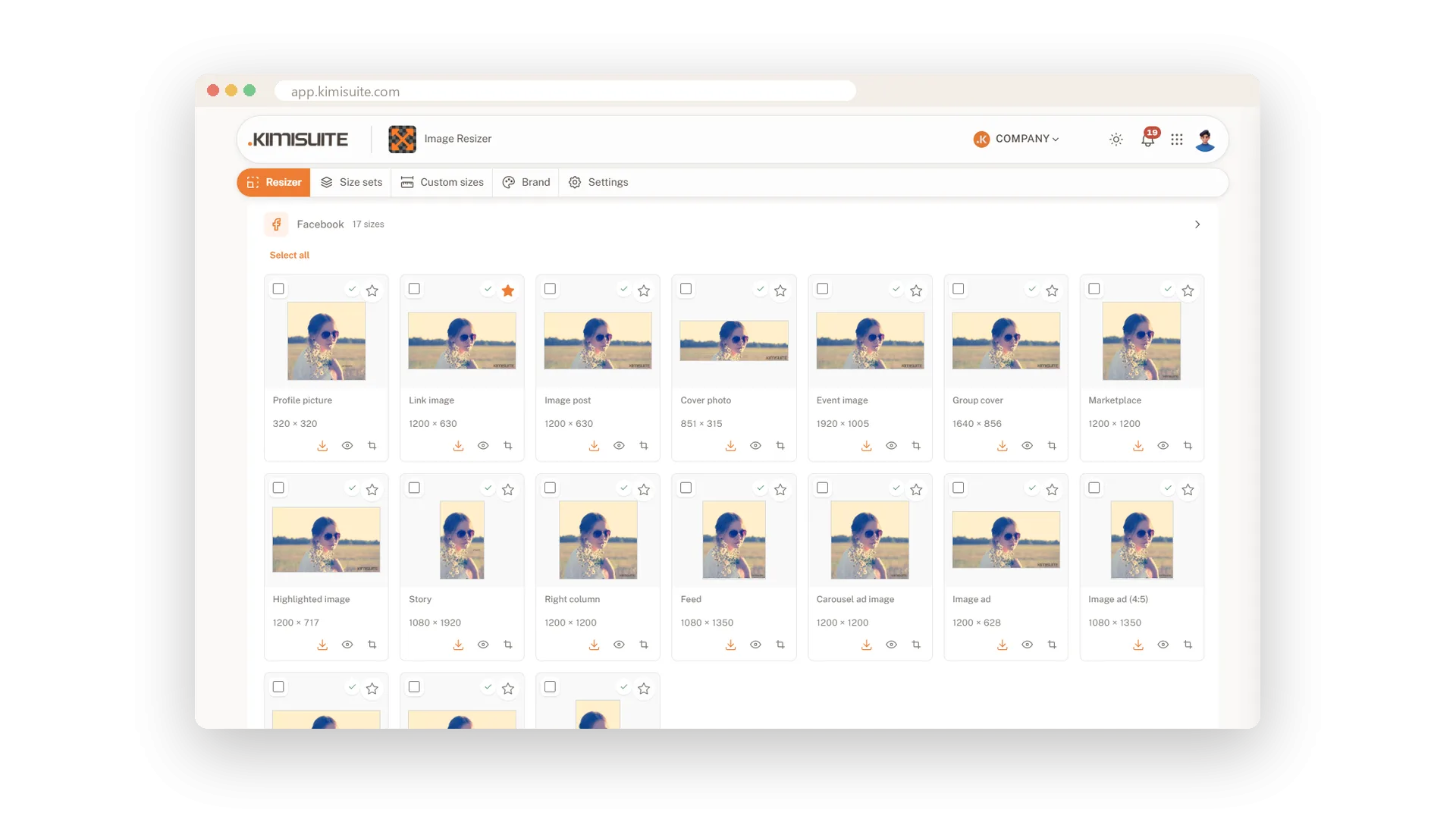
Nobody loses their head in the square version
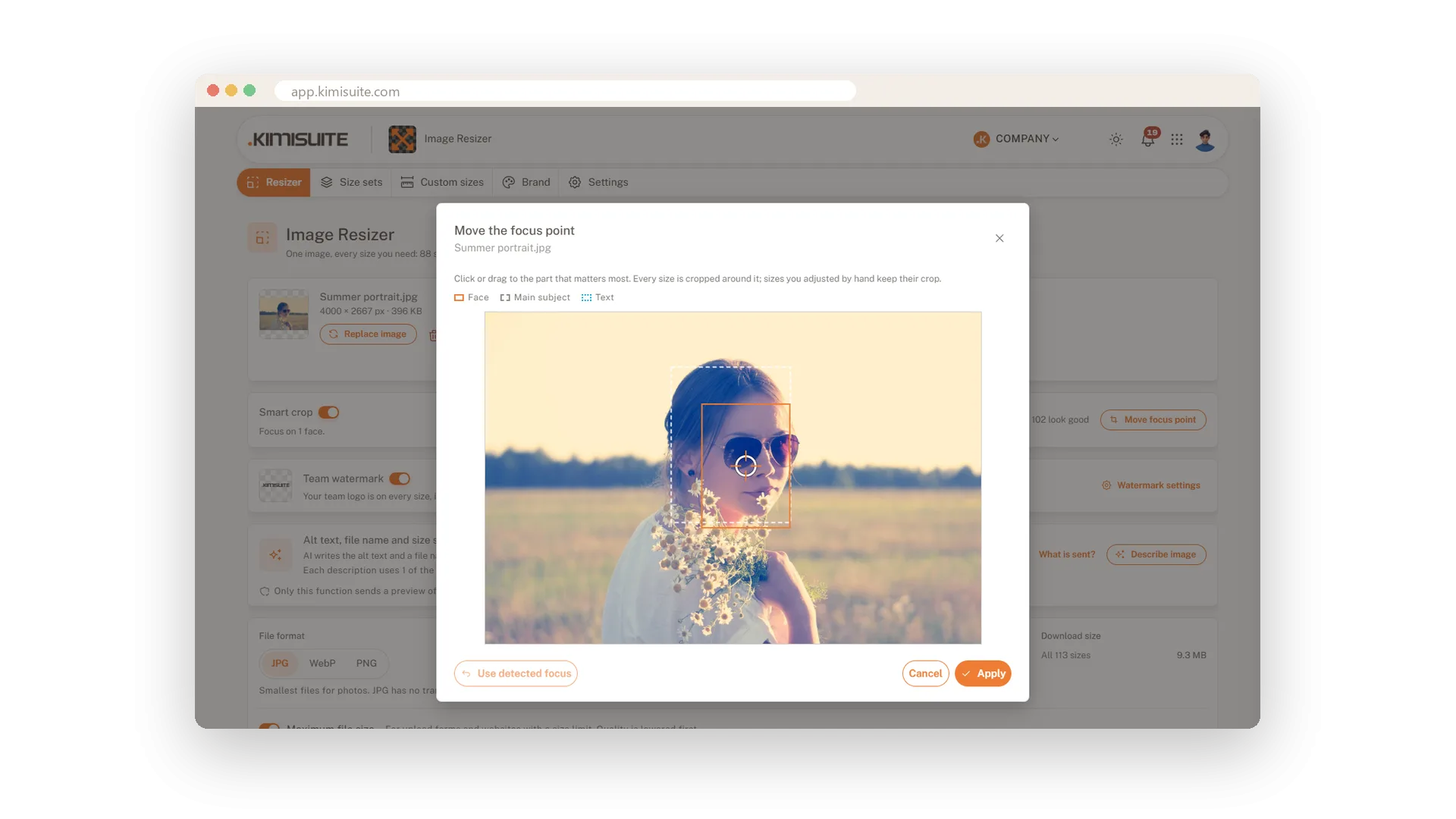
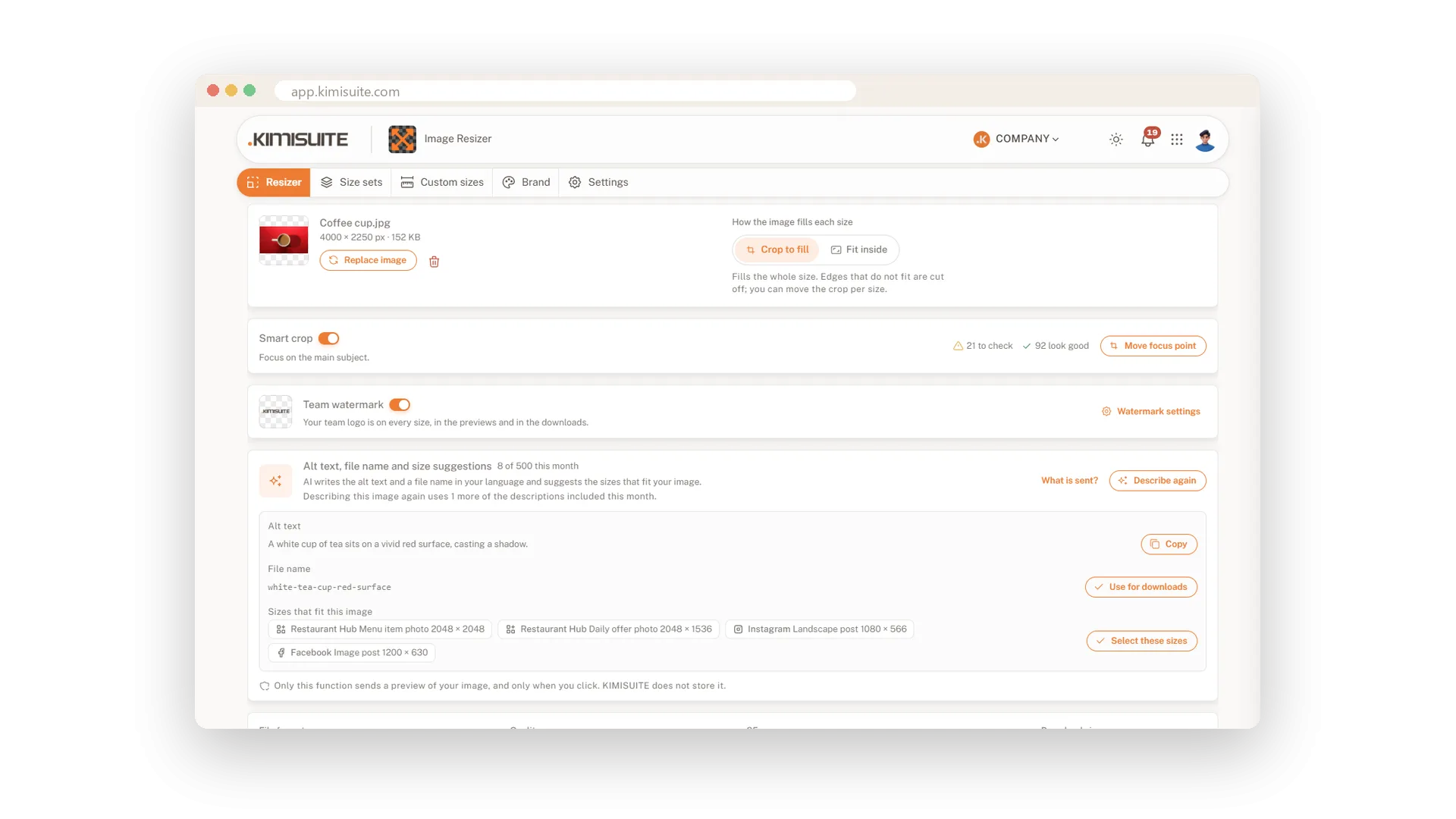
A wide photo turned into a story or a square usually cuts off the one thing that mattered. Smart crop finds faces, the main subject and text in your image and crops every size around them.
- A check on every size. Green means it looks good, yellow asks you to take a look, red tells you something is cut off.
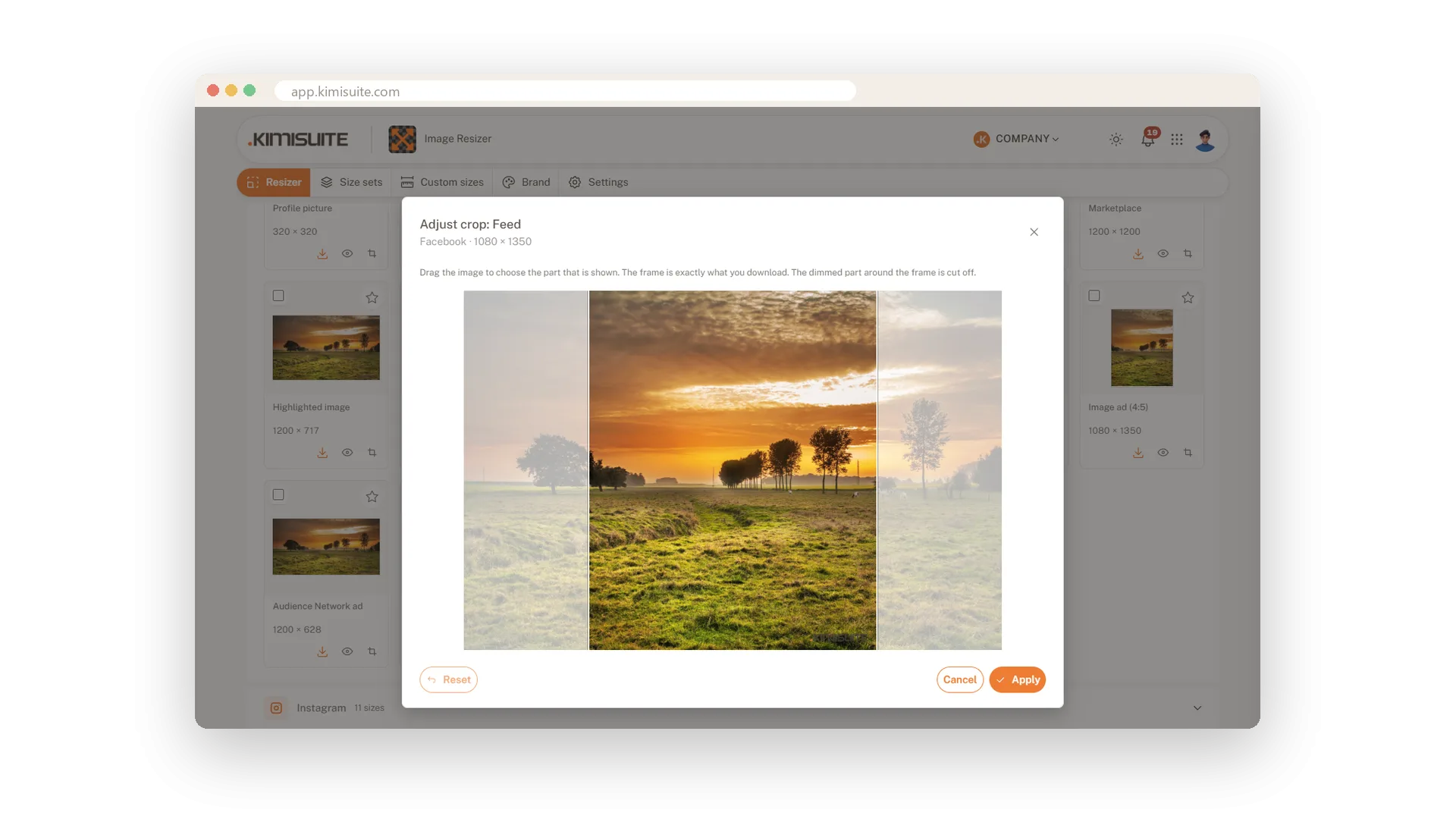
- You stay in charge. Move the focus point once for all sizes, or adjust the crop of a single size by dragging the picture.
- Done in your browser. The detection runs on your device, so your photo is not sent anywhere for it.
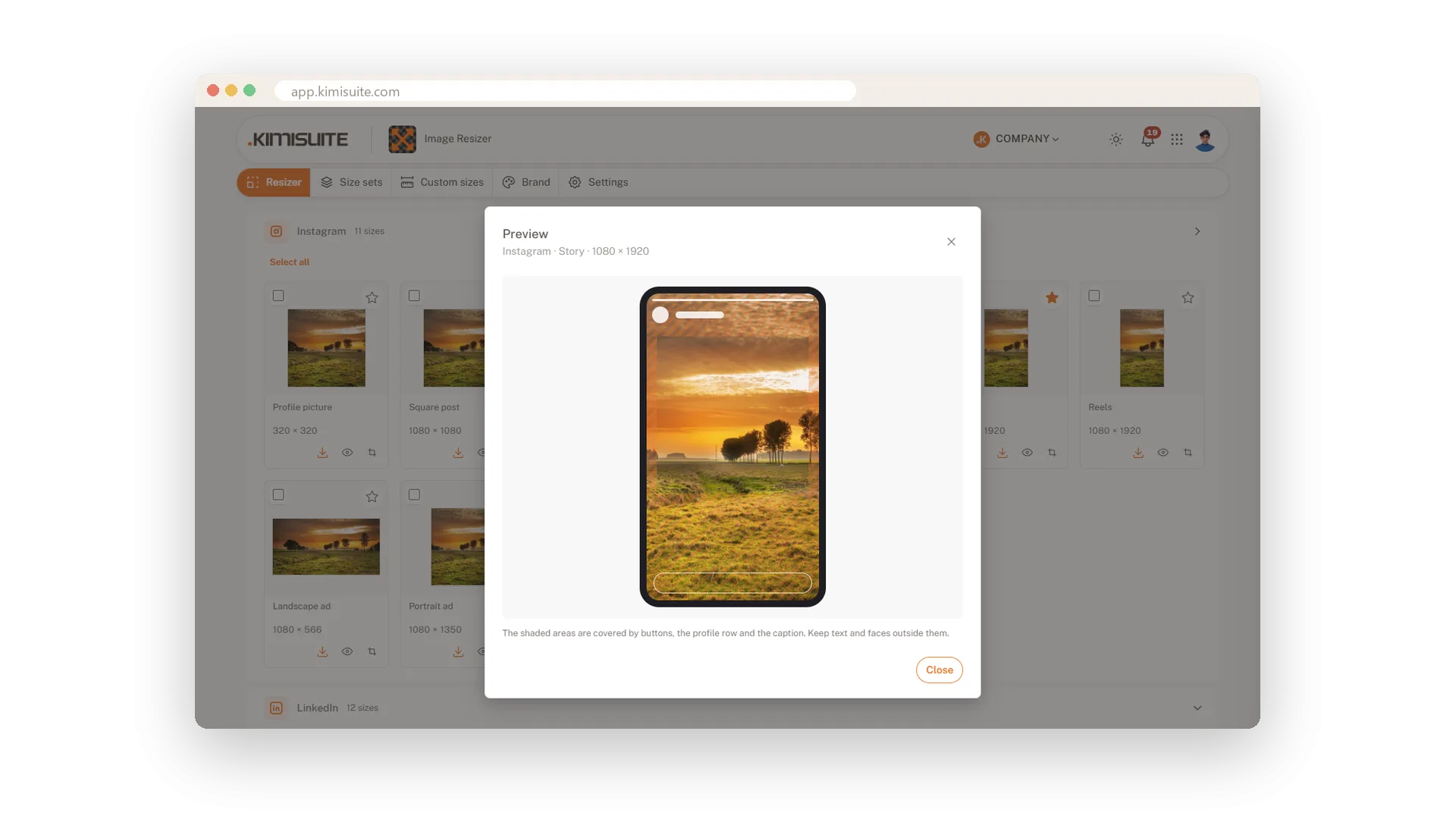
See it the way the platform will show it
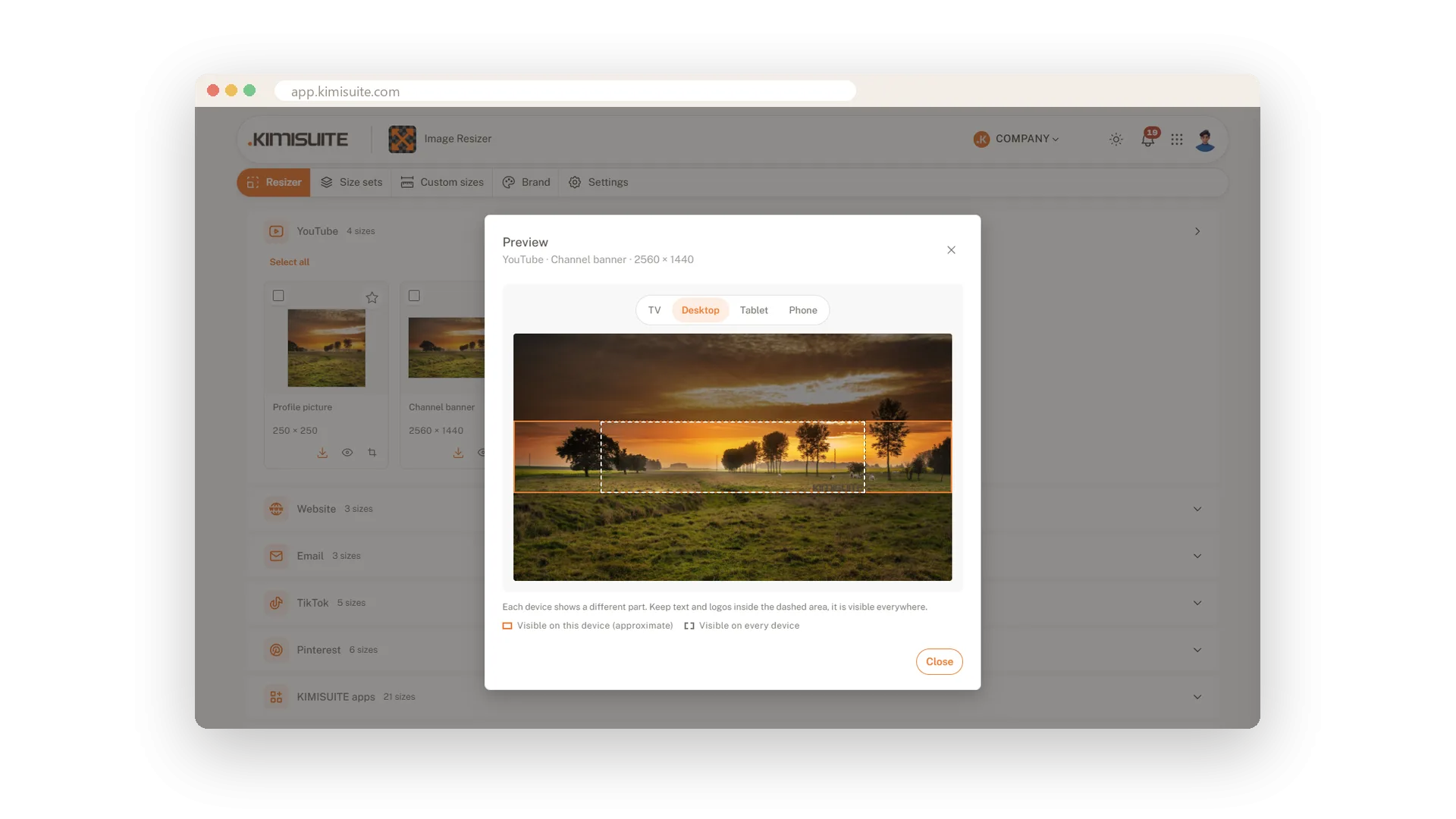
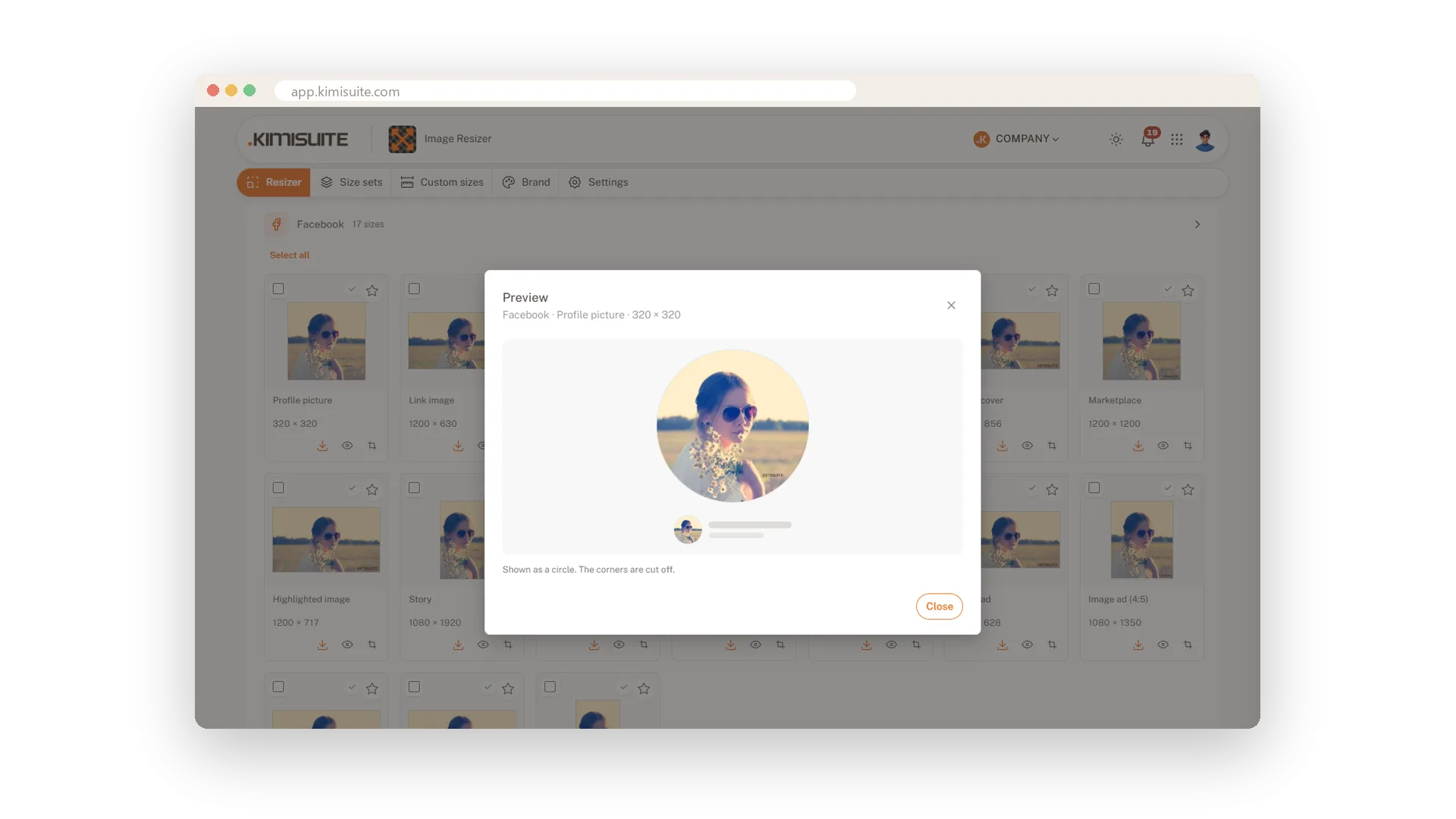
A story hides the top and bottom under buttons and a caption. A profile picture becomes a circle. A channel banner looks different on a TV, a desktop and a phone. The preview shows you all of that before you post.
- Safe zones for stories, reels, vertical ads, full-screen pins and channel banners.
- Round profile pictures shown as the circle your followers see.
- Covers with the profile picture on top, for Facebook, LinkedIn and X.
Move the crop until text and faces sit where everyone can see them.
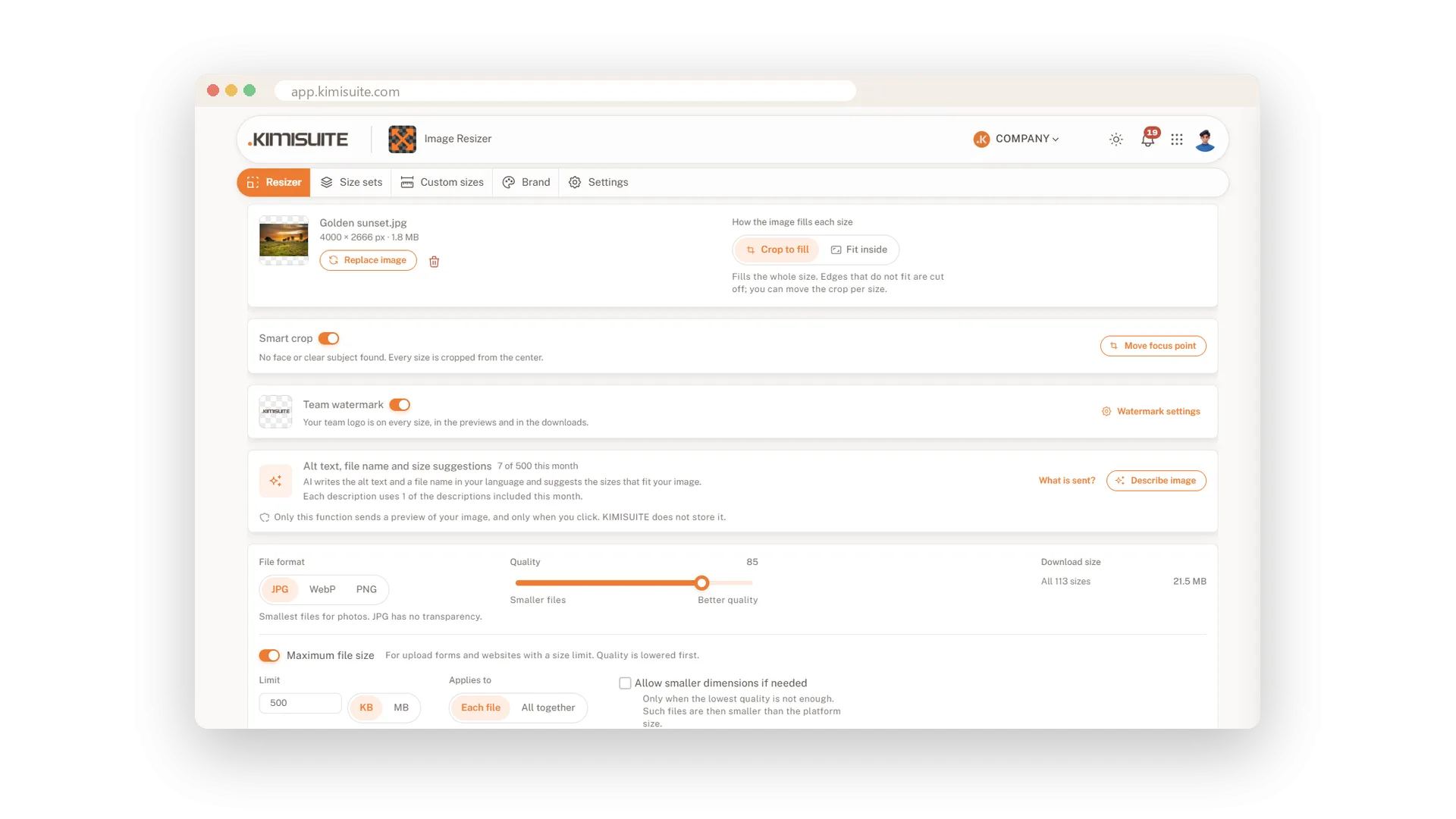
The right format and a file size platforms accept
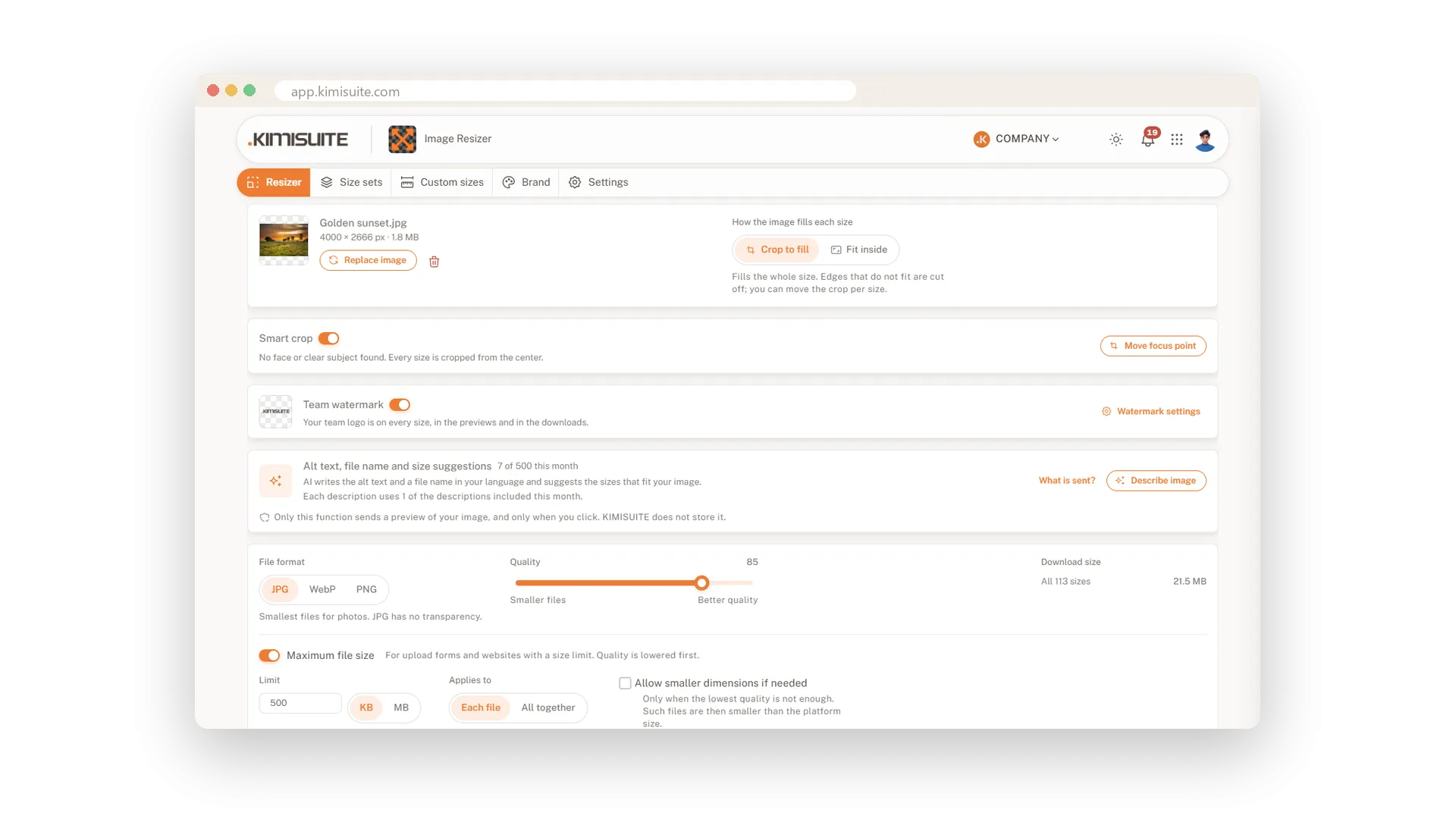
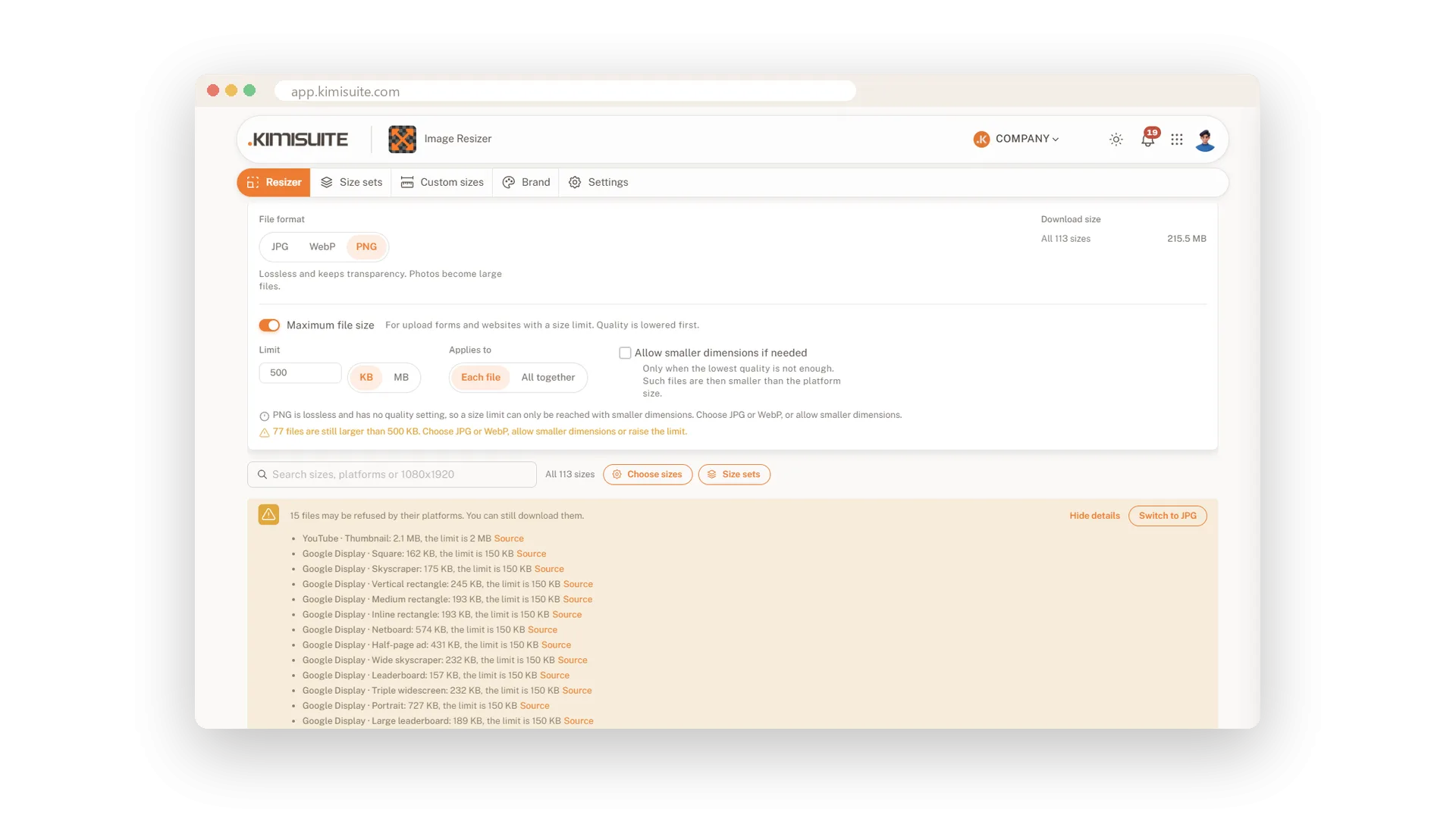
Pick JPG, WebP or PNG and set the quality with a slider. The total download size is right next to it, so you see what a lighter setting saves.
- A maximum file size. Set a limit such as 500 KB per file, and the quality is lowered just enough to stay under it.
- A warning before the upload fails. Image Resizer knows the limits and formats many platforms accept, such as 150 KB for Google Display, and fixes a problem with one click.
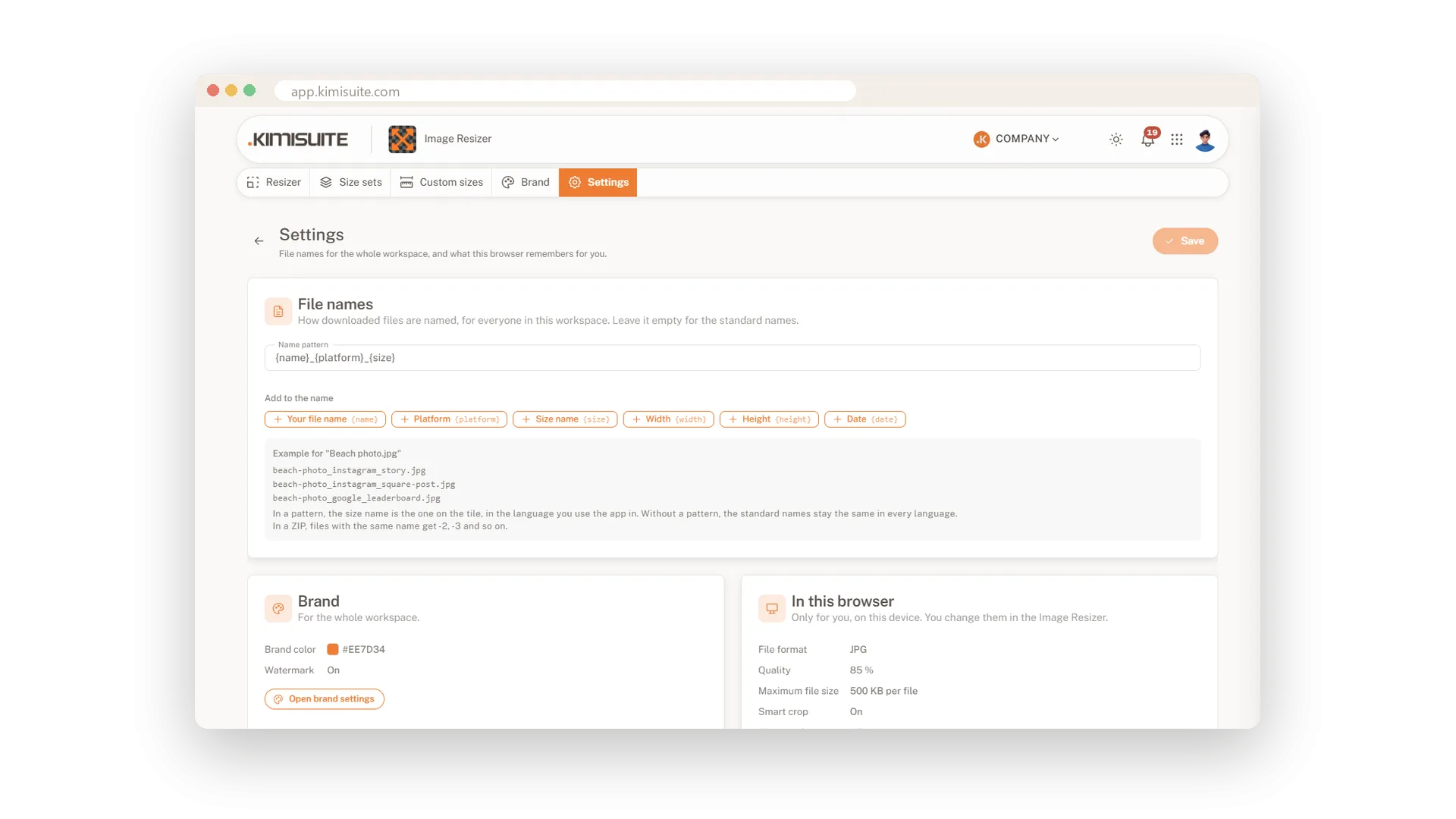
- File names that make sense. Set a naming pattern once for the whole team.
- No hidden data. Location and camera data are removed from every file you download.
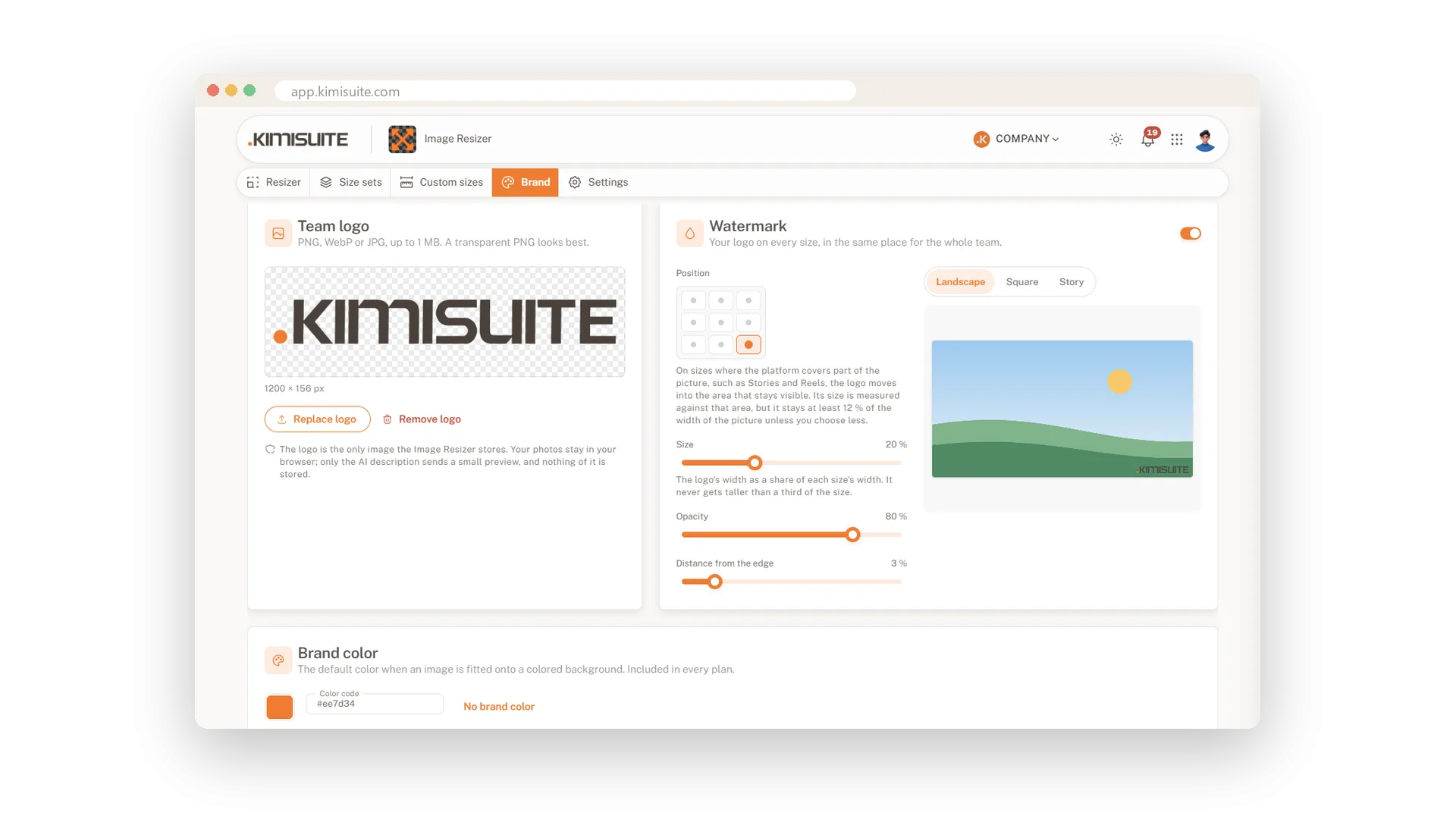
Your sizes, your sets and your logo for the whole team
Every business has sizes no platform list knows: the shop product image, the newsletter header, the ticket. Save them once and everyone in your workspace gets them with every image.
- Custom sizes with a name, a width and a height.
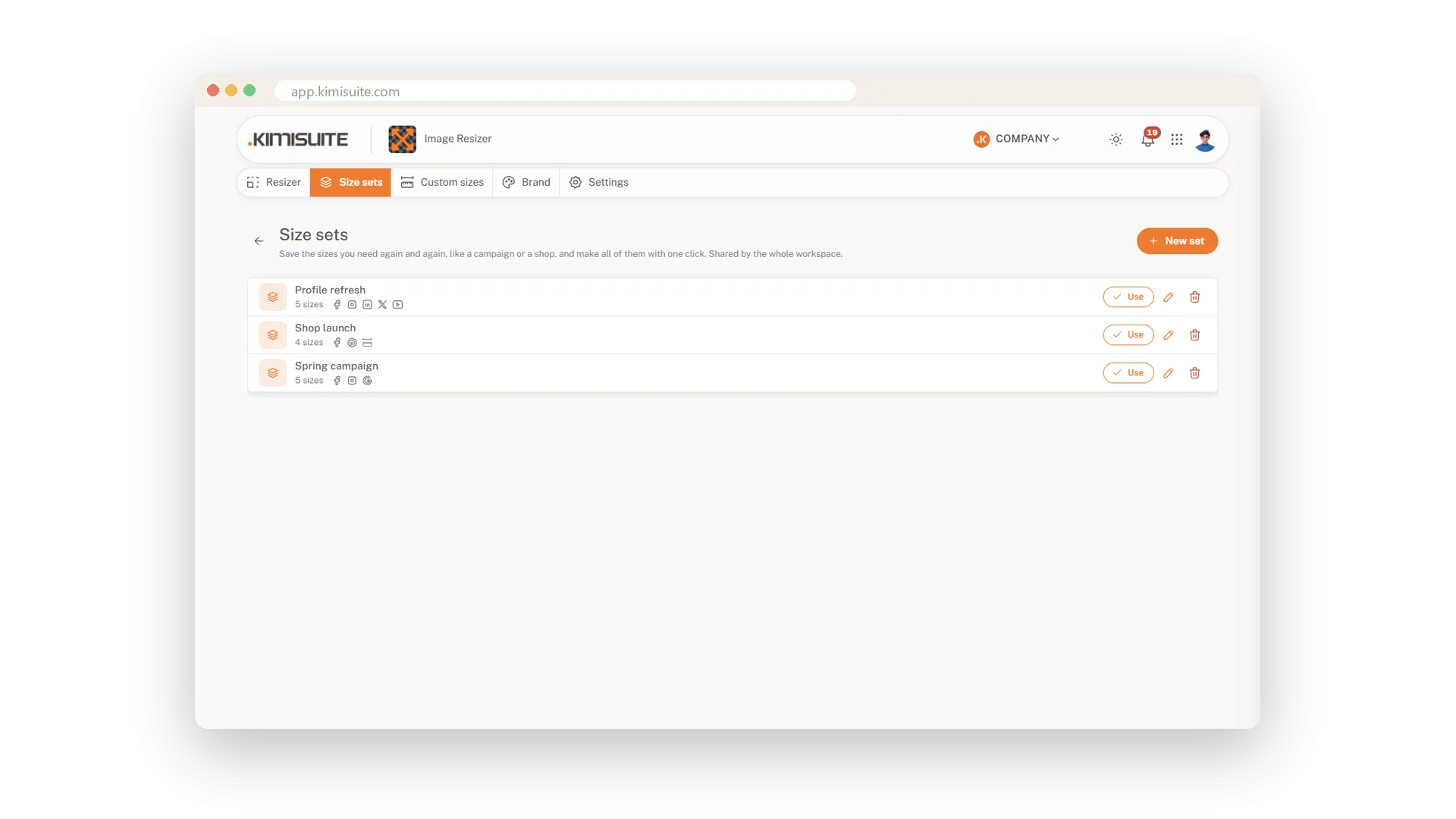
- Size sets for jobs that come back, such as a campaign or a shop launch. One click selects them all.
- Your logo as a watermark on every size, with the position, size and opacity you choose.
- Your brand colour as the background when a picture is fitted into a size.
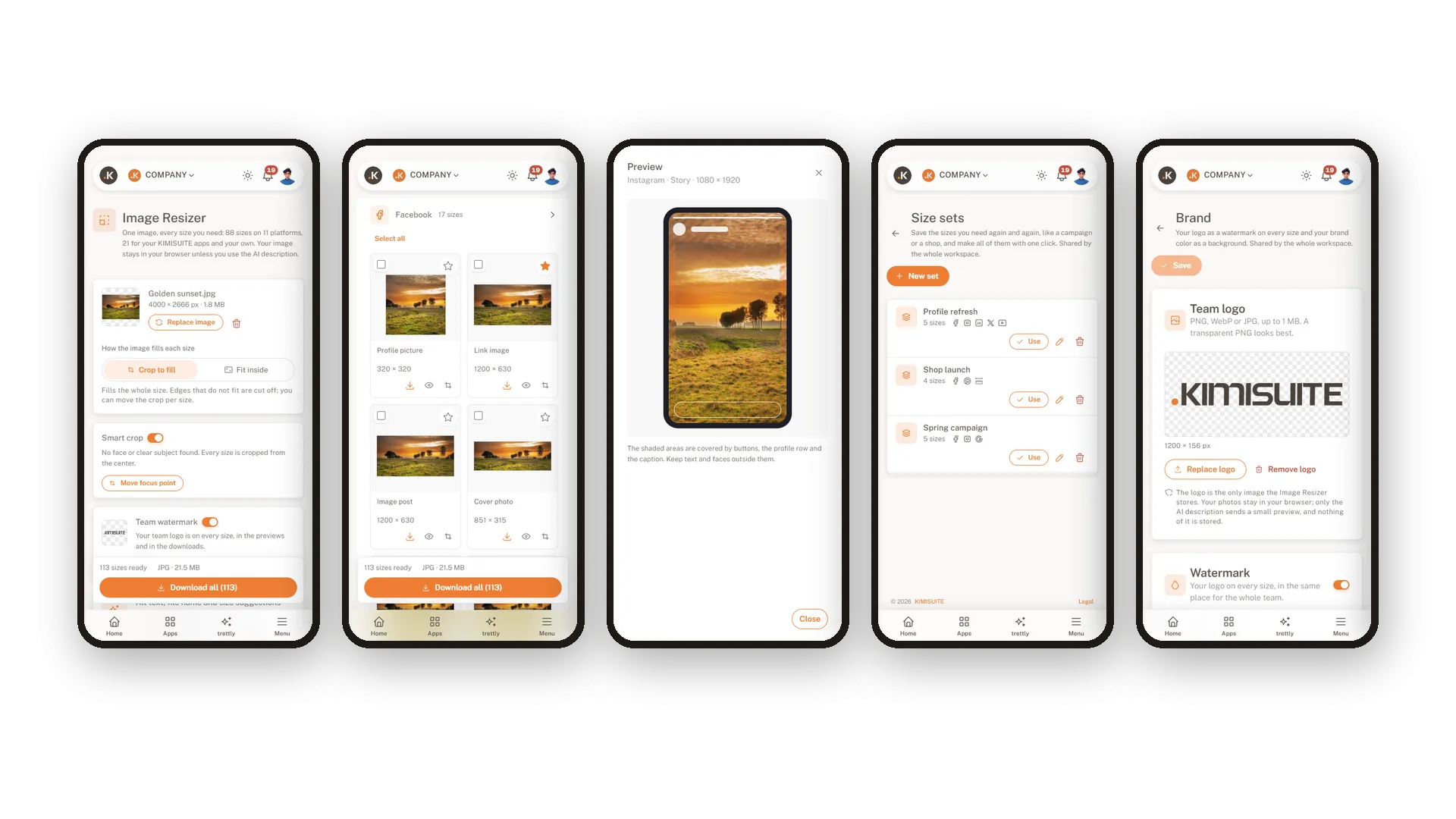
On your phone too, and your photos stay with you
Took the picture on your phone? Resize it there. The whole app works on a phone screen, from choosing sizes to the story preview and the download.
Image Resizer does the resizing, the cropping and the checks in your browser. A picture leaves your browser only when you ask for an AI description of that picture. It then goes to the AI provider set up for the platform, and we store nothing. The only picture the app keeps is the team logo you upload for your watermark. KIMISUITE is hosted in the EU.
What Image Resizer does for your business
From one picture to every size, ready to post.
Social media, ads, website and email sizes with their names and pixels. Choose a few or make them all at once.
Faces, the main subject and text stay in the frame. A traffic light on every size shows where to take a second look.
See a story with its covered areas, a round profile picture or a channel banner on TV, desktop and phone before you post.
Choose the format and the quality, see the download size, and keep every file under the limit you set.
Save your own sizes and groups of sizes once. Everyone in your workspace works with the same list.
Place your logo as a watermark on all sizes at once, with the position, size and opacity you choose.
Let AI describe your picture for alt texts, suggest a clear file name and recommend the sizes that suit it.
See Image Resizer in action
Pricing Plans
Choose the right plan for your needs. All plans include free updates.
| Image Resizer | Basic €4.90 /mo · per workspace Start Free Trial | Premium €8.90 /mo · per workspace Start Free Trial | Recommended Unlimited €12.90 /mo · per workspace Start Free Trial |
|---|---|---|---|
| Images per month Each image counts once, however many sizes you download from it. | 250 | 500 | Unlimited |
| Custom sizes for your team Save your own sizes once. Everyone in the workspace gets them with every image. | Not included | 25 | Unlimited |
| Size sets for your team Save groups of sizes, such as a campaign set, and select them all with one click. | Not included | 10 | Unlimited |
| Logo and watermark on every size Place your team logo on all sizes at once, with the position, size and opacity you choose. | Not included | ||
| 88 ready-made sizes for 11 platforms Facebook, Instagram, LinkedIn, X, YouTube, TikTok, Pinterest, Snapchat, Google Ads, websites and email. | |||
| Fit or fill, crop adjustable per size Fill crops to the exact size, Fit keeps the whole image. Move the crop for each size separately. | |||
| Download one size, a selection or all as ZIP Take only the sizes you need, or everything in one file. | |||
| Favourite sizes Mark the sizes you use most and find them again in one place. | |||
| Your images stay on your device Images are resized in your browser. They are never uploaded to or stored on our servers. | |||
| JPG, WebP or PNG with quality control Small JPG or WebP files for the web, PNG when you need transparency. | |||
| Choose sizes first, with search Pick the sizes you need before resizing, so only those are made. | |||
| Background for fitted images A blurred copy of the image, white, your brand colour or transparent. | |||
| Maximum file size Set a limit such as 500 KB per file, and the quality is adjusted to stay under it. | Not included | ||
| File names of your choice Set a naming pattern such as campaign_platform_size once for the whole team. | |||
| Platform limit check Warns before the download when a file is too large or in a format the platform does not accept. | |||
| Preview in the real layout See your image as a round profile picture, a YouTube banner on TV and phone or a LinkedIn cover before you post it. | |||
| Smart crop Faces and the main subject stay in frame in every size. You can still move the focus point. | |||
| Crop check with safe zones Warns when faces, subjects or text are cut off or sit under the buttons of Stories, Reels and TikTok. | |||
| Image sizes for your KIMISUITE apps Logos, covers and photos in the sizes your KIMISUITE apps expect. | |||
| AI alt texts and file names per month Describes the image for alt text, suggests a file name and the platforms it suits. | Not included | 200 | 500 |
- Images per month Each image counts once, however many sizes you download from it.250
- Custom sizes for your team Save your own sizes once. Everyone in the workspace gets them with every image.Not included
- Size sets for your team Save groups of sizes, such as a campaign set, and select them all with one click.Not included
- Logo and watermark on every size Place your team logo on all sizes at once, with the position, size and opacity you choose.Not included
- 88 ready-made sizes for 11 platforms Facebook, Instagram, LinkedIn, X, YouTube, TikTok, Pinterest, Snapchat, Google Ads, websites and email.
- Fit or fill, crop adjustable per size Fill crops to the exact size, Fit keeps the whole image. Move the crop for each size separately.
- Download one size, a selection or all as ZIP Take only the sizes you need, or everything in one file.
- Favourite sizes Mark the sizes you use most and find them again in one place.
- Your images stay on your device Images are resized in your browser. They are never uploaded to or stored on our servers.
- JPG, WebP or PNG with quality control Small JPG or WebP files for the web, PNG when you need transparency.
- Choose sizes first, with search Pick the sizes you need before resizing, so only those are made.
- Background for fitted images A blurred copy of the image, white, your brand colour or transparent.
- Maximum file size Set a limit such as 500 KB per file, and the quality is adjusted to stay under it.Not included
- File names of your choice Set a naming pattern such as campaign_platform_size once for the whole team.
- Platform limit check Warns before the download when a file is too large or in a format the platform does not accept.
- Preview in the real layout See your image as a round profile picture, a YouTube banner on TV and phone or a LinkedIn cover before you post it.
- Smart crop Faces and the main subject stay in frame in every size. You can still move the focus point.
- Crop check with safe zones Warns when faces, subjects or text are cut off or sit under the buttons of Stories, Reels and TikTok.
- Image sizes for your KIMISUITE apps Logos, covers and photos in the sizes your KIMISUITE apps expect.
- AI alt texts and file names per month Describes the image for alt text, suggests a file name and the platforms it suits.Not included
Features Built for Growth
Everything you need to scale your business
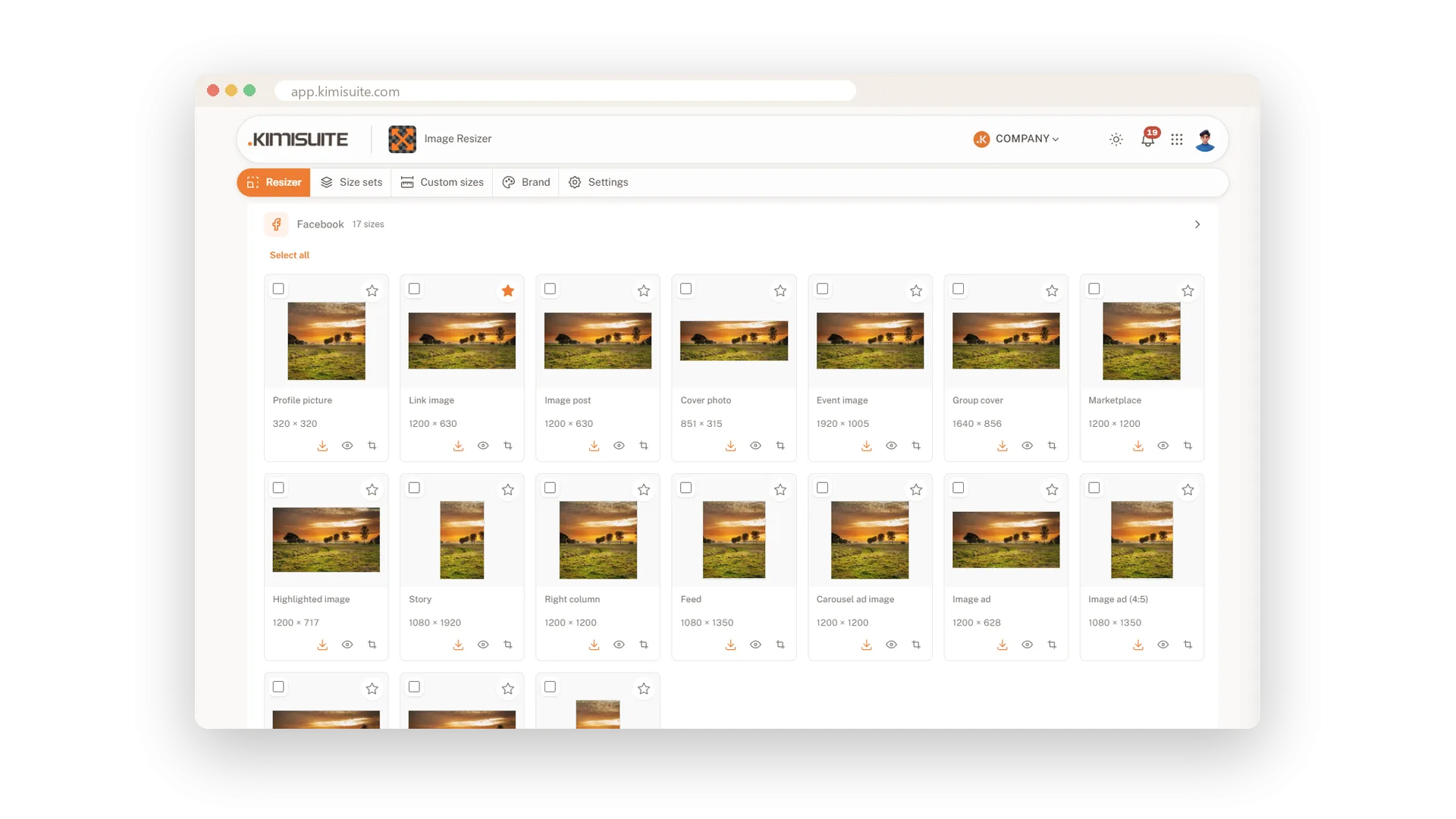
Every social media size from one image
88 ready-made sizes for 11 platforms, made in one go
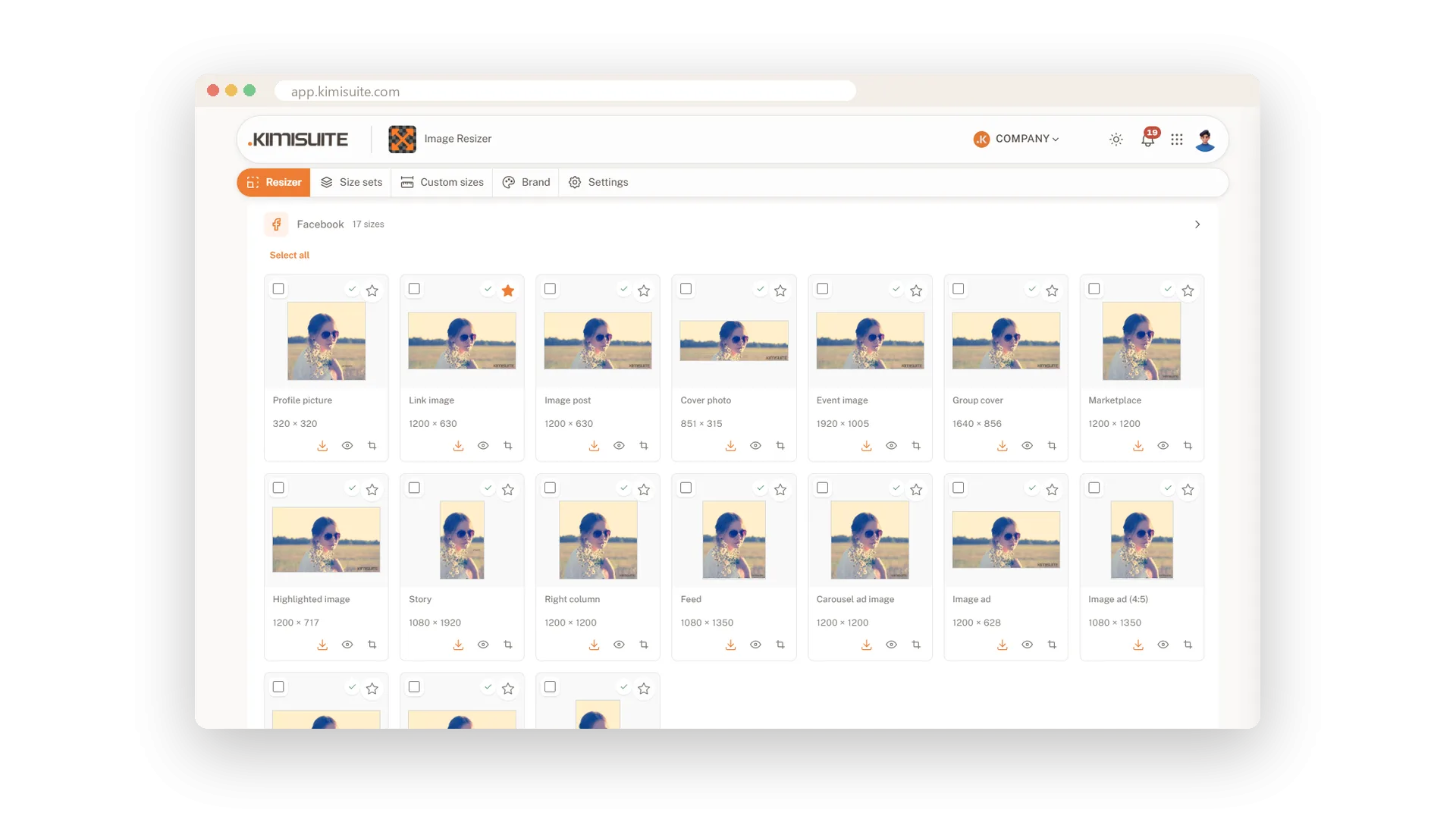
Smart crop that keeps faces in the frame
Faces, your subject and text stay in every size
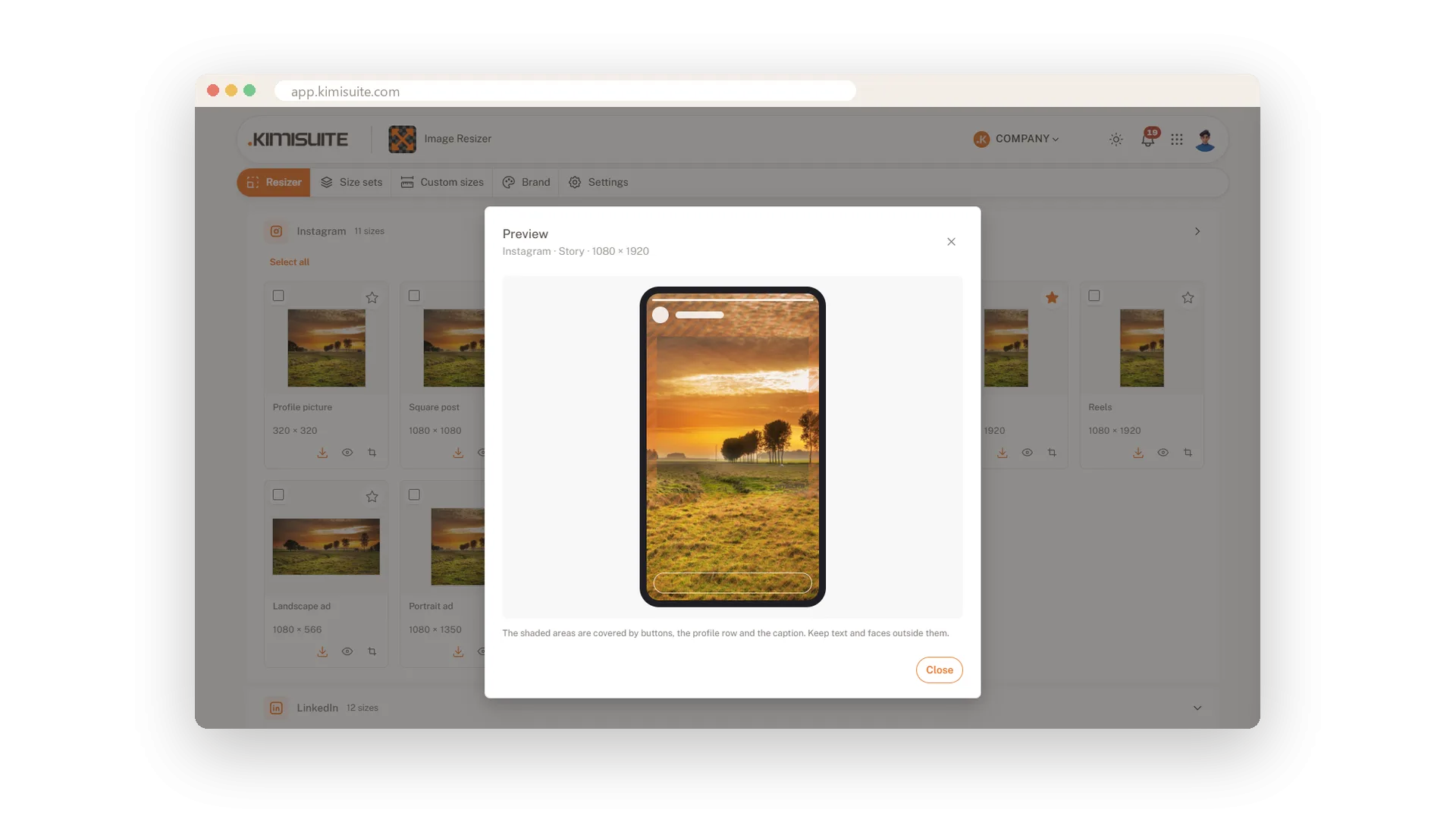
Preview your image on the platform
Stories, profile circles and banners before you post
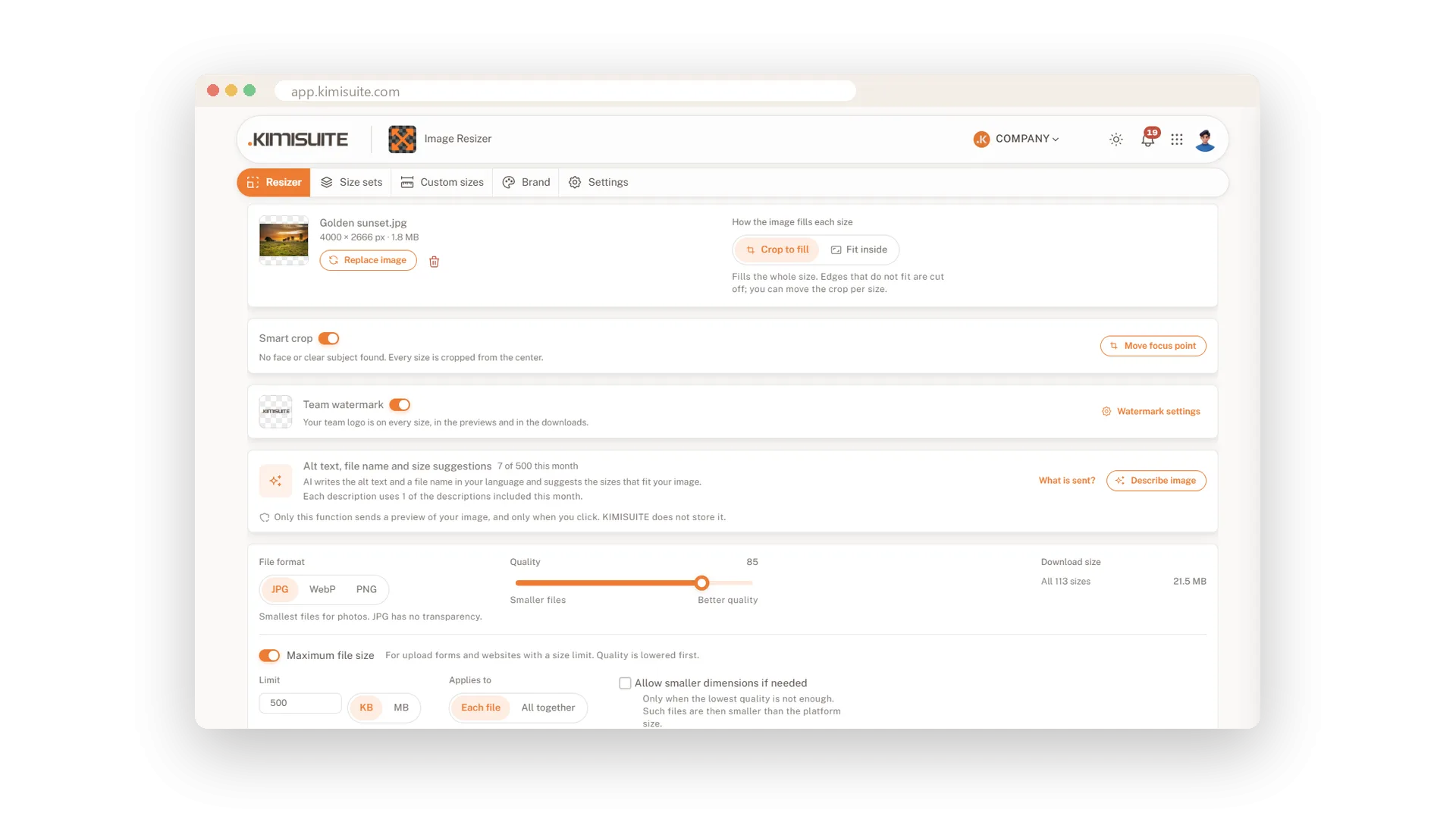
The right format and file size
JPG, WebP or PNG, as small as the platform wants
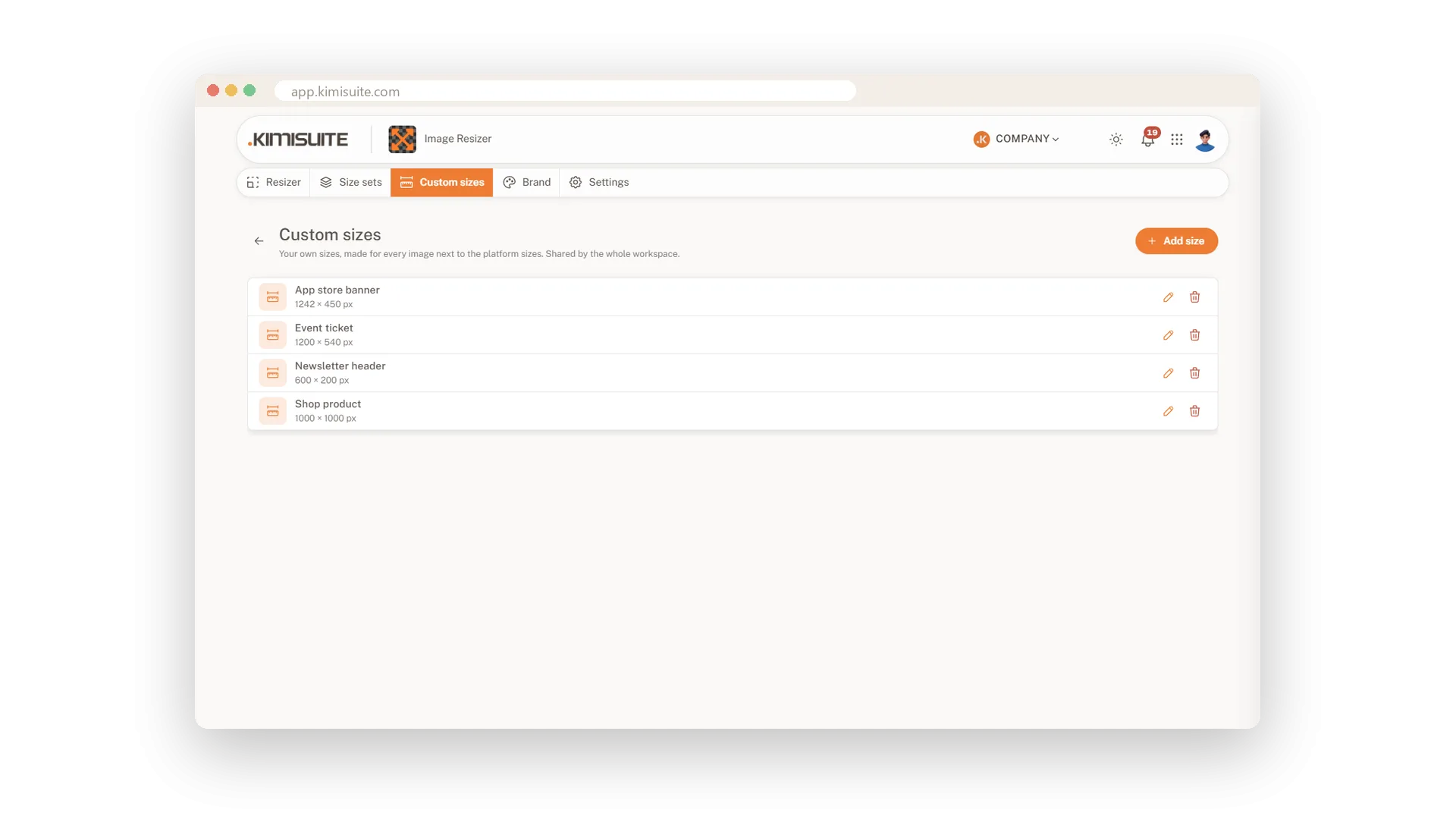
Your own sizes and size sets
Save a size once and your whole team has it
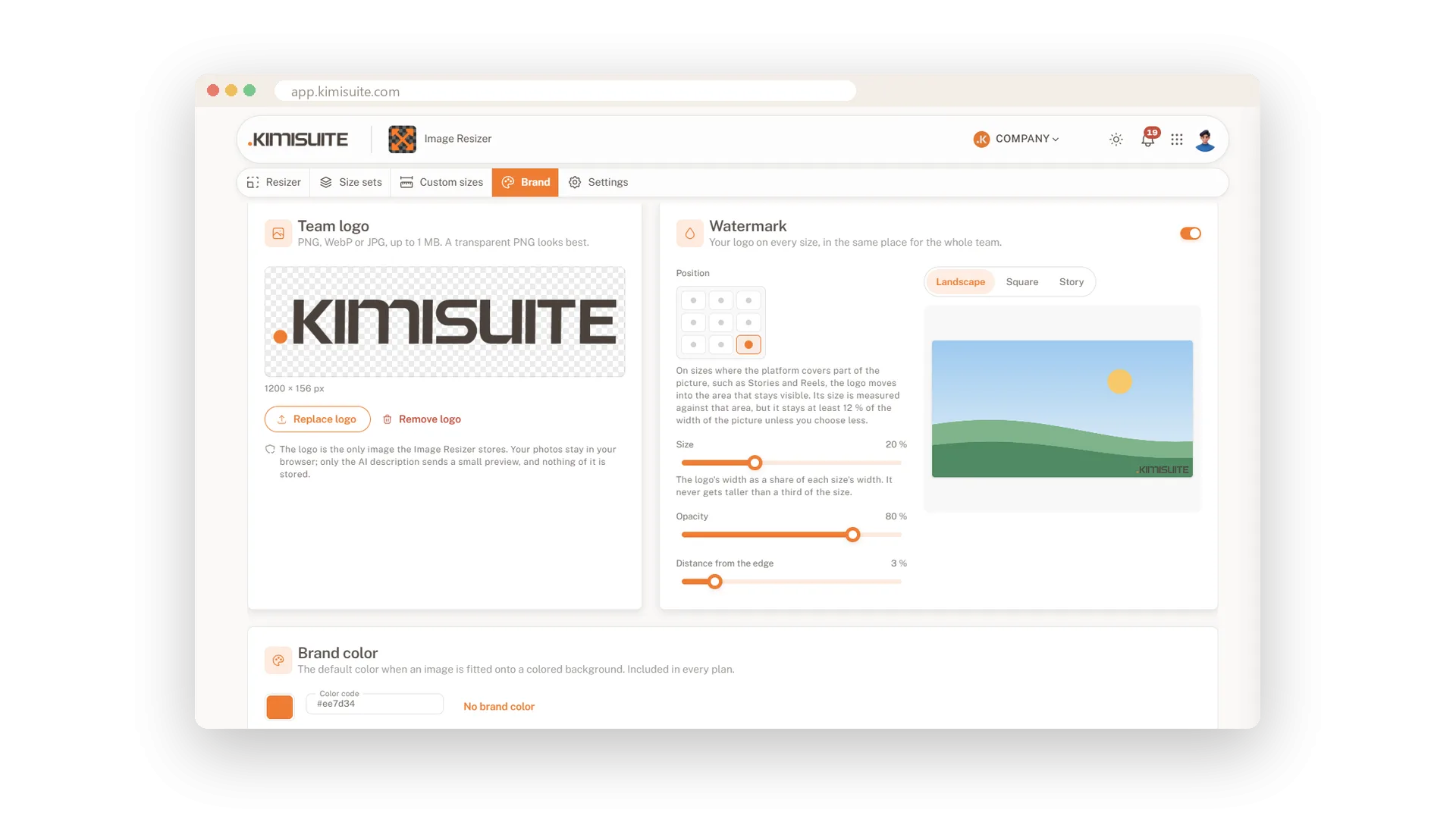
Your logo as a watermark on every size
Set it once, and every download carries your brand
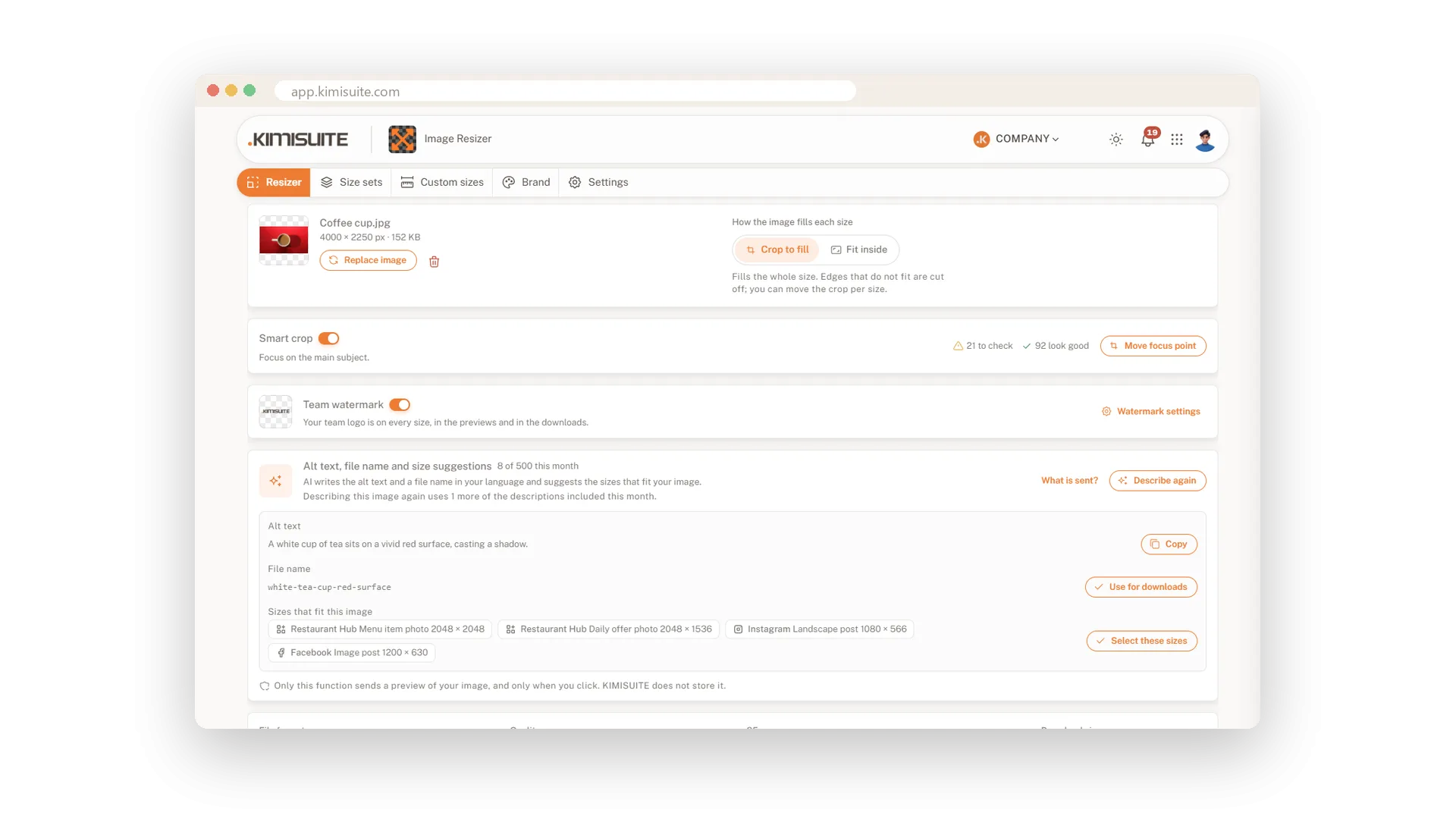
AI alt text and file names for your images
A description, a file name and fitting sizes in one click
Image Resizer
FAQ
Common questions about Image Resizer answered clearly.
Ready to See It in Action?
Discover how KIMISUITE connects growth, automation and AI into one unified system.
Take Your Business to The Next Level!
Stop paying for tools you barely use. Start running your business on KIMISUITE.
No long-term contract · Cancel anytime · 14 days free
