 Part of Image Resizer
 Smart crop that keeps faces in the frame
Faces, your subject and text stay in every size
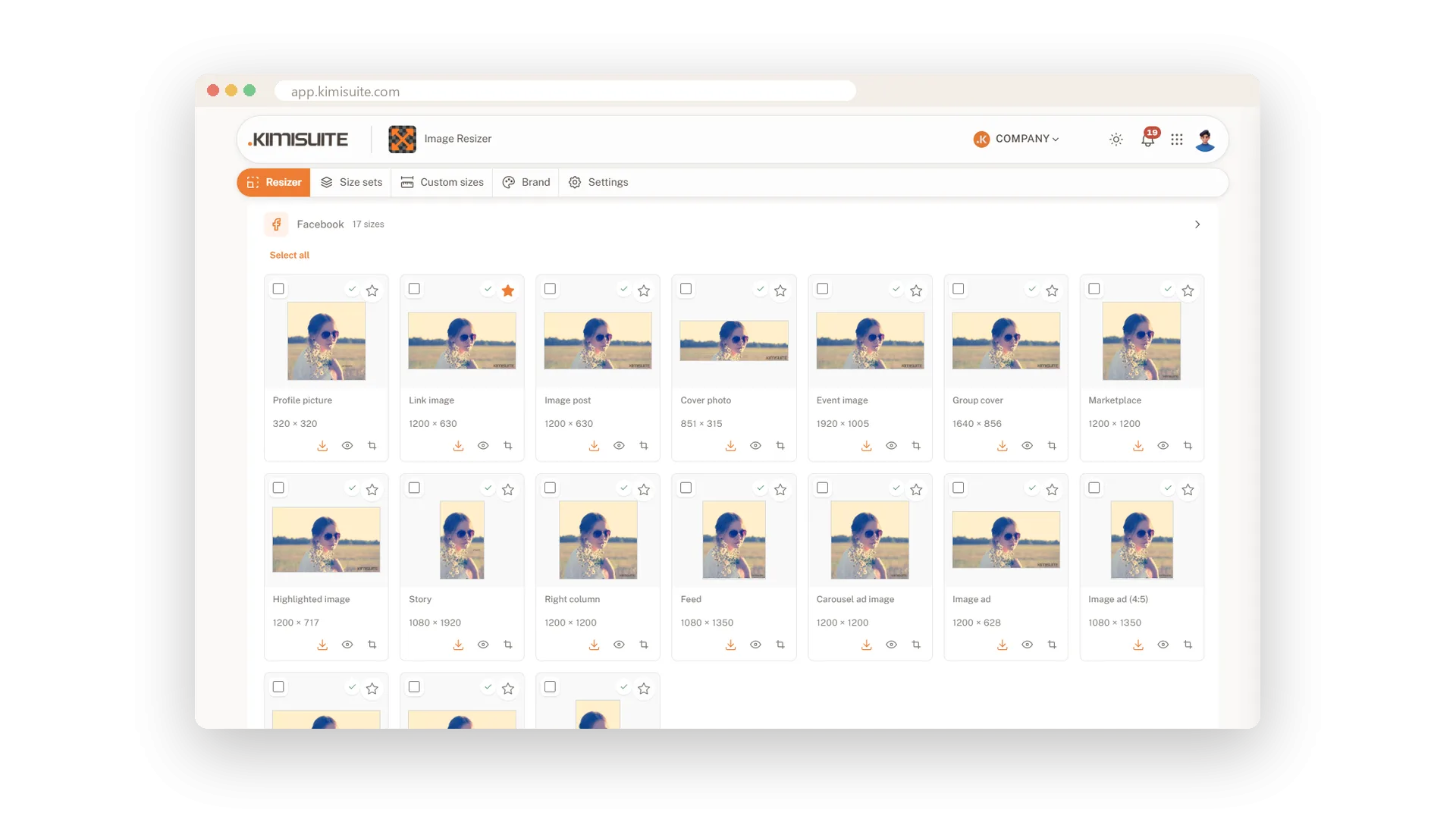
A wide team photo becomes a tall story, and suddenly half the team is gone. That is what happens when a picture is simply cut from the middle. Smart crop looks at the picture first: it finds faces, the main subject and areas with text, and crops every size around them. A square, a banner and a story each get the part of the picture that matters.
It is switched on from the start and works on its own. Every size then carries a small check: green when it looks good, yellow when you should take a look, red when something is cut off. If you want a different centre, move the focus point once and all sizes follow, or drag the picture in a single size. The detection runs in your browser. The first time, the app loads what it needs once; after that a new picture takes a few seconds.
Key Benefits
No more cut-off heads: faces and the main subject stay inside every size
See problems at a glance: a green, yellow or red check on each size
One move fixes them all: set the focus point once and every size follows
Private by design: the detection runs in your browser, not on a server
Move the focus point
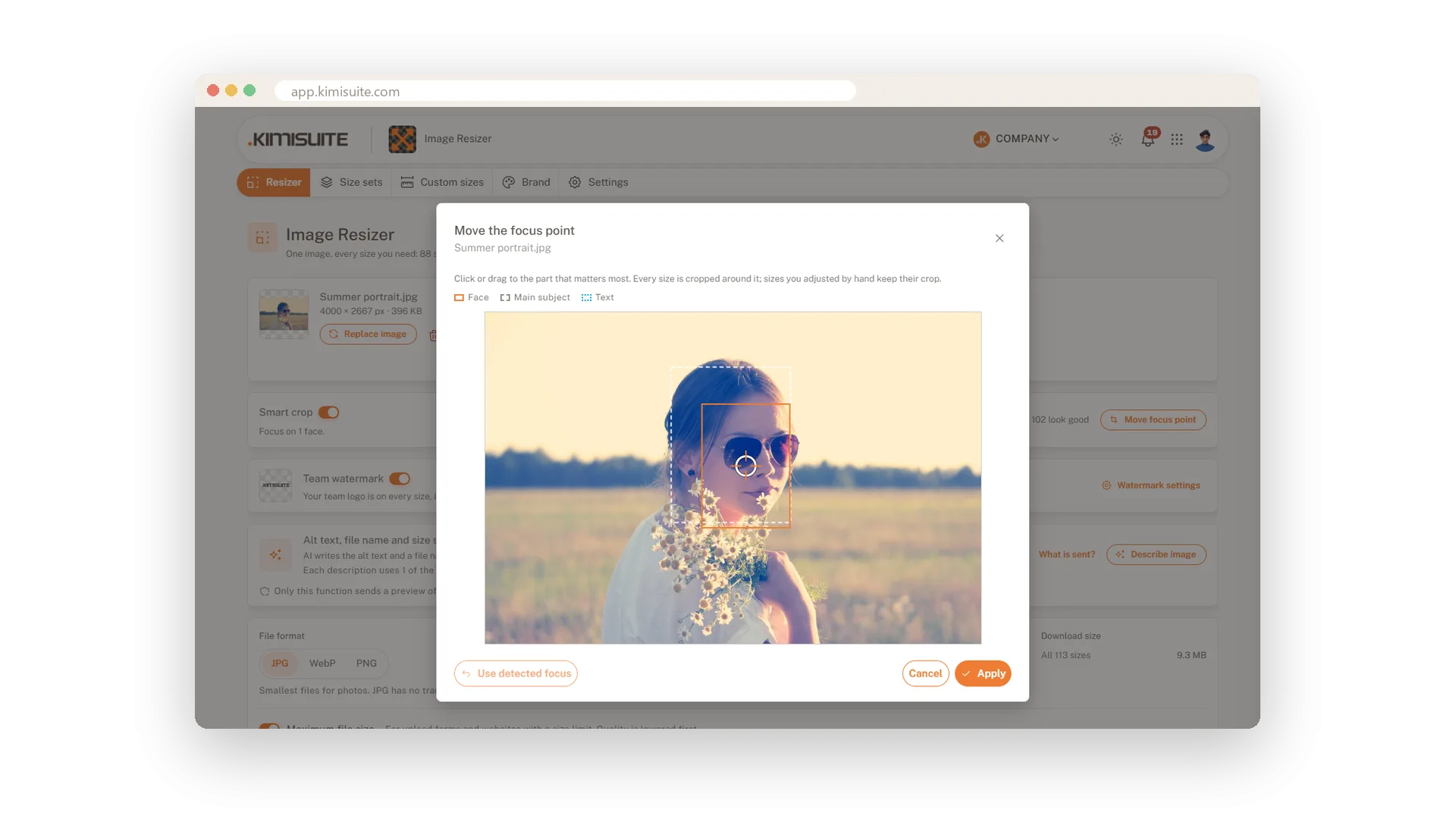
Set the centre once, and every size crops around it
Smart crop shows you what it found: the face, the subject. If your eye goes somewhere else, click on that spot. Every size is cropped again around the new point, and one click brings the detected focus back.
A check on every size
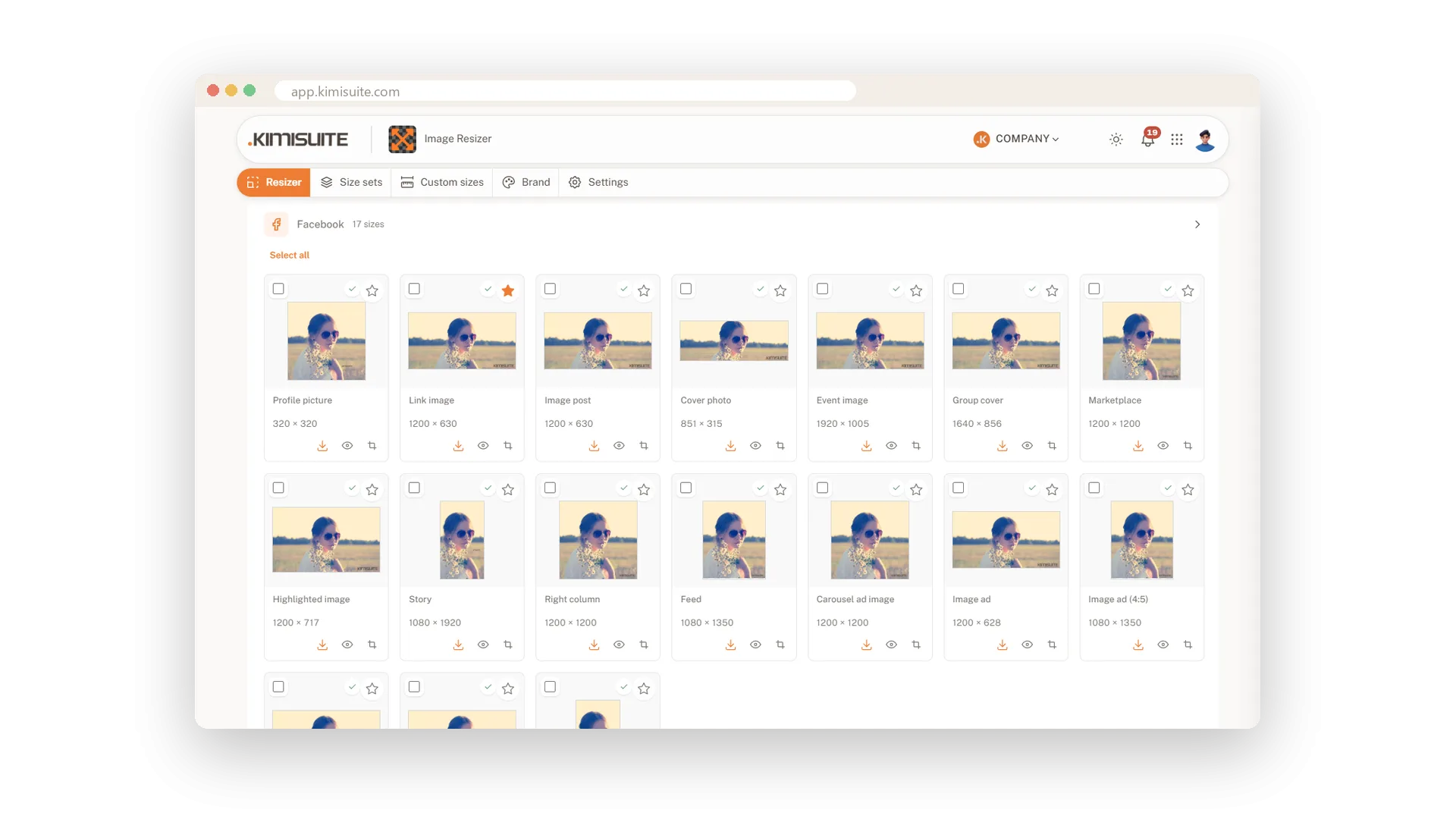
Green, yellow or red before you download anything
You do not have to open 30 previews to find the one bad crop. Each size carries a small sign, and a line above the sizes tells you how many look good and how many want a second look. Fix the red ones by moving the crop.
Adjust the crop of a single size
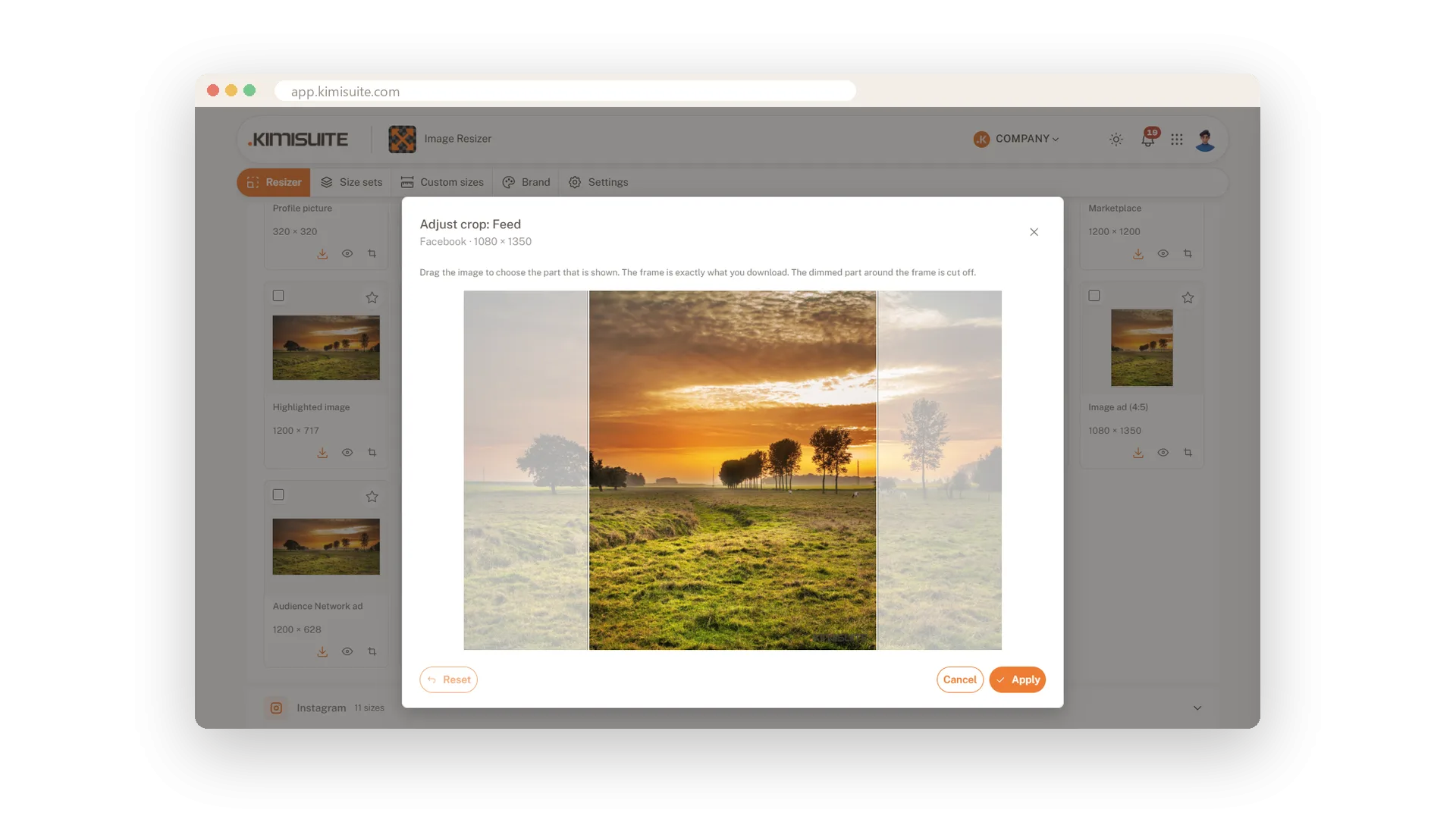
Drag the picture until this one size is right
Sometimes one size needs its own cut. Open it, drag the picture with the mouse or your finger, and apply. The size is marked as adjusted, and the app asks before anything would overwrite your work.
Use Cases
The team photo as a story
Six people side by side do not fit into a tall story. The check turns grey for that size and tells you so, while the cover and the post are fine. You know at once which sizes to use.
A portrait for every profile
You load one portrait and take the profile picture sizes of all channels. The face sits in the middle of each one without you touching a thing.
The dish is on the left
Your best photo has the plate off-centre. Smart crop builds each size around the plate, and you nudge the focus point a little to include the glass.
FAQ
Try Image Resizer today
One image in, every social media size out
14 days free, cancel anytime, no minimum term.
