 Part of Image Resizer
 The right format and file size
JPG, WebP or PNG, as small as the platform wants
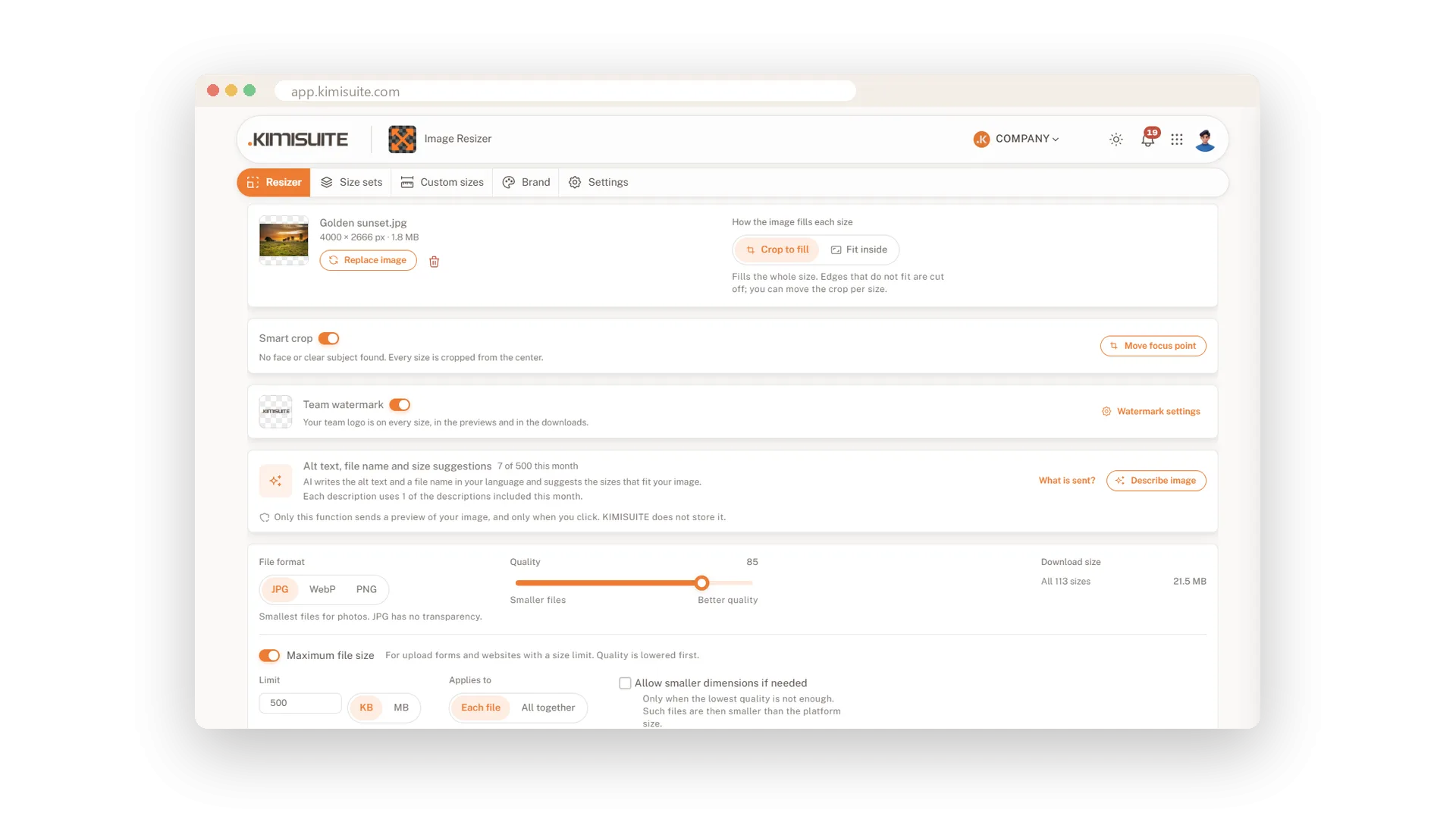
A picture that is too heavy slows down your website, bounces off a newsletter tool or is refused by an ad platform. Image Resizer lets you decide the format and the weight of every download. Choose JPG for photos, WebP for small files on the web or PNG when you need transparency, and set the quality with a slider. The total size of your download is shown next to it.
If a form or a platform has a limit, enter it. With a maximum of 500 KB per file, for example, the quality is lowered just enough to get under it, and the app tells you how many files it adjusted. It also knows the limits and formats that many platforms publish themselves and warns you before the download, with a one-click fix. And every file leaves clean: location and camera data are removed.
Key Benefits
Lighter pages and emails: choose WebP or JPG and see the download size as you move the slider
No refused uploads: a warning when a file is too large or in a format a platform rejects
Hit any limit: set a maximum per file or for the whole download
Nothing hidden in the file: location and camera data are removed from every download
JPG, WebP or PNG with a quality slider
Pick the format and watch the download size change
One switch sets the format for all sizes, one slider sets the quality. The total size next to it is measured from the finished files, so you see what you gain before you download. Transparency is kept in PNG and WebP.
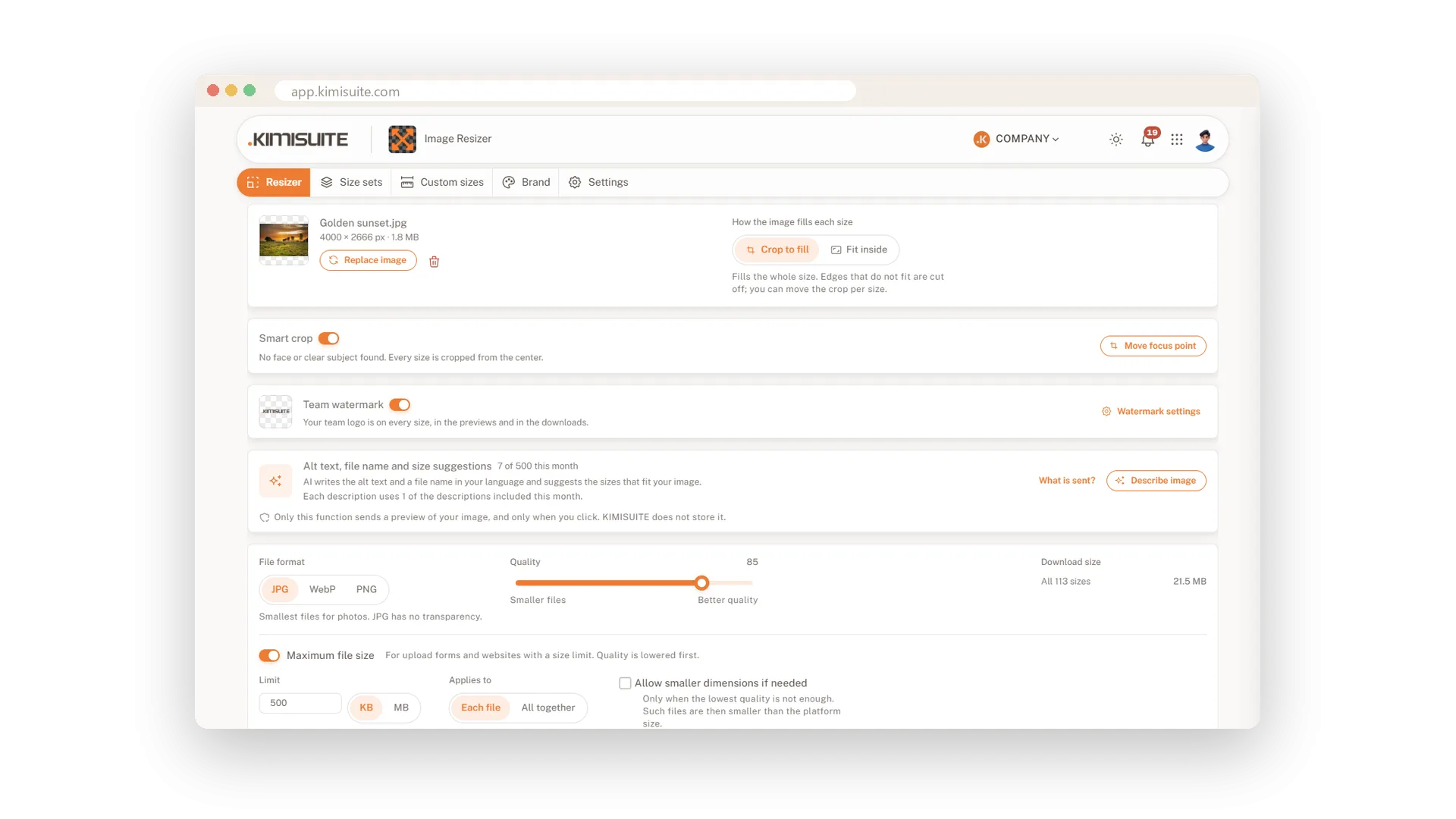
A maximum file size you set
For upload forms and websites with a limit
Type in the limit, in KB or MB, for each file or for all of them together. Image Resizer lowers the quality just as far as needed and confirms that every file fits. You stop exporting three times to hit a number.
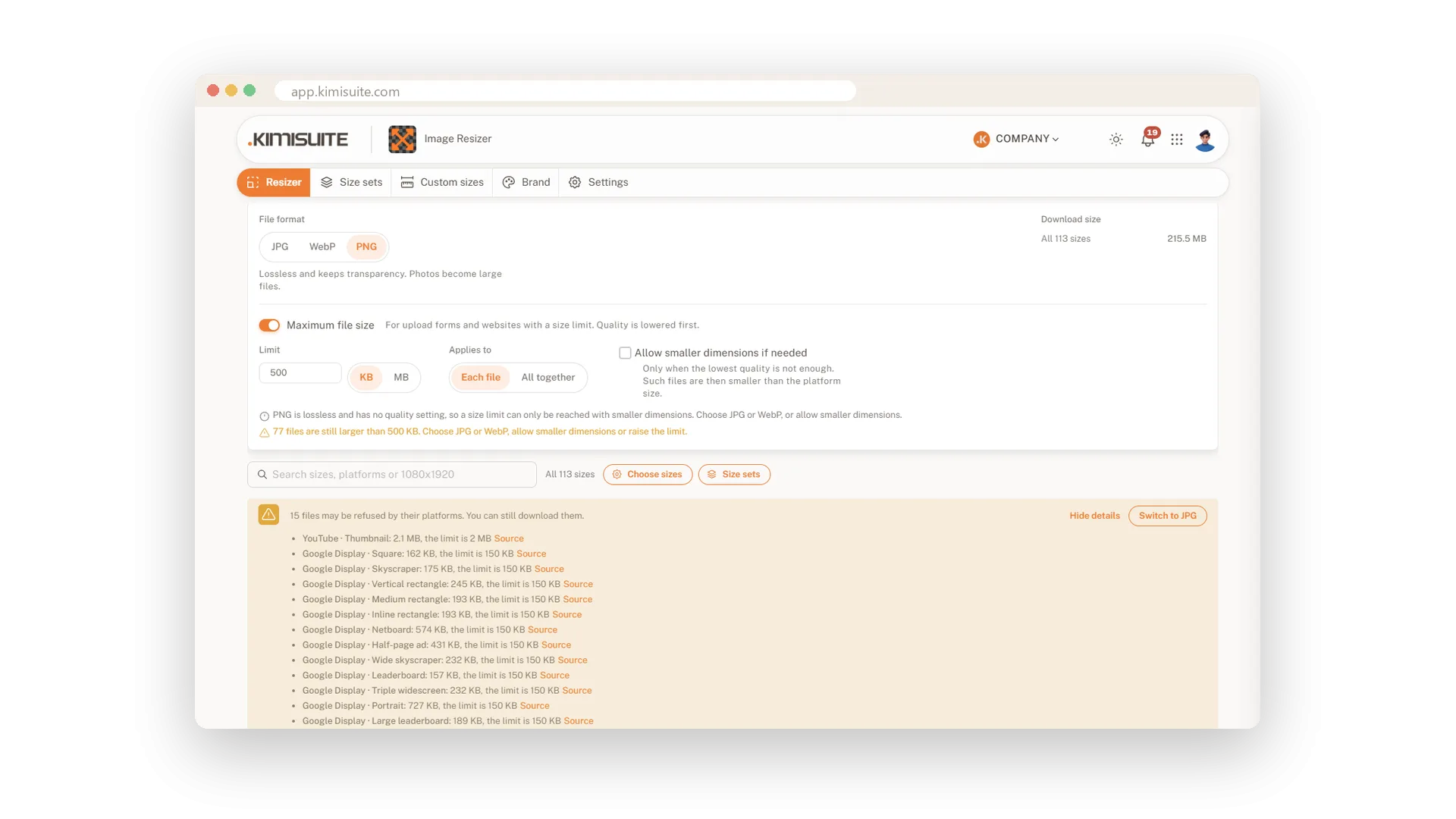
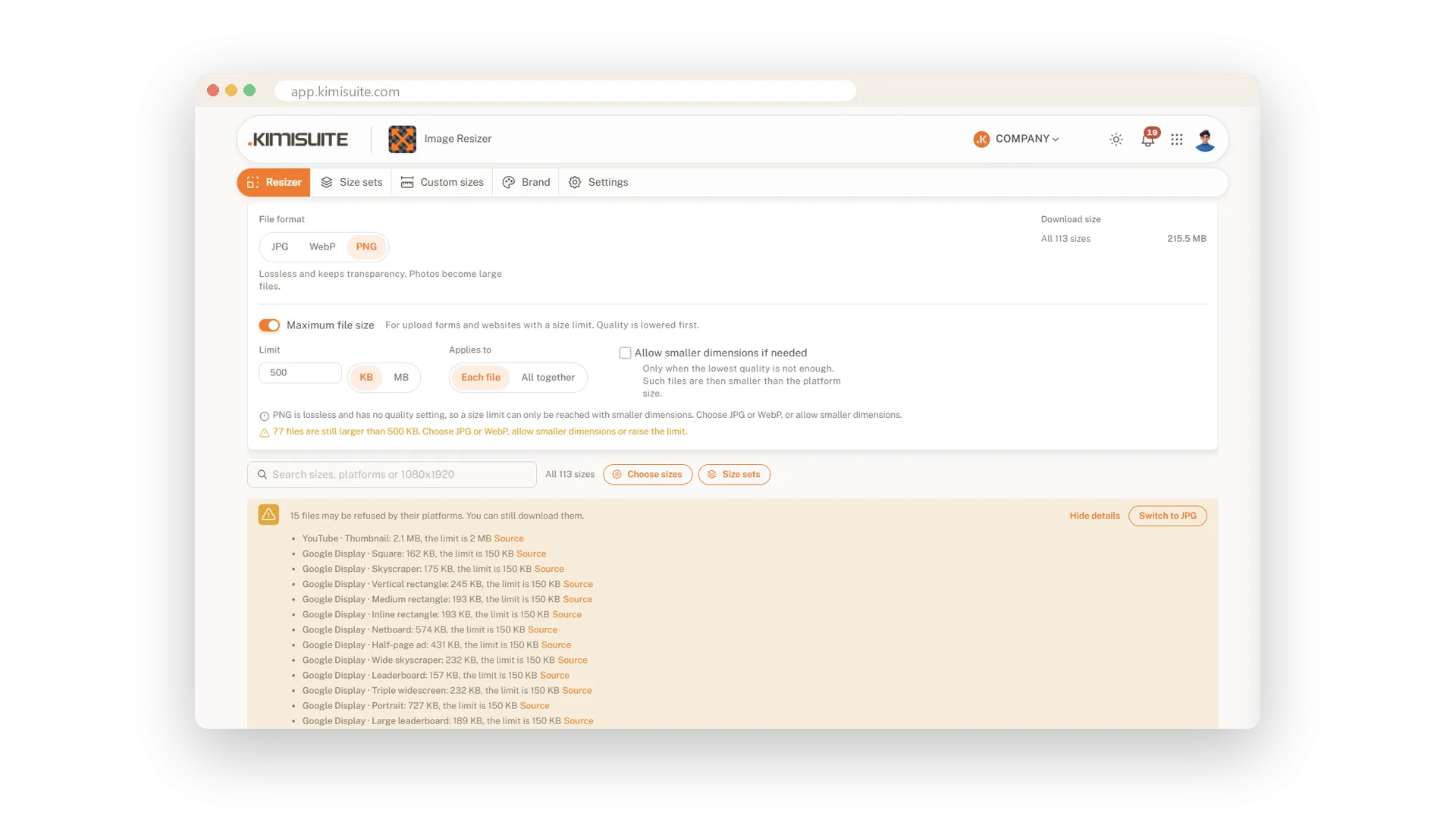
A warning before a platform says no
Too large or the wrong format? One click fixes it
Some platforms accept only JPG and PNG, others stop at a certain file size. Image Resizer checks your files against these rules and lists what would be refused, with the source of each rule. Switch the format or cap the size with one click. You can still download everything.
File names your team understands
One naming pattern for every download
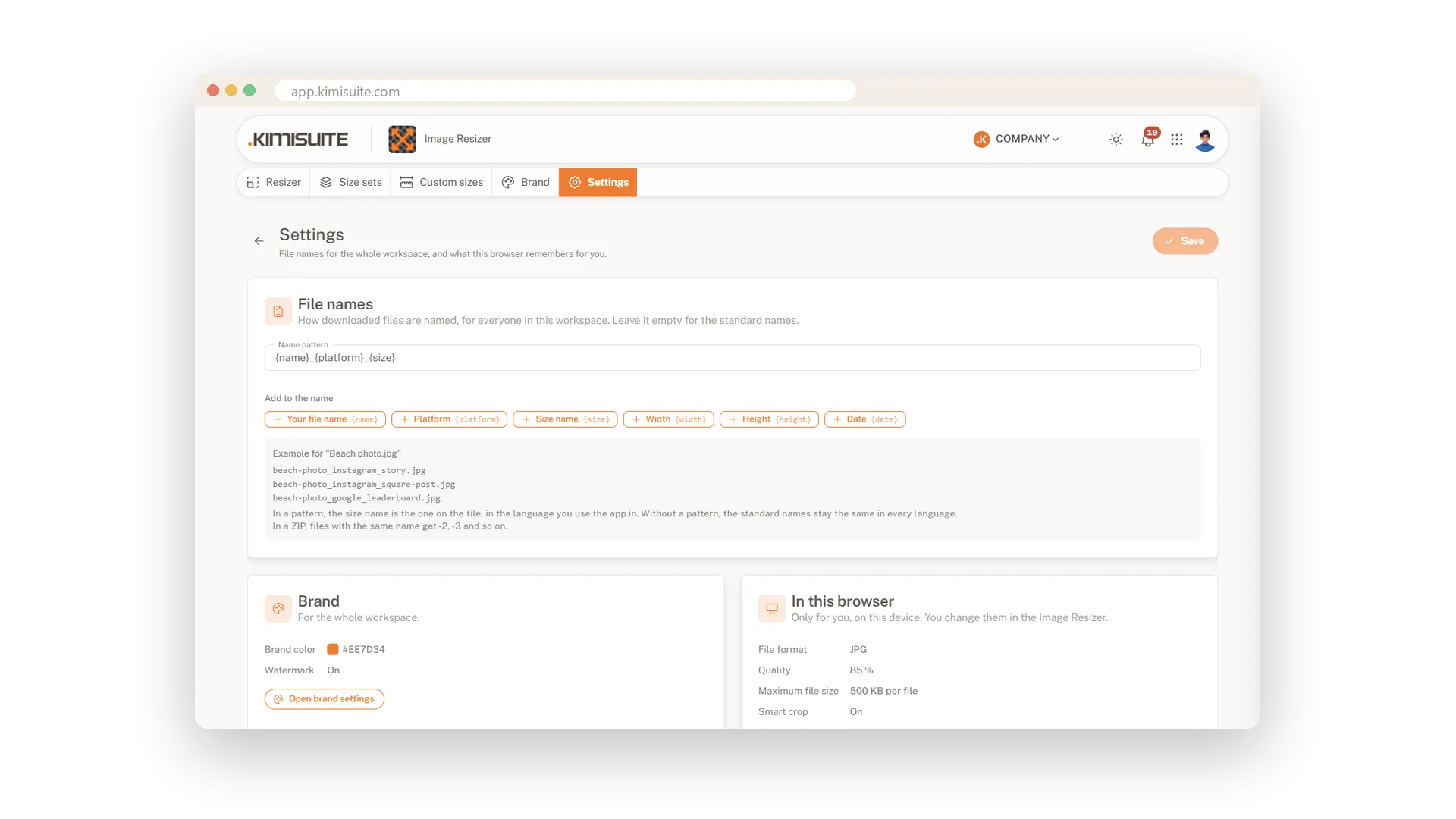
Decide once how files are named: the name of the picture, the platform, the size, the pixels, the date, in the order you like. A live example shows the result, and from then on everyone in your workspace downloads files with the same tidy names.
Use Cases
The banner ad that was refused
The ad platform takes files up to 150 KB and yours has 163. The warning says so before you download, and one click keeps every file under the limit.
A faster shop page
Twelve product photos as PNG make the page crawl. You switch to WebP, pull the quality to 80 and the download shrinks to a fraction.
Photos from a customer's home
The before-and-after pictures were taken at a customer's address. The files you post carry no location data, so the address stays private.
FAQ
Try Image Resizer today
One image in, every social media size out
14 days free, cancel anytime, no minimum term.
