 Part of Image Resizer
 Preview your image on the platform
Stories, profile circles and banners before you post
The size is right and the post still looks wrong: the headline sits under the story buttons, the logo loses its corners in the round profile picture, the banner shows only its middle on a phone. You usually find out after publishing. With the preview you find out before.
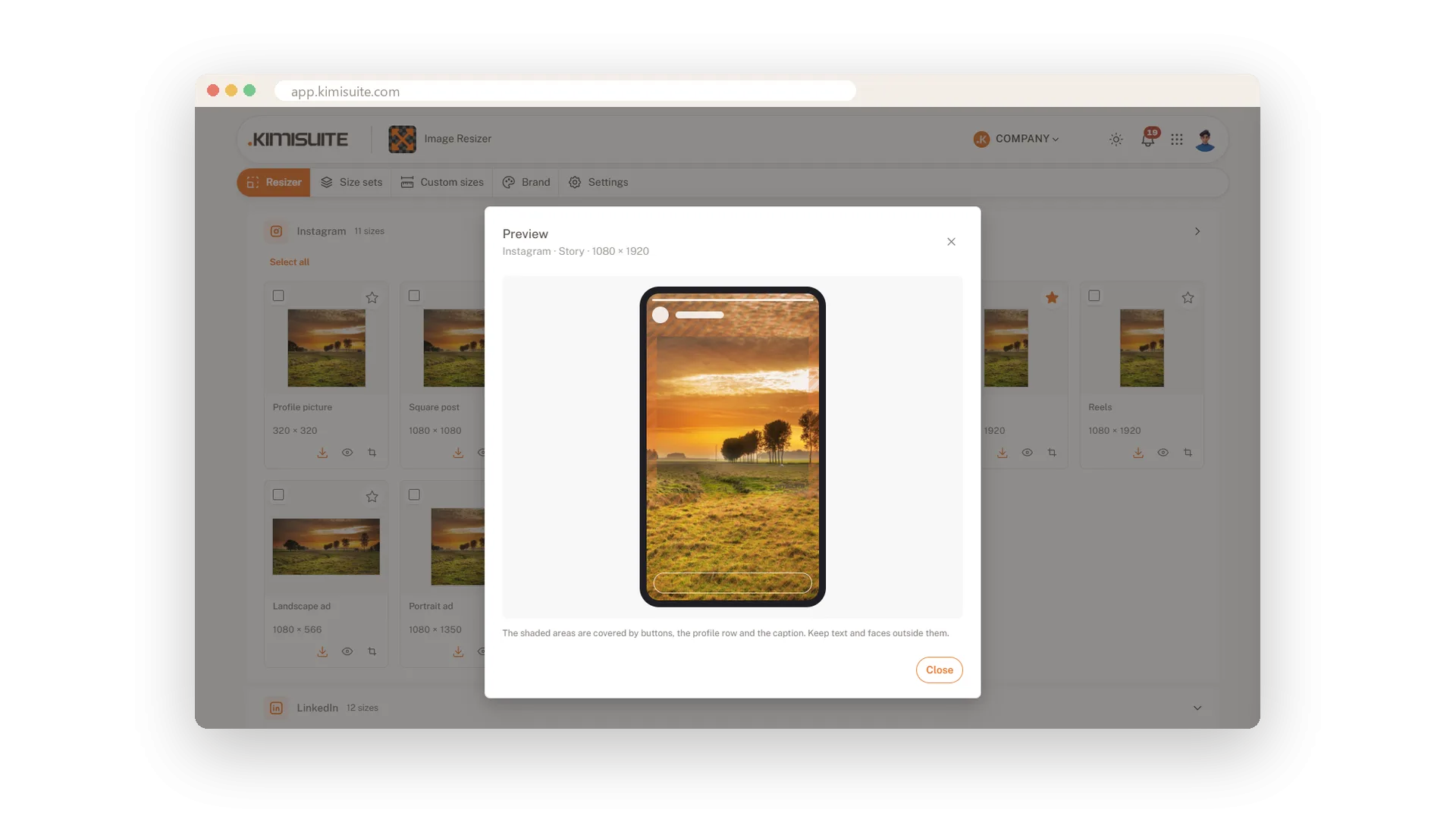
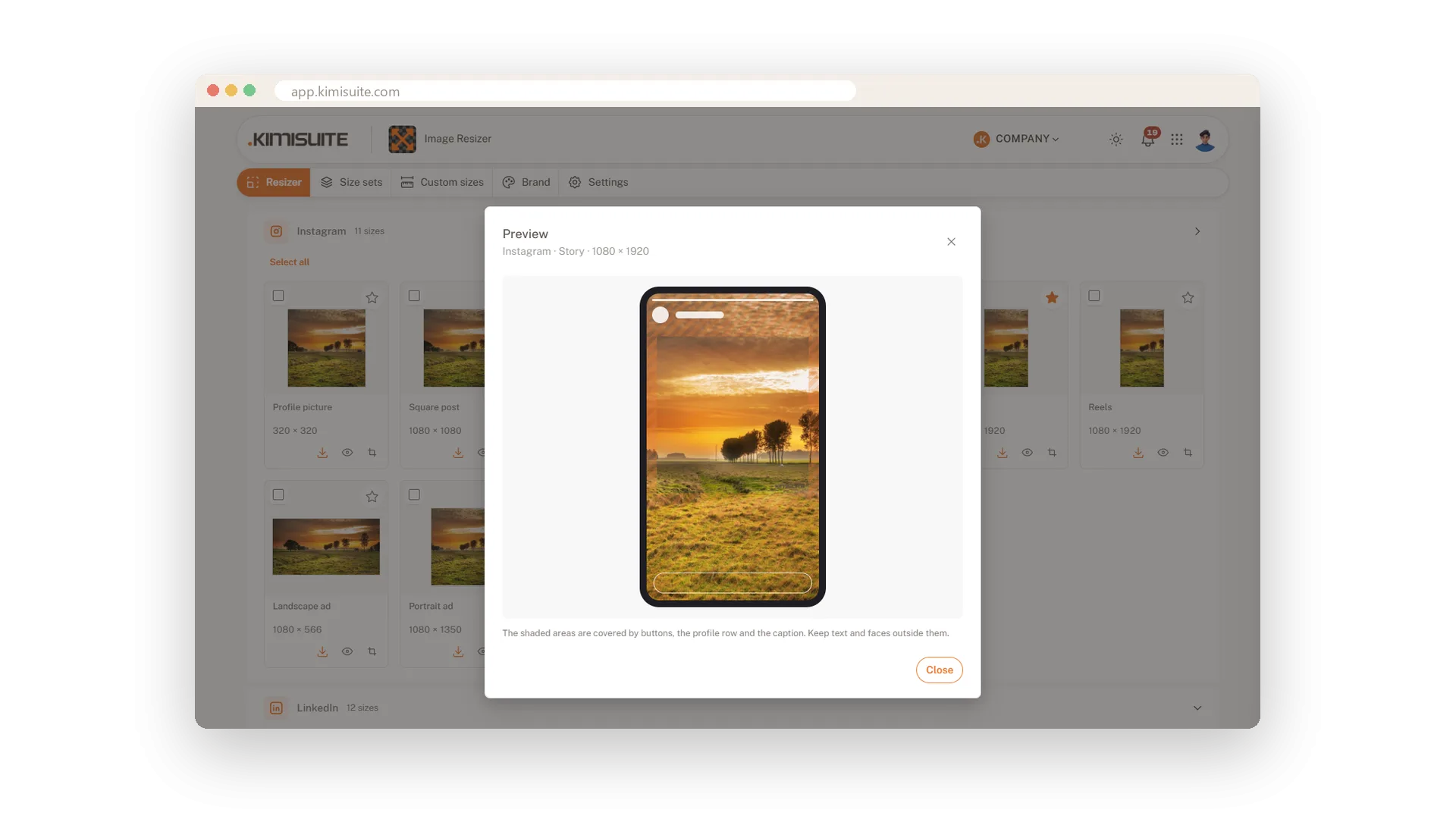
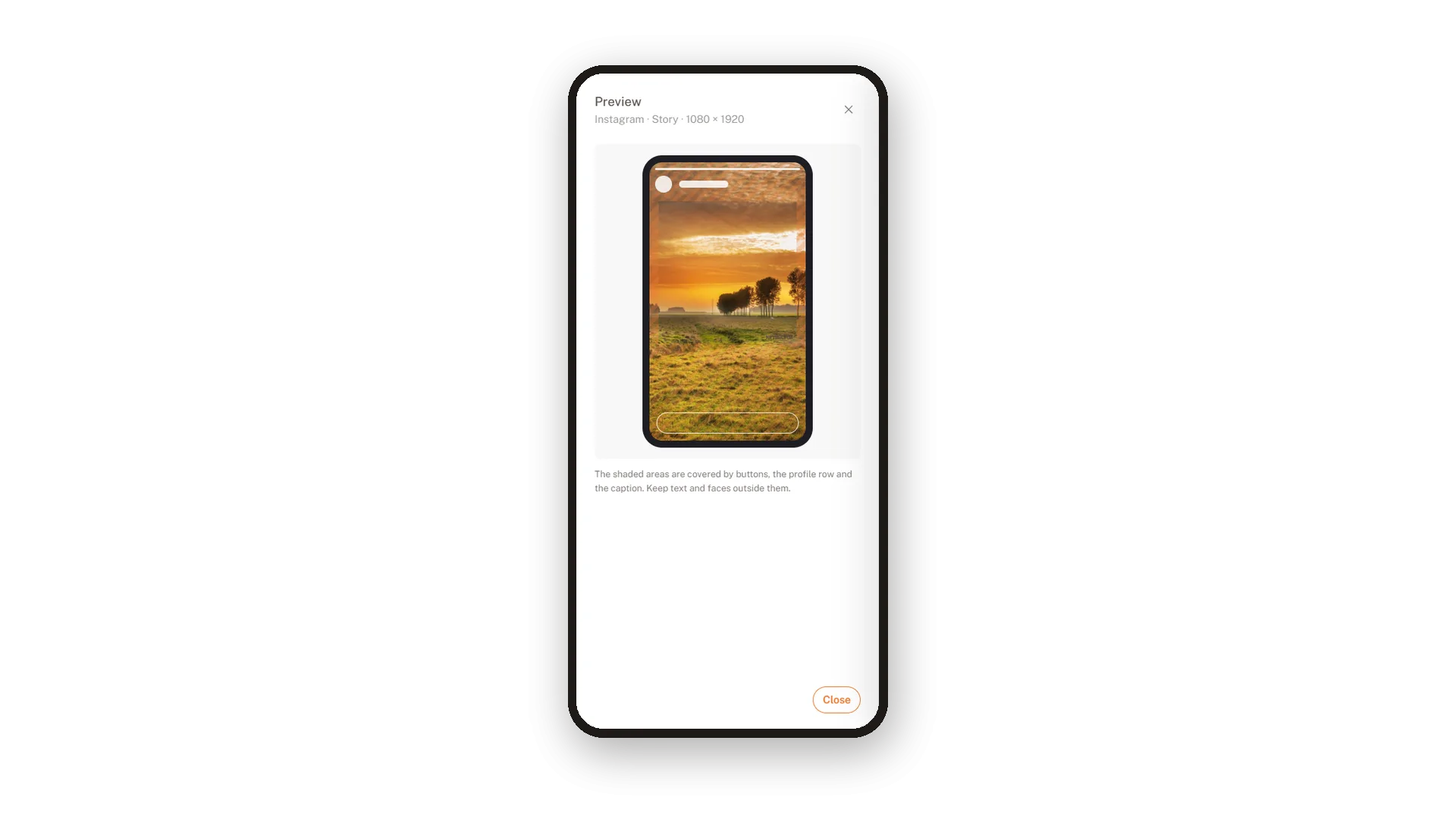
Click the eye on any size. Stories, reels and vertical ads appear with the areas a platform covers shaded, and the note tells you to keep text and faces outside them. Profile pictures are shown as a circle. Covers come with the profile picture that overlaps them, and the YouTube banner shows what a TV, a desktop, a tablet and a phone display. The previews are neutral sketches of each layout, so you judge your picture and nothing else.
Key Benefits
No surprise after posting: see what a story covers with buttons and captions
Logos that survive the circle: profile pictures shown the way followers see them
One banner for every screen: TV, desktop, tablet and phone areas in one view
Fix it on the spot: adjust the crop and look at the preview again
Safe zones for stories and reels
See what buttons and captions will cover
Stories, reels and vertical ads lose the top and the bottom to the profile row, the buttons and the caption. The preview shades these areas on your own picture, so you keep text and faces in the part that stays free.
One channel banner for every screen
TV, desktop, tablet and phone in one preview
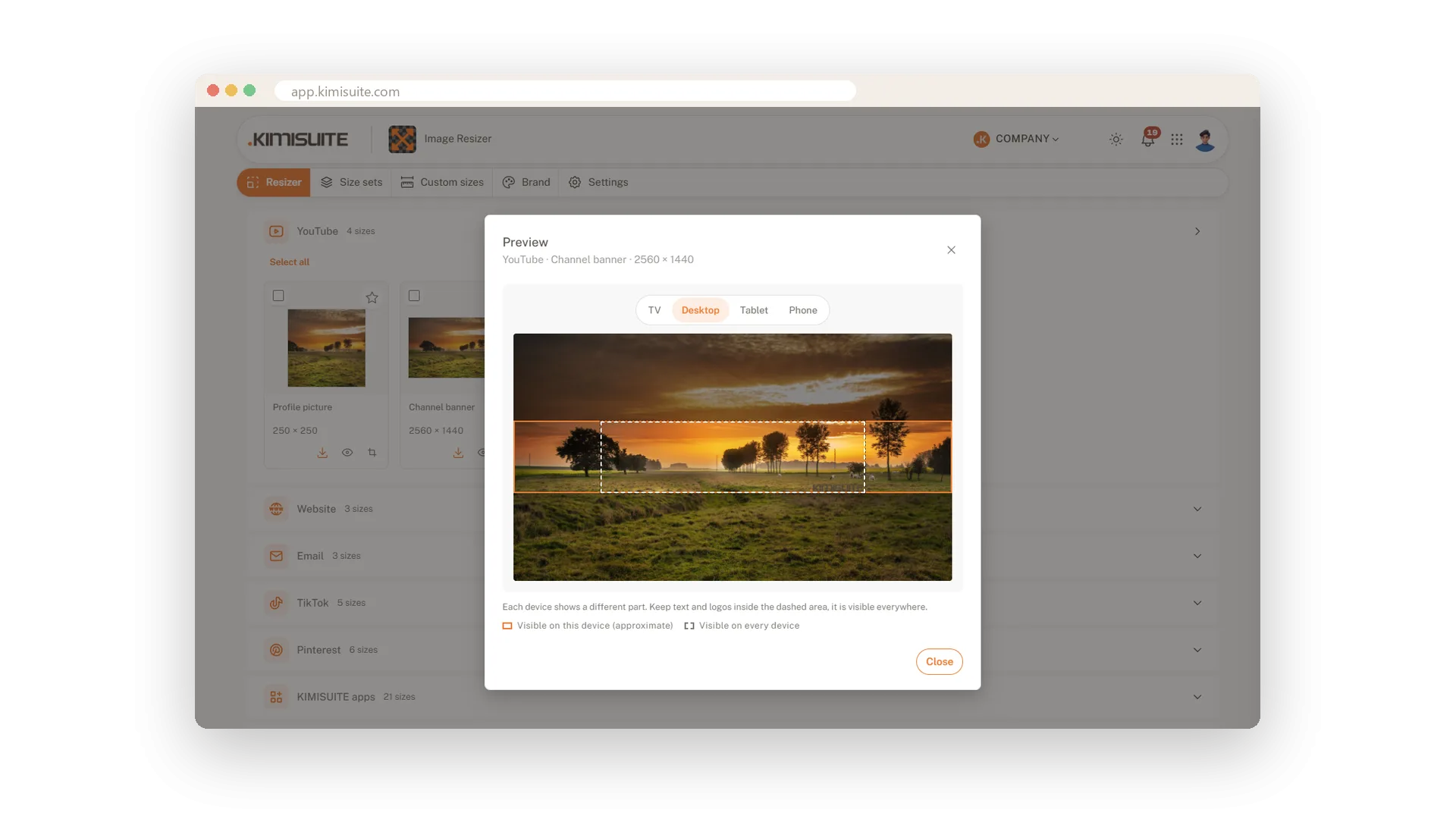
A channel banner is one large picture that every device crops differently. Switch between TV, desktop, tablet and phone and see what each one shows. Put your name and logo in the area all of them share.
Your profile picture as a circle
Check that nothing important sits in the corners
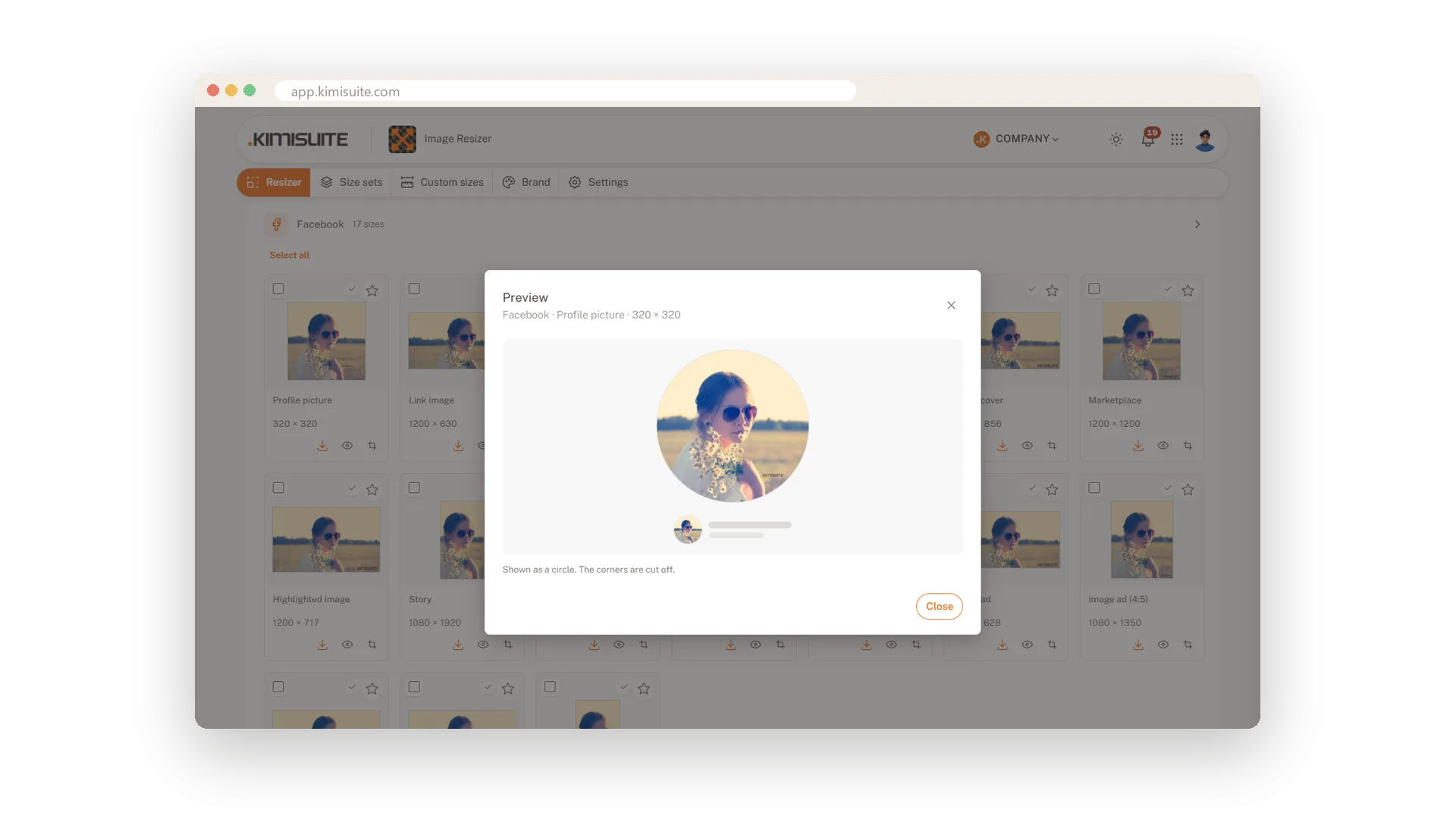
Most platforms show profile pictures round. The preview puts your picture into that circle, and you see at once whether a face or a logo still fits.
Check the story where it will be seen
The preview on your phone, at the real size
A story lives on a phone, so look at it on one. Open the preview in your phone browser and you hold the story in your hand the way your followers will, with the covered areas marked.
Use Cases
The price that vanished
Your story has the offer price at the very bottom. The preview shades exactly that strip. You move the crop up, and the price is readable.
A logo in a circle
The square logo touches all four edges. In the round preview the letters at the corners are gone, so you switch to Fit inside and it sits neatly in the circle.
The channel banner
On a TV the banner shows the whole picture, on a phone only a narrow strip. The preview marks each area, and you place the name where every screen shows it.
FAQ
Try Image Resizer today
One image in, every social media size out
14 days free, cancel anytime, no minimum term.
