 Part of Task Hub
 Rules that do the routine for you
When this happens, do that - written in plain language
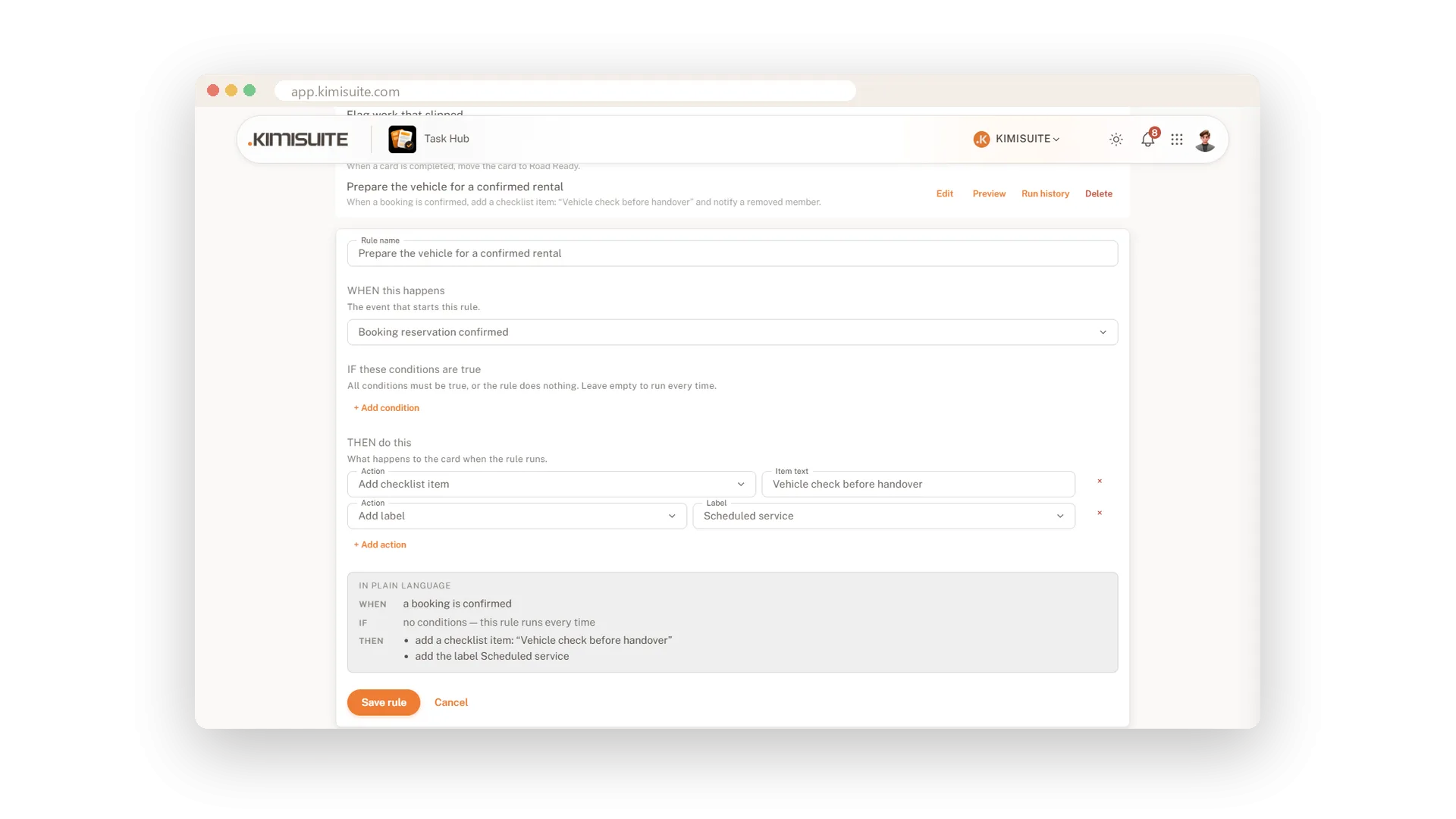
Every team has the small moves nobody should have to remember: label what slipped, give new cards a deadline, move finished work out of the way. Automation rules do them for you, every time, on every card of the board.
Build a rule the way you would say it. When something happens, if these conditions are true, then do this - and a panel beside it repeats the rule in plain language while you build it. Three ready examples help you start. Ten triggers include events from other KIMISUITE apps, ten actions cover moving, labelling, assigning, dates, comments and notifications. Grow runs ten rules per board, Business as many as you need.
Key Benefits
When, If, Then - and a plain-language summary that says what the rule will do
Three ready rules to start: flag slipped work, give cards a deadline, tidy up
Ten triggers, from card created and overdue to a confirmed booking or a payment
Ten actions: move, label, assign, set a due date, comment, add a checklist item, notify
Three rules to start with
Flag slipped work, set deadlines, tidy up
Not sure where to begin? Three worked examples wait above the empty builder: flag work that slipped, give new cards a deadline, tidy up finished work. Take one, adjust it, save.
A rule builder that speaks your language
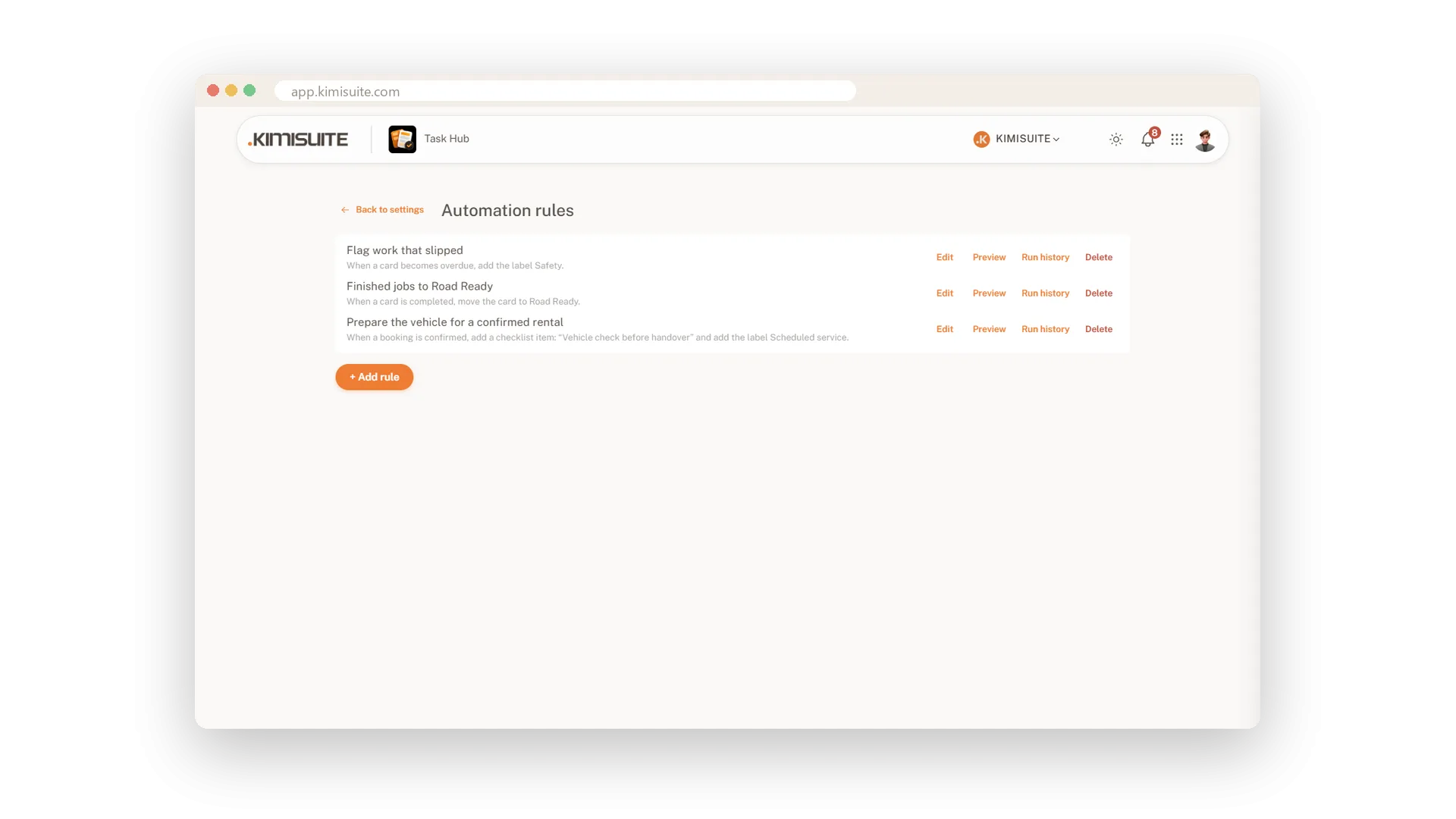
When, If, Then - and a summary in plain words
Choose what starts the rule, the conditions, and what should happen. While you build, a panel repeats the rule in plain language - so you know exactly what it will do before you save.
Ten triggers, ten actions
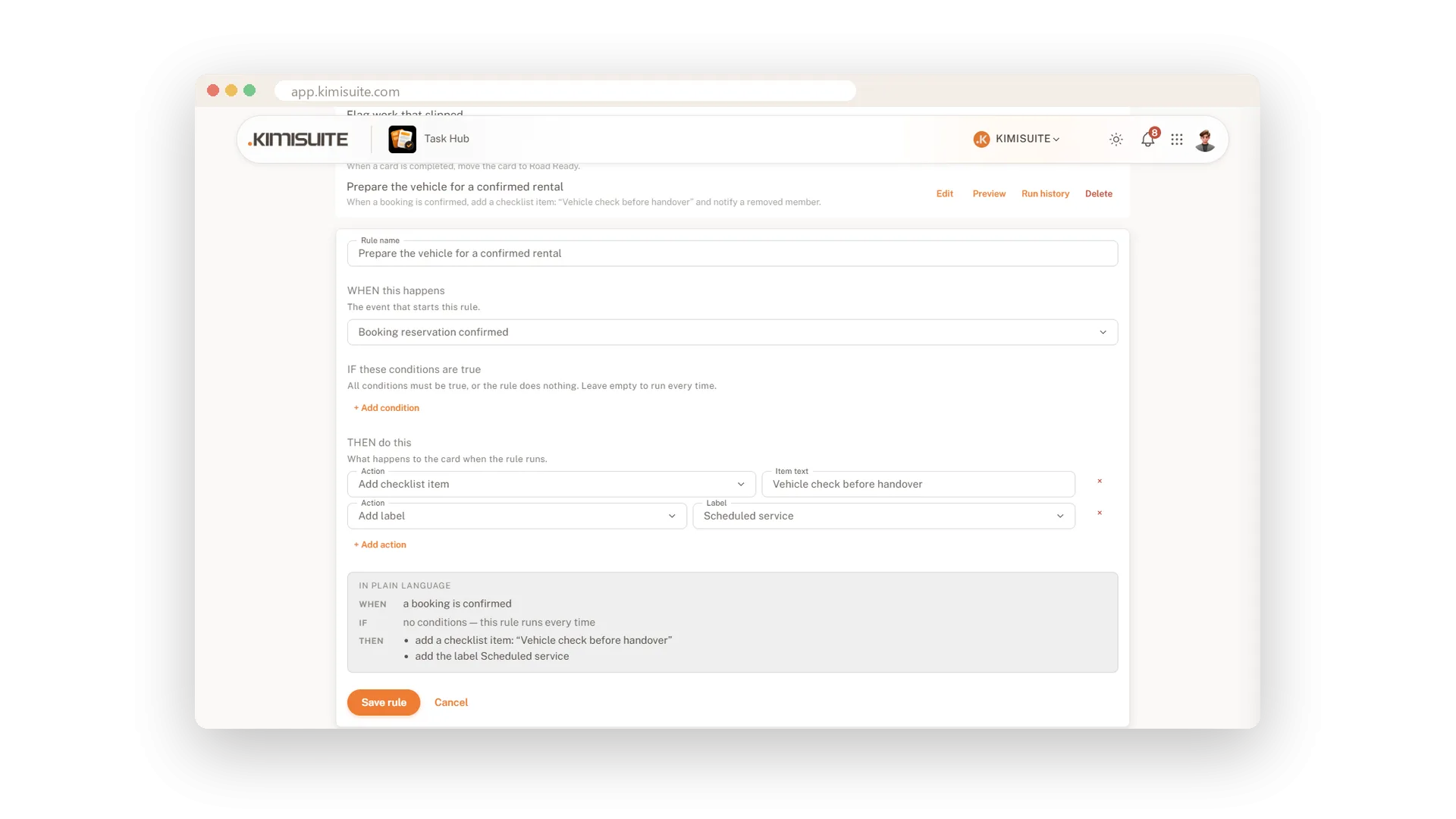
From card created to payment received
Rules start when a card is created, moved, assigned, due soon, overdue, completed or commented. They move cards, change labels and assignees, set dates and fields, post comments, add checklist items and notify the right person.
Use Cases
Nothing slips quietly
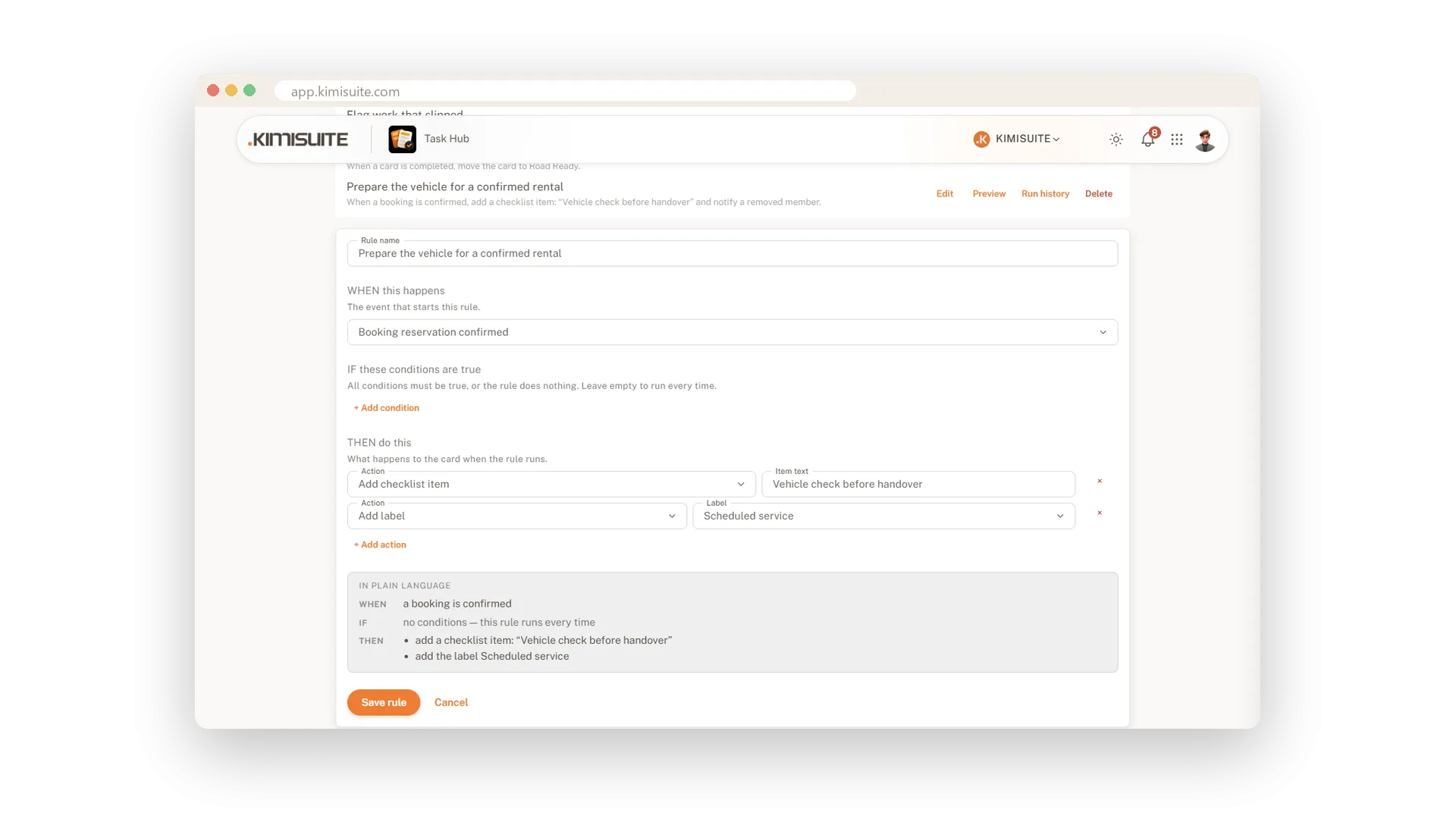
When a card is overdue, add the label Overdue. The label shows up on the board without anyone checking dates.
Every new job gets a deadline
When a card is created, set the due date seven days later. No card sits on the board without a date.
Done means out of the way
When a card is completed, move it to Done. The working lists stay short.
FAQ
Try Task Hub today
Boards, rules and AI that turns notes into tasks
14 days free, cancel anytime, no minimum term.
