 Part of Task Hub
 Boards your team reads at a glance
Lists, cards and colours - who does what, and what is done
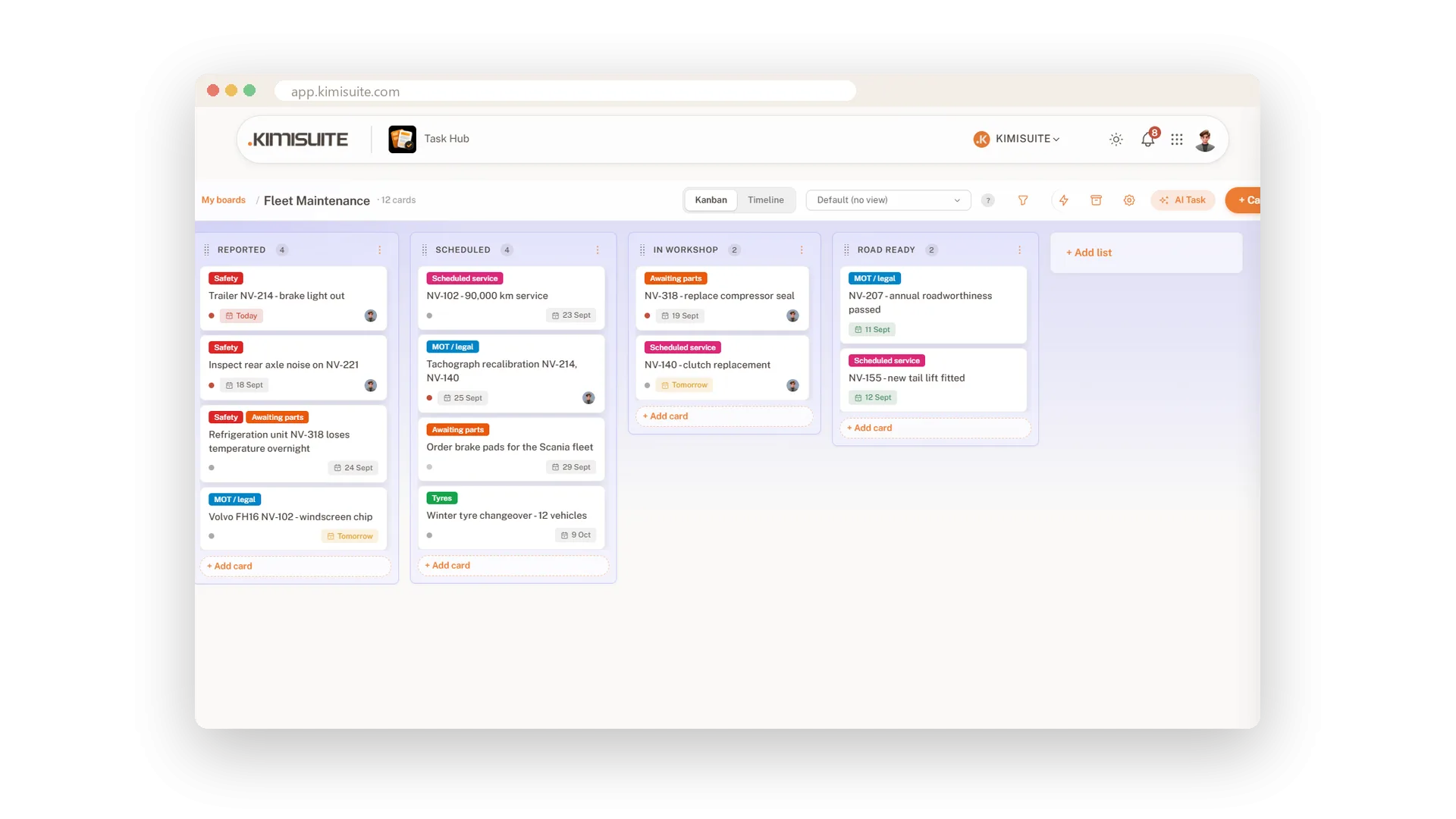
Every job your team does comes down to three questions: what needs doing, who is on it, and is it done. A Task Hub board answers all three on one screen. Lists across - New, Scheduled, In workshop, Ready - and cards that move from left to right as the work moves. Labels in colour, the due date in words like Today and Tomorrow, the face of whoever has the card.
Starting takes a minute. Pick a template and the lists, labels and example cards are already there, or begin with a blank board. Filter the board to one person, one label or everything overdue, save the view you use every morning, and archive finished cards without losing them - they come back with one click.
Key Benefits
Five templates or a blank board - lists, labels and example cards ready in a minute
Labels in twelve colours, so you read the board before you read a word
Filter by label, person or due date - Today, This week, Overdue - and save the view
Archive instead of delete: finished cards leave the board and come back with one click
Start from a template
Lists, labels and example cards ready in a minute
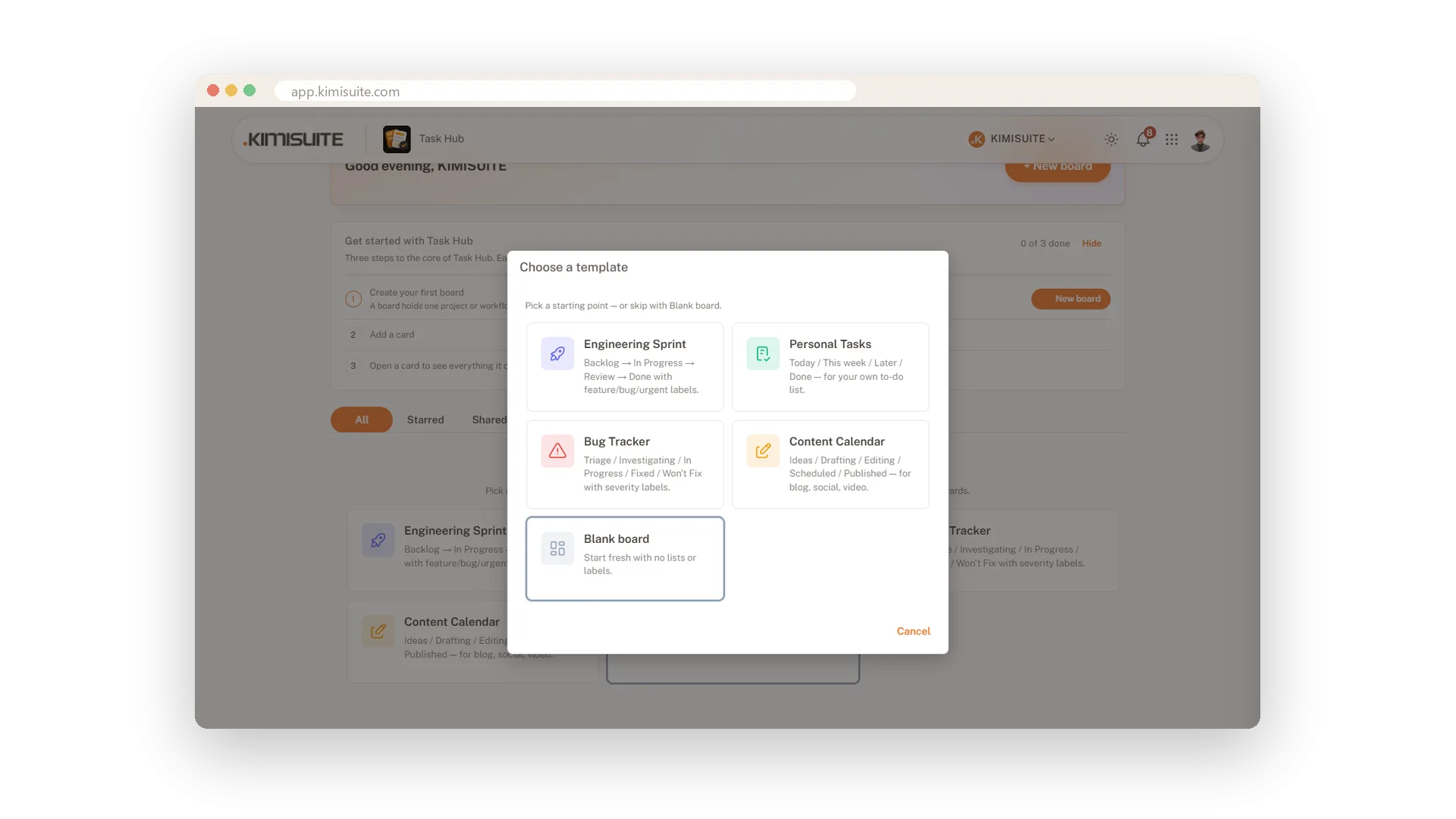
Pick Engineering Sprint, Personal Tasks, Bug Tracker or Content Calendar and the board arrives with its lists, labels and example cards. Change what you like, delete the examples, and the team works on it the same day.
Labels you read by colour
Twelve colours, several labels per card
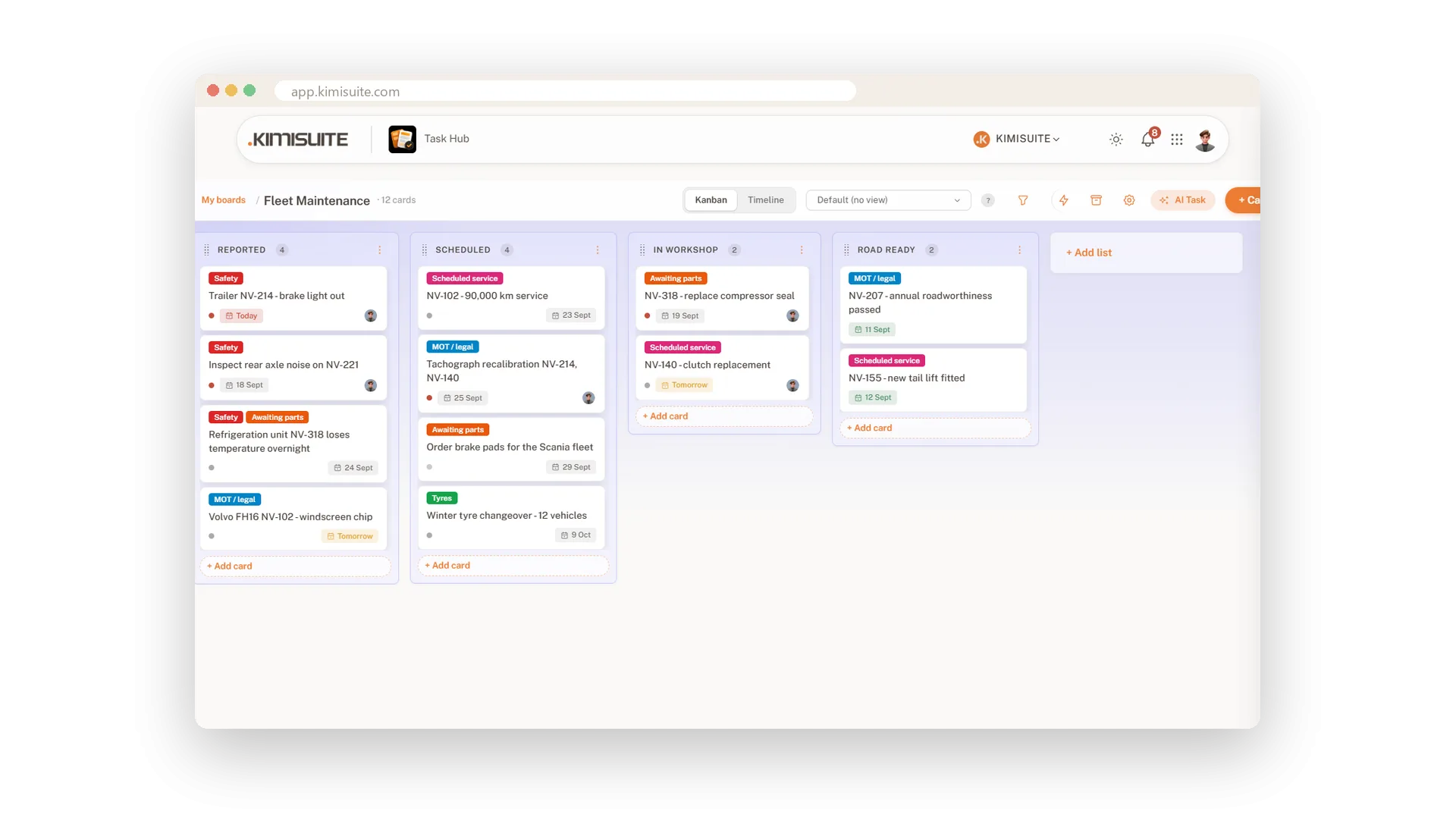
Safety in red, Awaiting parts in orange, Scheduled service in pink: give every label its colour and the board tells you where the trouble is before you read a card. A card can carry several labels at once.
Filter the board, save the view
By label, person or due date - one click next time
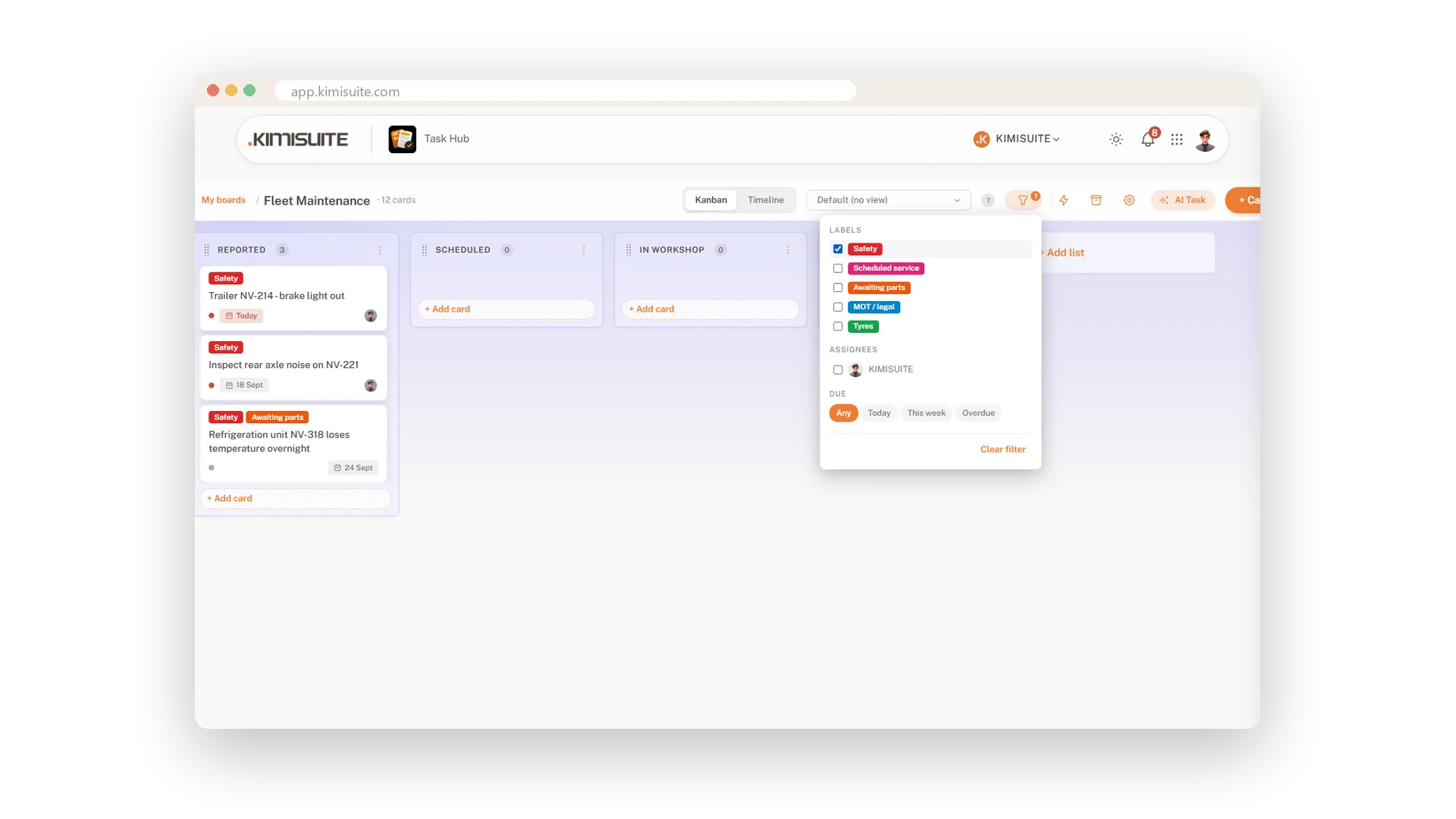
Show only one colleague's cards, only one label, or only what is due today, this week or already overdue. Save the combination as a named view - Kanban or Timeline, with its sort order - and it is one click away tomorrow.
Archive, not delete
Finished cards leave the board and come back with one click
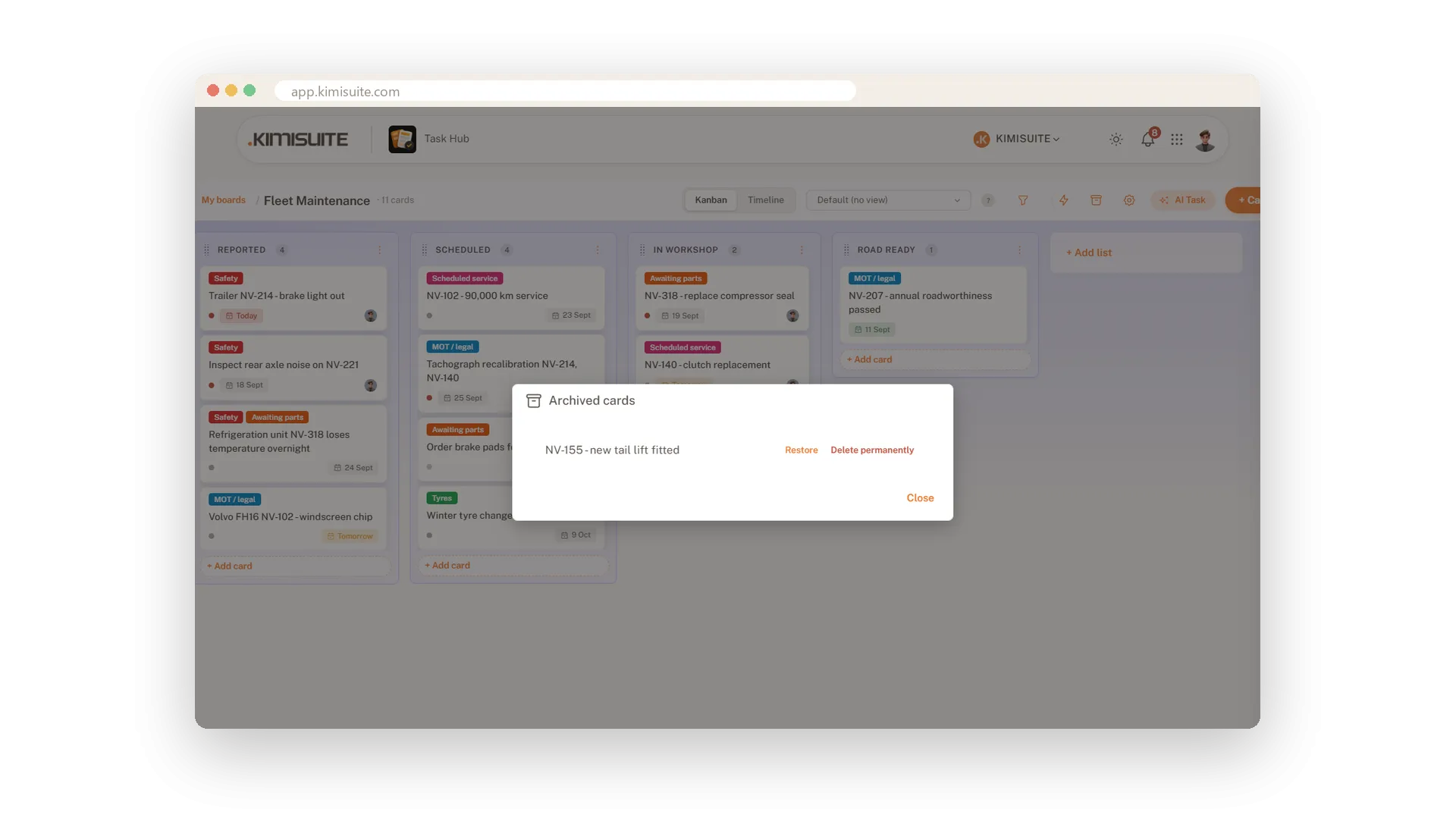
Archive a card and the board is tidy again - but nothing is lost. The archive lists every archived card with Restore and Delete permanently, so deleting for good is a separate, deliberate step.
Use Cases
The workshop board
New, Scheduled, In workshop, Ready. Every vehicle is a card, and the Monday meeting is one look at the board instead of a round of questions.
What is overdue?
Filter by due date and choose Overdue. The board shrinks to the cards that slipped, and nobody has to ask.
My cards only
Filter by assignee and save it as a view. Tomorrow morning it is one click to your own work.
FAQ
Try Task Hub today
Boards, rules and AI that turns notes into tasks
14 days free, cancel anytime, no minimum term.
