 Part of Task Hub
 See the weeks ahead on a timeline
The same cards as a Gantt chart - with what waits on what
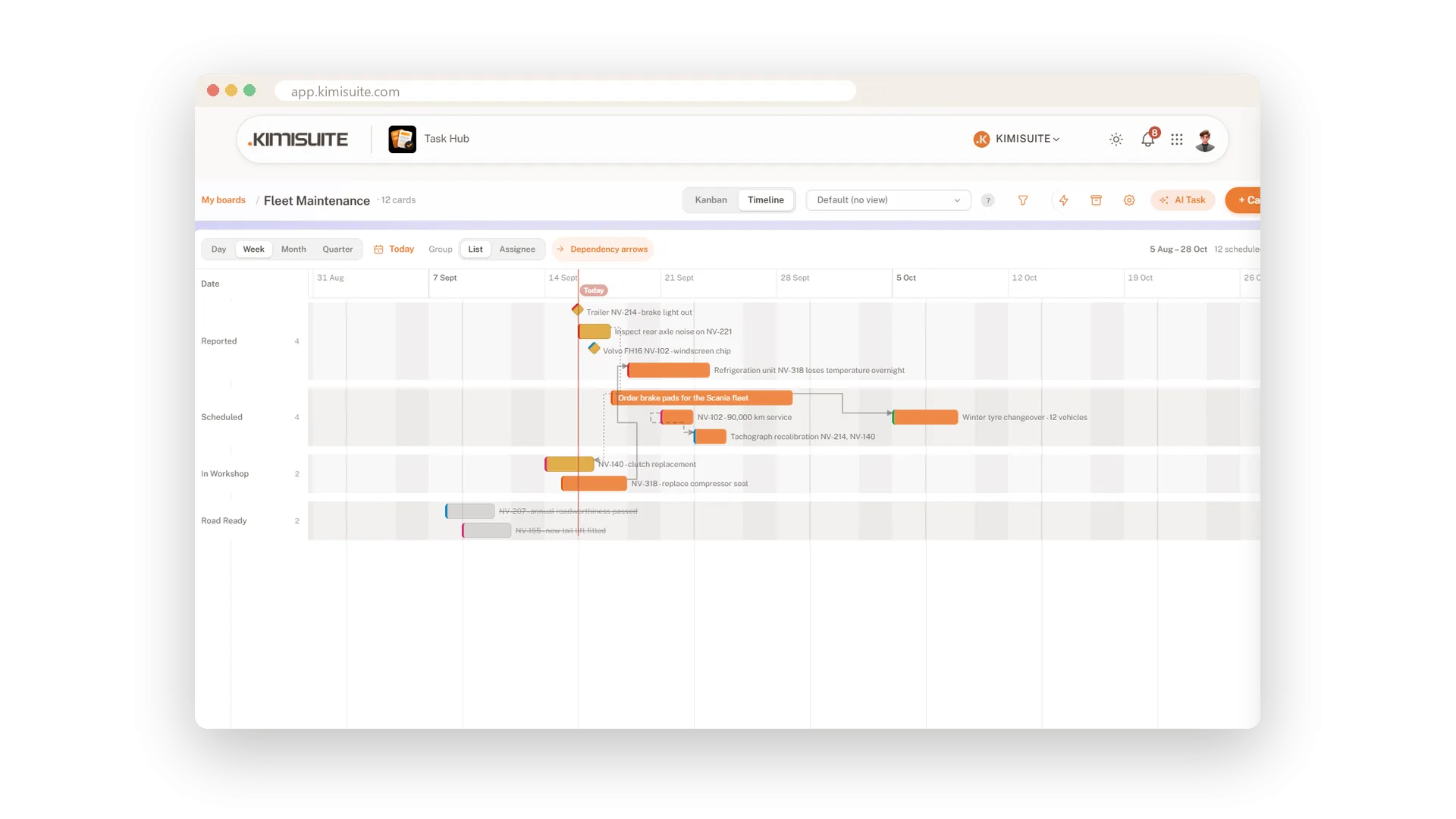
A board tells you where the work stands today. The timeline tells you whether it fits into the weeks ahead. One click from Kanban to Timeline and the same cards line up on a calendar: a bar from start to due date, a diamond where only the due date is set, a red line for today.
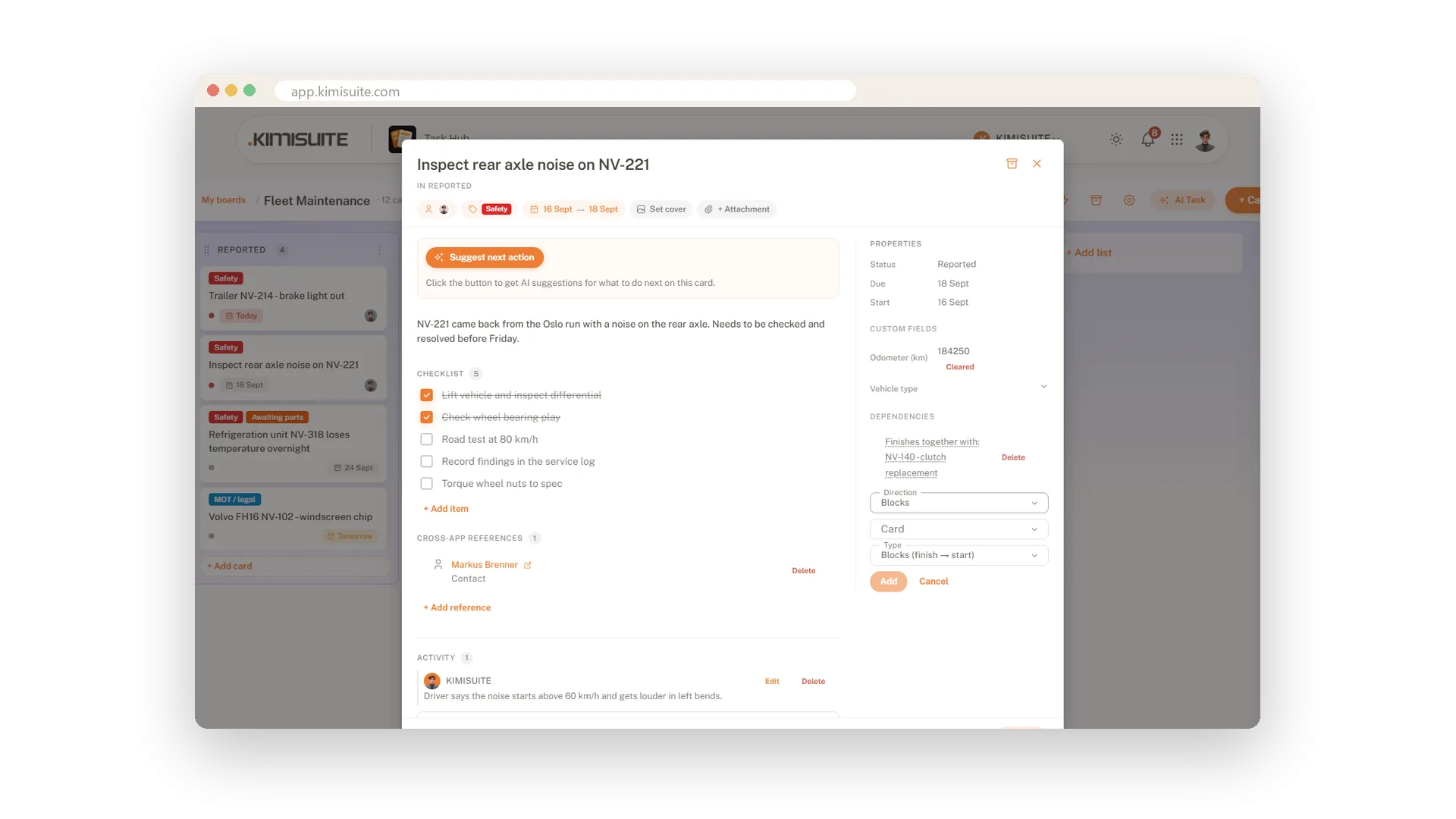
Zoom from days to quarters, group the rows by list or by person, and switch on the dependency arrows. On the card you say what waits on what - this job blocks that one, these two start together - so a delay shows its knock-on effect before it happens. Included in Grow and Business.
Key Benefits
One click from Kanban to Timeline - the same cards, no second plan to maintain
Zoom by day, week, month or quarter, with a red line for today
Rows grouped by list or by person, so you see who is overloaded next week
Four kinds of dependency, drawn as arrows between the cards
Zoom and group the timeline
Day to quarter, by list or by person
Zoom in to the day or out to the quarter, jump back to today with one click, and group the rows by list or by person. The counter says how many cards are scheduled and how many still need a date.
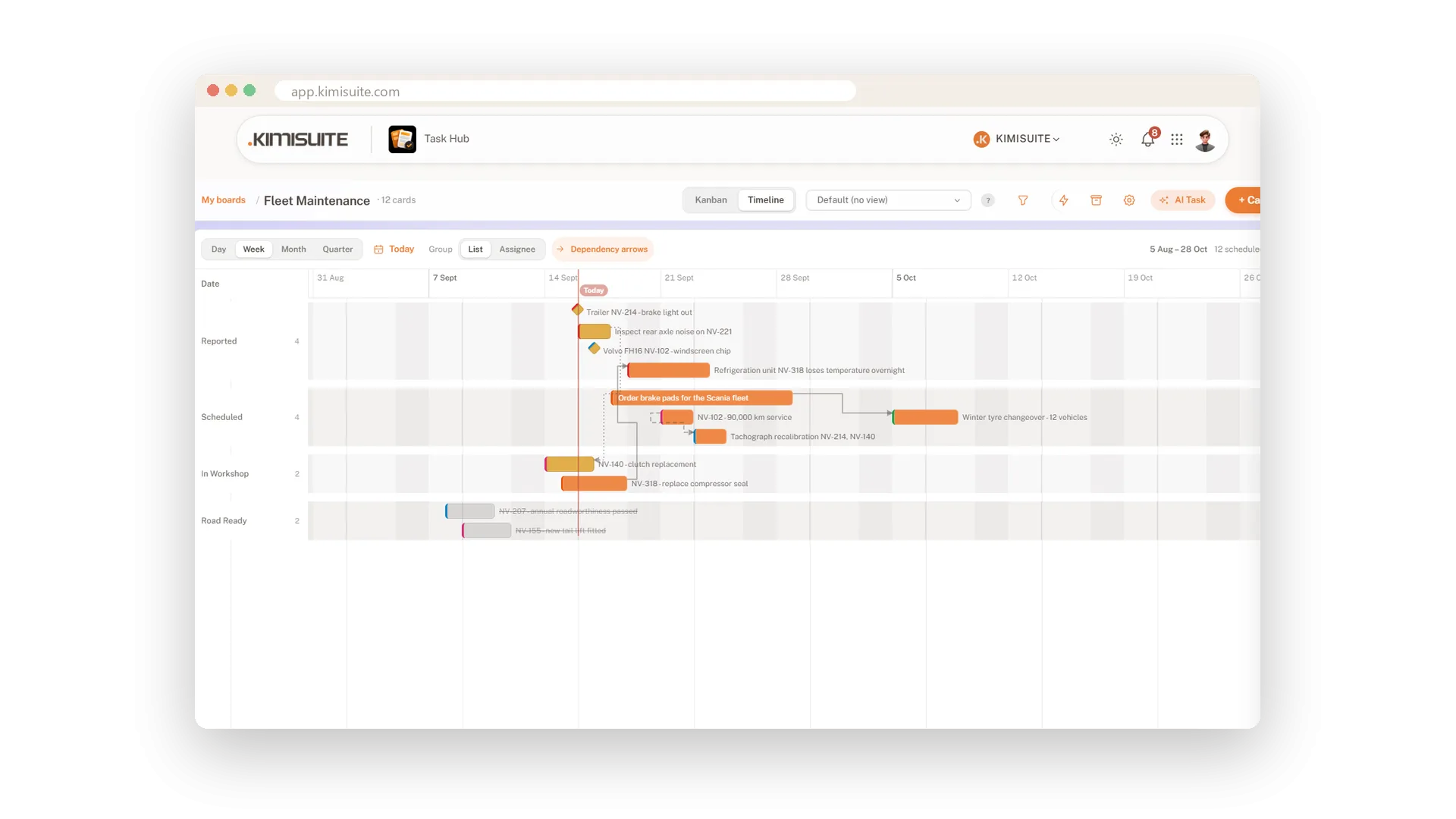
What waits on what
Four dependency types, drawn as arrows on the timeline
Tell a card what it depends on: it blocks another job, starts or finishes together with it, or its start waits for another card's finish. Switch on the arrows and the timeline shows the chain.
Use Cases
Does next week fit?
Group the timeline by assignee and zoom to Week. One row per person shows at a glance who has three jobs on the same day.
Parts first, then the repair
Set the parts order to block the repair. When the delivery slips, the arrow shows which job slips with it.
The quarter at a glance
Zoom to Quarter and the bigger jobs line up as bars - enough to plan holidays around them.
FAQ
Try Task Hub today
Boards, rules and AI that turns notes into tasks
14 days free, cancel anytime, no minimum term.
