 Part of Document Sign
 Send any document for signature
Upload the file, place the fields, send it off
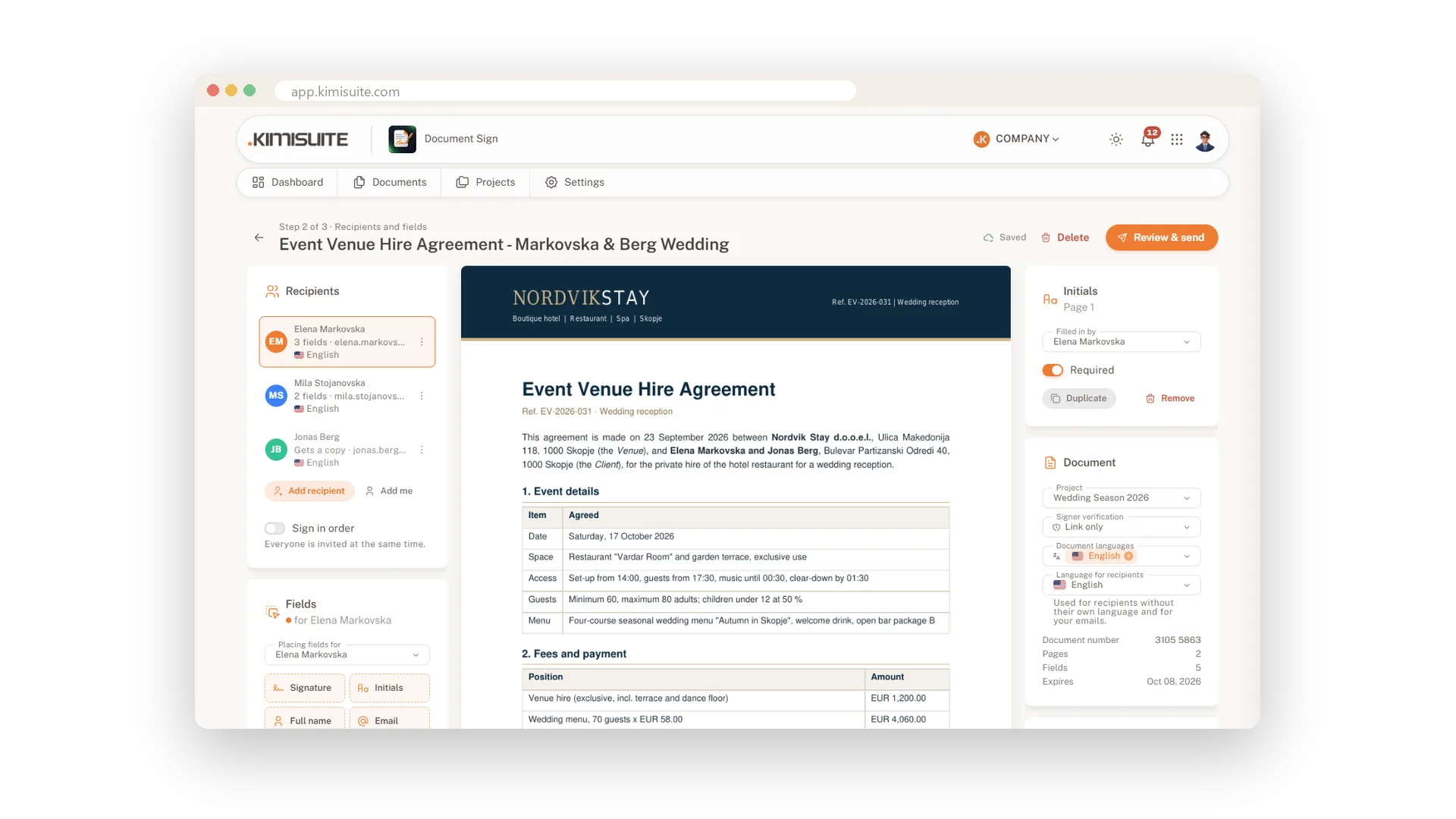
Your contract, NDA or agreement is already written. Upload it, say who signs, and drop the signature fields where they belong. Your recipients get a link and sign in their browser, without creating an account. Anyone who only needs to know gets a copy instead of a task. Nothing to print, scan or post.
Preparing a document takes a minute. Drag signature, initials, name, email, date, text and checkbox fields onto any page, then move and resize them. Each signer gets their own colour, so you see at a glance who fills in what. A checklist on the side tells you what is still missing, and your work saves as you go. When everything is in place, add a short message, pick a sign-by date and send.
Key Benefits
Upload PDF, Word, OpenDocument or RTF files up to 25 MB and send them as they are
Seven field types for the page: signature, initials, name, email, date, text and checkbox
A live checklist shows which signer still needs a field before you send
Signers, copy recipients and a personal message in one short send step
Upload a finished document
PDF, Word, OpenDocument or RTF, up to 25 MB
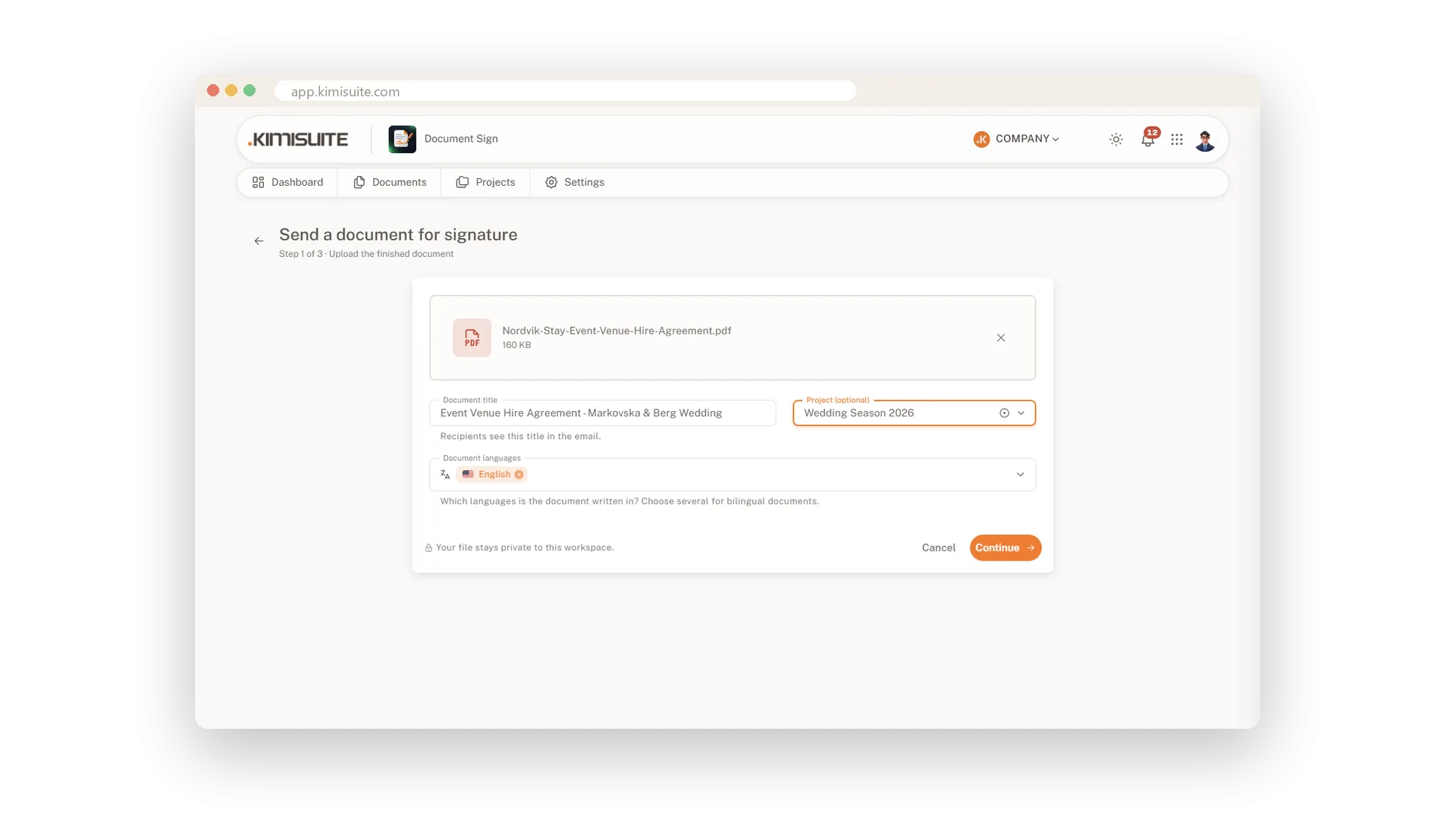
Drop your file onto the page or pick it from your computer, give it a clear title and, if you like, a project. The title is what your recipients see in their email, and the file stays private to your workspace.
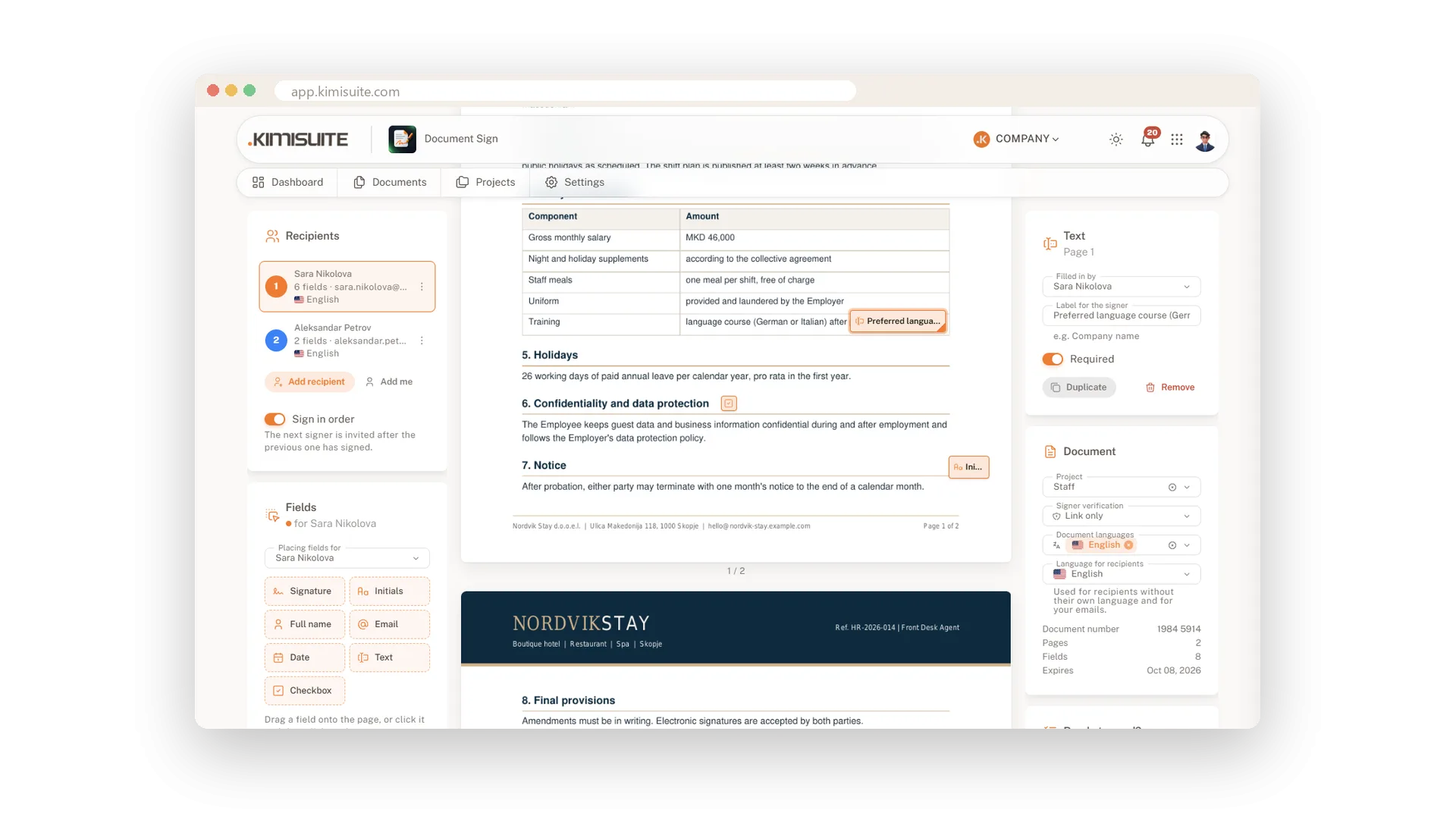
Signature fields right where they belong
Drag, drop and resize on every page
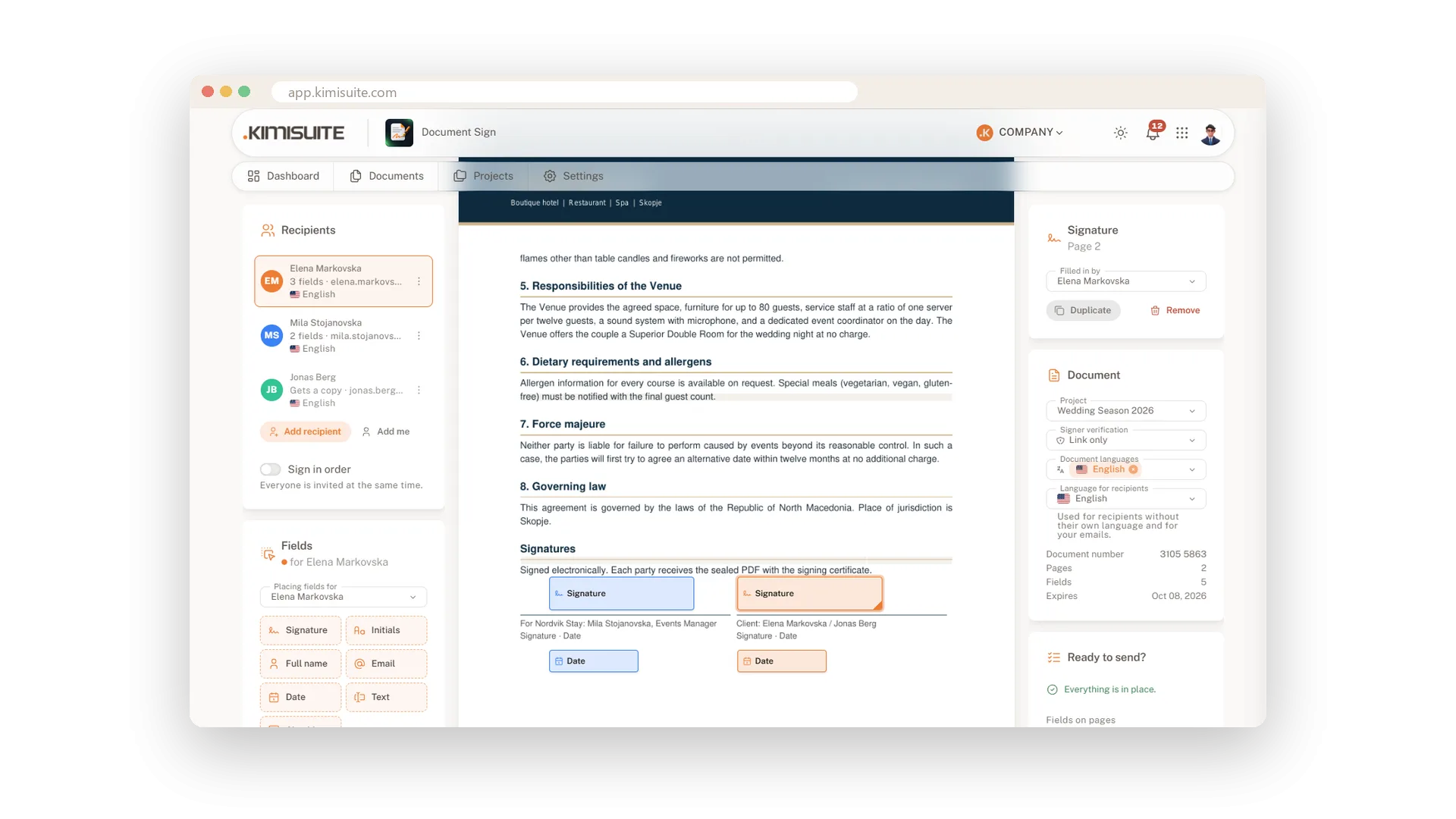
All pages of your document lie in front of you. Drag a signature or initials field onto the line, resize it at the corner and hand it to the right signer - every signer has their own colour. Duplicate a field for the next page, and a checklist tells you when everything is in place.
Text, checkboxes and dates that fill themselves
Collect answers and consent in the same step
Ask for a start date, a language or a reference number with a text field, and let signers tick a checkbox next to a clause. Mark what is required, and the signer cannot finish without it. Name, email and date fill in automatically when the recipient signs.
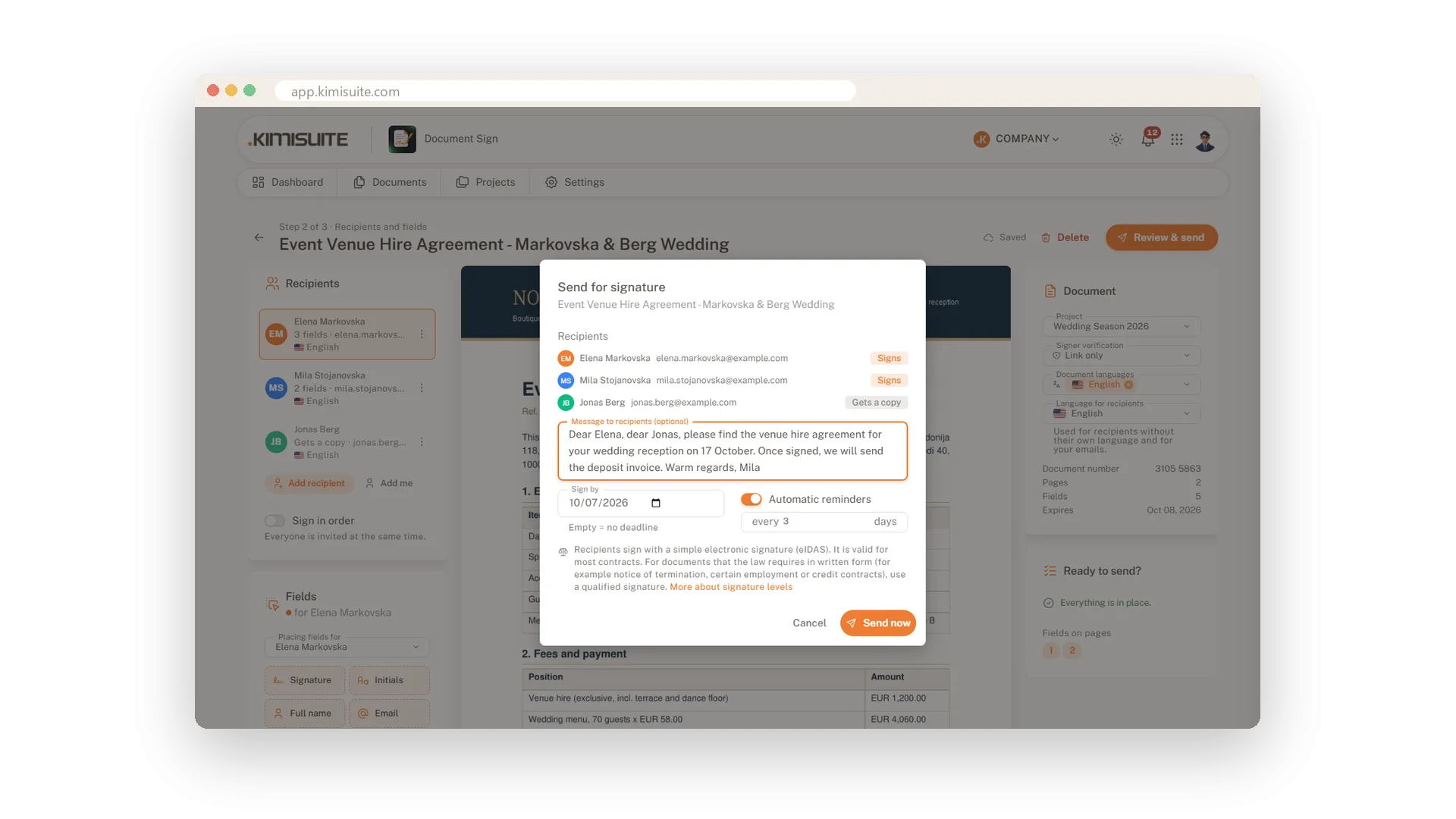
Send with a message and a sign-by date
One dialog, and the document is on its way
Check the list of signers and copy recipients, write a personal message and choose the date by which you need the signatures. Leave it empty if there is no rush. One click on Send now, and your signers get their invitation.
Use Cases
The venue contract before the weekend
You upload the hire agreement on Friday morning and place two signature fields. Both parties sign from their phones, and nobody has to drop by the office.
An NDA with a copy for your lawyer
Add the other side as signer and your lawyer as a copy recipient. Your lawyer stays in the loop without a field to fill in.
The clause that must be ticked
Put a required checkbox next to the clause that matters and a text field for the start date. The signer can only finish once both are filled in.
FAQ
Try Document Sign today
Send a document, get it back signed and sealed
14 days free, cancel anytime, no minimum term.
