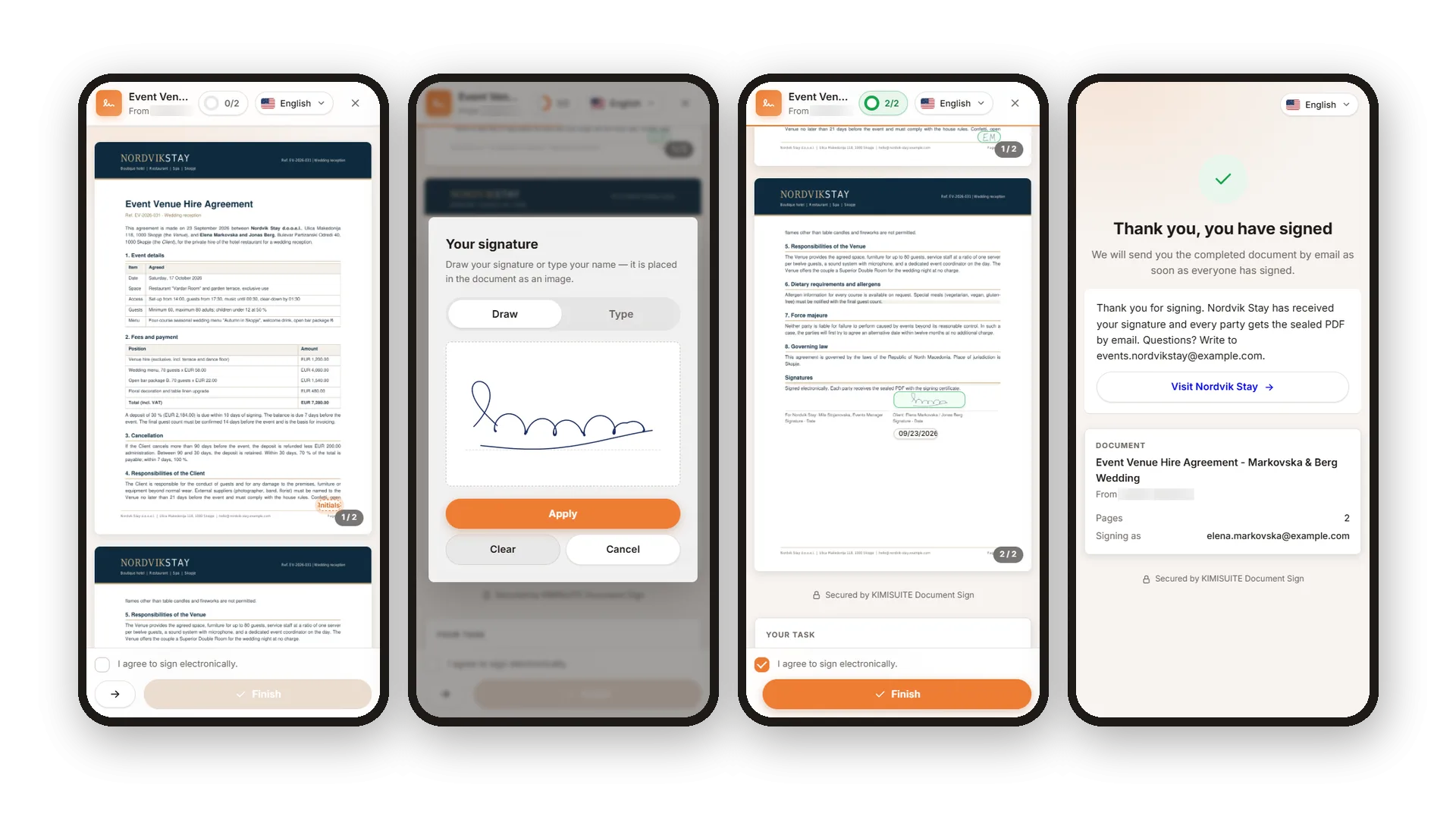
Your signers open the link and see the whole document, with a short note on what to fill in and by when. They sign with a finger, a mouse or a pen, or simply type their name. On the phone an arrow leads from one field to the next, so nothing gets missed. They confirm that they agree to sign electronically, tap Finish, and they are done.
The signing page speaks their language: they switch between the languages you have activated, up to 16. Whoever signs last can download the signed document right away, and everyone gets it by email once all signatures are in. If a signer does not agree, they decline and tell you why, so you know what to change.
Key Benefits
Signers need no account and no app: the link opens in any browser, on computer or phone
Draw with finger, mouse or pen, or type the name in one of three script styles
A counter and an arrow guide signers from one required field to the next
Signing page in the signer's language, switchable between up to 16 languages
Draw or type the signature
Finger, mouse, pen or keyboard - their choice
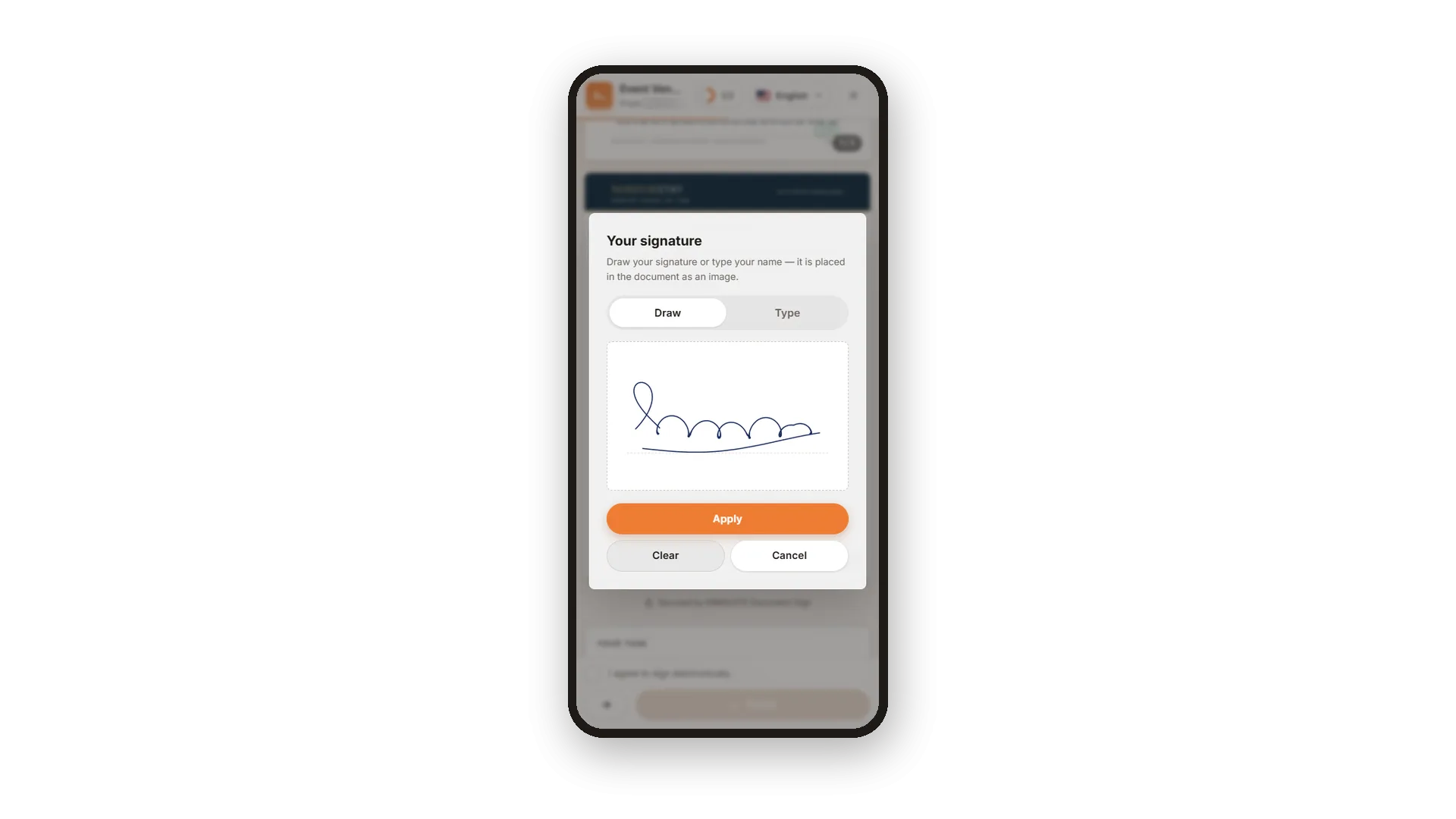
Signers draw their signature with a finger, mouse or pen, or type their name and pick one of three script styles. Initials have their own dialog, and the signature lands in the document exactly where you put the field.
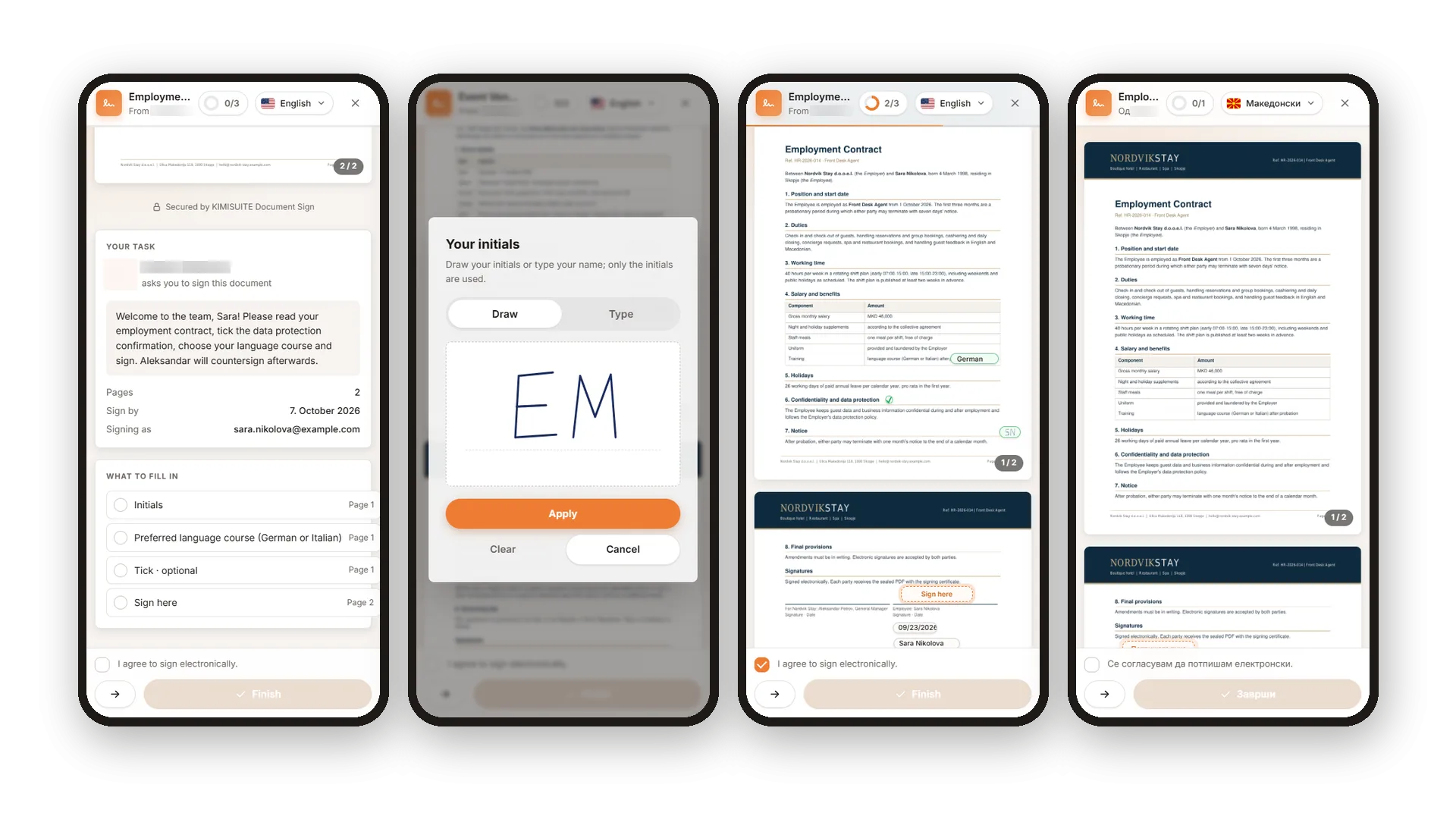
A guided path through every field
Nothing missed, even on a small screen
A counter shows how many required fields are done, and on the phone an arrow jumps to the next one. The list of what to fill in names every field and its page. Text is typed right on the document, checkboxes are ticked with a tap, and name and date fill themselves.
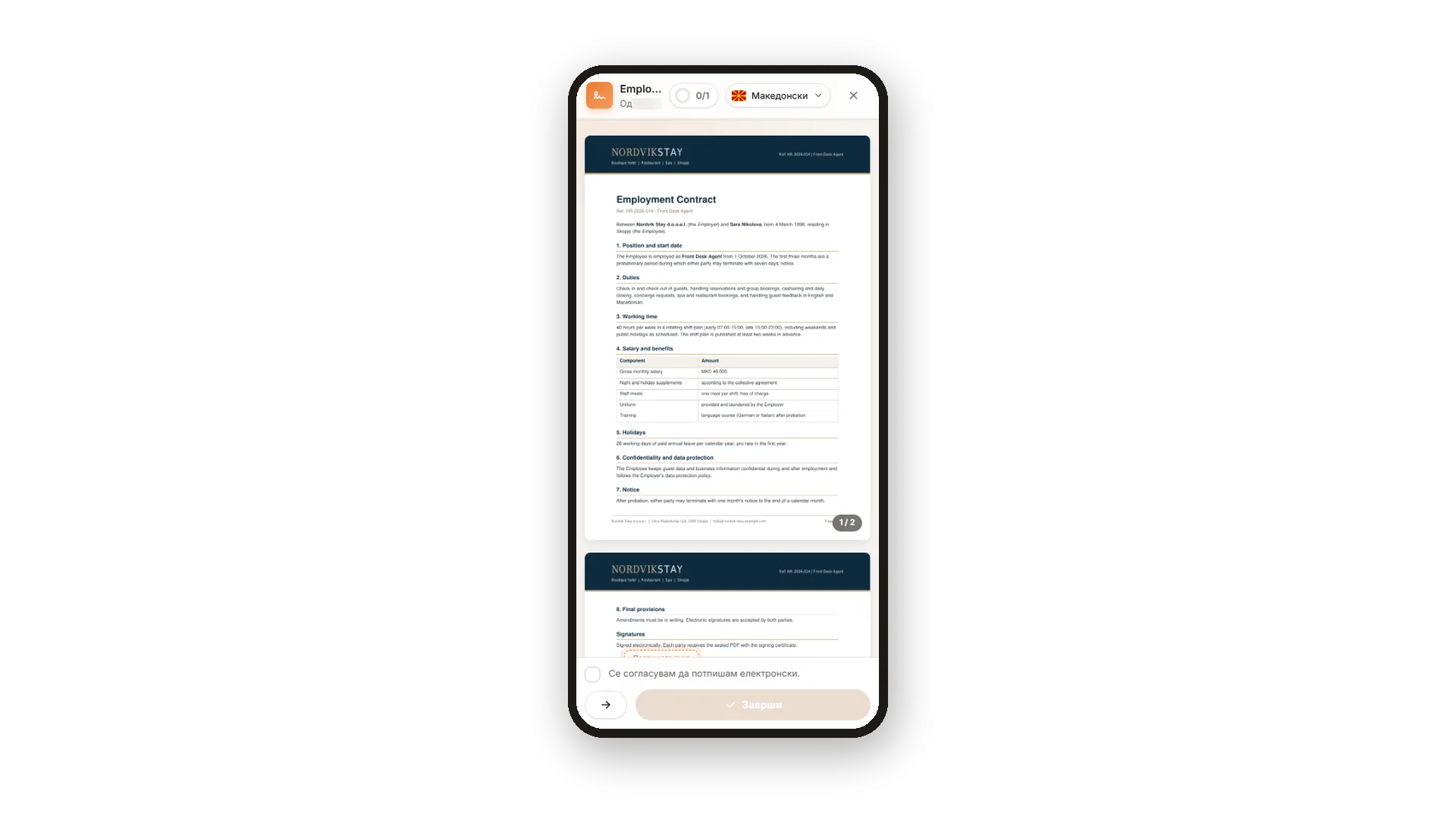
The signing page in their language
Up to 16 languages, switched with one tap
Choose the language for each recipient, and their emails and signing page follow it. Signers can still switch between the languages you have activated - from English and German to Arabic and Macedonian - while your message stays in the words you wrote.
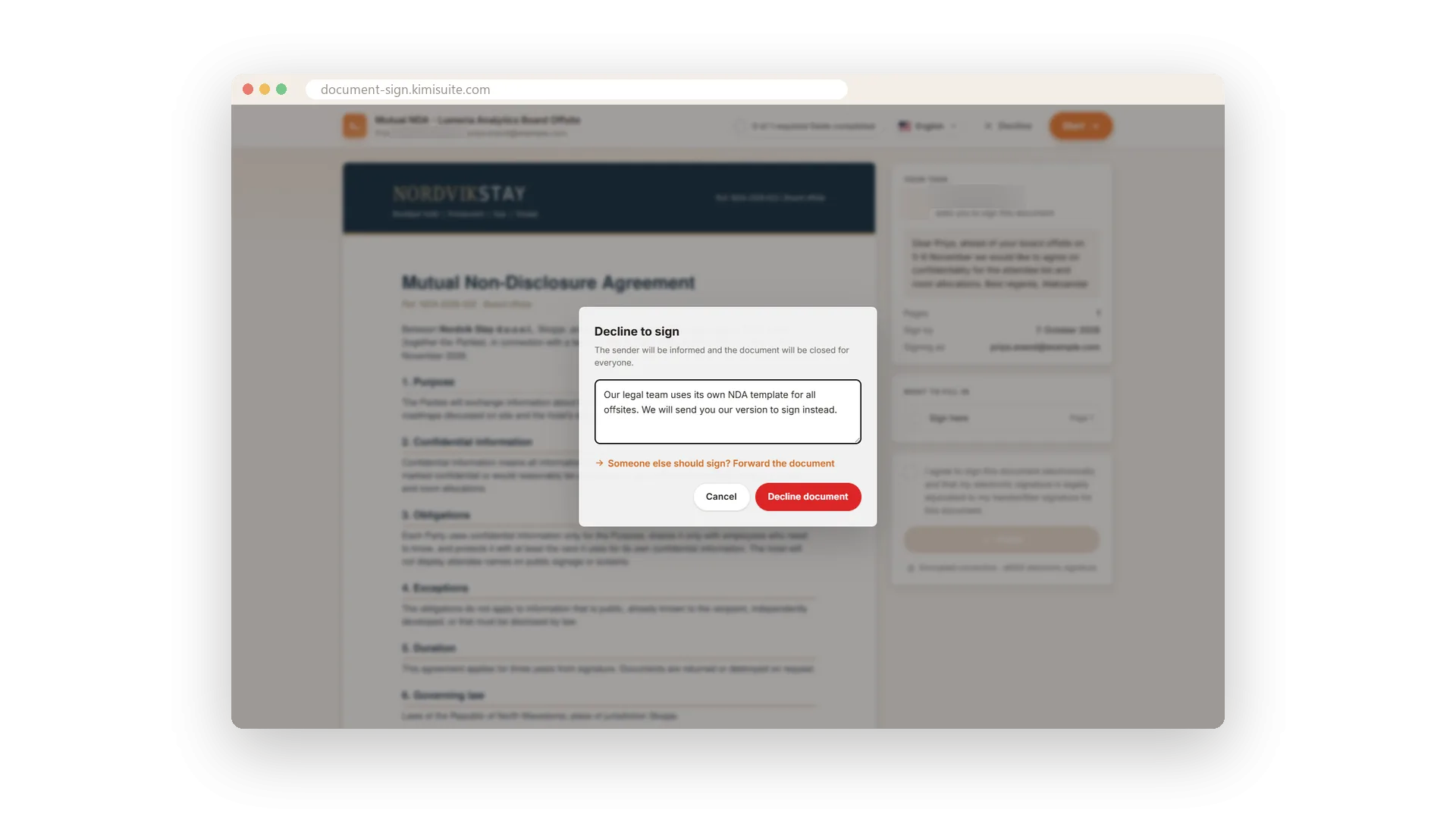
Decline with a reason
A clear no beats silence
If a signer does not agree, they decline instead of ignoring the email. Ask for a reason, and you read it in the history and your notification, so you know what to change. Other signers see that the document was declined.
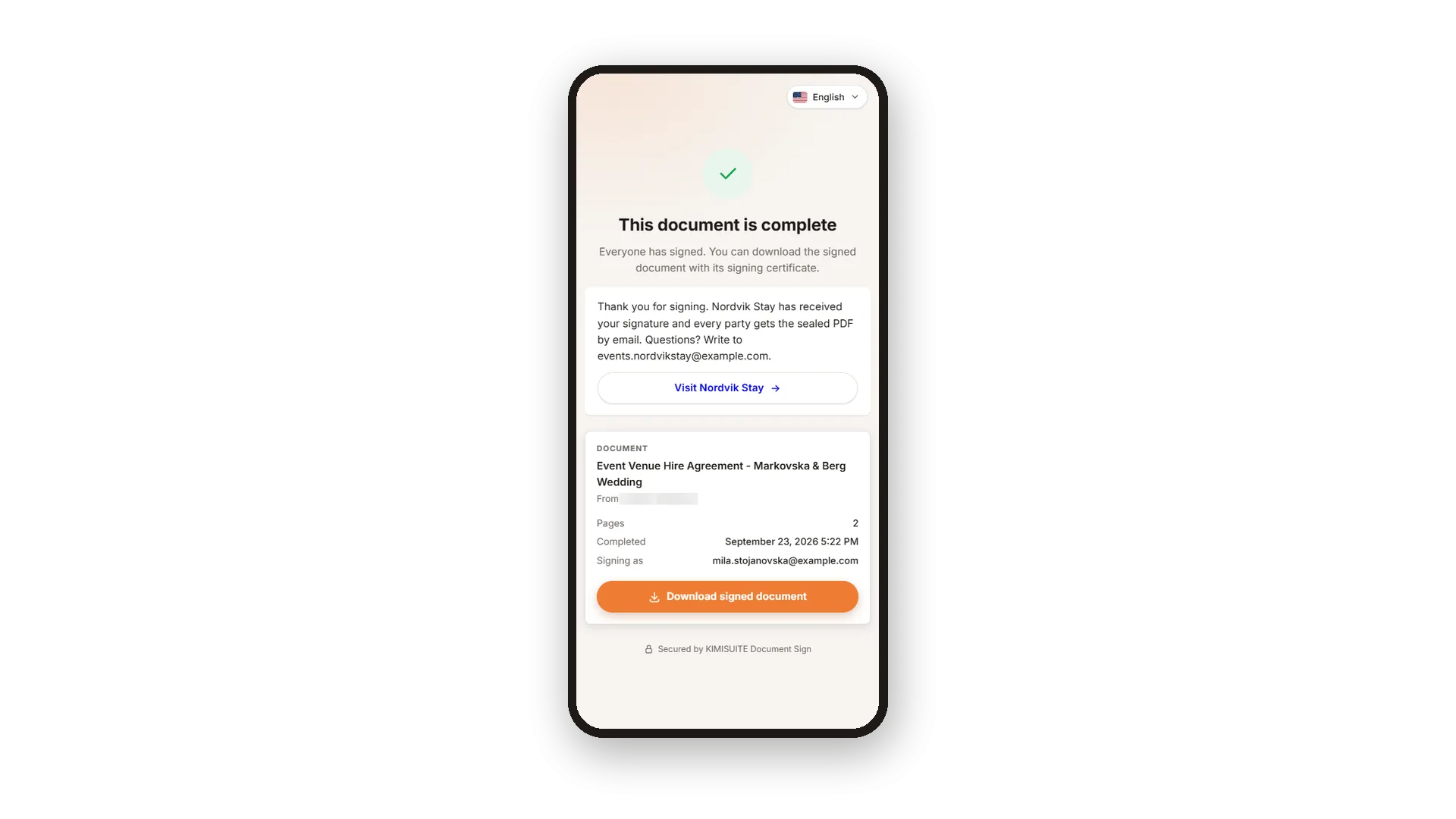
The signed copy right after signing
Download it on the spot, get it by email
Whoever signs last sees that the document is complete and downloads the signed PDF right away. The others get a thank-you page with your own words and a link, for example to your website, and the completed document by email once everyone has signed.
Use Cases
Signed between two meetings
Your supplier opens the link on the phone, taps through the fields and signs with a finger. The signature shows up in your history minutes later.
A contract in the guest's language
Your guest reads Macedonian better than English. They switch the signing page and sign with confidence, while your message stays as you wrote it.
A no with a reason
The other side's legal team prefers its own NDA. They decline with a short reason, and you know exactly what to send next.
FAQ
Try Document Sign today
Send a document, get it back signed and sealed
14 days free, cancel anytime, no minimum term.
