 Part of Document Sign
 Know where every signature stands
Signing order, reminders and status at a glance
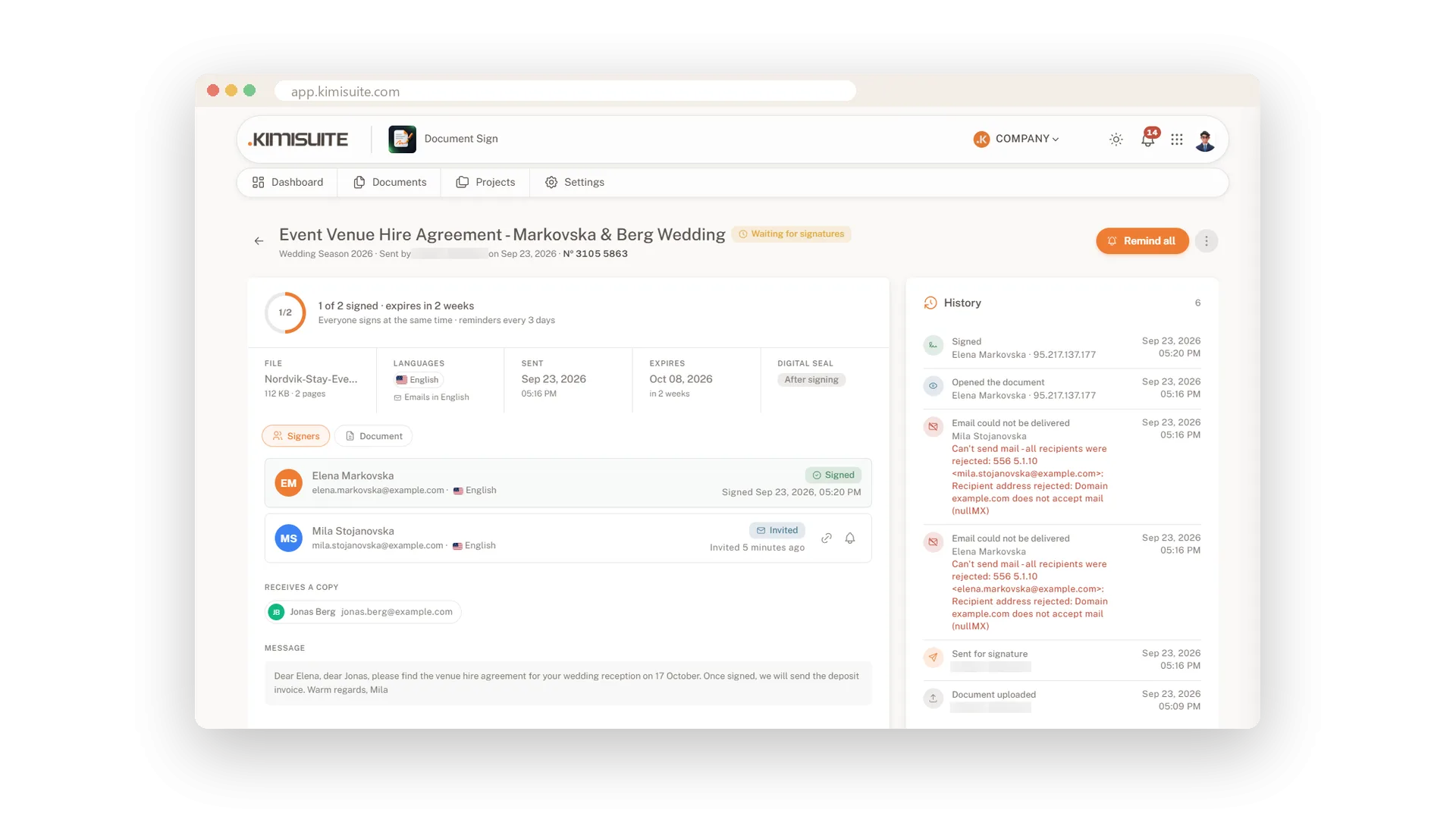
Once a document is out, you want to know who has signed and who you are still waiting for. Document Sign shows it on every document: a progress ring, each signer with their status and time, and the full history next to it. Let everyone sign at the same time, or one after the other in the order you set. And if something changes, you cancel the request and the open links stop working.
A slow signer is one click away from a reminder. The documents list sorts everything into waiting, completed, drafts and declined, and a search finds a document by its title or by a signer's name. You get a notification when someone opens or signs, and the activity feed tells the whole story by day. Copy a signer's link when you would rather send it yourself.
Key Benefits
Sign in order: the next signer is invited only after the previous one has signed
Remind one signer with the bell, or everyone who is still open with Remind all
Cancel a request in one step - open signing links stop working right away
Use a cancelled or finished document as a new draft, with signers and fields kept
Sign in order or all at once
You decide who signs first
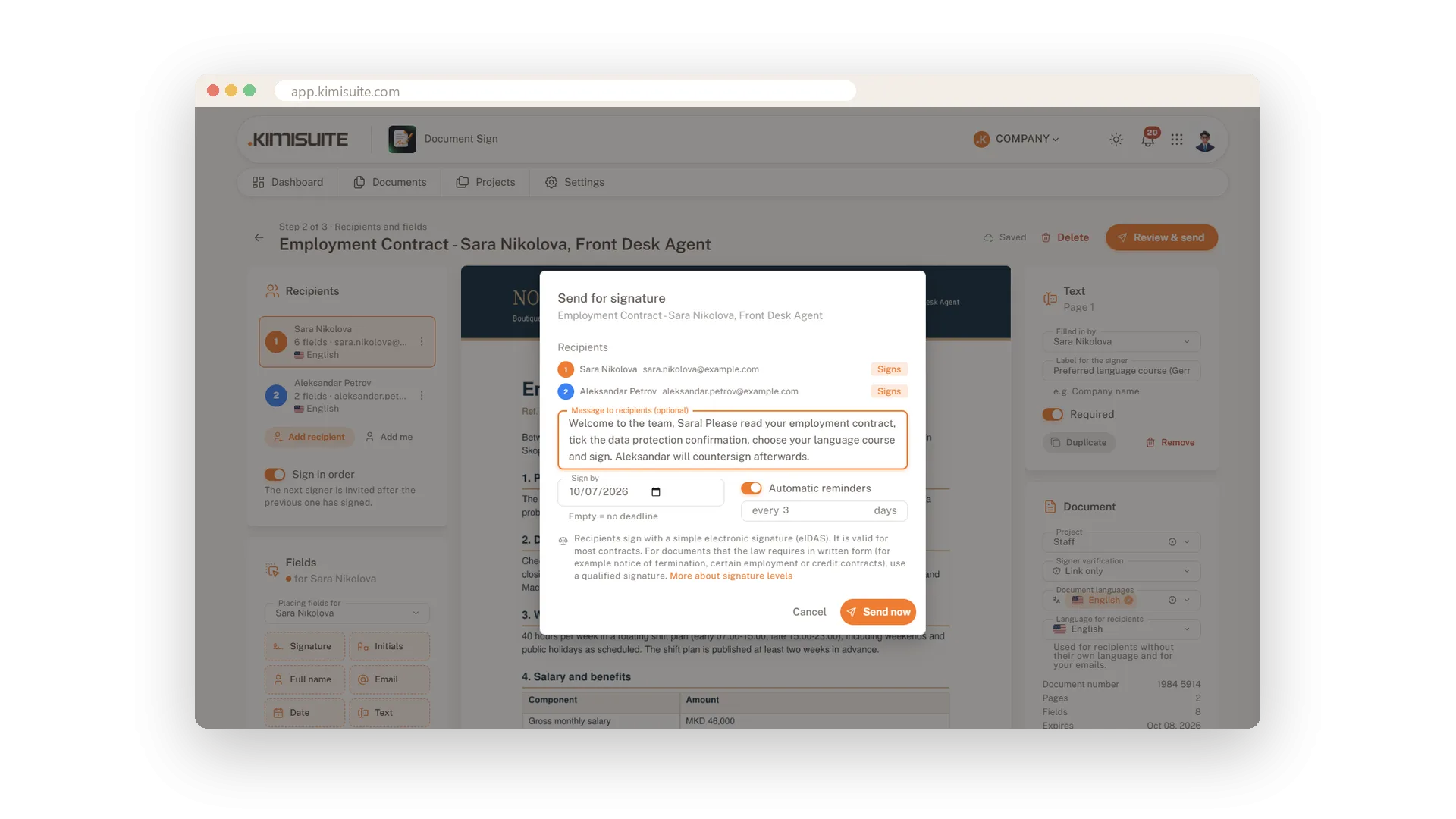
Switch on Sign in order and number your signers: the next one is invited only after the previous one has signed. Leave it off, and everyone gets the document at the same time. Set your usual way once in the settings, and change it per document when needed.
Remind signers with one click
A gentle nudge, noted in the history
Press the bell next to a signer and they get a reminder; Remind all reaches everyone who is still open. Each reminder is noted in the document's history. When you send, you can also switch on reminders that go out every few days.
Every document and its status
Waiting, completed, drafts and declined, sorted
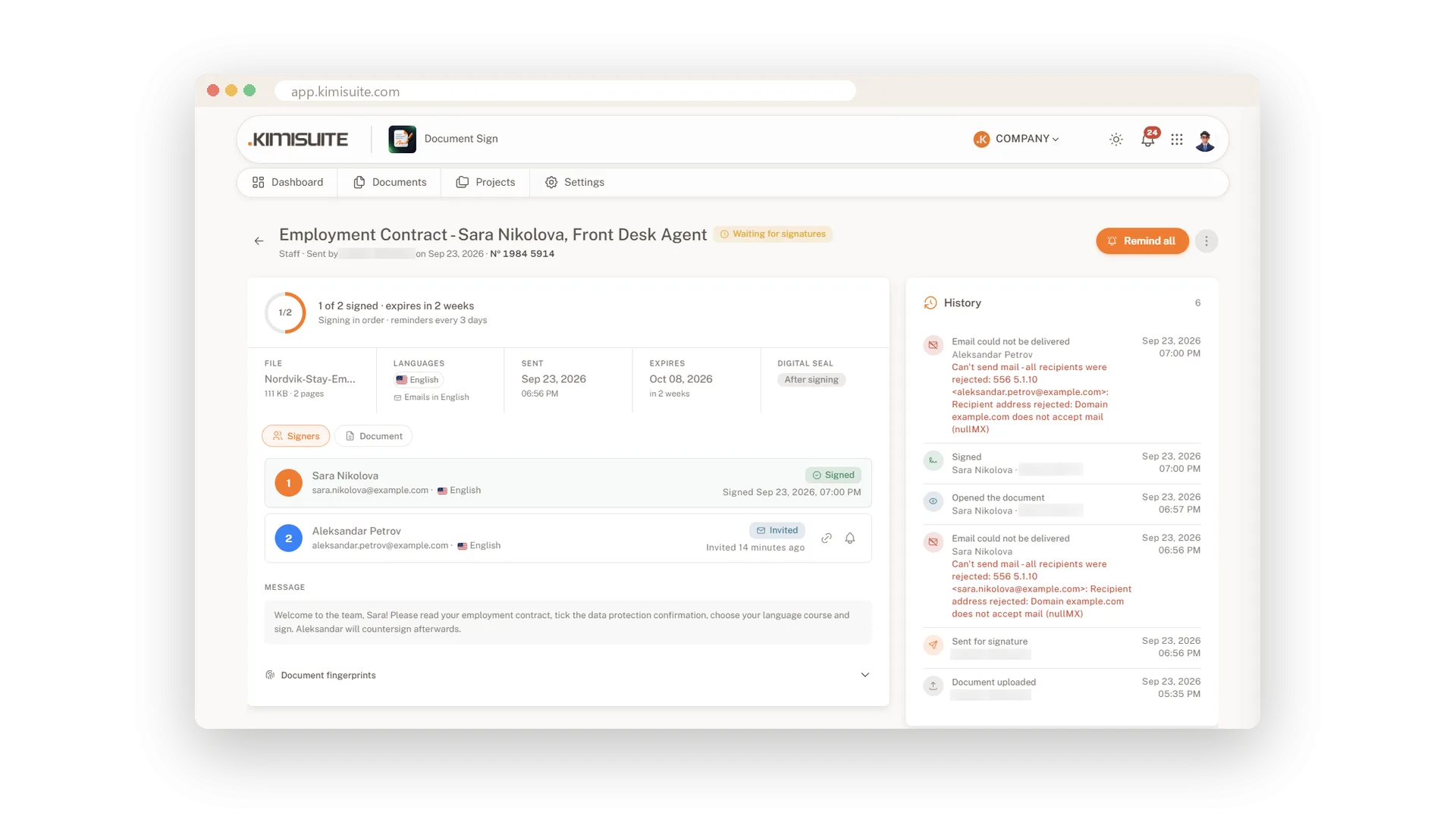
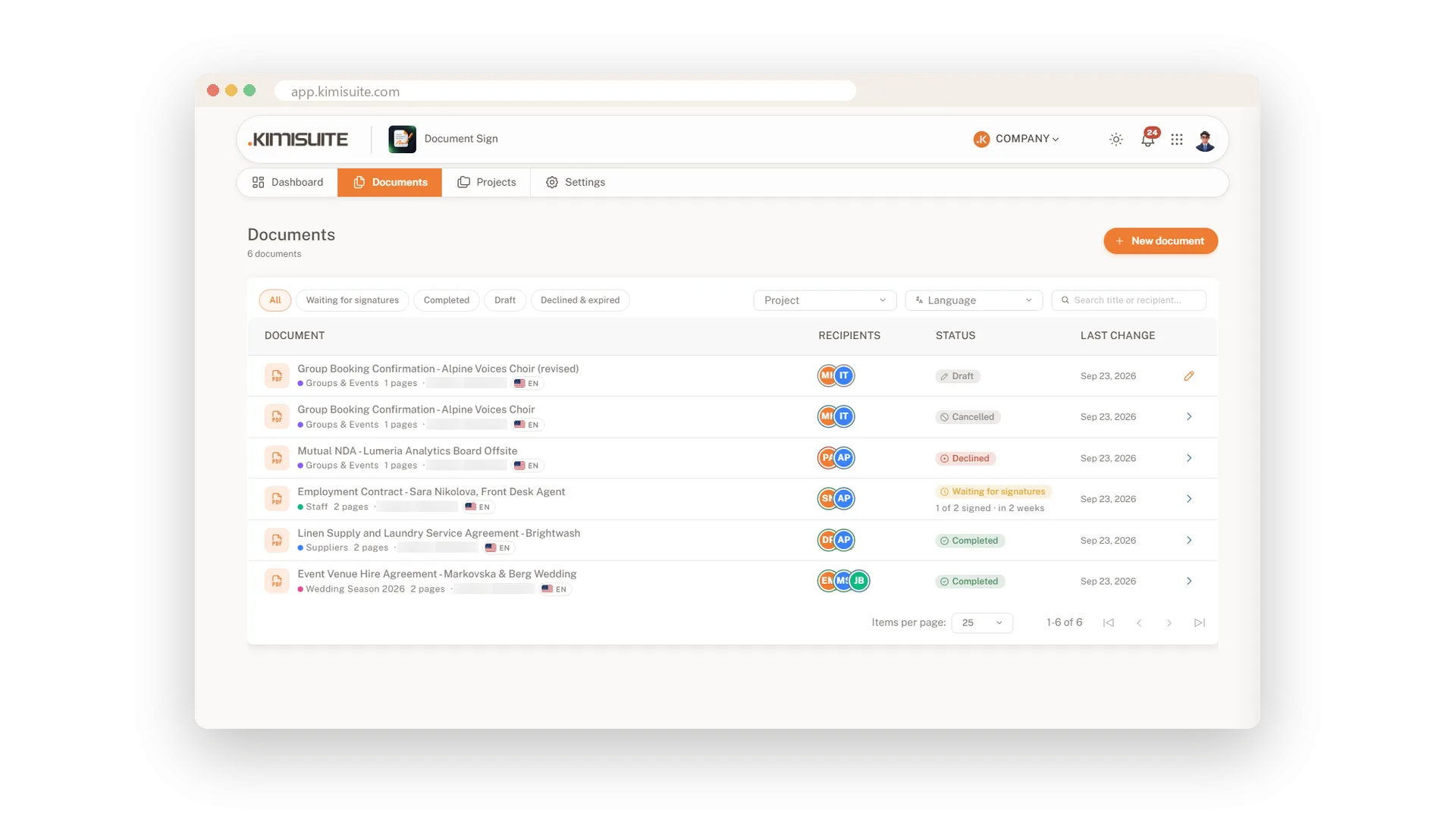
The documents list shows every file with its project, signers, status and last change. Switch between waiting, completed, drafts and declined with one tab, filter by project or language, and see at once how many of the signers have already signed.
Cancel, correct and send again
Stop a request and start clean in seconds
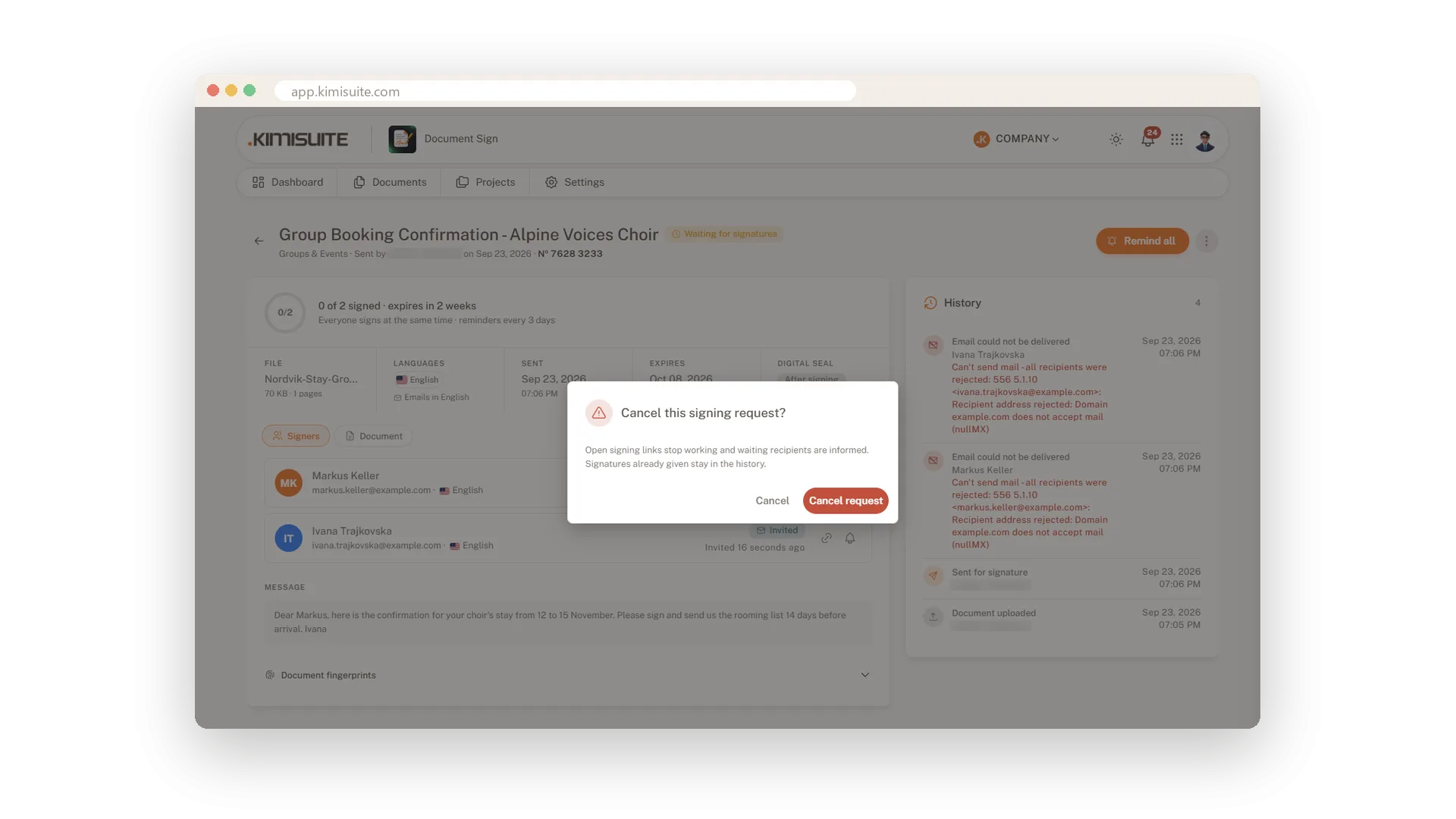
Something needs to change? Cancel the request: open signing links stop working, waiting recipients are informed, and signatures already given stay in the history. Then send it again as a copy with the same signers and fields.
Activity feed and notifications
Every open, signature and decline, as it happens
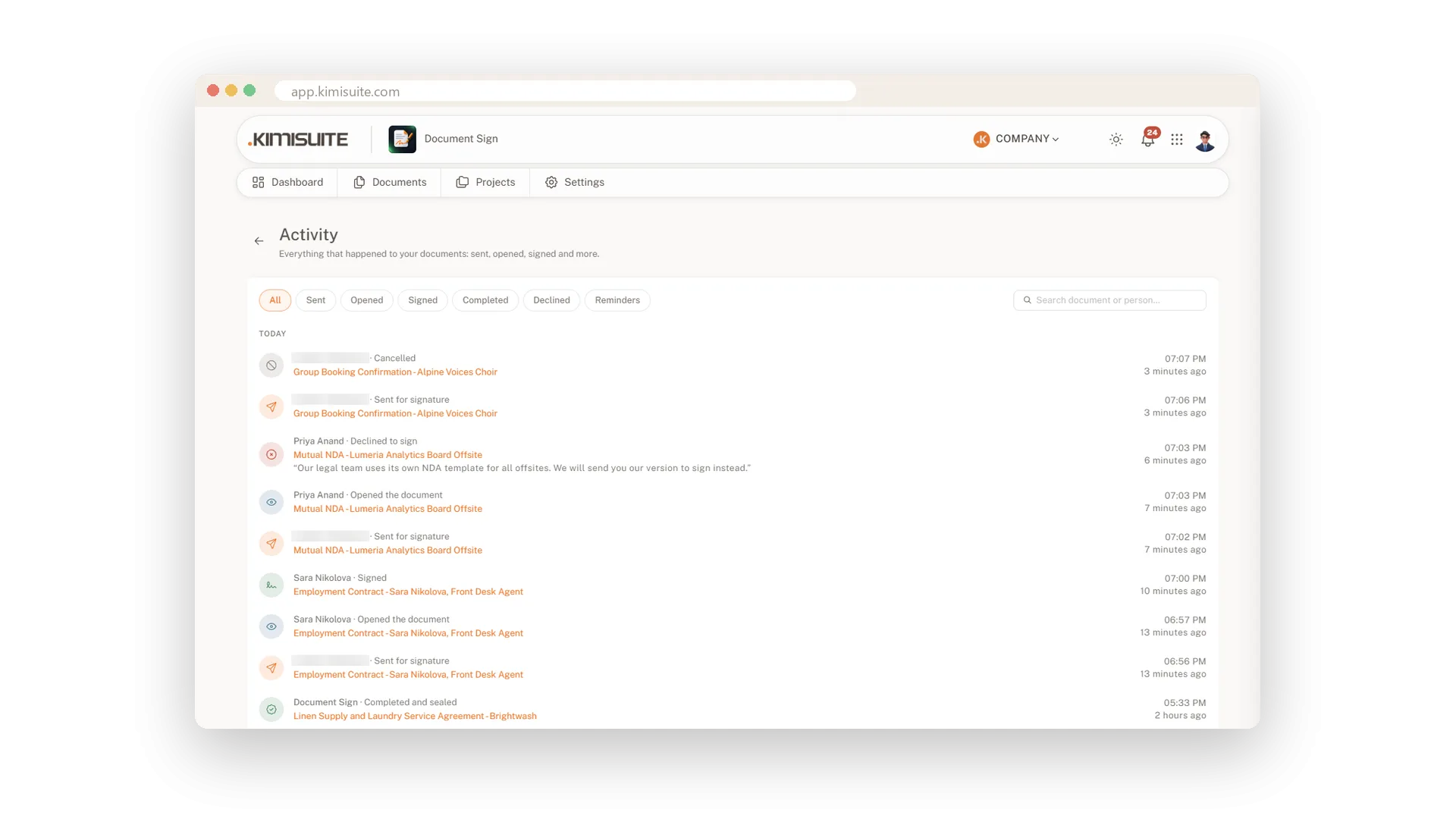
The activity feed lists everything that happened to your documents, grouped by day and filtered by sent, opened, signed, completed, declined or reminders. You also get a notification in KIMISUITE when someone opens or signs, and when a document is complete or declined - with the reason.
Use Cases
Employee first, manager second
Switch on Sign in order and number the signers. Your manager only gets the link once the new employee has signed.
The signature that stalls
On Monday morning you see that one of two signers is still open. You press the bell next to the name, and the reminder is noted in the history.
The wrong figure in the contract
You spot a typo after sending. Cancel the request, fix the file and send it again from a copy with the same signers and fields.
FAQ
Try Document Sign today
Send a document, get it back signed and sealed
14 days free, cancel anytime, no minimum term.
