 Part of Email Signature
 Matching signatures for your whole team
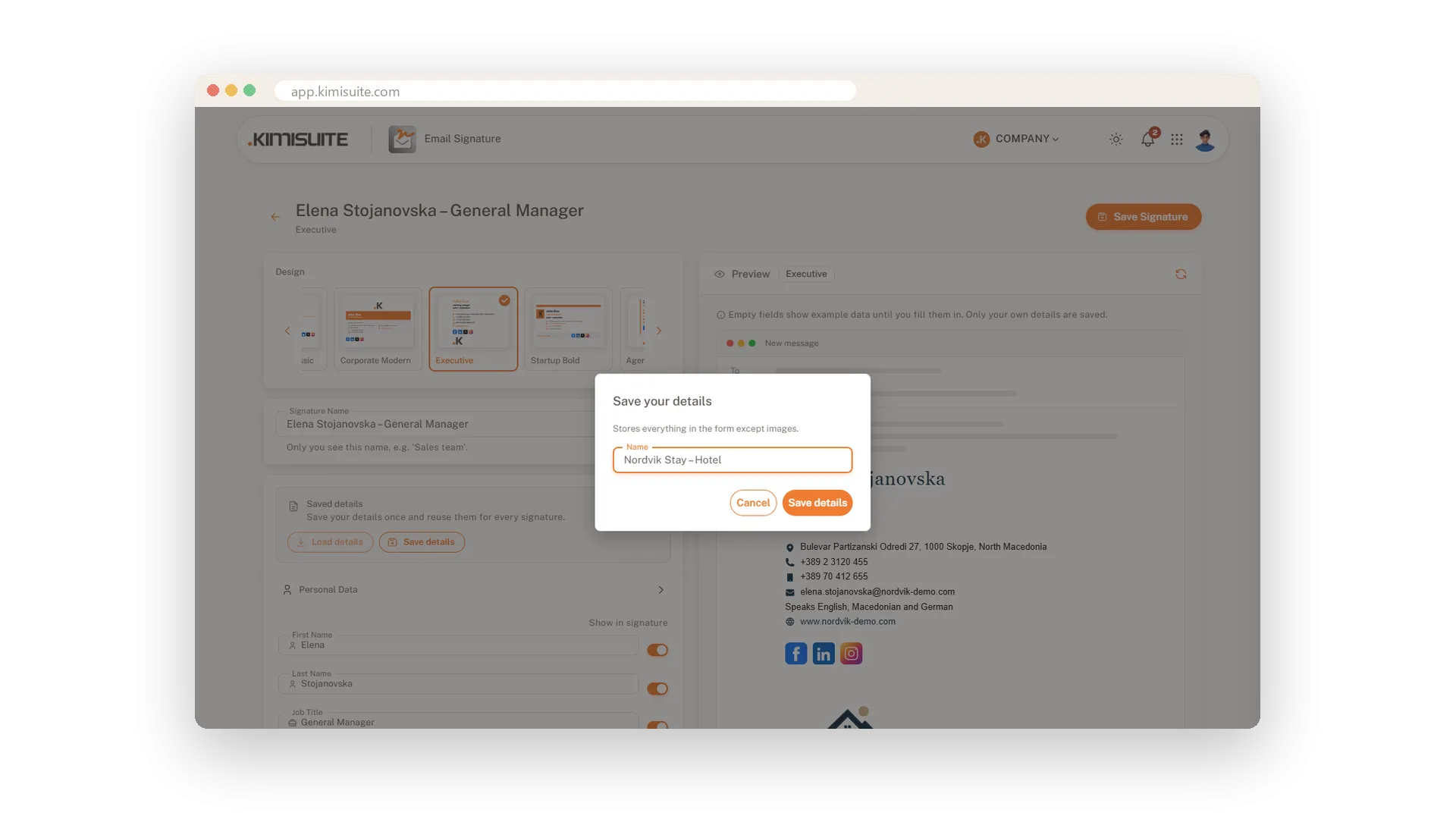
Save company details once, reuse them for everyone
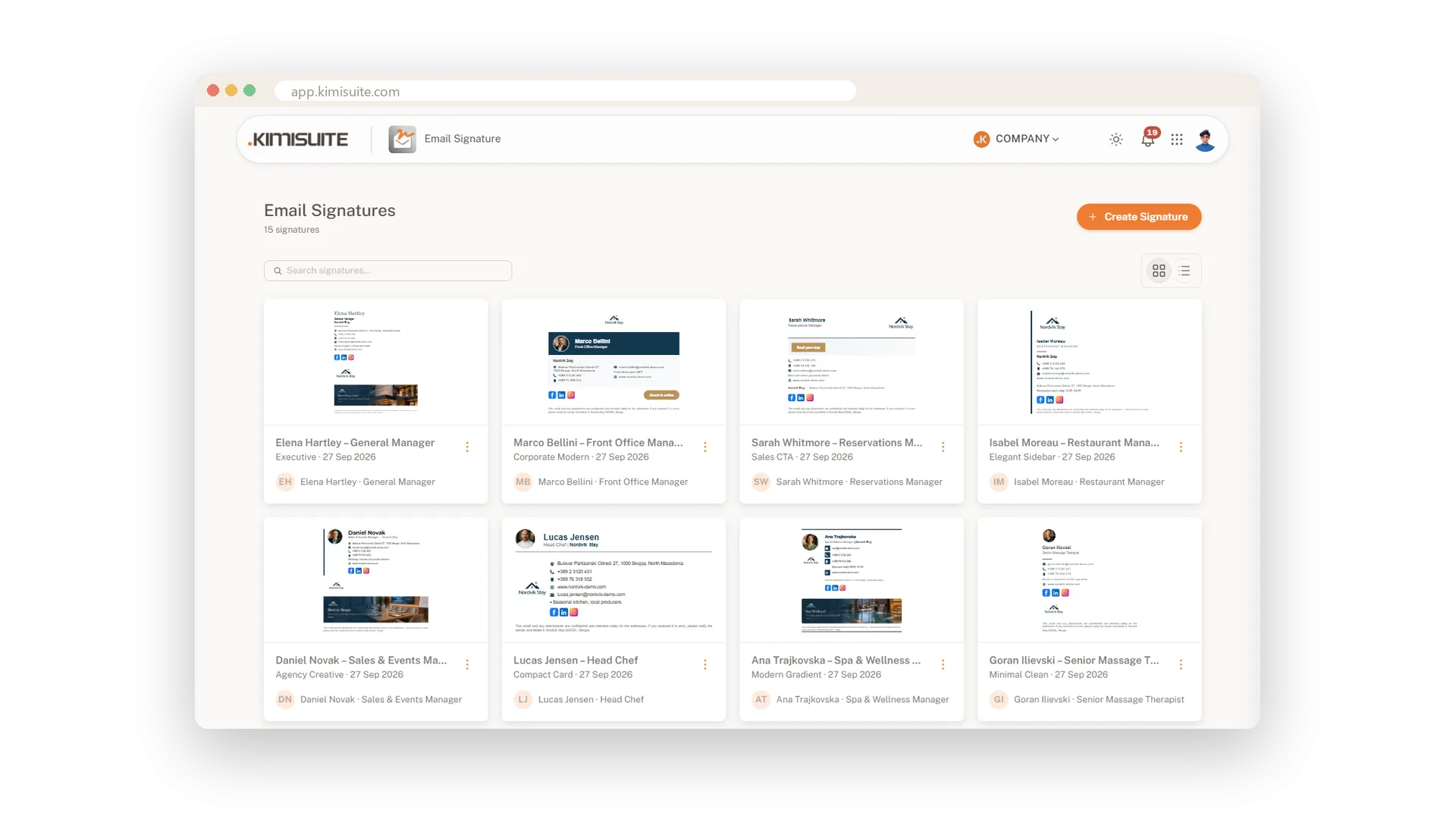
When every colleague builds their own signature, you get five logos, three addresses and a phone number nobody answers. Save your company details once and every new signature starts from the same address, website, social links, colours and disclaimer. Each person adds their name, title and numbers, and the whole team looks like one company.
Create one signature per employee in your workspace and keep them all in one list, as cards with a small preview or as a table with name, design, person and date. Search finds anyone in seconds, and a menu on each signature lets you edit, view or delete it. Because KIMISUITE is billed per workspace, the number of signatures depends on your plan, not on paying for every user.
Key Benefits
Save company details once and load them into every new signature
The same address, colours, social links and disclaimer for everyone
All signatures in one list, as cards or a table, with a search
Up to 100 signatures in one workspace, billed per workspace, not per user
Company details saved once
Address, colours, links and disclaimer on file
Fill in the form once and save it under a name. Everything except images is stored, from the address to the social links, colours and disclaimer, and you can update it later with one click.
A new signature in two minutes
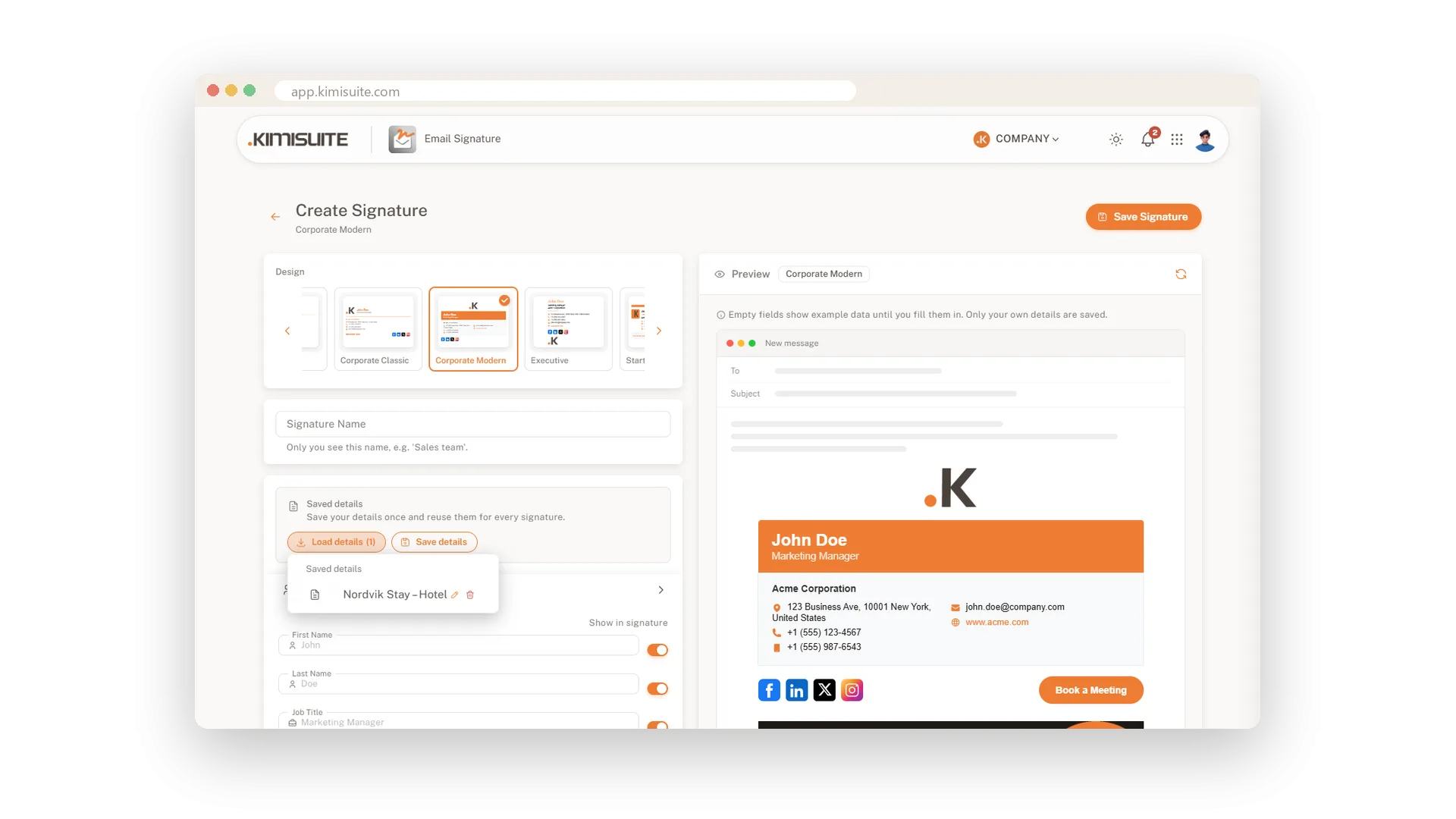
Load the details, add the name, save
Start a new signature and choose Load details. The company part is filled in at once, and you only add the person's name, title and numbers.
Every signature in one place
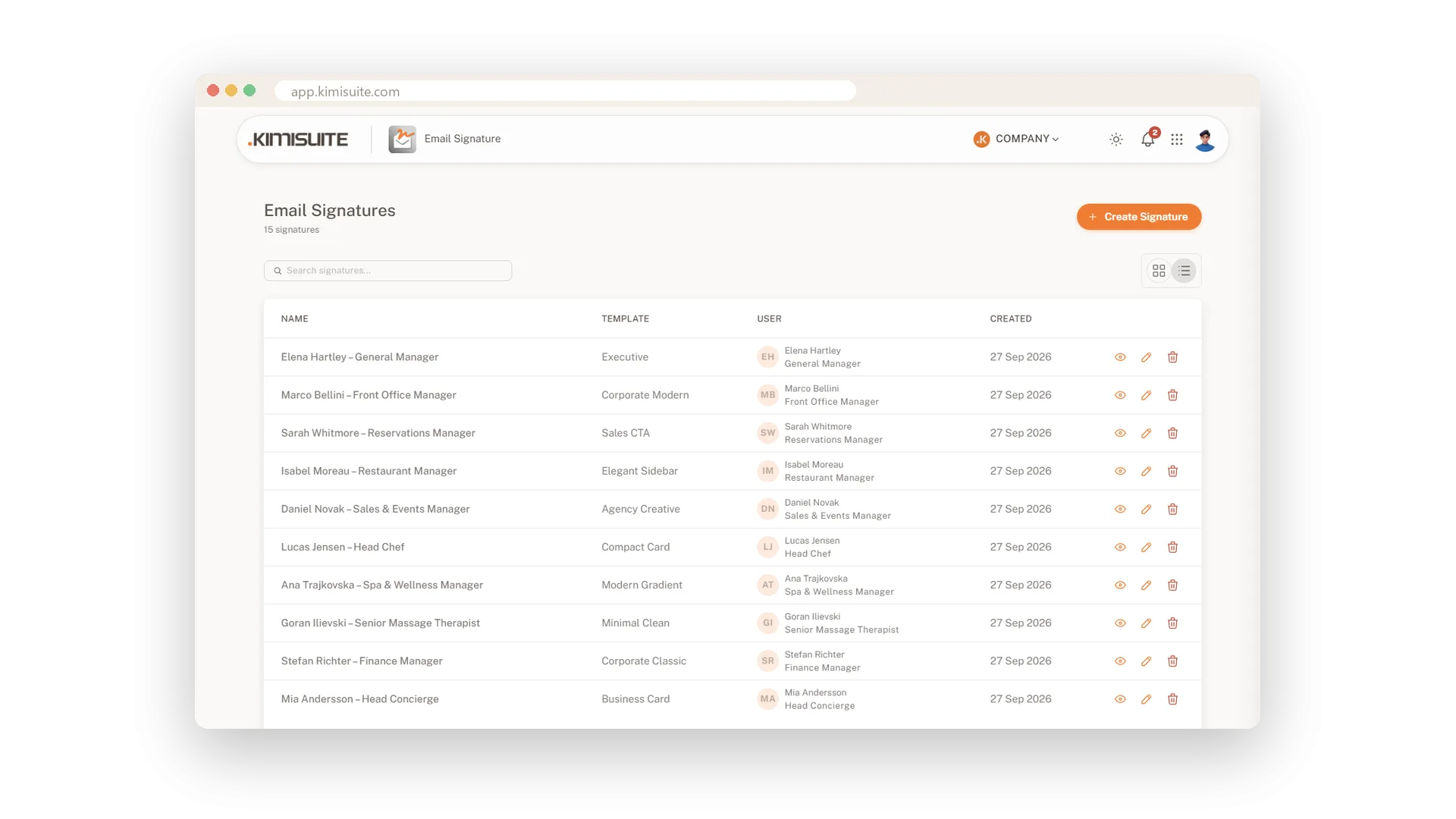
Cards or a table, with a quick search
See all signatures as cards with a small preview or as a table with name, design, person and date. Search by name and open, view or delete any signature from its menu.
Use Cases
A new colleague on Monday
Create a signature, load the saved company details and type name, title and phone. Two minutes later the new chef writes to suppliers in house style.
The address changes
Update the saved details with the new address. Every signature you create from now on starts with the right one.
Who still has the old logo?
Switch the list to the table and scan the designs and dates. Open the odd one out and bring it in line.
FAQ
Try Email Signature today
Professional email signatures for you and your whole team
14 days free, cancel anytime, no minimum term.
