 Part of Restaurant Hub
 Digital QR code menu
Guests scan, your menu opens - five looks, your own address
A guest sits down, scans the code on the table and your menu opens on their phone. Photos, sizes, prices in their currency, allergens with a legend, a language switch, a dark mode for the evening - nothing to install, nothing to explain. And because the code points at the live menu, you never reprint it: change a price at eleven and every table has it at noon.
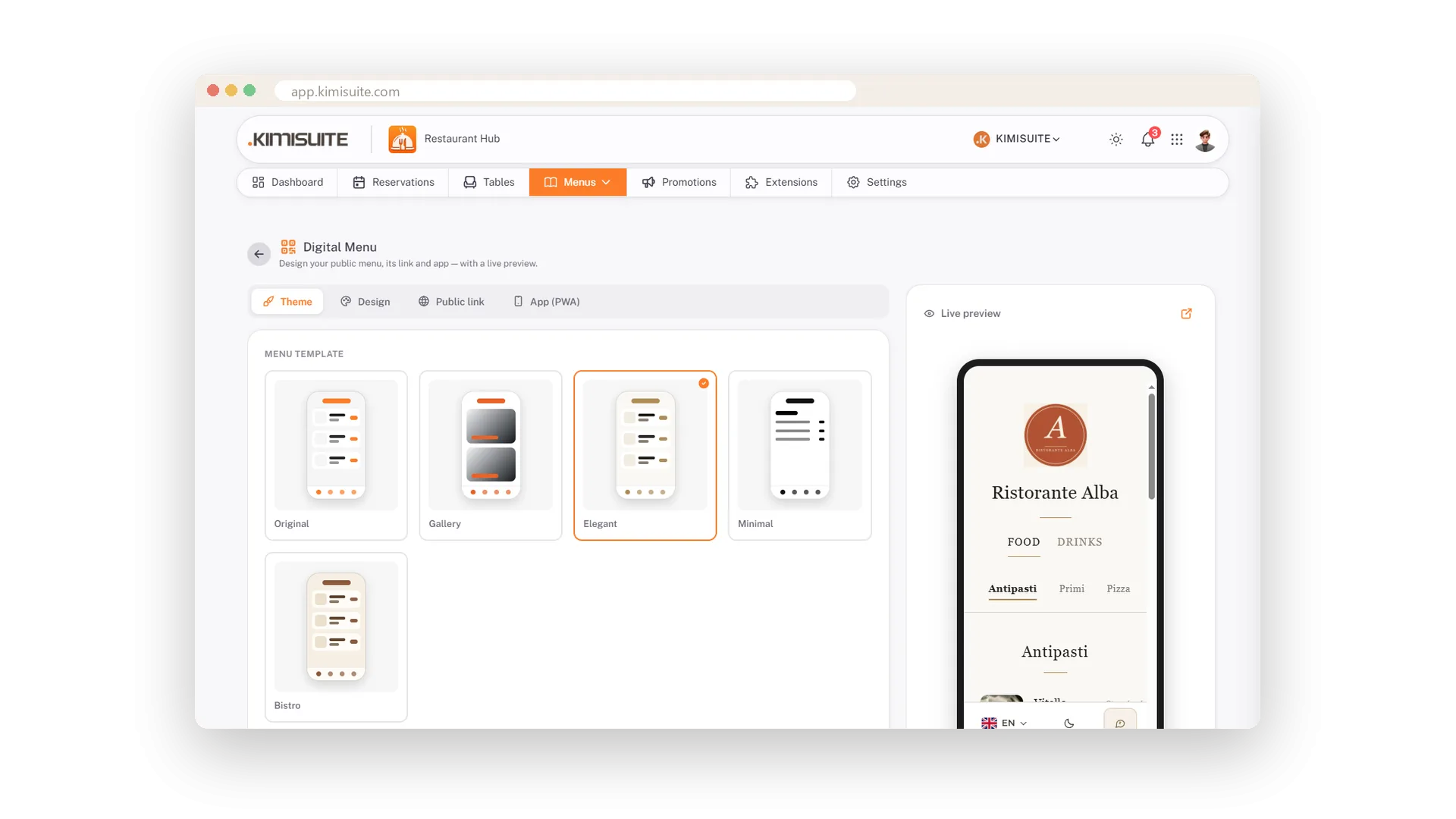
Choose the look with one click: five templates, from a photo-rich gallery to a clean serif card, each with its own navigation. Pick a palette or your own colours, and a readability check tells you the contrast before your guests do. On the Professional plan, publish the menu under your own address and let regulars add it to their home screen like an app.
Key Benefits
Never reprint a menu: the QR code points at the live version
Five templates, switched with one click, no content to redo
Your own address, a downloadable QR code and a readability check for your colours
Add to home screen: your menu on the guest's phone like an app
Five looks, one click
Original, Gallery, Elegant, Minimal, Bistro
Try a photo-rich Gallery, a clean serif Elegant, a text-only Minimal, a warm Bistro or the Original with a promotion card on top. Click, save, and the guest page changes - your dishes stay exactly where they are.
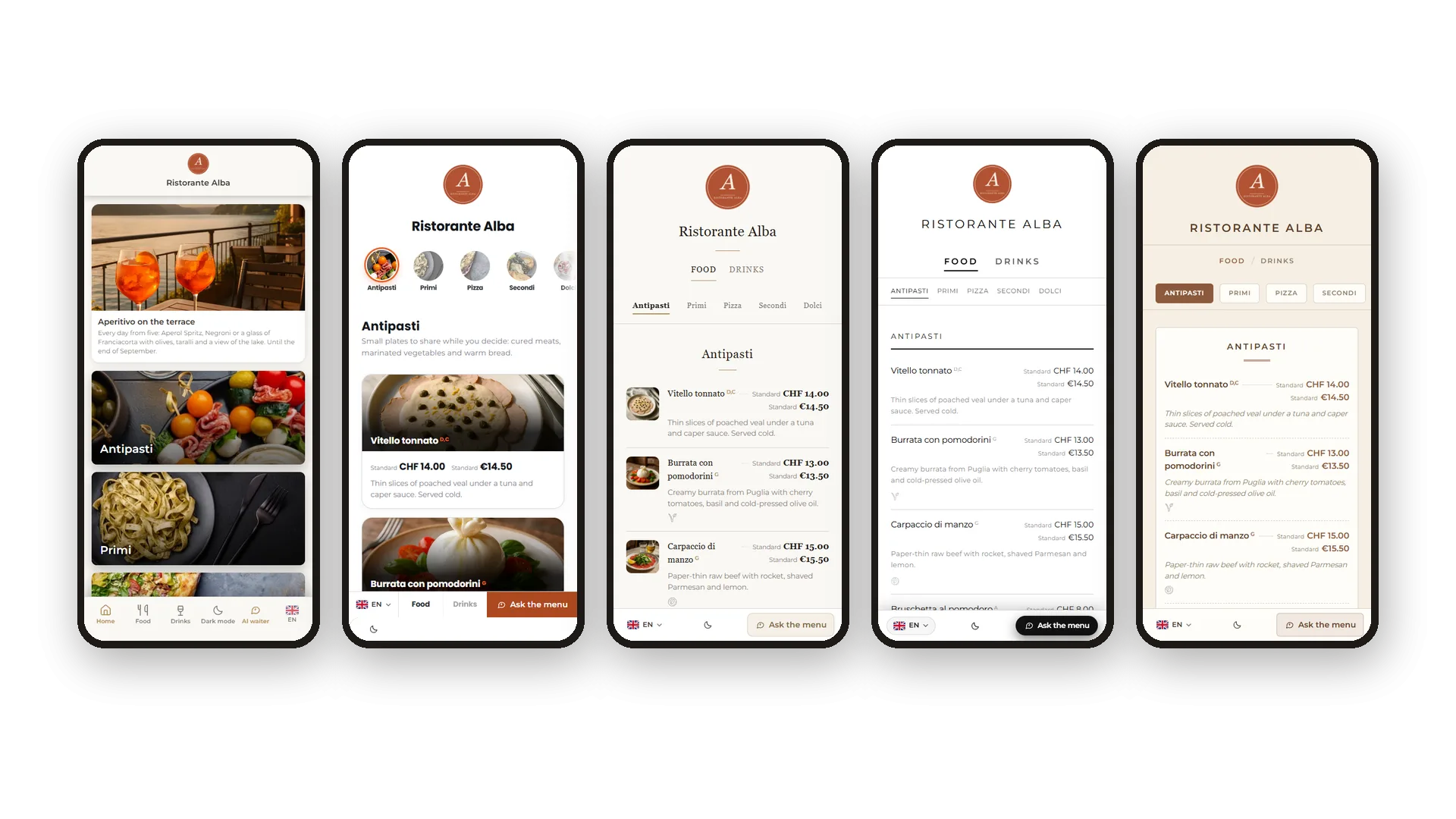
Your colours, checked for readability
Eight palettes, your own colours, the contrast shown before you save
Pick a palette or set your own colours and font. A readability check shows you the contrast of every combination, so the menu looks like your brand and stays easy to read in candlelight.
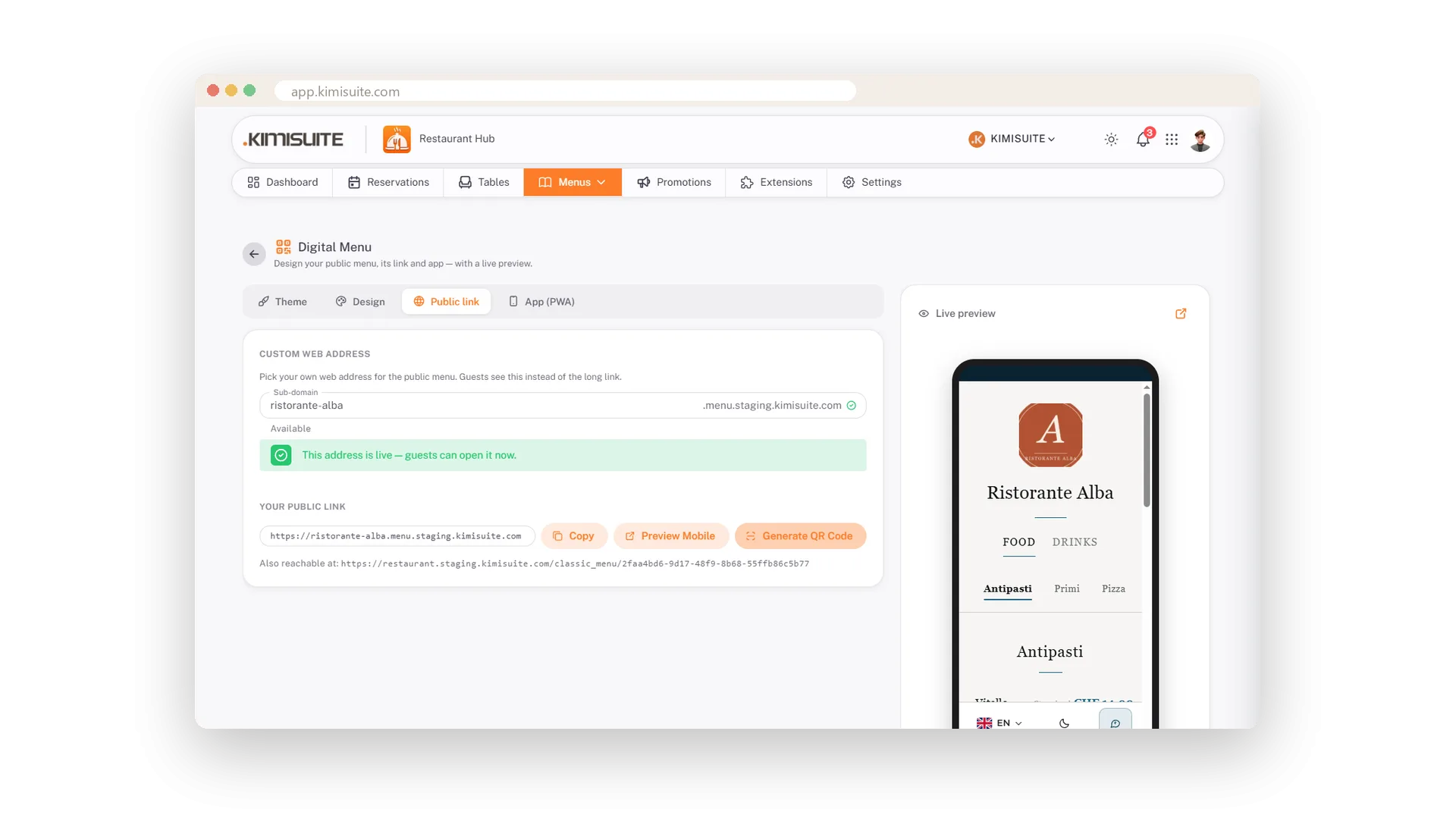
Your own address and a QR code to print
yourname.menu.kimisuite.com, code as PDF, PNG or JPG
Choose a subdomain, and your QR code is ready to download for table tents, window stickers and the printed card. It points at the live menu, so it stays valid however often you change a price.
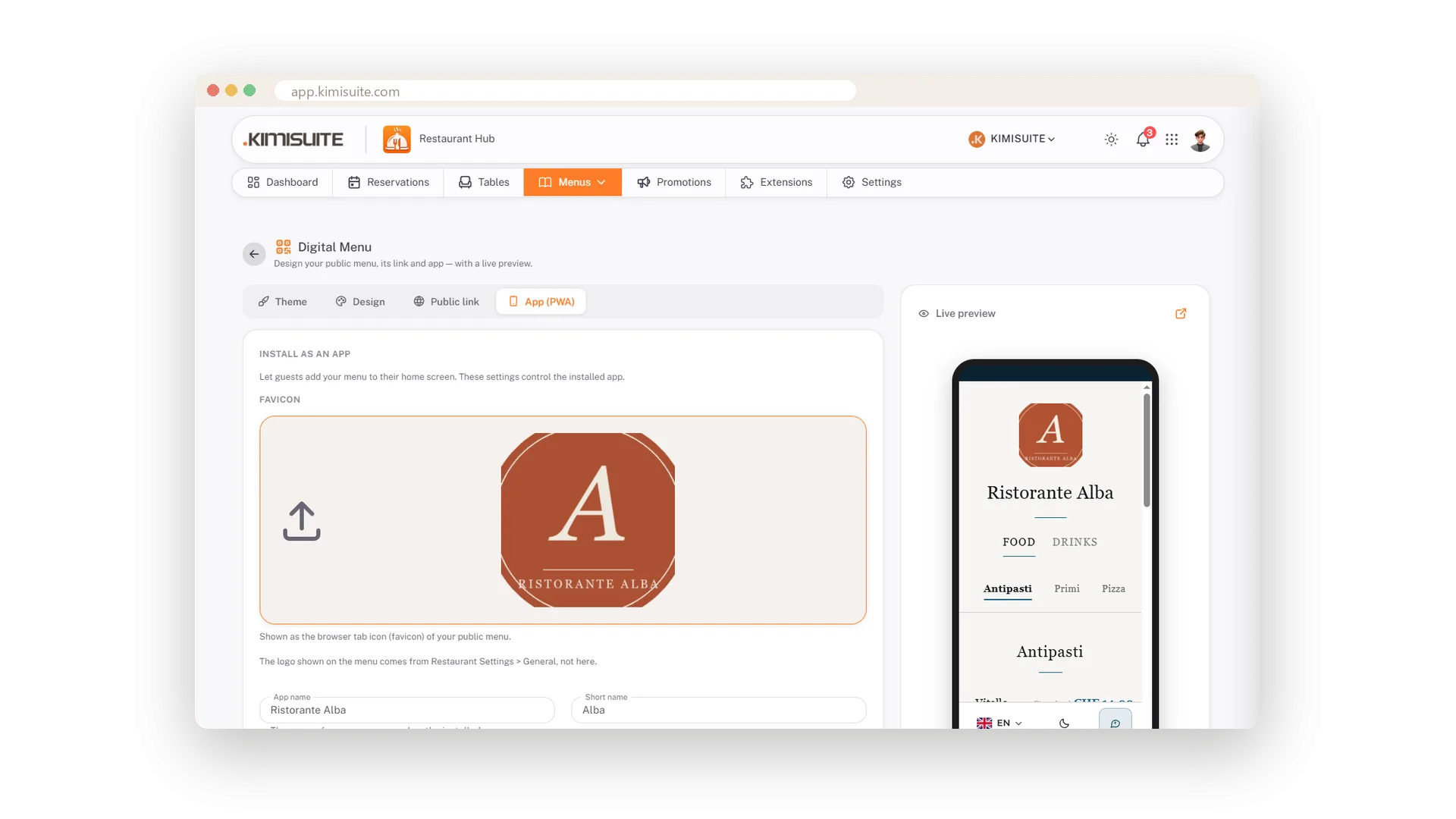
Your menu as an app on the home screen
Icon, name and colour - guests add it in two taps
Set an icon, a name and a start colour, and guests can add your menu to their home screen. It opens like an app, without an app store, and brings regulars back to your card in one tap. Part of the Professional plan.
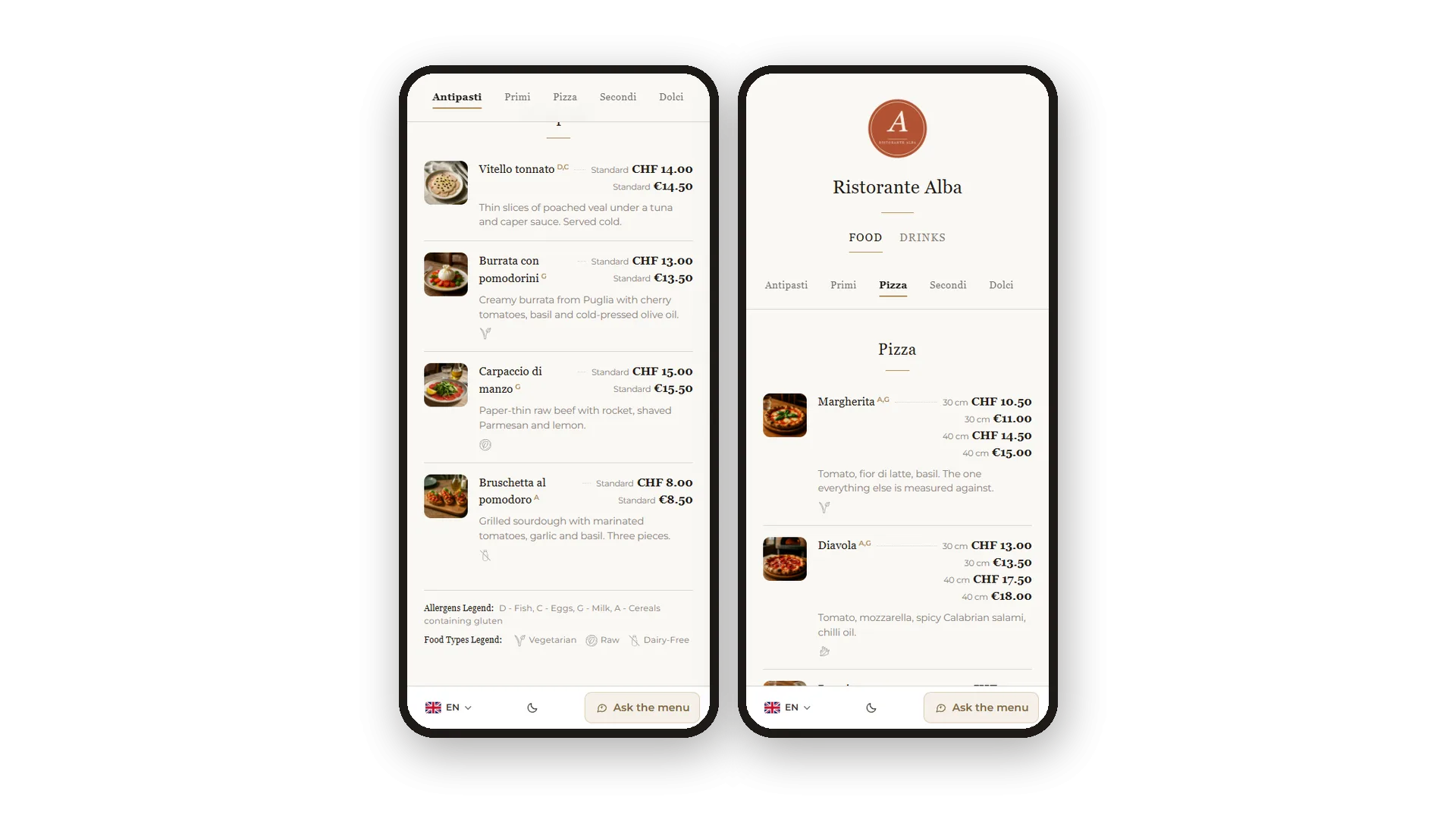
What your guests see
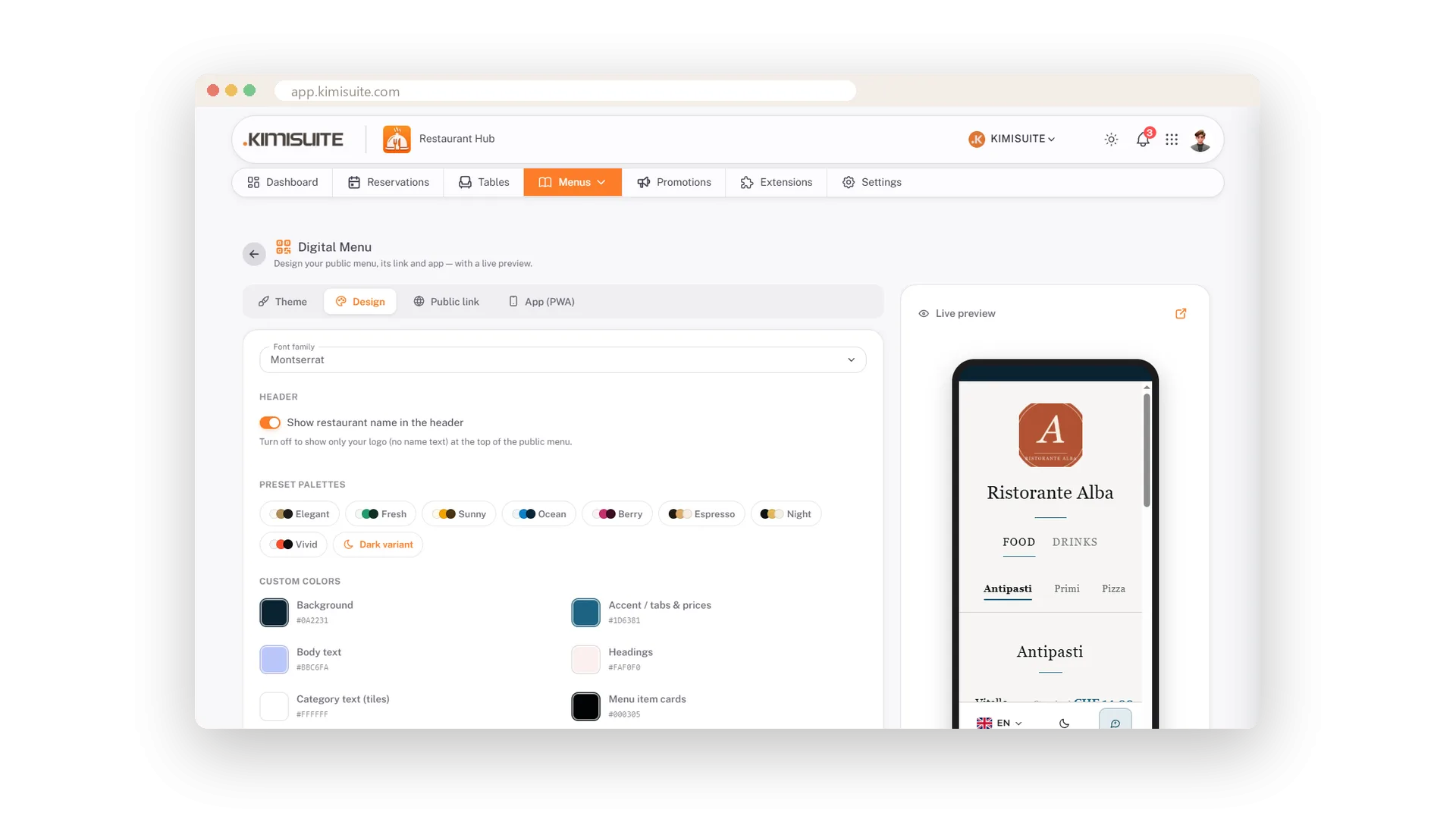
Photos, prices, allergens, icons - and a button to ask the menu
Your logo on top, a Food and Drinks switch, a category bar that stays in view while scrolling, every dish with photo, description, allergen letters and prices in every currency. Below: the legends, your legal links, the language switch, dark mode and the Ask the menu button.
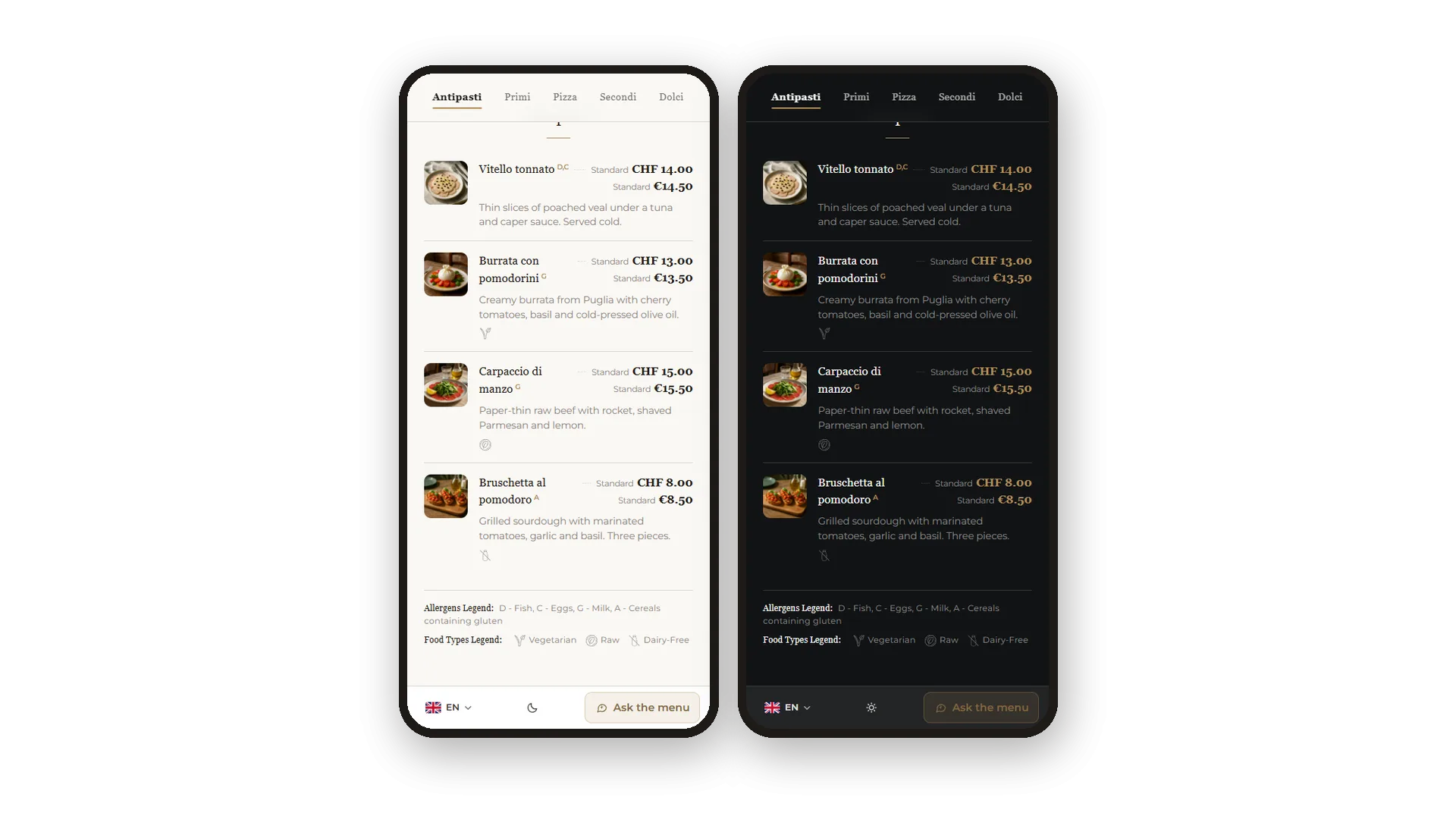
Dark mode for the evening
A moon in the footer, your colours kept
One tap on the moon and the menu turns dark - easier on the eyes at a candlelit table. Every palette comes with a dark twin, so your brand colours stay yours instead of turning grey.
Use Cases
New prices, no reprint
Change the price in the app. The code on the table shows it at once - the same code you printed months ago.
A fresh look for the summer terrace
Switch from Elegant to Bistro, pick a warmer palette, save. The guest page changes on the spot, your printed QR codes stay valid.
Dinner in a dim room
Guests tap the moon in the footer and the menu turns dark. Every palette has a dark twin, so your colours stay yours.
FAQ
Try Restaurant Hub today
Enter your menu once - serve it on the phone, on paper, online
14 days free, cancel anytime, no minimum term.
