 Booking Hub
Multi-property hotel software for owners of two or three houses, each with its own team
Give each house its own team, rooms, prices and data processing agreement, move between them with one login, and decide exactly what each manager, receptionist and cleaner may see.
- Cancel anytime
- No long-term contract
- 14 days free
What it looks like in practice
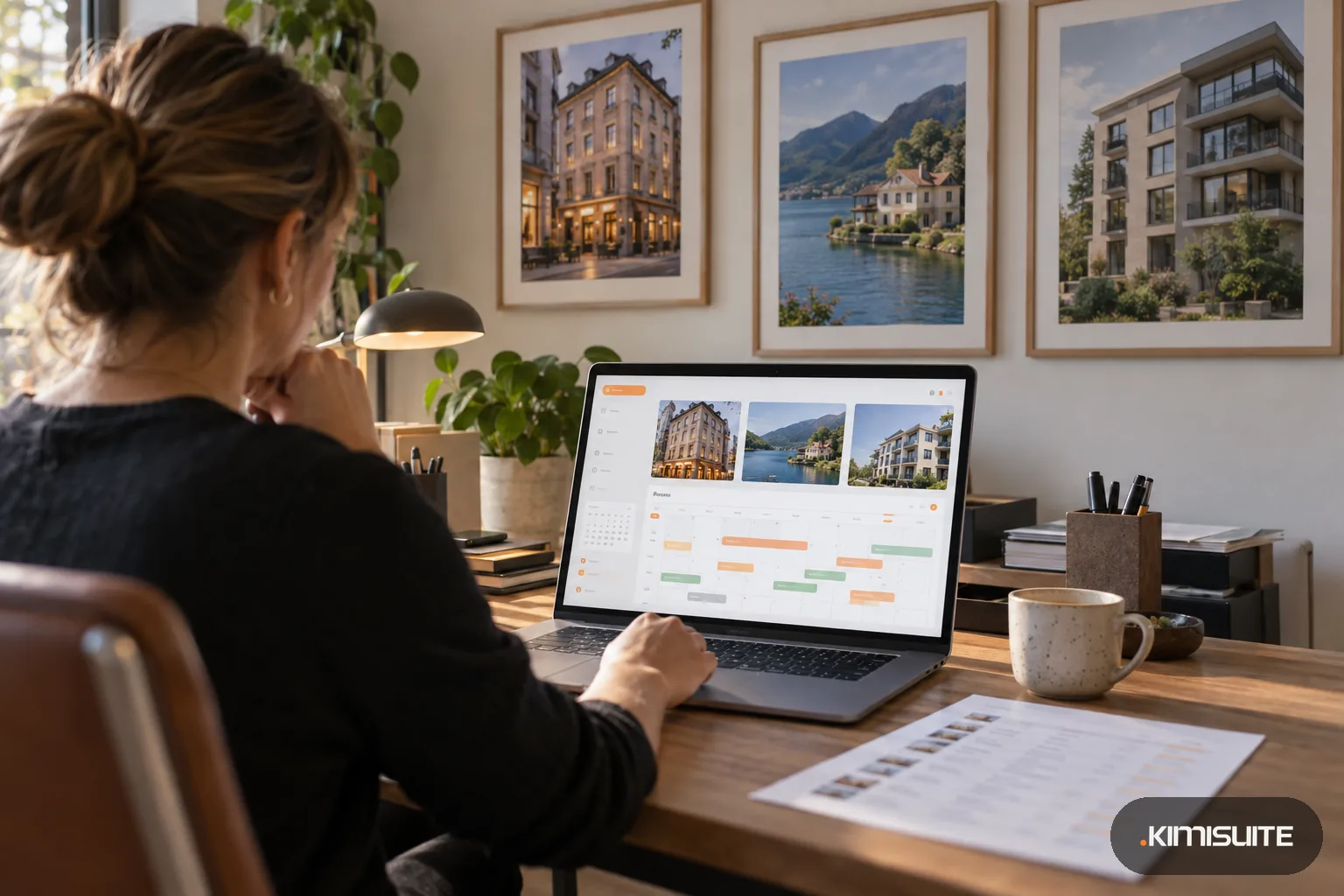
8 am: three houses, one coffee
You open the city hotel, then switch to the lakeside house and the apartments without logging out. Each shows today's arrivals, departures and who is in house.
11 am: a new receptionist
You invite her by email to the lakeside house only. She registers with KIMISUITE, gets her own login and sees reservations, but not the year's revenue.
3 pm: a manager asks for housekeeping
The manager of the city hotel sends a request for the housekeeping extension with the price on the button. You approve it or not; only you can add it to the bill.
6 pm: a member of staff leaves
You remove her from the workspace. Your bookings and guest data stay where they were, and her own account and her own free workspace are not touched.
Multi-property hotel software has to answer one question first: how separate are your houses? Booking Hub supports both answers. Run several properties inside one Booking Hub and switch between them, or give each hotel its own KIMISUITE workspace with its own team, data and apps, and reach all of them with one login. The multi-property feature shows the switch; this page is about running a small group with it.
Separate workspaces suit houses with separate teams: a city hotel and a winery with rooms do not share a front desk, and their data should not mix. One workspace suits properties that share people, such as two buildings with one reception. Either way, staff are never seats in your account. Each person registers with their own KIMISUITE account, joins the workspaces you invite them to and gets the roles you build, with 48 separate permissions inside Booking Hub alone. KIMISUITE bills per workspace, not per user, so a new night auditor costs you an invitation, not a license. Ten team members per workspace come with the first app, and a larger team adds a member tier. The article on one workspace versus many explains the billing side.
What you get
Roles you build yourself
Name a role and switch on what it may do. A shift supervisor sees today's takings but not the year's, and a receptionist can send a door code without being able to read it.
A data processing agreement per workspace
Each workspace carries its own GDPR data processing agreement and company details, with a warning while none is signed.
Two ways to organize your houses
Several properties in one Booking Hub, or one workspace per hotel with its own team, data and apps. Every workspace has its own logo in the switcher, and one login reaches all of them.
Staff who work in two hotels
A manager covering two houses is invited to both and switches between them. Each workspace keeps its own permissions for that person.
Multi-property hotel software where staff ask and you decide
Managers browse the store and send a priced request for apps or extensions. Only the owner subscribes, so nothing lands on the bill without you.
Each house measured on its own
RevPAR, ADR, occupancy, cancellations in money and booking lead time per property, each against the previous period and the same period last year.
Map your group before you start
Write down which houses share staff and which do not. That decides between one workspace and several. Then add the first property and invite its manager during the trial.
How a small group pays
Compare your houses on the same measure before and after the switch. The RevPAR calculator gives you the figure per property in a minute.
- Staff
- no fee per user; 10 team members per workspace come with the first app, larger teams add a member tier
- Separate hotels as separate workspaces
- each workspace is free and carries its own app subscriptions
- Rooms
- unlimited rooms per room type; the plan sets how many room types
- Direct bookings
- 0 % commission through each property's widget or booking page
How to get started
Decide the shape
One workspace for houses that share a team, one workspace per hotel for houses that do not. You can mix both: two buildings in one workspace, the country house in its own.
Set up the first property
Add Booking Hub, then the property details, room types, prices and policies. The first setup guide shows what is still missing before it can take bookings.
Build your roles
Create roles such as general manager, front desk and night audit, and switch on the permissions each one needs. Invite people by email or phone.
Add the next houses
Repeat for each property or workspace, connect each one's payment methods and channels, and check every morning's numbers on the workspace home screen.
Pricing
Booking Hub starts at a fixed monthly price (see pricing) per workspace. You never pay per member of staff. If you run each hotel as its own workspace, each one has its own subscription; inside a workspace, your plan sets how many room types you can create, never how many rooms.
Extensions such as the channel manager or housekeeping are added where you need them.
Is it the right fit?
A good fit if
- Owners of two or three hotels, guest houses or apartment buildings
- Small hotel groups where each house has its own manager and team
- Families or partners who run several properties and share some staff
- Groups that want to decide in detail what each role may see, including revenue
Not the right fit if
- Owners who first need one report across all their hotels: figures are read house by house, there is no consolidated report and no central reservations office
- Groups that need a guest profile shared across properties: guest details sit on each booking
- Operators who need a central rate push from head office to every house at once
Frequently asked questions
What is the difference between multi-property hotel software and a PMS for one hotel?
Should each hotel be its own workspace?
Can a manager work in two of my hotels?
Can I hide revenue from the front desk?
Can every hotel keep its own booking page?
What happens to our data when someone leaves?
Do I pay per user?
Read next
- Related solutionsGuest house software for B&Bs, pensions and small innsSell your rooms with breakfast online, take the phone booking while you set the tables, and know every morning who arrives, who leaves and what is still unpaid.
- Related solutionsA holiday let booking system for cottages, flats and self-catering apartmentsTake direct bookings on a booking page of your own, keep Airbnb, VRBO and Booking.com on one calendar, and send every guest the door code and arrival notes for their apartment without picking up the phone.
- Related solutionsA booking widget for WordPress that is two lines of HTML, not another pluginThe widget shows a KIMISUITE booking app you subscribe to: Booking Hub, Service Manager or Restaurant Hub. Paste two lines into a block, and rooms, appointments or tables become bookable on the page visitors are already reading.
- From the blogNine Apps or One Workspace? How Small Teams Pay for SoftwareA weekly sync for six people costs about €3,360 a year, and much of it exists because data sits in nine tools. What many subscriptions reall...
- From the blogHotel Metrics Explained: ADR, RevPAR & Occupancy Made SimpleUnderstand the most important hotel revenue metrics like ADR, RevPAR, occupancy, and booking sources — and learn how to use them to increase...
Ready when you are
Set it up in your own workspace and see how it works with your data.
- Cancel anytime
- No long-term contract
- 14 days free
