 Showroom TV
Waiting room TV that tells patients what they actually want to know
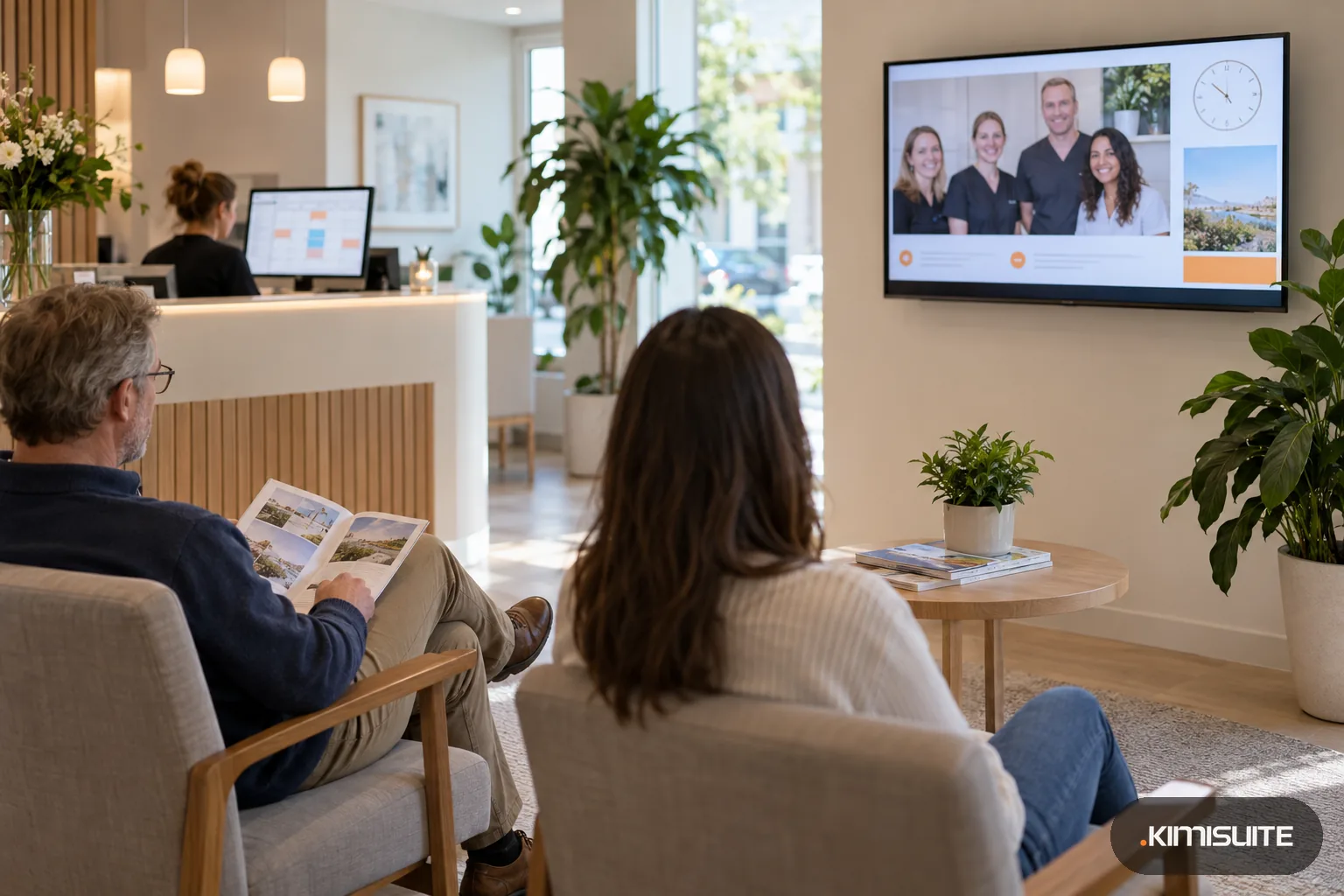
Swap the muted news channel for your own practice: who is on the team, which services you offer, when you are closed over the holidays and a short note when the morning runs late.
- Cancel anytime
- No long-term contract
- 14 days free
What it looks like in practice
08:00, reception: the morning starts late
The first appointment overran. You type one ticker line, Running about 15 minutes behind, thank you for your patience, and the waiting room TV shows it within about a minute.
10:30: a new hygienist joins the team
You add her photo and a short welcome to the team slide and publish. Patients who know her from the chair recognize her on the screen the same day.
December: the holiday hours go up
A campaign with a date range shows when the practice is closed and who covers emergencies. It starts on the first of December and steps back on its own in January.
Friday afternoon: the vet screen gets its own loop
The second practice in the next town is a location in the same workspace. Its screen shows its own team and hours, while the shared service slides run in both.
A waiting room TV is the one screen your patients look at while they wait, so it should show your practice, not someone else's channel. Showroom TV turns the TV in your waiting area into a screen you run from reception: the team, your services, opening hours, holiday closures and a quick note when the schedule slips. Any TV with a modern browser works, and so does an Android TV or Google TV device. Start from the medical templates for the waiting room and for explaining treatments, and fill them with your own words and photos.
Practices change their messages with the calendar: flu season, the school holidays, a new opening hour on Thursdays. With campaigns and schedules each message runs from a start date to an end date or on chosen weekdays and hours, and the screen hands back to your normal loop when it is over. Pick a ready-made layout with a ticker line and a clock under the main picture, add a weather zone with the local forecast for patients heading home, and every change you publish reaches the TV within about a minute. Everything lives in one KIMISUITE workspace with Showroom TV, so a second practice is simply a second location.
What you get
Waiting room TV templates to start from
Apply Waiting room or Treatment explainers and Showroom TV sets up the screen layout, a first slide loop and a draft schedule for you. Replace the sample text with your services and your team.
Delay notes from reception
Type a ticker line and publish. Patients see that the morning runs late without asking at the desk, and you remove the line once you have caught up.
Holiday hours that switch themselves
Give the closure notice a date range. It appears on the first day you choose and disappears afterwards, so January patients never see December's message.
Text slides without a designer
Write a slide line by line, choose text color, background, size and alignment. New opening hours or a parking note are on the screen in a few minutes.
A clock patients can trust
The clock zone runs in your practice's time zone, in a minimal, card or board design, with the date if you want it.
An emergency notice when you need it
The emergency campaign overrides everything on the screens it targets, for a sudden closure or a changed entrance. It is part of the Business plan.
Replace the news channel this week
Open Showroom TV, apply the waiting room template, add your team photo and opening hours and pair the TV. Patients see your practice on the next appointment.
What a practice screen costs
Weather and calendar zones come with the ready-made layouts, so the screen shows the forecast and the days you mark without extra content to buy.
- The TV
- the one already on your wall, if it has a modern browser, or an Android TV or Google TV device
- Content
- your own slides from the templates: no channel subscription, no content library to buy
- Software
- one subscription for the practice workspace; the plan sets the number of screens
- Reception team
- everyone at reception works in one workspace; your first app includes ten members
How to get started
Open the player on the waiting room TV
Open tv.kimisuite.com in the TV's browser or install the Showroom TV app from Google Play on an Android TV device. The TV shows an eight-character code.
Pair it at reception
Add Showroom TV to your KIMISUITE workspace, type the code, call the screen Waiting room and choose the practice as its location.
Fill the medical template
Apply Waiting room, replace the sample text with your services and team, upload photos and use a layout with a ticker for short notes. Publish the playlist.
Plan the season
Keep the main loop always on, then add date-range campaigns for holiday hours or a seasonal reminder. The schedule shows what each screen plays today.
Pricing
Showroom TV starts at a fixed monthly price (see pricing) for your practice's workspace, for the whole team at reception. Start covers three screens at one practice: waiting room, reception and a corridor.
A second site, screen groups, your own layouts and remote restart come with Grow. Emergency campaigns and the report of what each screen played are part of Business.
Is it the right fit?
A good fit if
- Dental practices, doctor's offices and medical centers with a TV in the waiting area
- Vets, physiotherapists and therapy practices that want their own news on screen
- Group practices that run several sites from one reception team
- Practices that change opening hours and notices with the seasons
Not the right fit if
- Practices looking for a patient call system with ticket numbers or names on screen
- Practices that want a ready-made library of medical videos
- Waiting rooms that should keep showing live TV channels between the slides
- Practices that want patients to check in or tap through content on the screen
Frequently asked questions
What can a waiting room TV show with Showroom TV?
Does Showroom TV call patients by name or number?
Can I put a quick note on the screen when we run late?
Do I need a new TV for the waiting room?
Can the waiting room TV show the weather or upcoming closures?
We have two practices. Can each screen show its own team?
Can the screen show other slides on the days the hygienist works?
Read next
- Related solutionsHotel digital signage for your lobby, event floor and breakfast roomWelcome today's guests, point them to the spa and show the morning's breakfast on the TVs you already have. Change a line at the front desk and every screen follows within about a minute.
- Related solutionsEstate agent window display that keeps up with your listingsPaper cards fade, curl and go out of date the day a property goes under offer. Put your listing cards on portrait screens instead and swap them from your desk. You upload every card yourself; nothing is imported from a portal or CRM.
- Related solutionsShop window digital signage that changes with your opening hoursTurn the screen in your window into a salesperson that never goes home. New arrivals in the morning, the sale on Saturday, opening hours and your phone number after closing time, all planned once.
- From the blogShowroom TV: Turn Any Android TV Into a Managed ScreenShowroom TV is now available in KIMISUITE: pair an Android TV with an eight-digit code, build playlists and layouts, plan campaigns by time...
- From the blogOnline Appointment Booking Software for Hospitals & Medical ClinicsDiscover how online appointment booking software helps hospitals and medical clinics automate patient scheduling, accept secure online payme...
Ready when you are
Set it up in your own workspace and see how it works with your data.
- Cancel anytime
- No long-term contract
- 14 days free
