 Part of Showroom TV
 Start from a ready-made template
19 templates in 8 industries, ready in one click
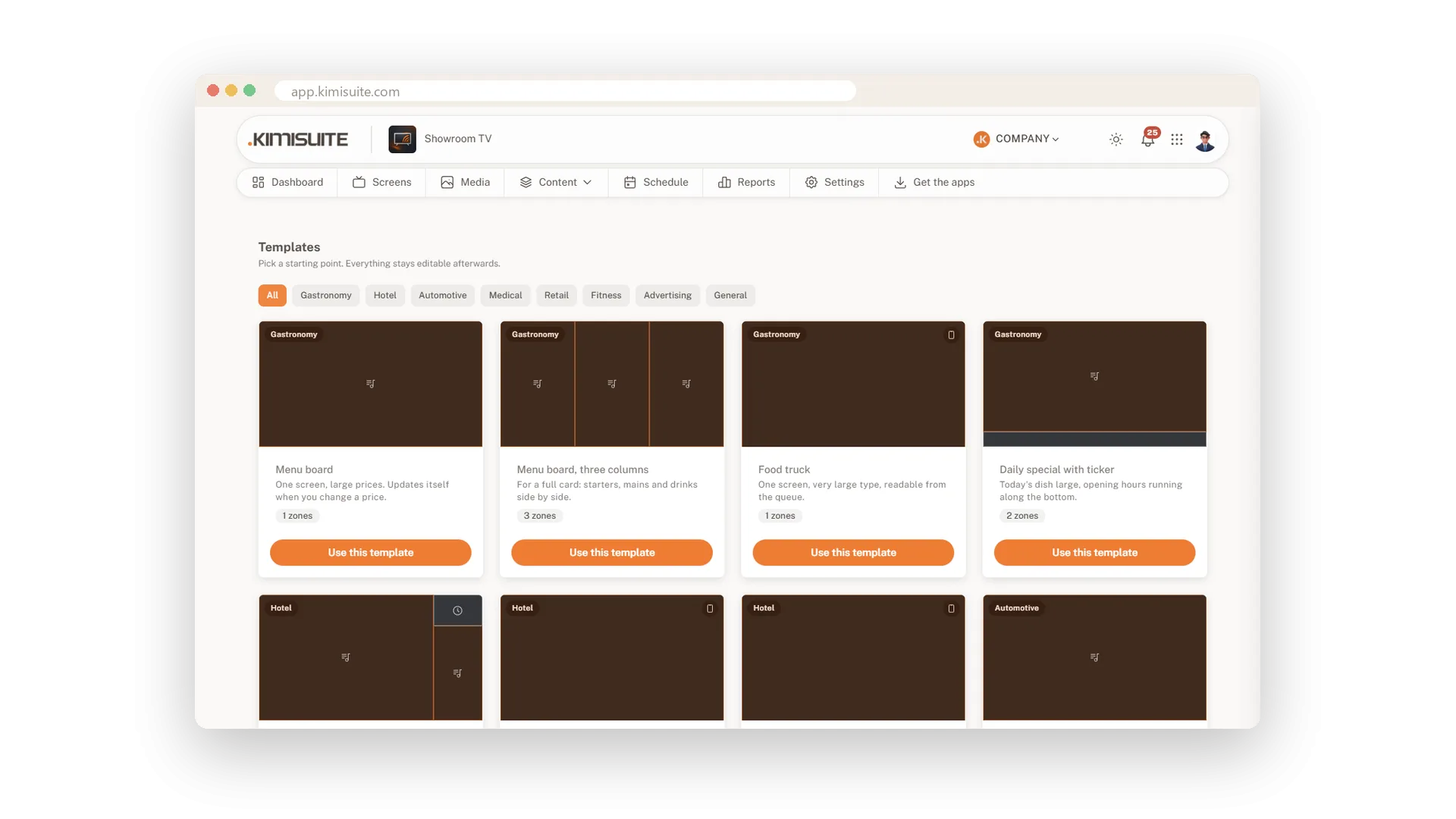
You do not have to start with a blank screen. Pick a template for your business: a menu board, a lobby welcome, a waiting room, a promotion or a class schedule. One click creates the layout, a playlist and a campaign, all ready to edit. Swap in your own pictures, publish, and your screen has a professional look on day one.
The gallery holds 19 templates in 8 industries: gastronomy, hotel, automotive, medical, retail, fitness, advertising and general use. Filter by industry and see how many zones each template has. The campaign starts as a draft, so nothing goes on air before you are ready. A five-step setup guide on the dashboard takes you from the first location to the first offer on the TV.
Key Benefits
19 templates for gastronomy, hotels, car dealers, practices, retail, gyms and more
One click creates the layout, a playlist and a draft campaign
Choose a location and screens right away, or later
A five-step guide that ticks itself off as you set up
One click: layout, playlist, campaign
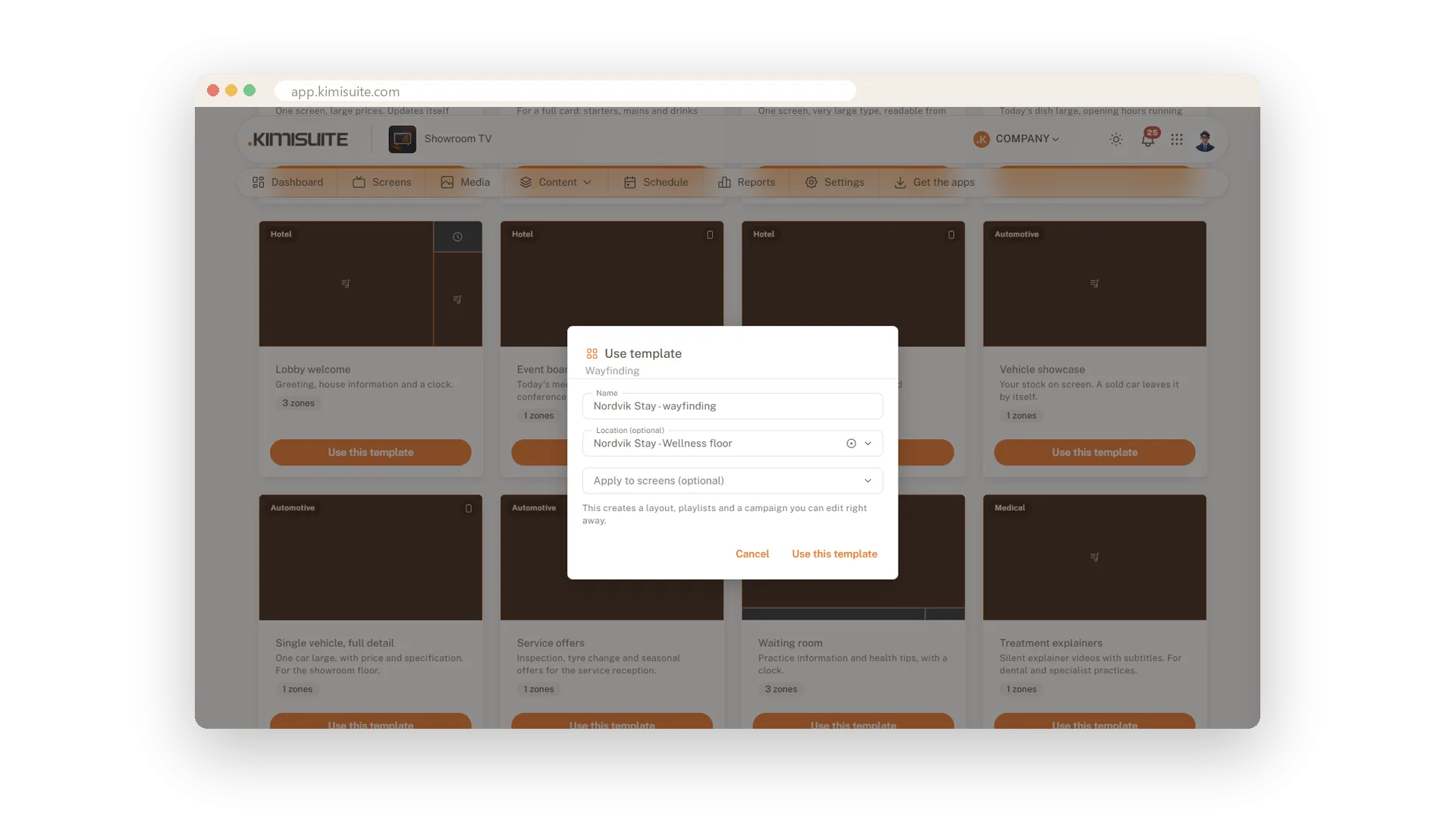
Name it, pick the place, start editing
Give the template a name and, if you like, a location and screens. Showroom TV creates the layout, a playlist and a draft campaign that you can edit right away. Add your pictures, publish and activate.
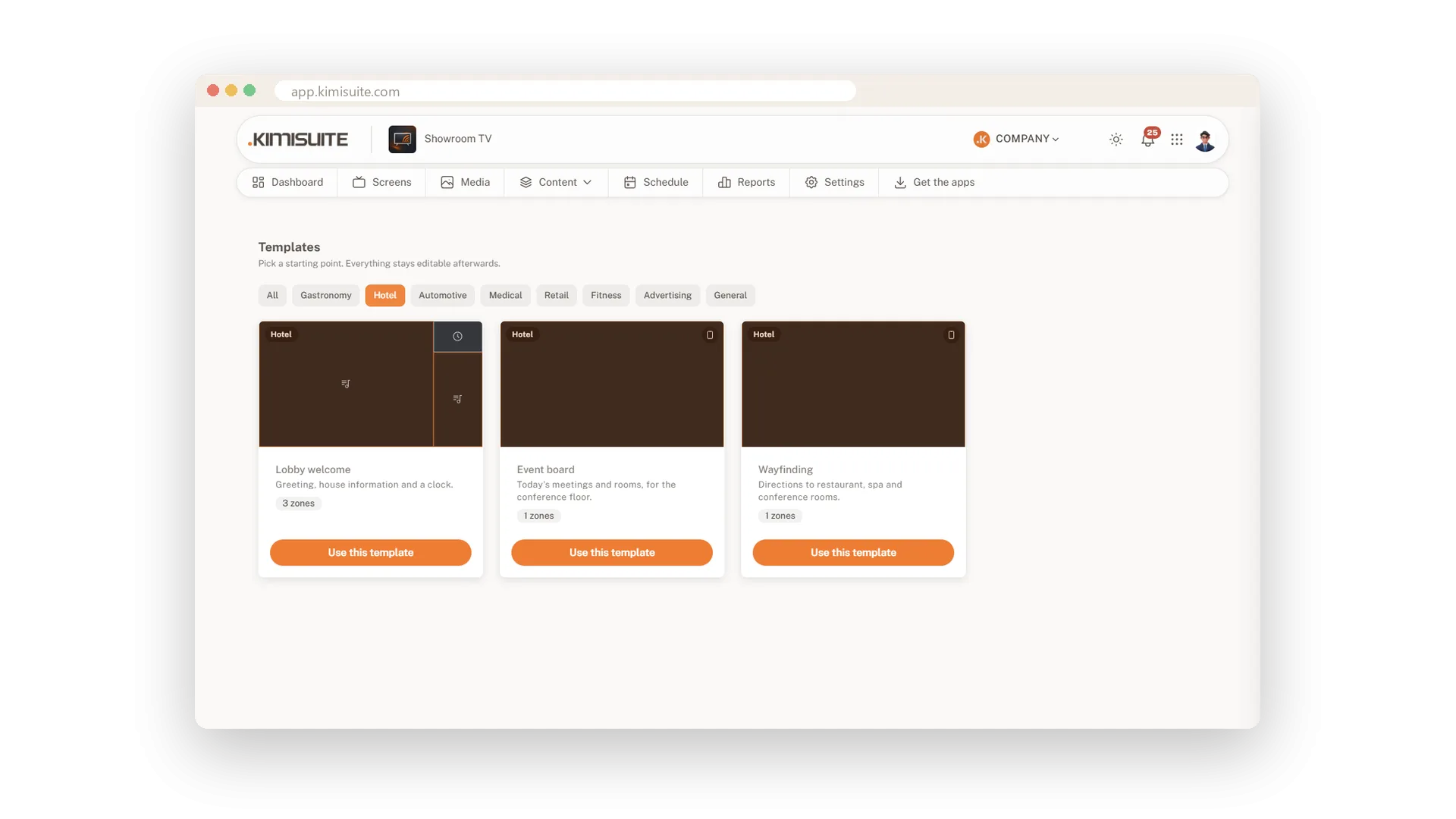
Lobby, events and wayfinding for hotels
Welcome guests and show them the way
Three hotel templates cover the lobby welcome, an event board and wayfinding in portrait format. Filter the gallery by industry to find them, together with the templates for gastronomy, retail and more.
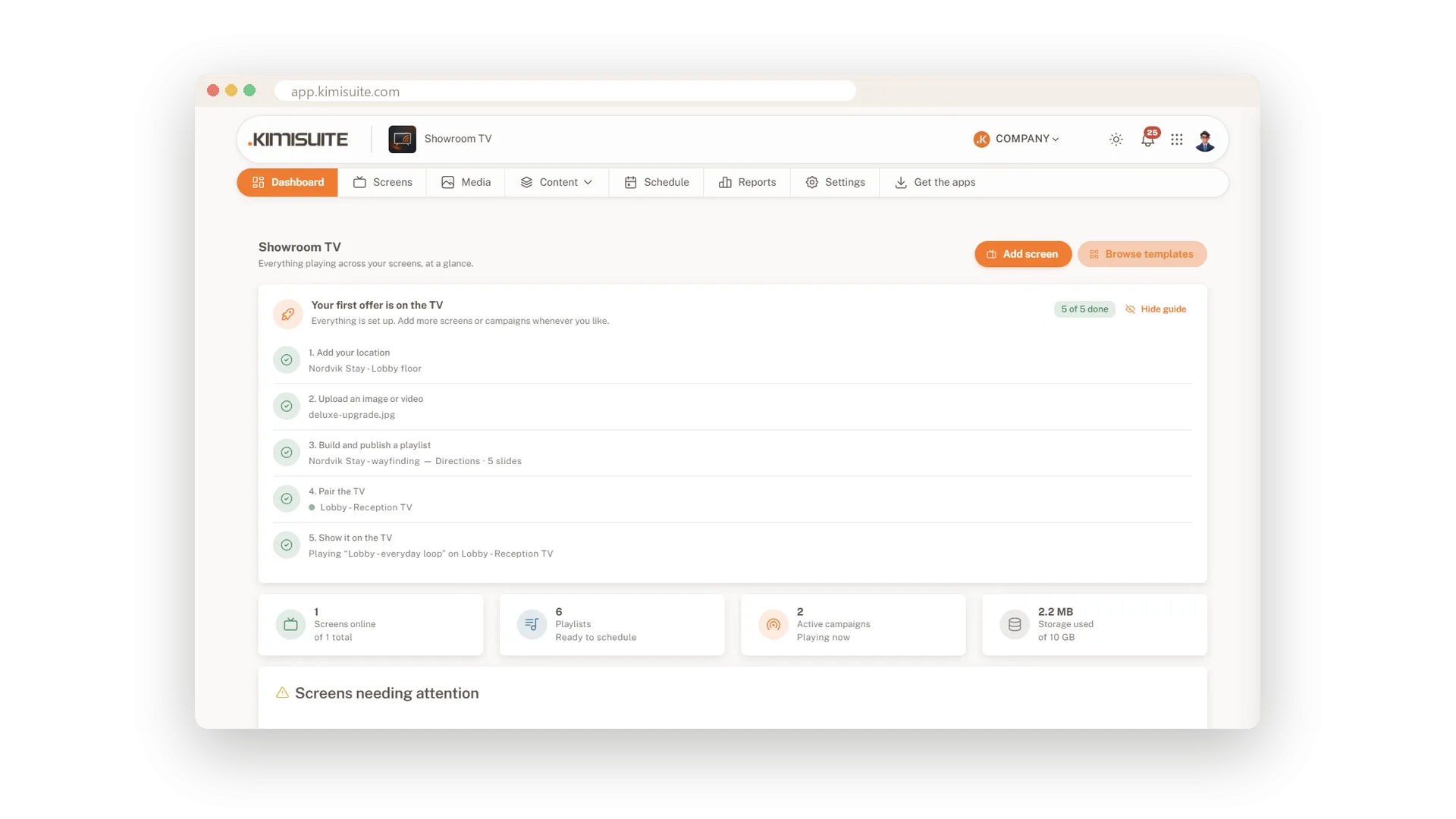
From zero to your first offer on TV
Five steps that tick themselves off
The dashboard guides you through five steps: add a location, upload a picture, publish a playlist, pair the TV and show it. Each step has its own button and ticks itself off. Hide the guide when you are done and bring it back anytime.
Use Cases
A menu board by lunchtime
You pick the three-column menu board and add your dish photos. The screen above the counter is ready before the lunch rush.
Wayfinding in the hotel
The wayfinding template gives you a portrait layout for the corridor. You add directions to the spa and the meeting room and activate the campaign.
The waiting room screen
A practice starts with the waiting room template and adds its own treatment pictures. Patients have something useful to look at while they wait.
FAQ
Try Showroom TV today
Your offers on every TV, planned from your desk
14 days free, cancel anytime, no minimum term.
