 Part of Showroom TV
 Plan what plays, where and when
Breakfast at seven, happy hour at five, all by itself
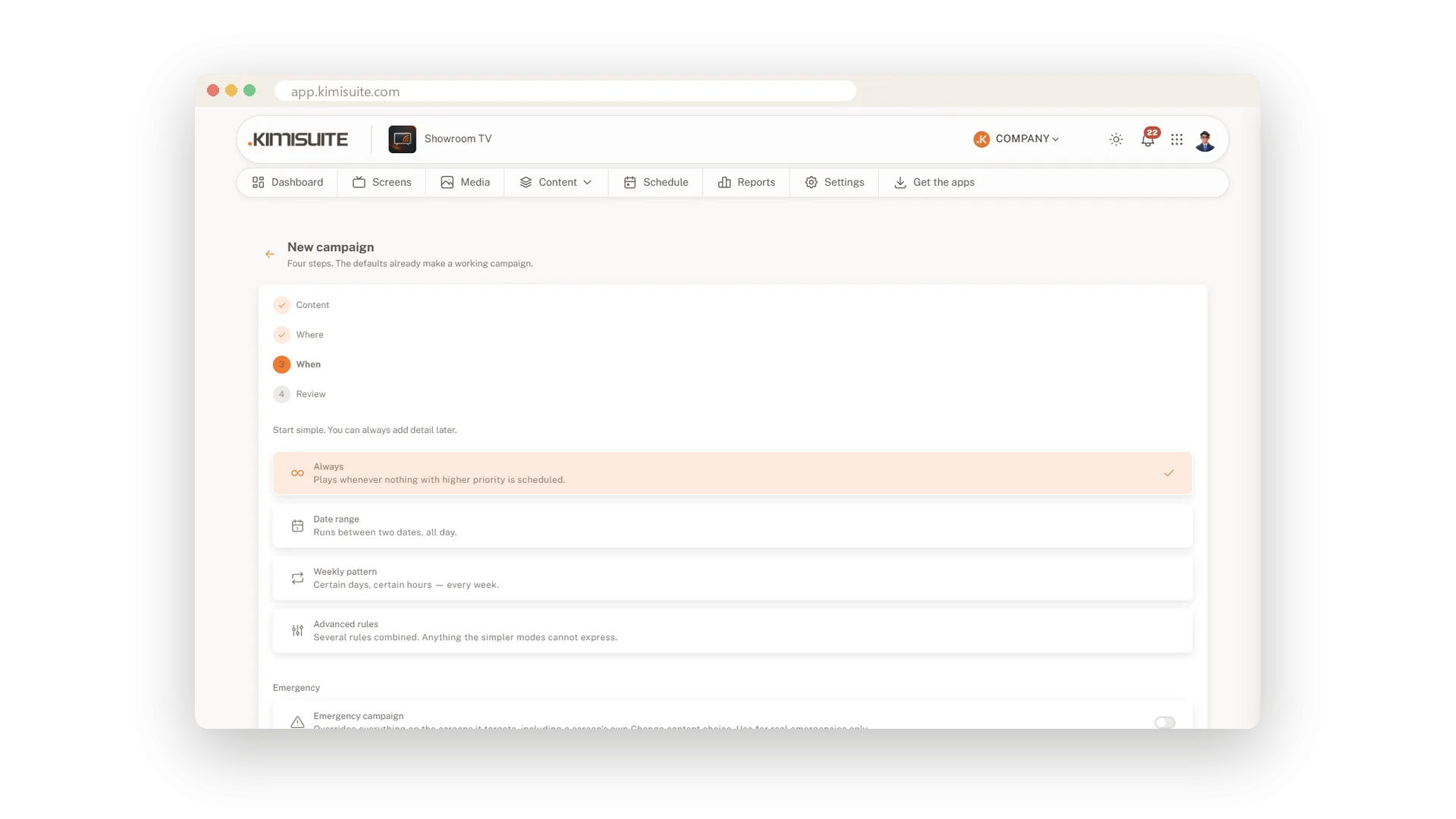
Your screens should show breakfast in the morning and the evening menu at night, without anyone switching. A campaign decides what plays, on which screens and at what times. Set it up once, and it runs every day by itself. When two campaigns want the same screen, the higher priority wins.
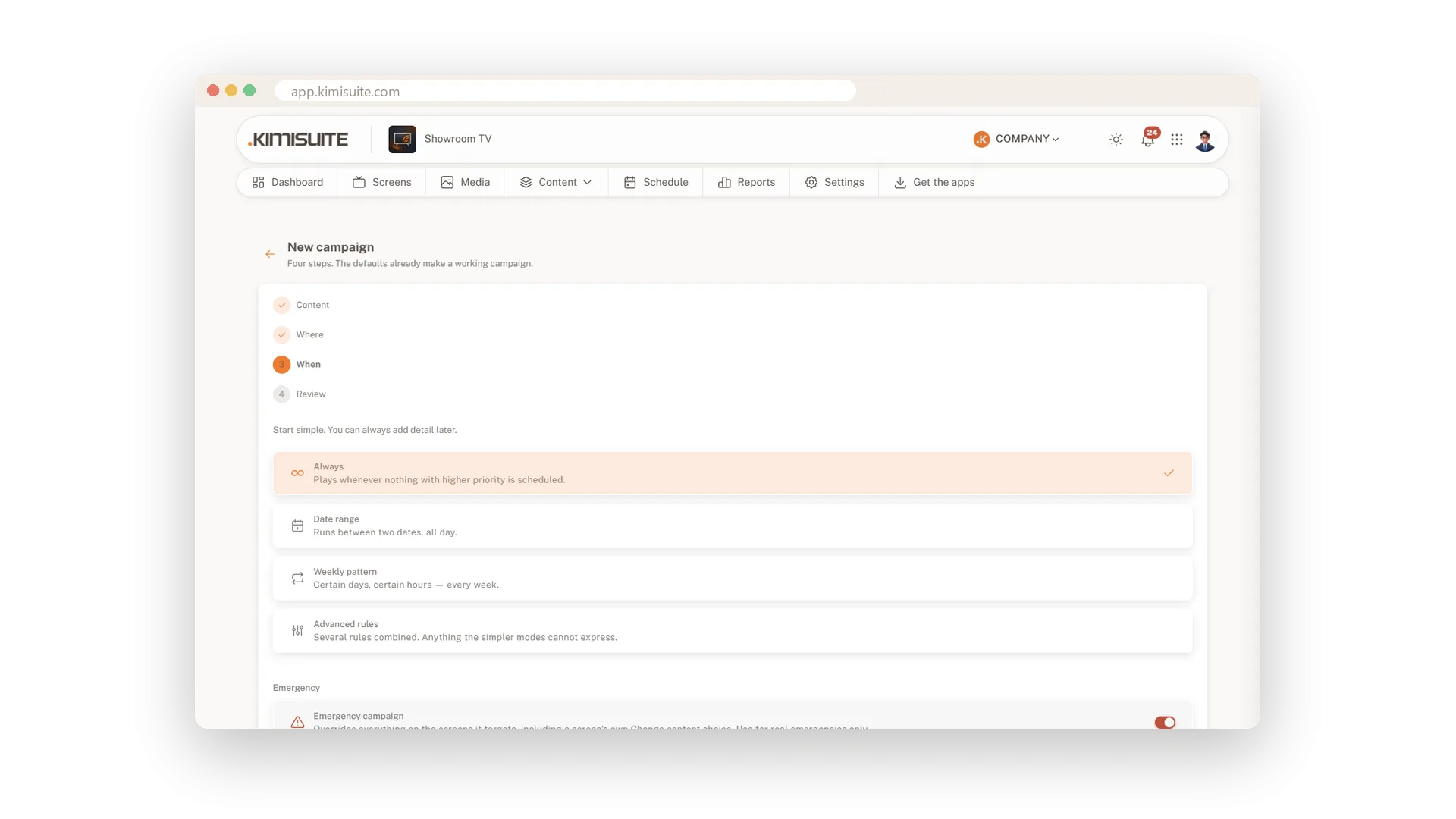
A four-step assistant guides you: content, where, when and a final review, and the defaults already make a working campaign. Target all screens, including ones you pair later, or pick screens, groups and locations and exclude the rest. Choose always, a date range, a weekly pattern or several rules at once. A day timeline shows every screen hour by hour, and each screen tells you why it plays what it plays.
Key Benefits
Four steps from content to review, and the defaults already work
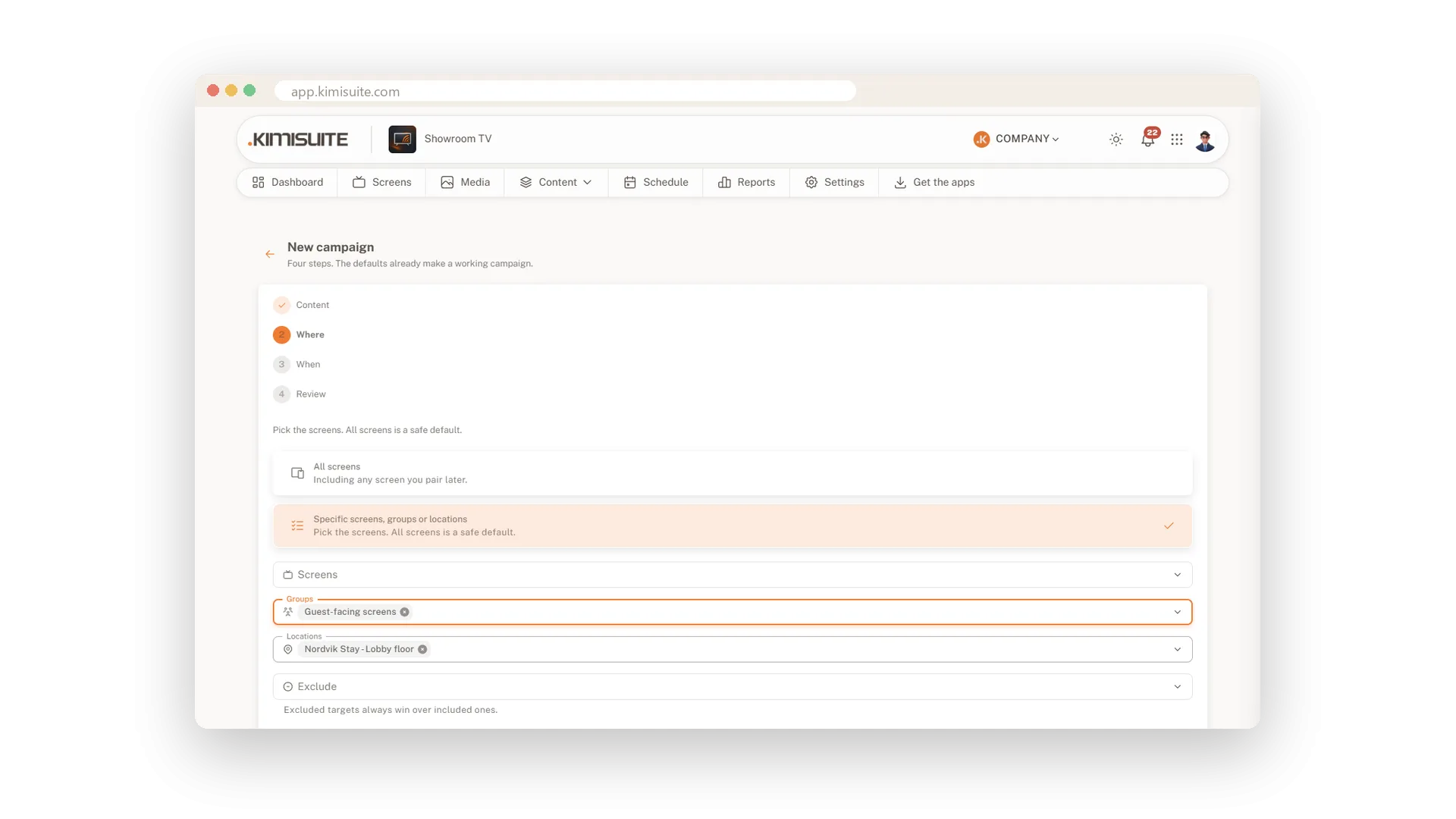
Target screens, groups or whole locations, and exclude single screens
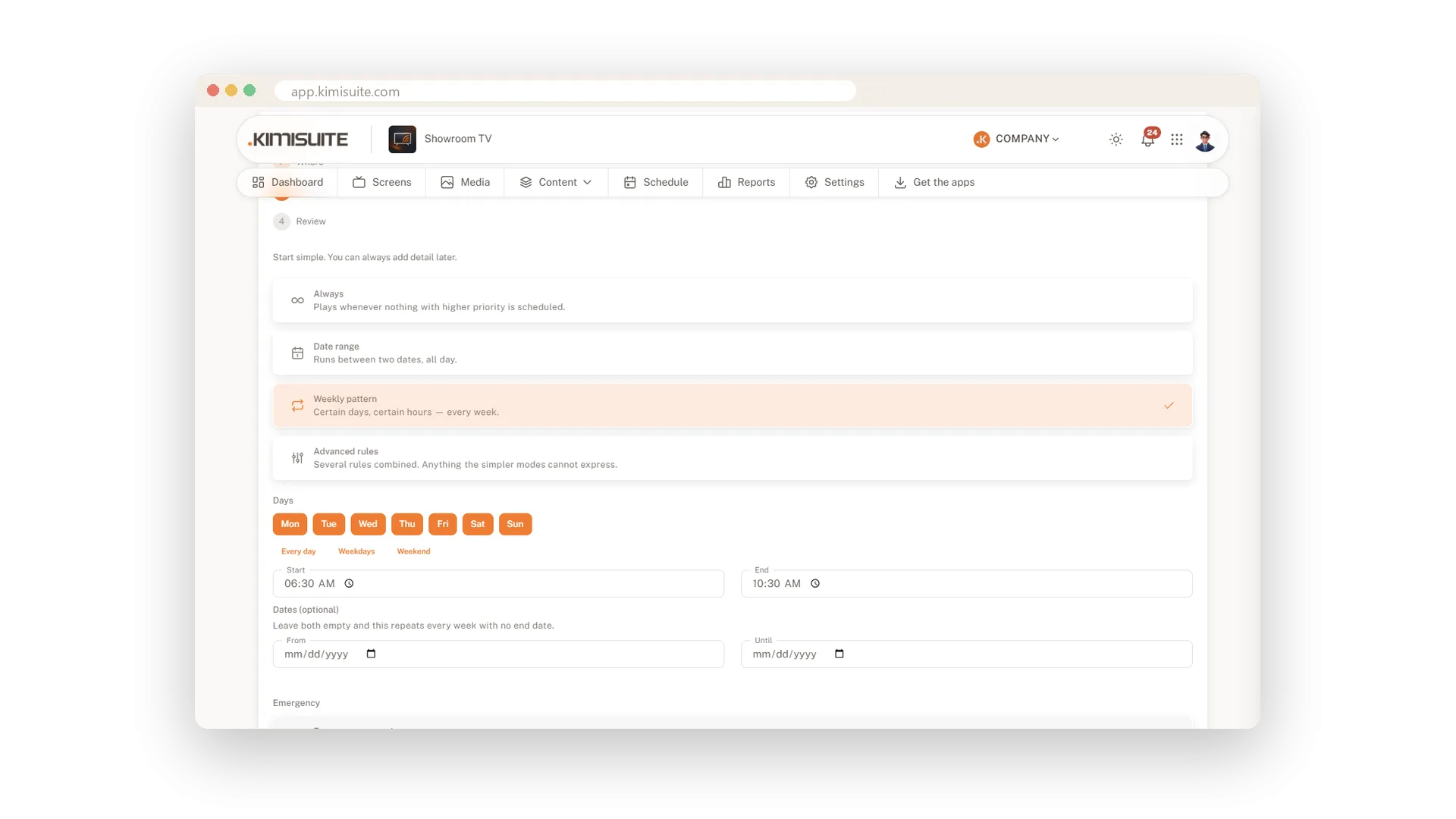
Weekly time slots with shortcuts for every day, weekdays or weekends
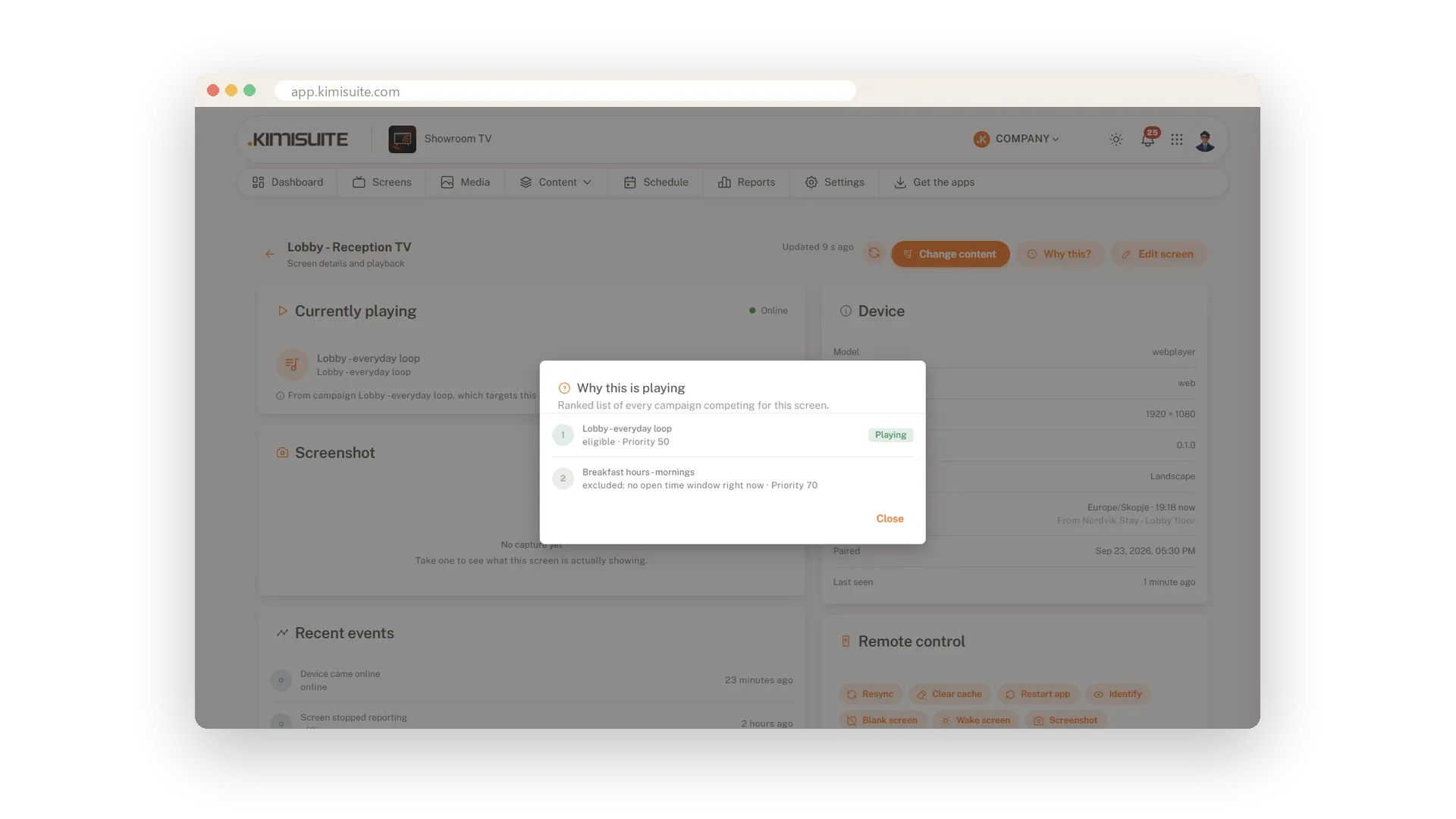
Why this? ranks every campaign for a screen and names the reason
Screens, groups or whole locations
Reach exactly the screens you mean
Send a campaign to all screens, including the ones you pair later, or pick single screens, screen groups and locations. Exclude what should stay untouched; exclusions always win. The review tells you on how many screens the campaign will play.
Different content for every time of day
Weekly slots, date ranges and combined rules
Choose the days and hours a campaign plays, with shortcuts for every day, weekdays or weekends. Add a start and end date for seasonal offers, or combine several rules for more complex weeks. Times always follow each screen's own time zone.
Priorities decide, and it tells you why
The higher number wins, with the reason shown
Give each campaign a priority; when two want the same screen, the higher one plays. Open a screen and Why this? lists every competing campaign, which one plays and why the others wait.
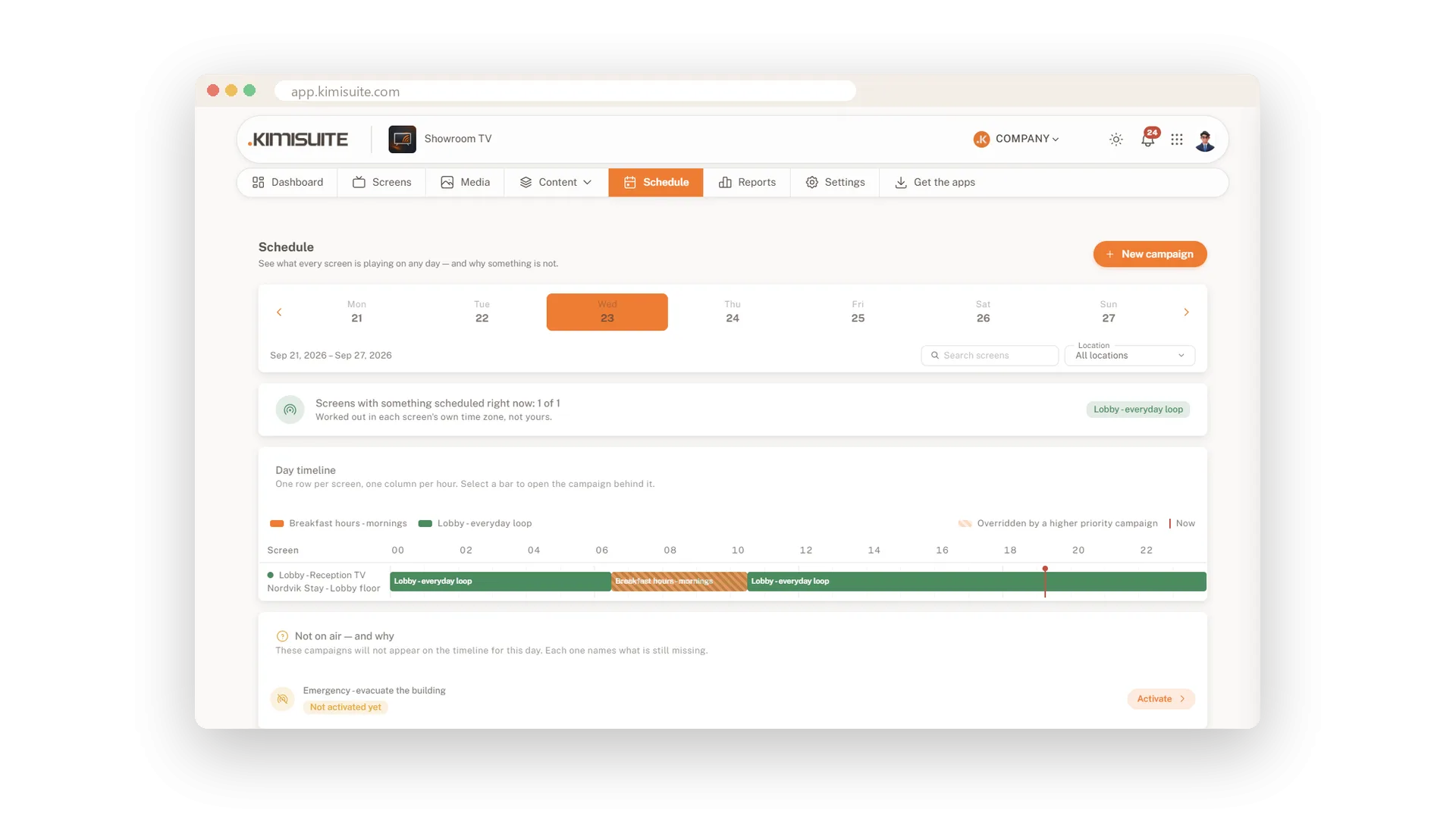
A day timeline for every screen
See the whole day, hour by hour
The schedule shows one row per screen and one column per hour, with a line for right now. Browse through the week and filter by location. Campaigns that will not play today are listed with the reason and an Activate button.
An emergency message on every screen
Prepared in advance, live with one click
Prepare an emergency campaign and save it as a draft. When it matters, activate it from the campaign list and it overrides everything on the screens it targets, including single-screen choices.
Use Cases
Breakfast takes over at 06:30
An always-on welcome loop runs with priority 50. A breakfast campaign with priority 70 takes the lobby screens every morning from 06:30 to 10:30.
The summer offer with an end date
You set a date range from June to August. On the first of September the offer disappears from every screen on its own.
All stores except one
You target all locations and exclude the store that is being renovated. Excluded targets always win.
FAQ
Try Showroom TV today
Your offers on every TV, planned from your desk
14 days free, cancel anytime, no minimum term.
