 Restaurant Hub
Digital drink menu for bars, pubs and wine bars
Glass or bottle, half pint or pint, the new autumn cocktails with photos, and a menu that stays readable when the lights go down. Change it behind the bar, and every QR code shows it at once.
- Cancel anytime
- No long-term contract
- 14 days free
What it looks like in practice
17:00, setting up: the new cocktail list goes live
The bar manager finished the autumn cocktails this afternoon. You add four drinks with photos and a short description each, and they are behind every QR code before the first guest sits down.
20:30: the IPA keg runs dry
You mark the IPA sold out from your phone behind the bar. Guests still see it on the list, marked as gone, and nobody orders a beer you cannot pour.
21:00: the lights go down
Guests tap the moon in the menu footer and read your list in dark mode, without lighting up the whole corner with a white screen.
Thursday: quiz night is on the menu
A promotion with the event date sits at the top of the digital menu all week, with a picture and a button to your website, until the end date you set.
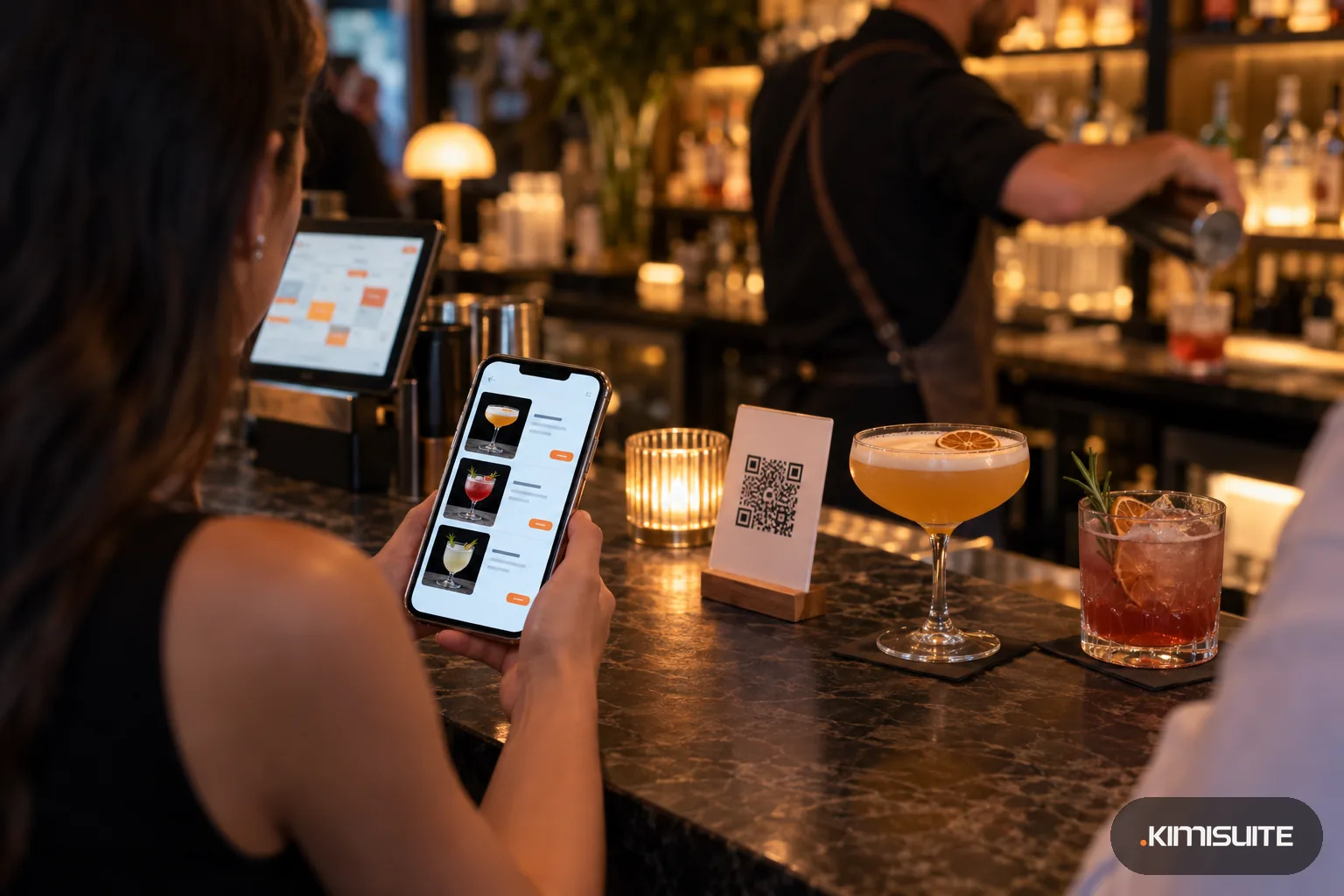
A digital drink menu earns its place when it handles what a bar pours: wine by the glass and by the bottle, beer in two sizes, spirits by the measure, cocktails that change with the season. In Restaurant Hub you create a category of the Drinks type, give it a size set such as Glass and Bottle or Half and Pint, and enter each drink once with a price per size, a photo, a description and its allergens and additives. Guests scan the code on the table and open your QR menu, with food and drinks on separate tabs and a dark mode for dim rooms.
Bars change their list more often than restaurants do: a keg runs out, a guest spirit arrives, a cocktail comes off the list for winter. Mark a drink sold out or disable it in a tap and the menu follows. Show the price per liter next to a drink if your market asks for it, keep a separate wine list category, and use menu management to sort categories in the order you serve them. Price a new cocktail with the pour cost calculator before it goes on the list. Restaurant Hub takes no orders: guests order at the bar or from your team, as they do now.
What you get
Glass, bottle, half and pint
Size sets per category with labels up to ten characters: Glass and Bottle for wine, 0.3 l and 0.5 l for draught, 2 cl and 4 cl for spirits. One drink, every size, one line.
A digital drink menu with a dark mode
Guests switch the menu to dark with the moon in the footer. In a low-lit bar the list stays readable and the screen does not light up the table.
Sold out when the keg runs dry
Mark a drink sold out and it stays on the list as gone; disable a seasonal cocktail and it leaves the menu until you bring it back.
Price per liter where it is required
Switch on the price per unit for a size set and the menu shows the base price next to the drink, for markets that ask for it.
Event nights on the menu
Quiz night, live music or a tasting: a promotion with picture, text, button and event date sits on the menu while it runs. Part of the Professional plan.
Additives and allergens on drinks
13 additives and 14 allergens are preset with codes and a legend in every menu language, so sulfites in wine or milk in a cream liqueur are marked on the drink.
Put tonight's drinks on a QR code
Open Restaurant Hub, create a Drinks category with Glass and Bottle, add your wines and cocktails and print the code for the tables. Guests can scan it tonight.
What a drink list costs you to keep current
Pricing a cocktail from its ingredients? The pour cost calculator shows the cost per drink and the price you need.
- A new cocktail list
- paper: design and reprint; Restaurant Hub: add the drinks, the QR code stays
- A keg or a wine runs out
- sold out in a tap, no crossing out on the card
- A price change from the supplier
- change it once, every table shows it
- Your bar team
- the whole bar team in one workspace, at one price, however many bartenders log in
How to get started
Add Restaurant Hub and set up the bar
Add the app to your KIMISUITE workspace, choose your language, currency and opening hours, and upload your logo for the menu.
Create drink categories with sizes
Make categories such as Cocktails, Wine, Draught and Spirits of the Drinks type, each with its size set. Add every drink once with prices per size.
Pick a menu design
Choose Elegant for a wine bar or Original for a pub, set colors from the palettes and check the contrast score so the list reads well in the dark.
Print the code for tables and bar
Save the code as a PDF, PNG or JPG and print it on table tents, coasters and the bar counter. The code always opens the live list.
Pricing
Restaurant Hub starts at a fixed monthly price (see pricing) for your bar's workspace. Drink sizes, allergens and additives, menu languages, currencies, the QR menu and the website menu widget are part of every plan.
Event-night promotions, daily offers and a menu address with your bar's name come with Professional; a printable drink list with Enterprise.
Is it the right fit?
A good fit if
- Cocktail bars that change their list with the seasons
- Wine bars that sell by the glass and by the bottle
- Pubs with draught beer in two sizes and a food menu on the side
- Bars with quiz nights, live music or tastings to promote
Not the right fit if
- Bars that want guests to order rounds or run tabs from the QR menu: Restaurant Hub takes no orders, online ordering belongs to Gastro POS Hub
- Venues looking for stock or keg level tracking
- Bars that need age checks or door control
- Clubs that want vouchers or drink tokens
Frequently asked questions
How do I create a digital drink menu for my bar?
Can I list wine by the glass and by the bottle?
Is the menu readable in a dark bar?
Can guests order a round from the menu?
Can I show our cocktails on a screen behind the bar?
Can the drink list be in English for visitors?
Read next
- Related solutionsDigital menu for cafes and coffee shops, from the first espresso to the last sliceSmall, regular and large on one line, the cake photos that sell the slice, and the lemon tart marked sold out the moment the last piece goes. One QR code on the table, always the menu of today.
- Related solutionsAllergen menu for restaurants that stays right when the recipe changesThe allergen folder behind the bar is out of date the day the chef swaps the dressing. Keep allergens on the dish itself, and every menu your guests read shows the same, current marks.
- Related solutionsRestaurant menu translation that keeps up with your kitchenThe English menu is always one season behind the local one, and the German one two. Keep one menu with every language attached, and a new dish reaches every guest in their own language on the same day.
- From the blogThe Menu Reprint Problem: Why Your Printed Prices Are Always WrongAlmost every printed menu carries at least one price that is no longer true. Not because anybody is dishonest, but because reprinting is a p...
- From the blogYour QR Menu Is Probably a PDF. That Is the Problem.Scan your own code and watch what happens: an A4 page opens on a phone screen, and the guest pinches and drags their way to the starters. Th...
Ready when you are
Set it up in your own workspace and see how it works with your data.
- Cancel anytime
- No long-term contract
- 14 days free
