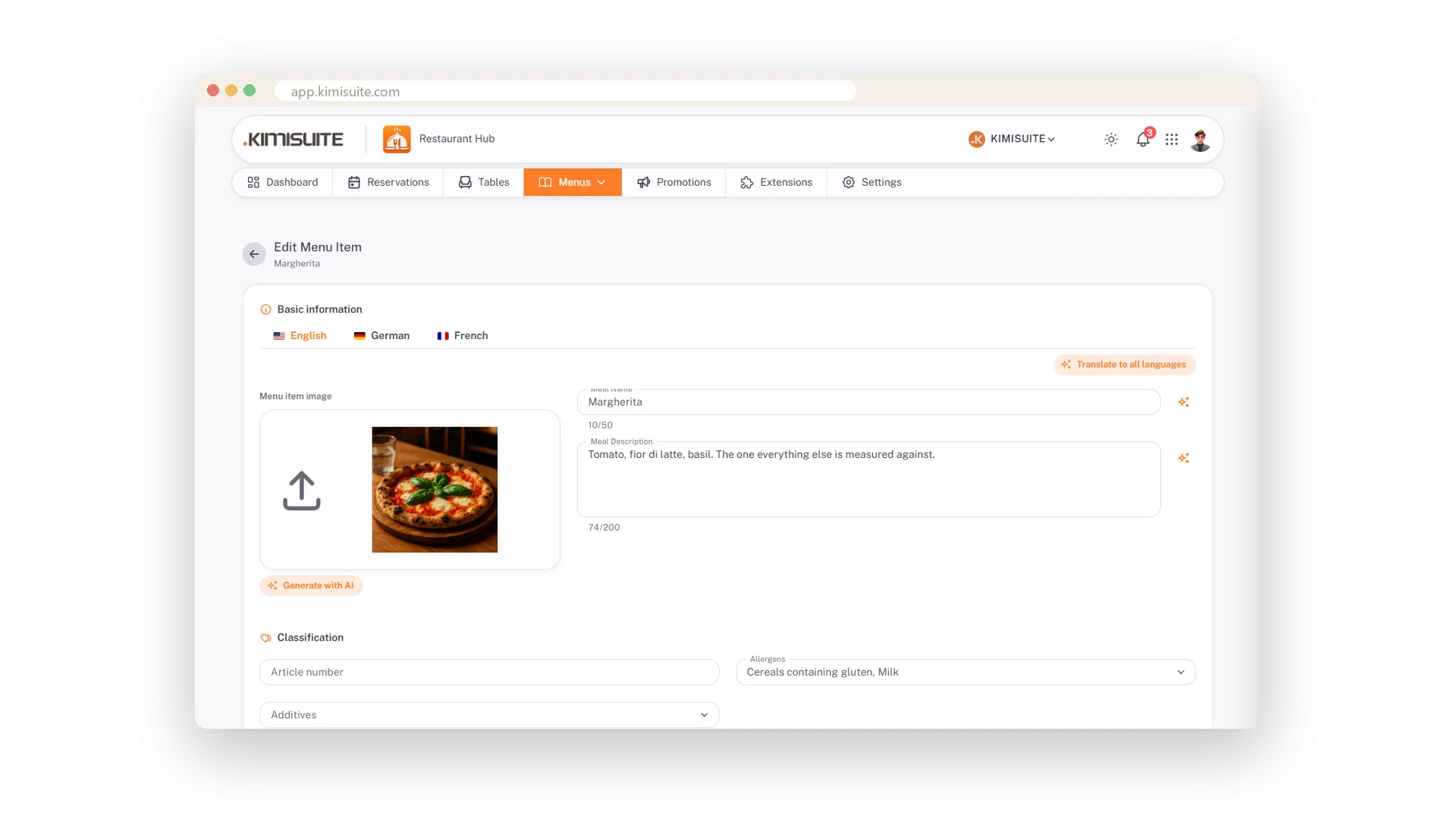
Type a dish once and it is everywhere: on the QR menu in your guests' hands, on the printed card, on your website, in today's offers, on the screens in your restaurant and ready for the AI assistant. Photo, description, allergens, sizes and a price in every currency you sell in - all on one card, all kept in one place.
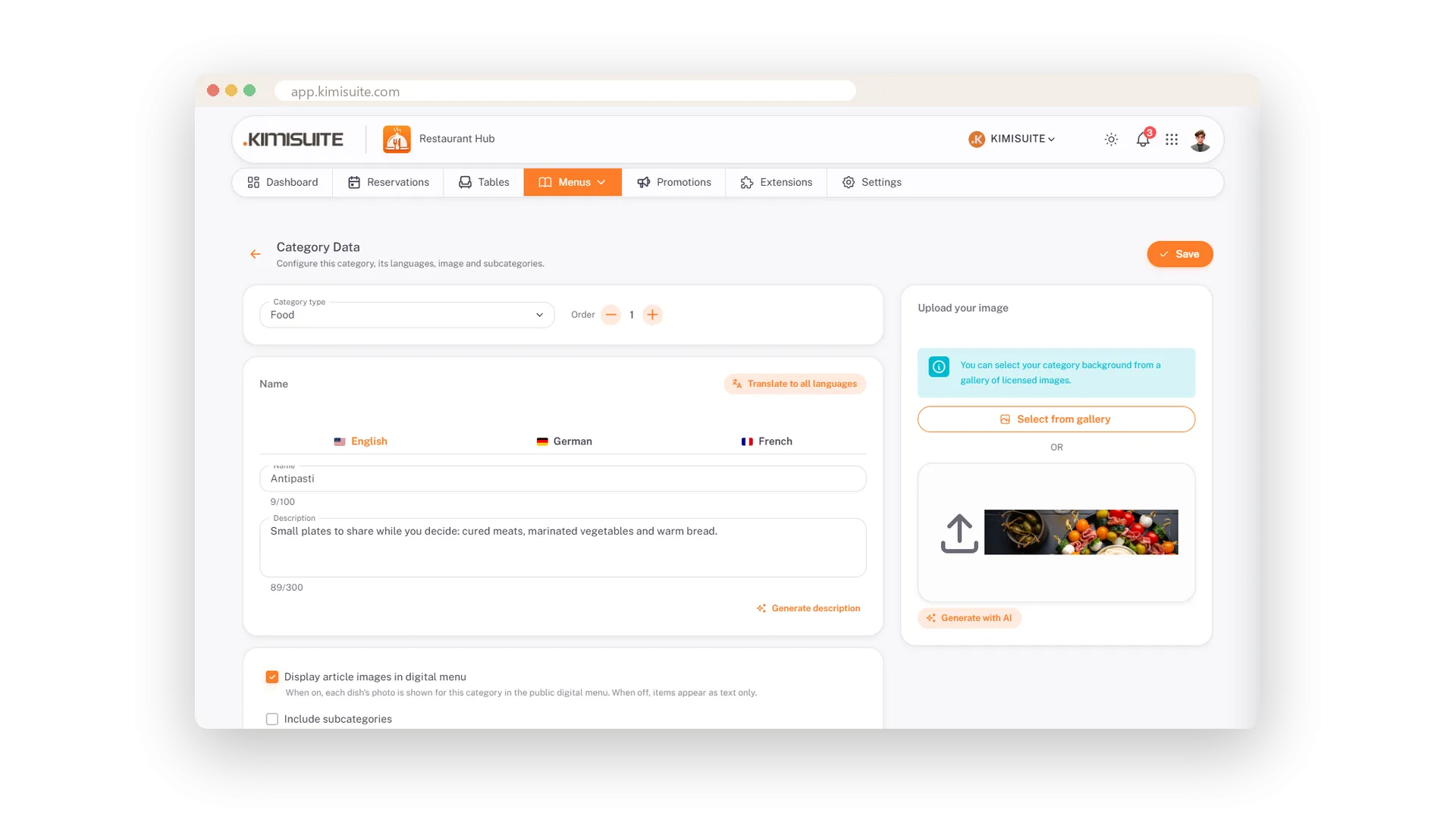
Building the menu is quick. Categories come with a gallery of 123 licensed photos, so even a menu without a single photo of your own looks finished on day one. Pizzas get 30 and 40 cm, wine comes by the glass or the bottle, each with its own price. And when the sea bass is gone at nine o'clock, one switch greys it out on every menu at once.
Key Benefits
One entry feeds the QR menu, the printed card, your website, your TV screens and the AI assistant
123 licensed category photos built in - your menu looks finished before you take a single picture
Sizes with their own price: pizza in 30 and 40 cm, wine by the glass or the bottle
Sold out with one switch, everywhere at once
Categories that look finished from day one
123 licensed photos, your own upload or an AI image
Give every category a header photo in seconds: pick one of 123 licensed images sorted by theme, upload your own or let the AI paint one. Order the categories the way you serve, and split a big one into sections when the menu grows.
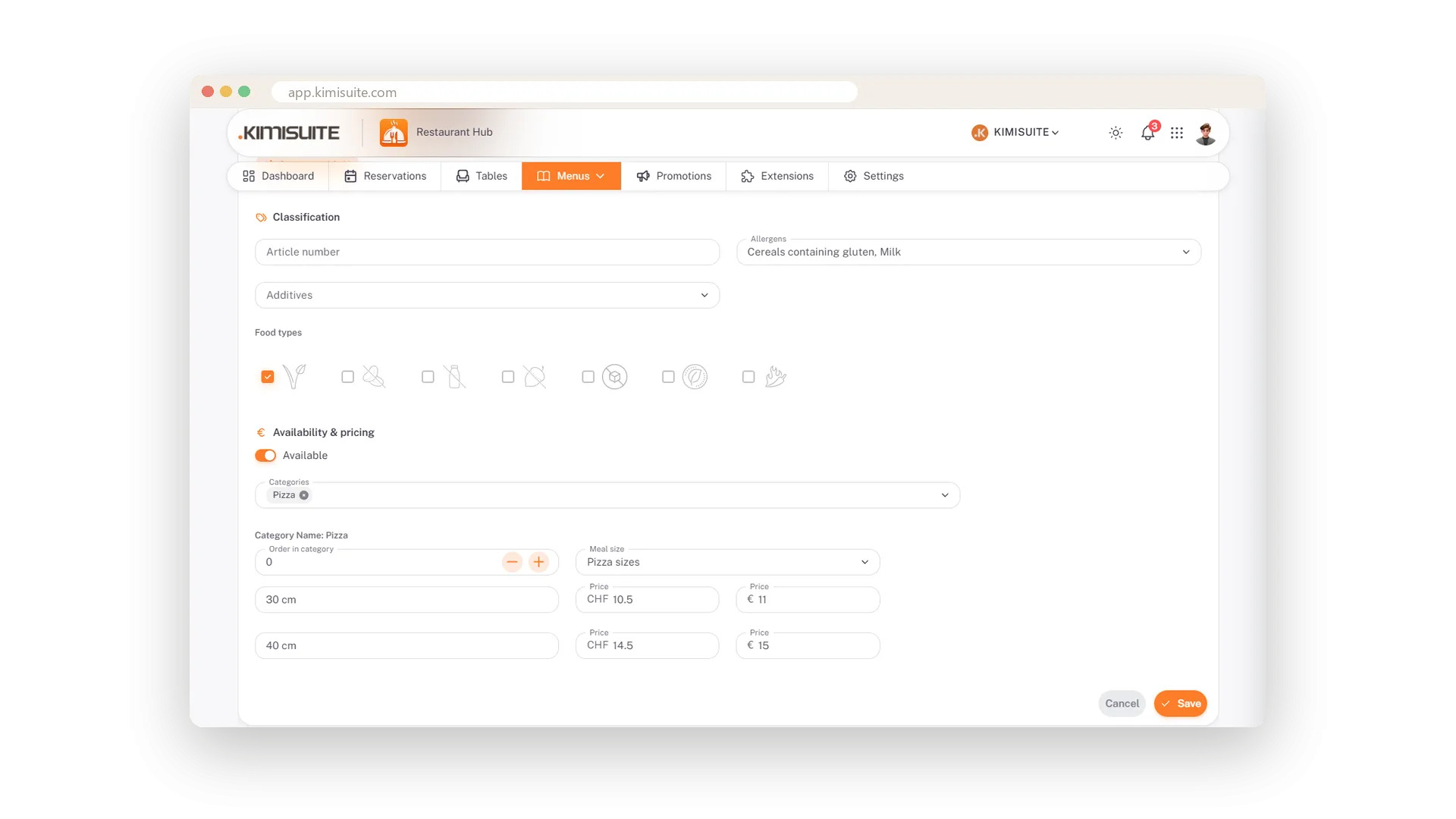
A price for every size
Pizza in 30 and 40 cm, wine by the glass or the bottle
Define sizes once per category and every dish in it asks for a price per size. Your guests see 30 cm and 40 cm side by side, glass and bottle on one line - and you never explain a price on the phone again.
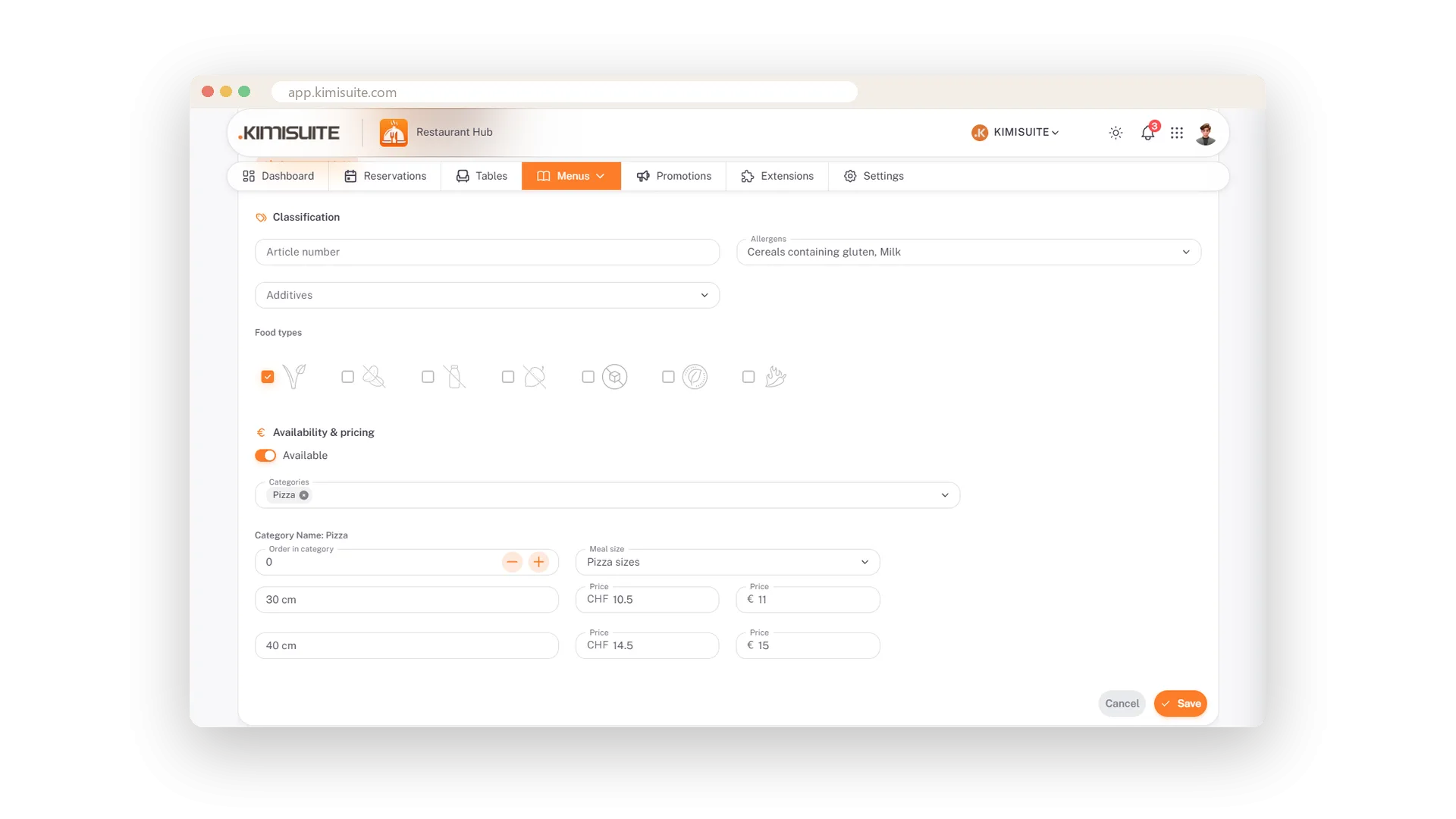
Prices in every currency you take
CHF and EUR side by side, each price set by you
Add a second or third currency and every dish gets a price field for it. You decide the figure, so 14.00 CHF stays 14.50 EUR and not a converted 14.37 - and the guest menu shows both.
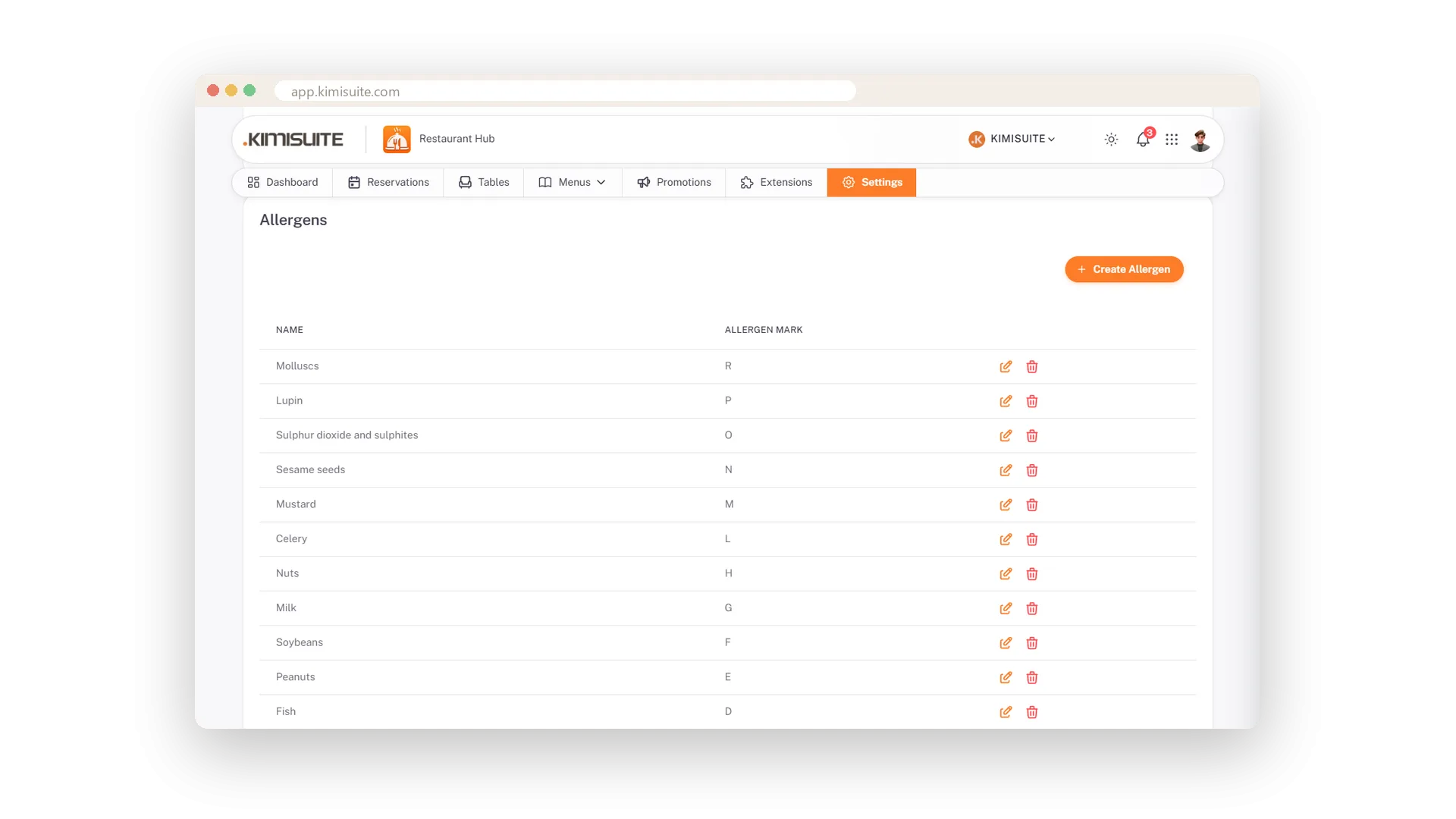
Allergens on every menu, automatically
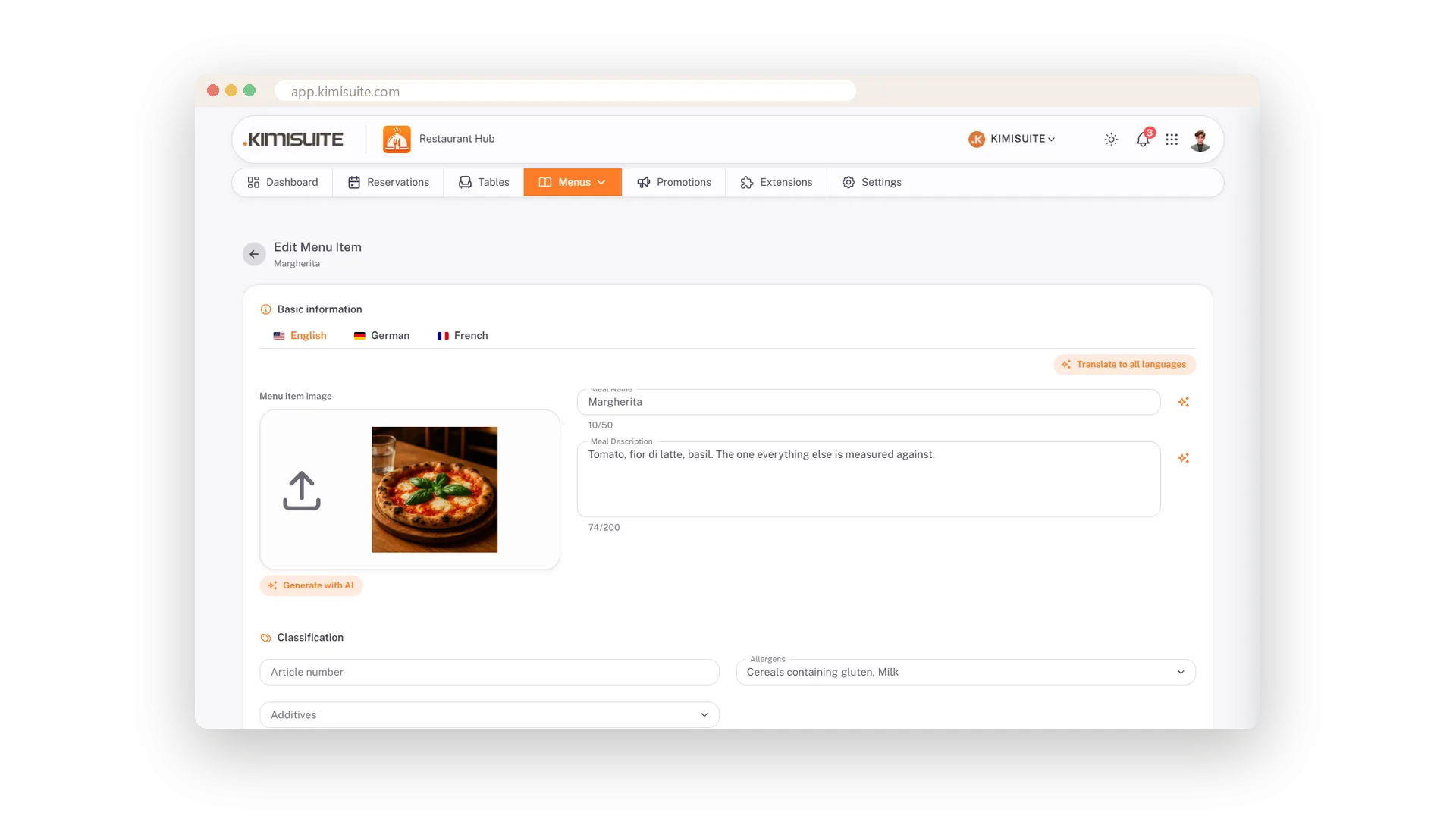
Tick them once per dish; the letters and the legend follow
Tick the allergens once per dish and every menu shows them: the letter next to the name, the legend below, in every language your guests read. The 14 EU allergens arrive with their letters A to R and the 13 additives with the numbers 1 to 13 - the codes guests know from menus in Germany and Austria. Change a code or add your own, and no letter is ever used twice.
Vegetarian, gluten-free, spicy - at a glance
Seven icons your guests understand without asking
Tick vegetarian, nut-free, dairy-free, gluten-free, sugar-free, raw or spicy on a dish and the icon appears under it on the QR menu and on your website, with a legend that explains it. Guests find what suits them without waving for a waiter.
Sold out with one switch
Greyed out on every menu, back tomorrow with the same switch
Two switches on every dish: sold out keeps it on the menu, greyed out, for the evening the last portion is gone; deactivated takes it off entirely. Your dashboard counts what is available tonight.
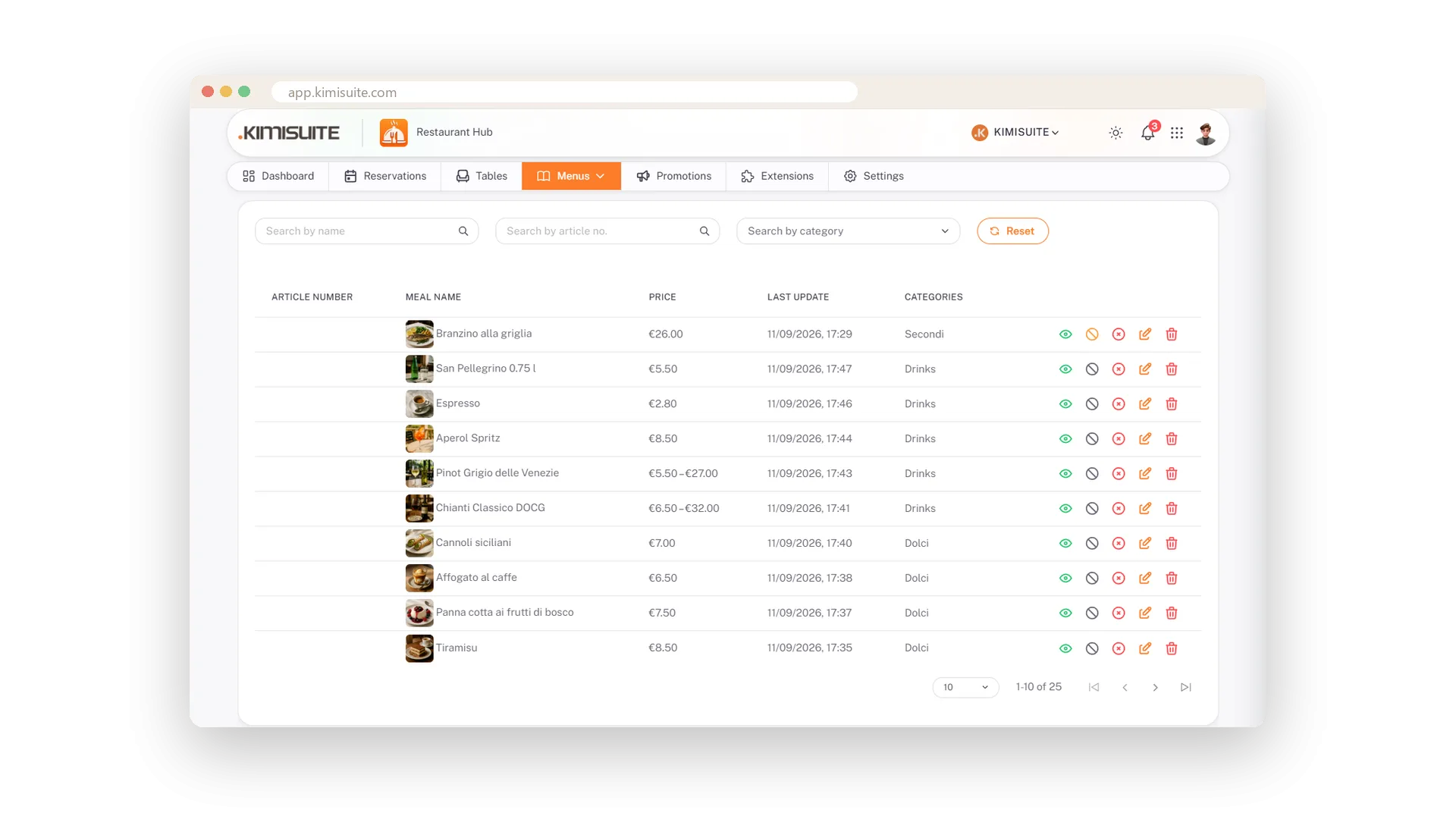
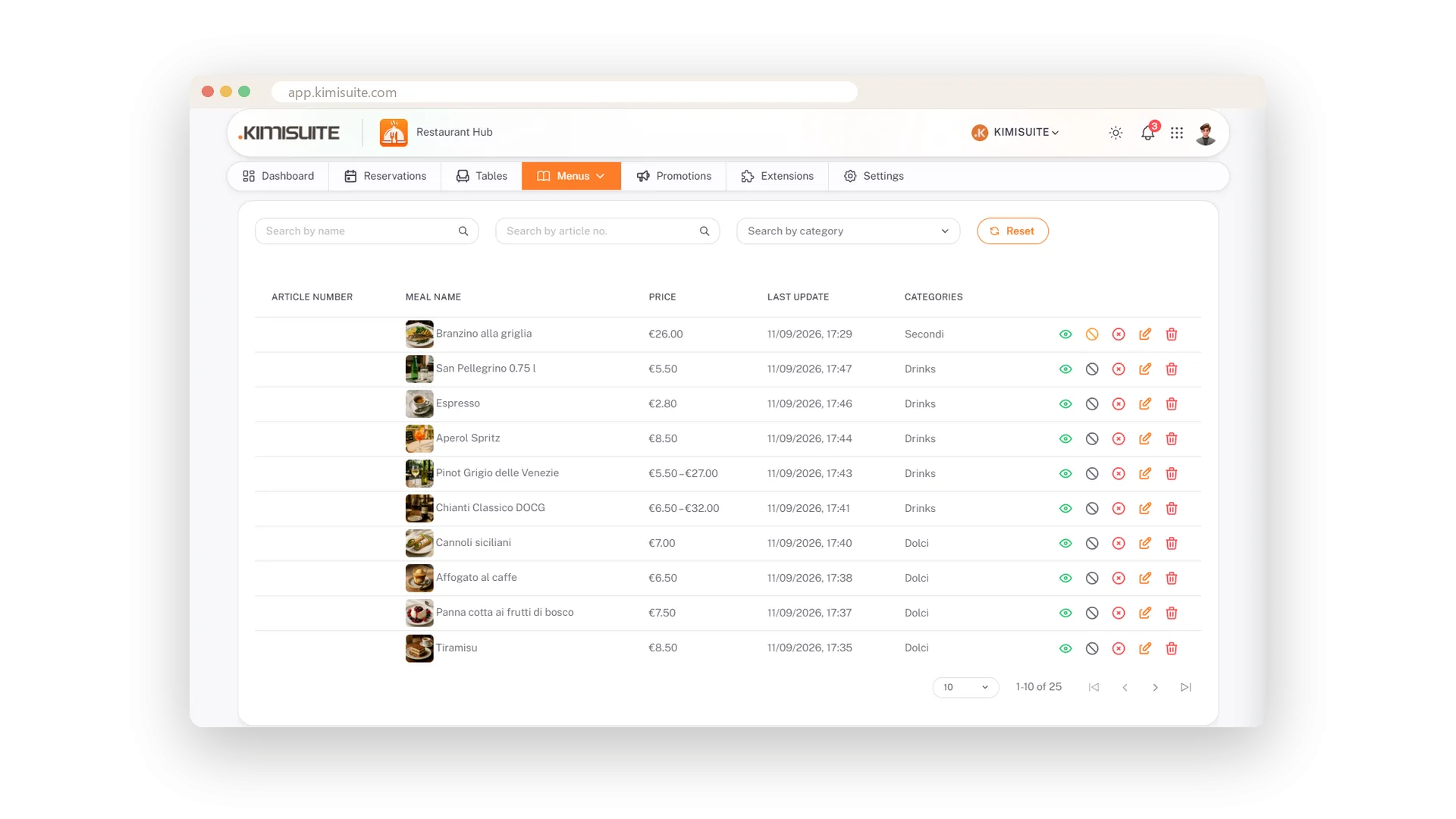
Find any dish in a second
Search by name, number or category, with a guide on top
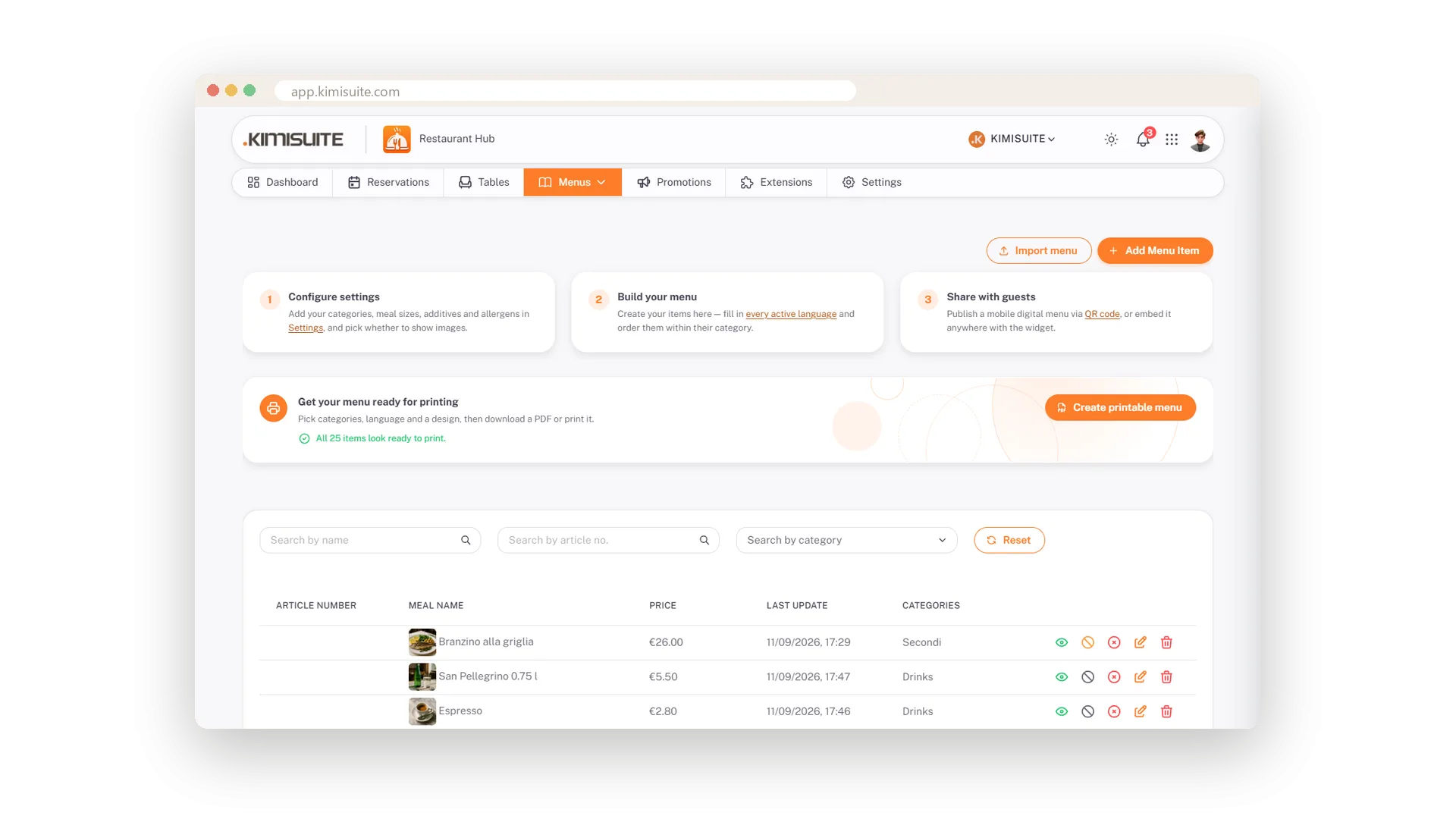
A long menu stays easy to work with: search by name, article number or category, see prices at a glance and the last change per dish. A three-step guide above the list shows the way from your first category to the live QR menu.
Bring your existing menu in
Import instead of retyping, then add the photos
You already have a menu? Import it and start from a full list instead of an empty one. Then add photos, allergens and sizes where you want them. Included from the Professional plan.
Your menu on the screens in your restaurant
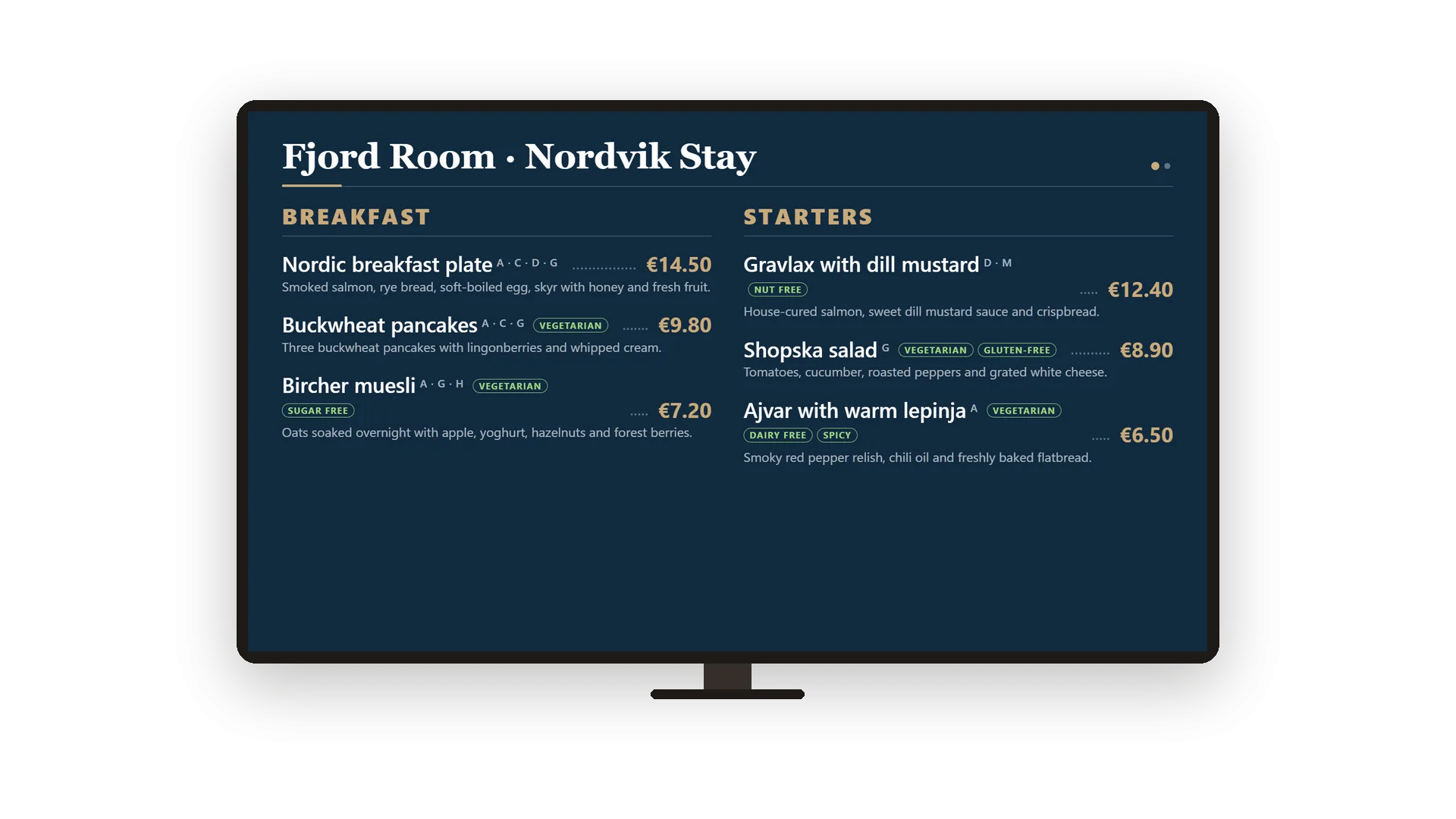
Dishes, daily offers and promotions as TV slides
Add Showroom TV to your workspace and your menu, today's offers and running promotions become slides for the screens above the bar or in the window. Change a price here and Showroom TV has it within seconds - the screens show it with their next update, at exactly the price you typed.
Badges, calories and spice level
New, Popular or Chef's pick - with calories and spice level
Mark a dish as New, Popular or Chef's pick, add calories and a spice level. The QR menu and the widgets show them.
Use Cases
Building the menu on day one
Create your categories, pick a photo from the gallery for each, add your dishes. A short guide above the list walks you to the live QR menu, and a menu you already have comes in with the import.
The sea bass is gone at nine
Flip the sold-out switch. The dish stays on the menu, greyed out, and comes back tomorrow with the same switch - no guest orders what the kitchen cannot serve.
Two prices for every pizza
Give the Pizza category its sizes once. Every pizza asks for a price per size, and the guest menu shows both side by side.
FAQ
Try Restaurant Hub today
Enter your menu once - serve it on the phone, on paper, online
14 days free, cancel anytime, no minimum term.
