 Vehicle Hub
Software for independent car dealers who sell from the forecourt, not from a franchise manual
Keep every car in one place, with its photos, price and history. Your website, your ads and your enquiries all work from that same stock, so nobody calls about a car you sold last week.
- Cancel anytime
- No long-term contract
- 14 days free
What it looks like in practice
8:30, a part-exchange comes in
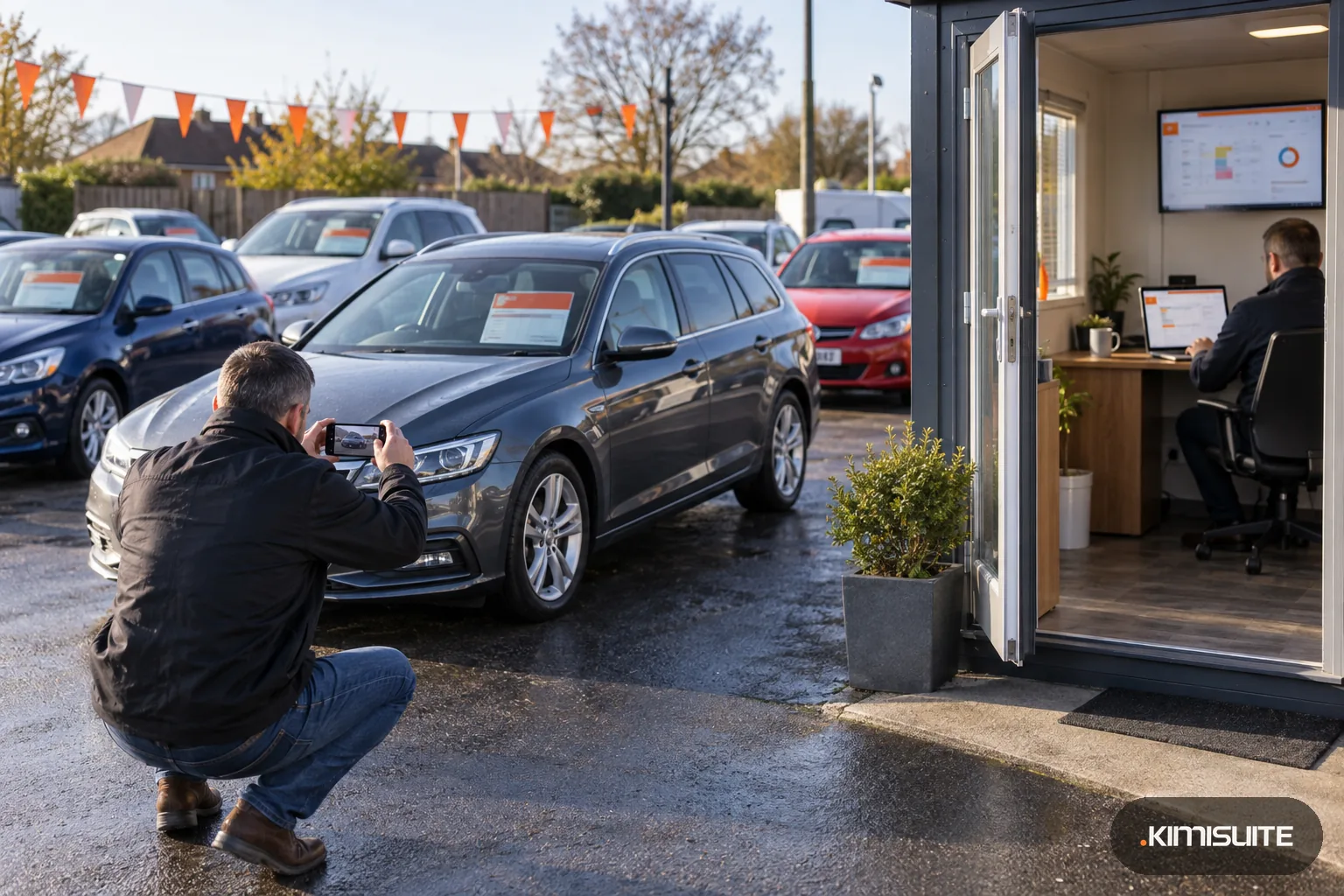
The estate from yesterday's deal is detailed. You photograph it on the forecourt, run through the creation assistant and the car is in stock, with your watermark on every picture, before the first coffee.
10:00, the price drop
The hatchback has stood for sixty days. You lower the price once in Vehicle Hub, and your website shows the new figure on the next page load. The buyer who saved the link last week sees it too.
13:15, an enquiry with the car attached
A buyer asks about the SUV from your website. The enquiry arrives by email and in CRM Business Hub with the car named, so the salesperson replies without looking anything up.
16:00, the test drive is on the calendar
The buyer booked a free slot online. The car was already out on another test drive at three, so the calendar only offered times that were really free, and the buyer got a reminder the day before.
Software for independent car dealers has to fit a yard where the owner also buys, photographs, prices and answers the phone. Vehicle Hub keeps your whole stock in one list: cars come in through the creation assistant or are imported from mobile.de, your dealer system (CXO, Carix, CarGate/Carzilla) or a CSV or XML feed. Each car carries its photos, its price and the details your market requires; in Germany that includes the Pkw-EnVKV energy values and the CO2 label as a PDF. Prices, photos and status changes are made once, in one place.
From that stock, everything that sells the car follows. The Vehicle Hub widgets put a search, the full stock list, a slider and a page per car on your own website. Mark a car as sold and it leaves the website, so nobody calls about the estate that went last week. Buyers book test drives online, and their enquiries land in CRM Business Hub with the car attached. When a buyer cannot decide between financing and paying cash, send them the lease vs buy calculator.
What you get
One stock list for the whole yard
Cars, vans and anything else you sell sit in one list with photos, prices and status. The creation assistant walks you through a new car step by step.
Import from the systems you already use
Import from mobile.de, several dealer systems (CXO, Carix, CarGate/Carzilla) or a CSV or XML feed by URL. Vehicle Hub keeps the imported cars in step with the source.
Your cars on your own website
Search, stock list, slider, contact and a comparison of two cars, as widgets for any website. Every car gets its own page address and goes into your sitemap.
Labels and exposés on paper
Print an exposé of any car as a PDF for the buyer who wants something to take home, and in Germany the Pkw-EnVKV CO2 label for the cars on the forecourt.
Test drives without double bookings
A calendar with free times, clash checks, online booking and reminders. Your salespeople see who is coming for which car.
Every lead with the car attached
Every enquiry from your website arrives by email and in CRM Business Hub, with the car the buyer asked about. Quotes and follow-ups happen where the customer record already is.
Put ten cars in and look at your yard online
Import your stock or add ten cars by hand, add the stock widget to a page and book yourself a test drive. That is the whole loop a buyer will see. It takes an afternoon, and nothing goes live on your website until you place the widgets.
How to get started
Set up your software for independent car dealers
Create a KIMISUITE workspace for the dealership and add Vehicle Hub. The 14-day trial is long enough to load the yard, set up the website and invite the people who sell.
Bring in your stock
Connect mobile.de, your dealer system (CXO, Carix, CarGate/Carzilla) or a CSV or XML feed, or add cars with the creation assistant. Set your watermark for the photos.
Put the cars on your website
Create the search, stock, car page and contact widgets in Widget Creator and paste the code into your site. Set up your test drive times.
Answer enquiries and book test drives
Set your test drive hours and, if you use CRM Business Hub, connect it for your leads. From then on, a price change in Vehicle Hub reaches your website, and every enquiry arrives with the car named.
Pricing
Vehicle Hub is priced per dealership workspace and starts at a fixed monthly price (see pricing). The owner, the sales staff and the person who photographs the cars all work in it for that one price.
Watermark, PDF and label tools come with every plan. The only paid extra is Multi Branch, for dealers with a second site.
Is it the right fit?
A good fit if
- Independent used-car and multi-brand dealers with one site
- Dealers who already use mobile.de or a dealer system as their main tool and want their website to follow it
- Dealers in Germany who need Pkw-EnVKV labels for new and pre-registered cars
- Dealers who want test drives booked online without double bookings
Not the right fit if
- Franchise dealers who need the manufacturer's dealer management system
- Dealers who want listings created on other portals from KIMISUITE; Vehicle Hub publishes only to mobile.de, using the dealer's own mobile.de Seller API account, with every export starting in test mode until the dealer switches it live
- Dealers looking for workshop job cards or bookkeeping in the same tool
- Dealers who sell mainly through auctions or trade-to-trade platforms and have no use for a retail website
Frequently asked questions
What does software for independent car dealers need to do?
Can I keep using my dealer system?
Will Vehicle Hub work with the website I already have?
How do enquiries reach my sales team?
Does it handle German labeling rules?
What if I have two sites?
How is Vehicle Hub priced?
Can my photos carry the dealership logo?
Read next
- Related solutionsShow mobile.de listings on your website, with a search and a page for every carYour cars already live on the portal. Vehicle Hub brings them onto your own site, keeps them in step with the source and sends every enquiry to you, not to a marketplace inbox.
- Related solutionsCar dealer website builder: your dealership online tonight, with the cars on your yardTell trettly about your dealership and it builds the pages, or rebuilds the site you have. Place your Vehicle Hub widgets with one click, and the cars on the site follow your stock.
- From the blogPriced per Workspace, Not per User: What It Means for a Team of 12Per-user pricing adds a line to the bill with every hire. Per-workspace pricing moves in steps. A worked example for a team of 12, including...
- From the blogWhy AI Needs Your Website (And the "It Will Find Me Anyway" Myth)Many businesses now believe AI will find them without a website. The opposite is true: without a website, AI either says nothing about you —...
Ready when you are
Set it up in your own workspace and see how it works with your data.
- Cancel anytime
- No long-term contract
- 14 days free
