A 30-minute weekly sync for six people, at an average salary of €42,000, costs about €70 every time it happens and roughly €3,360 over 48 working weeks. In many small businesses a good part of that meeting exists for one reason: the information the team needs sits in nine different tools, and the meeting is where it gets put back together.
That is the less visible side of how small teams pay for software. The visible side is the subscriptions. This post looks at both, with a worked example, and is honest about where a single workspace helps and where it does not.
How the meeting number is calculated
The figure above comes from the meeting cost calculator. The method is simple:
| Input | Value |
|---|---|
| Attendees | 6 |
| Average annual salary | €42,000 |
| Working hours per year | 1,800 (about 225 days of 8 hours) |
| Hourly cost per person | €42,000 / 1,800 = €23.33 |
| Meeting length | 30 minutes |
| Cost per meeting | 6 × 0.5 h × €23.33 = €70 |
| Per year (48 weeks) | €3,360 |
This counts salary only, not the work that does not happen while people sit in the meeting. Not every weekly sync is waste, of course. But if half of it is spent asking "where is the latest version", "did the client confirm" or "who has the number", that half is a cost of fragmented tools.
The typical stack of a six-person business
Take an example: a small interior design studio with six people. Over the years it has collected one tool per need:
| Need | Tool type | Pricing model (typical) |
|---|---|---|
| Customers and invoices | CRM or invoicing software | Per user |
| Online appointments | Booking tool | Per user or per calendar |
| Projects and tasks | Task board | Per user |
| Video calls | Meeting software | Per host or per user |
| Email signatures | Signature tool | Per user |
| Shared calendar | Calendar service | Often part of an email suite |
| Shared contacts | Address book | Often part of an email suite |
| Notes | Notes app | Free or per user |
| To-do lists | To-do app | Free or per user |
Nine tools, nine logins, nine sets of terms, and in most cases nine renewal dates.
What nine subscriptions really cost
The subscriptions themselves
Per-user pricing multiplies. For an illustration we use an assumption, not the price of any real product: suppose five of the nine tools are paid and average €10 per user per month, and four run on free plans.
- 5 tools × 6 users × €10 = €300 per month, or €3,600 per year
- Hire a seventh person: €350 per month, without any new function
Your own numbers will differ. The point is the structure: every tool that charges per user raises the bill with every hire.
The costs that are not on any invoice
- Admin. Nine invoices a month means 108 receipts a year to file, check and book.
- Onboarding and offboarding. A new colleague needs nine accounts. Someone who leaves must be removed from nine tools, and the one that gets forgotten still holds customer data.
- Duplicate data. The same client exists in the CRM, the booking tool, the task board and someone's phone, each with a slightly different phone number.
- Coordination. The weekly sync that stitches everything together, priced above at €3,360 a year.
The alternative: one workspace, several apps
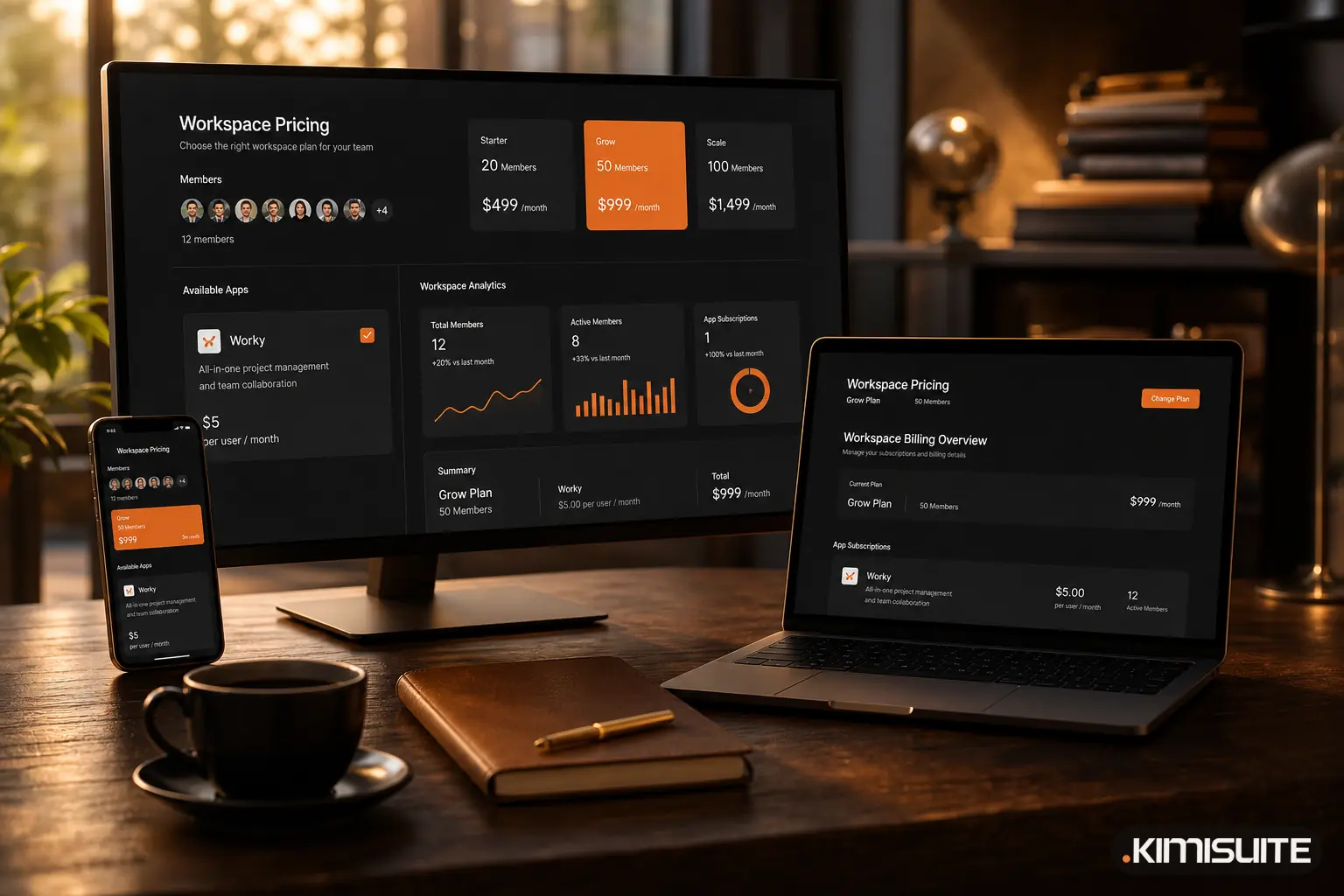
In KIMISUITE the model is different: the workspace is free, and you add the apps you need to it. Billing is per workspace, not per user, and 10 members are included from the first paid app.
For the design studio, the same needs look like this (as of September 2026, EUR per month, entry plans):
| Need | KIMISUITE app | From |
|---|---|---|
| Customers and invoices | CRM Business Hub | €29.90 |
| Online appointments | Service Manager | €9.90 |
| Projects and tasks | Task Hub | €8.90 |
| Video calls | Meeting Hub | €9.90 |
| Email signatures | Email Signature | €4.90 |
| Shared calendar | Calendar | free |
| Shared contacts | Contacts | free |
| Notes | Notes | free |
| To-do lists | ToDo | free |
| Total for 6 people | from €63.50 |
The seventh, eighth and tenth hire cost nothing extra. From the eleventh member, the workspace adds the Grow tier (up to 20 members) from €11.90 per month, once for the whole workspace and not once per app.
Beyond the price, the practical difference is that the apps share one workspace: one login, one team list, one place where the owner decides which apps are active. Tasks with a deadline from ToDo appear in the calendar, and the shared address book reaches every phone through CardDAV. We described the four free apps in the free core of every workspace.
Where the comparison is less clear
A fair comparison has to include the cases where a set of individual tools, or a different kind of bundle, is the better fit.
- You already pay for an email suite. If your office package includes calendar, contacts and video calls, those rows cost you nothing extra today. The free KIMISUITE apps do not save you money there. The comparison then comes down to the remaining specialist tools.
- Entry plans have limits. The prices above are the entry plans. If you need functions from a larger plan, the app price goes up, independent of team size.
- A specialist tool can be deeper. A product that does only one thing, for example only video meetings or only project management, may offer more in that one area. If one function is at the centre of your business, test it carefully.
- All-in-one flat prices. Some products bundle many functions at one flat price. If you really use all of them, that can be simpler to budget than adding apps one by one. KIMISUITE works the other way: you pay only for the apps you use, which suits teams that need four or five functions, not all of them.
- Switching has a cost. Moving customers, open invoices and appointments takes time. Plan it; do not do it in the middle of your busiest month.
- Very small teams. A single person using one or two tools on low per-user prices may pay less than an app's entry plan.
A single workspace is not automatically cheaper. It tends to pay off when the team grows, when several people need real access, and when the same customer data would otherwise live in several tools.
How to decide for your own business
An hour with a spreadsheet is enough:
- List every tool you pay for, including the ones someone pays for privately.
- Note the pricing model of each: per user, per host, flat, free plan.
- Count real users per tool, not seats bought.
- Mark overlaps: where does the same customer, contact or appointment live twice?
- Price the coordination: put your weekly sync into the meeting cost calculator.
- Build the alternative: which apps would cover the same needs, and at which plan?
- Add the switch: how many hours would the move take, and when is a quiet month?
If the result is close, the deciding factor is usually not the price but the number of places your team has to look.
Work it out with your own numbers
The current prices of every app and the member tiers are on the KIMISUITE pricing page, in your currency. The free apps are there from the start, and every paid app has a trial: Cancel anytime · No minimum term · 14 days free.