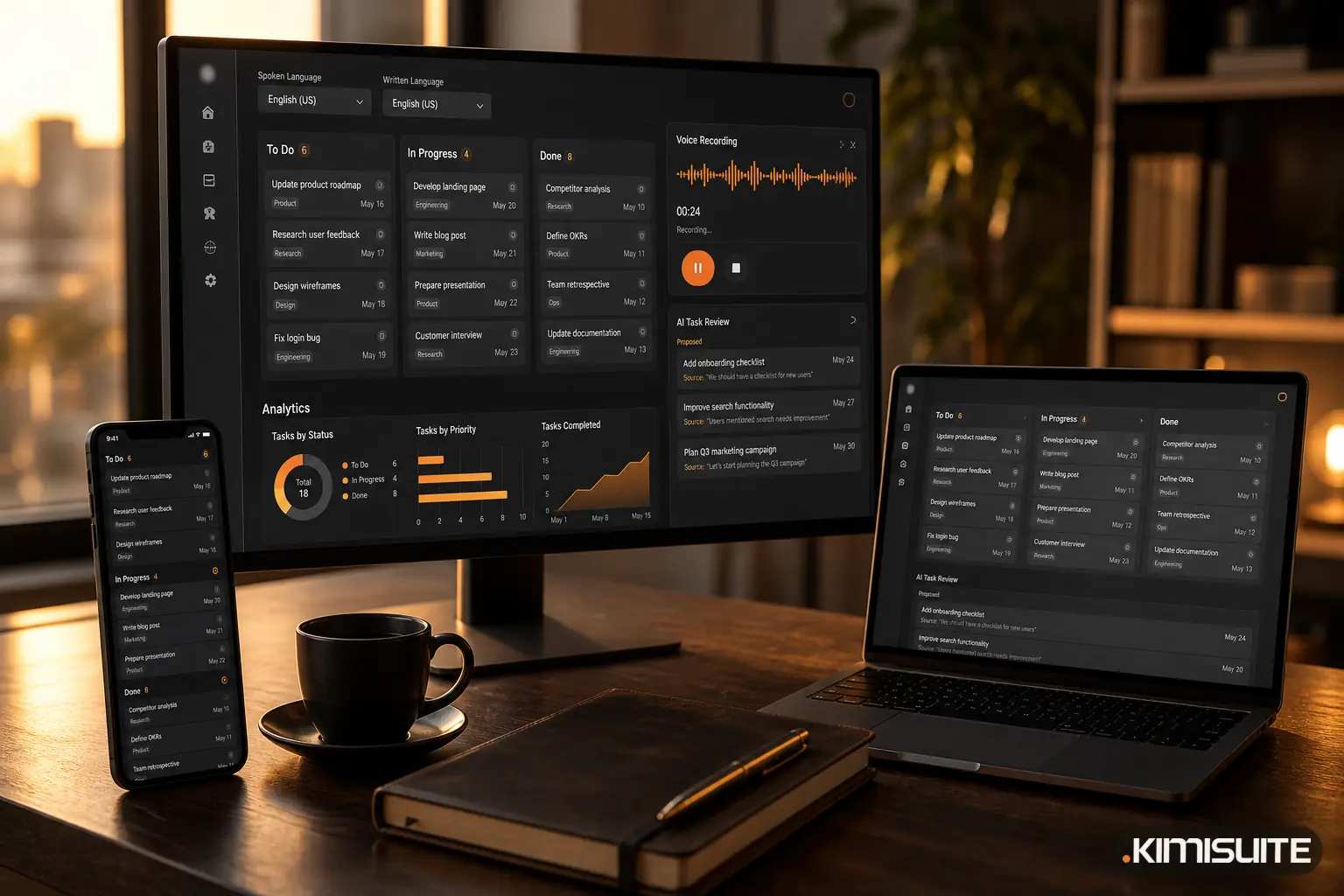
AI is most useful in a small business when it works on the record you already have open, the receipt, the lead, the support ticket, the task, and proposes something you check before it counts, rather than living in a separate chat window you copy things into and out of.
That sounds obvious. In practice, most small teams use AI the other way round.
The copy-paste tax
Here is how AI usually enters a small business. Someone opens a general chatbot in a browser tab. They paste in a customer email and ask for a reply. They type out a receipt to get the numbers sorted. They paste meeting notes and ask for a to-do list. Then they copy the result back into the invoicing tool, the helpdesk or the task board.
Each round trip is small. Added up, it is not. Take an example company: a building services firm with six people.
| Task | Per month | Copy, paste and retype per item | Time per month |
|---|---|---|---|
| Supplier receipts and bills | 120 | 3 minutes | 6 hours |
| Long support threads to answer | 40 | 5 minutes | 3 hours 20 minutes |
| Meeting and site notes to turn into tasks | 20 | 10 minutes | 3 hours 20 minutes |
| Total | about 12 hours 40 minutes |
The minutes are assumptions for the example, not a measurement. Change them to fit your business. The point is the shape: the AI answer itself takes seconds, and the moving of text around it takes the time.
The copy-paste tax is not only time. It has three quieter costs.
The AI does not know the context. A general chatbot does not know that this customer has written five times about the same issue, that "Scheduled" is a list on your board, or which supplier a receipt is from. You either explain it every time or accept a generic answer.
Nobody can see what the AI proposed. The draft lives in someone's browser history. If the reply was wrong, or the date on a task was misread, there is no trace of where it came from.
The result lands nowhere. A to-do list in a chat window is not a task. It becomes one only if someone retypes it, and that is exactly the step that gets skipped on a busy day.
What "AI where the work happens" means
The alternative is not more AI. It is AI placed at the point where the record already exists, with four properties:
- It reads the record in front of you. The ticket with its history, the lead with its source, the board with its own lists and labels.
- It proposes, you decide. Nothing is written into your books or onto your board until a person accepts it.
- It shows its reasons. A score comes with reasons, a date comes with the words it was taken from, a supplier match comes with a confidence value.
- It knows its limits. Where a wrong answer could cause harm, it says it cannot answer instead of guessing.
That is the standard we hold our own AI to in KIMISUITE. All of it is called trettly: the assistant in the Help Center and on the website, and the AI inside the apps.
trettly across the KIMISUITE apps
Here is where trettly works today, app by app, and what stays with you.
| App | What trettly does | What you still decide |
|---|---|---|
| CRM Business Hub: leads | Assesses a lead with a score, reasons, risks and a suggested next step | Whether to call, and what to say |
| CRM Business Hub: support | Summarises a long ticket thread and suggests a reply | What is actually sent |
| CRM Business Hub: finance | Reads photos and PDFs of receipts: number, date, net, tax, gross, line items, supplier with a match score | Whether to turn it into a bill or an expense |
| CRM Business Hub: contacts | Reads a scanned business card into a lead, with hints if the person or company already exists | Whether it is a new lead or a duplicate |
| Task Hub | Turns text, voice or a file into proposed cards with list, label and due date; suggests a next action on a card | Which cards are created and which suggestions apply |
| Restaurant Hub | Writes dish descriptions, puts together chef's recommendations from your own menu, answers guests' menu questions | What goes on the menu and into the daily offers |
A few details are worth knowing.
CRM Business Hub
The lead assessment works next to the rule-based score you set yourself (0 to 100, from source, country, value and similar fields). The rules give you consistency; trettly's assessment gives you a second opinion with its reasons written out, before you pick up the phone.
In the document inbox, receipts arrive by upload or from a connected mailbox. Photos and PDFs are read by trettly. Structured e-invoices are read directly from their data, without AI, because there is nothing to guess. You check the result and convert it with one click.
The AI features in CRM Business Hub run on your workspace's AI credits, so you can see what they use.
Task Hub
AI Task takes pasted notes, a voice recording or a file and returns a review list, not finished cards. Every due date shows the phrase it came from, such as "before Friday", so a misread date is visible before it reaches the board. You can speak in one of sixteen languages and have the cards written in another. AI Task is part of the Business plan; the next-action suggestion on a card is part of Grow and Business.
Restaurant Hub
trettly writes and improves dish descriptions and promotion texts, and Meal AI puts together a chef's recommendation list from your own menu, which you can print or move into the daily offers with one click. Photos of dishes can also be generated, through the AI Image Generator, a separate paid add-on.
On the guest side, the Smart Menu AI waiter answers questions about your menu, only from your menu, in the guest's language. One limit is deliberate and we want it said clearly: the AI waiter does not answer allergen questions. Asked which dishes are gluten-free, it says it cannot confirm that. Allergen information stays where it belongs, on the menu itself with its allergen marks, and with your staff.
An honest word on limits
AI suggestions are not identical every time. Run the same notes through twice and one run may set a due date that the other leaves in the description. That is exactly why every trettly feature that writes into your records ends in a review step rather than an automatic write.
trettly also does not act on its own. It does not send emails, post bills or move cards without a person confirming. If you are looking for software that runs your business unattended, this is not it. If you want the typing, reading and summarising taken off your plate while the decisions stay with your team, it is built for that.
Back to the example
For the six-person firm above, the difference is not that AI got faster. It is that the round trips disappear. The receipt is read where it is filed. The ticket summary appears on the ticket. The site notes become cards on the board they belong to. On our example numbers, that is most of the nearly 13 hours a month, and the result lands where the work already is.
The same assistant also helps inside the workspace itself, with its own place in the Help Center and in the mobile dock. We described that in trettly inside your workspace.
Where to start
Pick the app where your team retypes the most, whether that is receipts, support threads or task notes, and start there. You can see every app in one place on the KIMISUITE apps page. The workspace is free, and each app you add has its own trial: Cancel anytime · No minimum term · 14 days free.