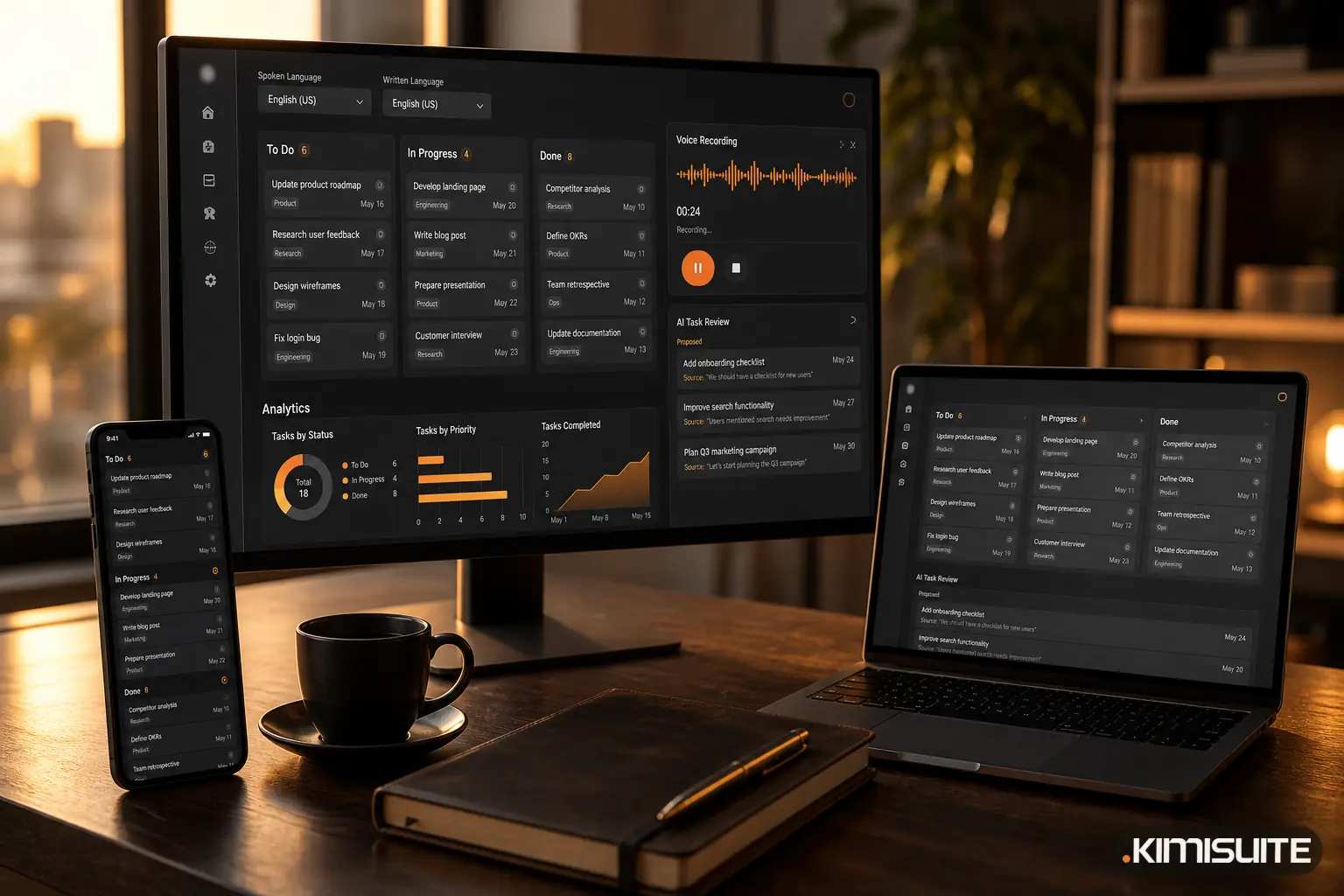
The meeting ends, and the decisions are in a page of notes, a chat thread or someone's head. Getting them onto a board as proper tasks is the step that usually gets skipped. Task Hub, the task board app in KIMISUITE, now has its own pages on kimisuite.com, and the part worth a closer look is AI Task: trettly turns what you say or paste into cards you check before they are created.
Four ways in
AI Task opens from any board. You choose how to hand over the work:
| Route | What you give trettly |
|---|---|
| Text | Paste meeting notes, a team chat thread or your own brain dump |
| Voice | Press record and say what needs doing, by whom and by when |
| File | Upload a text, PDF, Word or audio file |
| From Meeting Hub | Start from a meeting's summary and transcript, if Meeting Hub is in your workspace |
The voice screen shows a few examples of what to say before you start, such as a due date, a dependency or a priority.
What comes back
trettly writes each to-do as a card with a clear title, a short description, a suggested list and a label taken from your board, not a generic one. Where you mentioned a date, it sets the due date and shows the words it came from. "Before Friday" becomes that Friday, "end of the month" becomes the last day of the month, and you can see why.
An example. A workshop foreman dictates on the way out of the yard:
"Chase the supplier about the seal kit today. Book the tachograph download for the blue van before the end of the month. Ana checks the trailer brake lights before Friday."
What trettly proposes:
| Card | List | Due | Taken from |
|---|---|---|---|
| Chase supplier about seal kit | To do | today | "today" |
| Book tachograph download, blue van | Scheduled | last day of the month | "before the end of the month" |
| Check trailer brake lights | To do | Friday | "before Friday" |
Nothing is created without you
AI Task never writes straight to the board. You get a list to review first. Untick what you do not want, fix a title, add an assignee and a priority, choose the list, then create all the cards in one click.
This matters because a wrong date guess is easy to spot in a review list and annoying to find later on a busy board. Showing the source phrase next to each date is what makes the review quick.
Speak one language, write in another
You choose the language you speak and, separately, the language the cards are written in. Sixteen languages are available, from English, Macedonian, Albanian and Serbian to German, Greek, Turkish and Arabic. By default the cards are written in the language you speak.
For a team that does not share one written language, this is the useful part. The foreman dictates in Macedonian, the office reads the cards in English, and nobody retypes anything.
A suggestion on every card
A second trettly feature works on cards that already exist. Open a card that has been sitting for days and press Suggest next action. trettly reads the card and proposes what to do next, using your board's own labels and lists: add a label, move it to another list, add a checklist item. You apply what makes sense and ignore the rest.
From board to timeline
Cards with a start and a due date also appear on the Timeline, Task Hub's Gantt view, with arrows for what waits on what. If you want to sketch a plan before you set up a board, the free project Gantt generator gives you a quick chart. One tip that saves confusion later: a card with only a due date shows as a diamond (a milestone), not a bar. Set a start date too and you get a bar.
Which plan includes what
Task Hub has three plans: Start, Grow and Business.
| Feature | Start | Grow | Business |
|---|---|---|---|
| Boards, cards, labels, checklists, comments, attachments | yes | yes | yes |
| Timeline, custom fields, dependencies, links to other apps | no | yes | yes |
| Automation rules per board | no | 10 | unlimited |
| Suggest next action (trettly) | no | yes | yes |
| AI Task from text, voice or file (trettly) | no | no | yes |
Why it sits in a workspace
A task board works best when it knows what the tasks are about. In Task Hub a card can point to a CRM lead or customer, a booking, a contact or a vehicle, and automation rules can start from events in other apps, such as a confirmed reservation or a received payment. We wrote about that side in why your task list belongs next to your customer data.
Try it
See the boards, the Timeline and AI Task on the Task Hub page, and add the app to your workspace: Cancel anytime · No minimum term · 14 days free.