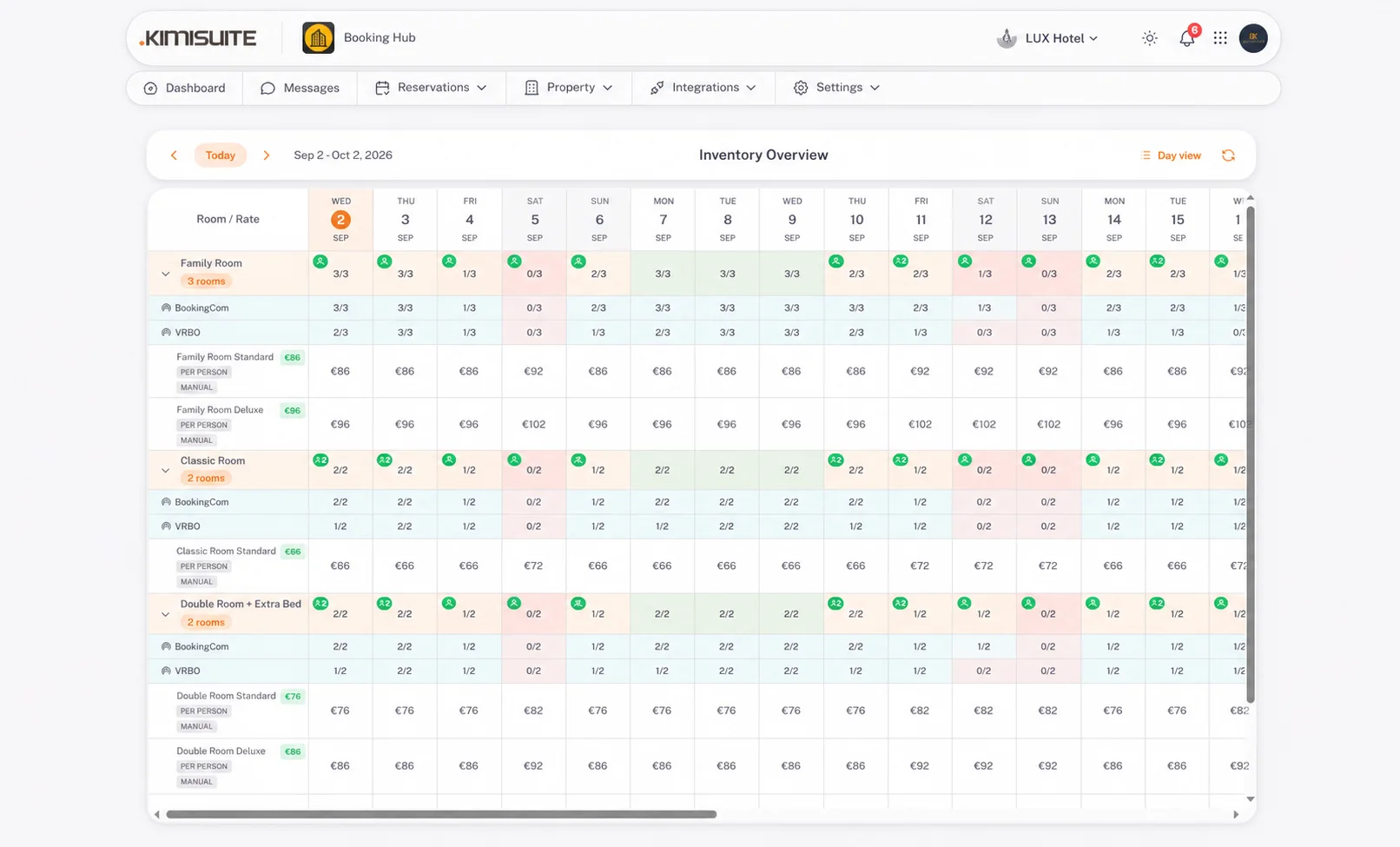
Booking Overview
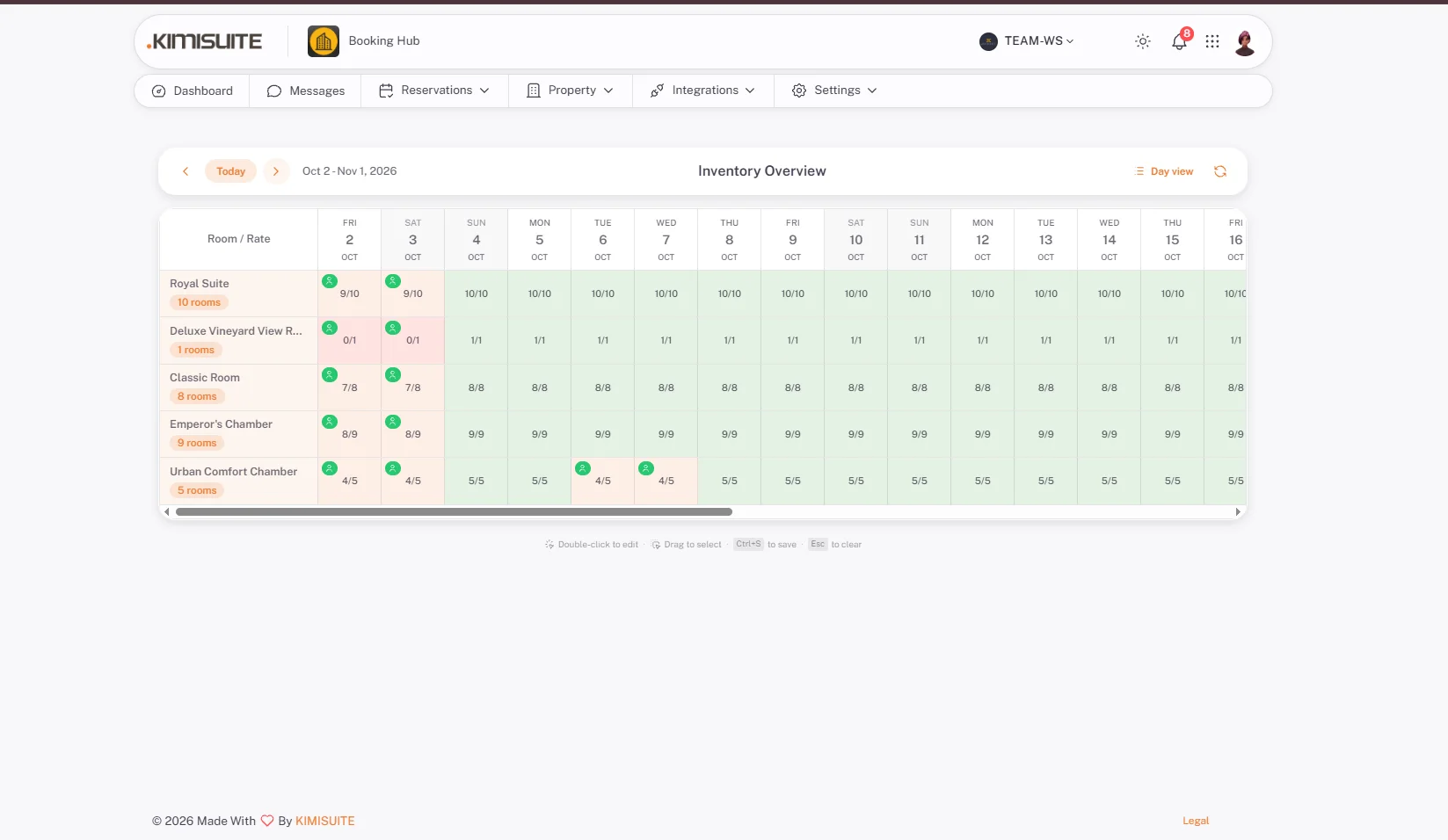
A month of rooms against dates, at a glance
 Booking Hub
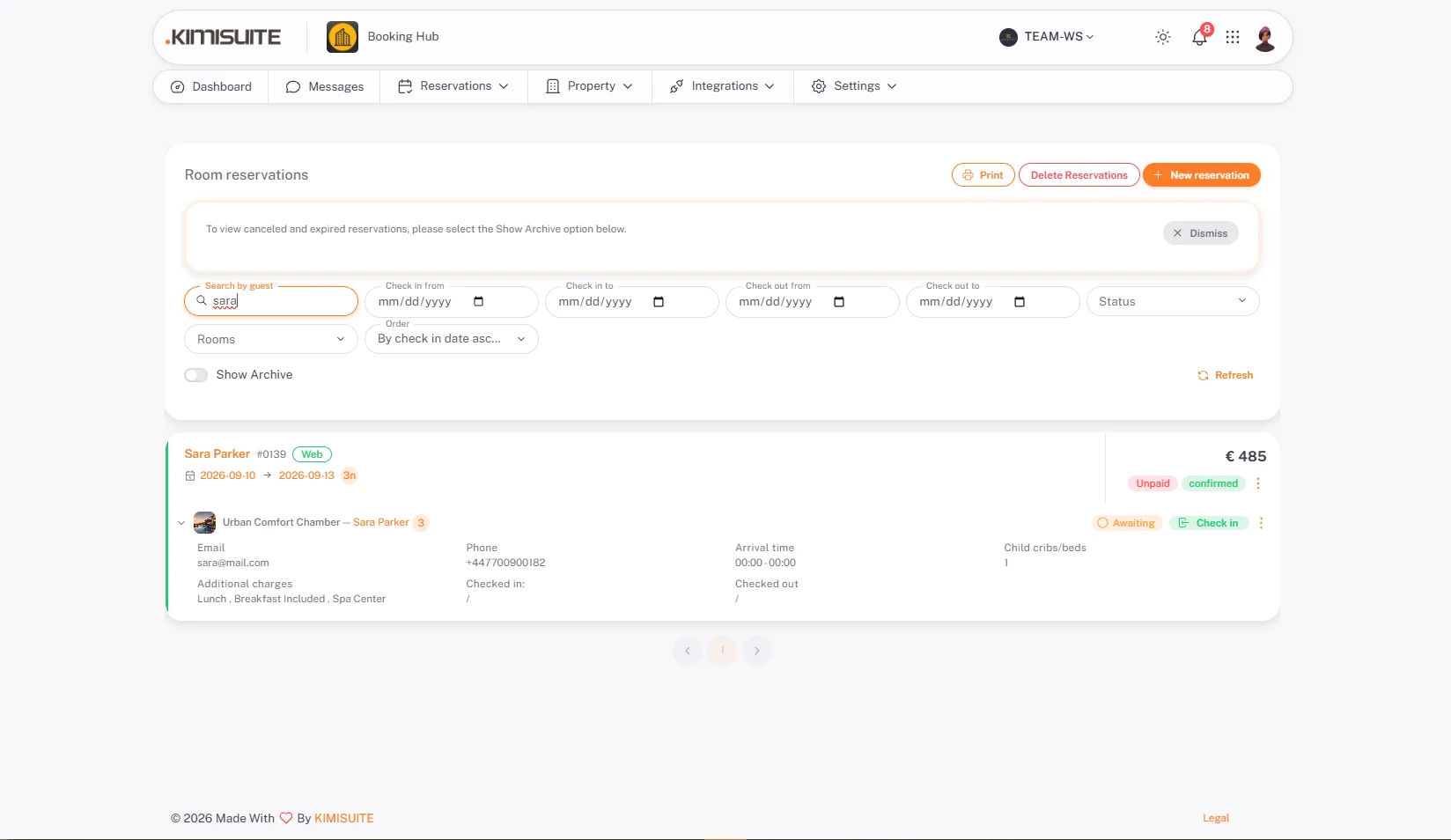
Full guest details on every booking — name, email, phone, address, passport and ID number, special requests, business-travel flag. Everything reception is asked for, in the place they are asked.
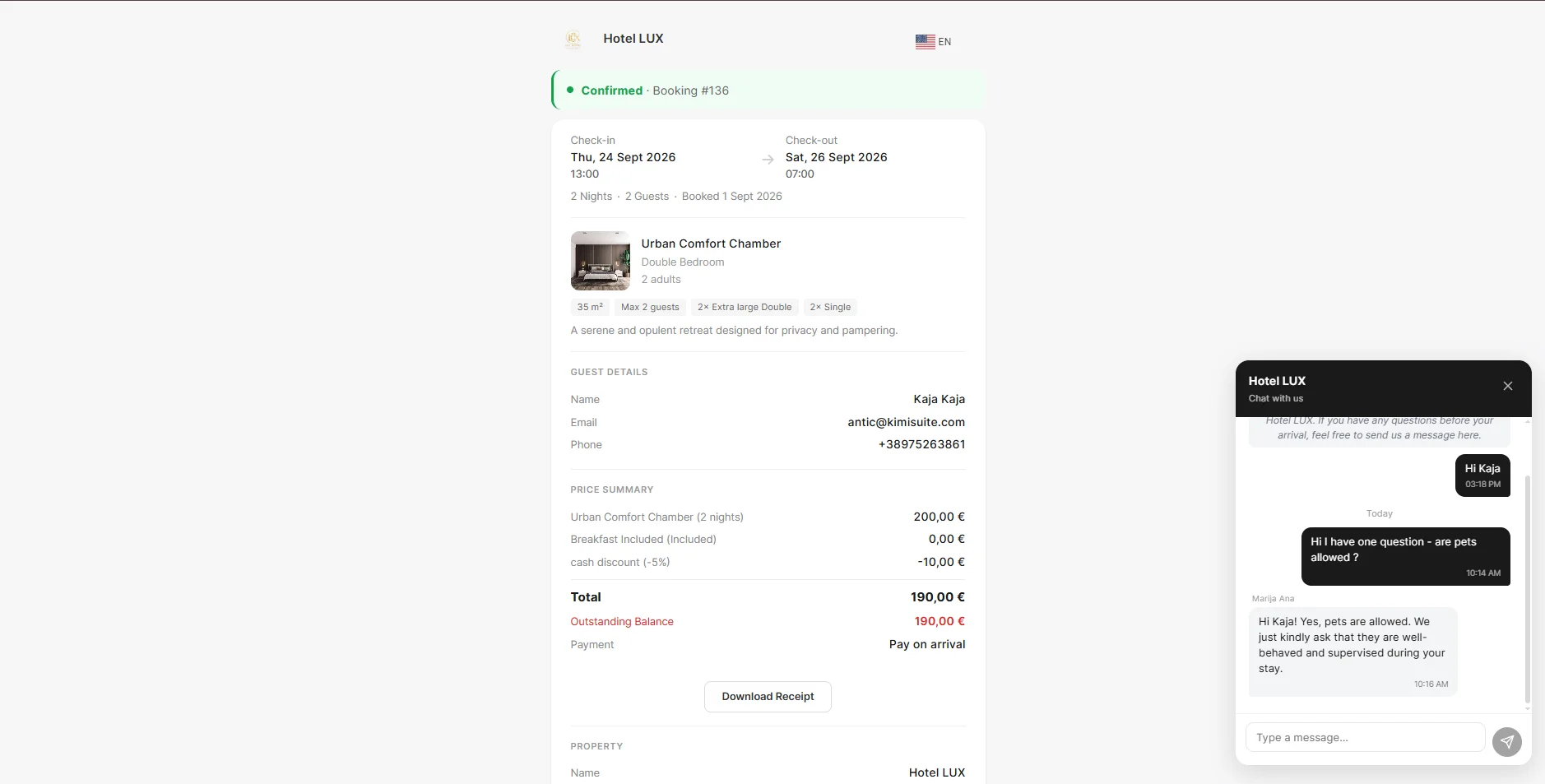
Guests open their own booking with a code from the confirmation email, with no account and no password, and can write to the property from there.
Every guest detail on the booking: contact, address, ID number and special requests
Guests open their booking with a code from the confirmation email, without an account
A live chat with each guest, kept with the booking, and an automatic welcome message
Room offers that hold the rooms until the guest signs, with CRM Business Hub
No account, no password, just a code
Guests open their booking with the code from the confirmation email. They see the stay, the bill and the arrival details without registering for anything.
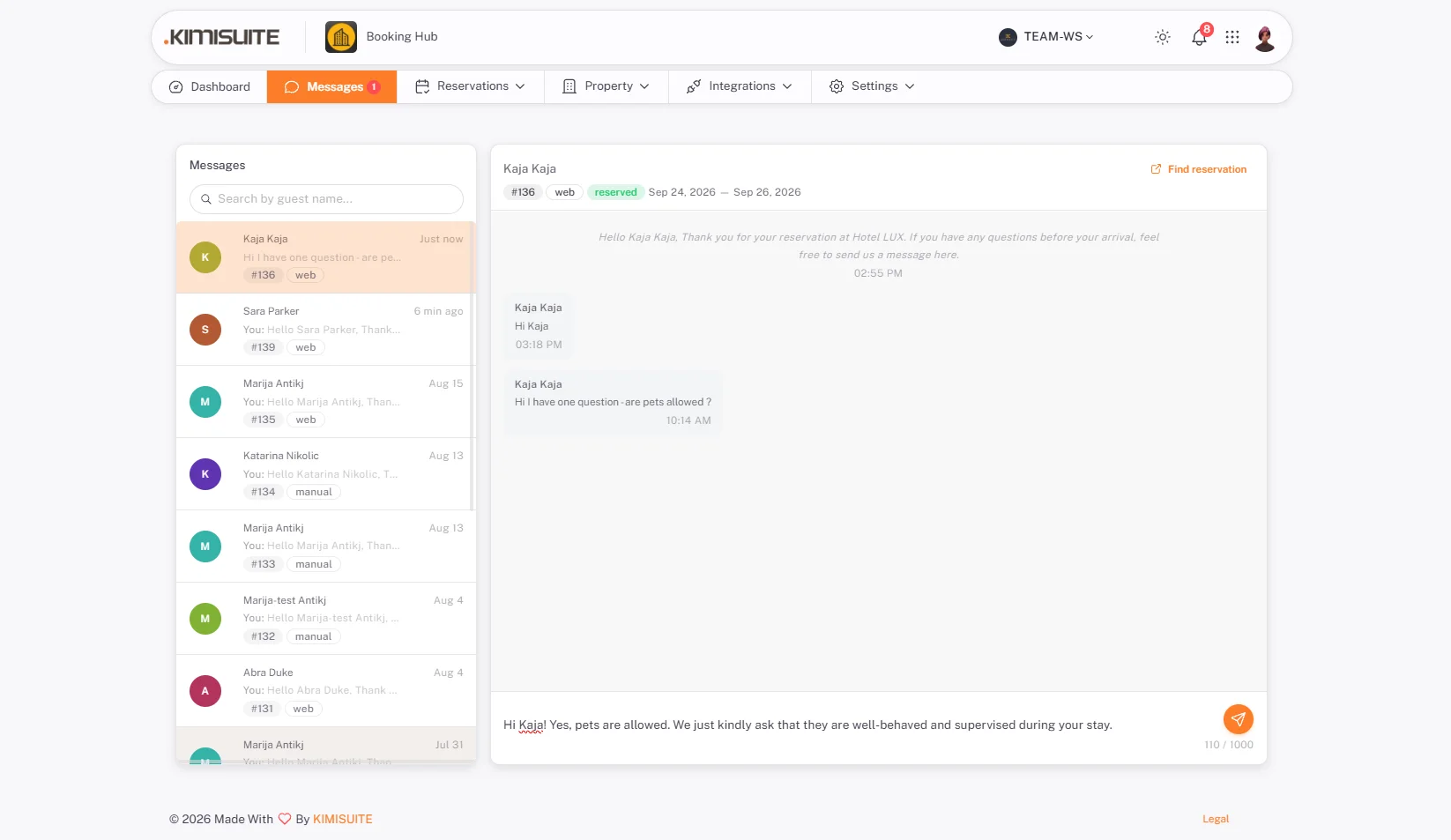
A live thread between guest and property
A chat between guest and property that runs live rather than by email round-trip. Guests write from their booking page; the property answers from the booking.
An offer that takes the rooms off sale
Quote for rooms and those rooms come off sale — on your website and on every connected channel — until the guest accepts or the offer lapses.
That is the difference between an offer and a hope: the rooms are actually held.
Room Offers works together with CRM Business Hub in the same workspace, which turns the accepted offer into bookings and an invoice.
A regular calls to book again. Reception searches the customer records first, finds the guest from the last stay and books without typing everything twice.
A guest asks from their booking page whether late arrival is fine. Reception answers in the inbox, and the conversation stays with that booking.
You send a room offer that takes the rooms off sale until it expires. The operator signs it online, and one click turns it into bookings and an invoice.
A month of rooms against dates, at a glance
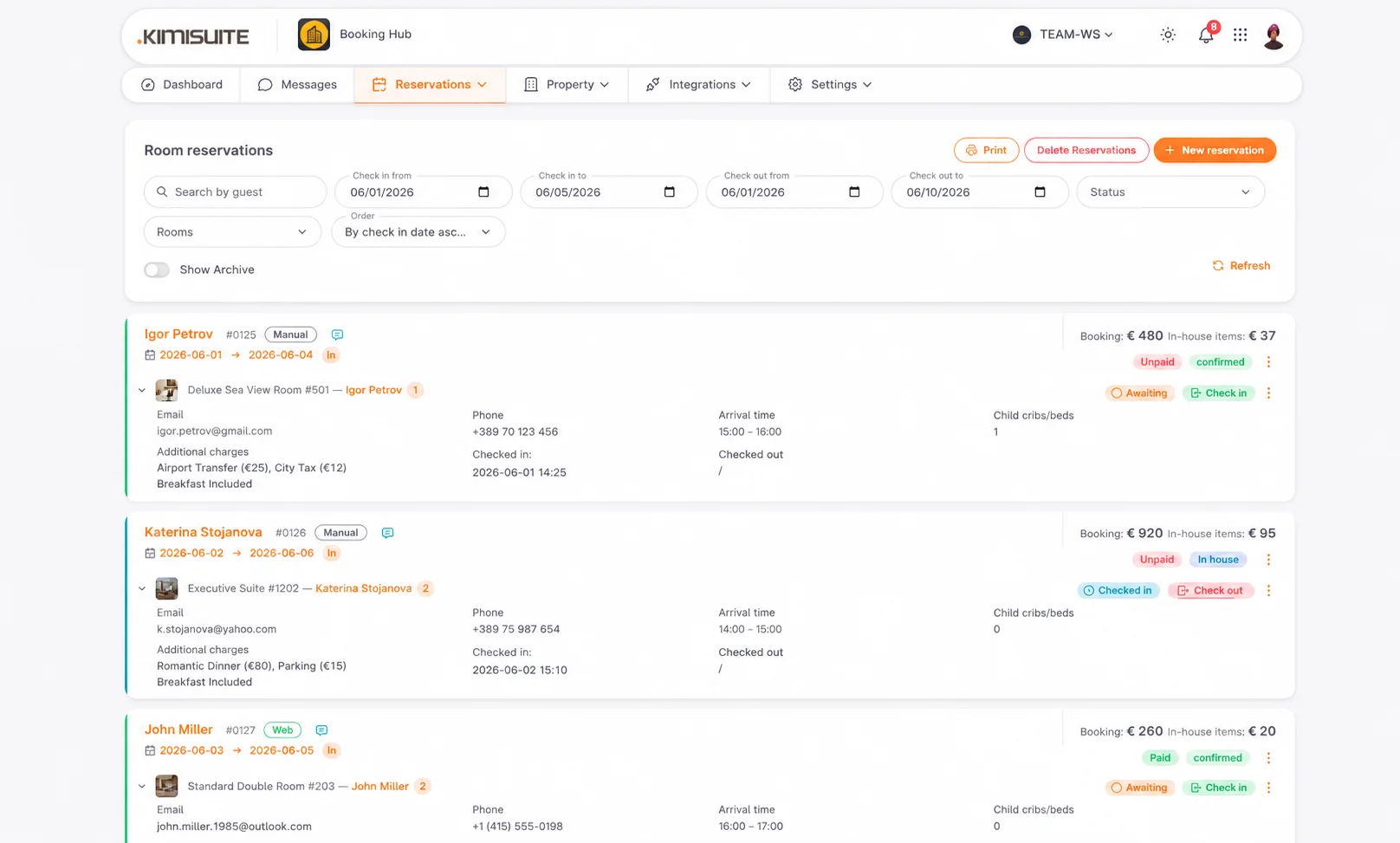
Every booking in one list, wherever it came from
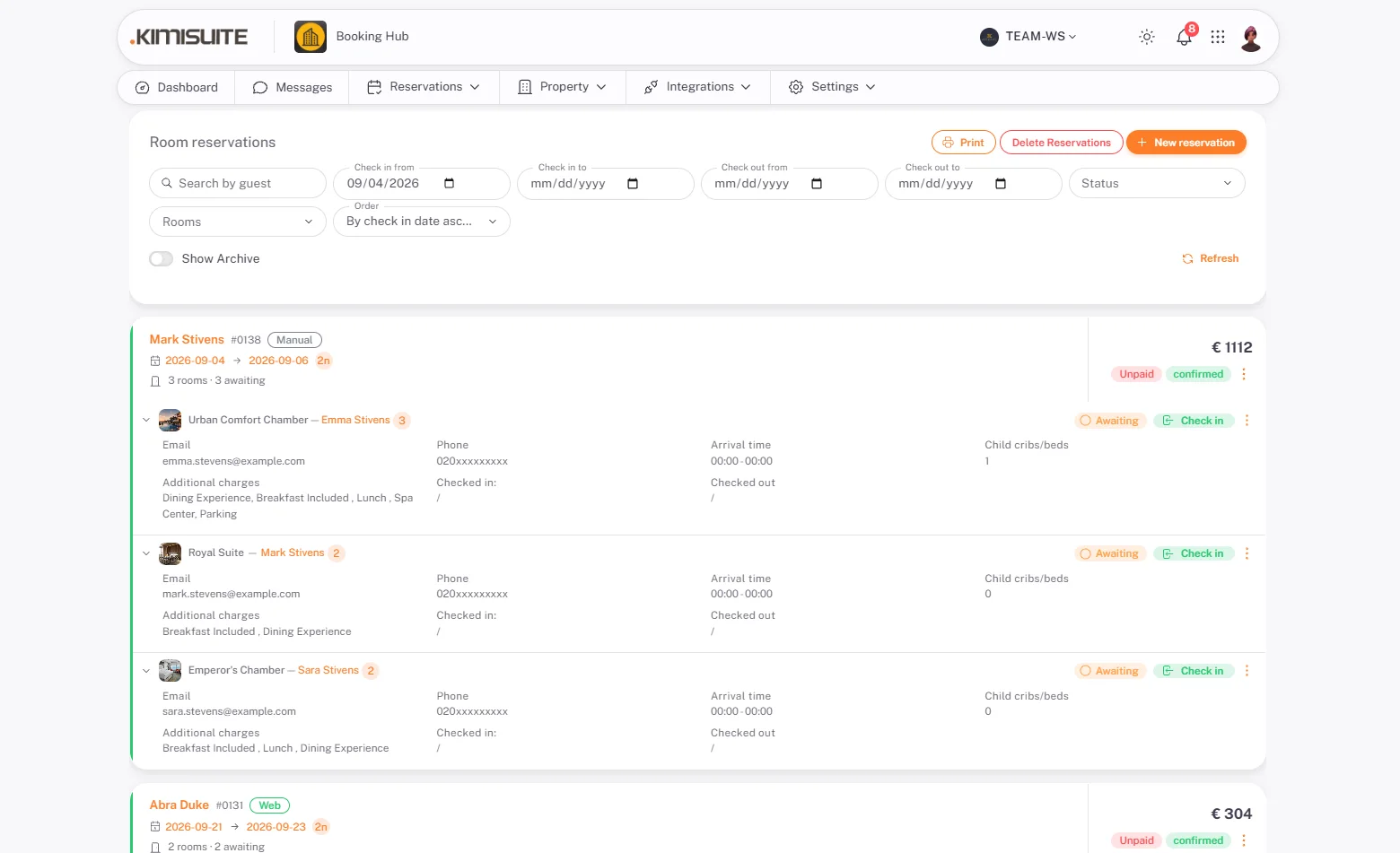
Several rooms, one reference, one bill
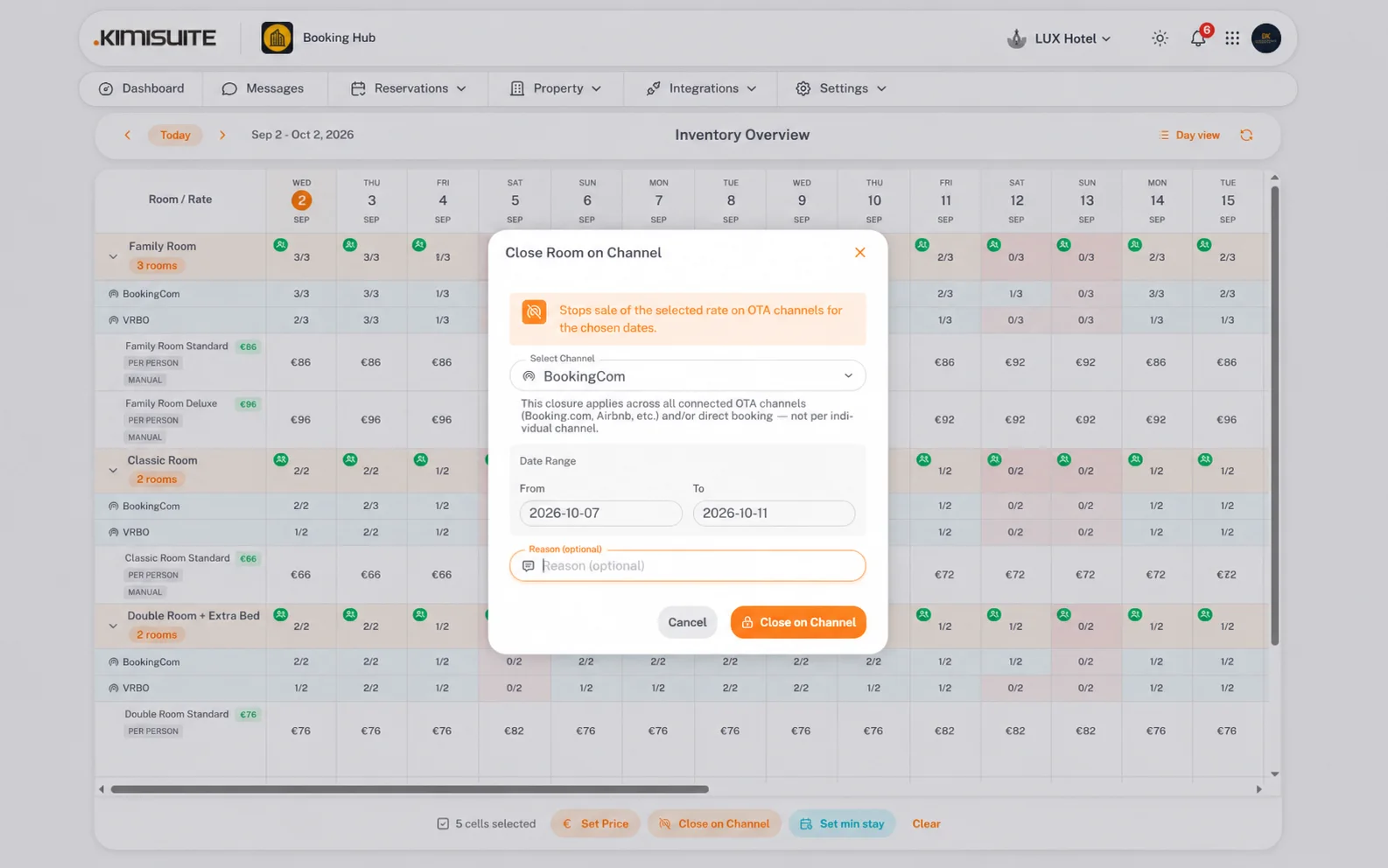
One inventory, every channel, in real time
Your own website, no commission
Discount codes that bring guests to your own site
Guest details live on each booking. With CRM Business Hub in the same workspace, a guest becomes a customer there, with their invoices in one place.
No. Guests open their booking with the access code from their confirmation email and see the stay, the bill and the arrival details.
Guests write from their booking page and you answer from an inbox sorted by reservation, live rather than by email round-trip. A welcome message goes out by itself, and unread messages turn into an email.
A quote that takes the rooms off sale on your website and every connected channel until the guest accepts, declines or the offer expires. Guests accept with a drawn signature. Room Offers is an extension and works with CRM Business Hub.
A confirmation with the full breakdown, the receipt and the access code; the self check-in details your reception sends from the booking; and the offer email with its PDF when you quote.
14 days free, cancel anytime, no minimum term.

