Reservation Management
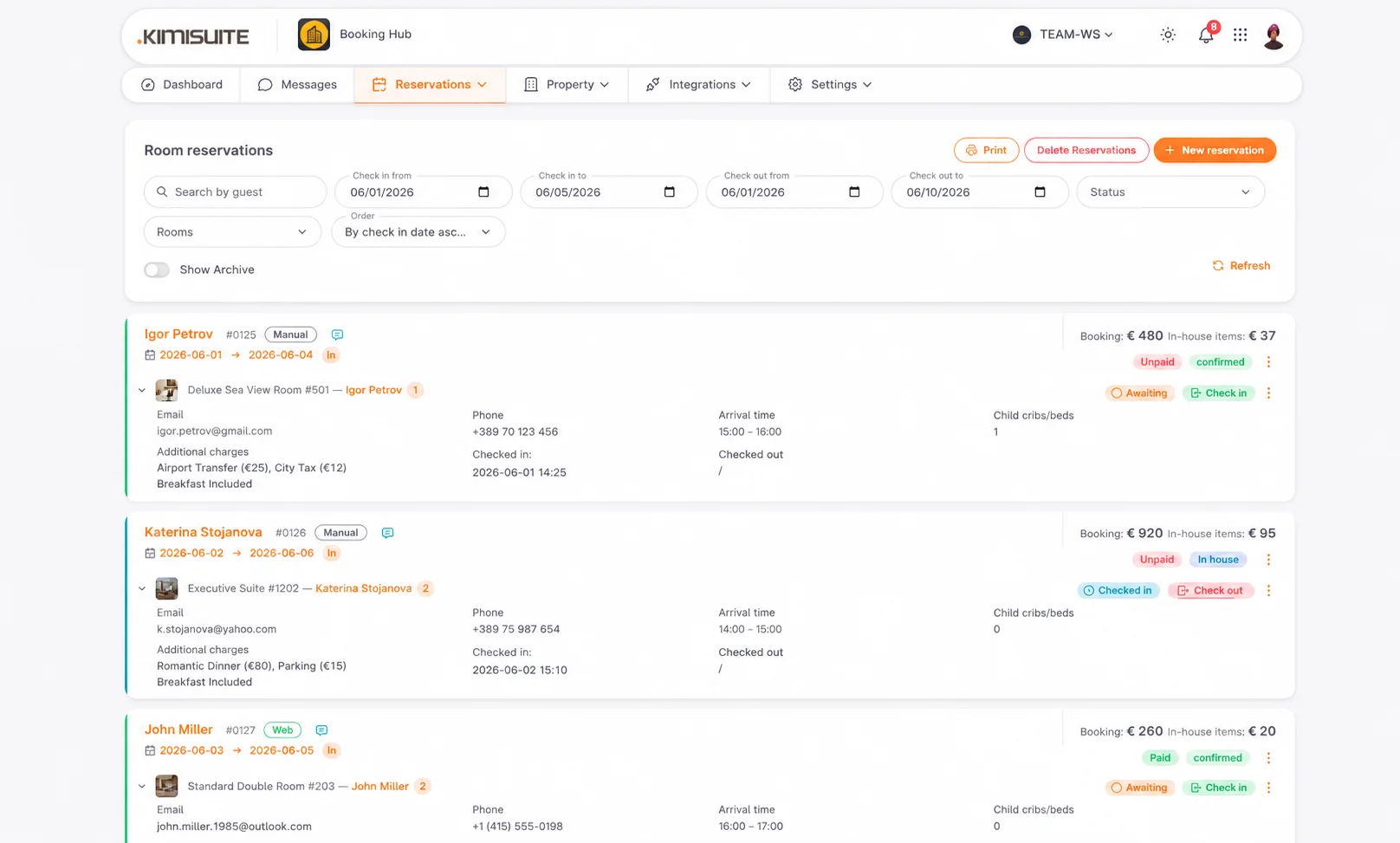
Every booking in one list, wherever it came from
 Booking Hub
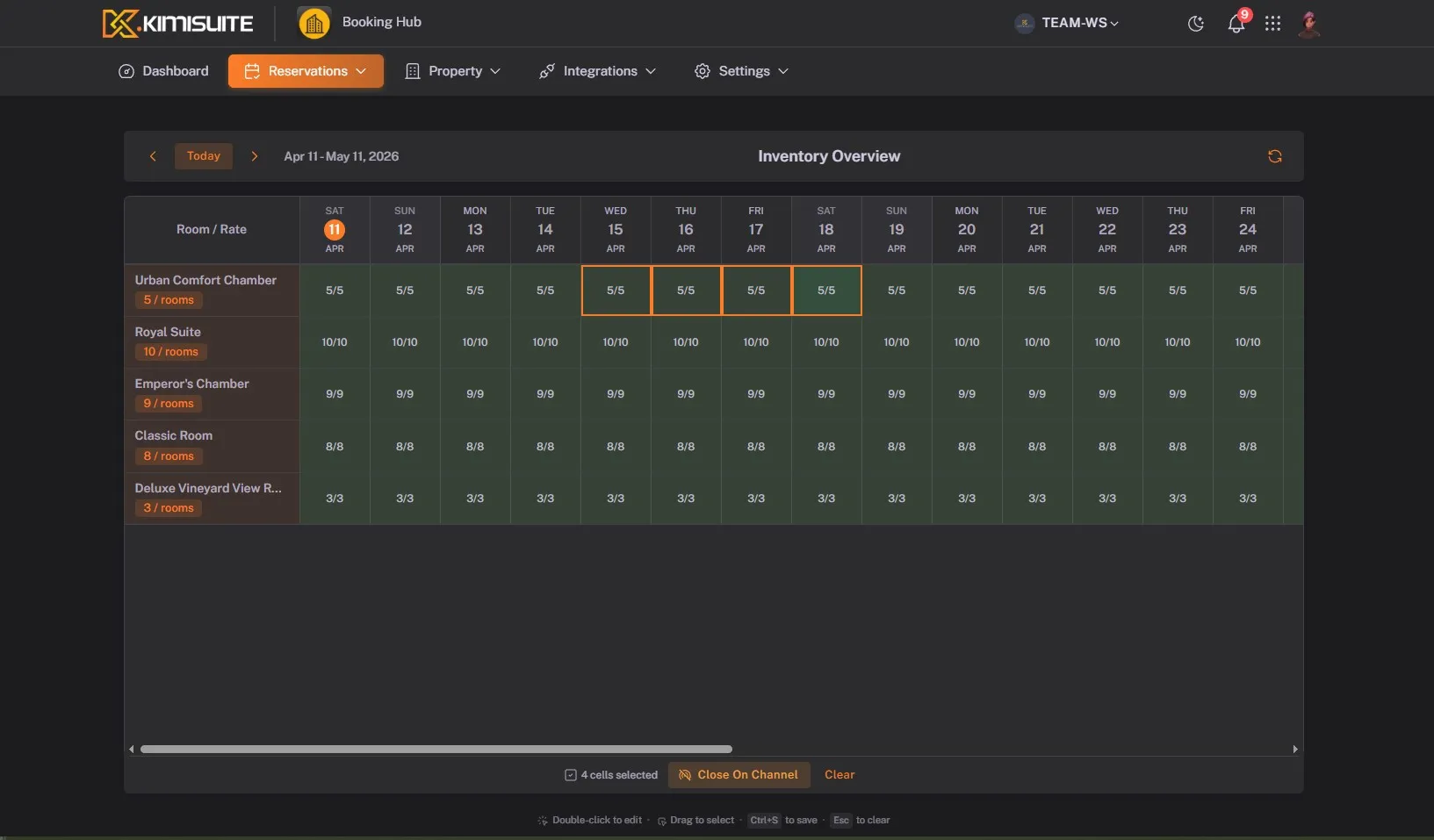
A month of rooms laid against dates, colour-coded so a sold-out weekend is obvious without opening anything. Everything that sells a room happens from this grid.
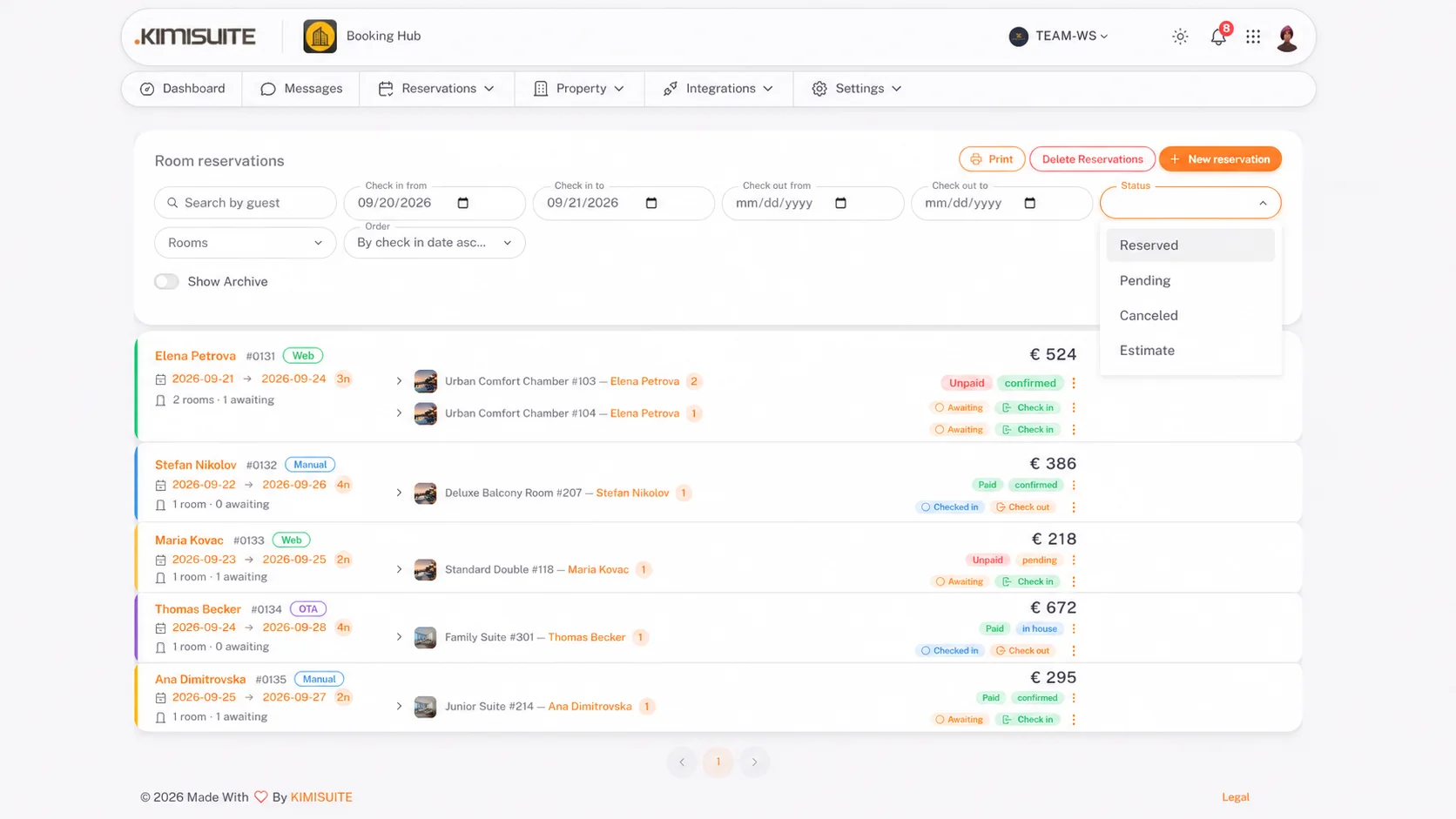
Search by guest name, filter by four separate date fields, assign the actual room number, and run any booking action from one menu — without leaving the view.
Rooms, rates and every connected channel in one grid, so a mismatch shows before a guest finds it
Drag across days and rates, then set one price for the whole range, even only on weekends
Set a minimum stay for the OTAs, for direct bookings or for both
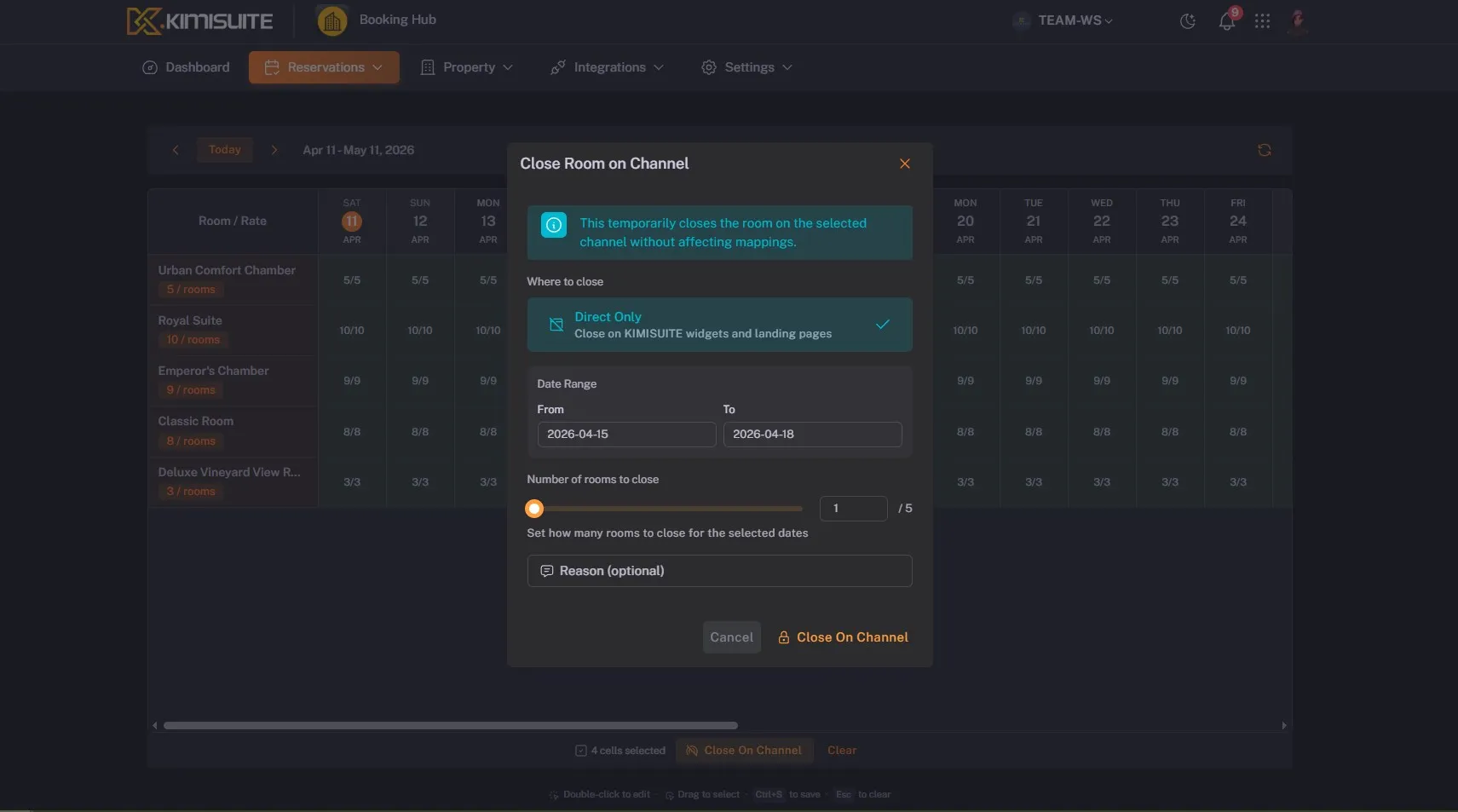
Close rooms for chosen dates on the OTAs, on your website or on both, with the reason noted
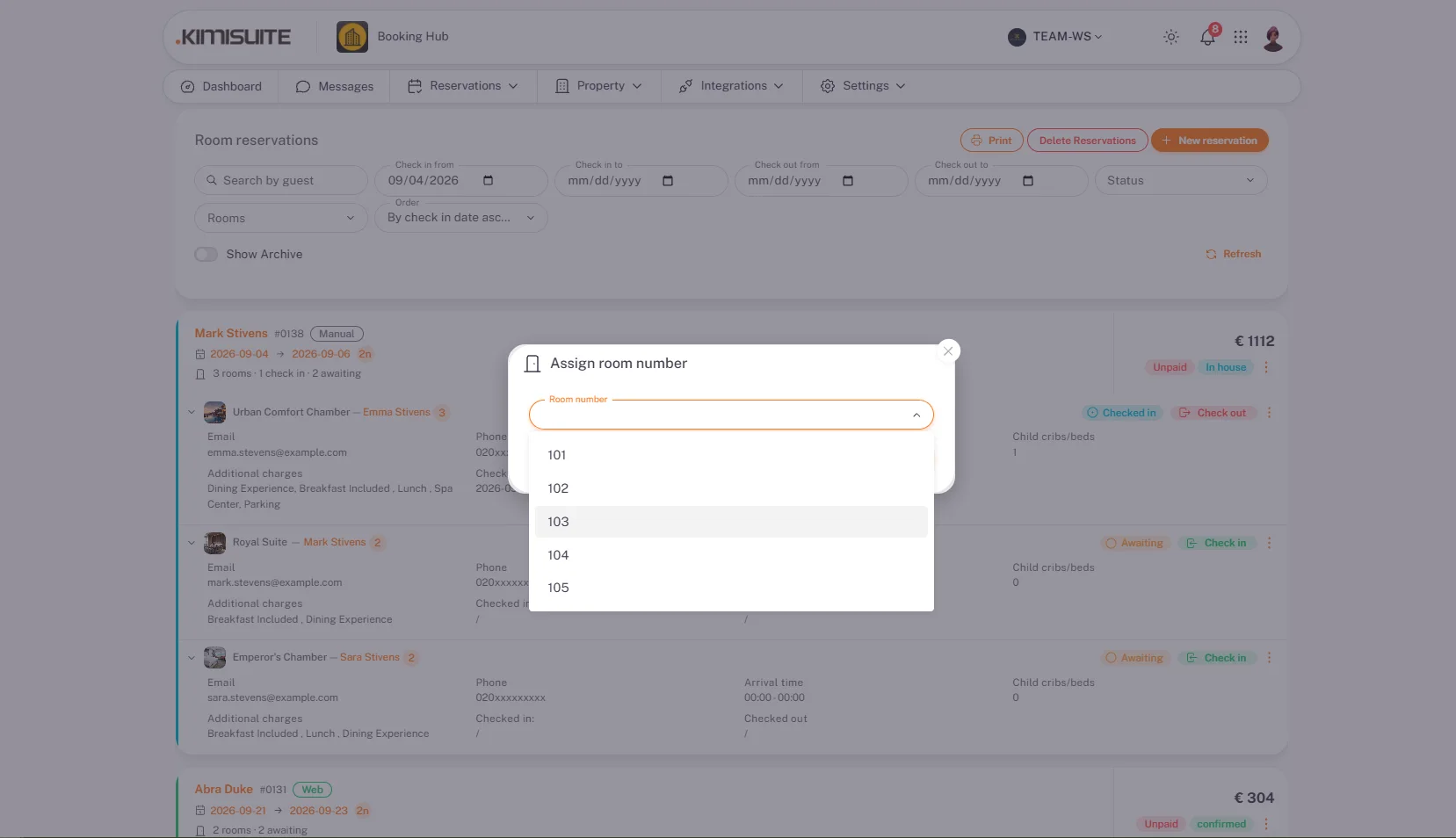
Guests book a type, you assign the number
Guests book a room type; staff assign the actual room. The picker offers only rooms of the right type that are genuinely free for those dates, so a double booking cannot be made by hand.
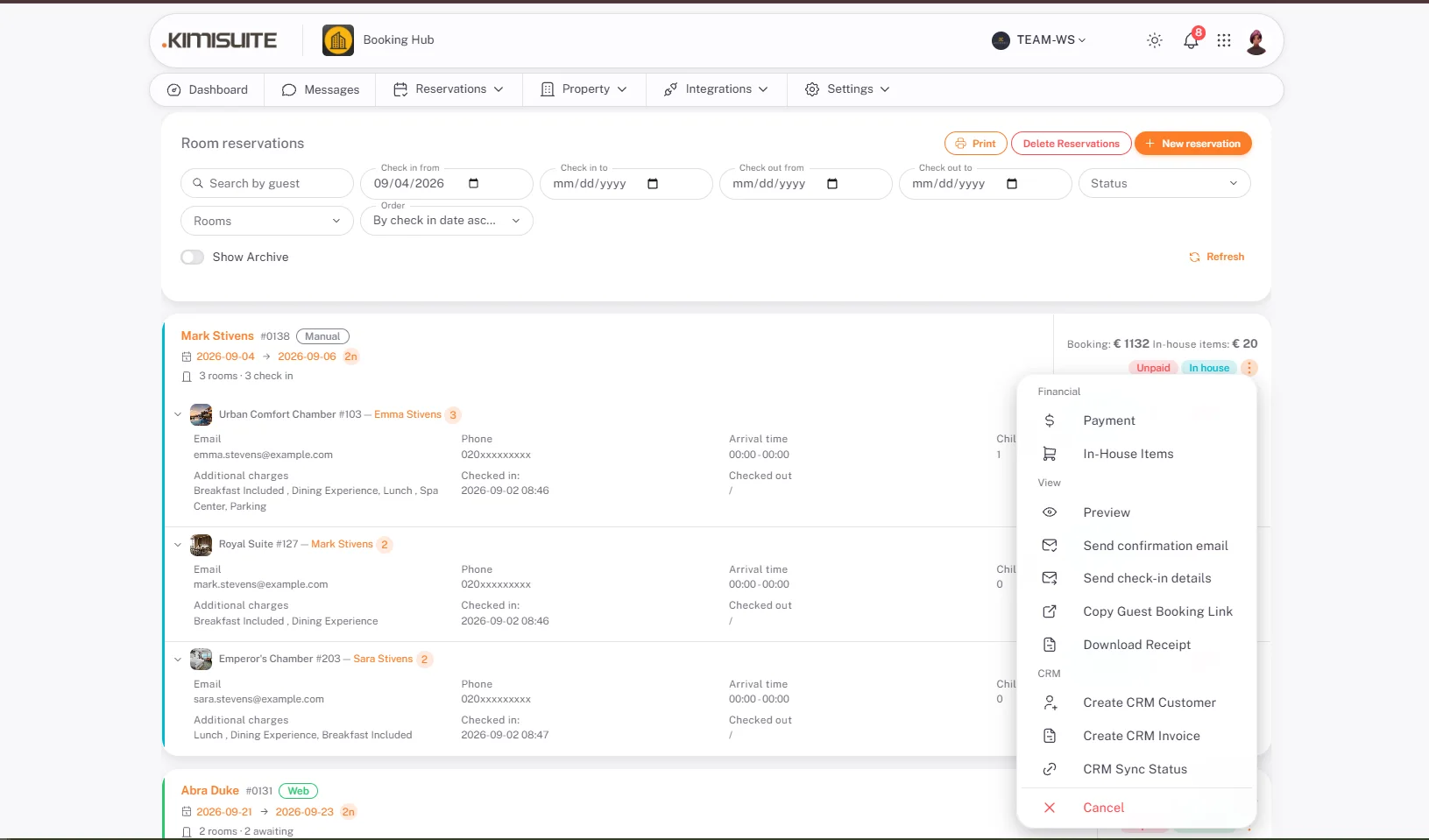
Every action on a booking, in one menu
From one menu on any booking: take payment, add in-house items, re-send the confirmation email, change dates, assign a room, cancel. No hunting through tabs.
Four date fields, not one
Search by guest name and filter by four separate date fields — check-in from and to, check-out from and to. That is the difference between finding a booking and scrolling for it.
Independent hotel owners can manage every room, rate, and reservation from a single screen — without needing a large operations team. The centralized overview reduces manual errors and helps owners respond quickly to last-minute changes, cancellations, or special guest requests.
Property managers overseeing multiple vacation rentals can track all unit availability and bookings in one place. Closing units for maintenance, adjusting seasonal pricing, and monitoring OTA versus direct booking ratios becomes effortless with real-time control across all channels.
Front desk staff can access live booking details, guest notes, and reservation statuses instantly — speeding up check-in processes and improving guest communication. The overview acts as an operational command center, keeping the entire team aligned without time-consuming back-and-forth.
Every booking in one list, wherever it came from
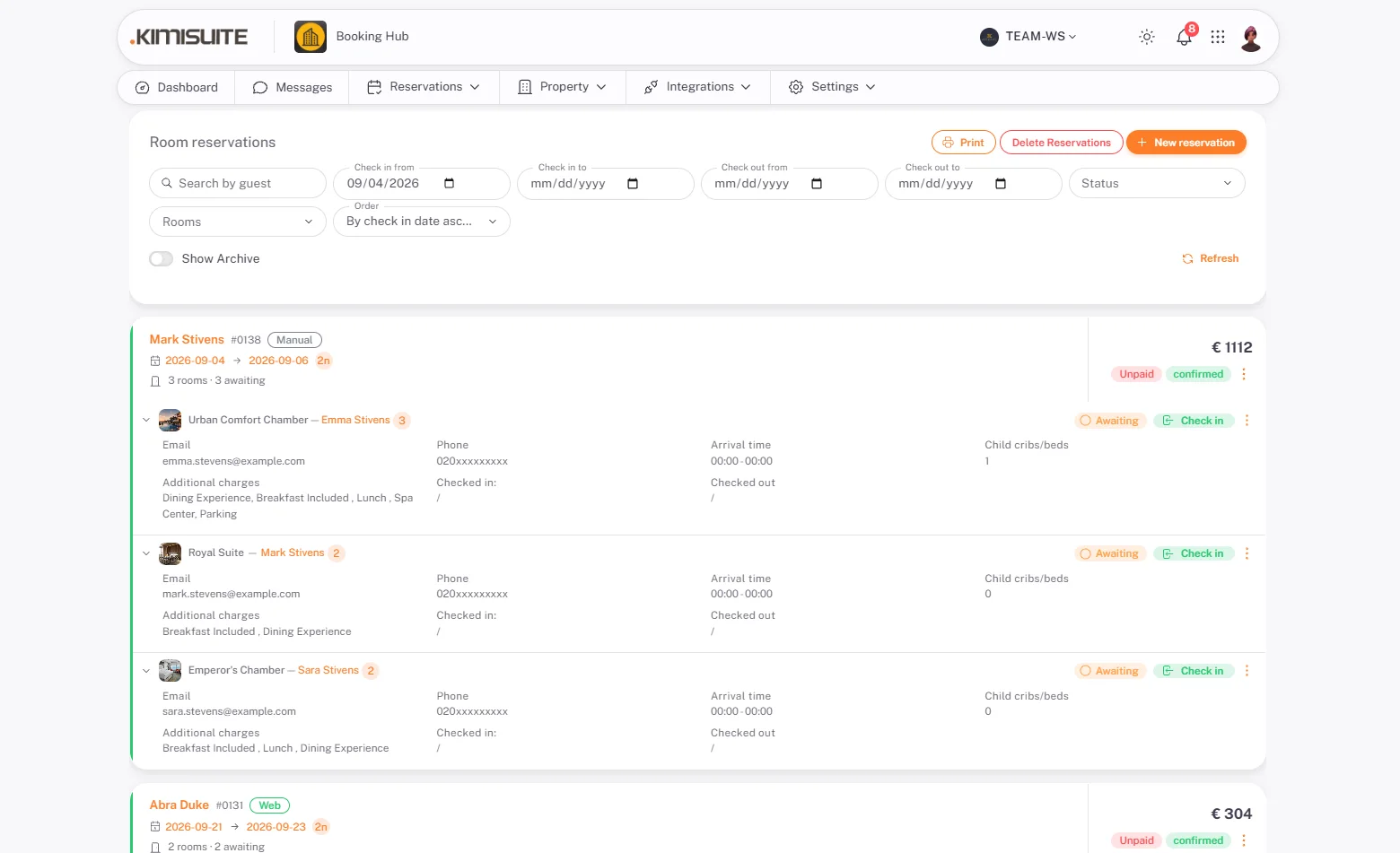
Several rooms, one reference, one bill
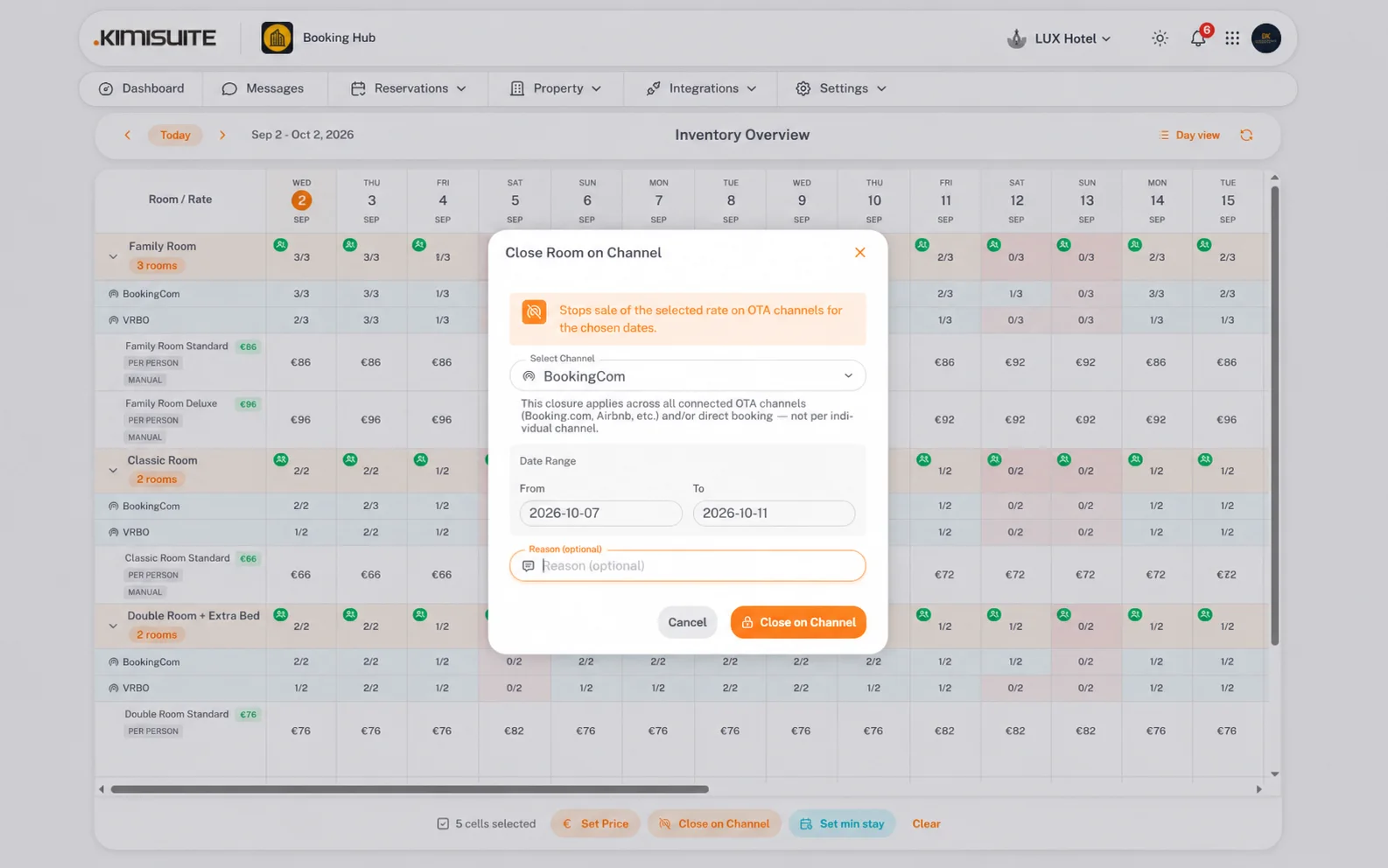
One inventory, every channel, in real time
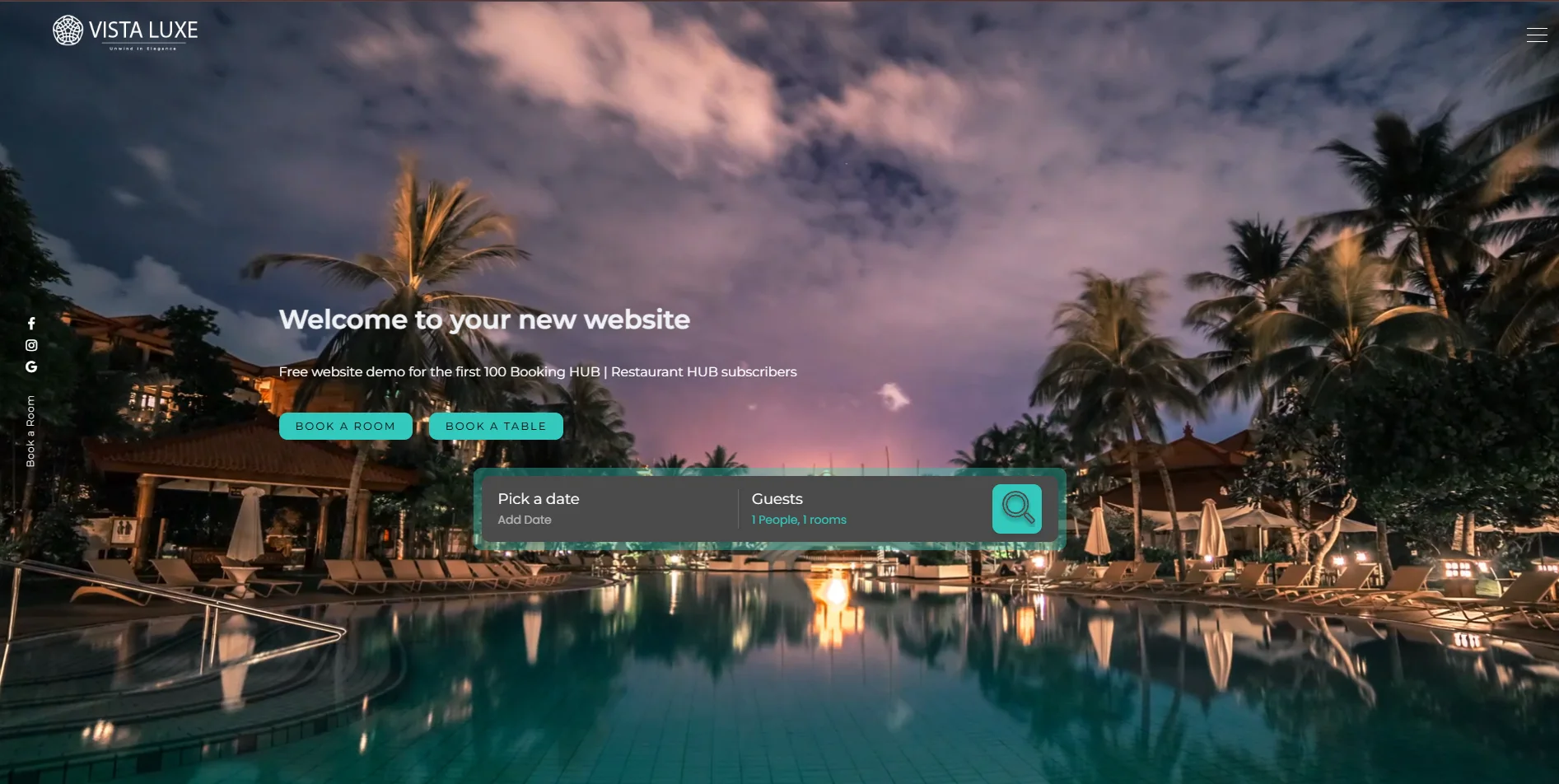
Your own website, no commission
Discount codes that bring guests to your own site
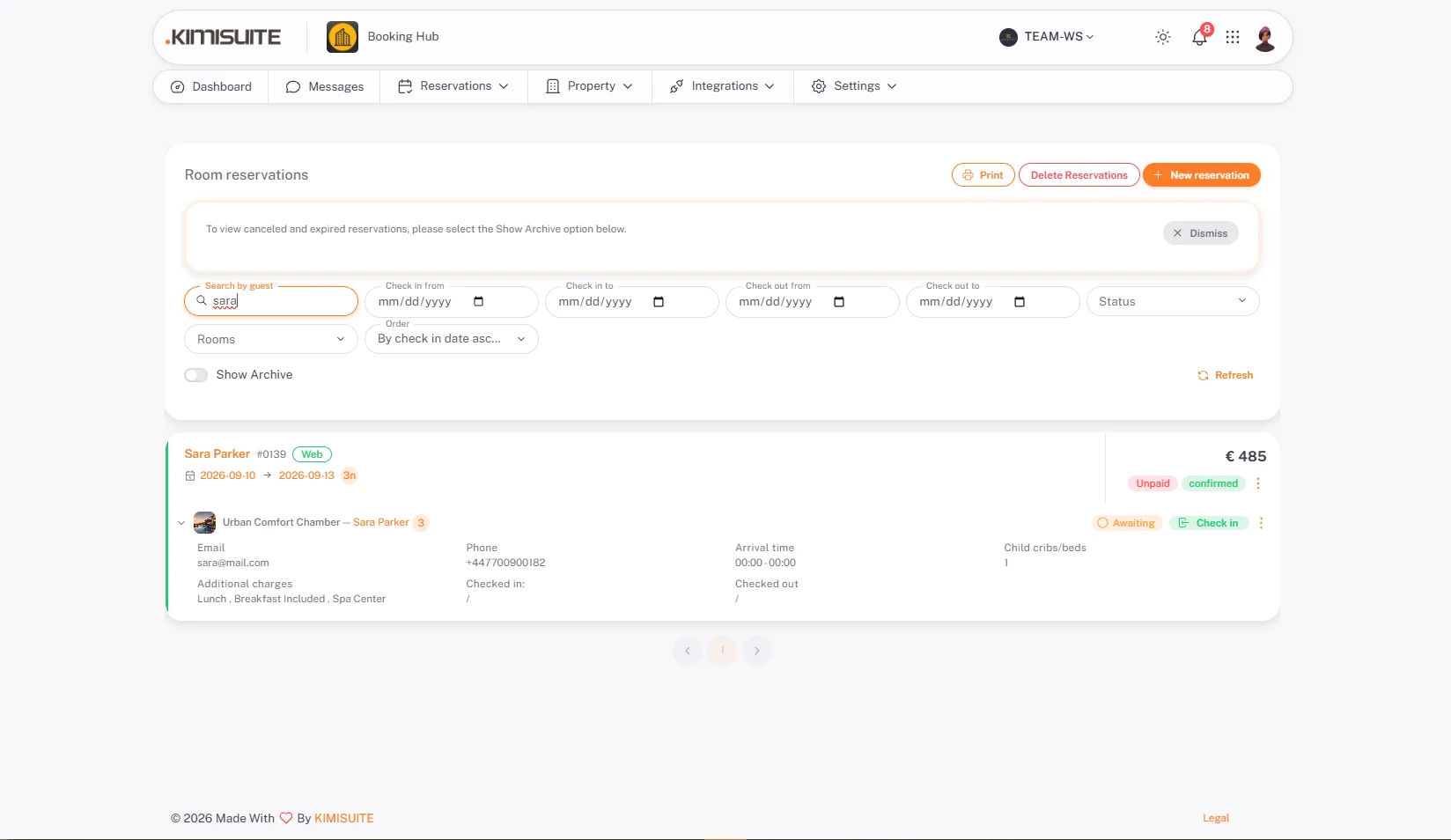
The guest file, and the message thread with it
Yes. With the Channel Manager extension every connected OTA appears as its own row under your rates, with its own availability per day. Bookings from every channel land in the same reservation list.
Drag across the days and rates you want, choose Set price and enter the new price. Switch on chosen weekdays and the price applies only to, say, Fridays and Saturdays across the whole range.
Closing works for the connected OTAs together, for direct bookings, or for both. Pick the dates and add a reason; the channel setup stays in place, so reopening the room is just as quick.
Sold and total rooms for every day, green where rooms are free and red where you are sold out, and a small badge with the number of guests. A month fits on one screen.
Yes. You work in room types, and each type holds as many rooms as you have, so a hundred identical doubles are one row. Guests book the type; you assign the room number.
14 days free, cancel anytime, no minimum term.

