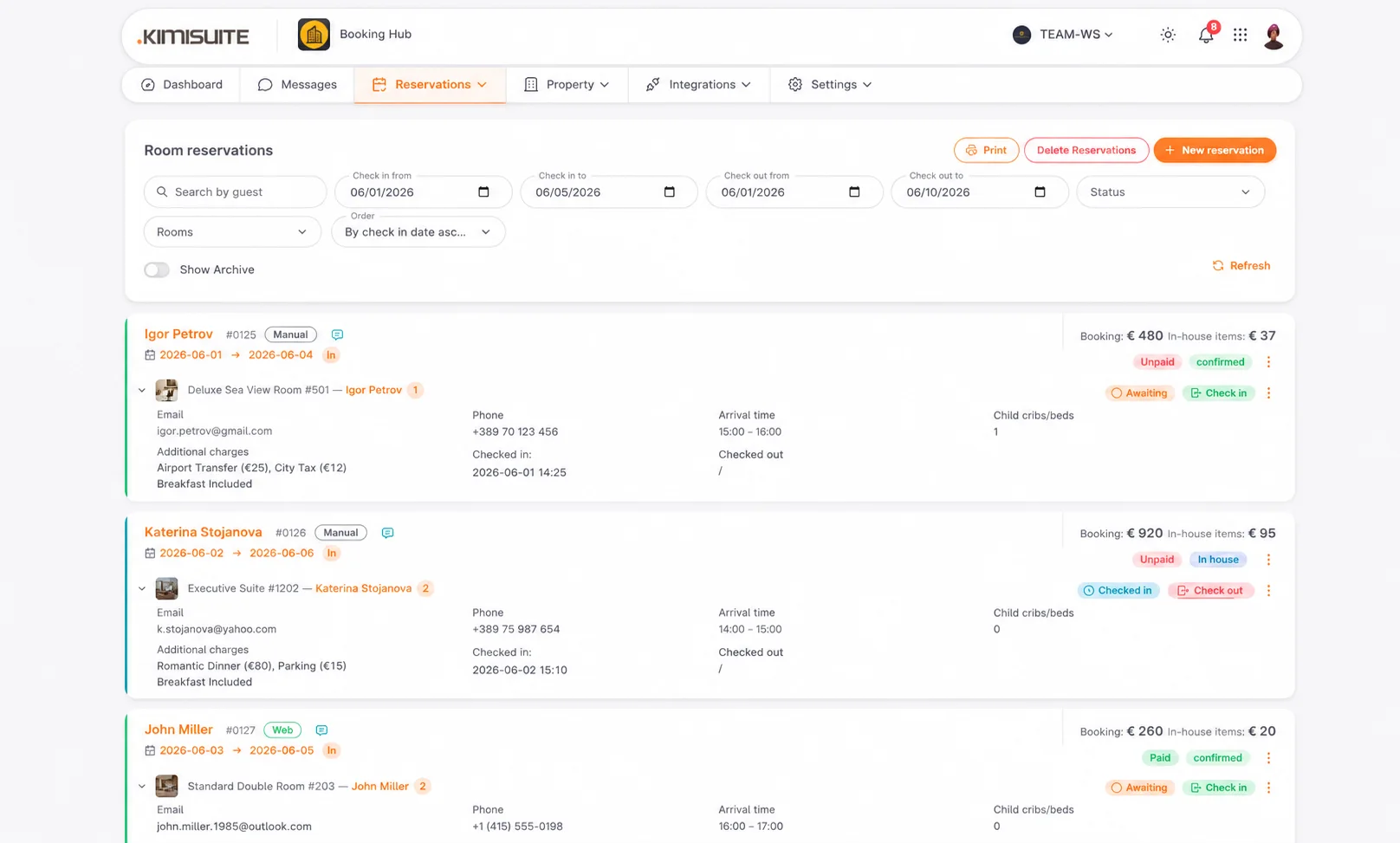
Your desk, your website, your landing page or any connected channel — every booking lands in the same list and behaves the same way.
Take a booking by phone with the guest recognised from a previous stay, check people in and out per room with a timestamp and a name, and see the stay and the extras as separate figures on the bill.
Manual Reservation
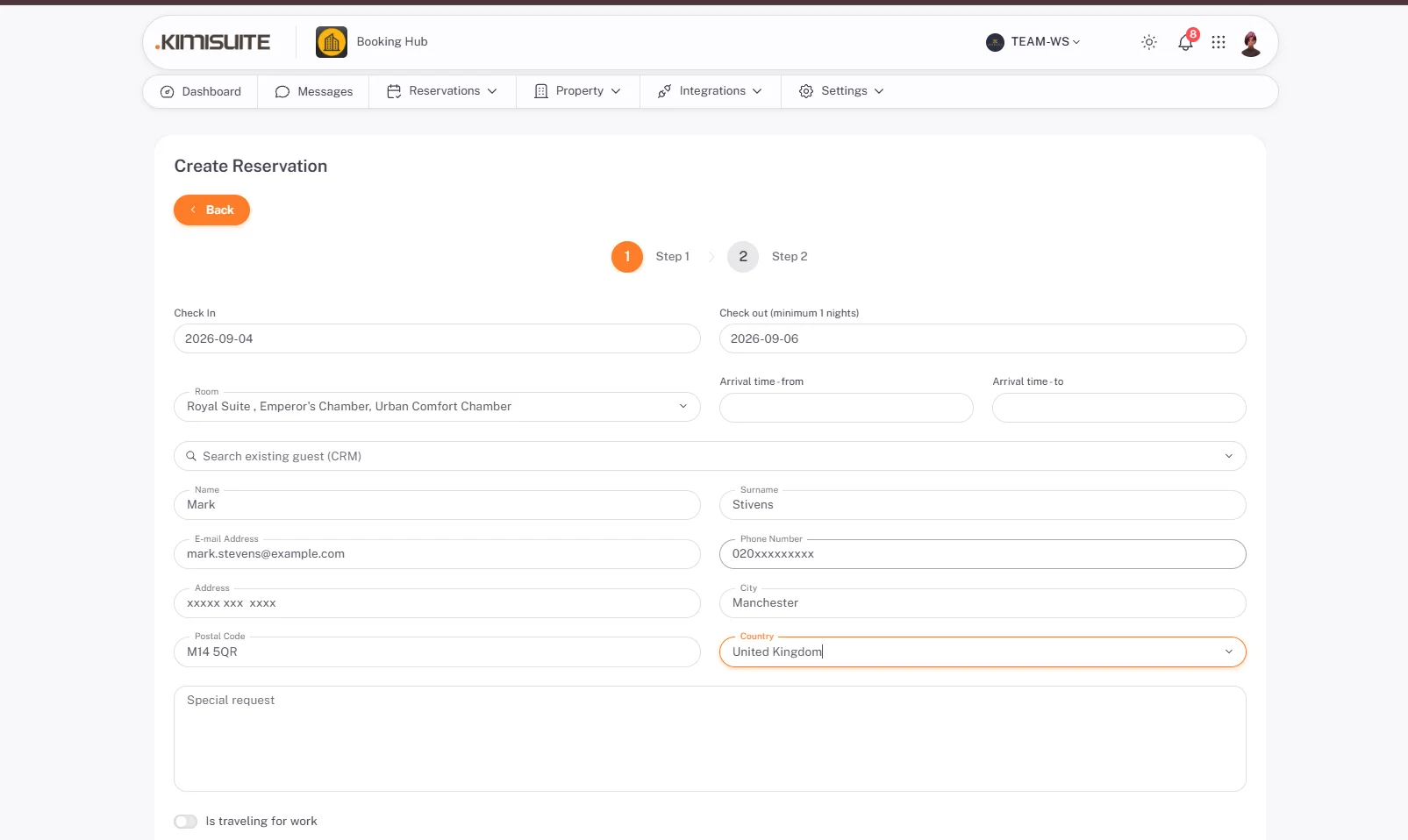
Take a booking at the desk or by phone
Start by searching the customer records so a returning guest is recognised rather than created twice, then pick dates, room type and rate.
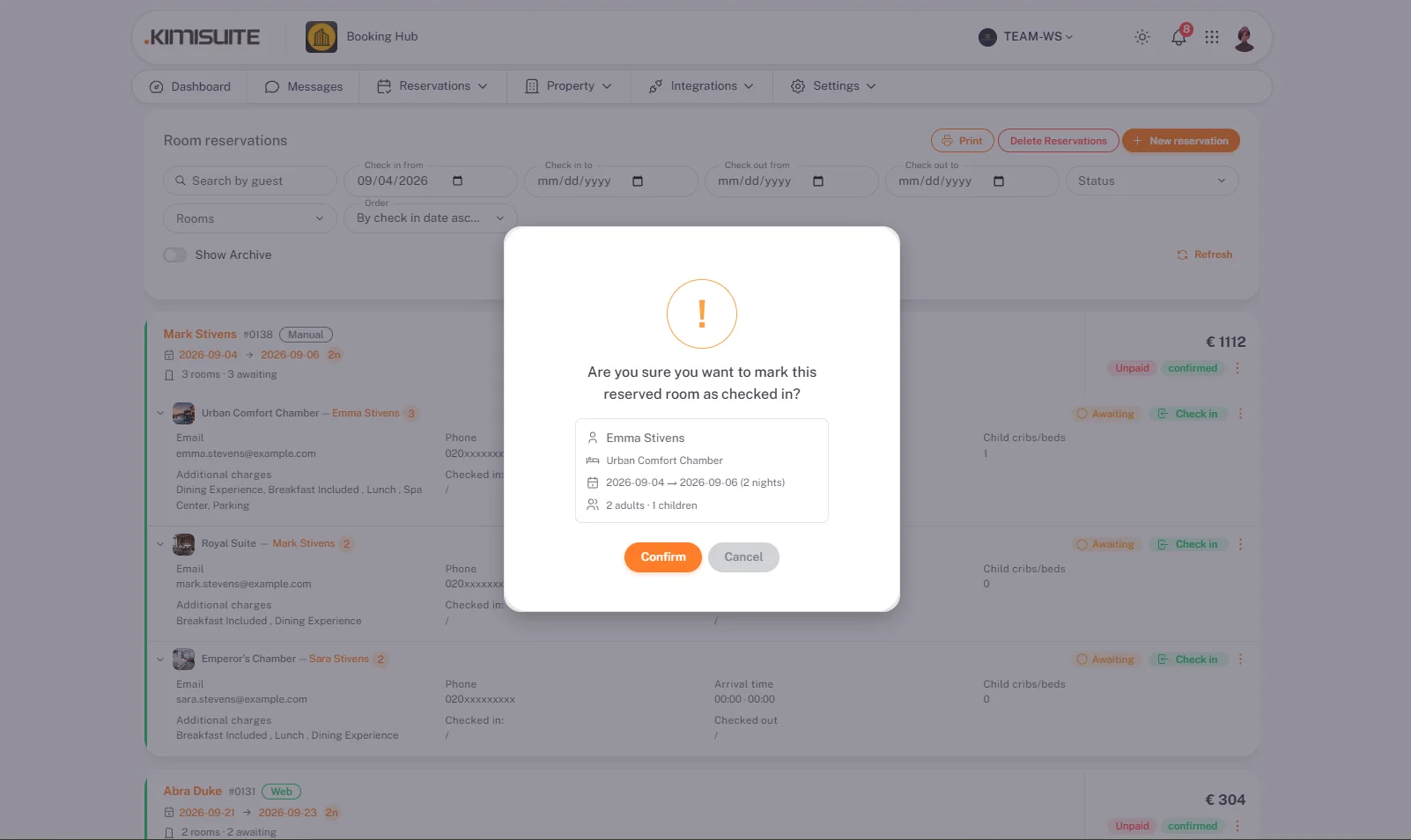
Check-in / Check-out
Per room, timestamped, with a name
Check-in and check-out are recorded per room, with the time and the person who did it — so a question about last Tuesday has an answer.
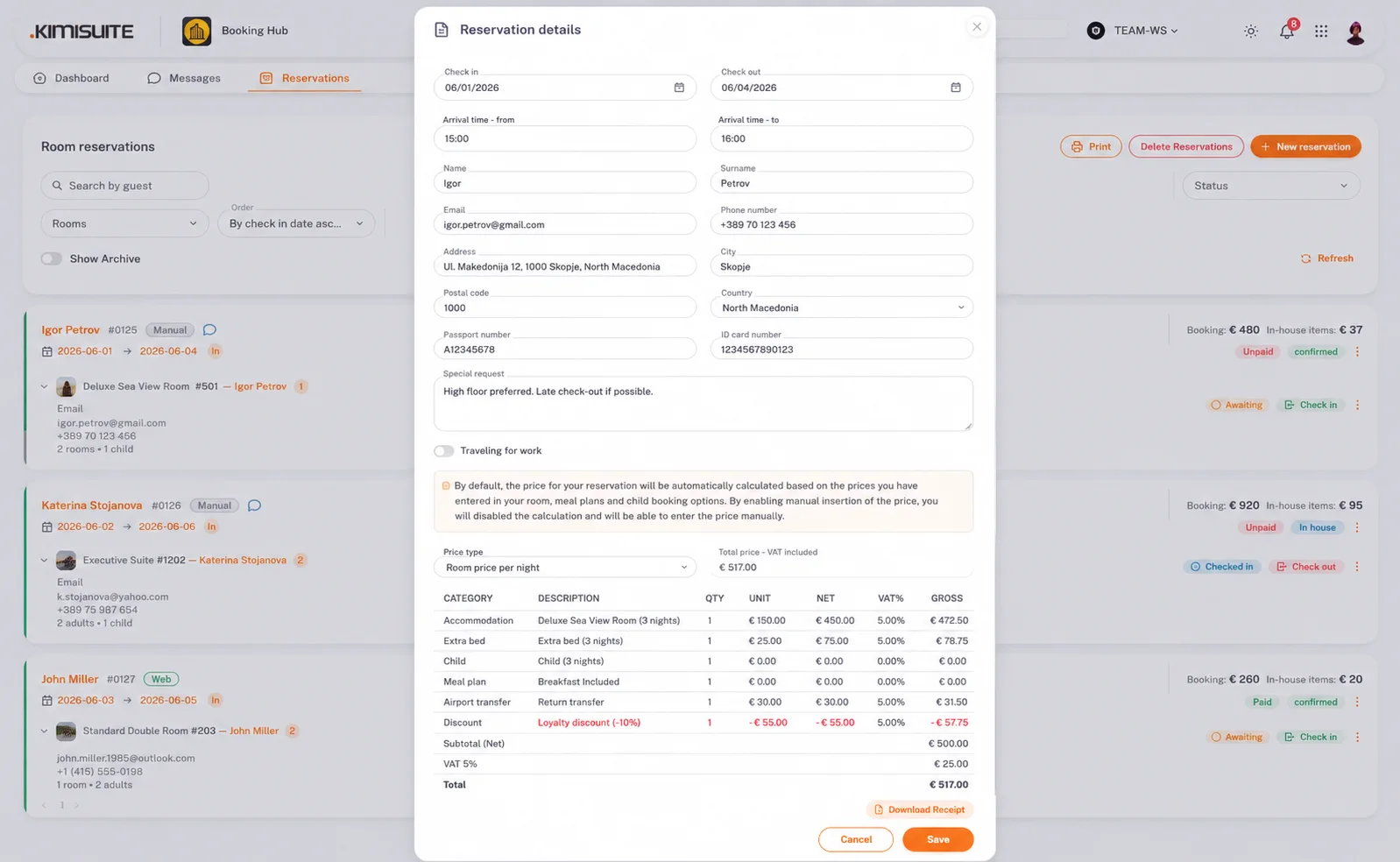
Room Charges Split Out
The stay and the extras, as two figures
A booking shows the stay and the in-house items separately rather than as one total, so the guest sees what they are paying for and the property sees where the revenue came from.

Try Booking Hub today
Hotel Booking System Built for Direct Growth
14 days free, cancel anytime, no minimum term.
