 Part of CRM Business Hub
 Leads that never slip through
From web form to customer, with the next step always set
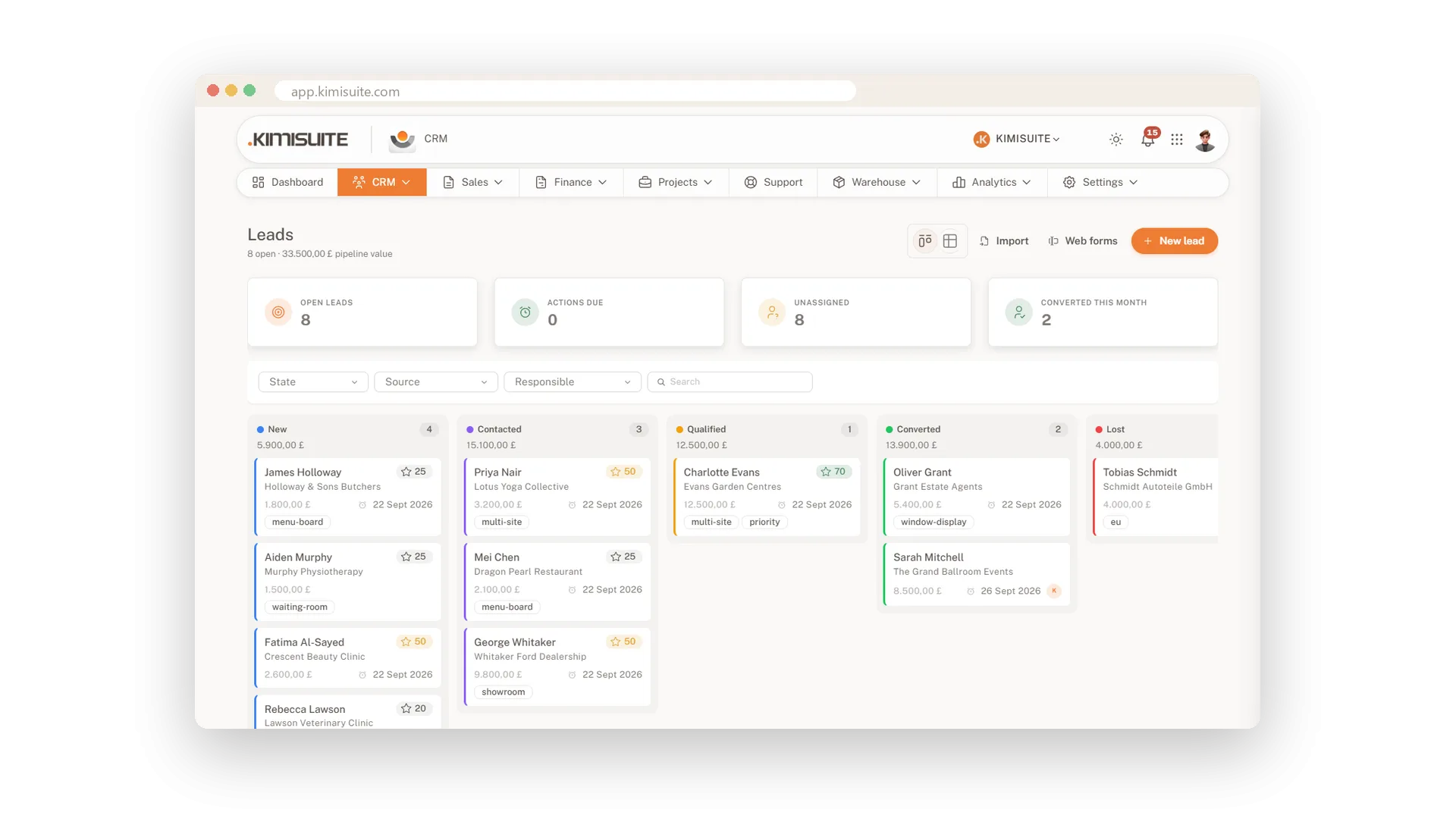
Every enquiry lands on one board: New, Contacted, Qualified, Converted, Lost. Drag a lead to the next column as the conversation moves on. Tiles show how many leads are open, which actions are due and which leads nobody owns yet. Nothing waits in an inbox until it goes cold.
Leads come in through your own web forms and go to the right person by rules you set. Log every call, e-mail and meeting with the next step and its date. Score leads by your own rules, or let the AI read a lead and tell you why it is worth a call. When a lead says yes, one click turns it into a customer with a contact and, if you like, a deal.
Key Benefits
A board from New to Converted, with due actions and unowned leads counted on top
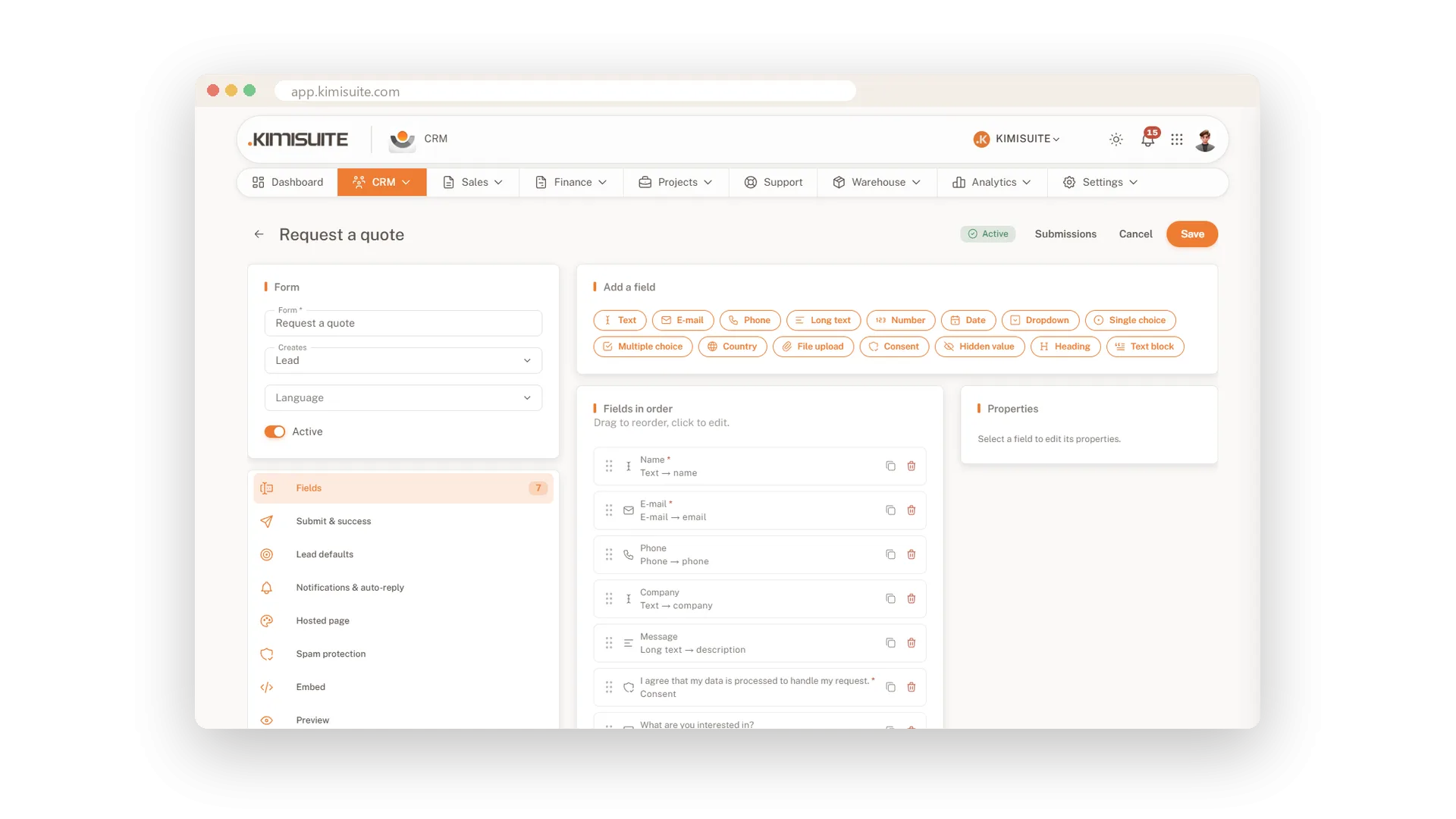
Web forms with 15 field types feed straight into your leads, with spam protection
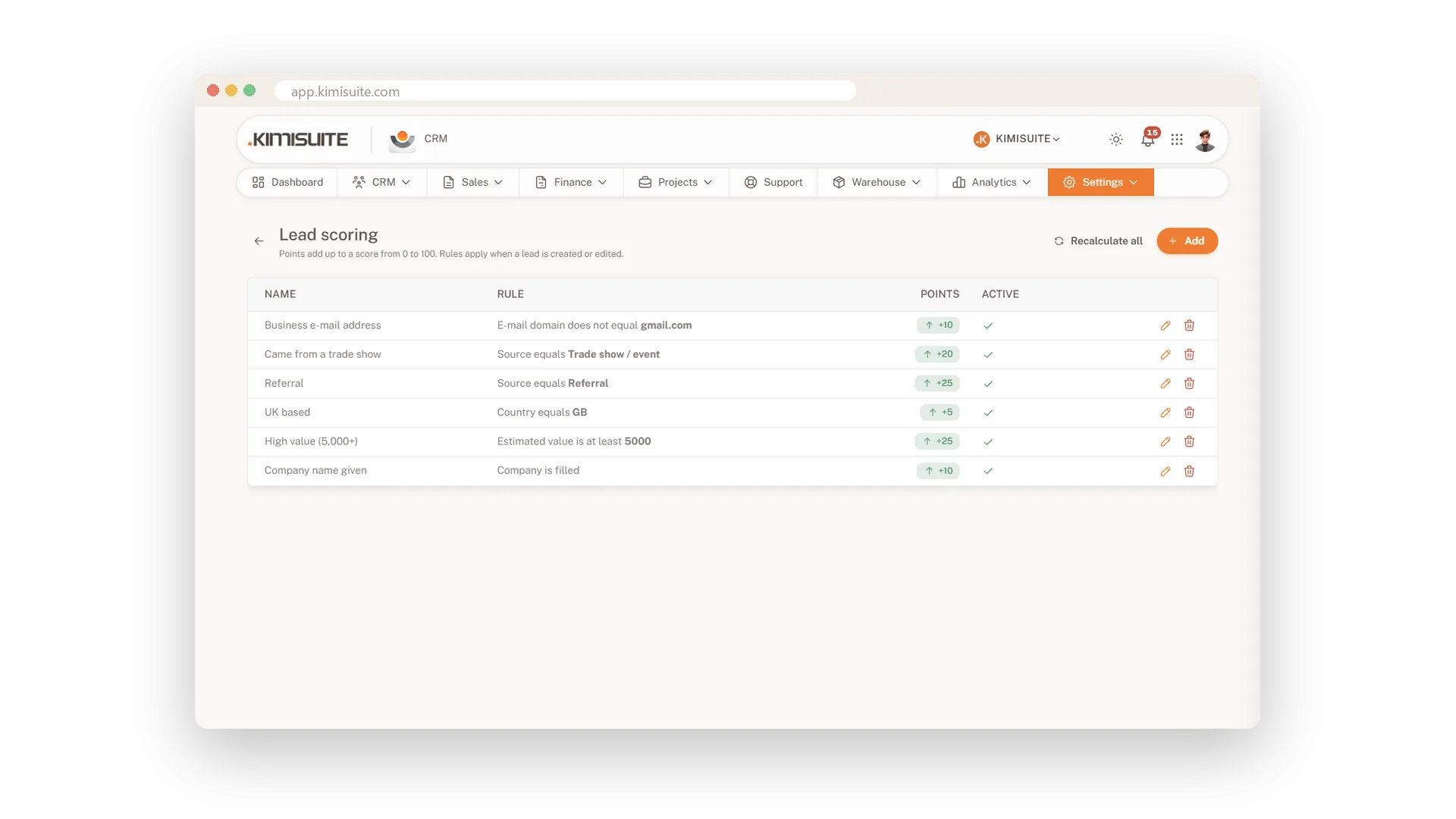
Scoring rules rank every lead from 0 to 100, and the AI adds reasons and a next step
Convert in one click: customer, contact and deal created together
Web forms that create leads
Build a form, embed it, and every entry is a lead
Build your enquiry form from 15 field types - from e-mail and dropdown to file upload and consent - and map each field to the lead, with fields that only show when they matter. Send an auto-reply and a notification, and put the form on your site with the embed code or share its hosted page. A honeypot keeps spam out.
Log every call and the next step
Every touchpoint on the timeline, the next one dated
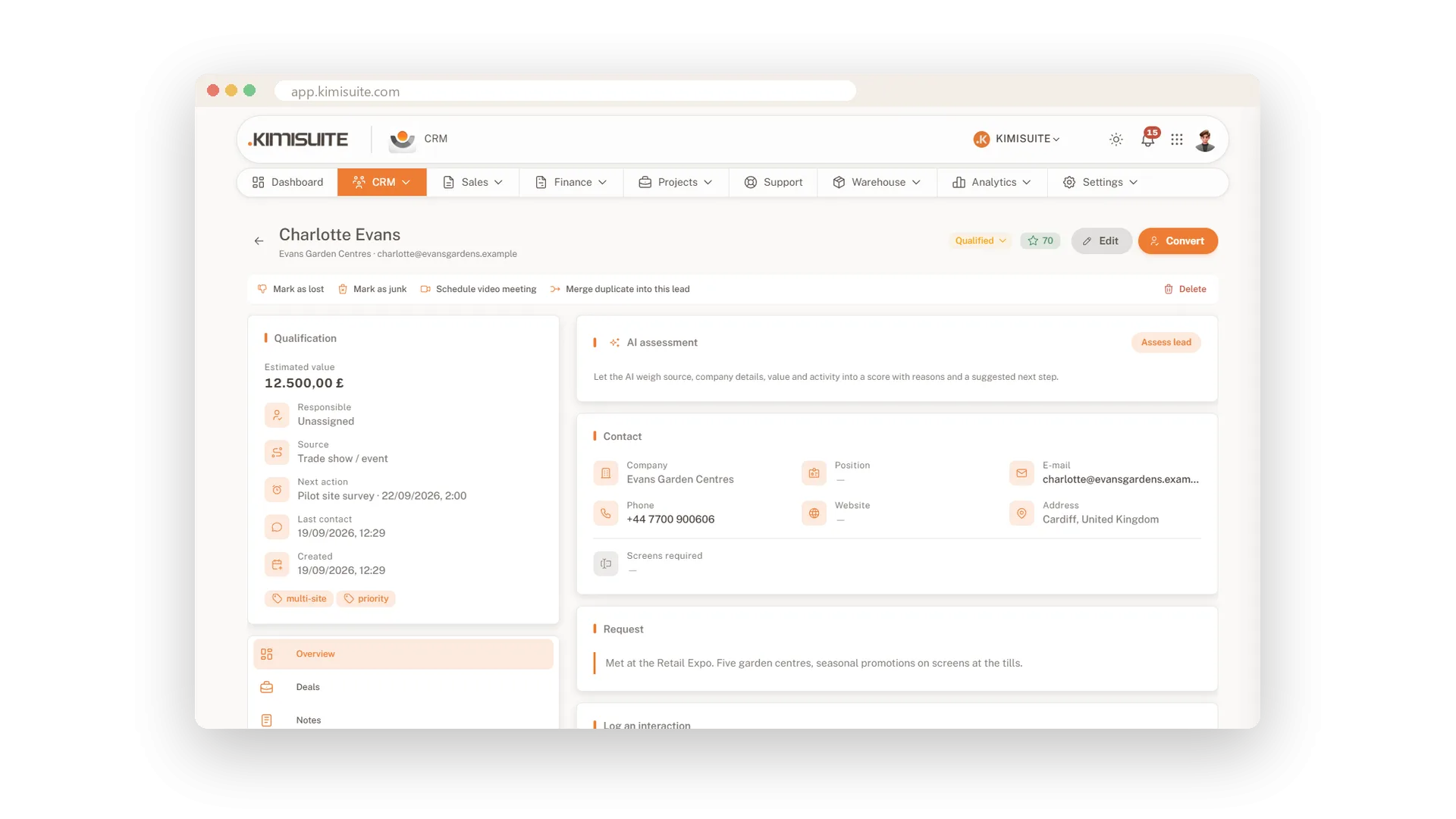
After a call, log it with a click: call, e-mail or meeting, and the follow-up date. The lead's timeline shows every conversation, and its source and campaign stay on the record, so you always know where it came from and what happens next.
Score leads by your own rules
A score from 0 to 100 that follows your logic
Give points for what matters to you - the source, the country, the estimated value, a company e-mail domain, a campaign. Every lead gets a score from 0 to 100, and when you change the rules, you recalculate them all in one go.
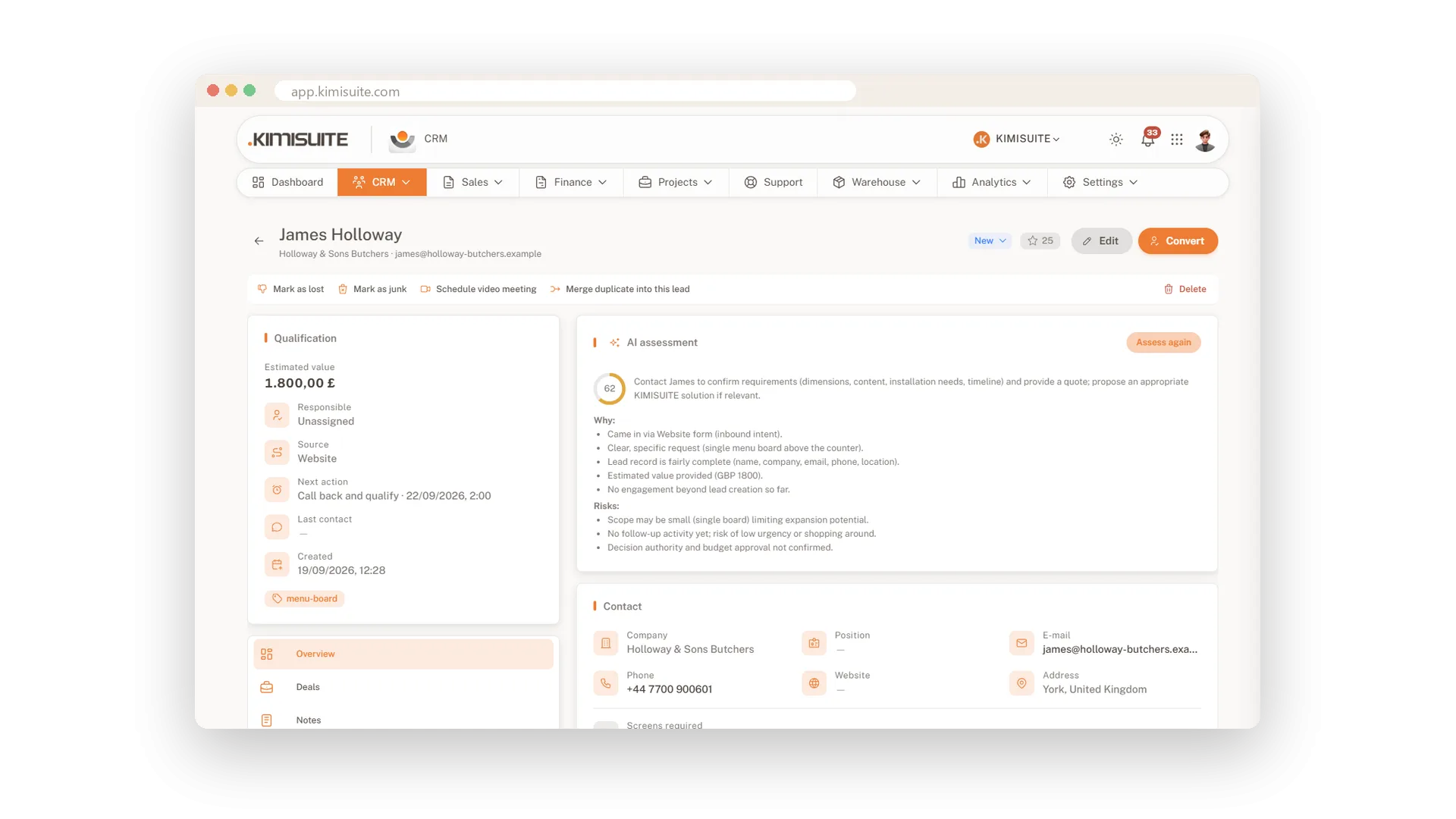
AI assessment of every lead
A score with reasons, risks and the next step
Ask the AI for its view on a lead and get a score with the reasons behind it, the risks it sees and a suggested next step. It is a second opinion before you pick up the phone, paid from your workspace's AI credits.
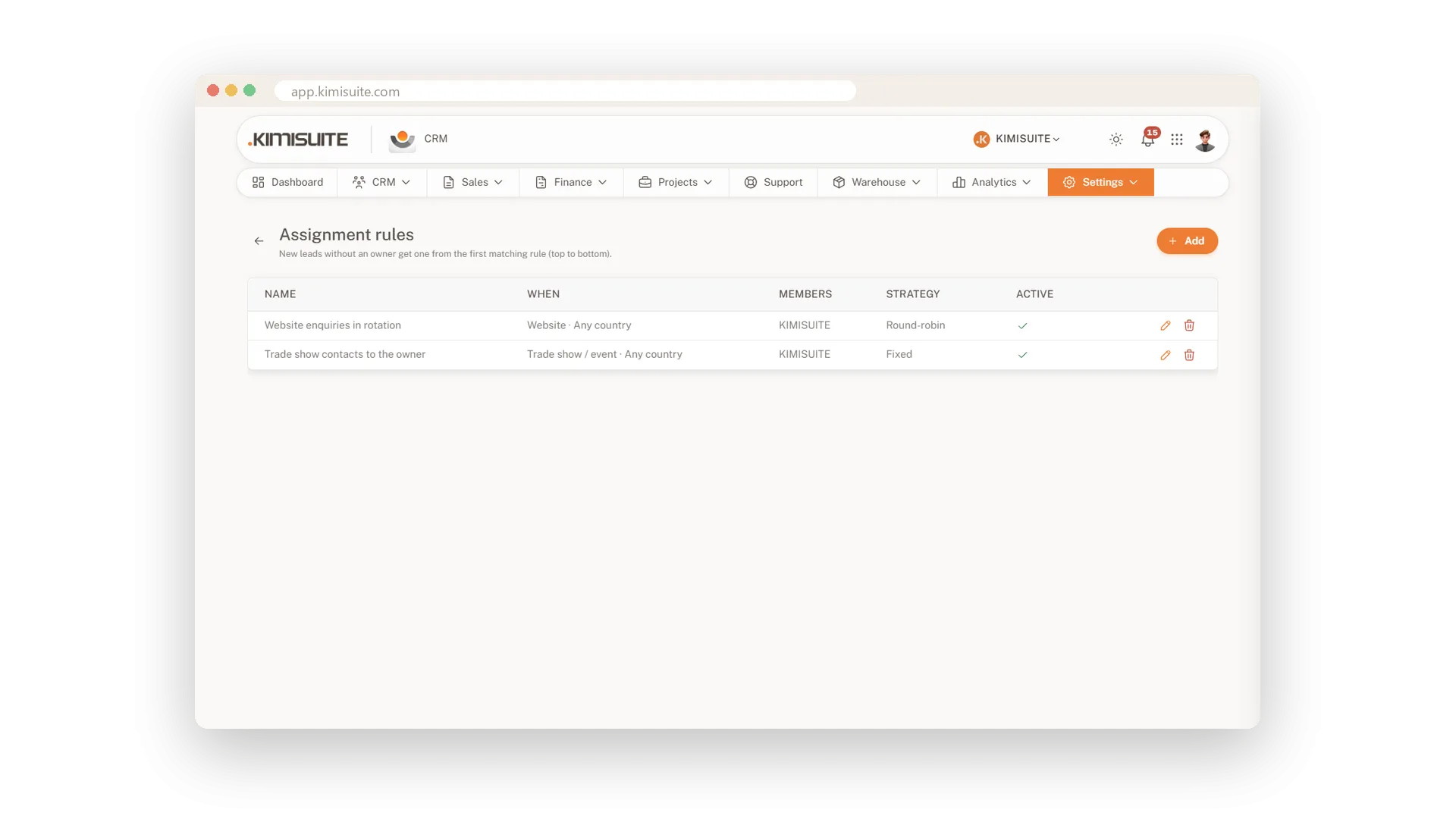
New leads assigned automatically
The right person gets the lead, without a hand-off
Decide per source who takes new leads: always the same person, or round robin across the team in the order you set. No lead waits for someone to hand it out.
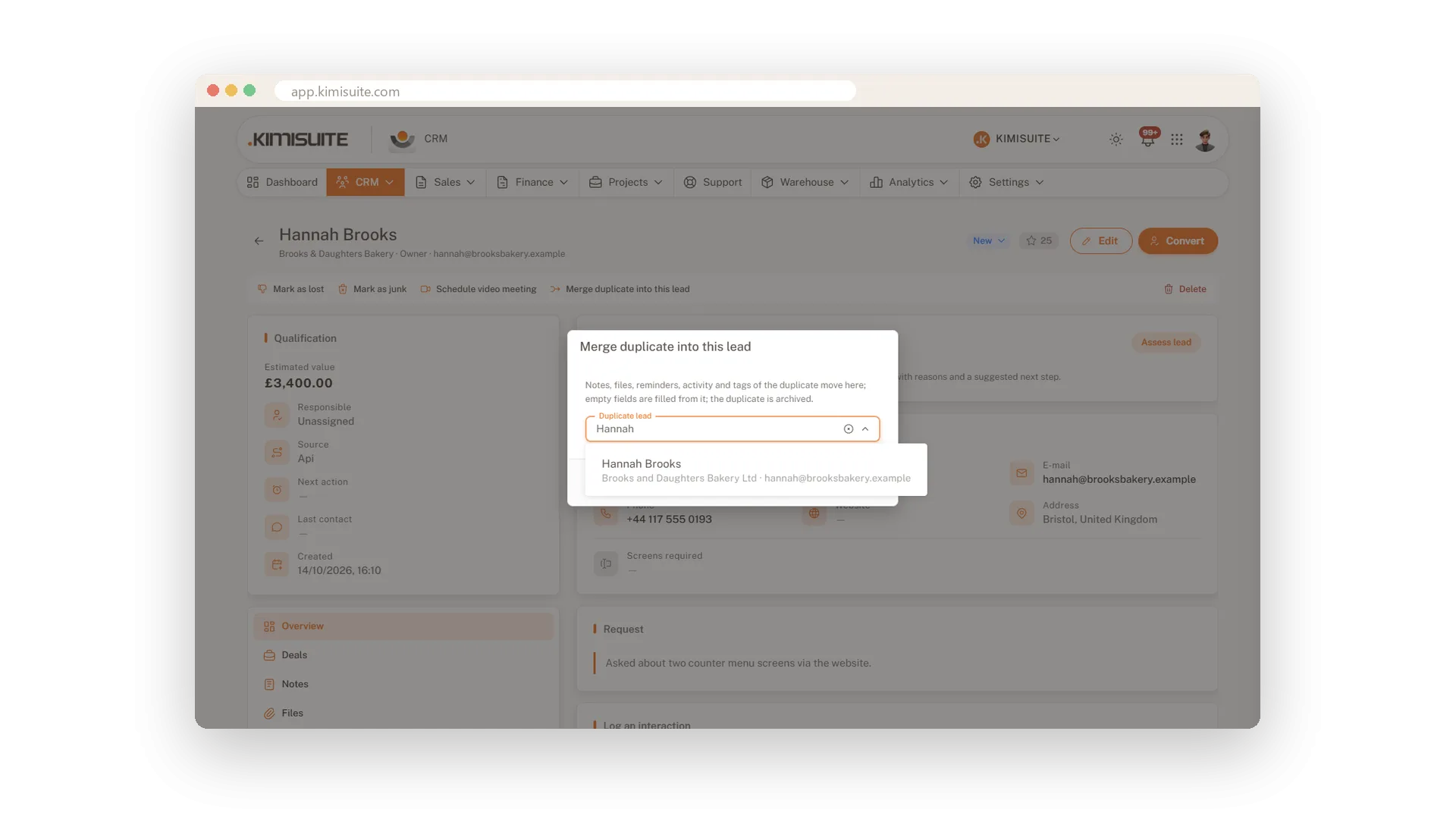
Two leads, one company
Merge duplicates in a click
When the same company writes twice, merge the two leads into one. The history, notes and activities move with it, so nothing gets lost.
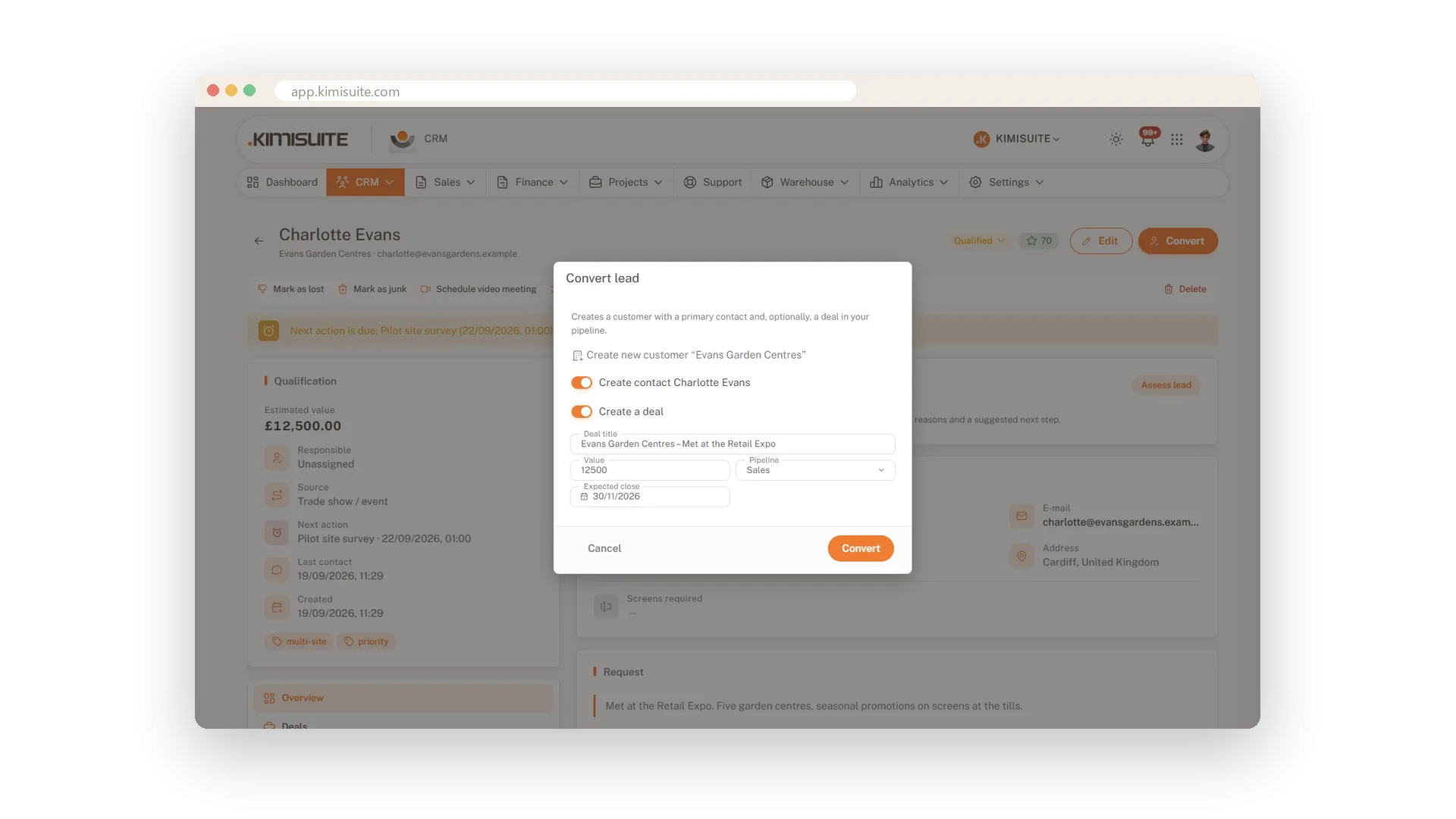
From lead to customer in one step
Customer, contact and deal created for you
Convert a qualified lead and the CRM creates the customer, the contact and, if you like, the deal. Everything the lead told you comes along.
Use Cases
The Monday lead review
Filter the board by source and owner and look at the due actions tile. Ten minutes later everyone knows whom to call this week.
An enquiry at 11 pm
Someone fills in the form on your website and gets your auto-reply straight away. By morning the lead is on the board and already assigned to a colleague.
Two leads, one company
The same person wrote twice. Merge the duplicate and keep one lead with the whole history.
FAQ
Try CRM Business Hub today
From first lead to paid invoice in one app
14 days free, cancel anytime, no minimum term.
