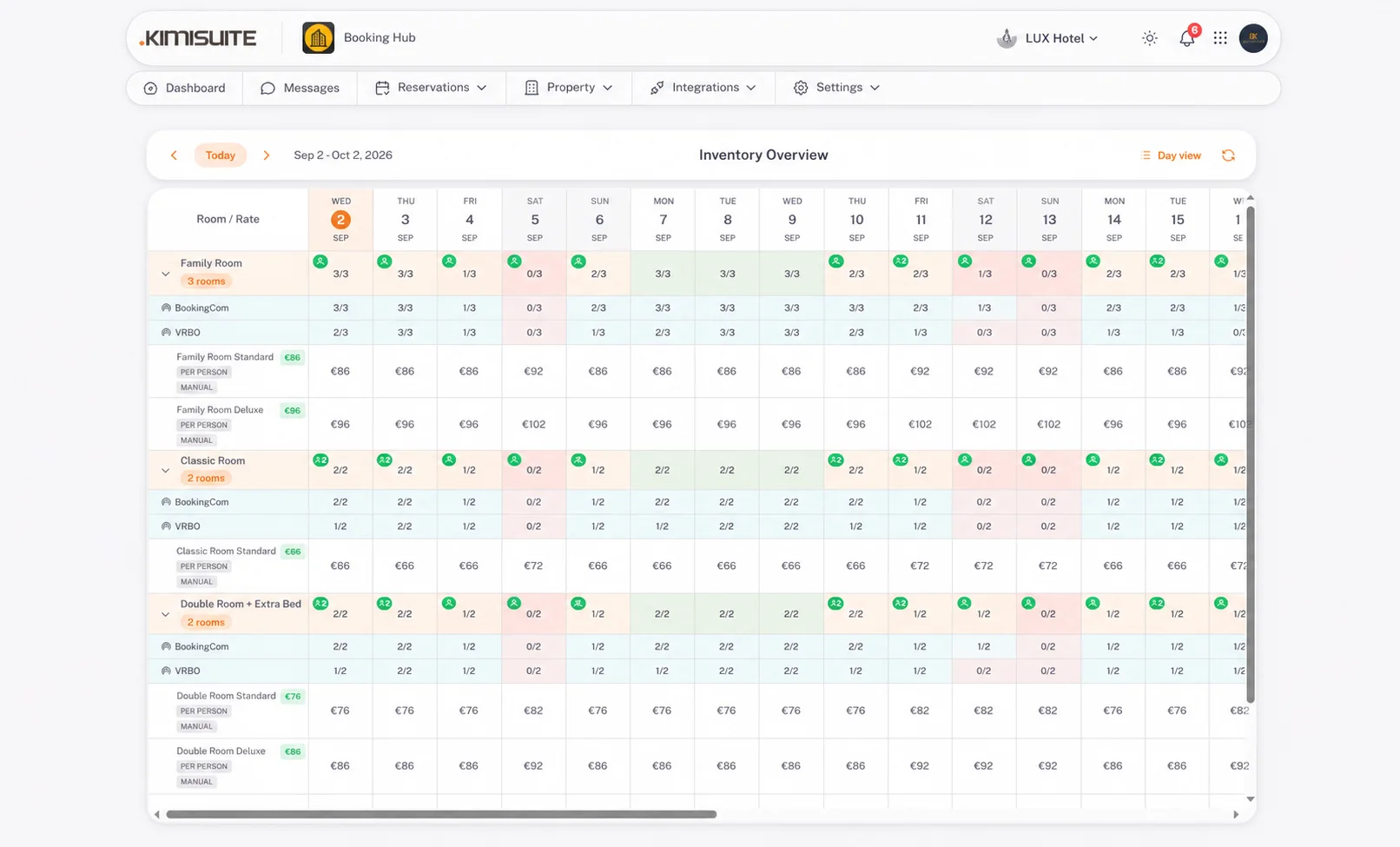
Booking Overview
A month of rooms against dates, at a glance
 Booking Hub
Guests cancel their own booking within a deadline the property sets, measured in hours before arrival. Staff can cancel from the booking menu at any time.
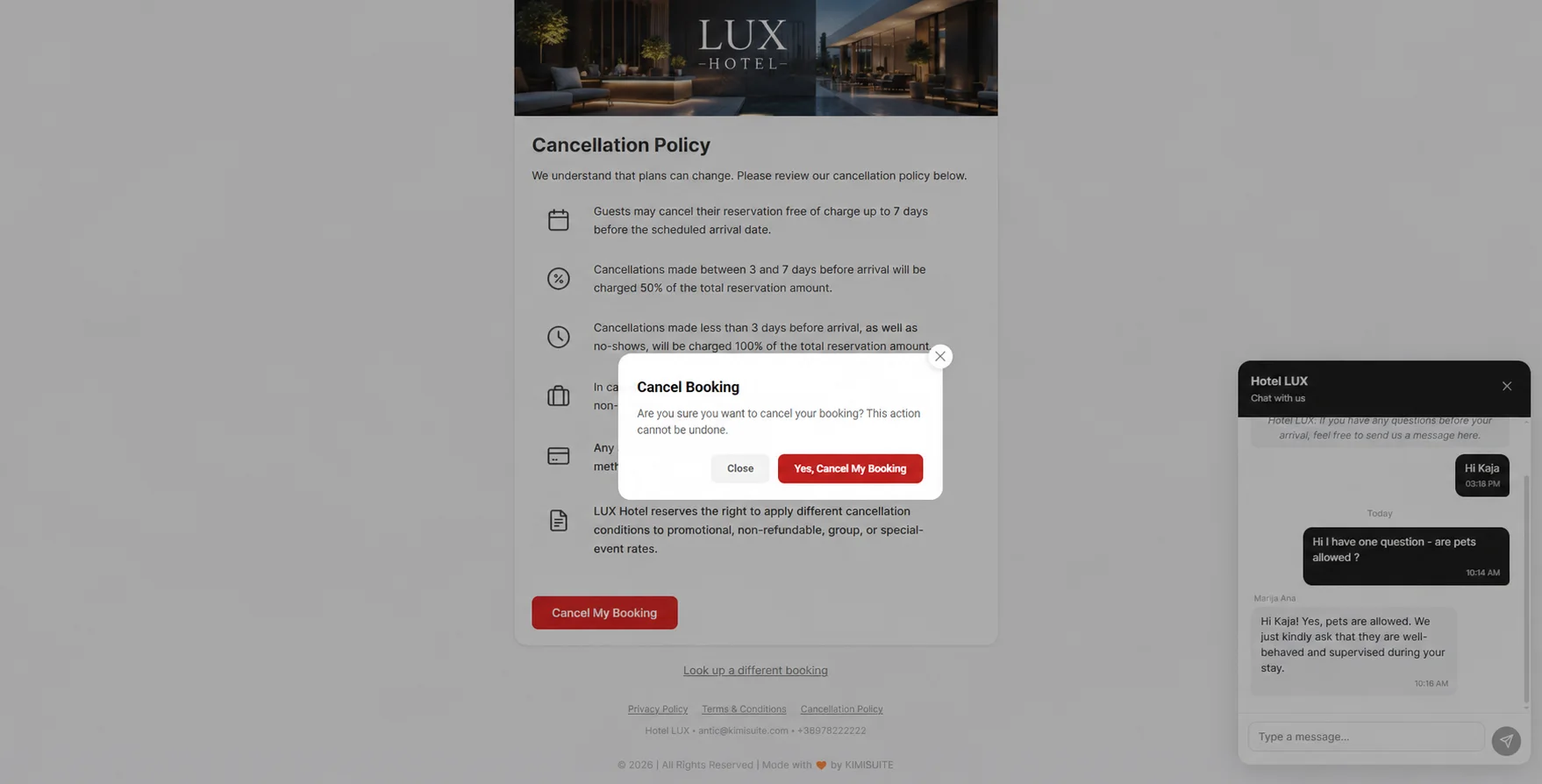
Self-service cancellation can be allowed or blocked per property — it is a decision, not a default.
Reduces front-desk workload by letting guests check status and cancel bookings independently via a secure link
Automatically releases cancelled rooms back into live inventory, preventing manual errors and overbooking
Real-time sync with the channel manager and booking widgets ensures availability is always accurate across all platforms
Policy-controlled cancellations mean guests can only self-cancel within the rules you define, keeping you in full control
Allowed or blocked, with a deadline
Guests cancel from their booking page. The property decides whether it is allowed at all and how many hours before arrival the door closes.
Boutique hotels with limited front-desk staff benefit enormously from guest self-service. Instead of handling repetitive status inquiries over the phone or email, your team can focus on in-person hospitality while guests securely manage their own reservations 24/7.
Vacation rental managers handling multiple properties across different channels need real-time accuracy above all else. When a guest cancels via the self-service portal, the room is immediately re-listed through the channel manager, maximizing re-booking opportunities without any manual effort.
For small B&B owners who wear many hats, reducing administrative communication is essential. Guest self-service means cancellations and status checks happen automatically, freeing up valuable time and ensuring your availability calendar is always current — even when you're not at your desk.
A month of rooms against dates, at a glance
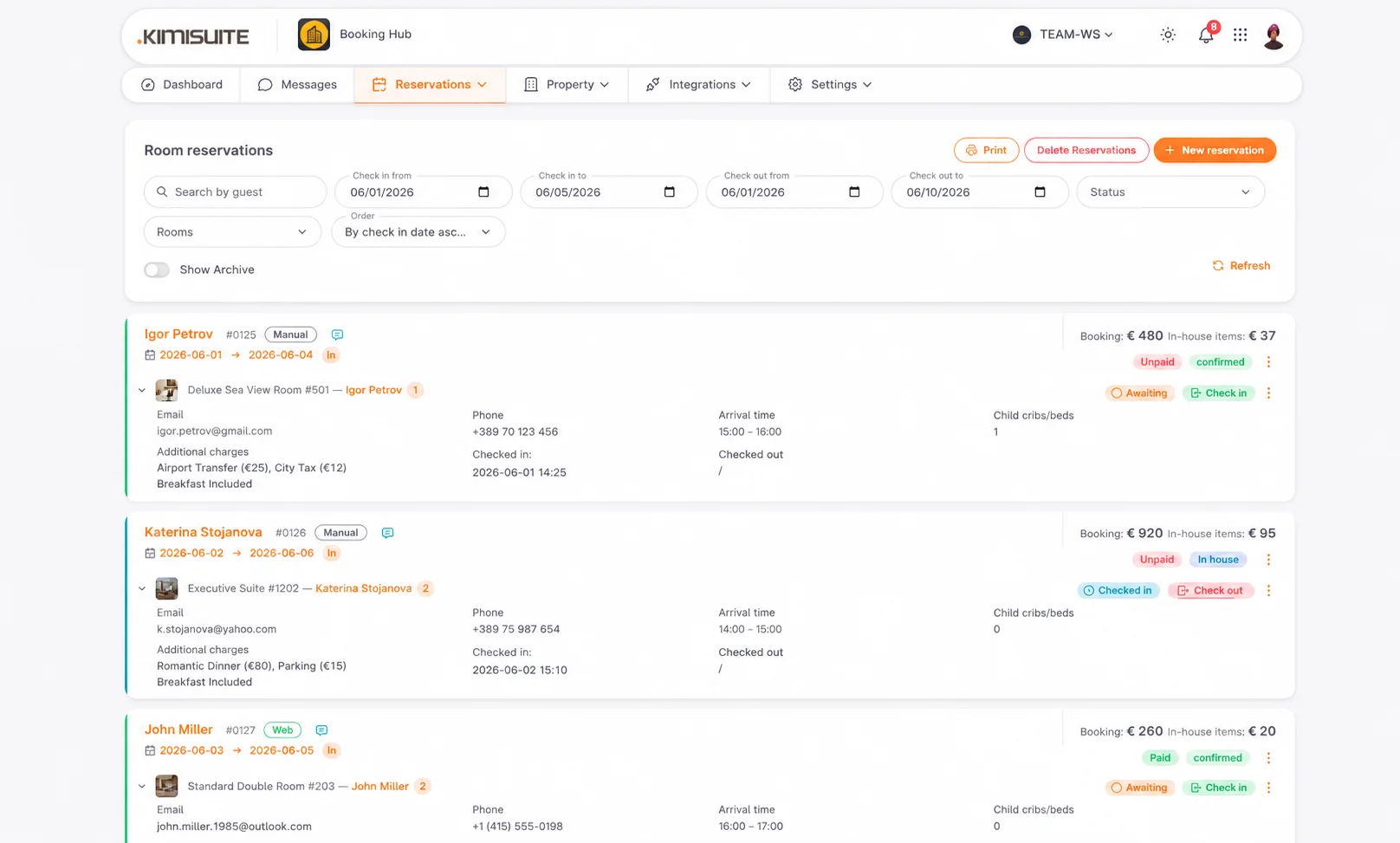
Every booking in one list, wherever it came from
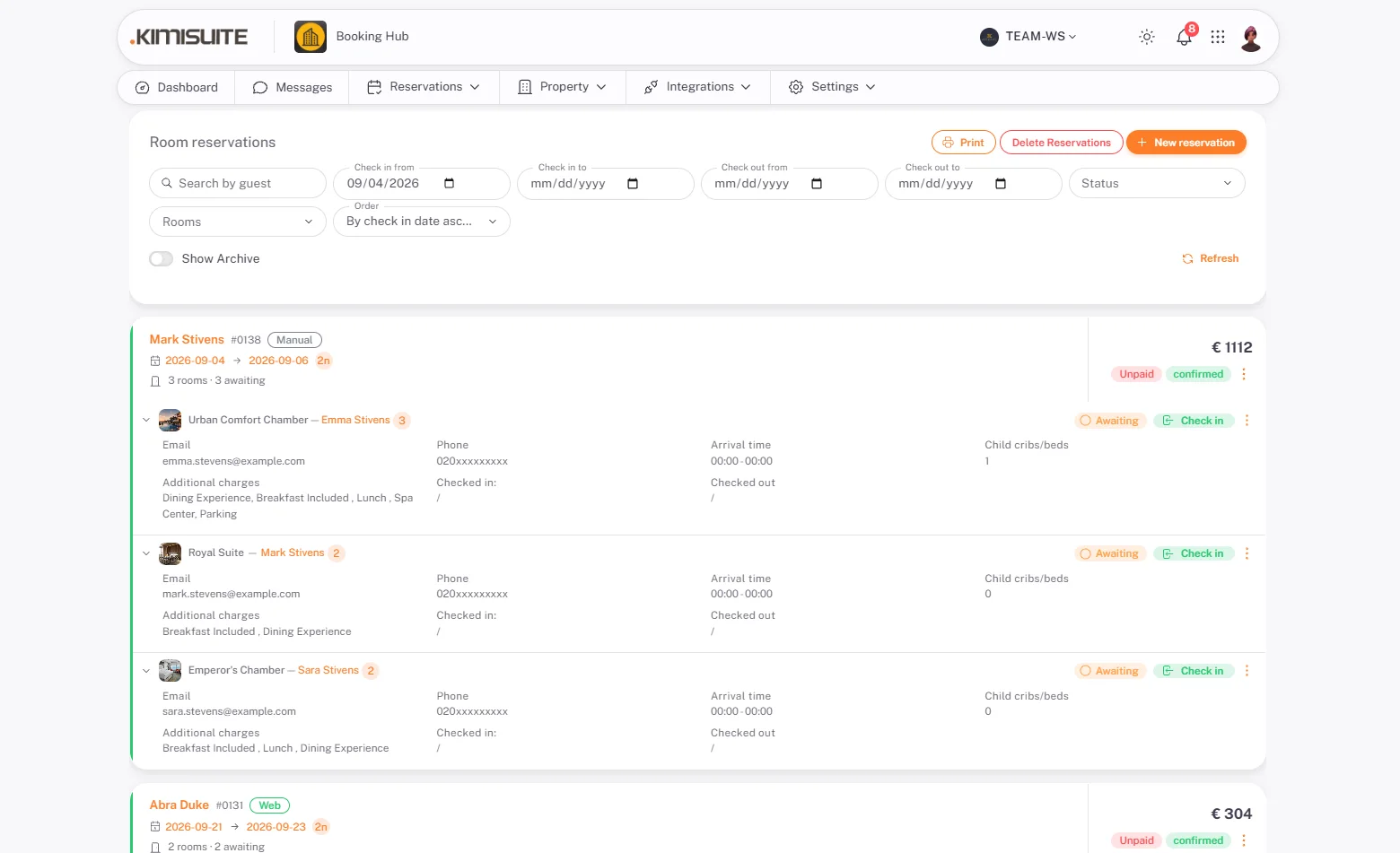
Several rooms, one reference, one bill
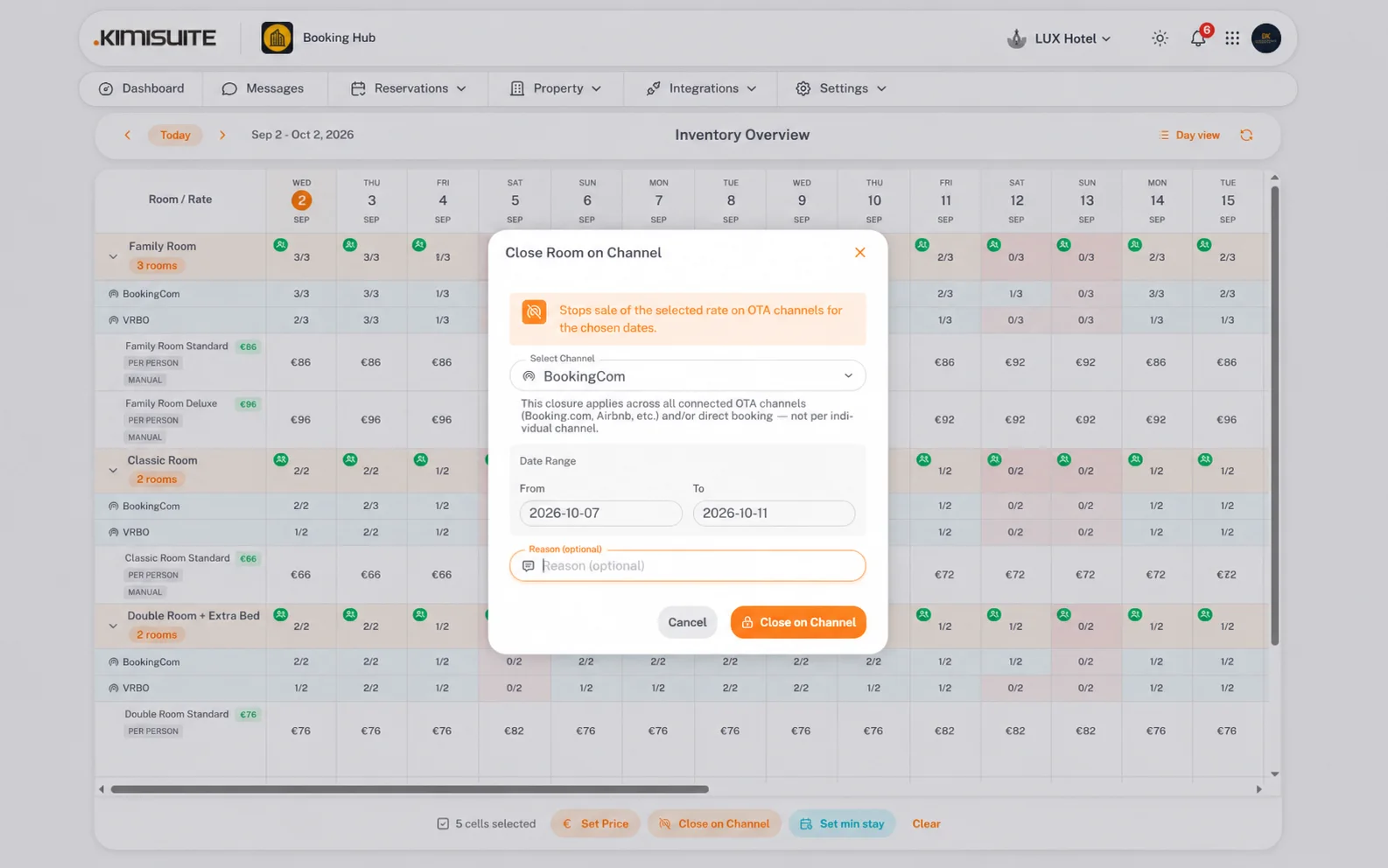
One inventory, every channel, in real time
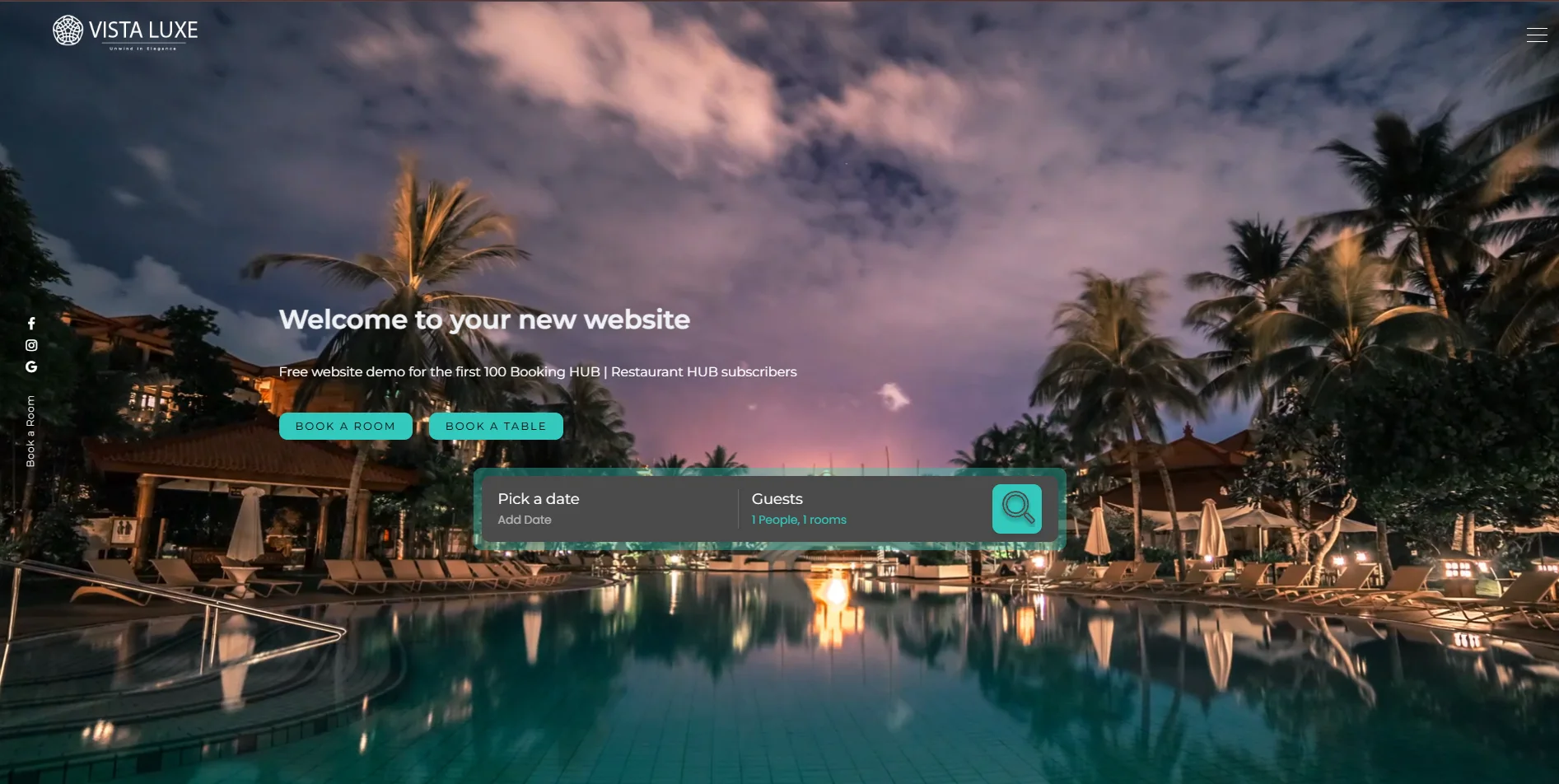
Your own website, no commission
Discount codes that bring guests to your own site
Every confirmation email carries an access code and a link to the guest's booking page. Guests open it with no login and no account, and cancel there if your rules allow it.
Yes. Allow or block self-service cancellation for your property and set the deadline in hours before arrival. Your own cancellation policy is shown on the page.
The room goes back into your inventory and is available again on your website and on the connected channels.
Yes. A guest opens a booking with the booking number and their email or the access code, and the code never appears in the web address.
Yes, at any time, from the booking's action menu. The guest's own deadline only applies to cancellations on the booking page.
14 days free, cancel anytime, no minimum term.

