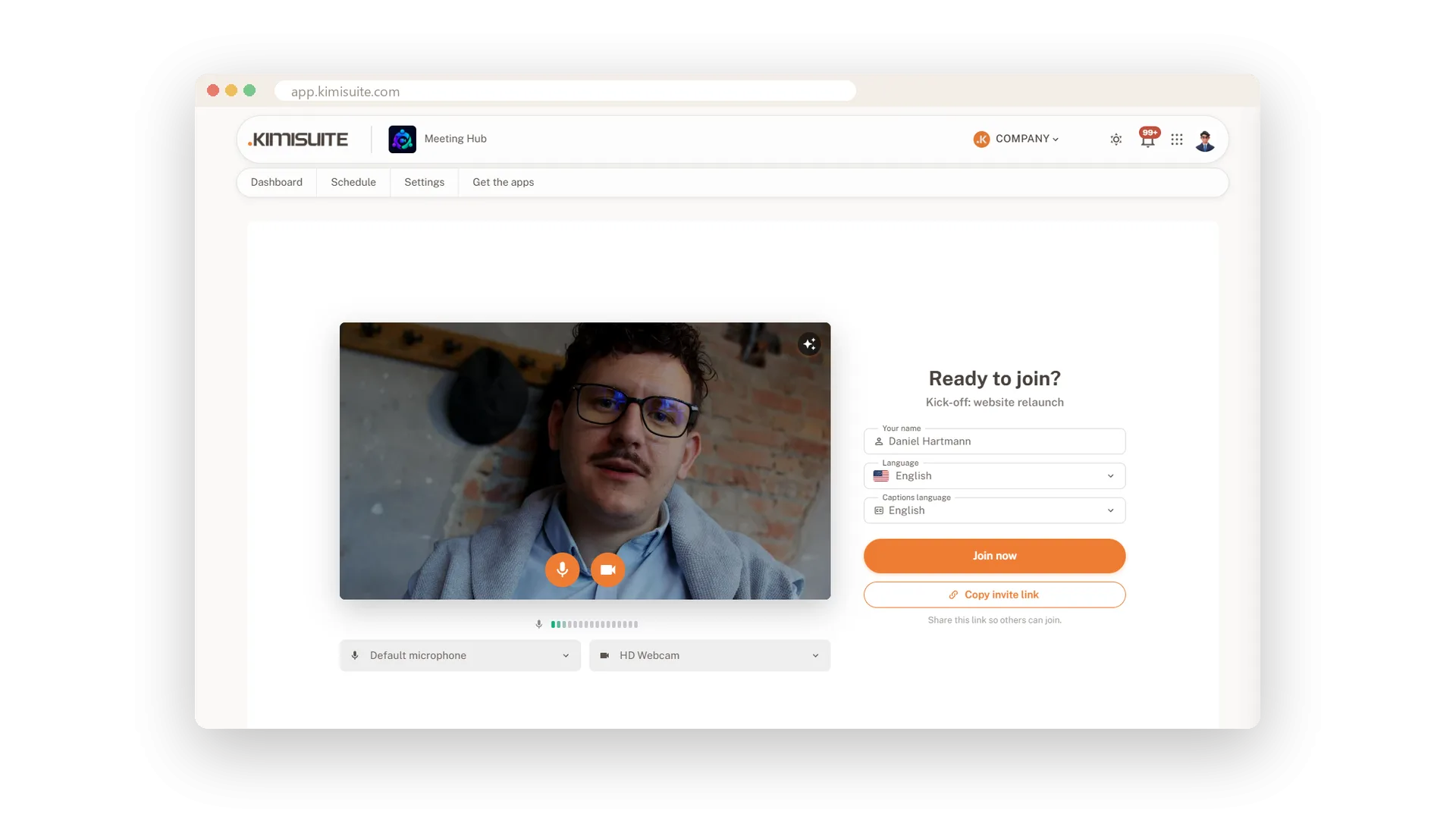
Nobody wants to spend the first minute asking whether everyone can hear them. Before you join, the lobby shows your own camera picture and a level meter for your microphone. Switch either off, pick another microphone or camera, choose the language of the interface and of the captions - then step in.
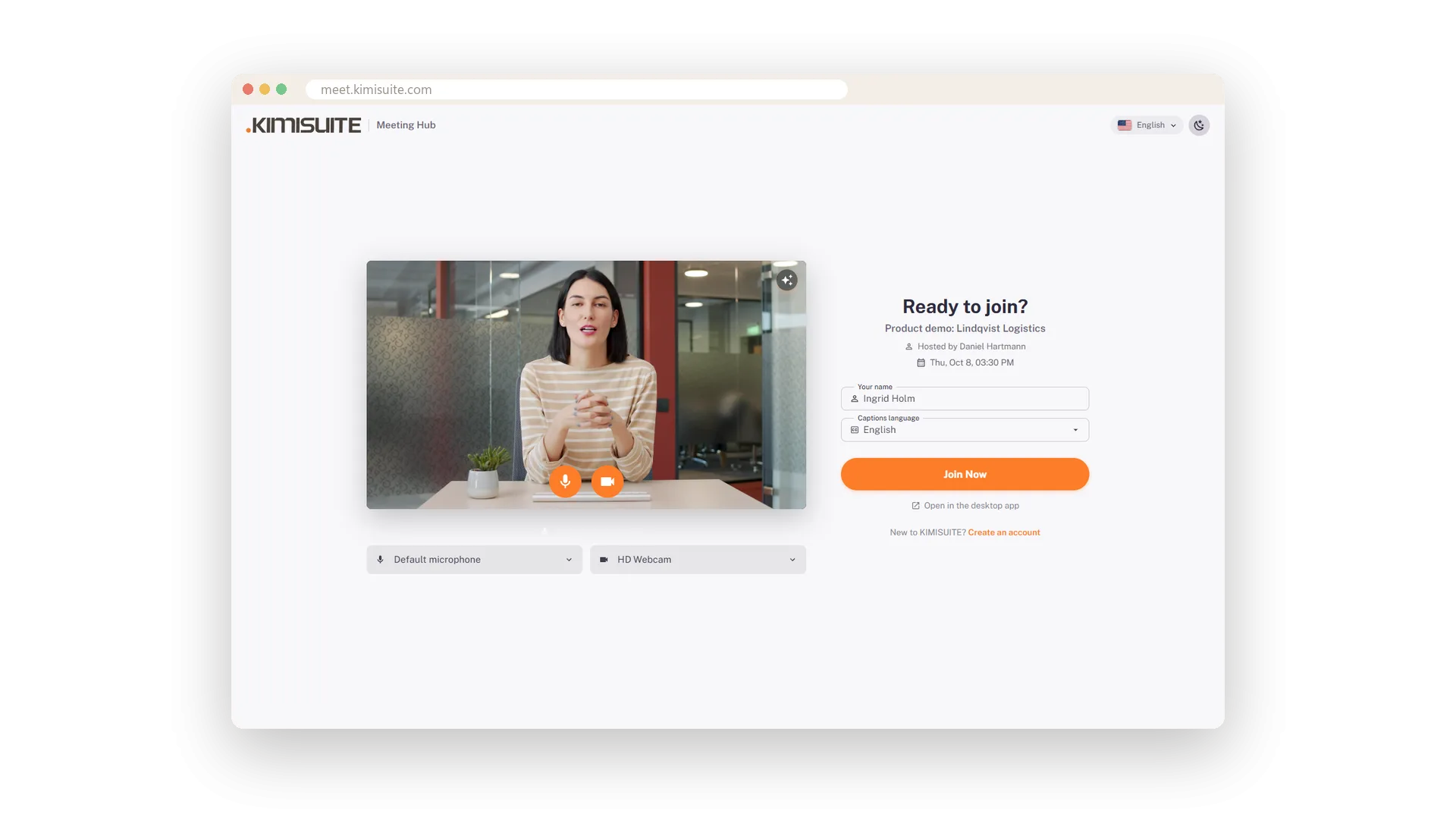
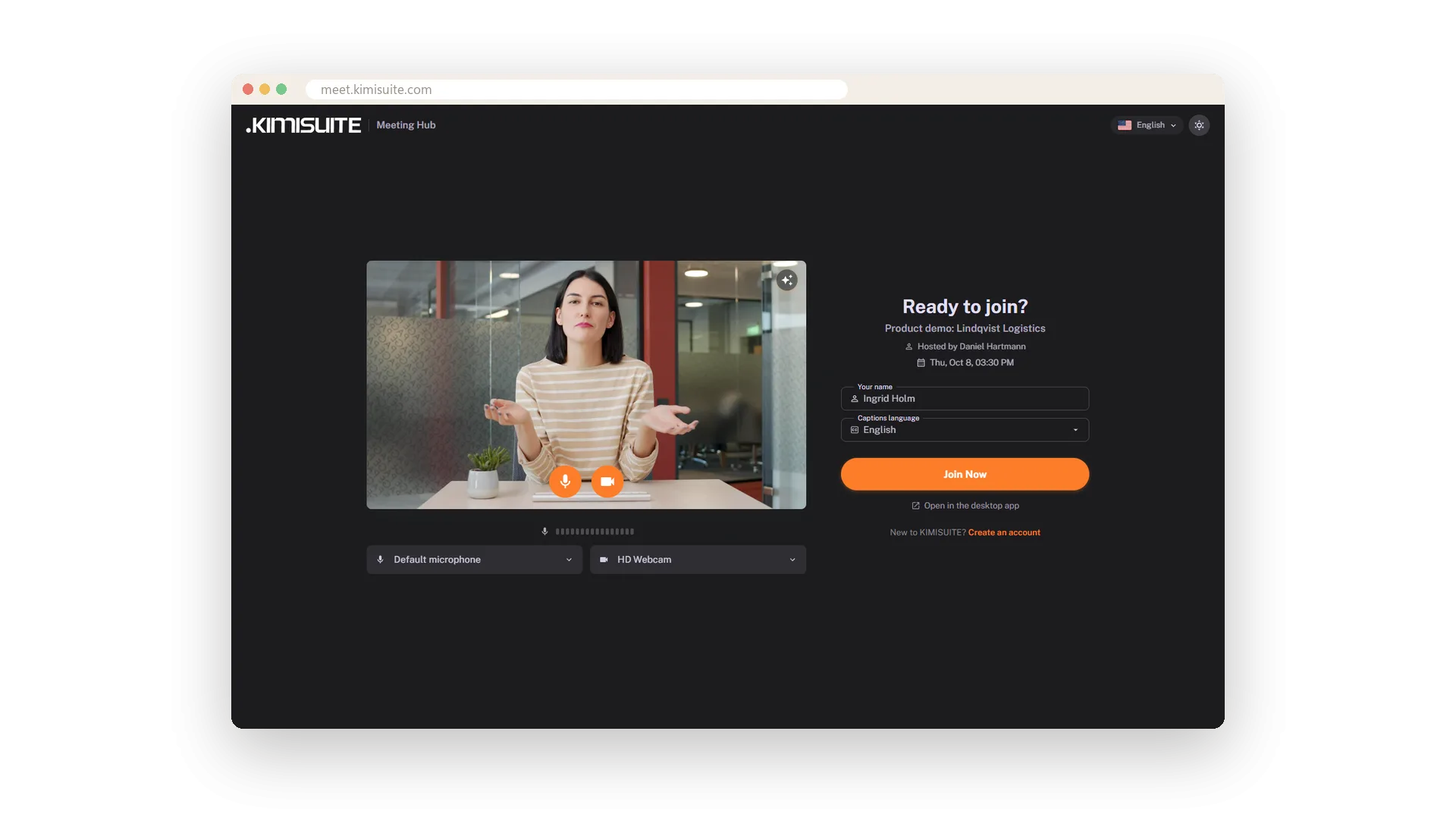
Guests get the same check, in their language: 16 languages with flags, light or dark at a click. By default they knock and wait until you let them in. A meeting can also ask for a password, or admit only the people you invited.
Key Benefits
See your camera picture and microphone level before anyone else does
Pick the microphone and camera you want, or switch either off before you join
Guests choose from 16 languages and light or dark, right in the lobby
Knock to join, a password or invitation only - you decide who gets in
Camera and microphone check
Your picture and a level meter before you go in
The lobby shows what the others will see and hear: your camera picture and a meter that moves when you speak. Choose the microphone and camera from the list, or switch either off, and join when everything is right.
In your guest's language
16 languages with flags, light or dark
Your guests choose their language from a menu with flags in the header - 16 languages, from German to Arabic. One more click switches between light and dark. As the host, you set the interface language and the language of the captions in your own lobby.
Guests knock, you let them in
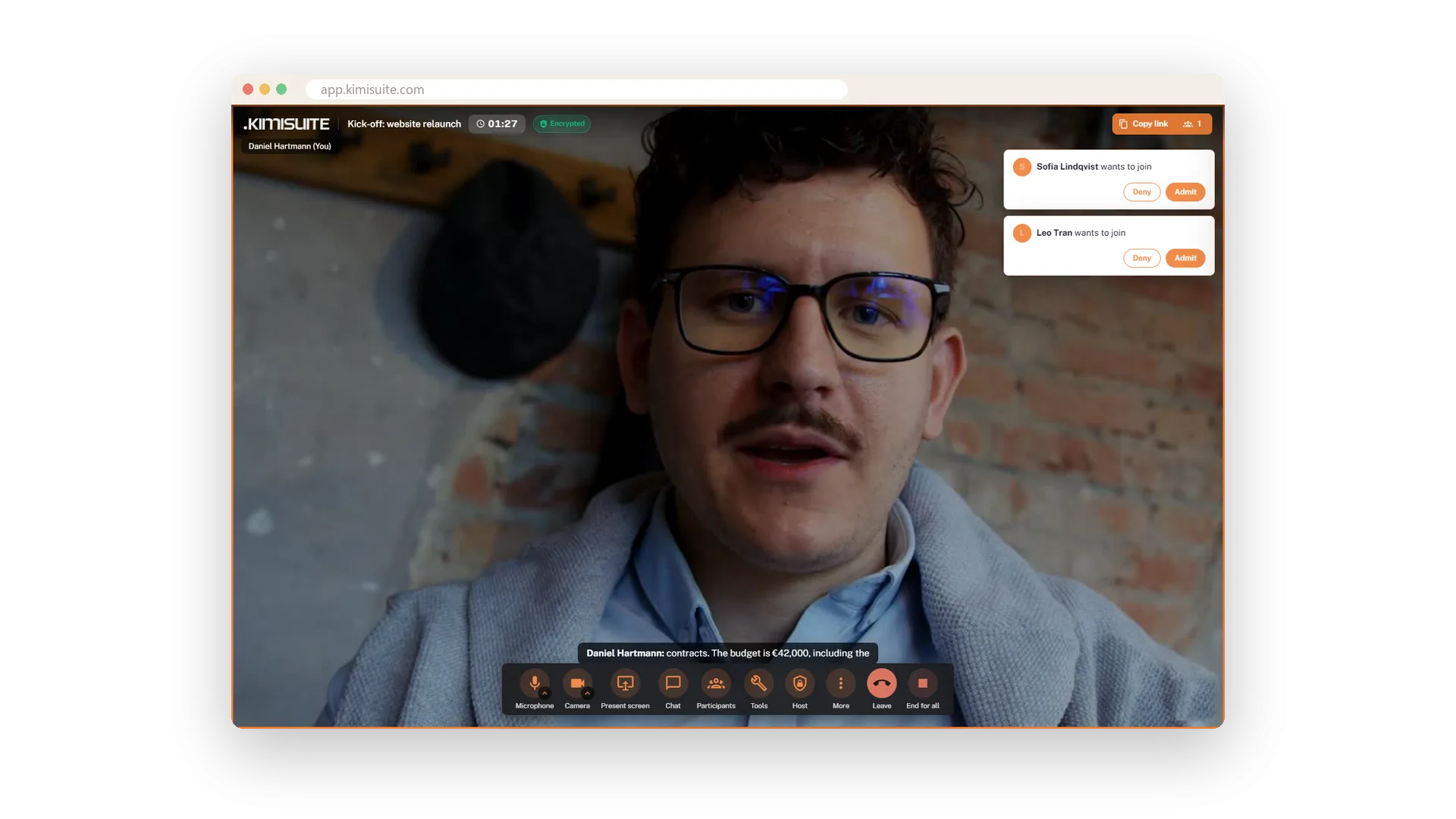
Admit or deny with one click
With Knock to join, guests wait with a friendly notice until you let them in. You get a card in the meeting with Admit and Deny. A guest you turn away is told so politely and may knock again.
Password or invitation only
Protect each meeting the way it needs
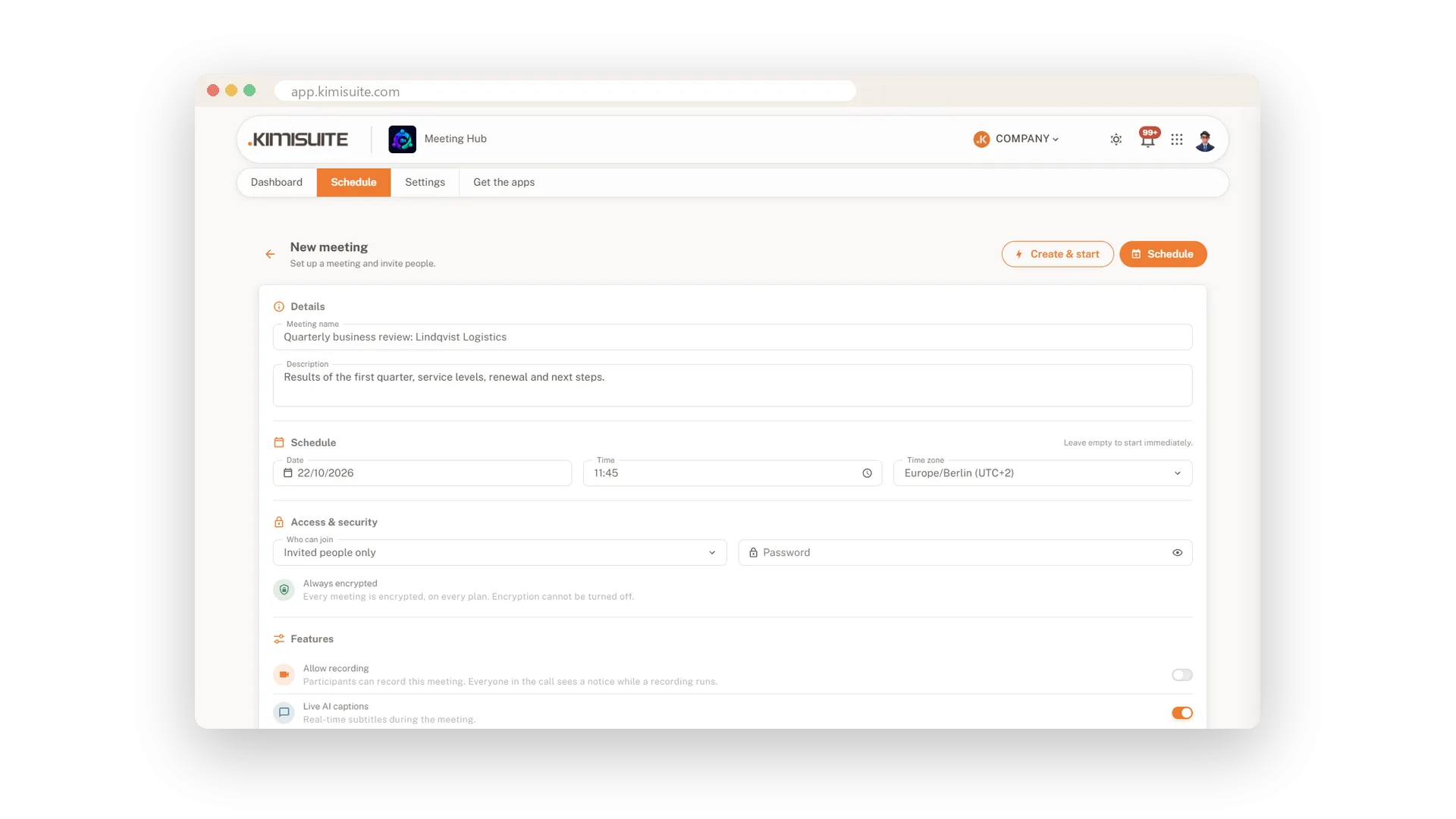
Add a password when you plan the meeting, and only people who know it get in - a wrong one is refused right at the field. Or admit invited people only: guests join with the personal link from their invitation, your workspace members simply sign in.
Use Cases
The headset that was not plugged in
The level meter stays flat. You pick the headset from the list, the meter moves - and the meeting starts without a round of 'can you hear me now?'.
A guest from abroad
Your guest opens the link and switches the lobby to French with one click on the flag. Everything they read before joining is now in their language.
A confidential board call
Give the meeting a password and admit invited people only. Guests need the personal link from their invitation, and a wrong password is refused right at the field.
FAQ
Try Meeting Hub today
Video meetings your guests join with one link - captions and AI notes included
14 days free, cancel anytime, no minimum term.