 Part of Meeting Hub
 Captions now, notes afterwards
Live captions in the call, an AI summary after it
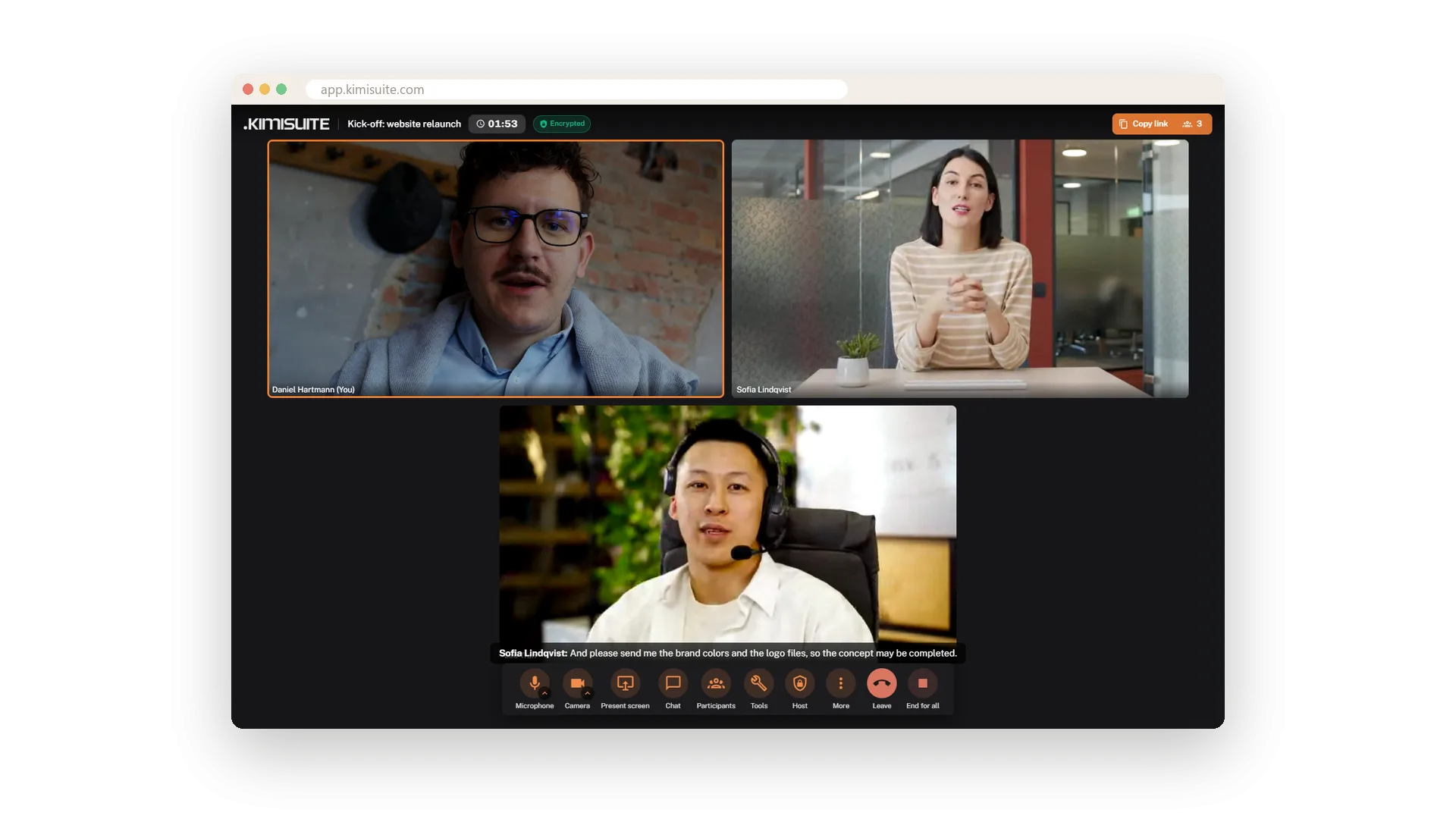
Switch on captions and the spoken words appear under the stage, with the name of the person speaking - in encrypted meetings too. Each line is what that person said, and whoever is muted stays out of the captions. Someone in the call follows better in their own language? On Pro and Enterprise, each participant can have the captions translated into one of 16 languages.
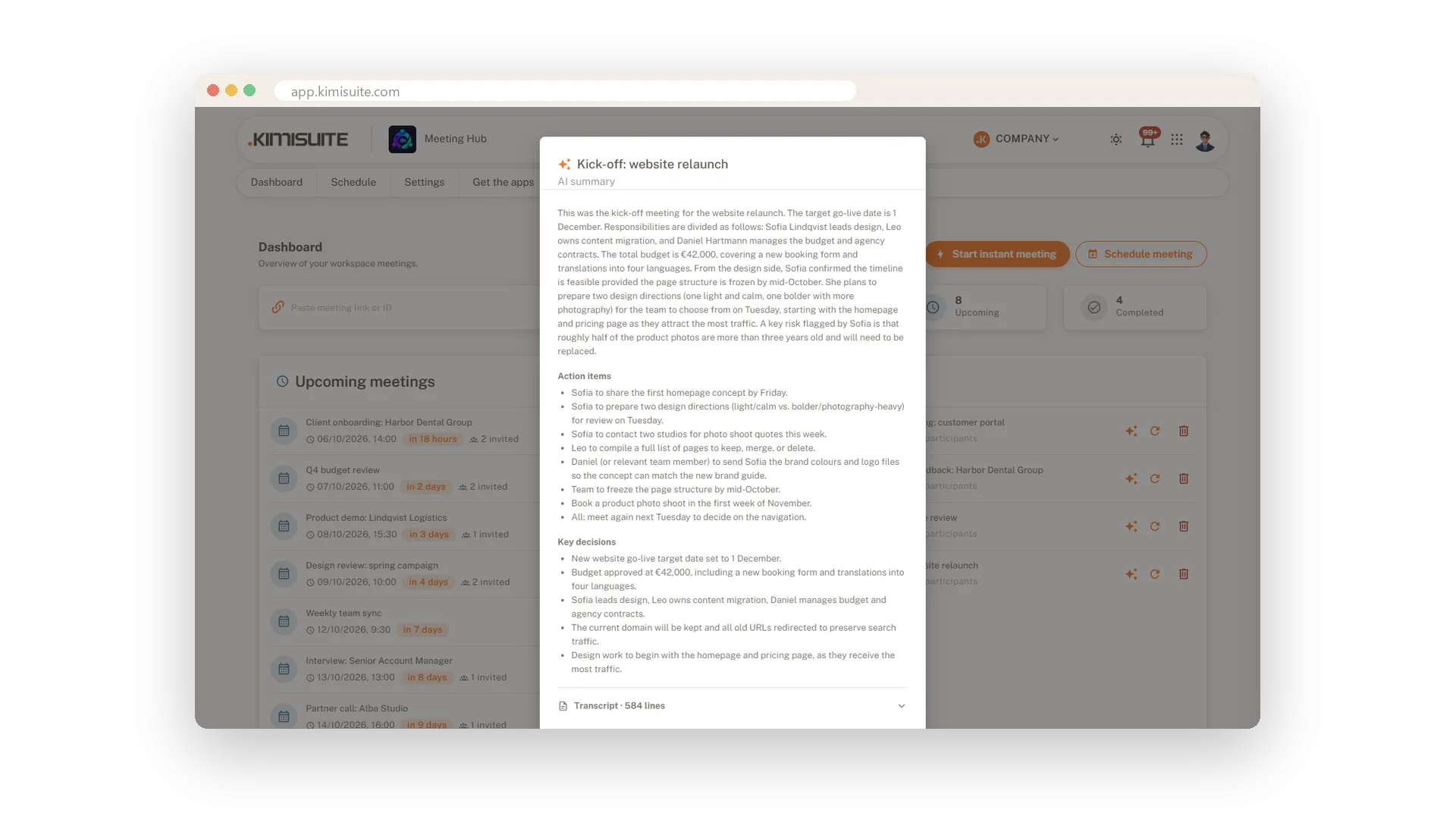
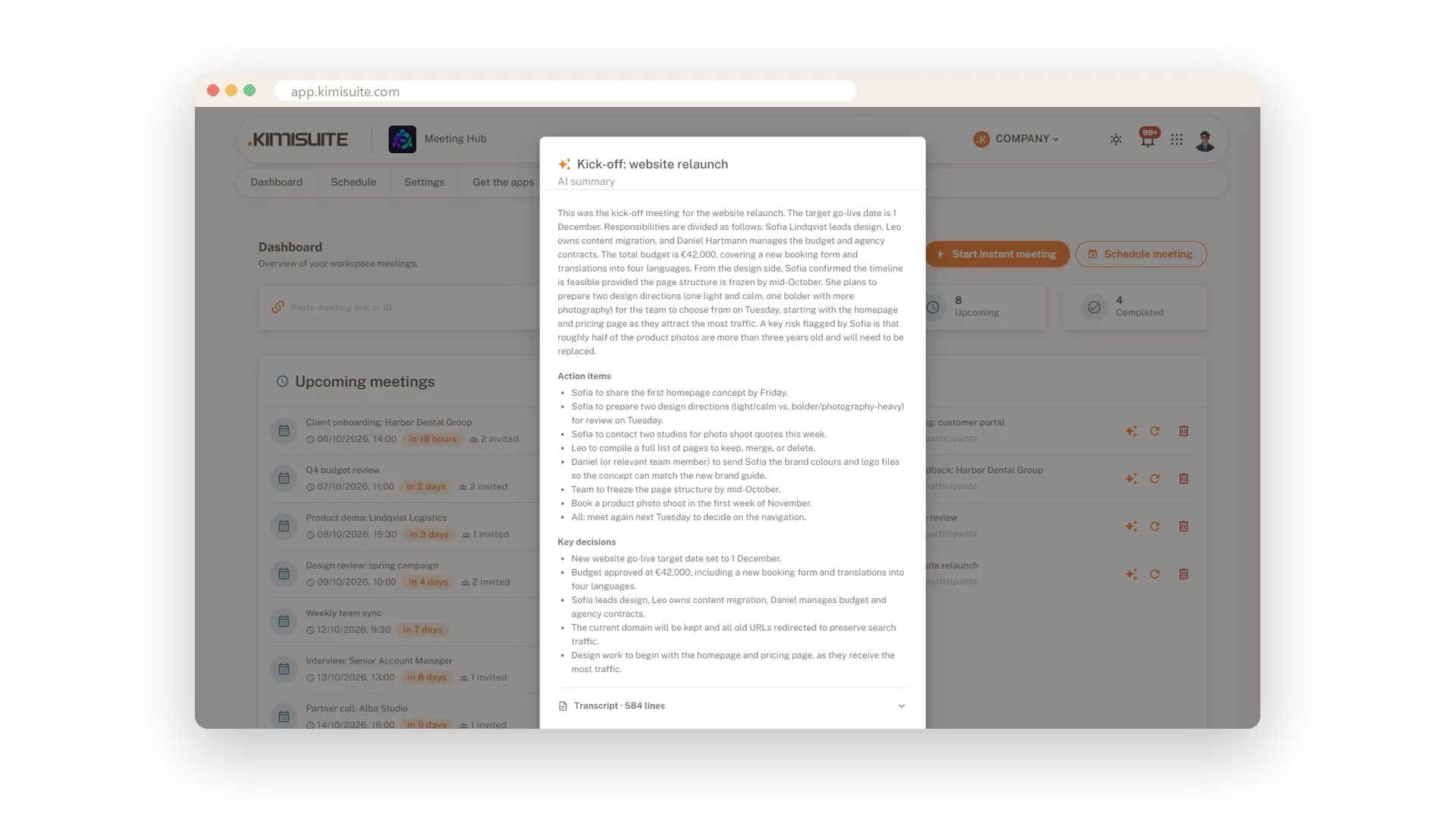
When the meeting ends, download the transcript as a text file. On Pro and Enterprise an AI summary follows: what was discussed, the action items and the key decisions, in the meeting history and by e-mail to the host. Nobody has to take minutes.
Key Benefits
Live captions with the speaker's name - whoever is muted stays out of them
Captions translated into 16 languages on Pro and Enterprise
The transcript to download after the meeting, as a plain text file
AI summary with action items and decisions, in your history and your inbox
Live captions
The spoken words under the stage, with names
Turn on captions and what is said appears under the stage, with the name of the person speaking. Every person's words appear under their own name, and someone who is muted is not captioned. It helps in noisy rooms, with accents and for anyone who follows better by reading - in every plan.
Captions in your language
Translated into 16 languages, per participant
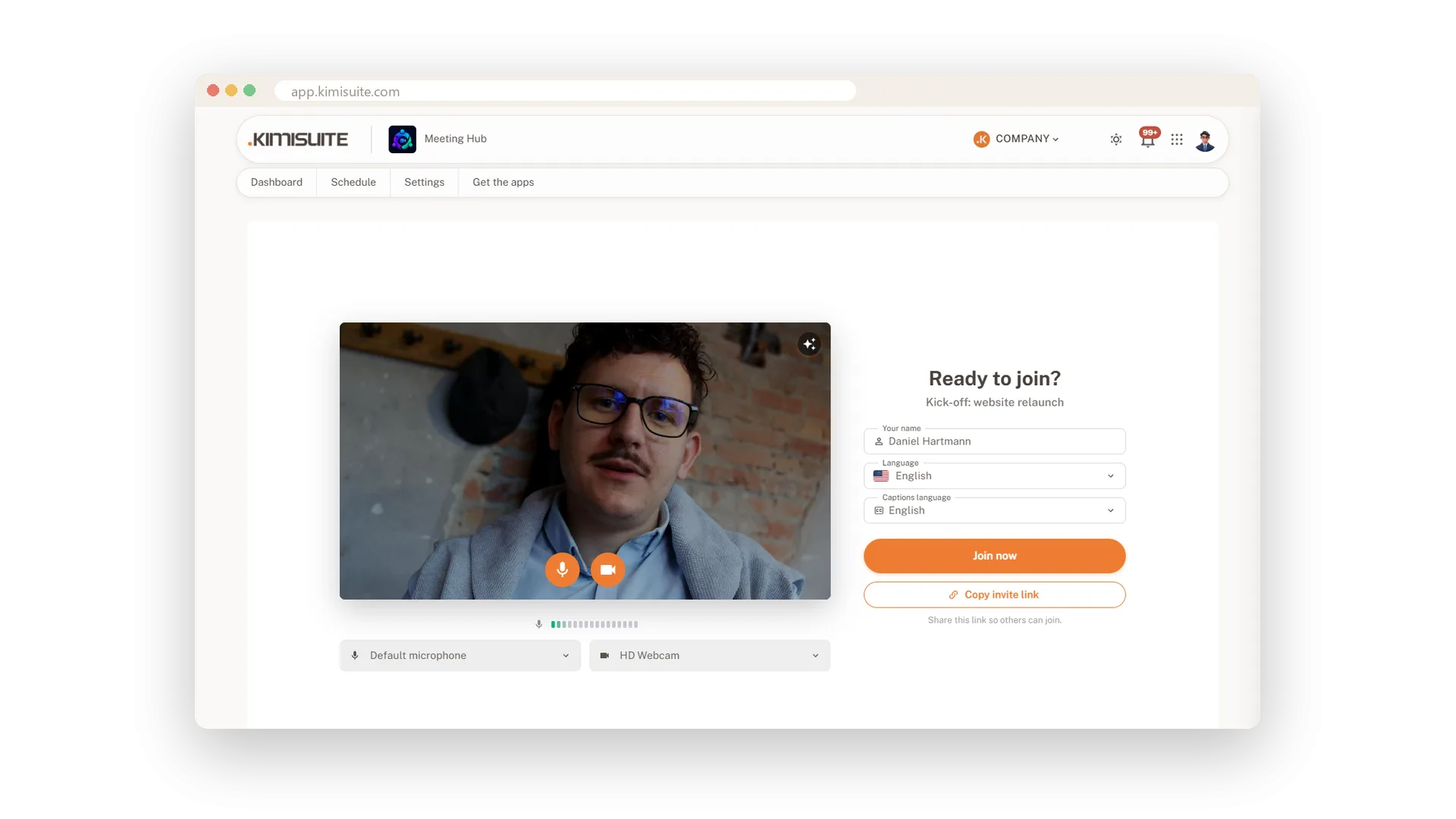
On Pro and Enterprise every participant picks the language their captions appear in - 16 languages to choose from. The conversation stays in one language, and everyone reads along in their own.
The transcript to download
Every caption as a text file after the meeting
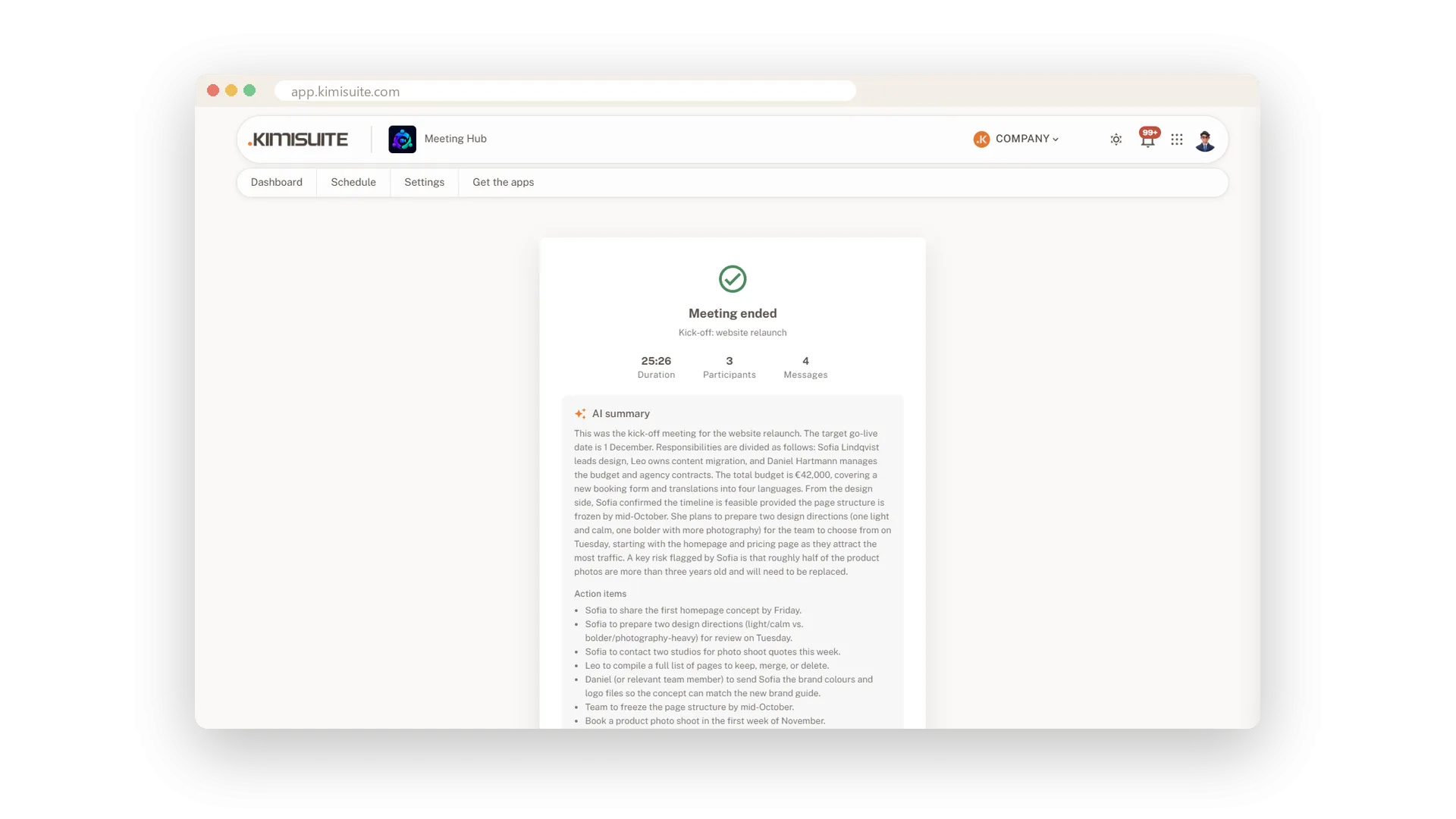
When the meeting ends, the end screen shows duration, participants and messages, with downloads for the chat and the transcript. The transcript is a plain text file with one line per caption and the speaker's name in front, and the history keeps it for later - on every plan.
The AI summary
Action items and decisions, in your inbox
On Pro and Enterprise, the meeting writes its own minutes. After the call you get a summary, the action items and the key decisions - in the meeting history and by e-mail to the host. Forward it to the team and everyone knows what to do next.
Use Cases
Nobody wants to take minutes
Run the planning meeting and end it. The summary with action items and decisions arrives in your inbox - forward it, done.
A partner who reads German better
Your partner sets the captions to German and follows the conversation in their own language, while everyone else speaks English.
Who promised what?
A week later nobody remembers who took the task. Open the meeting in the history: the action items are there, with the decisions right next to them.
FAQ
Try Meeting Hub today
Video meetings your guests join with one link - captions and AI notes included
14 days free, cancel anytime, no minimum term.