 Part of Showroom TV
 Tickers, clocks and content that stays current
Change a message and the TV shows it within a minute
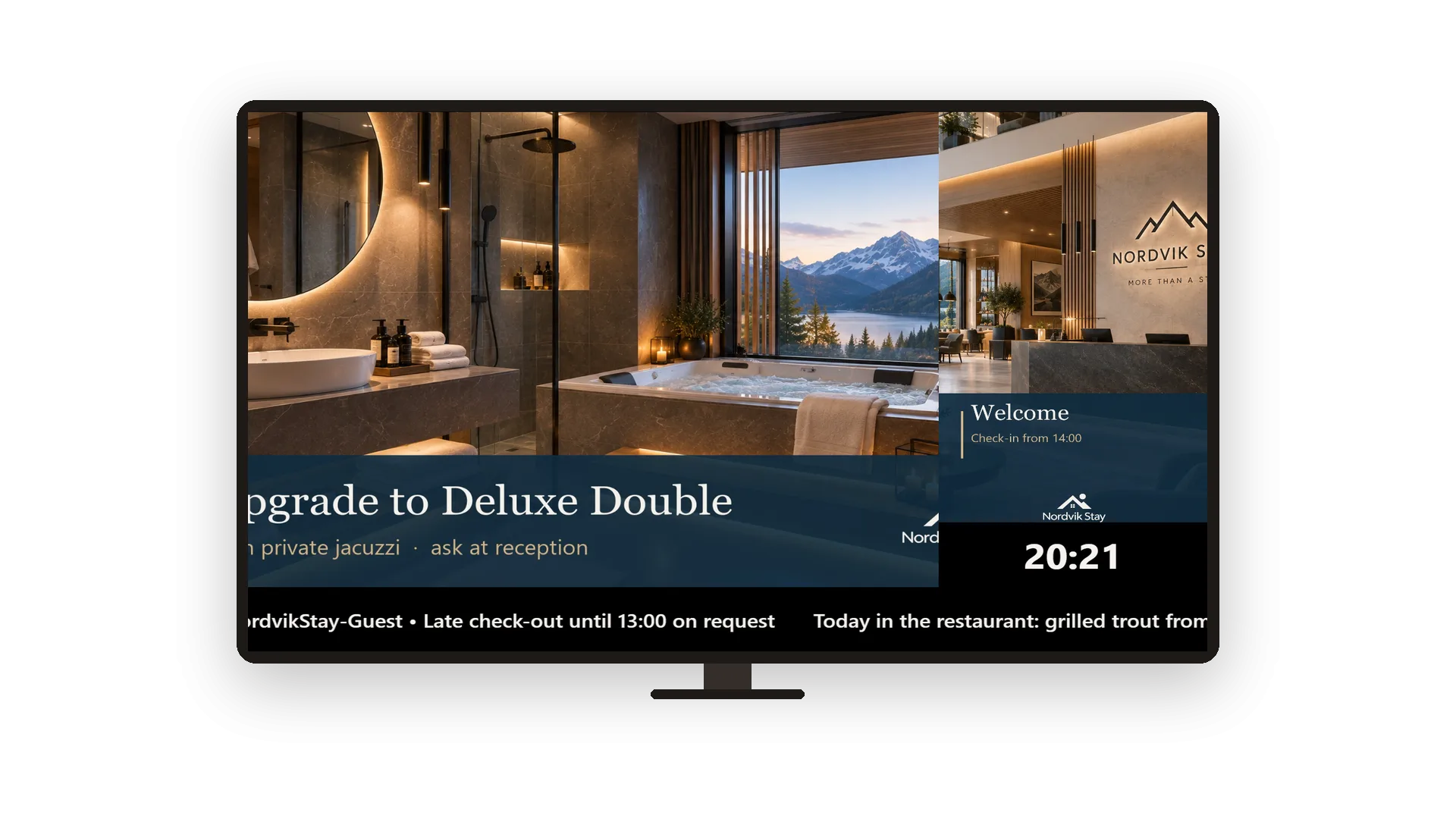
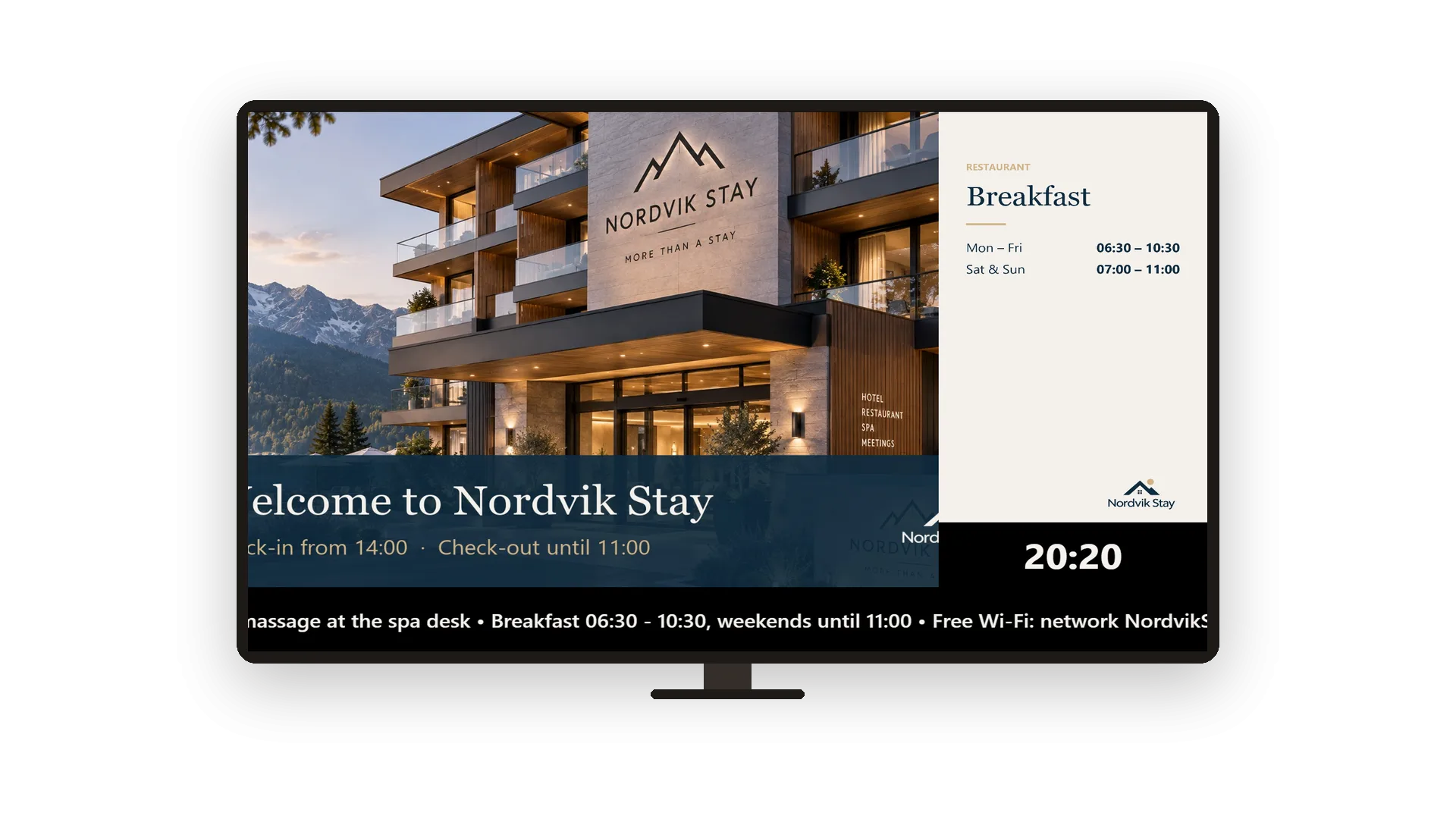
A screen only works if what it shows is true today. Run your own messages along the bottom of the screen: today's special, tonight's event, a change in opening hours. A clock in the corner always shows the local time of the screen's location. When you change a message or a playlist, the screens pick it up by themselves.
You type ticker messages one per line and choose speed, font size and colours. The clock comes in three designs, with or without the date. Playlists work like a draft: edit in peace, and screens keep playing the published version until you press Publish changes. The version history lets you go back to any earlier version in one click.
Key Benefits
Ticker messages typed one per line, with your own speed, size and colours
A clock in three designs that runs in the time zone of the screen's location
Screens only play the published version, so half-finished edits never go on air
Every published version is kept and can be restored in one click
A ticker with your own messages
One line per message, running along the screen
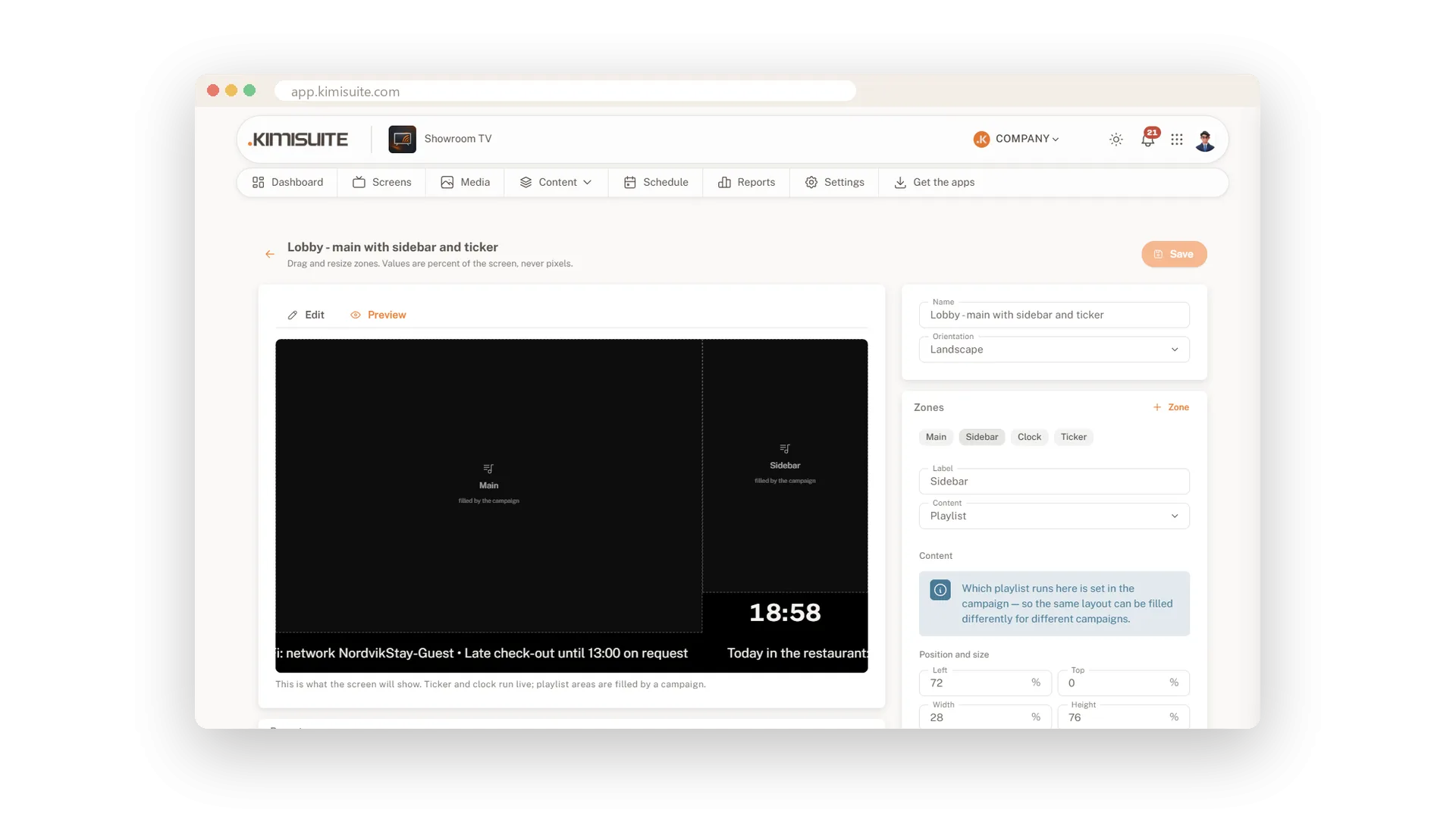
Type your messages into a ticker zone, one per line, and they run one after the other. Set the speed, the font size, the text colour and the background to match your brand. The preview shows the ticker moving before it goes on the TV.
A clock in your location's time
Three designs, with or without the date
Add a clock zone and choose Minimal, Card or Board. It shows the 24-hour time, the date if you like, and always follows the time zone of the screen's location.
Publish when ready, go back anytime
Drafts stay private, every version is kept
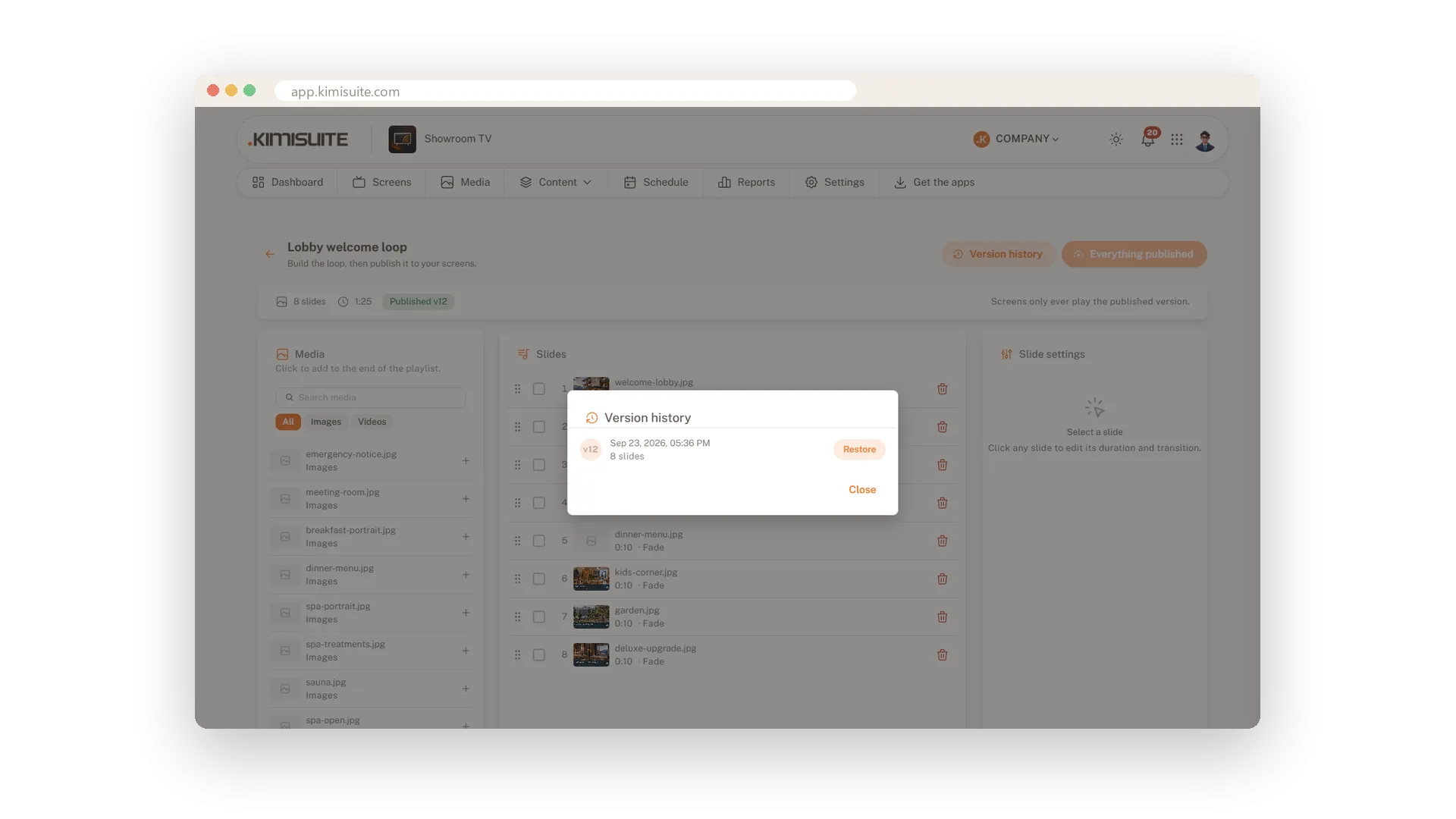
Edit a playlist as long as you need; the screens keep the published version. Press Publish changes when you are happy. The version history keeps every published version and restores any of them in one click.
Changes reach the screen within a minute
No reload, no visit to the TV
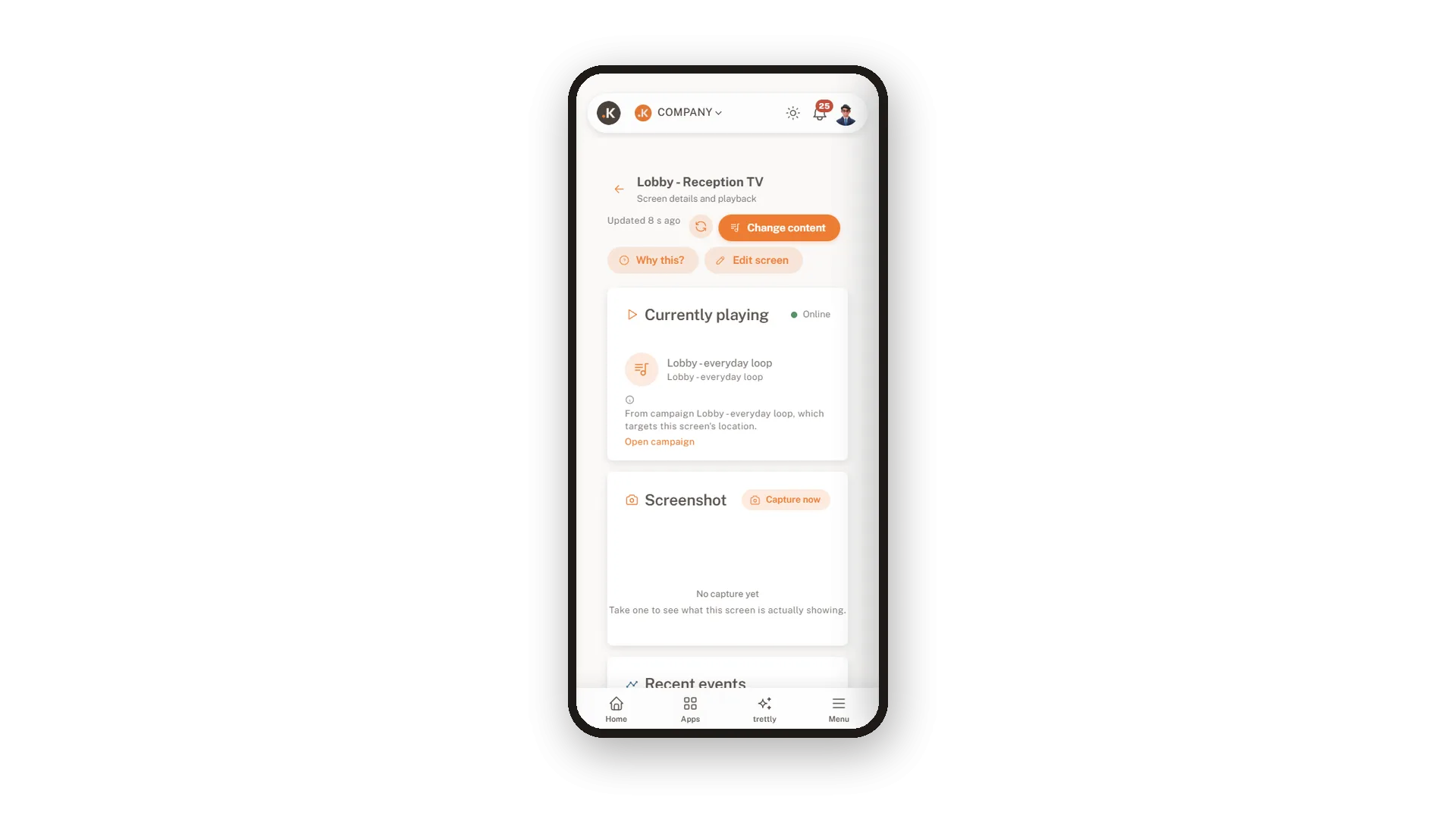
Change a campaign or a playlist and the running screens fetch it on their own, usually within a minute. Each screen's page shows what it plays right now and which campaign put it there.
Use Cases
The special of the day
At eleven you change one line of the ticker to the lunch special. The screen at the entrance shows it before the first guests arrive.
A quiet rebuild of the loop
You rework the lobby playlist over two days. The screens keep the old loop until you publish, then switch without a restart.
Back to last week
The new loop is not working as hoped. You open the version history, restore last week's version and publish it again.
FAQ
Try Showroom TV today
Your offers on every TV, planned from your desk
14 days free, cancel anytime, no minimum term.
