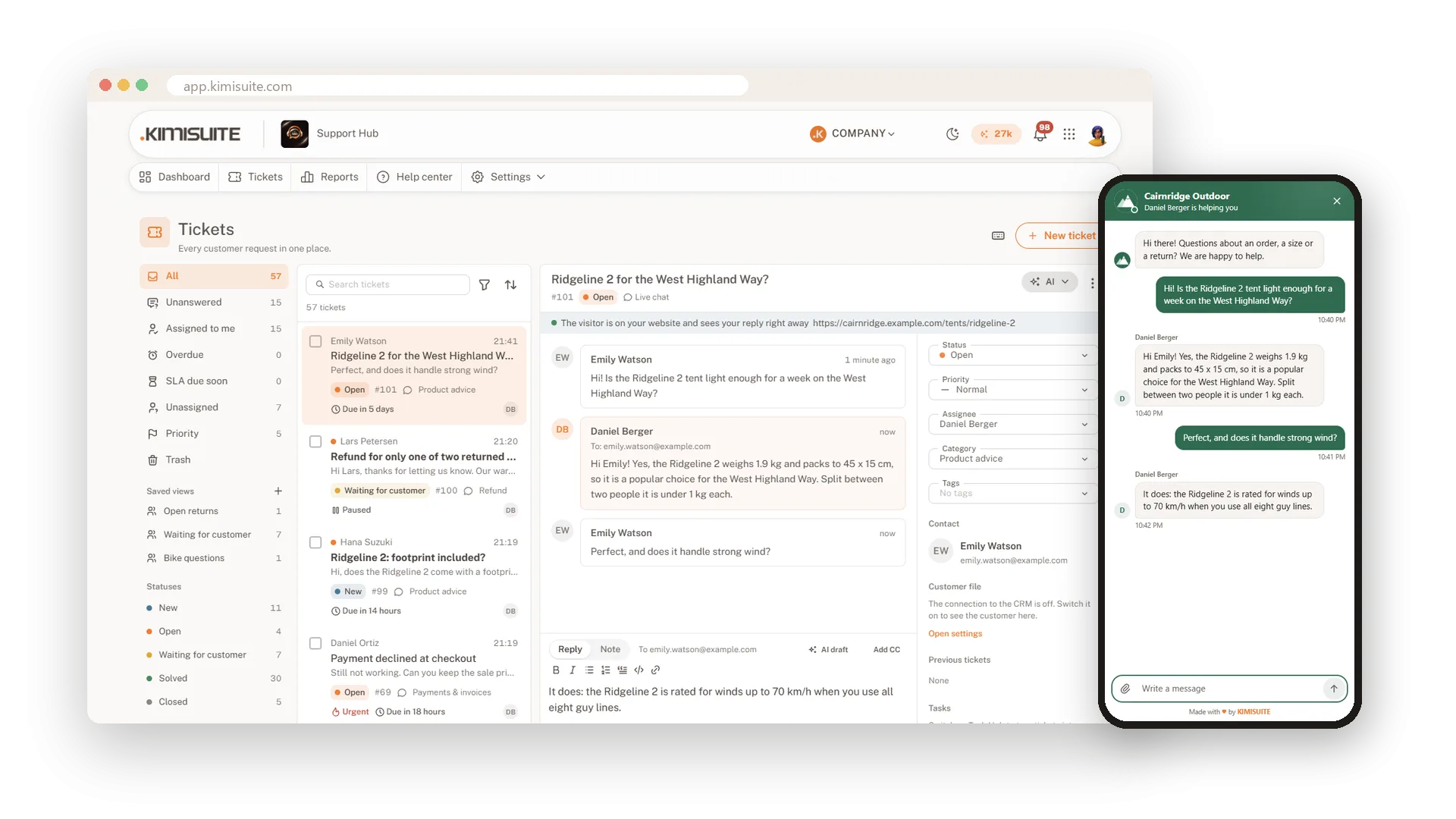
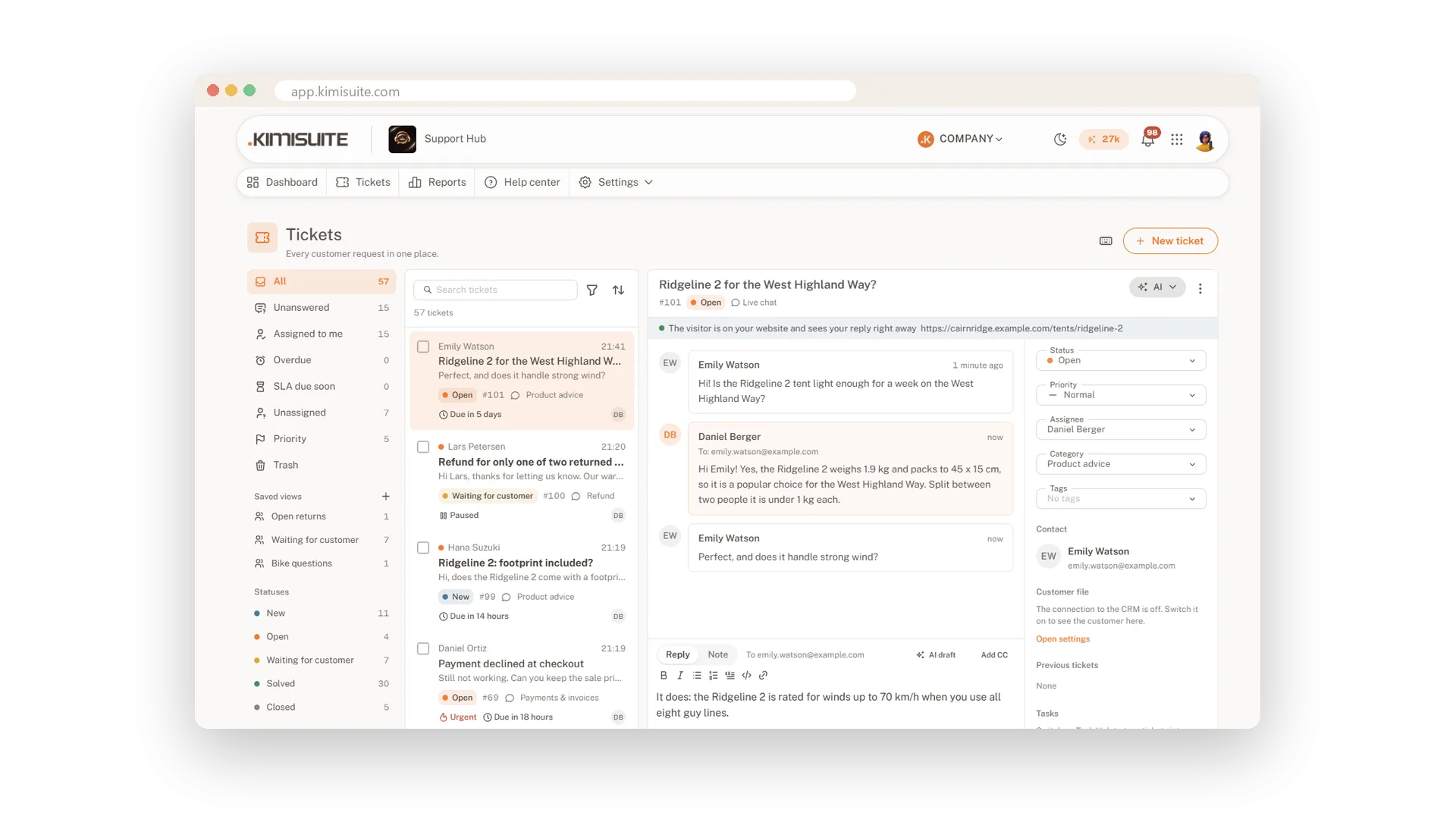
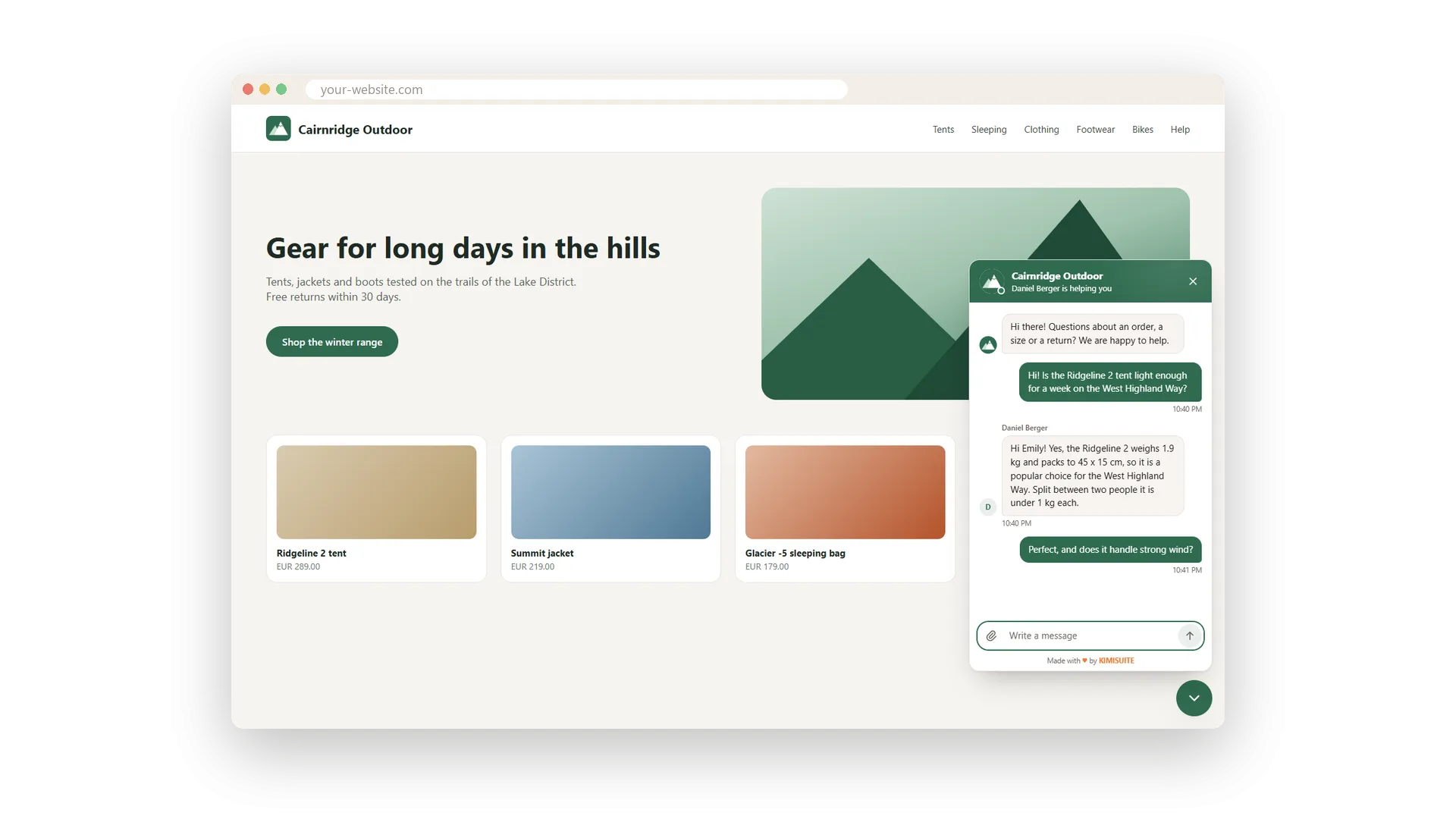
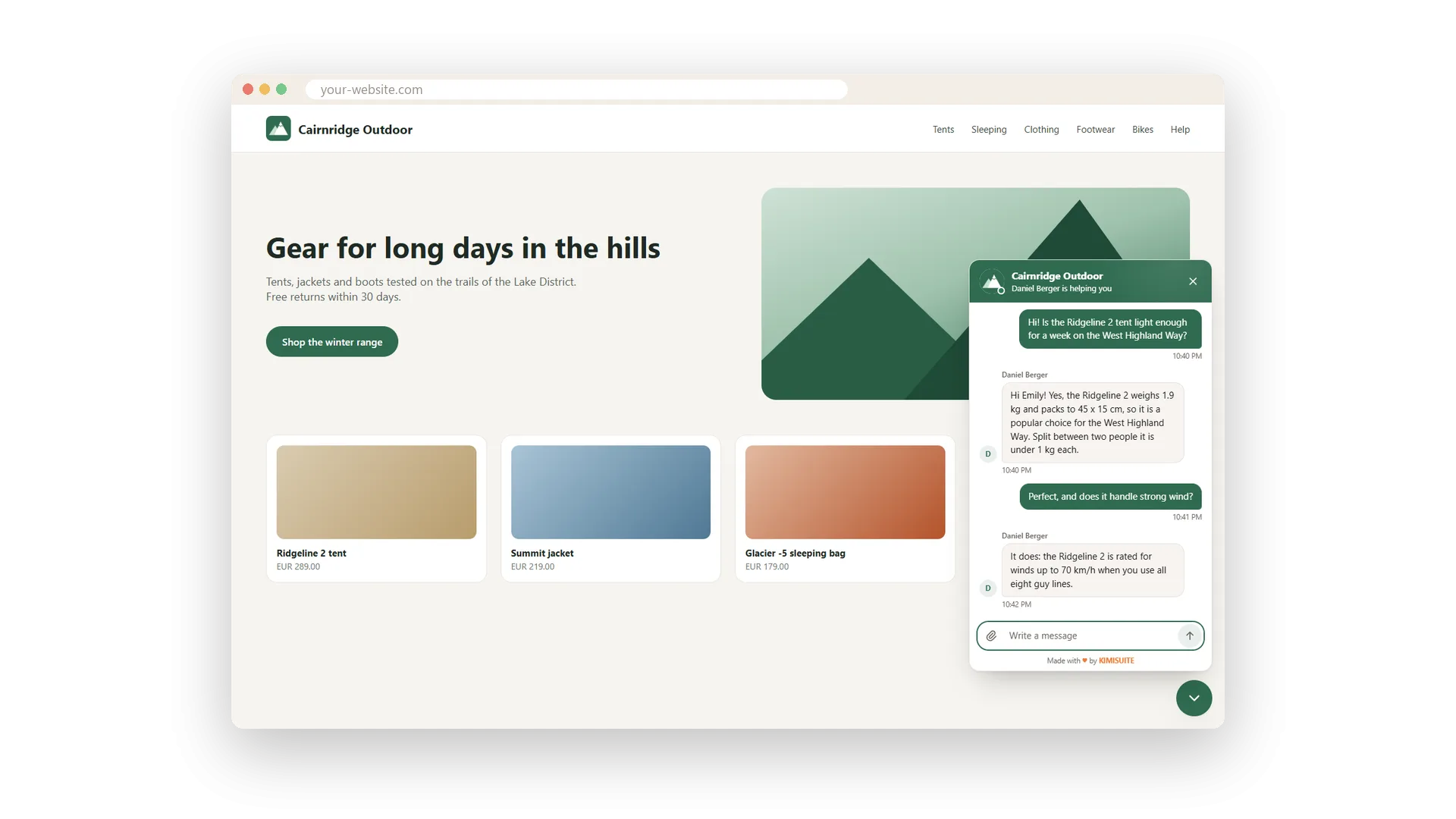
A visitor is about to order and has one question. With the live chat on your website they ask it right there, and your team answers from the same inbox as every other ticket. You see whether the visitor is still there, whether they are typing and which page they are on.
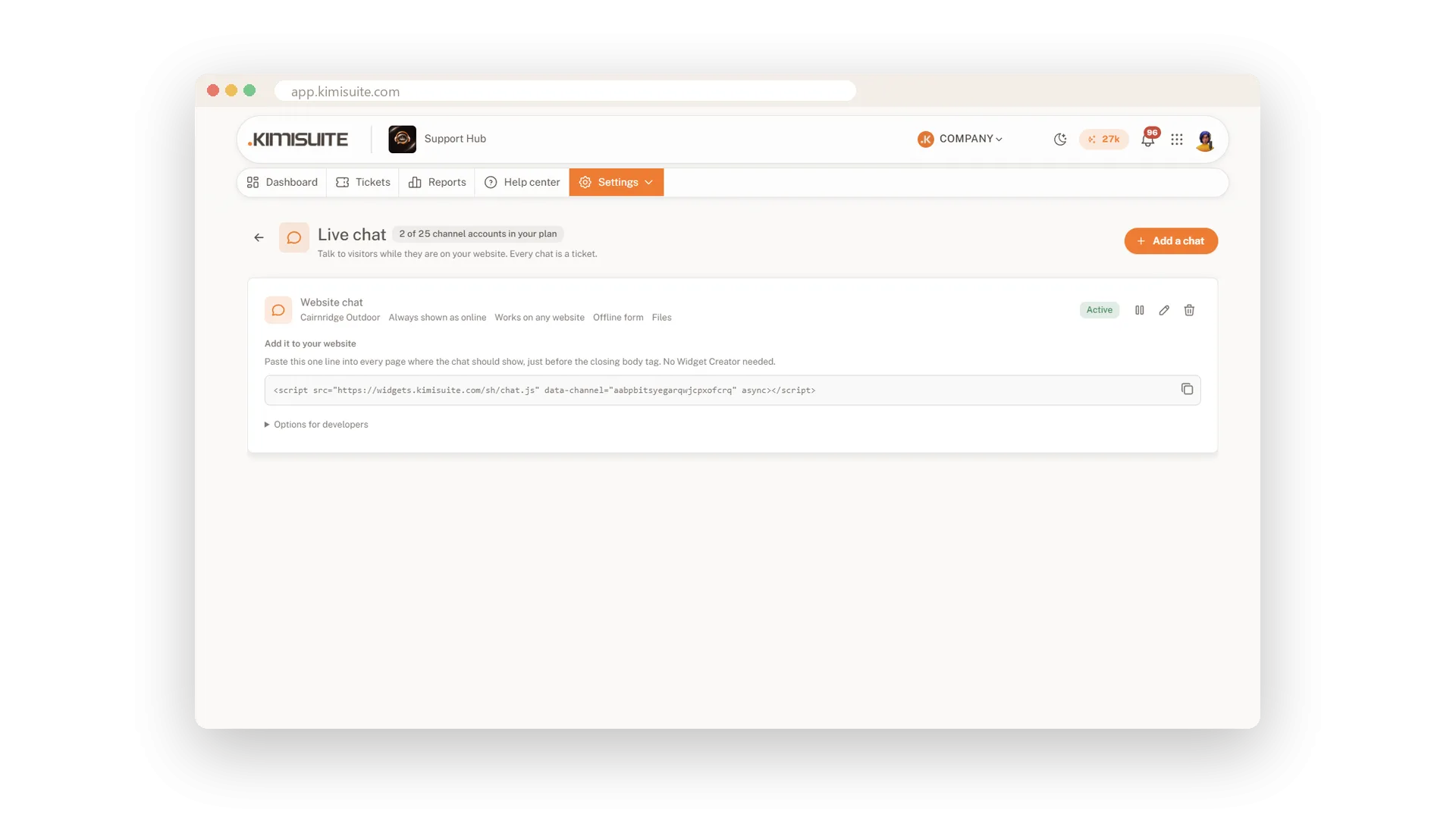
One line of code puts the chat bubble on your site, or add it in Widget Creator and choose the position, the bubble text and the colours. When nobody is online, visitors leave a message and get your answer by e-mail. The chat works on phones, in light and dark mode and from right to left.
Key Benefits
One line of code: the chat bubble is on your website in a minute
Context at a glance: see the page the visitor is on and when they are typing
Never miss a visitor: when nobody is online, they leave a message for an e-mail answer
Same inbox: every chat is a normal ticket with rules, reports and history
Chat on your site in a minute
One line of code or Widget Creator
Copy one line of code into your website and the chat bubble appears, bottom right or left, or inline in a page. In Widget Creator you set the position, the bubble text and your colours without touching code.
Know who you are talking to
Online status, typing and current page
On the chat ticket you see whether the visitor is still there, whether they are typing and which page they are reading. They see when you type, and if they have left, your reply also goes out by e-mail.
A message form when you are away
Answers by e-mail with a private link
Decide when the chat counts as online: automatically whenever someone of your team has Support Hub open, or fixed. Outside those times visitors leave a message, and your answer arrives by e-mail.
A quick rating after each chat
Stars at the end, then a new conversation
When a chat is closed, the visitor can rate it with stars and start a new conversation if they need to. Their rating appears with the ticket and in your satisfaction reports.
Use Cases
The question before checkout
A visitor asks whether the size runs small. You see he is on the product page, answer in two lines, and he orders.
Closed for the night
At 11 pm the chat shows the offline form. The visitor leaves her question, and your morning reply reaches her by e-mail.
Customers who are logged in
Your own software signs the user in, so the chat knows their name and e-mail and never asks for them.
FAQ
Try Support Hub today
One shared inbox for e-mail, chat and Telegram
14 days free, cancel anytime, no minimum term.
