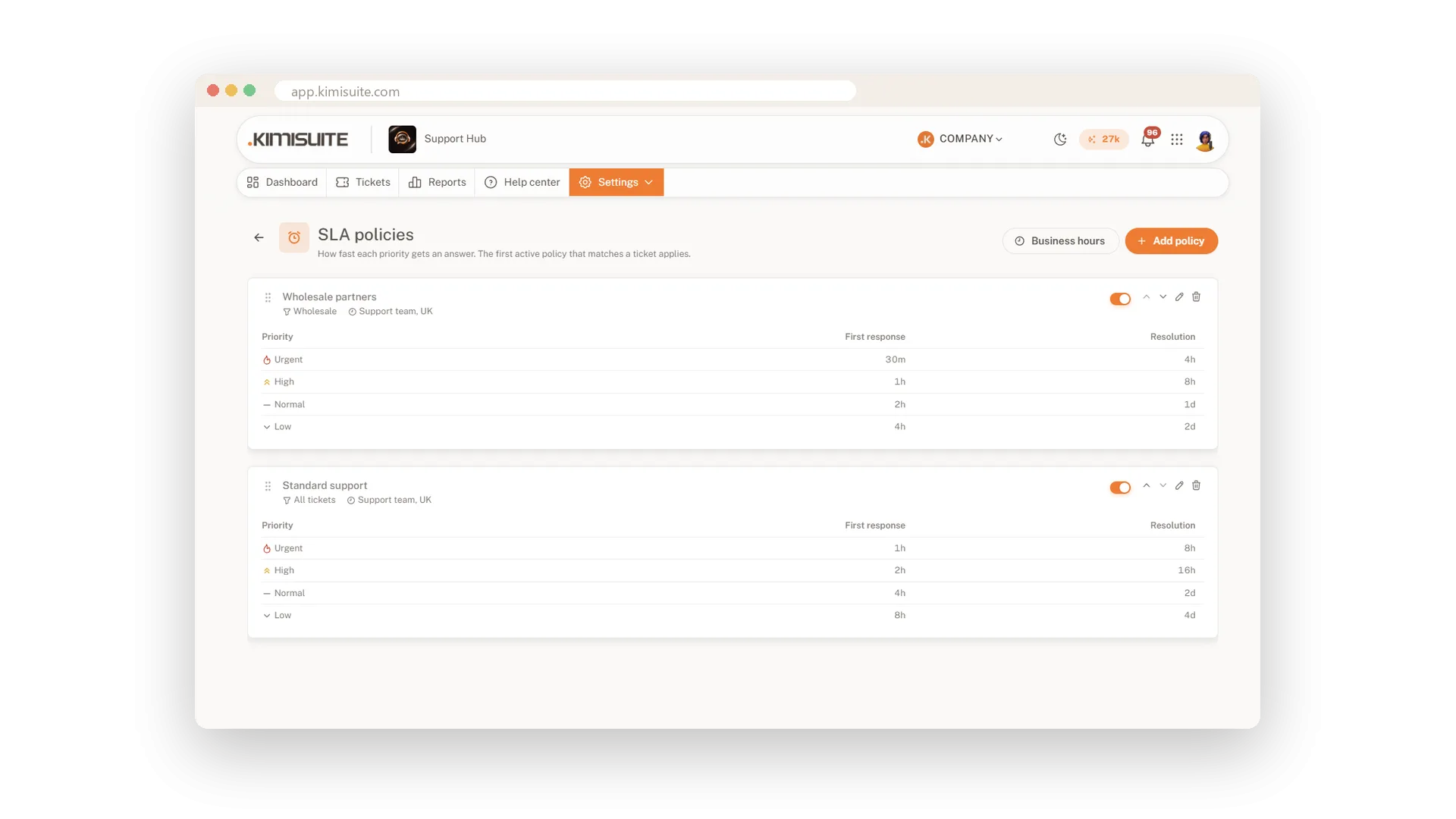
Your customers expect an answer within a time you can promise. Set response targets per priority for the first answer and for the solution, and every ticket shows when it is due, when it is due soon and when it is overdue. A bell warns your team an hour before a target and again when it is missed.
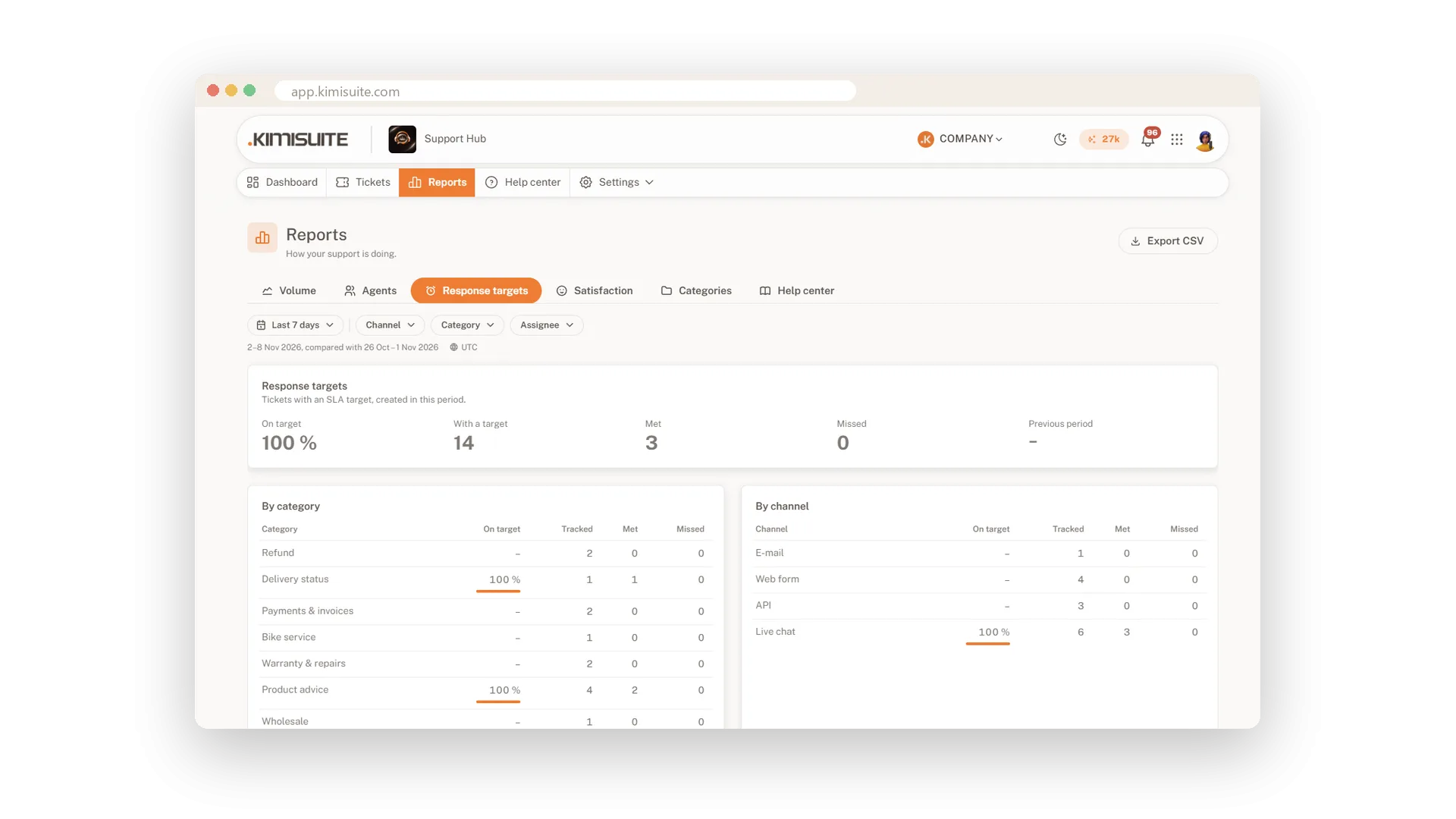
The clock follows your business hours, with several shifts a day, holidays and your time zone, and it pauses while you wait for the customer. When a ticket is solved, it shows per target whether it was met, and later changes cannot move that result.
Key Benefits
Clear promises: first response and resolution targets per priority, in minutes or hours
Fair clocks: business hours, holidays and a pause while you wait for the customer
Warned in time: a bell one hour before a target and when it is missed
Honest results: every solved ticket shows Met or Missed, and that never moves
Targets per priority
First response and resolution, in your units
Set a first response and a resolution target for each priority, in minutes or hours. Limit a policy to categories, brands or channels, and drag the policies into the order you want.
Business hours and holidays
The clock runs only when you work
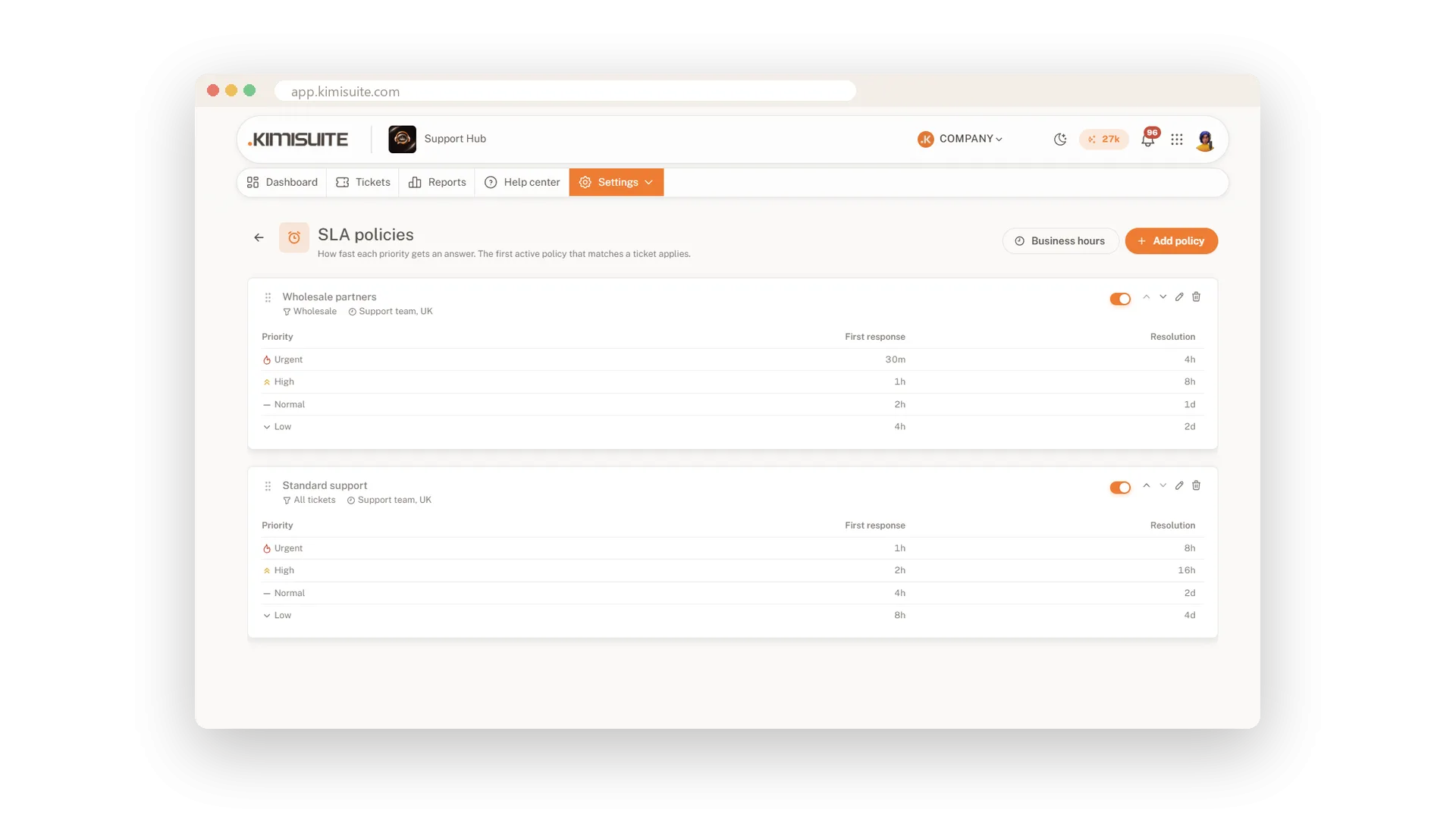
Enter your hours per weekday, also with a lunch break or a night shift, copy Monday to all weekdays and add your holidays once or every year. Time changes and midnight are handled for you.
Warnings before it is too late
Due soon, overdue and a bell in time
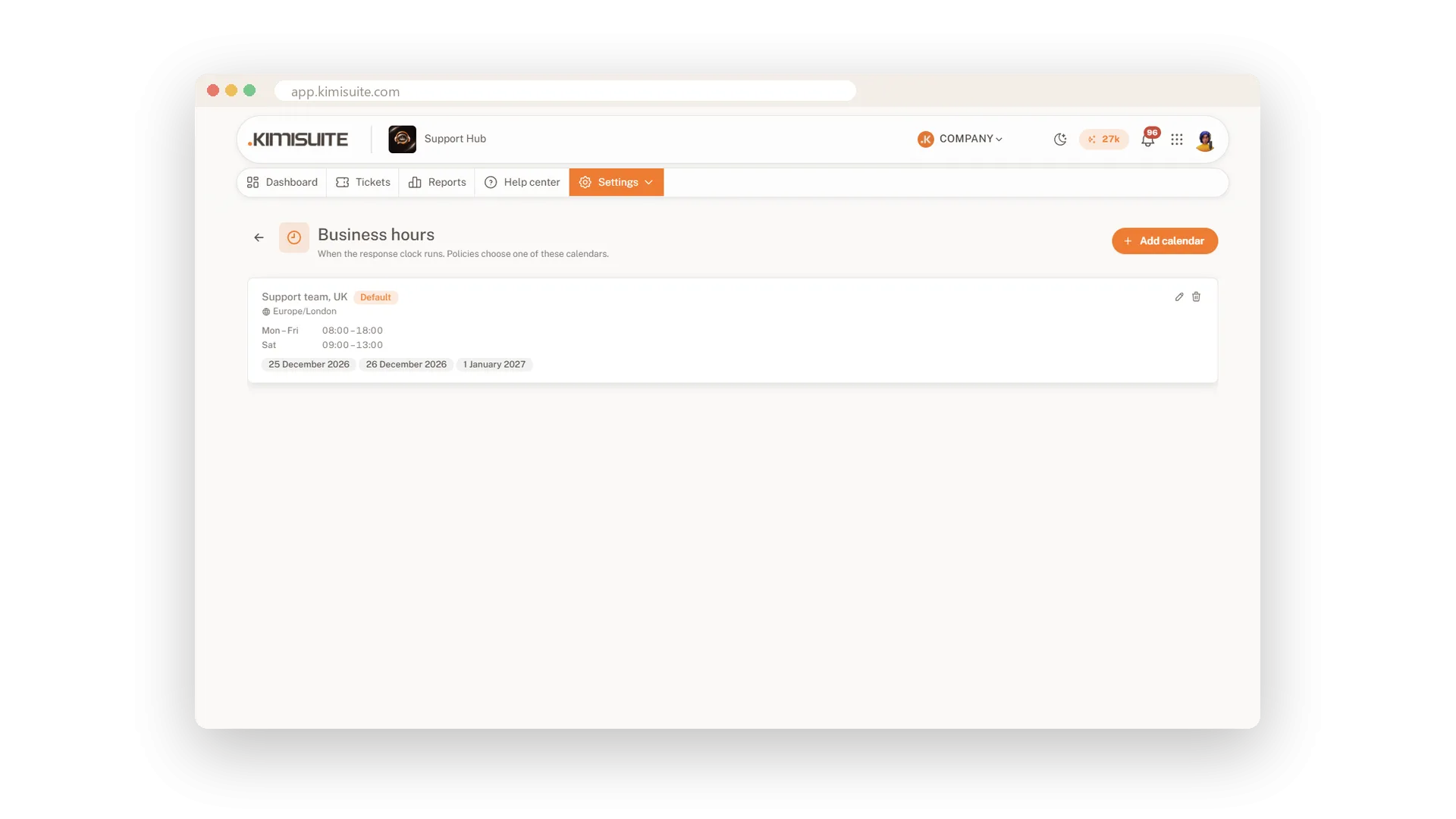
Every ticket shows when it is due, and the views Overdue and SLA due soon collect the ones at risk. Your team gets a bell an hour before a target and again when it is missed.
Met or missed, for good
A clear result on every solved ticket
When a ticket is solved, each target shows Met or Missed with its time. Later edits do not move the result, so your reports show how you really did.
Use Cases
Urgent means four hours
You promise urgent tickets a first answer within four hours. The policy counts only your business hours, and the dashboard shows what is due soon.
Waiting for a photo
You ask the customer for a photo and set the ticket to waiting. The clock pauses until the photo arrives, then runs on with the time left.
VIP customers first
A second policy with shorter targets applies only to your premium category. The first matching policy wins.
FAQ

Try Support Hub today
One shared inbox for e-mail, chat and Telegram
14 days free, cancel anytime, no minimum term.
