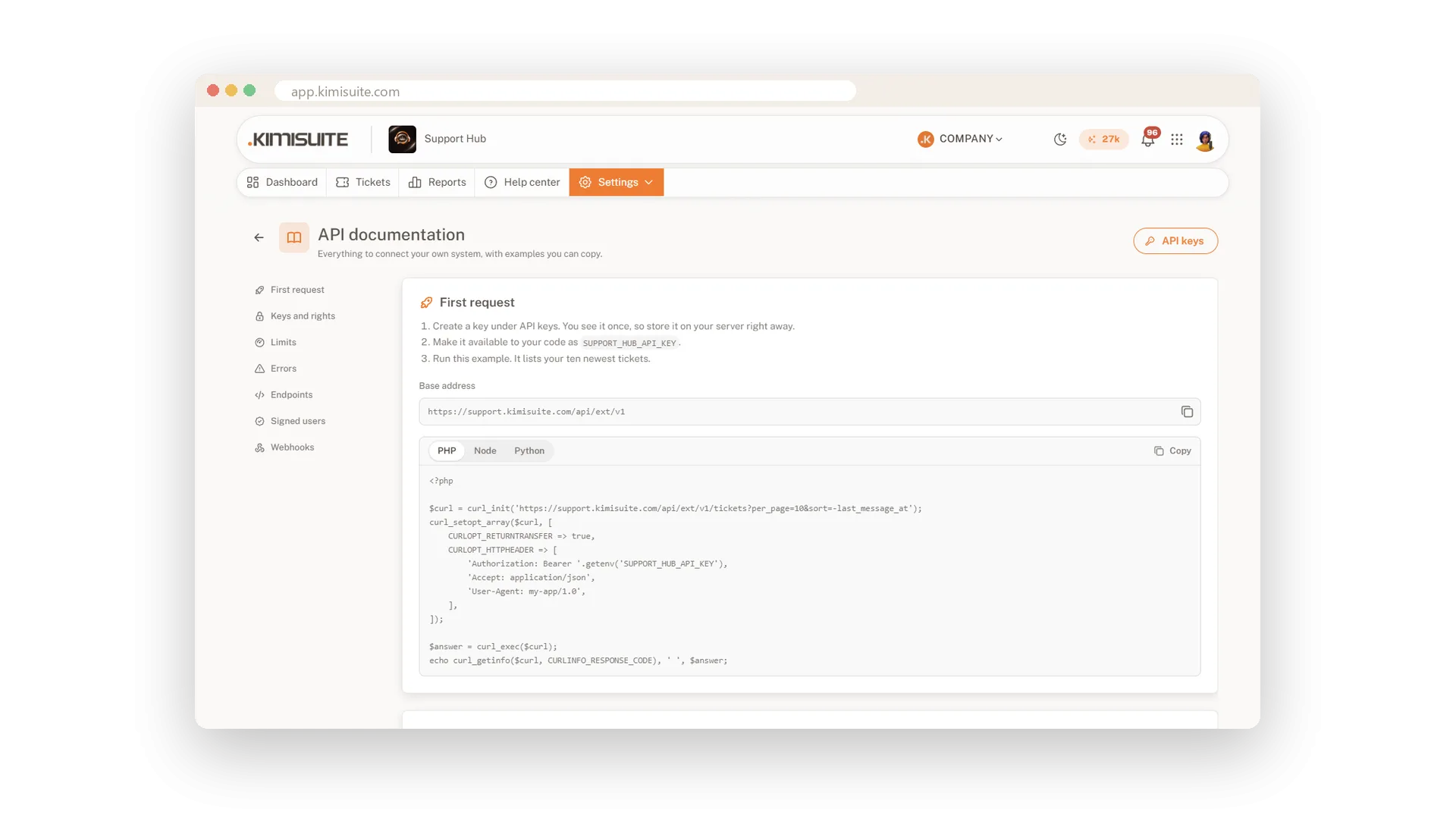
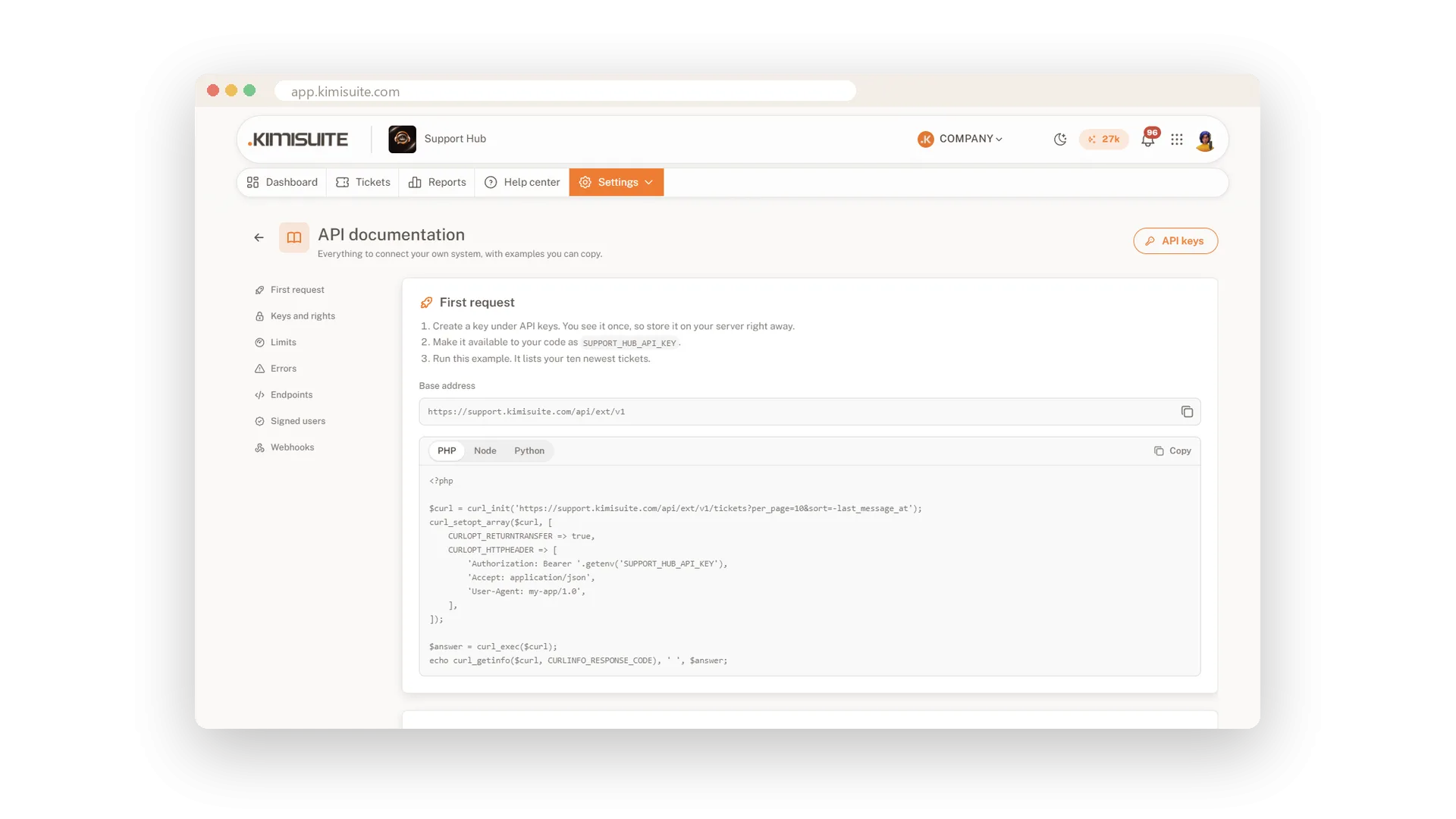
Your app, your shop or your customer area can talk to Support Hub directly. With the API you read, create and change tickets, write messages and keep contacts in sync, with the same ticket logic as the app. Signed users let your server vouch for a logged-in customer, so the form and the chat know who they are.
In Business, webhooks tell your systems the moment a ticket is created or updated or a new message arrives, each delivery signed and retried if it fails. The documentation page in the app shows your first request and examples in PHP, Node and Python to copy.
Key Benefits
Tickets from your own app: create, read and update through the API with clear rights per key
Known customers: signed users are matched without asking for name and e-mail
Real-time events: signed webhooks, up to six delivery attempts and a log per delivery
Quick start: a documentation page with examples in PHP, Node and Python
An API for tickets and contacts
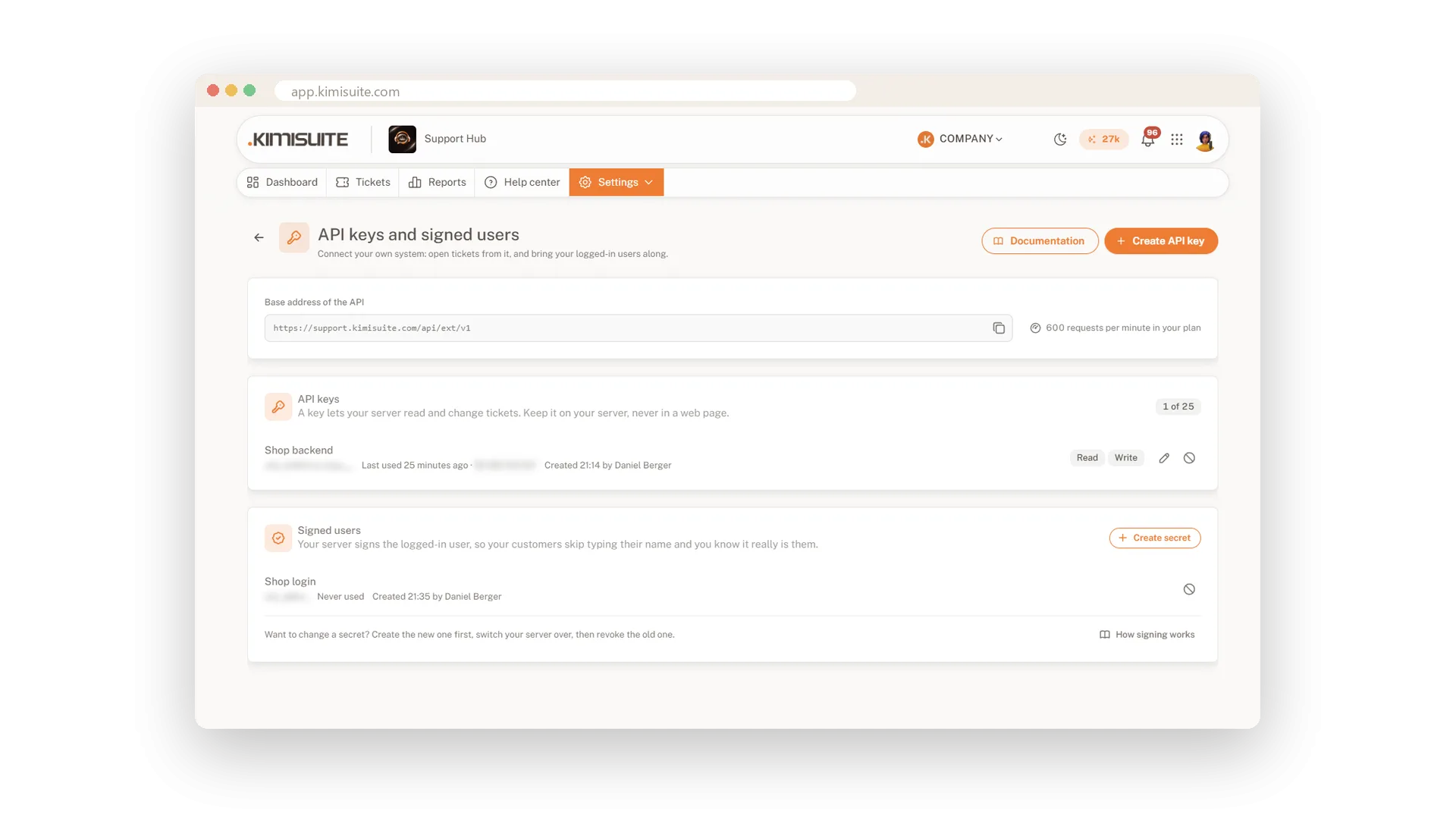
Keys with read and write rights
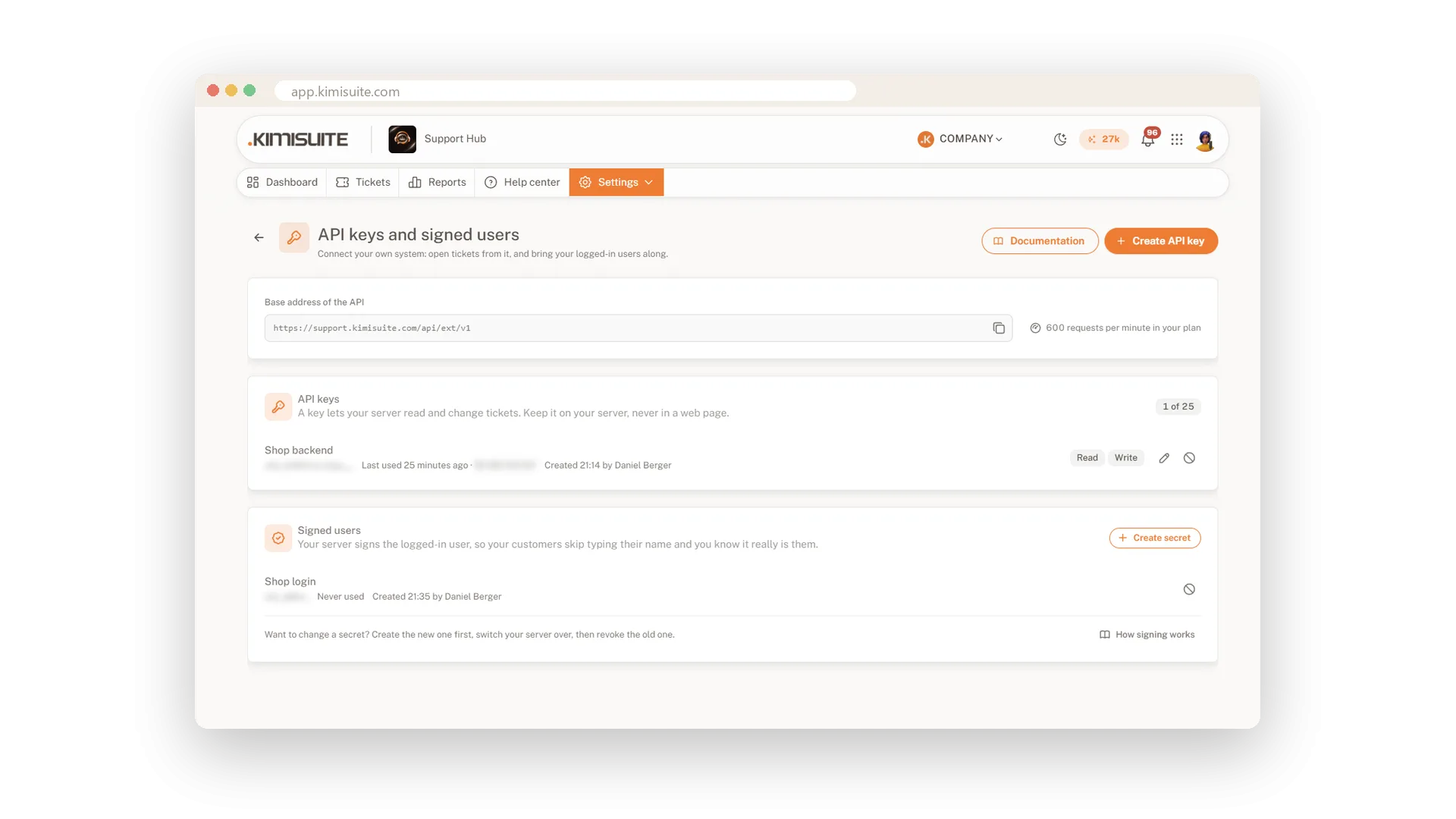
Create a key with read or write rights, copy it once and start with the example on the documentation page. Tickets created through the API get numbers, activity and notifications like any other.
Signed users instead of a portal
Your server vouches for the customer
Your server signs the logged-in user with name, e-mail and id. Form, chat and API accept the token, fill in the details and match the ticket to the verified contact.
Webhooks for every new ticket
Signed, retried and logged
Choose the events, enter your https address and test it. Every delivery is signed and gets up to six attempts, and the log shows content, answer and reason, with a button to resend.
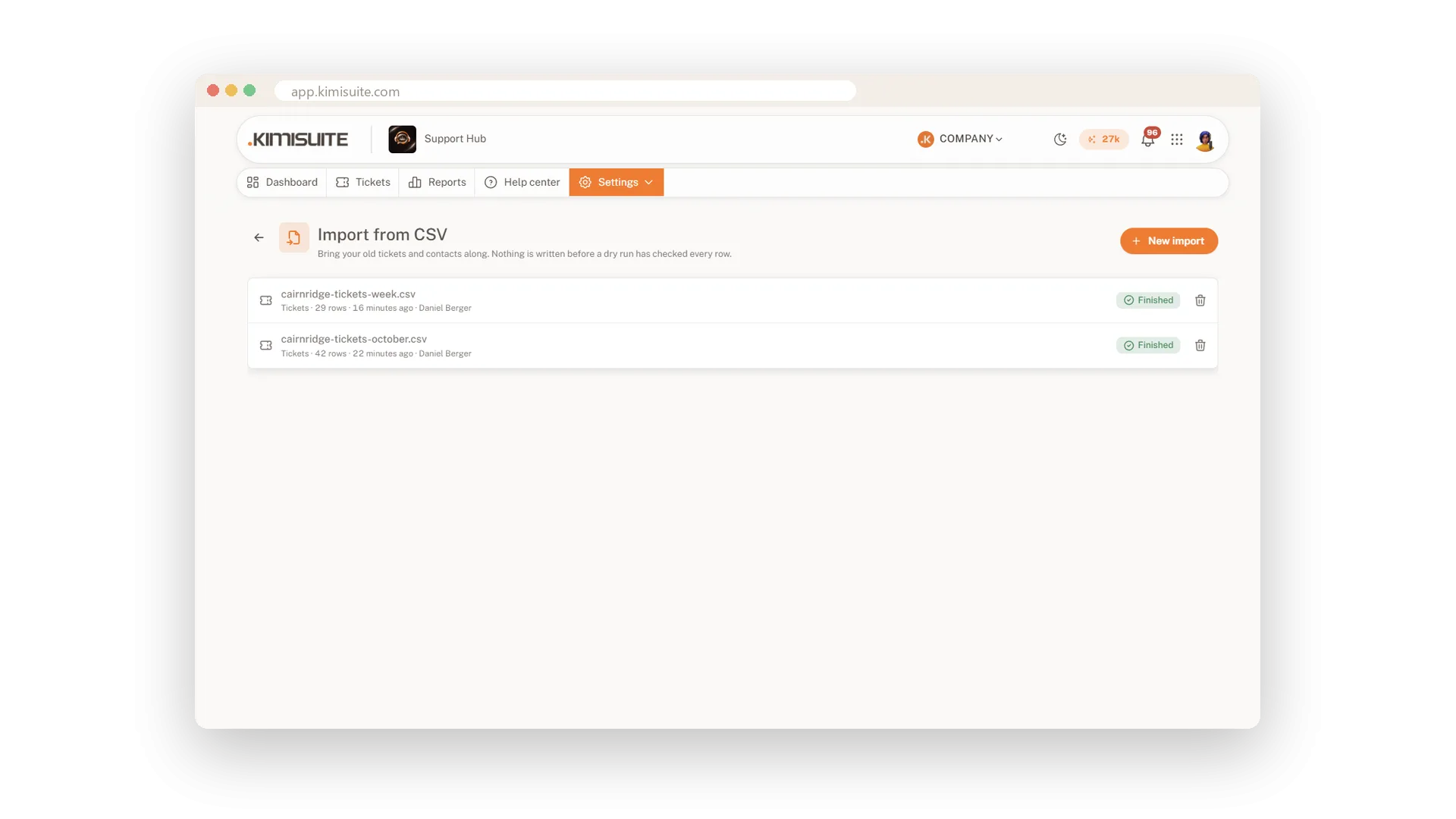
Bring your tickets with you
CSV import with a test run first
Import tickets and contacts from your old tool in four steps: upload, match the columns, test run, import. Duplicates are found by e-mail, and imported tickets send no mail and trigger no rule.
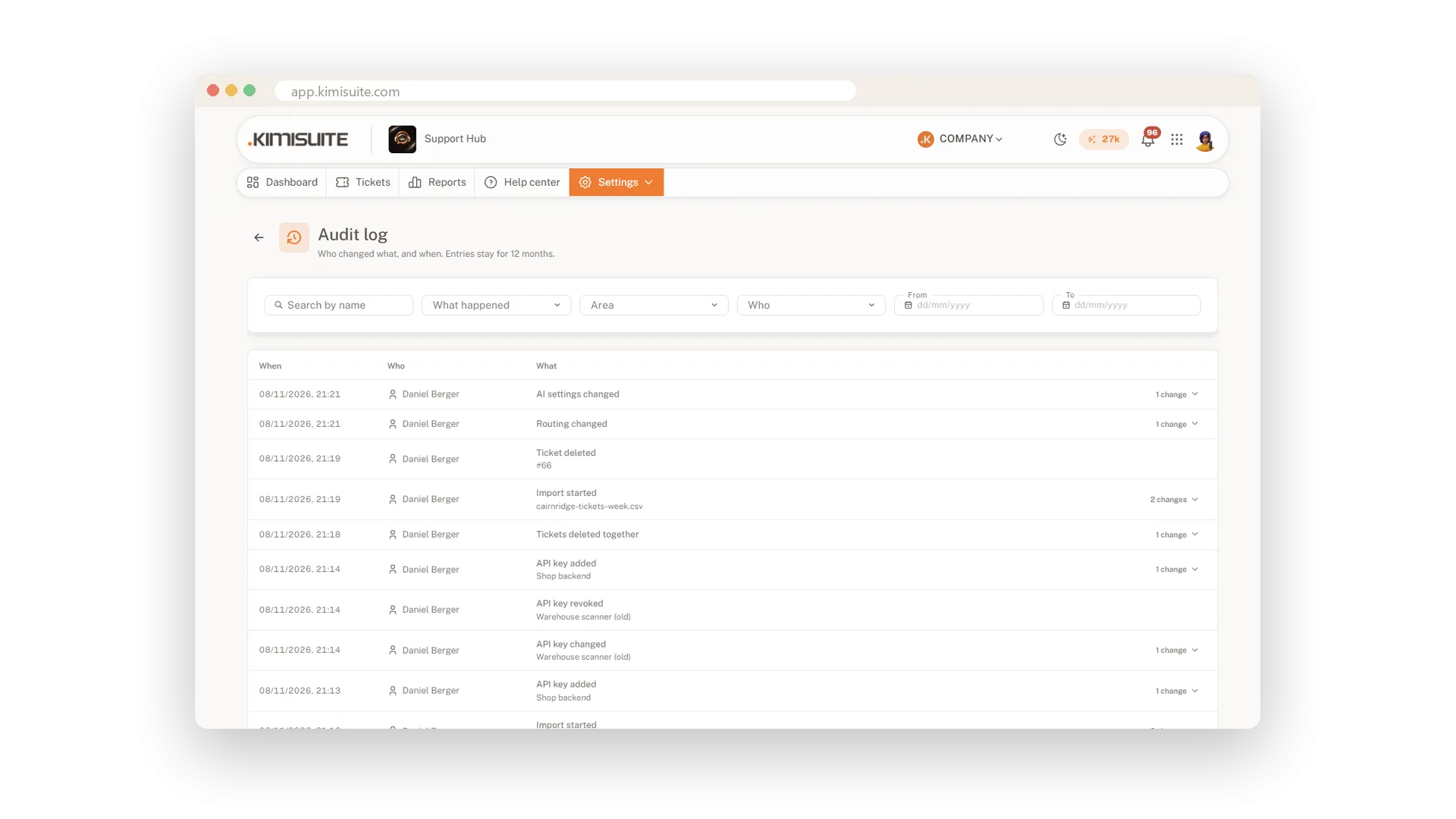
An audit log of every change
Who changed what, kept for 12 months
See who changed settings, channels, keys, brands or tickets, and when, with old and new values. Passwords and keys show only as changed, and the log keeps 12 months.
Use Cases
Help inside your app
Your app sends a support request through the API with the user's account details. It lands as a ticket, and your answer reaches the user by e-mail.
Logged-in customers in the chat
Your server signs the user, so the chat skips name and e-mail and the ticket belongs to the right contact.
Your own system knows first
A webhook tells your order system about every new ticket the second it arrives, signed so it knows the message is real.
FAQ

Try Support Hub today
One shared inbox for e-mail, chat and Telegram
14 days free, cancel anytime, no minimum term.
