 Showroom TV
Digital signage for restaurants that updates itself from your menu
Change a price in your menu and the screen above the counter picks it up on its next fetch. Lunch offers at noon, the dessert promotion at night, no file to export and no USB stick to carry.
- Cancel anytime
- No long-term contract
- 14 days free
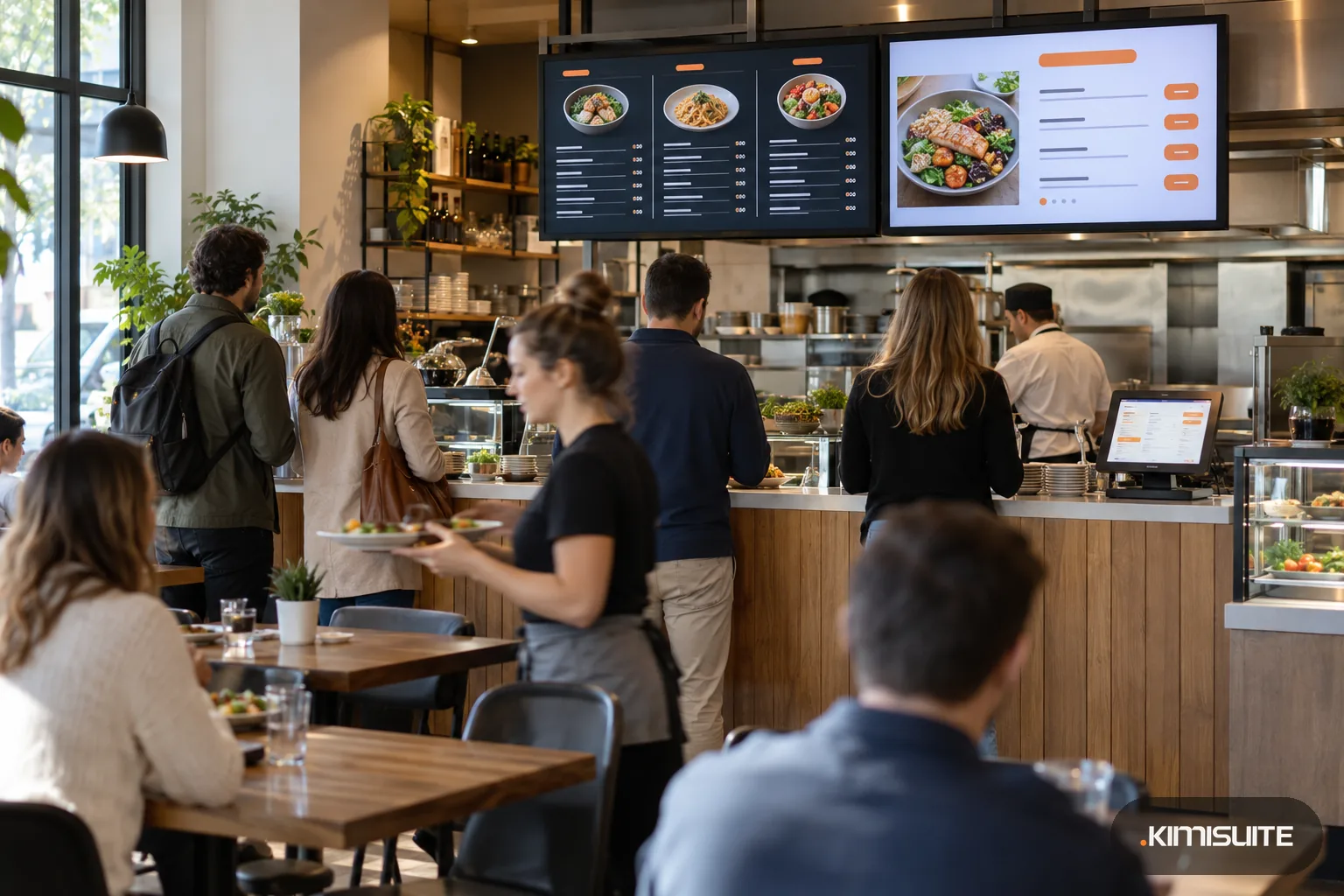
What it looks like in practice
08:30, before opening: the soup is off
The supplier did not deliver the pumpkins. You mark the soup as sold out in Restaurant Hub, and the screen above the counter hides it without anyone touching the TV.
11:45, lunch rush: today's three offers
The lunch campaign takes over at 11:30 and shows today's daily offers on the big screen. The rest of the week sits on the board by the door for regulars who plan ahead.
15:00, quiet hour: a price goes up
Burrata costs more this month. You change the price once, Showroom TV has it within seconds, and the screens show it on their next fetch. No reprint, no sticker over the old price.
18:00, dinner: the wine promotion is on
The promotion you scheduled in Restaurant Hub for the autumn wine week appears on the screens while it runs, with its end date on the slide.
Digital signage for restaurants pays off when the screen always shows the menu you are actually cooking today. Showroom TV reads your menu, your daily offers and your promotions from Restaurant Hub, so the TV above the counter never needs its own copy. Change a dish, a price or an availability once, and the change reaches Showroom TV within seconds and the screens on their next fetch. The menu board slides show prices exactly as you entered them, never rounded, in the language and currency you choose per slide.
Restaurants change with the clock, and so can the screens. Schedule the breakfast board until 11:00, the lunch offers until 15:00 and the dinner menu after that, and give the window screen its own loop with photos of your best plates. The gastronomy templates start you with a menu board, a three-column board, a food truck board and a daily special with a ticker. The menu itself lives in Restaurant Hub, the same menu your QR code and your website show. Restaurant Hub slides play in the Showroom TV web player.
What you get
Your menu on the screen, not a copy
Choose the categories and how many dishes per category. Long menus split into pages with page dots, and you set the seconds per page, from three seconds up.
Today's offers or the whole week
The daily offers slide shows today only, or a week board across the full width. On a day without an offer it says so calmly instead of showing an empty frame.
Promotions that end on time
Only promotions you switched on for the menu appear, and the slide shows the end date from Restaurant Hub. Switch one off and it leaves Showroom TV within seconds.
Four looks that fit your room
Dark board, Light cards, Bold colour or Photo. Pick a background color or one of your pictures, darken it, set one to four columns and a font size from 70 to 160 percent.
Sold out stays off the screen
Hide unavailable and sold-out dishes on screen with one setting. Mark the dish in Restaurant Hub and the board catches up by itself.
Digital signage for restaurants, by time of day
Run breakfast, lunch and dinner as separate campaigns with days and hours. Each screen follows its location's time zone, even in a second restaurant abroad.
Put tonight's menu on a screen
Connect Restaurant Hub in Showroom TV, add a menu slide to a playlist and pair the TV above the counter. The menu you already keep is on the screen before service.
What a menu screen costs you
Pricing a new dish for the board? The menu price calculator works out a price from your food cost and target margin.
- Menu slides from Restaurant Hub
- included in every Showroom TV plan
- Reprinting menu boards
- none: a price change reaches the screens on their next fetch
- Screen hardware
- a TV you own with a modern browser, or an Android TV or Google TV device
- Your team
- one workspace for the restaurant, billed per workspace and not per user
How to get started
Switch on the Restaurant Hub integration
In Showroom TV open Integrations, turn on Restaurant Hub and choose the language, the default currency and whether sold-out dishes stay hidden. Sync now pulls the menu at once.
Build the board
In a playlist add a menu, a daily offers or a promotion slide. Pick the look, columns and categories, and watch the live preview draw it with your real dishes.
Pair the TV
Open tv.kimisuite.com on the TV's browser, type the eight-character code into Showroom TV and choose landscape or portrait. Name it Counter or Window.
Schedule lunch and dinner
Create one campaign per service with its days and hours, give dinner a higher priority on Friday, and activate. The day timeline shows what plays when.
Pricing
Showroom TV starts at a fixed monthly price (see pricing) for your restaurant's workspace, and the Restaurant Hub slides are part of every plan, the smallest included. The menu itself comes from Restaurant Hub, from a fixed monthly price (see pricing).
Start covers three screens at one restaurant. A second restaurant, screen groups for counter and window, and your own layouts come with Grow.
Is it the right fit?
A good fit if
- Counter-service restaurants, canteens and takeaways with a menu above the counter
- Restaurants that change daily offers or a lunch menu every week
- Places with a window or entrance screen that should show the best plates
- Restaurants that already keep their menu in Restaurant Hub, or want one menu for QR, print, website and screen
Not the right fit if
- Restaurants that need the menu slides in the Android TV app today; they play in the web player
- Kitchens looking for order screens or a kitchen display; that is Gastro POS
- Restaurants without Restaurant Hub that want the menu slides fed from a PDF or another menu system
- Venues that want guests to order or pay on the screen
Frequently asked questions
How does digital signage for restaurants get my menu?
Do I need to edit the screen when a price changes?
Can the board show the week's lunch offers?
Which player do the menu slides need?
Can I show the menu in English for tourists and in our language for locals?
Is this a kitchen display or an ordering screen?
Read next
- Related solutionsHotel digital signage for your lobby, event floor and breakfast roomWelcome today's guests, point them to the spa and show the morning's breakfast on the TVs you already have. Change a line at the front desk and every screen follows within about a minute.
- Related solutionsShop window digital signage that changes with your opening hoursTurn the screen in your window into a salesperson that never goes home. New arrivals in the morning, the sale on Saturday, opening hours and your phone number after closing time, all planned once.
- Related solutionsDigital menu for cafes and coffee shops, from the first espresso to the last sliceSmall, regular and large on one line, the cake photos that sell the slice, and the lemon tart marked sold out the moment the last piece goes. One QR code on the table, always the menu of today.
- From the blogEnter Your Menu Once: What Changed in Restaurant HubA restaurant menu rarely lives in one place. It lives in the printed card, the PDF behind the QR code, the website and the lunch board — and...
- From the blogThe Menu Reprint Problem: Why Your Printed Prices Are Always WrongAlmost every printed menu carries at least one price that is no longer true. Not because anybody is dishonest, but because reprinting is a p...
Ready when you are
Set it up in your own workspace and see how it works with your data.
- Cancel anytime
- No long-term contract
- 14 days free
