Ask a restaurant where its menu is and you get one answer. Ask where the prices are and you get five.
There is the printed card on the table. There is the PDF somebody made from that card, sitting behind a QR code. There is the menu on the website, built by an agency at some point and edited by nobody since. There is the lunch board outside. And there is the photo from Friday on Instagram, which is still what a guest sees when they search for you.
None of these is wrong on the day it is made. They are wrong three weeks later, when a supplier raised one price and exactly one of the five got corrected.
The problem was never the menu. It is the copies.
Every copy of a menu is a promise to keep it updated. Five copies is five promises, made by different people, in different tools, at different times. In a working kitchen those promises lose to service, every single day.
What follows is predictable. A guest points at a price on the printed card and the till says something else. The website still lists a dish that came off in spring. The QR code opens a PDF that has to be pinched and dragged to read. Nobody decided any of this. It is just what happens when the same information lives in five places and only one of them is anybody's job.
The Restaurant Hub update takes a different position: there is one menu, and everything else is an output of it.
One menu, every channel
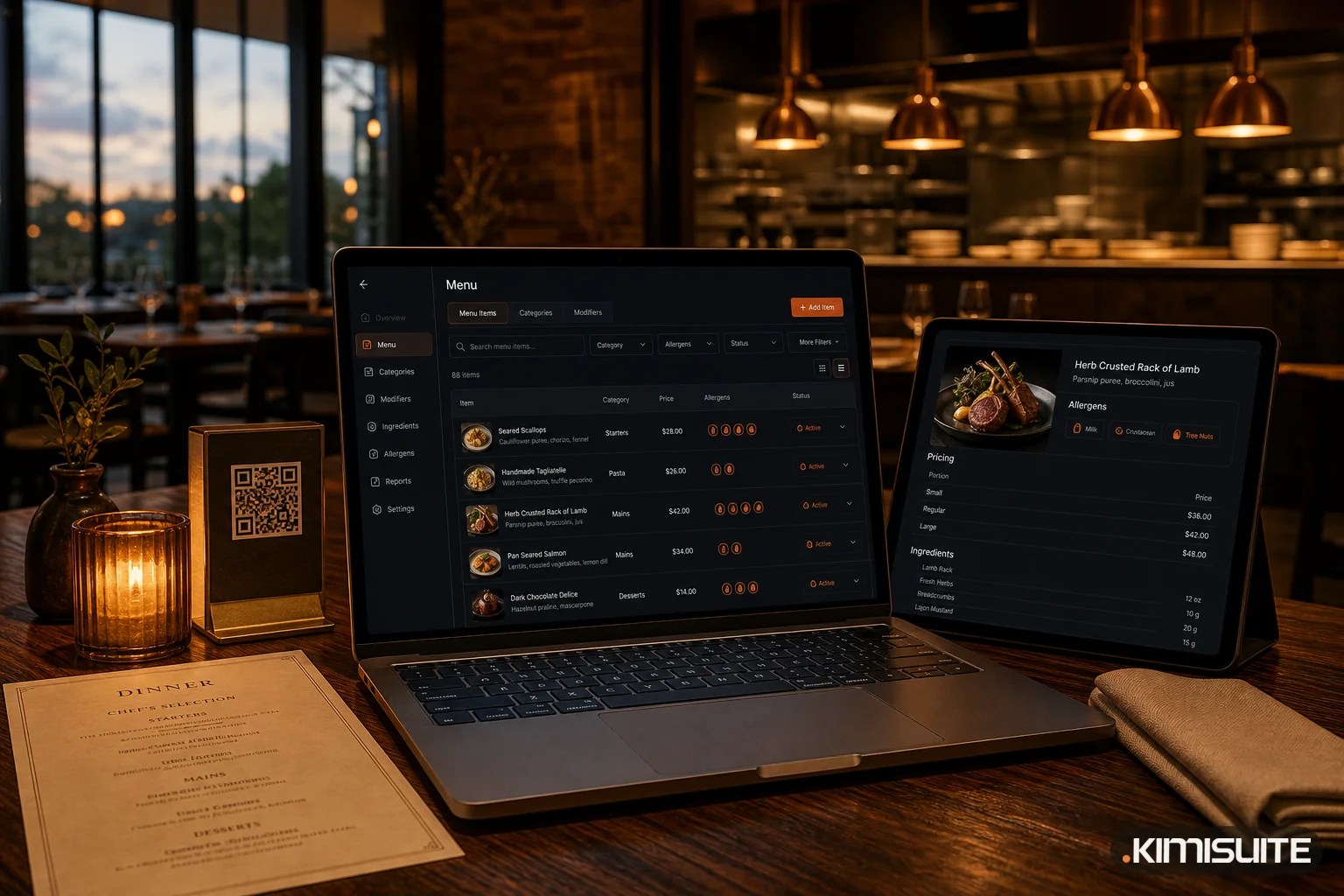
The Classic Menu is the original. A dish carries its name, description, photo, category, article number, allergens, additives, food types, availability, and a price per portion size and per currency. You maintain that once.
From the same data, Restaurant Hub publishes:
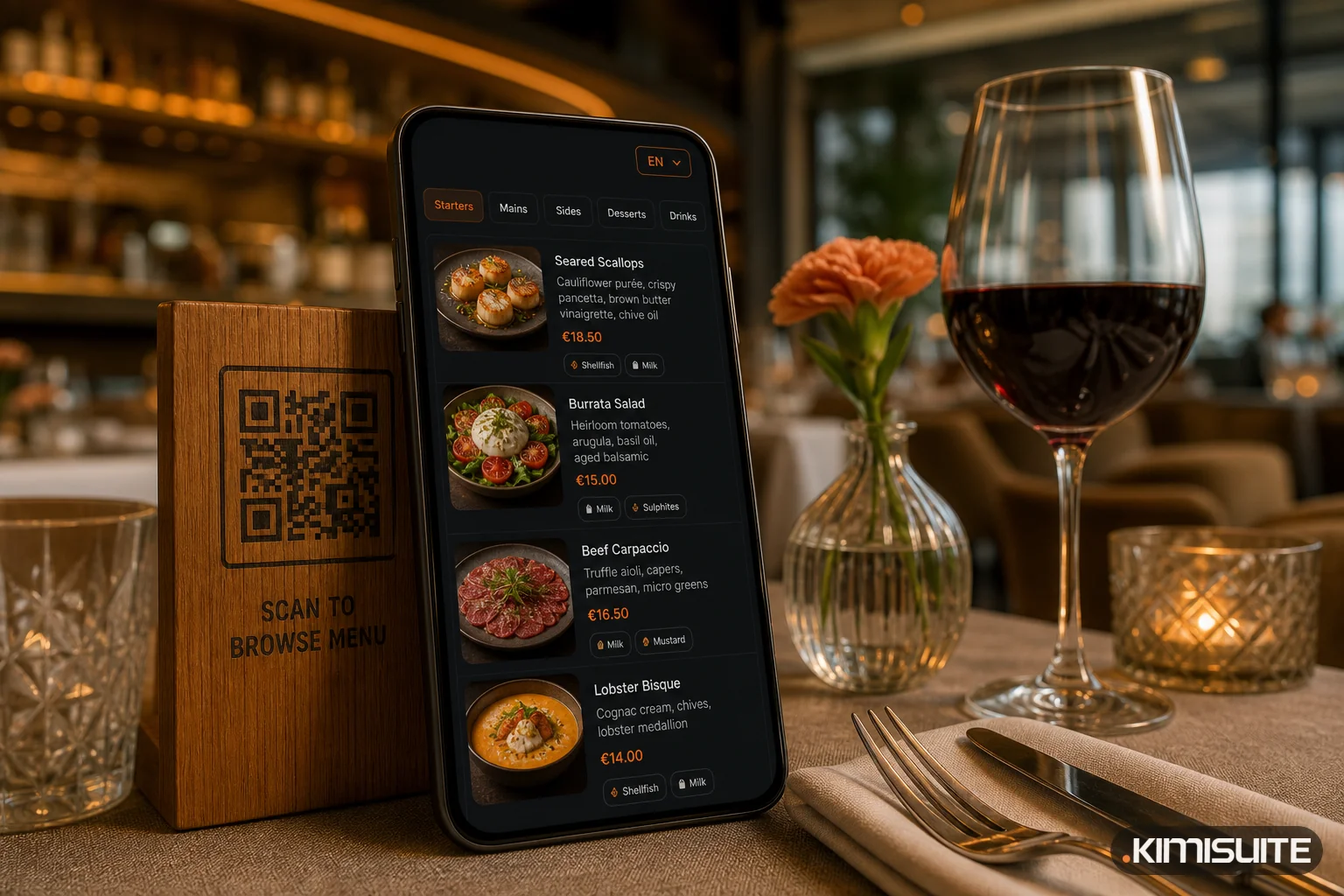
- the digital QR menu guests open at the table
- the menu widget embedded in the website you already have
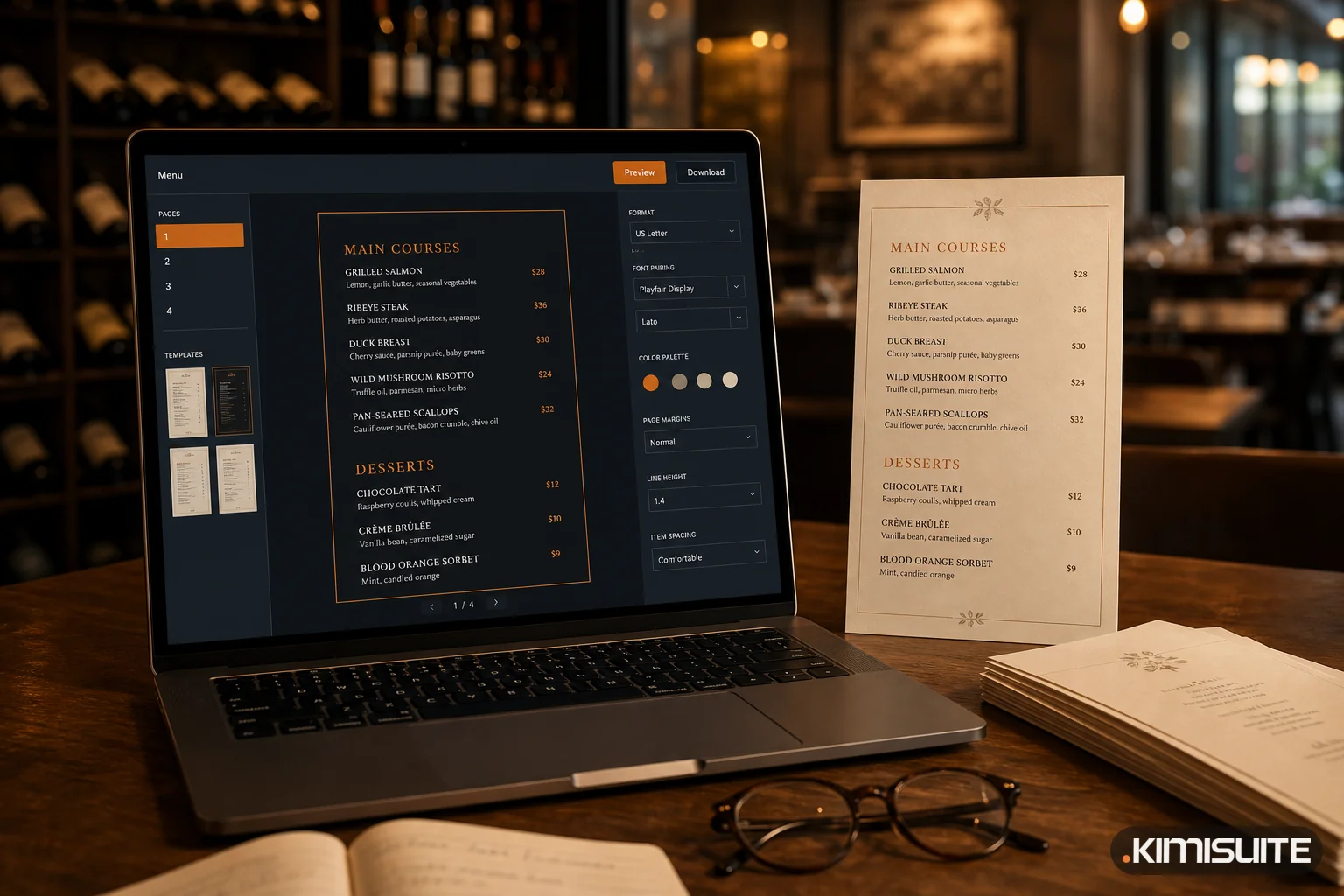
- a print-ready menu or PDF
- QR codes, for the whole menu or for a single dish
- the daily offers that change by weekday
Change a price at eleven in the morning and every one of those is correct at noon. Not because somebody remembered, but because there was nothing to remember.
Smart Menu: guests can ask the menu
The most useful thing on a menu is often the thing that is hardest to find. A guest with a nut allergy has to read every description. A visitor who recognises nothing on the card has to guess. Somebody wondering what to drink with the fish has to catch a waiter who knows.
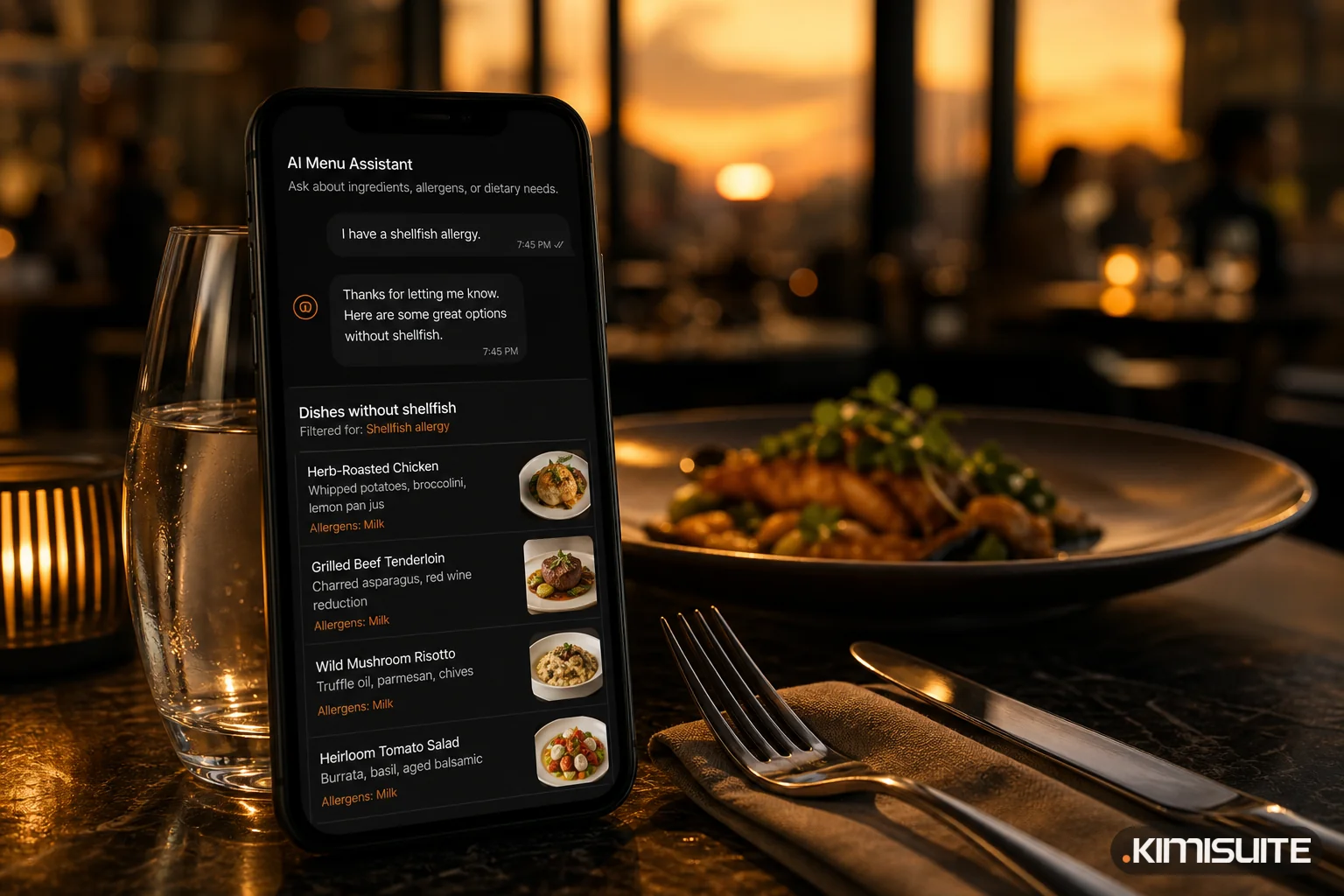
Smart Menu puts an assistant inside the digital menu that answers those questions in plain language, from your actual dishes, ingredients and allergen declarations. "What do you have without nuts." "Show me something vegetarian." "Which wine goes with this."
It answers from your menu, not from general knowledge about restaurants — which is the entire point, and the reason it is worth completing your allergen data before switching it on.
There is a second benefit that is easy to miss: the conversations are kept. Reading them tells you what guests keep asking for and which dishes they cannot find. That feedback does not exist anywhere else. Nobody flags down a manager to say the menu description was unclear; they just order something else.
The printed menu comes out of the same dishes
Paper is not going away, and it should not. It is the one part of the menu a guest holds.
What was broken is the loop around it. A price changes, and reprinting means opening a design file that one person knows, rebuilding a layout, exporting, and sending it off. So it does not happen, and the printed prices quietly drift out of date until the next big reprint.
The printable menu generates the document from the dishes already in the system. Paper size, orientation, margins, density, language, currency, which details to show, your logo, colours, font, a QR code, and a live page-by-page preview. Prices moved this morning? Generate and print. The data was already there.
Reservations now know about tables
Taking a booking is half the job. The other half is seating it.
Reservations now run against your real floor plan: tables with their capacity, grouped into areas you name yourself — main hall, terrace, VIP room, outdoor seating — across as many locations as you run. Approved bookings are assigned to an actual table, and every booking carries a status the whole team reads the same way: requested, approved, seated, completed, cancelled.
For service there is a table plan view, a printable filtered reservation list and printed table cards. For the manager who is not at a screen there are two shortcuts: a quick-confirm link in the reservation email that approves with one tap, and Telegram notifications that push each new request to the phone the moment it arrives.
That last one sounds small. It is the difference between answering a booking request in two minutes and answering it the next morning, after the guest already called somewhere else.
AI where the work is dull
Entering a menu is not hard. It is slow, and it is slowest exactly where it matters least: writing a description for the ninetieth dish, and then writing it again in three more languages.
The AI tools attack those parts specifically. Generate a food photo for a dish nobody ever photographed. Write or improve a description instead of staring at an empty field. Translate a finished item into every menu language in one step. And Meal AI works the other way — give it a focus like vegetarian, seasonal, lunch or a price range, and it proposes dishes that fit the menu you already run, ready to drop into your daily offers.
Menu languages and currencies are now unlimited on every plan, which changes what a multilingual menu costs to keep current. It stops being a project and becomes a setting.
Three ways onto the phone
The QR code on the table is one route. There are now two more.
A custom web address publishes the menu under your own link — the kind that works on a business card, in a social bio or in a Google Business profile, where a QR code cannot go. And guests can add the menu to their home screen, where it opens full screen like an app, still with nothing to download from a store.
All three point at the same live menu. The printed QR code never has to be replaced.
What this deliberately does not do
Restaurant Hub covers the menu, the guest experience and reservations. It is not a point of sale. Orders, kitchen tickets, stock and recipes, delivery and fiscal receipts belong to Gastro POS Hub, which is a separate app for a different job.
We would rather say that plainly than sell you a menu tool as a till.
Where to start
If you are already running Restaurant Hub, the fastest wins are in this order: complete your allergen and description data, translate the menu in one pass, then switch on whatever you are missing.
If you are not, start with the part that is costing you most. For most restaurants that is not the menu at all — it is the five copies of it.