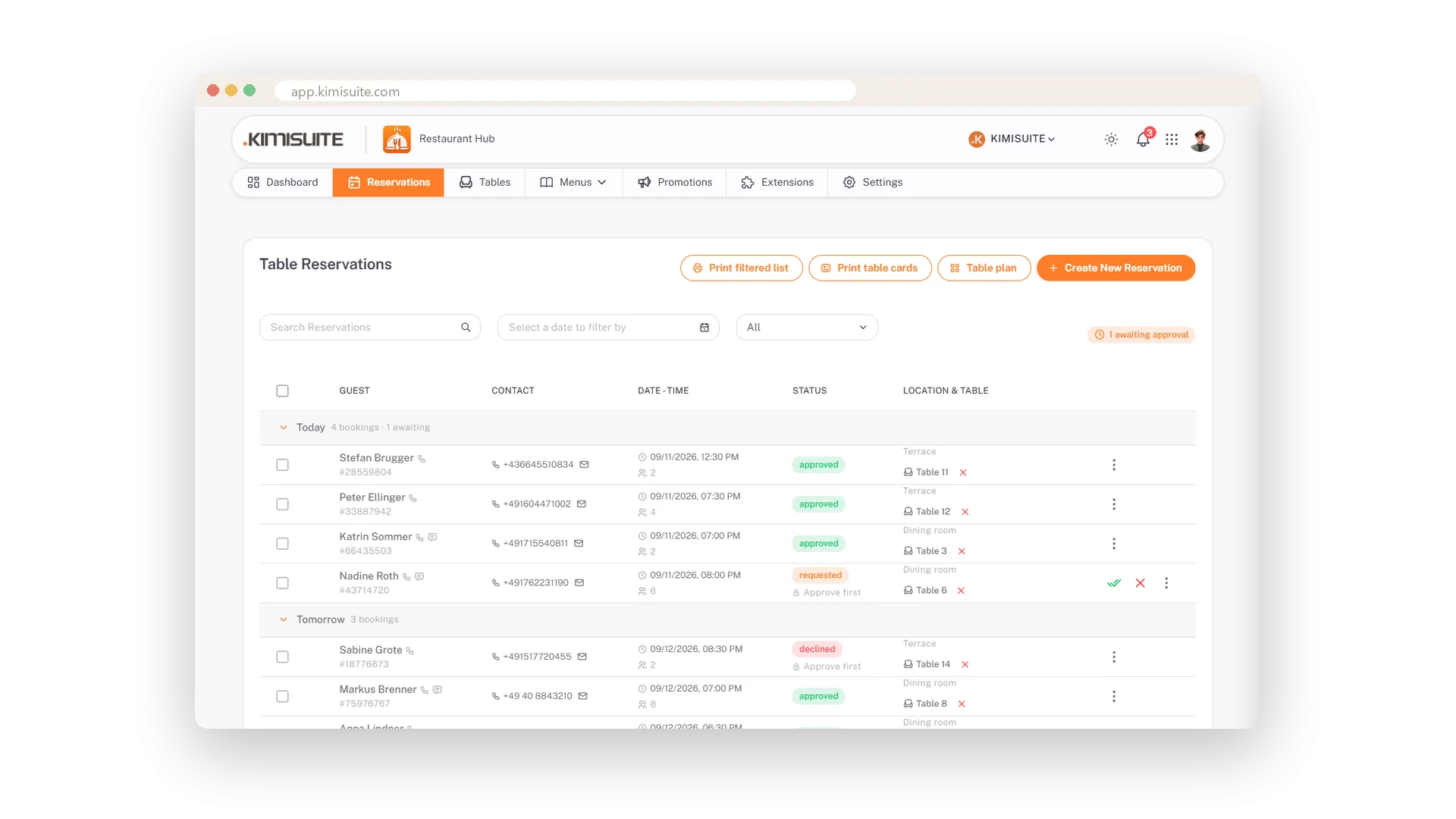
A guest books on your website, and a moment later the request is in your list - and on your phone as a Telegram message. Approve it with one click or decline with a kind reason that reaches the guest. Phone bookings go into the same list, so the whole team looks at one picture of the evening.
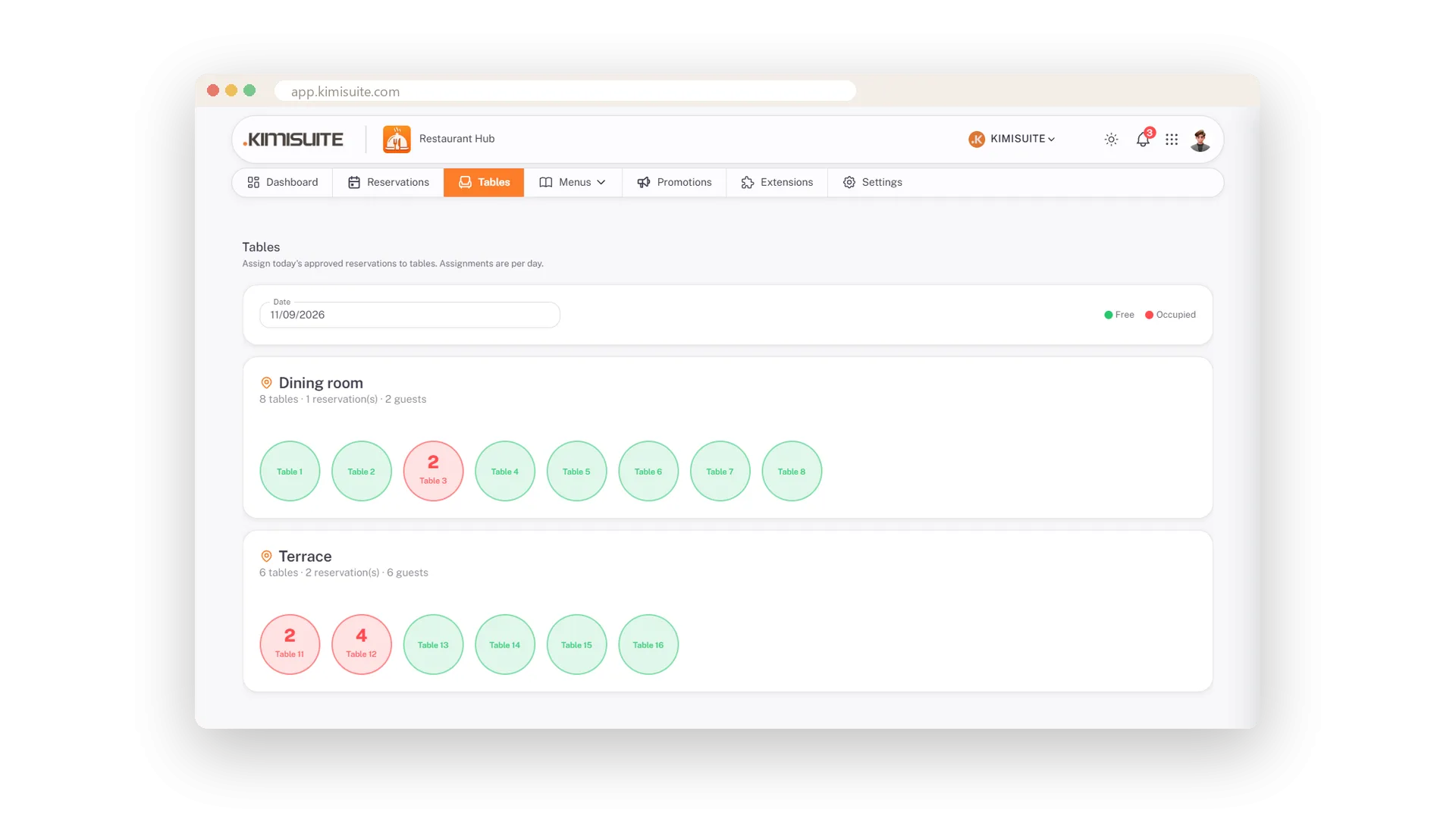
Your rooms are in the app: a dining room with tables 1 to 8, a terrace with 11 to 16, numbered in one click. The table plan shows the evening at a glance - green tables free, red ones taken with the number of guests. Opening hours decide what the booking form offers, one click closes a day for a private event, and the evening's list or a card per table comes out of the printer.
Key Benefits
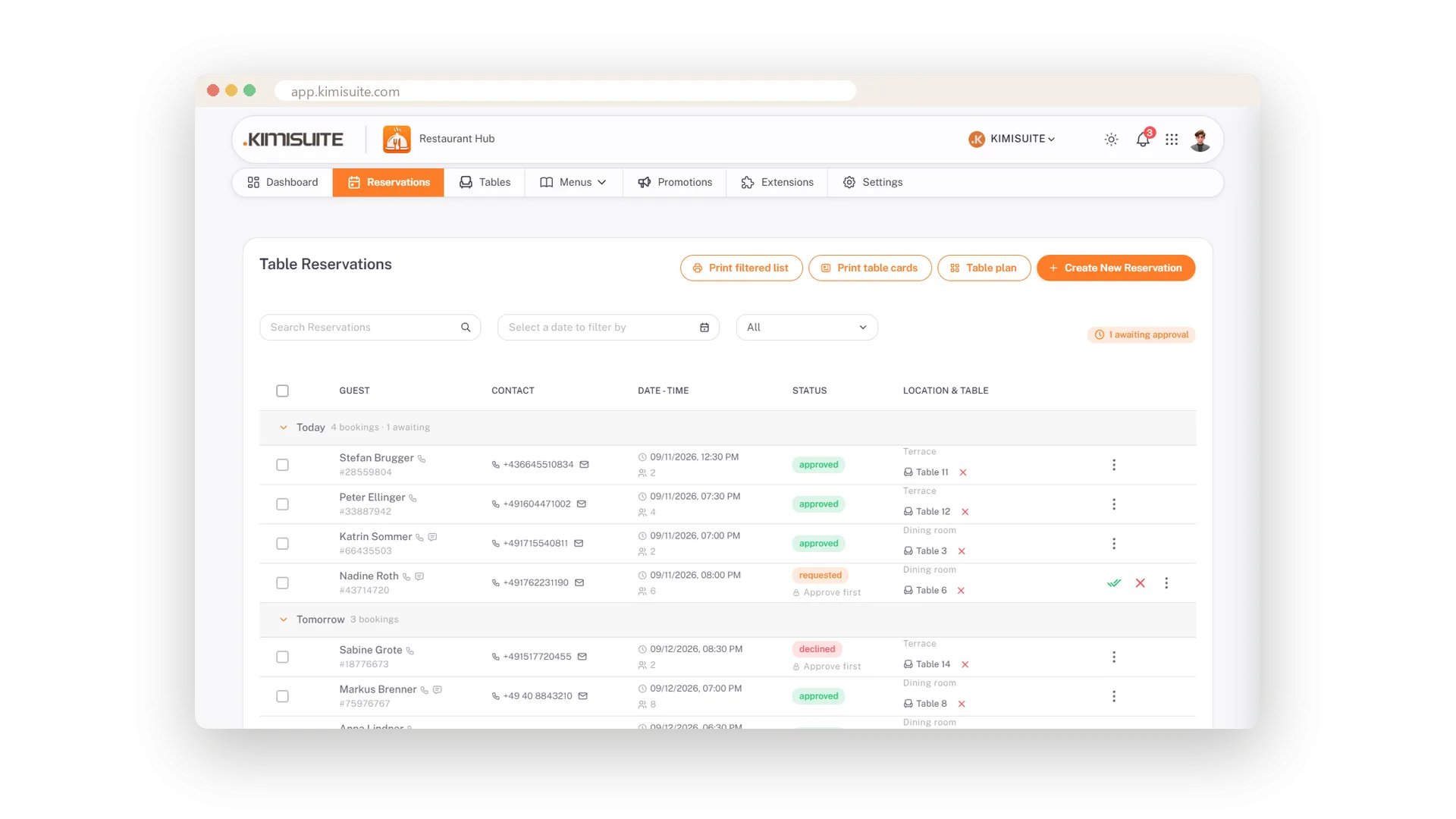
Website bookings and phone bookings in one list, grouped by day
Approve with one click, decline with a reason the guest receives
A table plan per day: green free, red taken, guests per table
A Telegram message on your phone for every booking
Phone bookings in the same list
Guest, time, table and a note - typed in seconds
A guest calls? Enter name, guests, date, time, a note and the table, and the booking joins the same list as the online requests. One picture of the evening for the whole team.
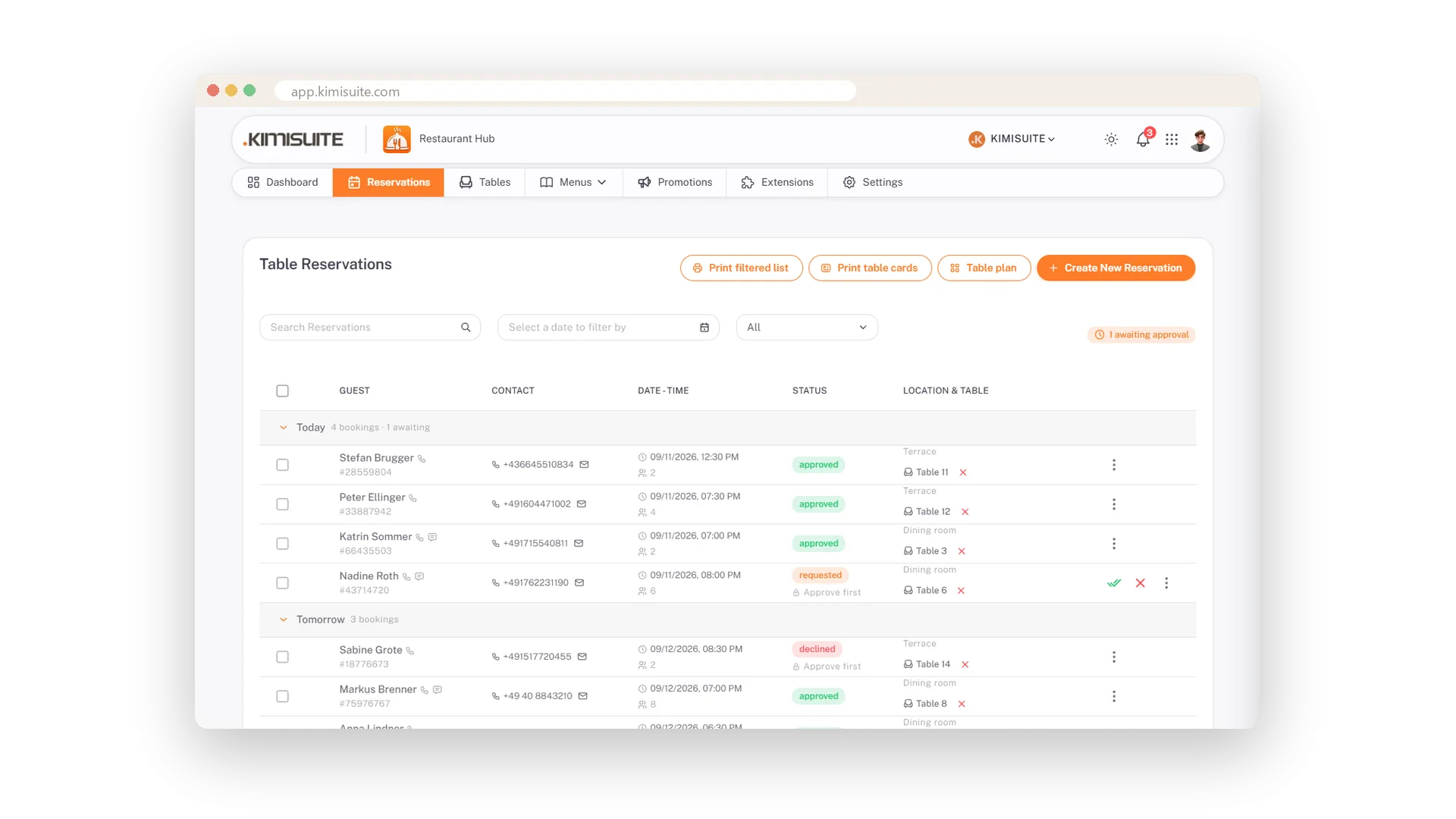
Approve with a click, decline with a reason
The guest gets the answer, the team sees the status
Two buttons per request. Approve confirms the table; Decline asks for a reason and sends it to the guest. No call-back to remember, no reply forgotten.
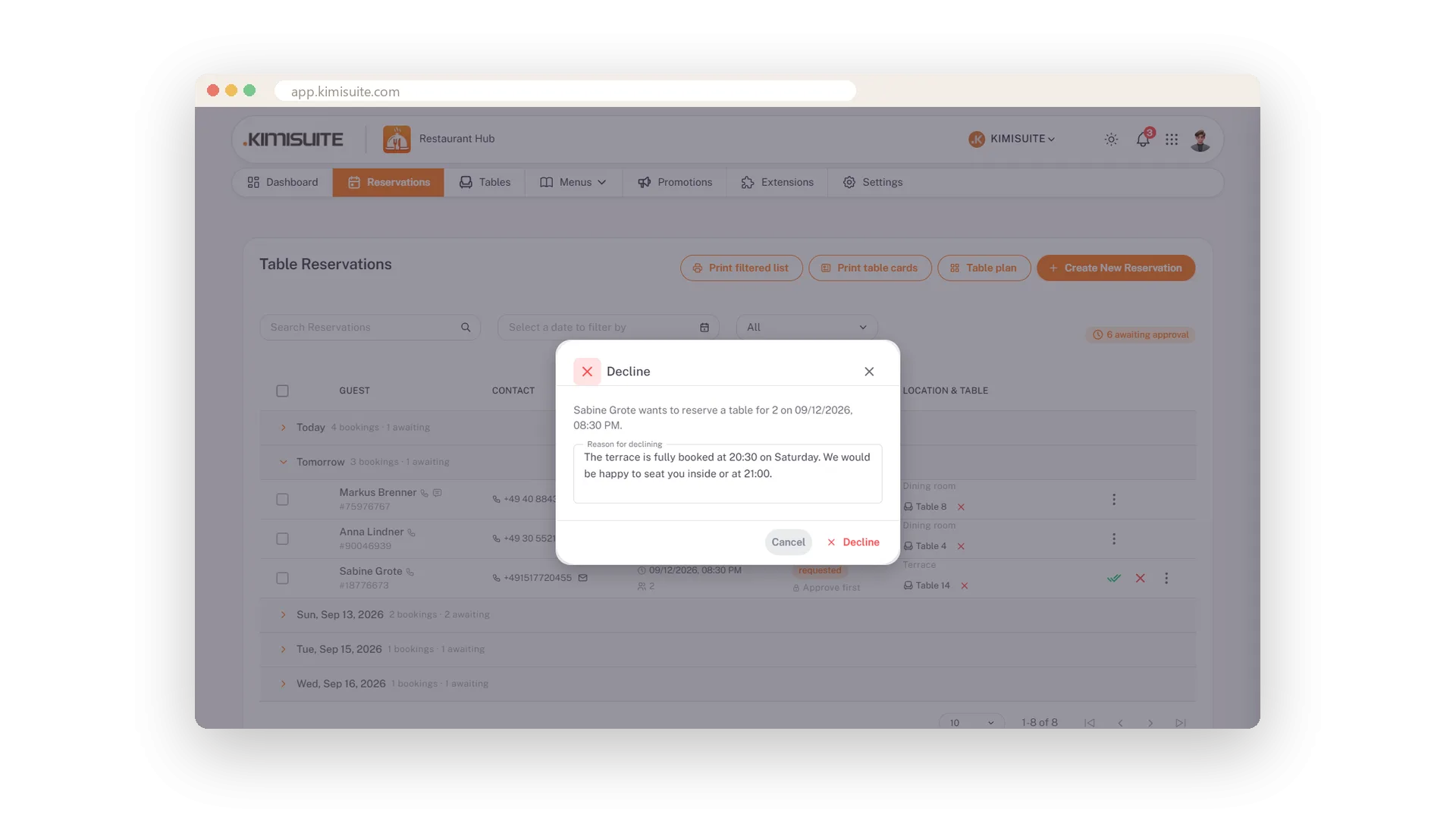
Your rooms and tables
Dining room 1 to 8, terrace 11 to 16, numbered in one click
Create your locations, tell the app how many tables each has, and the numbers fill in by themselves. Guests can ask for the terrace on the booking form, and the table plan shows every room separately.
The evening at a glance
Green free, red taken, guests per table
Pick a day and see every table as a circle: green when free, red when taken with the number of guests inside. Tap one to see who is coming and when. Tomorrow's evening is planned before service starts.
Bookings only when you are open
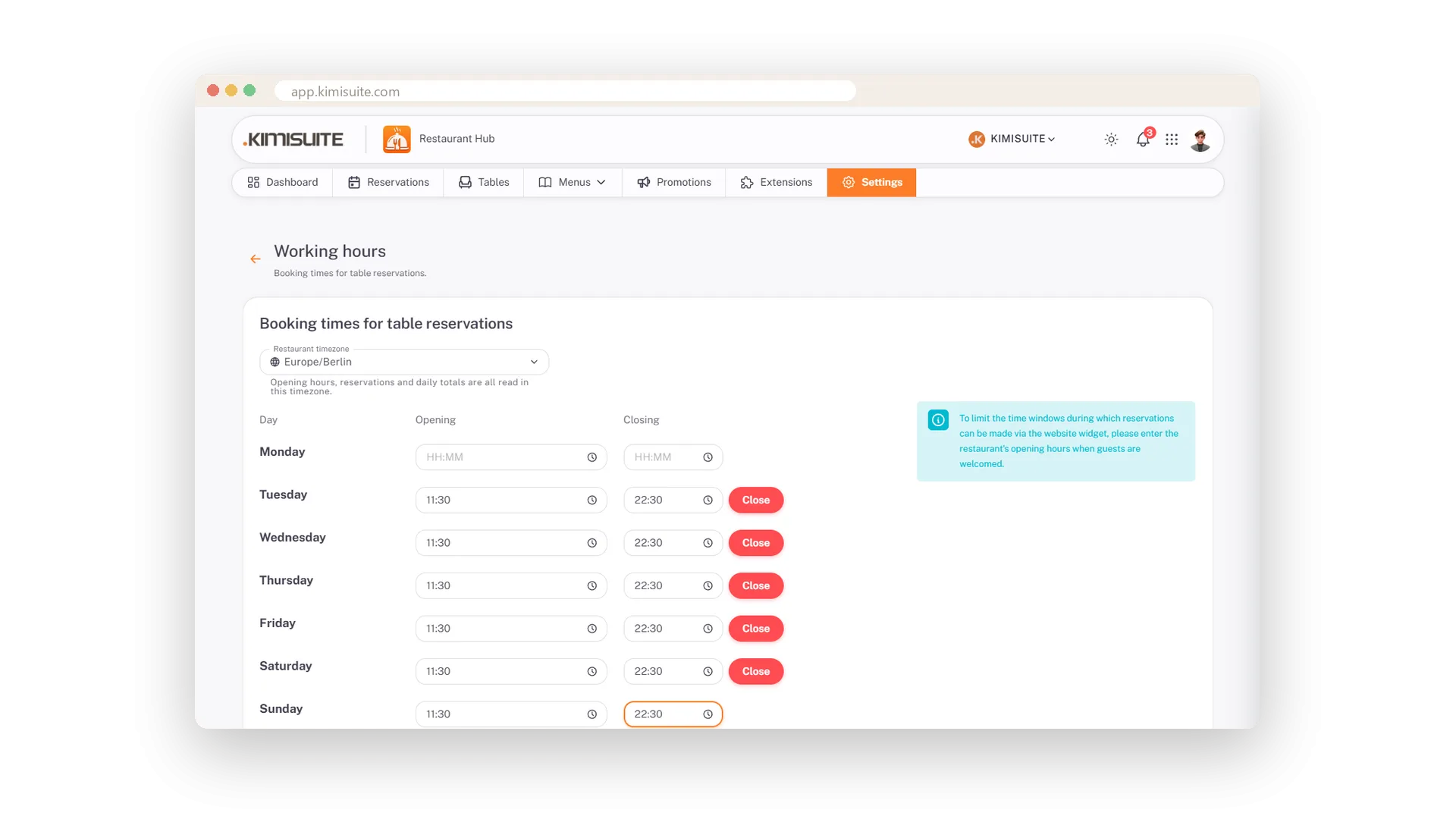
Opening hours per weekday, blocked dates, close today with a click
Set your opening hours per weekday and the booking form offers only those times. Private event on the 24th? Block the date. Kitchen full tonight? Close today for online bookings from the dashboard.
The evening on paper
A filtered list for the pass, a card for every booked table
Print tonight's bookings for the pass or a reserved card for every booked table - two buttons on the reservation list.
Every booking on your phone
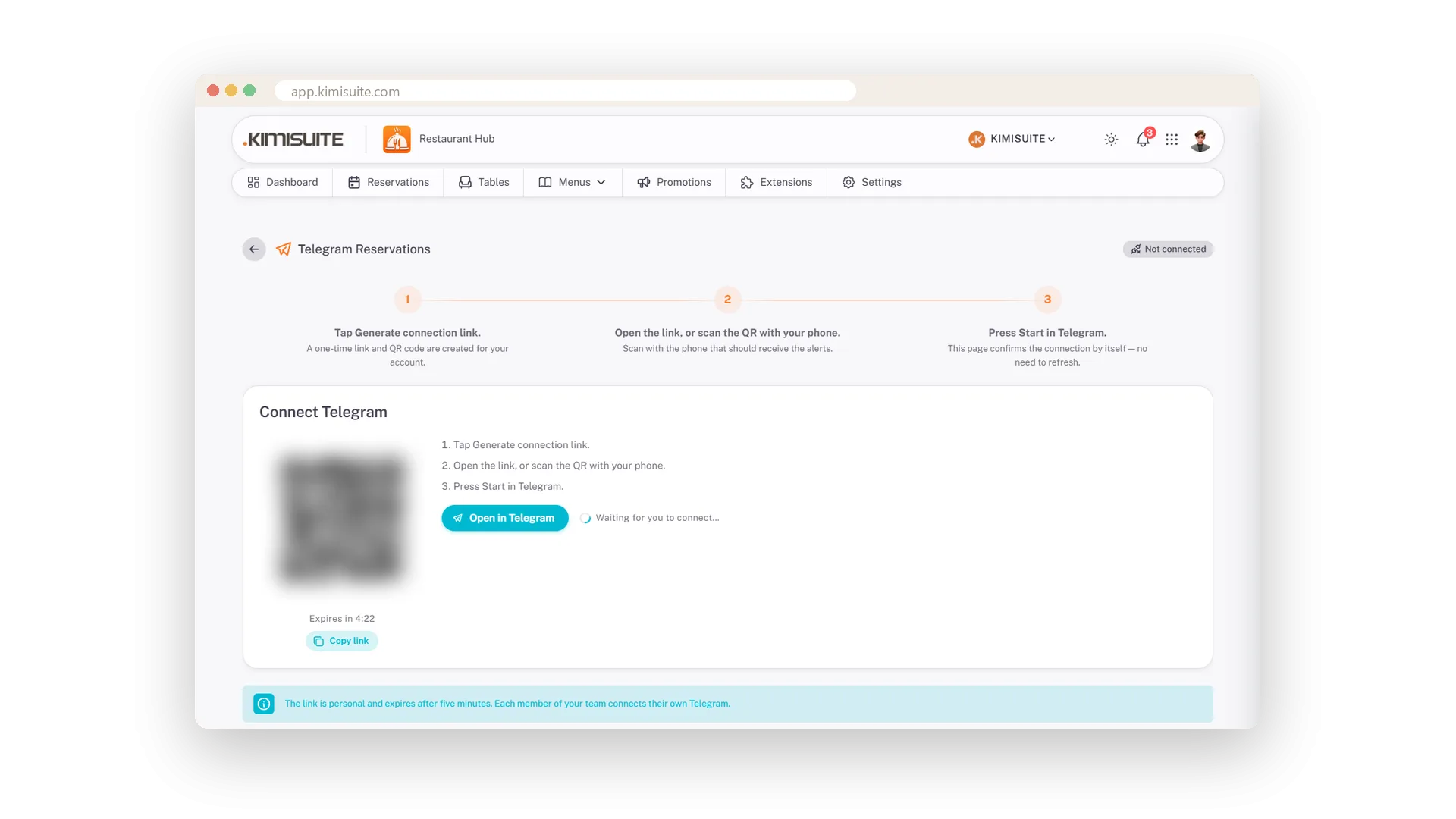
Connect Telegram once, then every reservation is a message
Scan a QR code, press Start in Telegram, done: every booking arrives as a message on your phone. The host and the owner can each link their own chat - nobody watches a dashboard.
Know your evenings
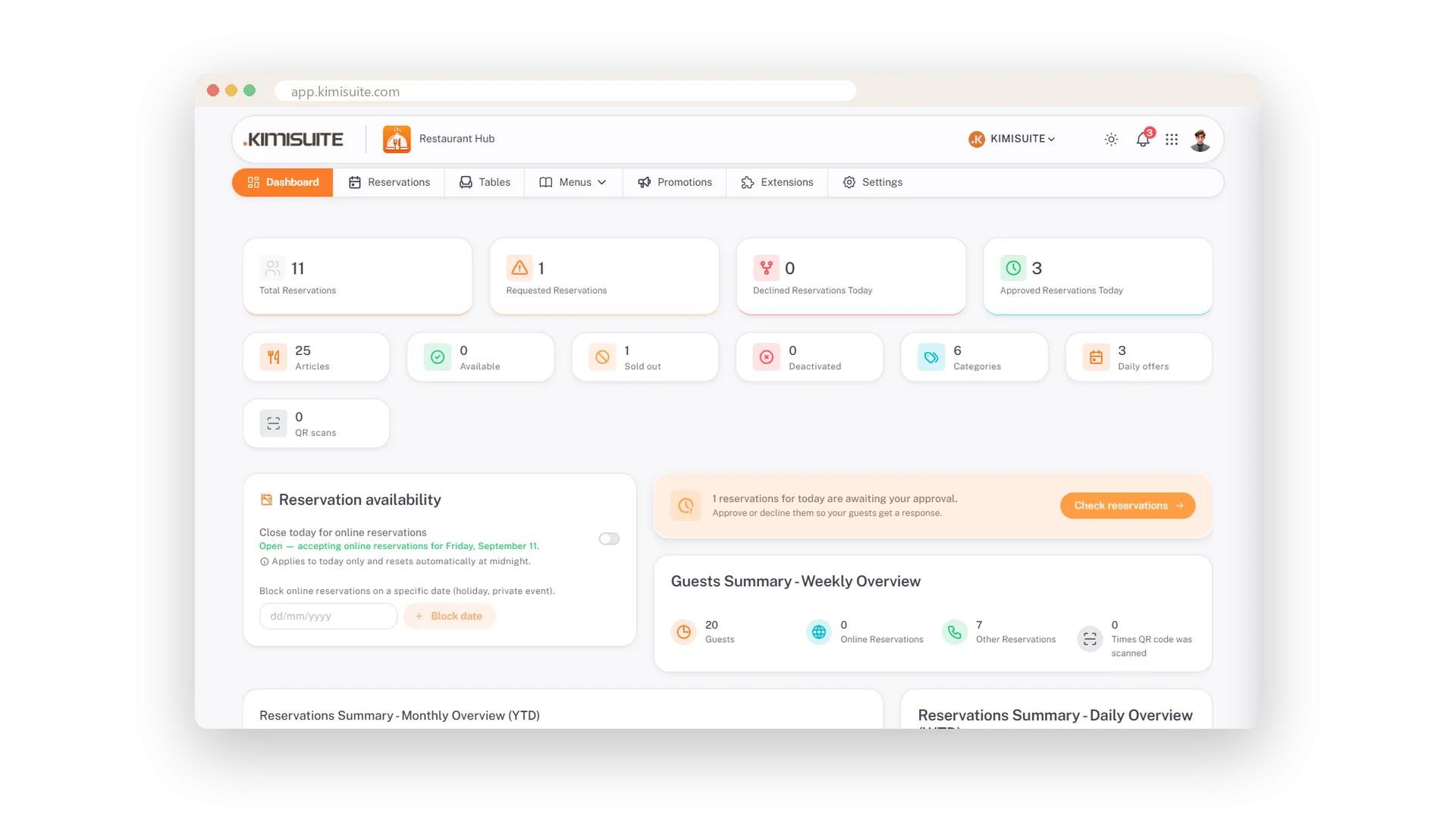
Bookings, guests per week, online versus phone - on one dashboard
See how many bookings came in, how many wait for an answer, how many guests the week brings and how many booked through the website. The year by month, the week by day.
Guests manage their own booking
A personal link to see, cancel or save the booking
The confirmation mail carries a personal link: the guest sees the booking, cancels it or saves it to the calendar. A cancellation shows as 'Cancelled by guest' in your list and you get a mail.
Lunch and dinner hours, special days
Two intervals per weekday and different hours for any date
Two opening intervals per weekday, for lunch and dinner, and different hours or a closed day for any date. Online booking follows them.
Booking rules
Lead time, largest party and time-slot grid for online requests
Set the lead time, the largest party you take online and the time-slot grid. Every online request is checked against your hours and rules - and stays a request you confirm.
Use Cases
Saturday evening at a glance
The list shows the day: four bookings, one waiting. Approve it, and the table plan colours table 3 red with four guests.
Fully booked, kindly said
Decline with a reason. The text goes to the guest, the row keeps the status, and the team sees what was answered.
Private event on the 24th
Block the date and the booking form stops offering it. Kitchen full tonight? Close today for online bookings with one click.
FAQ

Try Restaurant Hub today
Enter your menu once - serve it on the phone, on paper, online
14 days free, cancel anytime, no minimum term.
